
Codvia – COD Fee & Cash on Delivery Rules for WooCommerce
| 开发者 | codrulesdev |
|---|---|
| 更新时间 | 2026年9月26日 21:22 |
| PHP版本: | 7.4 及以上 |
| WordPress版本: | 7.1 |
| 版权: | GPLv2 or later |
| 版权网址: | 版权信息 |
详情介绍:
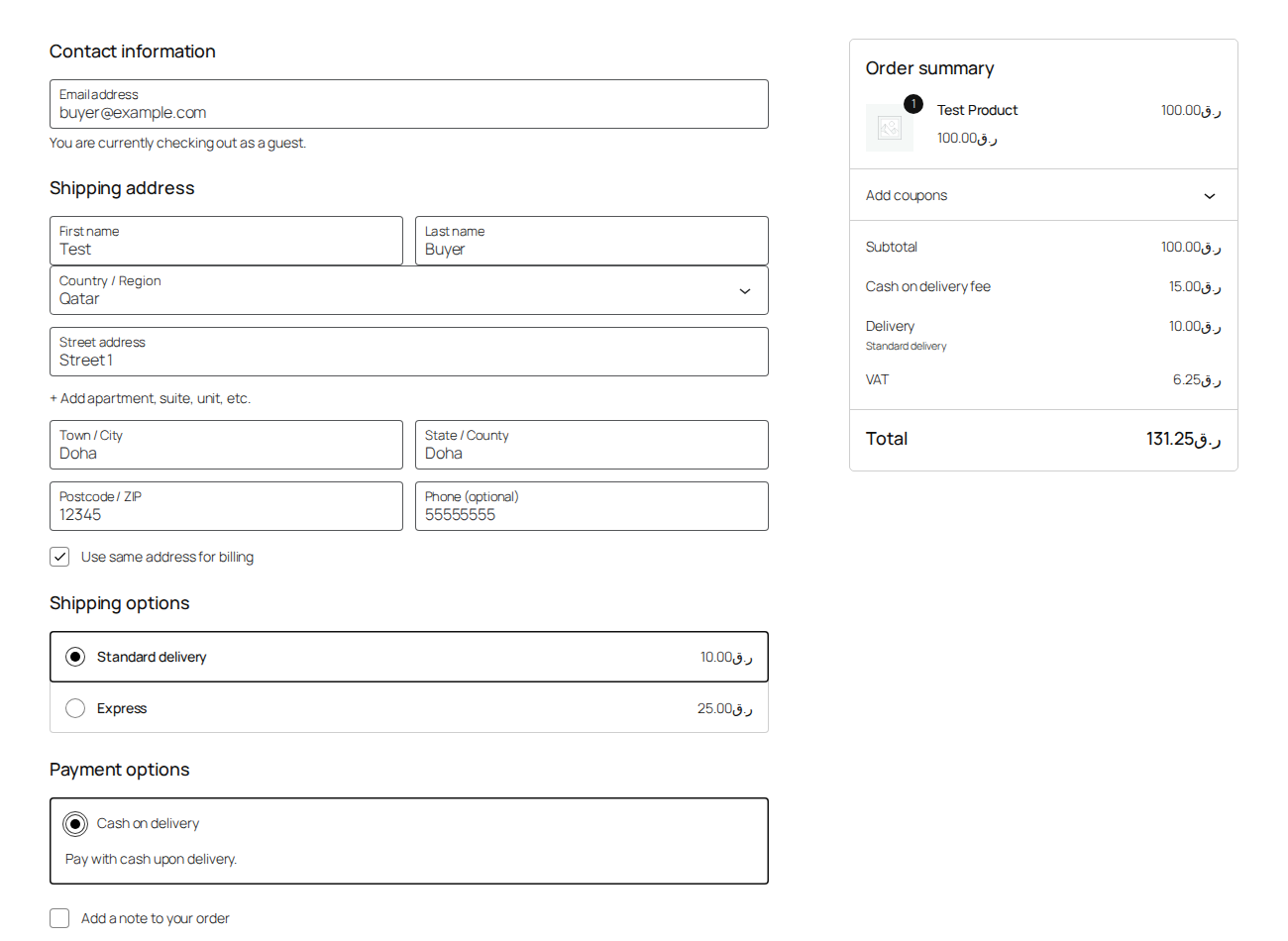
- The fee is taxed properly. Choose taxable or not, and which tax class, per rule or as a default. The tax shows separately in the cart, checkout, emails and invoices, exactly like any other WooCommerce fee.
- Thresholds never count the fee itself. "COD only under 400" means the items total, not items plus the COD fee. Choose whether shipping and tax are part of the amount rules look at.
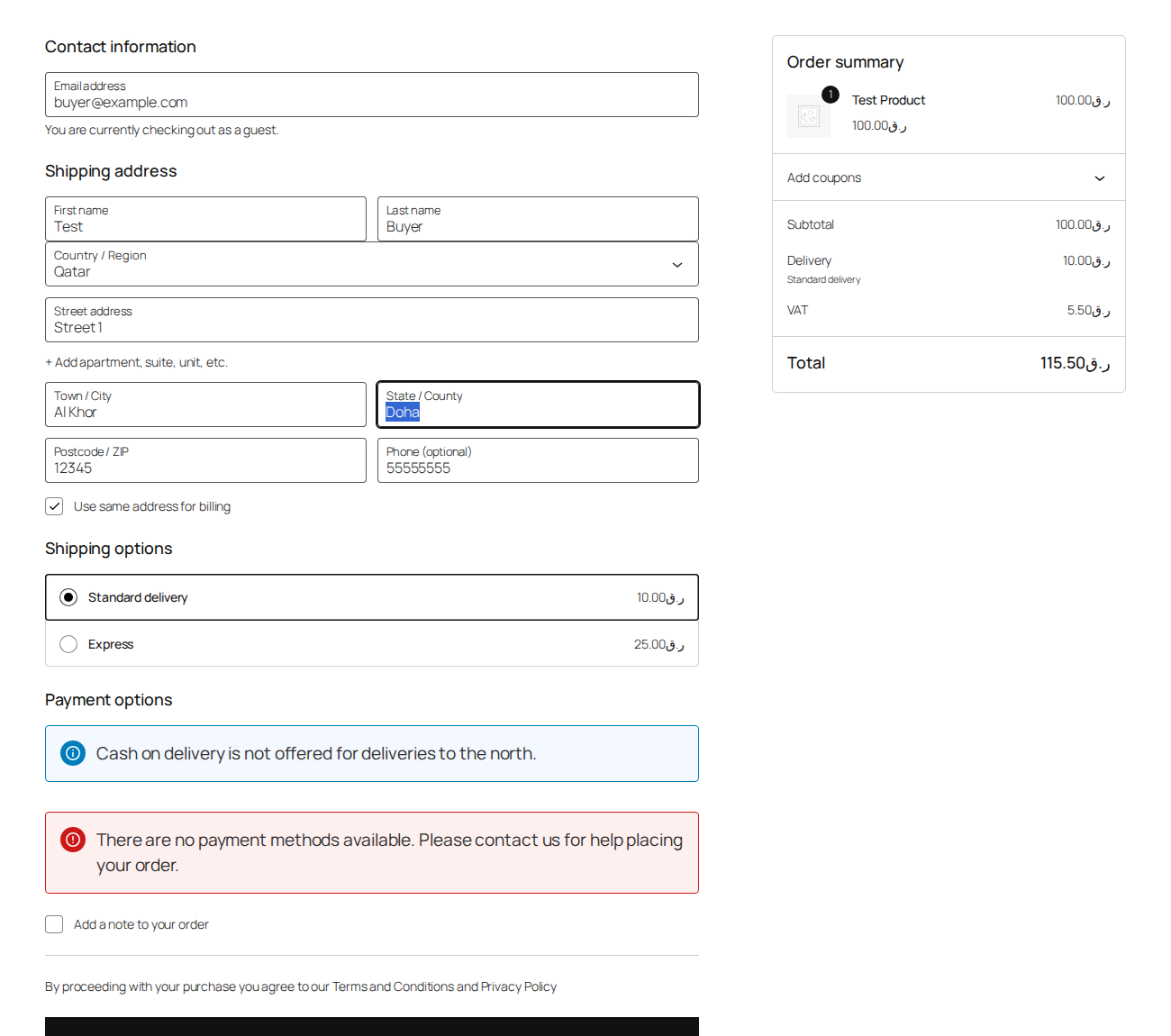
- Works on the block checkout and the classic checkout. The fee appears the moment the customer picks Cash on delivery, and disappears when they change their mind or their address.
- Tells the customer why. When a rule hides COD, the customer sees your message where the payment options are, instead of a silently missing option. Each rule can carry its own message.
- Unlimited cities and postcodes, free. Paste a list, one per line. Wildcards (
Al *,1234*) and numeric ranges (10000-19999) work. Spelling variants are folded before matching, so "Al-Rayyan", "al rayyan" and "AL RAYYAN" are one entry, and so are "الريان" and "الريّان" whatever the hamza, taa-marbuta or alef-maqsura. List a city in both scripts to catch both — the ready-made lists for Qatar, Saudi Arabia, UAE, Kuwait, Bahrain, Oman and Egypt already include both, and insert with one click. - The fee shows in emails, invoices and the order. It is a real WooCommerce fee line, tagged with the rule that created it, and every order gets a note explaining the decision.
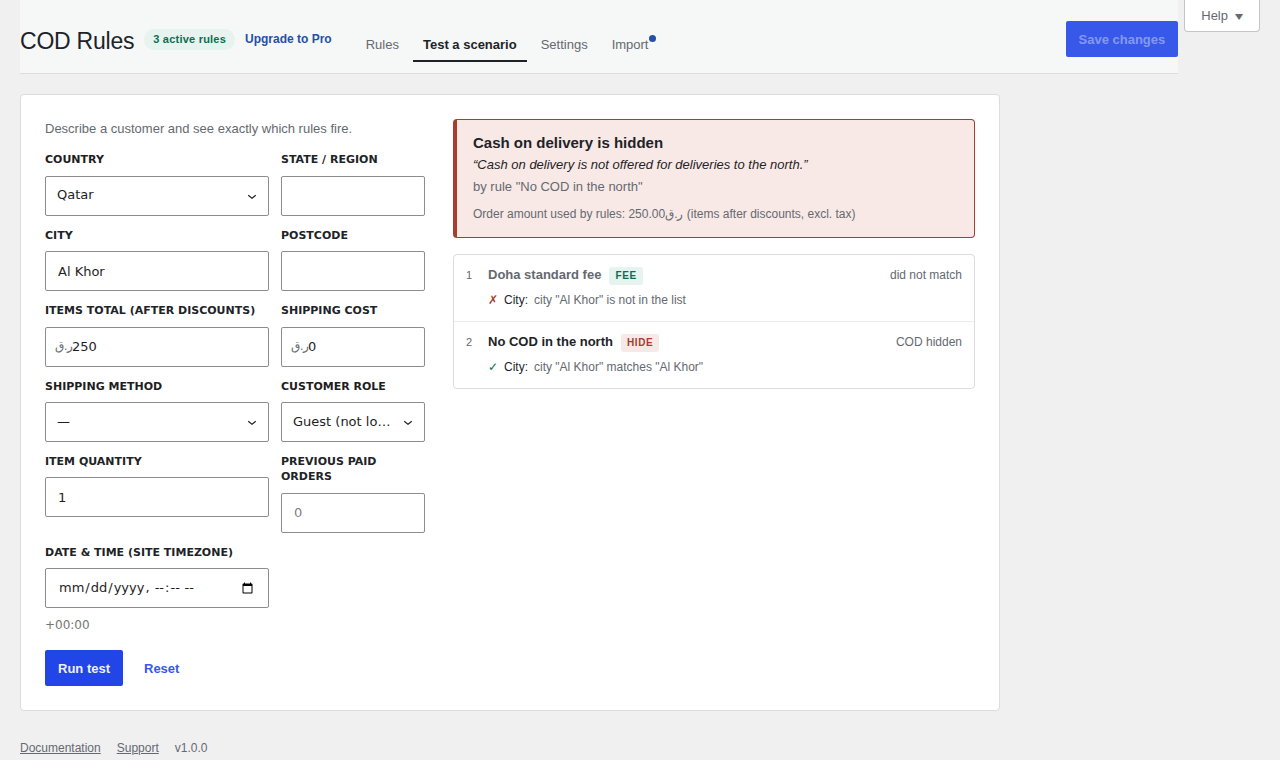
- Explainable. The scenario tester shows, rule by rule and condition by condition, why a given customer gets a fee or loses COD. Test unsaved rules before you publish them.
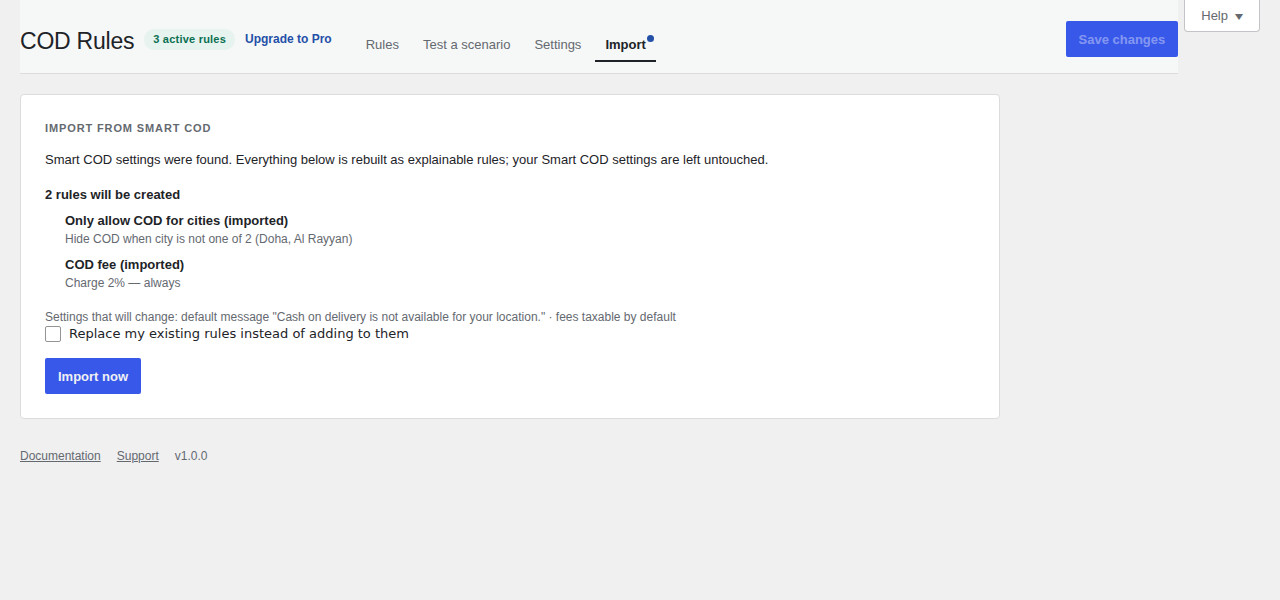
- One-click import from Smart COD. If you used Smart COD for WooCommerce, your restrictions, fees and messages are rebuilt as rules in a few seconds. Your existing settings are not touched.
- Date & time schedules – restrict COD or change the fee on certain days, hours or date ranges (Ramadan and Eid delivery windows, with the Hijri date shown next to the Gregorian one).
- Product, category, shipping class, cart weight and coupon conditions.
- Customer history – e.g. hide COD for first-time buyers, or waive the fee for repeat customers.
- Manual and phone orders – the fee line is added, updated or removed when an admin order set to COD is recalculated.
- Priority support.
crfw_condition_types, crfw_match_condition, crfw_decision, crfw_cart_fee, crfw_gateway_id, crfw_presets, crfw_rules, crfw_context_from_cart, crfw_context_from_order, crfw_pro_active. REST namespace crfw/v1. The block checkout receives the decision under extensions["cod-rules"] on the Store API cart response.
安装:
- Install and activate the plugin. WooCommerce 8.6 or newer is required.
- Make sure the Cash on delivery gateway is enabled under WooCommerce → Settings → Payments.
- Go to WooCommerce → COD Rules and add your first rule, or import your Smart COD settings from the Import tab.
- Use "Test a scenario" to check what a customer in a given city, with a given order amount, will see.
屏幕截图:

常见问题:
Why is the fee not taxed?
Check that taxes are enabled in WooCommerce → Settings → General, that a tax rate exists for the customer's location, and that the rule (or the default in Settings) is set to Taxable. The scenario tester shows whether a fee is taxable and which class it uses.
The customer's city has a different spelling in Arabic. Will it match?
Yes. Case, punctuation, diacritics and common letter variants (ة/ه, أ/ا, ى/ي) are folded before matching, and you can add both spellings to a list anyway. Use * for a wildcard.
Does the "order amount" include the COD fee?
Never. It is the items total after discounts, optionally plus shipping and tax, as chosen in Settings.
Does it work with the block-based checkout?
Yes. COD Rules is built for the block checkout first and also supports the classic shortcode checkout and the "pay for order" page.
Can I use it for a gateway other than the built-in Cash on delivery?
Yes. Set the gateway id in Settings → Advanced. Any gateway with that id is managed the same way.
Will it conflict with Smart COD or another COD fee plugin?
Run one at a time. After importing from Smart COD, deactivate Smart COD so the fee is not charged twice.
What happens on uninstall?
The plugin's settings and rules are removed. Order notes and the fee lines on existing orders are kept, because they are part of your order history.
更新日志:
- Renamed for clarity: the plugin is the same, the title now says what it does.
- Corrected the description of Arabic city matching. Spelling variants fold within each script; list a city in both scripts to match both. The ready-made GCC lists already contain both.
- Initial release.