
Comment Emojis for WP
| 开发者 | jayeshchopda |
|---|---|
| 更新时间 | 2026年4月11日 20:47 |
| 捐献地址: | 去捐款 |
| PHP版本: | 7.4 及以上 |
| WordPress版本: | 6.9.4 |
| 版权: | GPLv2 or later |
| 版权网址: | 版权信息 |
详情介绍:
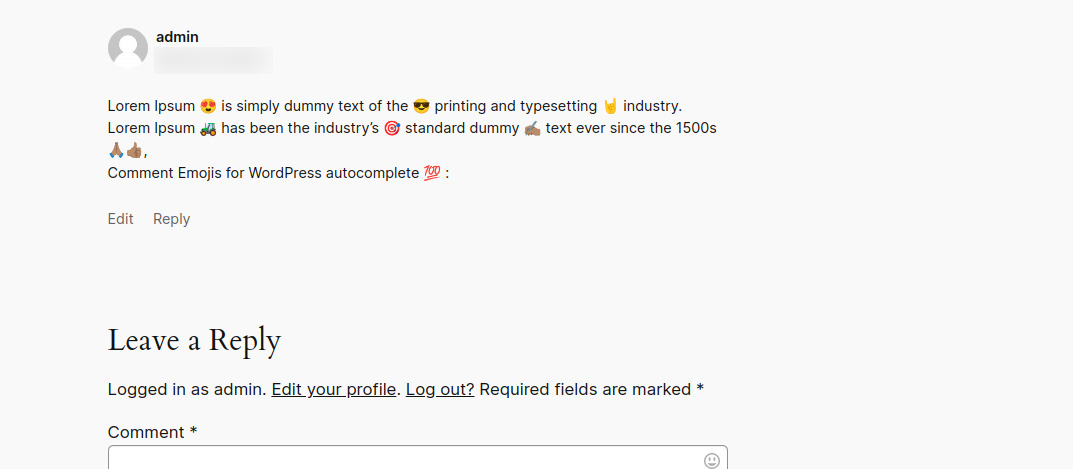
Comment Emojis for WP adds a lightweight emoji picker to the default WordPress comment textarea on your site. Visitors can insert emojis into comments quickly, with optional search, recent emoji history, and picker layout controls.
Features include:
- Add emojis directly to the default WordPress comment textarea.
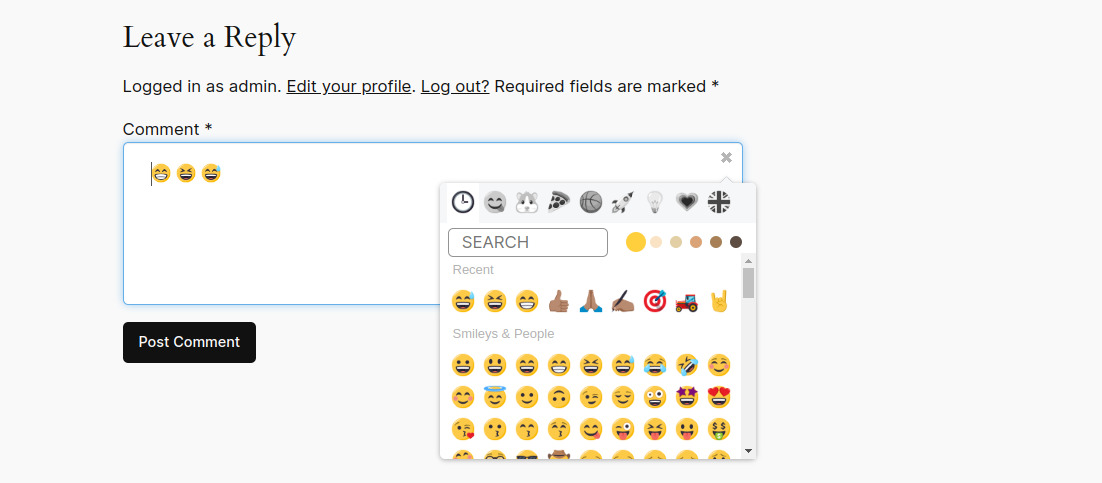
- Insert multiple emojis into a comment without leaving the form.
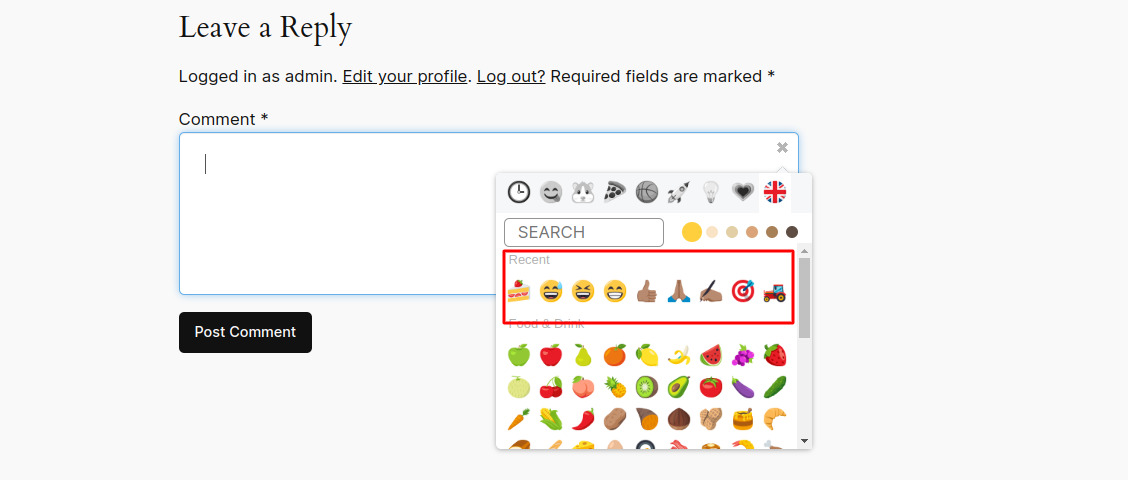
- Save and display recently selected emojis in the picker.
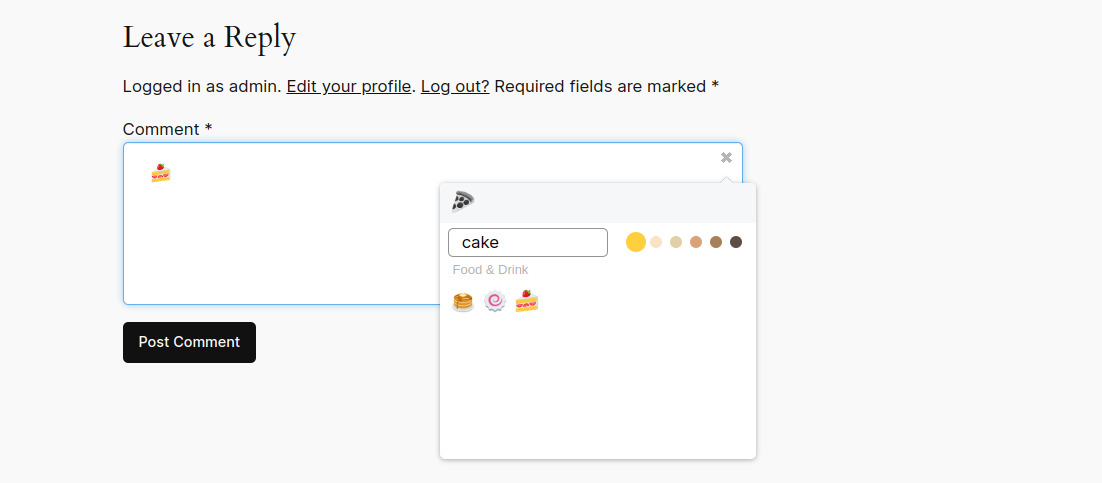
- Search emojis by name for faster selection.
- Browse emojis by category or scroll through the picker.
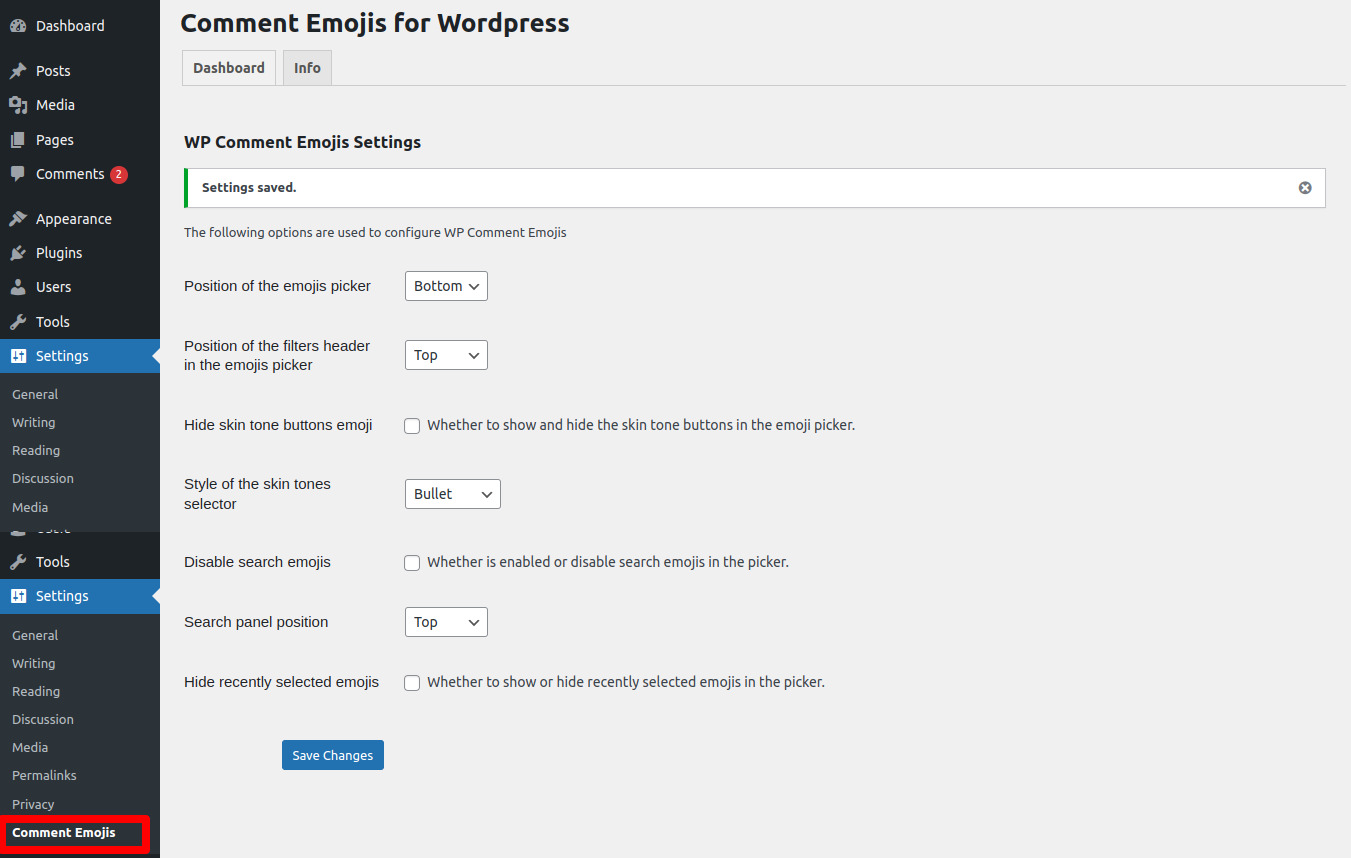
- Control picker layout, including picker position, filter position, and search panel position.
- Hide selected interface elements such as search, recent emojis, or skin tone controls when you want a simpler experience.
安装:
Automatic installation
- Log in to your WordPress admin dashboard.
- Go to Plugins > Add New.
- Search for Comment Emojis for WP.
- Click Install Now, then Activate.
- Download the plugin ZIP file.
- Upload the extracted plugin folder to the /wp-content/plugins/ directory.
- Go to Plugins in your WordPress admin dashboard.
- Activate Comment Emojis for WP.
屏幕截图:
常见问题:
What does this plugin work with?
The plugin is designed for the default WordPress comment textarea markup used by standard comment forms.
Does it work with custom comment forms?
Not always. If your theme or plugin replaces the default WordPress comment textarea markup, custom integration may be required.
Can visitors search for emojis?
Yes. Emoji search is available and can also be disabled from the plugin settings if you prefer a simpler picker.
Are recent emojis supported?
Yes. Recently selected emojis can be displayed in the picker, and you can hide that section from the settings page if needed.
Does it support mobile devices?
Yes. The picker works on mobile and desktop devices.
Are there layout controls in the settings?
Yes. You can control the picker position, filter position, search panel position, and visibility of selected picker features.
Any database requirement for emoji support?
Use a utf8mb4 database collation so emoji characters are stored correctly in comments.
更新日志:
1.1.3
- Improved the Settings, Help, and Support admin page layouts and styling.
- Restyled Quick Summary, Recommended Setup, and Help step sections for better readability.
- Fixed version metadata consistency in the main plugin file.
- Readme updated
- Minor bug fixes
- Marked the plugin as tested up to WordPress 6.9.4.
- Refactored the plugin bootstrap and option handling for improved WordPress coding standards compliance.
- Added sanitization and default fallbacks for plugin settings.
- Improved the admin settings UI structure and behavior.
- Updated documentation to reflect the current feature set.
- Tested up to WordPress 6.4.2.
- Fixed compatibility issues with PHP 8.1.
- Improved emoji picker performance and responsiveness.
- Enhanced emoji insertion in comment areas.
- Fixed minor bugs and polished the UI.
- Initial release.
- Added an emoji picker for the default WordPress comment textarea.
- Added emoji search, category browsing, and recent emoji support.
- Added support for inserting multiple emojis in a single comment.