
CookieBoxs - GDPR/CCPA Cookie Consent & Google Consent Mode v2
| 开发者 | visionsolutions |
|---|---|
| 更新时间 | 2026年8月26日 20:47 |
| 捐献地址: | 去捐款 |
| PHP版本: | 7.4 及以上 |
| WordPress版本: | 7.1 |
| 版权: | GPLv2 or later |
| 版权网址: | 版权信息 |
详情介绍:
- Google Consent Mode v2 support
- Automatic script blocker and cookie cleaner
- 25+ built-in integrations
- Content blockers for embedded media and maps
- 40 interface languages
- Region presets
- Consent logging in WordPress
- Floating settings badge
- Self-hosted plugin files
安装:
- Upload the
cookieboxsfolder to the/wp-content/plugins/directory. - Activate the plugin in WordPress.
- Go to Settings -> CookieBoxs.
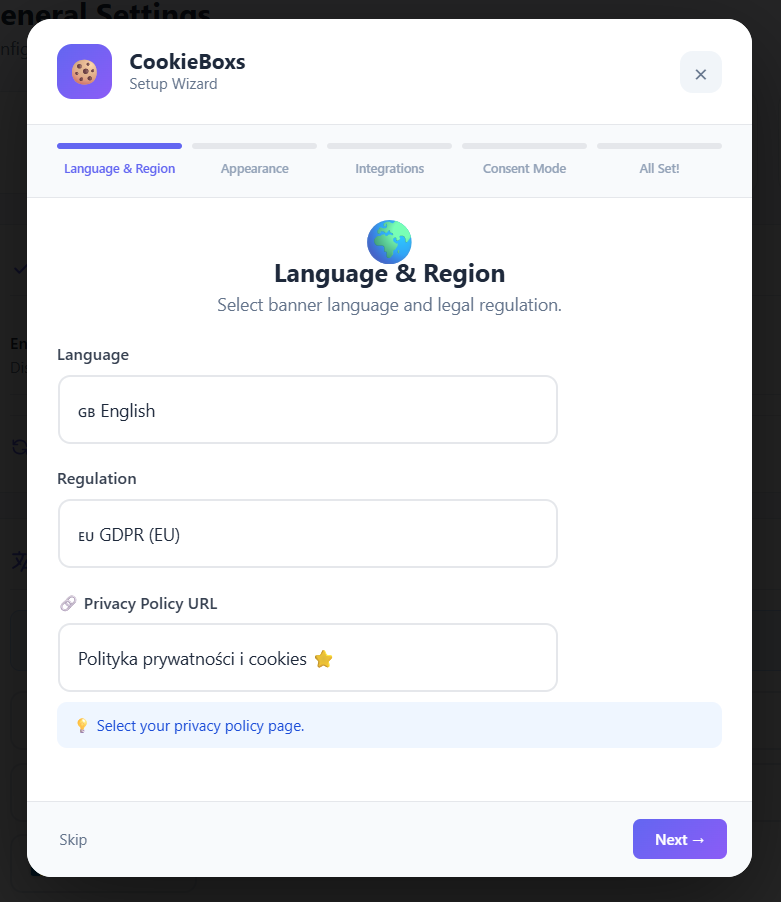
- Choose your language and region preset.
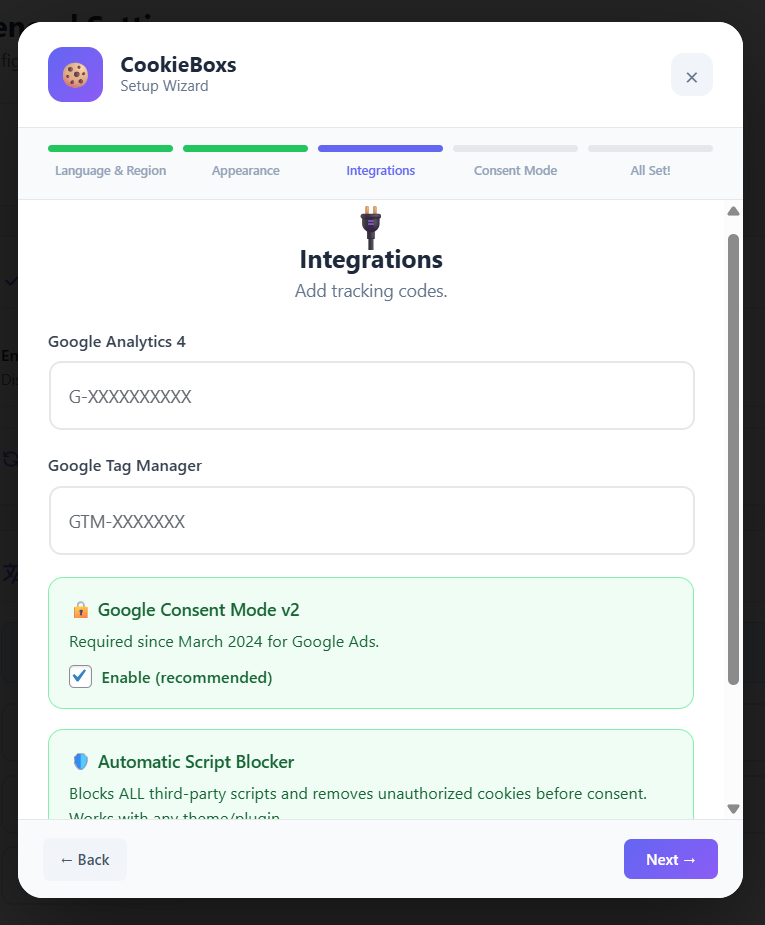
- Configure the integrations you want to use.
- Save your settings.
屏幕截图:
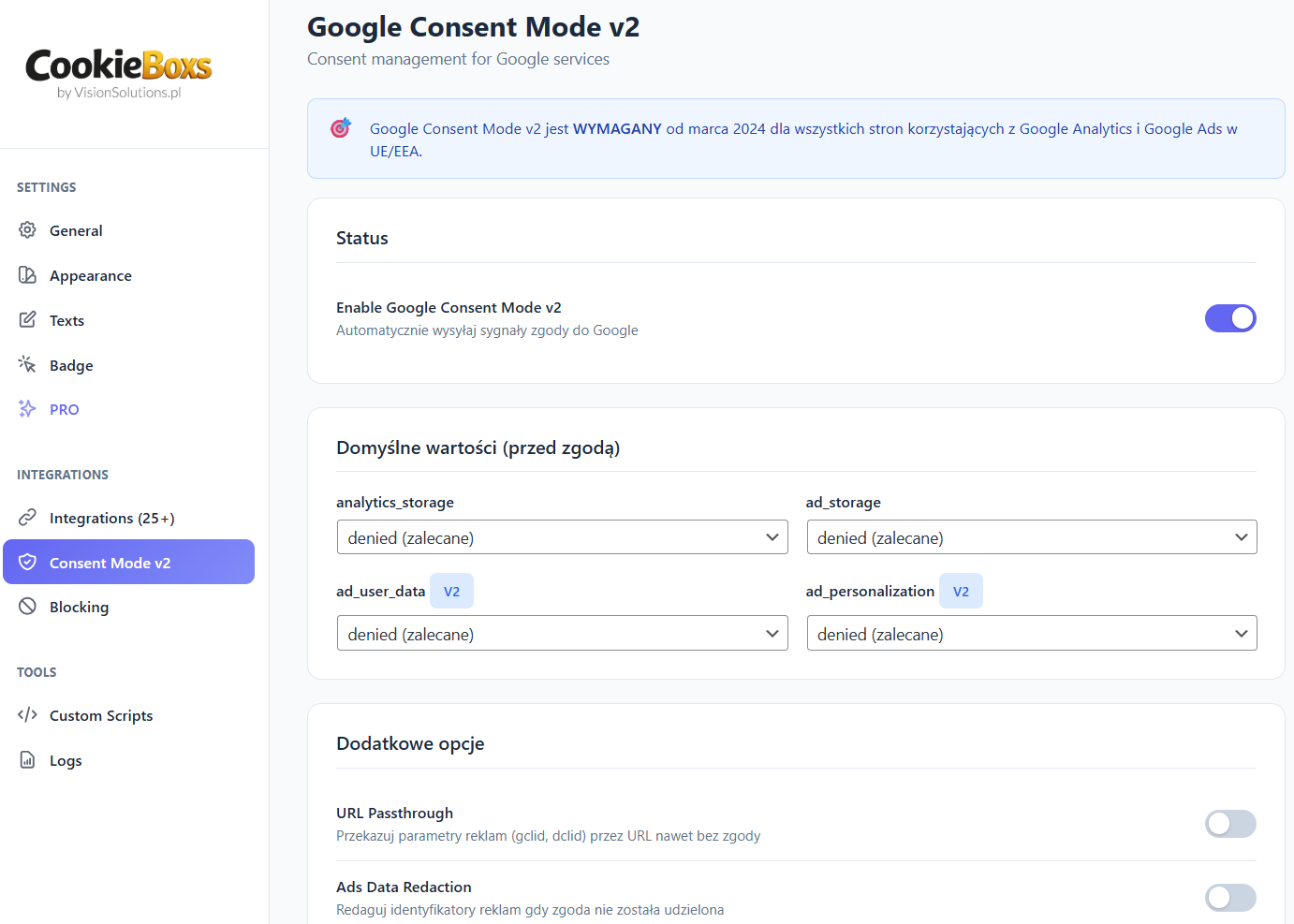
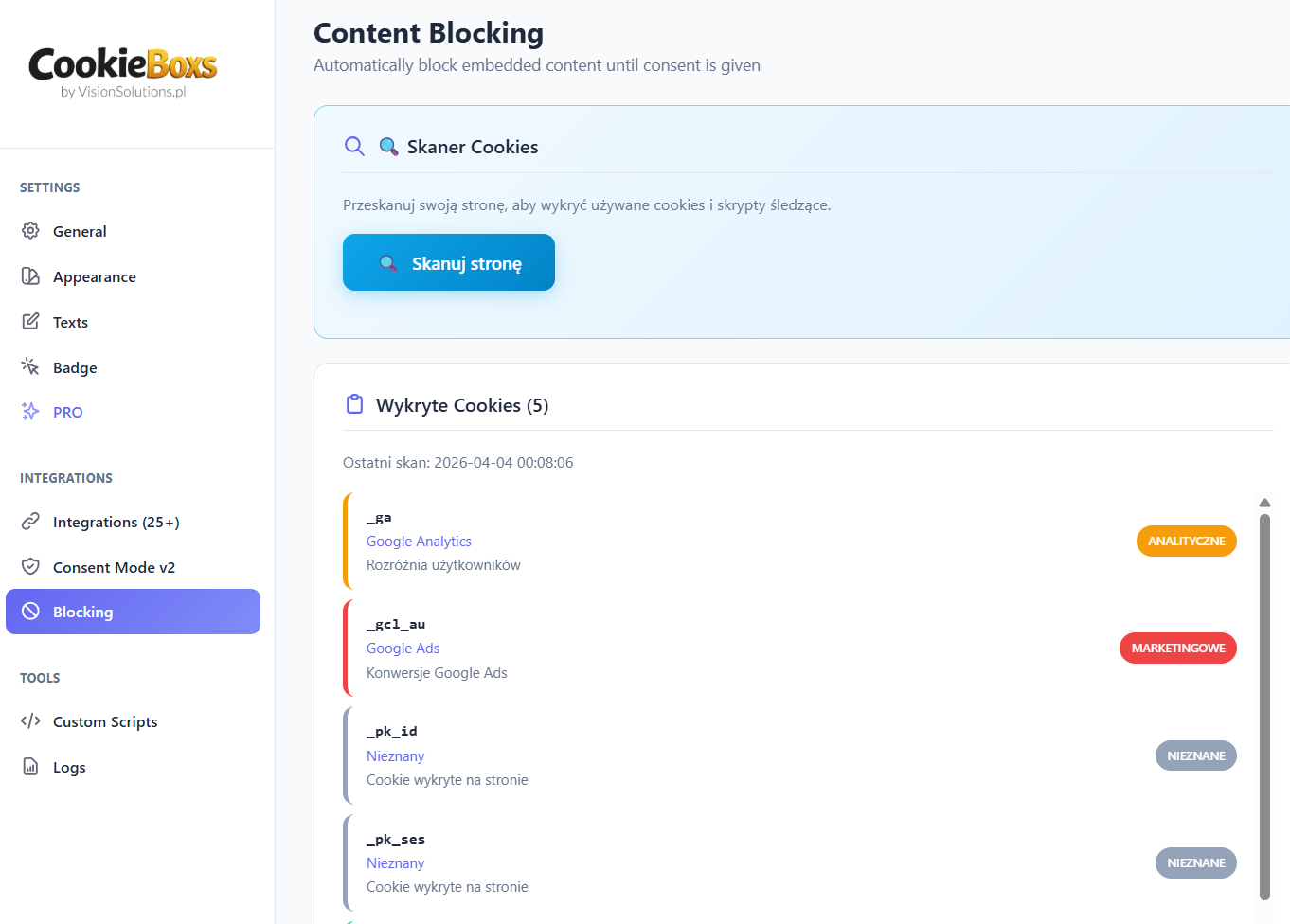
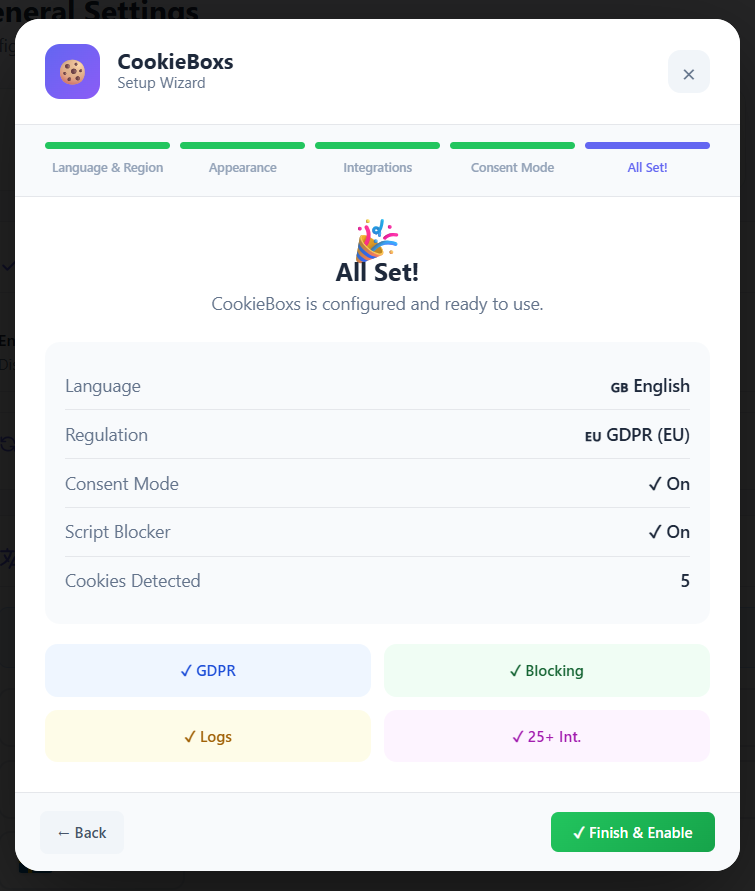
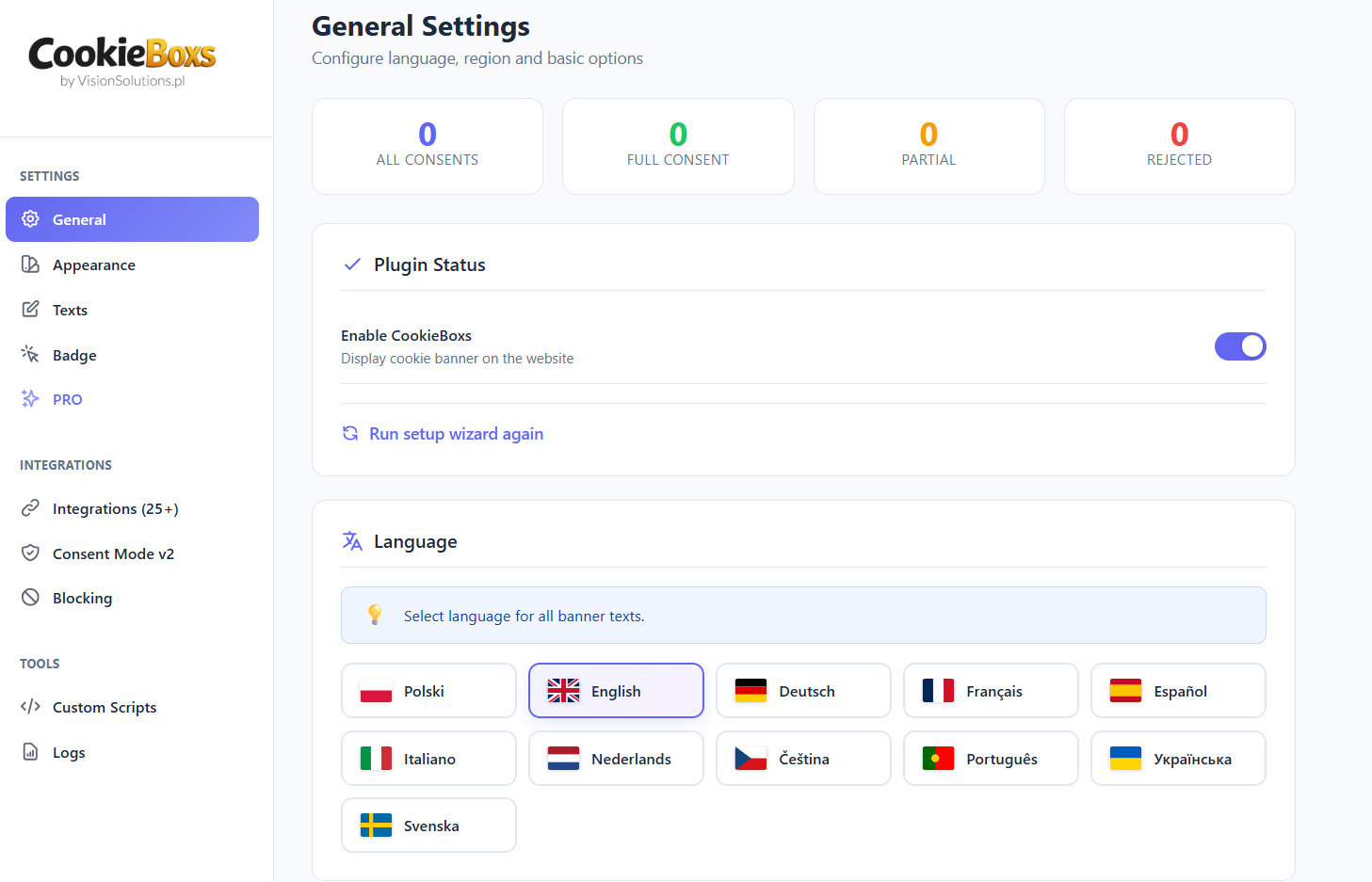
常见问题:
Does it include Google Consent Mode v2?
Yes.
Does the plugin guarantee legal compliance?
No. CookieBoxs is a technical tool that can help with consent management and privacy-related configuration. Site owners remain responsible for reviewing their legal obligations, policies, and third-party services.
Does it block scripts before consent?
The plugin includes an automatic script blocker and cookie cleaner. Built-in integrations are designed to load according to their assigned consent category. Google Tag Manager may load earlier and rely on Consent Mode signals, depending on configuration.
Can I customize the banner text?
Yes. Banner text, category labels, and descriptions can be customized in the plugin settings.
How do I add custom scripts?
Go to Settings -> CookieBoxs -> Custom Scripts and assign the script to a consent category.
Is it compatible with caching plugins and page builders?
CookieBoxs is designed to work with common caching plugins and standard WordPress themes and builders.
Does it support multisite?
Yes.
How do I show a link to reopen cookie settings?
Use the shortcode [cookieboxs_settings] or enable the floating badge.
更新日志:
- Fixed (critical): running the PRO cookie scan could kill the request with a PHP fatal error ("Maximum execution time exceeded"), leaving the admin with a bare "There has been a critical error on this website". The scan fetches up to five pages of your own site, each with a 15-second timeout - on hosts that block loopback requests (a common shared-hosting setup) or are simply slow, that added up to more than the 30-second PHP limit. The scan now keeps itself inside the host's time limit, uses shorter per-page timeouts, stops immediately when the homepage cannot be fetched, and reports a clear message explaining that loopback requests are blocked instead of dying.
- Compatibility: tested with WordPress 7.1. The plugin adds nothing to the block editor, uses no jQuery UI, no @wordpress/components and no admin-toolbar items, so the 7.1 editor-iframe, components and jQuery UI changes do not affect it. Verified on a clean WordPress 7.1 install: banner, consent logging and the admin screens all work with zero PHP notices.
- Fixed (cookie scanner): the scan reported trackers that were not installed. A site running only Google Tag Manager and the Meta Pixel was told it also had Matomo, TikTok and Google Ads cookies. Two causes, both fixed: (1) the scanner searched the whole page HTML for vendor names, so CookieBoxs' own integrations config - which always lists every vendor slot, including empty ones such as "matomoUrl" - made the scanner fingerprint itself; (2) an ordinary social link in the footer (for example a link to a TikTok profile) counted as an installed pixel. The scan now looks only inside real script and embed sources, ignores CookieBoxs' own output entirely, and requires a genuine tracker file or API call (matomo.js, _paq.push, ttq.load) instead of a bare vendor name.
- Fixed (cookie scanner): predicted cookies are now labelled from the cookie database instead of the raw search pattern, so the provider column no longer shows values like "matomo", and cookies such as _pk_id are filed under their correct category and purpose instead of falling into "unknown / Marketing".
- Improved: the _gcl_au cookie is now described as the Google conversion linker set by the Google tag (including when loaded through GTM), rather than implying a separate Google Ads installation.
- Improved (admin UX): the "Delete all" button in Consent Records was sitting next to the pagination arrows, where a mis-click could wipe the whole consent register. It now lives in its own clearly marked danger zone below the list and states how many records would be deleted.
- Added: full WordPress Multisite support. On a network activation every site now initialises itself (options + consent table) on first load, sites created later are set up automatically, and a deleted site's tables are removed with it.
- Added: on Multisite one PRO license now covers the WHOLE network - the license is bound to the network's primary domain and shared by every sub-site, so sub-sites no longer each consume an activation slot.
- Fixed: consent logging on Multisite sub-sites whose admin area had never been opened - the consent table is now created on demand, so consents are no longer lost.
- Fixed (license activation): the plugin now sends license activation/validation/deactivation requests to the licensing API as JSON (application/json) instead of form-encoded. Some servers/firewalls (e.g. openresty) reject the form-encoded body with an HTTP 415 "Unsupported Media Type" error, which made activation fail with a misleading message. JSON is accepted everywhere and the API reads the same parameters.
- Improved: PRO license activation now shows a real diagnostic when it fails, instead of a generic "Invalid license key". If the connection is blocked it shows the actual transport error (timeout / DNS / outbound-firewall / SSL); if a firewall or host returns a block page it shows the real HTTP status code plus a short snippet of that page (which usually names the firewall/host doing the blocking). Makes "why won't my key activate" self-explanatory on locked-down hosts.
- Fixed: no more brief "flash" of the banner on page load for returning (already-consented) visitors. The banner and overlay are now hidden by default and revealed by JavaScript only when consent is still needed. This is flash-proof even behind page optimizers such as Cloudflare Rocket Loader, which defer scripts and previously let the banner appear for a moment before it was hidden. Removed the old inline "instant-hide" script that such optimizers delayed.
- Fixed: the banner's "Details" tab now shows the full cookie scan. It reads the complete (browser-rendered) scan results, so cookies loaded via Google Tag Manager / JavaScript — e.g. Google Ads (_gcl_au) and the full Analytics set — are listed under the right category instead of being missed. The detailed scan and the banner are kept in sync.
- Fixed (important): the banner could keep reappearing after clicking Accept on sites where another script (a broken gtag/dataLayer/pixel from a different plugin) threw an error during the consent save — the close + reload step was skipped. Consent is now persisted and the banner is closed immediately, before any third-party integration runs, and all integration calls are isolated so they can never block the consent flow.
- Improved: consent is now also mirrored to localStorage as a fallback, so the choice survives even when cookies are stripped by a host/CDN or blocked by the browser (the banner stays dismissed). The instant-hide and the "change settings" reset honor it too.
- Fixed (critical): enabling Google Maps under Blocking could blank the entire page content on posts/pages that ran through the_content. An unescaped slash in the "google.com/maps" match pattern broke the regex, so the content filter returned nothing. The pattern is now escaped correctly and the filter can never return empty content (it falls back to the original content if anything goes wrong).
- Fixed: the floating badge icon selector now actually works — Cookie, Gear, Shield, Lock and Fingerprint each render their own crisp icon, and the icon size is now protected against theme CSS that previously distorted it.
- Added (PRO): upload your own badge icon — paste custom SVG markup under Badge settings to replace the built-in icon. Sanitized through a strict allowlist (no scripts, event handlers or external references).
- Added (PRO): a
cookieboxs_banner_templatefilter so developers can ship a fully custom banner template (your own markup/classes, styled freely from your stylesheet). The path is validated and safely falls back to the bundled template. - Added (PRO): "Minimal CSS mode" toggle (Design tab) — one switch for developer styling. When ON it applies your Custom CSS and strips the banner's built-in cosmetic !important (colors, borders, radius, shadow, spacing, fonts) so your CSS fully controls the look without swapping the template. When OFF the banner uses only its built-in design and the Custom CSS is ignored (clean revert). Positioning, stacking and visibility always stay protected. The live design preview reflects your Custom CSS in real time while this mode is on.
- Added (PRO): a built-in CSS selector cheat-sheet under the Custom CSS box (Design tab), so you can style the banner without opening the browser console.
- Fixed: the corner branding / white-label logo no longer overlaps the title text in some layouts — it now floats so the text wraps cleanly around it, and a wide company logo is scaled to fit (aspect ratio preserved).
- Compliance: renamed the design editor's internal JavaScript globals to the cookieboxs- prefix (guideline: unique prefixes), sanitized the logging-toggle AJAX input, fully prepared all consent-record queries via the %i identifier placeholder (with explicit phpcs annotations), and escaped a banner output value at the point of output. No functional changes.
- Added (PRO): full banner design editor parity — one-click style presets (incl. a full-width bottom "bar", dark and sidebar layouts), a 3x3 position grid plus full-width Top/Bottom bar buttons, a width slider, screen backdrop (none/dim/blur), and segmented controls for font, shadow, spacing, buttons and animation. Two-column layout with a sticky live preview and an in-panel "Save changes" button.
- Improved (PRO): the live preview now reproduces the frontend 1:1 (real template CSS), so the shadow and corner-radius controls are reflected immediately; "Match my site" normalizes the detected color and confirms when applied.
- Fixed (PRO): the frontend now honors the custom background and text colors from the design editor / presets (e.g. the Dark preset renders a dark banner), with light/dark UI accents derived from the background.
- Fixed (PRO): the Sidebar layout is now a true full-height panel on desktop.
- Improved (PRO): A/B testing — Variant B can now also override the banner description (text A/B), and you can preview a specific variant on any page with ?cb_ab=A or ?cb_ab=B.
- Improved: clicking the floating settings badge now re-opens the preferences panel with the visitor's current choices, instead of clearing consent and reloading.
- Added: a one-time review request notice after ~30 days; other plugins' admin notices are hidden on the CookieBoxs settings screen to keep it clean.
- Added: consent-logging can be toggled directly from the Analytics tab (instant save), and the cookie scanner checklist now has tooltips and fix links.
- Security: custom-script fields are now editable only by users with the unfiltered_html capability — non-privileged saves (e.g. Multisite site admins) can no longer inject executable JavaScript that runs for visitors.
- Hardening: consent-record queries are fully prepared via the %i identifier placeholder, the logging-toggle AJAX input is sanitized, and a banner output value is escaped at the point of output.
- Added (PRO): Consent Records — a tamper-proof proof-of-consent log. Each consent stores a unique token, the chosen categories, the banner and policy version it was given against, a hashed IP, country, language and timestamp. Browse with date/method filters, export to CSV (with formula-injection protection), and open a printable consent certificate for any record. A configurable retention period deletes old records automatically (GDPR storage limitation), and records can be deleted individually or in bulk.
- Added (PRO): A/B testing of the cookie banner. Visitors are split 50/50 (sticky per visitor) between Variant A (your live banner) and Variant B (an override of the title, accept-button text and accept-button color). The variant is recorded with each consent and the dashboard shows the accept-all rate per variant, the winner and the relative lift — so you can optimise opt-in rates with real data.
- Added (PRO): banner design editor. A dedicated Design tab with a real-time live preview and an "Appearance & Buttons" panel — choose a font (system/geometric/serif/rounded/mono/condensed, no Google CDN), shadow depth, spacing, button style (filled/outline/soft/pill), reject-button style (outline/ghost/link), button size, layout (row/stacked/full width), corner radius, uppercase, accept-button text color, and an entrance animation (fade/slide/scale, honoring prefers-reduced-motion). A one-click "Match my site" pulls a brand color from your theme (theme.json palette or Customizer). Every default reproduces the previous look exactly, so existing sites are unchanged until you edit something.
- Added (PRO): granular per-service consent. With it on, the "Customize" modal lists each configured integration with its own toggle under its category, so visitors can allow some services and deny others within the same category (e.g. allow Google Analytics but deny Hotjar). A category master toggle still selects/clears all of its services at once. Gating is client-side, so it stays compatible with page caching, and old consent cookies keep working (category-level decision applies until the visitor updates their choice).
- Improved: automatic language detection (free). A fresh install now picks the banner language from your WordPress site language (Settings -> General) instead of a fixed default, and on a single-language site (no Polylang/WPML/TranslatePress) the banner follows the WordPress site language automatically — e.g. a German WordPress shows a German banner out of the box. The "Auto-detect language" toggle on the General tab is now always available, so you can switch back to a fixed language at any time. Any banner wording you customized is always preserved.
- Security: the consent-logging endpoint is rate-limited per hashed IP; the banner/policy version, consent token and A/B variant are all stamped server-side (never trusted from the client); the method, language and A/B variant are whitelisted; and the source URL is verified against your own site host.
- Note: Consent Records, A/B testing and granular per-service consent are PRO features. Automatic language detection is free.
- Added: 29 new interface languages, bringing the total to 40. New languages: Turkish, Russian, Japanese, Chinese (Simplified), Danish, Finnish, Norwegian, Greek, Romanian, Hungarian, Slovak, Slovenian, Bulgarian, Croatian, Estonian, Latvian, Lithuanian, Irish, Indonesian, Arabic, Korean, Hebrew, Maltese, Vietnamese, Thai, Hindi, Persian (Farsi), Malay, Serbian. CookieBoxs now ships complete translations (392 strings each) for all 24 official EU languages plus major global languages (Asia, Middle East) — no cloud, no external translation service, all bundled locally.
- Added: right-to-left (RTL) layout support. When the banner language is Arabic, Hebrew or Persian, the banner and settings modal automatically render with dir="rtl".
- Added: multilingual compatibility. When Polylang, WPML, TranslatePress or qTranslate-XT is active, the banner automatically follows the language of the page each visitor is viewing (e.g. /fr/ shows the French banner, /de/ the German one). The fixed language in settings becomes the fallback. A toggle on the General tab lets you turn auto-detection off, and a
cookieboxs_current_languagefilter is available for custom setups. - Tested: full compatibility with WordPress 7.0.
- Note: translations for smaller languages (Maltese, Irish, Baltic) are a best effort — community corrections are welcome via the support forum.
- Removed: noisy "we disabled features for you" admin notice that 3.0.9 shipped after the auto-migration of
script_blocker/block_youtube/block_vimeo/block_maps. The notice was sticky on every admin screen until dismissed, which became annoying. Settings → Blockers now carries a red warning card (added in 3.0.13) that explains the same information in-context, so the global banner is no longer needed. - Cleanup: the
cookieboxs_show_3_0_9_migration_noticeoption is now deleted on upgrade so leftover flags from previous installs don't accumulate. Removedshow_3_0_9_migration_notice()andmaybe_dismiss_migration_notice()methods together with their hooks (admin_notices,admin_initfor dismiss).
- UX: redesigned the Automatic Script Blocker card in Settings → Blockers and in the setup wizard. The card now has a red warning frame instead of the previous indigo "recommended" frame, the toggle label reads "NOT recommended" in red, and a prominent multi-line warning explains that the feature can prevent parts of the page from rendering (especially with page builders like Elementor or caching plugins like LiteSpeed/WP Rocket) and that it must be tested on staging before enabling in production.
- Defaults: the wizard checkbox is now unchecked by default, the wizard form handler stores
script_blocker = falsefor fresh installs, and the wizard summary screen no longer mis-reports the off state as a problem (it now shows "✗ Off (recommended)" in neutral grey). - Translated: 2 new translation keys (
sb_warning,sb_not_recommended) added to all 11 language files. The warning is fully localised in English, Polish, German, French, Spanish, Italian, Dutch, Czech, Portuguese, Swedish and Ukrainian.
- Fixed: Plugin Check warning
upgrade_notice_limit— the Upgrade Notice entries for 3.0.8, 3.0.9 and 3.0.10 exceeded the 300-character limit set by WordPress.org. The text has been trimmed without losing the essential information.
- Hardening: wrapped 7 ternary-string
echoexpressions intemplates/admin.phpwithesc_attr()oresc_html()even though they return hardcoded literal CSS classes / glyphs. Defends against future code changes that might accidentally let user data flow into those expressions, and satisfies the strict "escape every echo" rule enforced by WordPress.org Plugin Check. - Hardening: when the cookie scanner extracts a
cookieboxsIntegrations = {...}JSON fragment from the homepage HTML (the homepage is fetched server-side viawp_remote_get()), the fragment is now passed throughsanitize_text_field()beforejson_decode(). The output is still gated by anis_array()check and only scalar keys are read, but the extra sanitization makes the defensive intent explicit.
- Fixed: per-category custom code textareas (Necessary / Functional / Analytics / Marketing) silently dropped any snippet that included the surrounding
<script>tags. Site owners who copied the full official snippet from the provider's documentation (e.g. Microsoft Clarity, Google Analytics, Hotjar, Tawk.to) would see no error but the tracker would never run, because the JavaScript body was passed tonew Function()together with literal<script>text which causes a SyntaxError. The plugin now strips the wrappers (and legacy HTML comment / CDATA markers) before evaluation, so BOTH formats — pure JS body OR full<script>…</script>snippet — work. - Added: Google Ads "Conversion label" input field under the Google Ads ID input on the Integrations tab. The
int_gads_labeloption had been stored and passed to the frontend conversion event since earlier releases but there was no UI to set it. Translated label placeholder added to all 11 language files. - Improved: custom-code textarea placeholders now show concrete copy-paste examples (Microsoft Clarity snippet on the Analytics card) and the category headings on the custom-scripts tab are properly translated instead of being hardcoded in Polish.
- Fixed: Auto Script Blocker and the YouTube/Vimeo/Google Maps embed blockers were reported to break page rendering on sites that combine Elementor (4.x) with LiteSpeed Web Server / WP Rocket / other complex caching setups. The visible symptom was an empty hero / content area while the header and footer rendered normally.
- Migration: when a site updates from 3.0.7 or 3.0.8 to 3.0.9, the four problem options (
script_blocker,block_youtube,block_vimeo,block_maps) are force-disabled. The cookie banner, Google Consent Mode v2, integrations and consent logging keep working as before. A one-time dismissible admin notice (translated to all 11 languages) explains the change and links to Settings where the options can be re-enabled after testing on staging. - Added:
cookieboxs_db_versionoption to track the last-migrated plugin version so future migrations run exactly once per upgrade, even when WordPress updates the plugin in place without firingregister_activation_hook. - Translated: 3 new translation keys (
migration_3_0_9_notice,migration_3_0_9_button_settings,migration_3_0_9_button_dismiss) added to all 11 language files (389 keys total per file).
- Fixed: site rendering as "footer only" or blank after activation when a page builder or full-page cache plugin was active. The automatic script blocker now records its output buffer level and verifies stack alignment on shutdown, so it never closes a buffer that belongs to another plugin or theme.
- Fixed: structural bug in 9 language files (cs, de, es, fr, it, nl, pt, sv, uk) — five wizard keys (wiz_gcm_enable, wiz_gcm_info, wiz_recommended, wiz_sb_enable, wiz_sb_info) were stored at top level but read from admin. by the plugin, so existing translations were silently ignored. Keys moved to admin. in all affected files.
- Translated: filled all missing translations in 8 language files — fr (83), es (119), it (119), nl (130), cs (135), pt (135), sv (135), uk (135). All 11 languages now ship at 100% coverage. Brand and industry-standard names (Google Maps, Google Consent Mode v2, White Label, Marketing, Retargeting, Powered by CookieBoxs) are preserved as-is.
- Fixed: 46 hardcoded Polish strings in PHP and JavaScript files (cookieboxs.php, templates/admin.php, templates/banner.php, templates/news.php, assets/js/cookieboxs-admin.js) were appearing regardless of the user's language selection. Replaced with translation keys read from the language JSON files. 70 cookie scanner descriptions normalised to English (industry standard, matching Cookiepedia/Termly conventions).
- Translated: 26 new translation keys added to all 11 language files (386 keys total per file). Covers license activation messages, badge appearance options, scanner UI, GCM notices, news widget and Pixel-plugin detection notice.
- Improved: cookie scanner now detects Facebook/Meta Pixel installations made through dedicated manager plugins (PixelYourSite Free/Pro, Pixel Manager for WooCommerce, Official Facebook Pixel, Meta for WooCommerce, Pixel Cat, Pixel Caffeine, WP Pixel Manager, Webby Pixel Master). When one of these plugins is active, _fbp, _fbc and fr cookies are added to the detected list — even if the Pixel snippet is loaded indirectly (via GTM or after consent) and would not appear in the HTML-only scan. Applies to both the free and PRO scanners.
- Added: post-scan notice that lists detected Pixel manager plugins so site owners know which plugin is responsible for the marketing cookies.
- Fixed: script blocker was corrupting its own
data-cookieboxs-srcattribute. The regex that strips the originalsrc=from a blocked script tag also matchedsrc=inside the freshly injecteddata-cookieboxs-src=attribute (because the hyphen counts as a word boundary in PCRE), leaving a truncateddata-cookieboxs-and no URL. The result was that blocked third-party scripts (jsBarcode for WooCommerce product barcodes, TrustIndex review widget, etc.) could never be restored after the visitor accepted cookies — leading to "the page is missing parts" reports. Operations are now reordered: strip the originalsrc=first, then inject the new attributes. - Improved: cookie blocker now recognises common UI / functional JavaScript libraries served from generic CDNs (jsBarcode, QRCode, Swiper, Owl Carousel, Slick, jQuery, Lodash, Popper, Moment, lazysizes, Flickity, AOS, Lightbox/Fancybox, Leaflet, Chart.js, etc.) and routes them to the
functionalconsent category instead of the defaultmarketingbucket. Visitors who decline marketing cookies will keep seeing product barcodes, sliders and other display features. - Added:
cookieboxs_default_unknown_categoryfilter so site owners can change the fallback category for unknown external scripts (default remainsmarketingfor GDPR safety). - Added: automatic detection of incompatible output-filtering plugins (WP Rocket, W3 Total Cache, LiteSpeed Cache, WP Super Cache, Autoptimize, Hummingbird, WP-Optimize, Cache Enabler, Breeze, SG Optimizer, Powered Cache, FlyingPress, NitroPack, Perfmatters). When one of these is active, the automatic script blocker is skipped and consent is enforced through the standard category gating instead.
- Added:
cookieboxs_disable_script_blockerfilter so site owners and other plugins can opt out of the automatic blocker per request. - Changed: automatic script blocker now defaults to OFF for new installs and for upgrades from versions that did not have the option. Existing users keep their current setting.
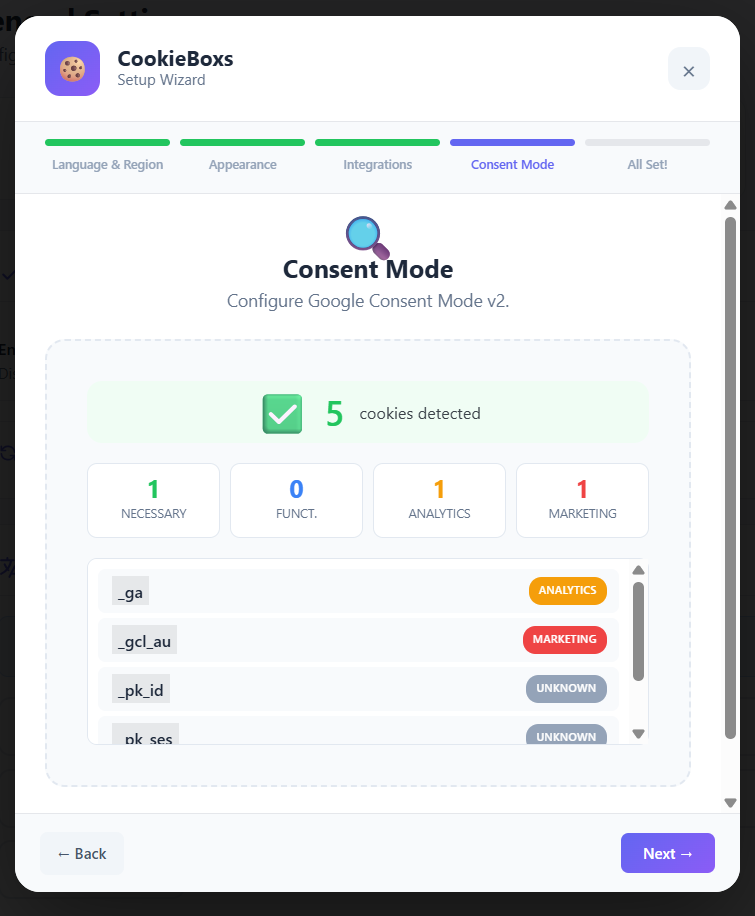
- Added two-phase Cookie Scanner: server-side HTML detection + browser-based JavaScript cookie detection via hidden iframe.
- Browser scan detects cookies set by GTM-loaded scripts (Meta Pixel, TikTok Pixel, etc.) that server-side scanning cannot see.
- Expanded cookie detection patterns: 55+ known cookies from 30+ providers.
- Added PRO tools including geo-targeting, additional templates, declaration, analytics, branding controls, and custom CSS.
- Improved PRO settings UI.
- Bundled Chart.js locally for PRO analytics.
- Fixed settings-saving issues across PRO sub-tabs.
- Improved WordPress coding standards compliance.
- Added automatic script blocker and cookie cleaner.
- Added optional PRO licensing, analytics, and export tools.
- Removed non-functional placeholder integrations from the admin UI.
- Rebranded the plugin from CookieBox to CookieBoxs.
- Updated plugin naming, URLs, and internal handles.