
Cptify - Custom Post Type, Fields & Layout Builder
| 开发者 |
readscope
getwpkit |
|---|---|
| 更新时间 | 2026年8月5日 01:57 |
| PHP版本: | 7.4 及以上 |
| WordPress版本: | 7.0 |
| 版权: | GPL v2 or later |
| 版权网址: | 版权信息 |
详情介绍:
- Install separate plugins for each content type
- Learn multiple different interfaces
- Deal with plugin conflicts and bloated databases
- Pay for multiple premium plugins just to get basic functionality
- One plugin for all your custom content needs
- Consistent, beautiful drag-and-drop interface
- Zero coding required - fully visual
- Export & import configurations across sites
- Lightweight - only loads assets where needed
- Developer-friendly with hooks, filters, and REST API
register_post_type() needed.
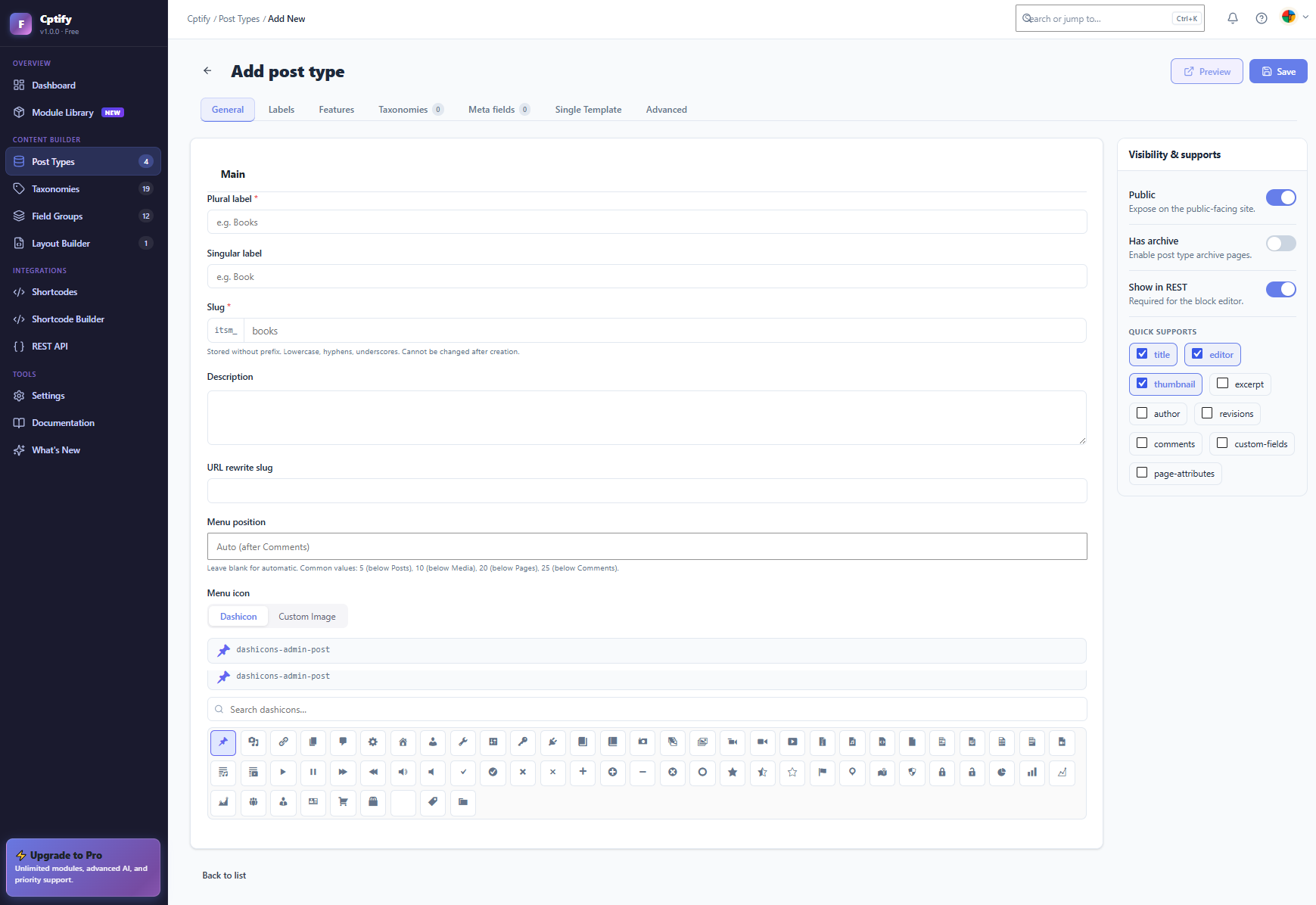
- Set the post type name, slug, description, and menu icon (Dashicon or custom image)
- Configure supported features: Title, Editor, Thumbnail, Excerpt, Author, Revisions, and more
- Toggle public visibility, archive pages, and REST API support
- Drag and drop to reorder post types in the admin menu
- Duplicate existing post types with one click
- Assign taxonomies directly from the post type screen
- Create hierarchical (category-style) or flat (tag-style) taxonomies
- Assign taxonomies to multiple post types at once with toggle switches
- Set custom slugs, singular and plural labels, and URL rewrite slugs
- Toggle public visibility and REST API support per taxonomy
- Quick-edit taxonomy labels directly from the list screen
- Text - Single-line text input
- Textarea - Multi-line text input
- Number - Numeric input with min, max, and step controls
- Email - Email address input with built-in validation
- URL - Website address input
- Phone - Telephone number input
- Password - Secure password input Choice Fields
- Select - Dropdown with custom options
- Checkbox - Multiple choice with custom options
- Radio - Single choice with custom options
- Button Group - Stylish button-based option selector Content Fields
- WYSIWYG - Full WordPress rich text editor
- oEmbed - Embed any oEmbed-supported content
- Code - Code block input Date & Time Fields
- Date - Date picker
- Date & Time - Combined date and time picker
- Time - Time picker Media Fields
- Image - Single image with WordPress Media Library
- File - File attachment with Media Library
- Gallery - Multiple image gallery picker Layout & Advanced Fields
- Color - Color picker with hex input
- Range - Slider input with min, max, and step
- Link - URL + link text pair
- Repeater - Repeat any group of sub-fields
- Group - Organise related fields together Relational Fields
- Post Object - Select any WordPress post
- Taxonomy - Select taxonomy terms
- User - Select WordPress users
- Relationship - Bi-directional post relationship
- Relation - Searchable related post selector Field Group Features:
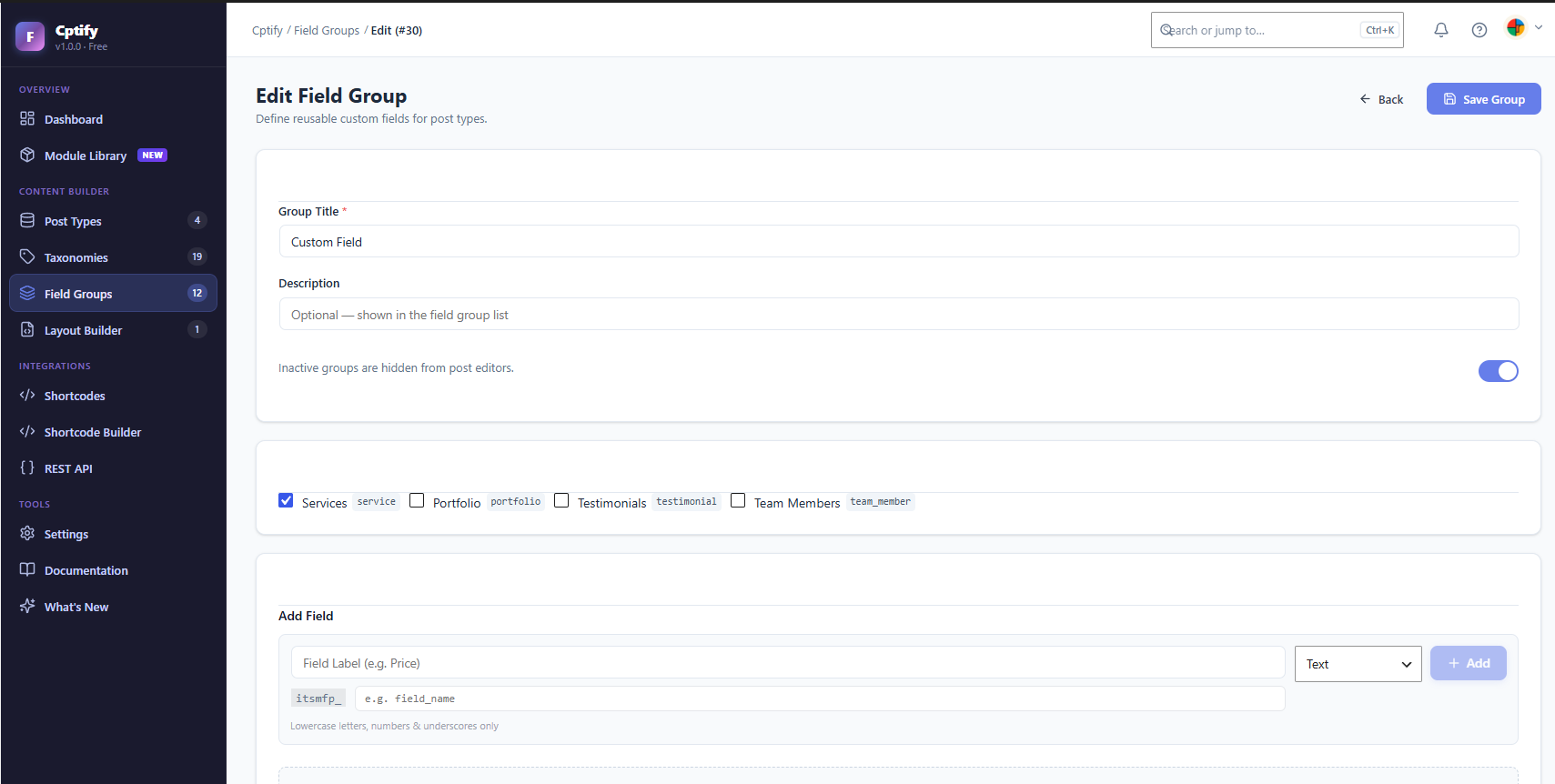
- Drag and drop to reorder fields
- Conditional logic - show or hide fields based on other field values
- Assign field groups to multiple post types
- Set fields as required
- Add placeholder text and descriptions
- Duplicate field groups across post types
- Direct Fields - add fields instantly from the Post Type screen
- Drag and drop layout blocks: Post Title, Featured Image, Post Content, Excerpt, Post Meta, Custom Field, Custom HTML, and Columns
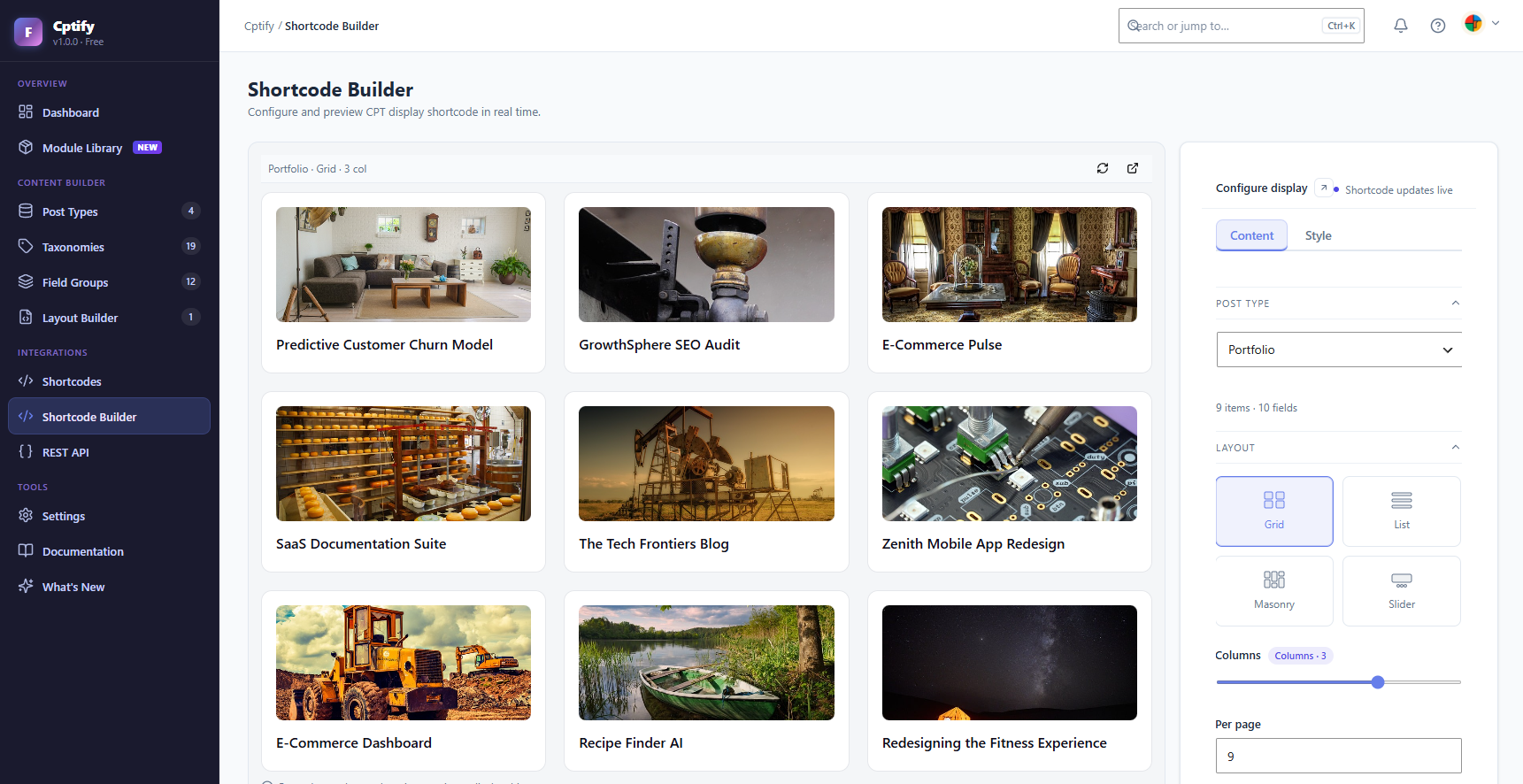
- Choose from Grid, List, Masonry, or Slider display styles
- Control columns, spacing, and per-page count
- Set ordering (Date, ID, Random) and direction (ASC / DESC)
- Build single post layouts separately from archive layouts
- Template tag system - insert
{{title}},{{meta.field_key}},{{taxonomy.slug}}into HTML blocks - Shortcode Generator - build and copy your shortcode with a visual configurator
- Team Member - Showcase your team with Photo, Position, Bio, and Social Links. Perfect for About pages and company profiles.
- Portfolio - Display projects with Category filter, Client, Tools Used, and a filterable grid layout.
- Testimonials - Beautiful testimonial grids and sliders with Star Rating, Author Name, and Company fields.
- Logo Slider - Smooth auto-scrolling client, partner, or sponsor logo display.
- Events - Upcoming and past events with Date, Venue, Ticket Link, and organized archive.
- FAQ - Accordion-style frequently asked questions with Category support.
- Book Showcase - Book library with Author, Genre, Publisher, ISBN, and Star Rating fields.
- Services - Services grid with Icon, Description, and Price fields.
- News - Structured news archive with Source, Author, and Category fields.
- Business Directory - Local business listings with Address, Phone, Hours, and Map fields.
- Course - Online course catalog with Instructor, Duration, Level, and Curriculum fields.
- Job Listing - Job board with Location, Salary, Type, and Application Deadline fields.
- Recipe - Recipe cards with Ingredients, Cook Time, Servings, and Cuisine type.
- Property - Real estate listings with Bedrooms, Bathrooms, Price, and Location fields.
[itsmfp_display type="team-member" layout="grid" columns="3"]
Shortcode (by module name):
[itsmfp_display module="team-member" layout="grid" columns="3"]
Both type and module attributes are supported. type accepts the post type slug, module accepts the module name.
Shortcode PHP Usage:
<?php echo do_shortcode('[itsmfp_display module="team-member" layout="grid" columns="3"]'); ?>
Available shortcode parameters:
module- The post type slug to displaylayout- Display style:grid,list,masonry, orslidercolumns- Number of columns (16)per_page- Number of posts to showorderby- Sort by:date,title,menu_order, orrandorder-ASCorDESC
- Gutenberg - Native block with live preview in the editor
- Elementor - Widget available in Cptify Pro
- Theme Template Override - Copy templates to your theme folder for full control
- REST API - All post types and field data available via
/wp-json/itsmfp/v1/ - WordPress Media Library - Seamless image and file field integration
- All functions use the
itsmfp_prefix - no global namespace pollution - Helper functions:
itsmfp_get_field(),itsmfp_get_repeater(),itsmfp_cpt_display() - Full REST API:
/wp-json/itsmfp/v1/post-types,/taxonomies,/field-groups,/fields,/templates - Template override system - copy any template to your theme and customise freely
- Action and filter hooks throughout the codebase
- Well-structured OOP codebase with namespaced classes (
ITSMFP\) - Import/Export via JSON for easy deployment across environments
- Plugin prefix for database tables
- Delete data on uninstall (off by default - your data is safe)
- Debug mode Style Settings
- Load CSS globally or only on pages with Cptify content
- Lazy loading for images
- Ajax pagination
- Default thumbnail size
- Default columns, posts per page, and sort order Import / Export
- Export all post types, taxonomies, fields, and layout configurations as a JSON file
- Import configurations from another Cptify installation
- Starter templates - one-click apply pre-built configurations (Portfolio, Books, Team, Testimonials)
安装:
- Go to Plugins > Add New in your WordPress dashboard
- Search for Cptify
- Click Install Now, then Activate
- Go to Cptify in your admin sidebar to get started
- Download the plugin zip file
- Go to Plugins > Add New > Upload Plugin
- Upload the zip file and click Install Now
- Activate the plugin through the Plugins menu
- Go to Cptify > Module Library and install a ready-made module with one click, OR
- Go to Cptify > Post Types > Add New to create a custom post type from scratch
- Add custom fields via Cptify > Field Groups or from the Post Type's Meta Fields tab
- Design your layout via Cptify > Templates
- Display your content anywhere using the shortcode
[itsmfp_display module="your-post-type"]
屏幕截图:

常见问题:
Does Cptify replace ACF (Advanced Custom Fields)?
Cptify covers the most common use cases for custom fields and is simpler for non-developers to use. It combines fields with post type registration and layout display in one tool. If you need very advanced or highly specialised field configurations, ACF remains a great choice. Cptify is also designed to coexist peacefully alongside other plugins.
Will my content be lost if I deactivate Cptify?
No. Your post content and meta data stored in the WordPress database remains intact when the plugin is deactivated. However, your custom post types will no longer be registered, so you will not be able to access them from the admin until the plugin is reactivated. Re-activating the plugin immediately restores access to all your content.
Will my data be deleted if I uninstall the plugin?
No - not by default. Cptify only deletes its data on uninstall if you explicitly enable the "Delete data on uninstall" option in Cptify > Settings > General. By default, all your data is preserved.
Can I use Cptify with Elementor?
Cptify includes a native Gutenberg block. Elementor support is available in Cptify Pro.
Can I use Cptify with Gutenberg (Block Editor)?
Yes! Cptify includes a native Gutenberg block. Search for "CPT Display" in the block inserter, select your post type and layout, and your content renders live in the editor.
Can I export my configuration and import it to another site?
Yes. Go to Cptify > Settings > Export to download a JSON file containing all your post types, taxonomies, field groups, fields, and templates. Import it on any other WordPress site running Cptify - perfect for agencies managing multiple client sites.
Can I override Cptify templates from my theme?
Yes! Copy any template file from /wp-content/plugins/cptify/templates/ to /wp-content/themes/your-theme/cptify/ and customise it freely. Cptify will automatically use your theme's version.
Does Cptify slow down my website?
No. Cptify only loads its CSS and JavaScript assets on pages where a shortcode or block is present. On all other pages, there is zero frontend overhead.
How many post types and fields can I create?
There is no hard limit. You can create as many post types, taxonomies, field groups, and fields as your WordPress installation can handle.
Does Cptify work with my theme?
Yes. Cptify outputs standard WordPress HTML and uses the template override system, so it works with any properly coded WordPress theme.
Is REST API support included?
Yes. All Cptify post types are accessible via the WordPress REST API at /wp-json/itsmfp/v1/. This makes Cptify suitable for headless WordPress setups.
Is Cptify translation-ready?
Yes. Cptify is fully internationalised and ready for translation. All strings use the cptify text domain.
更新日志:
- New: relation field-type is now fully functional plugin-wide — fixed a sanitize/save gap, a 403/nonce bug on the post-edit screen's search picker, and the picker showing a raw post ID instead of the linked post's title; any module can now safely reference another post type.
- New: Author module — shared author profiles (photo, bio, website) that can be linked to multiple books without duplicating data per post.
- Improved: Book Showcase author handling migrated from inline per-post fields to the new Author relation — About the Author and More Books by this Author now pull from a single linked profile (module v1.2.0; existing inline author data on already-published posts is not automatically migrated).
- New: Book Studio Fetch tab Display Order sort (Builder UI + backend, Sync Fields on existing installs).
- Fix: Book Studio Design Presets — book-featured / book-compact title-size styling was silently overridden by the Designer tab's global title-size control; all 4 presets (Library Card, Compact Shelf, Featured Picks, Cover Overlay) now show correctly distinct styling.
- Improved: Card CSS cache-busting switched to file-modification-time versioning across all enqueue points — browsers no longer serve stale card styling after plugin updates.
- New: Job Studio — careers listing (hero, apply sidebar, skills, requirements, benefits, related).
- New: Job list/archive cards + Design Presets + Featured filter + job_order / job_salary / job_deadline sort (module v1.1.0 — Sync Fields on existing installs).
- Fix: Property overlay Urgent/Price badge overlap; Business/Property Studio # URL double-escape; Studio gallery/related lazy-load.
- New: Property Studio — listing page (hero, specs sidebar, amenities, gallery, tour video, map, related).
- New: Property list/archive cards + Design Presets + Featured filter + property_order / property_price sort (module v1.1.0 — Sync Fields on existing installs).
- New: Recipe Studio — cookbook single (hero, sticky recipe card, ingredients/equipment/nutrition, steps, video, notes, gallery, related).
- New: Recipe list/archive cards + Design Presets + Featured filter + recipe_order sort (module v1.1.0 — Sync Fields on existing installs).
- New: Business Directory Studio — listing page (hero, contact sidebar, hours, highlights, gallery, map CTA, related).
- New: Business list/archive cards + Design Presets + Featured filter + business_order sort (module v1.1.0 — Sync Fields on existing installs).
- Improved: Team list richness — Cover Image; years/skills/specialty/badge; Highlights, Expertise, Quote, Gallery thumbs.
- New: Team Design Preset Editorial — cover + overlapping avatar, position, short bio, social icons.
- New: Team Design Preset Hover Reveal — contacts/socials appear on hover (always shown on touch).
- New: Soft cross-promo for Markline (JSON-LD schema companion) on Cptify admin screens — dismissible.
- Improved: URL fields accept # placeholders (Team socials and all URL/link fields keep them on save and front-end).
- Improved: News and Portfolio Display Order + Featured filters are wired through Builder, AJAX lists, and default archives; Portfolio shows Featured badges.
- Improved: Team social icons use proper brand SVGs on Studio singles and list cards; profile Follow/sidebar/quote polish.
- Fix: Designer typography applies to Team bio, News subtitle/meta, and quotes (no longer blocked by hardcoded CSS).
- Fix: Shortcode Builder Query orderby — preview sorts by Display order / Event start / Random; Order labels match sort type; missing display-order meta no longer drops posts.
- Fix: Thumbnail overlay default opacity is 0.3 so images stay visible (was effectively fully black).
- Fix: Design Presets apply layout type again (masonry/list/overlay); only column counts stay user-controlled; Portfolio cards no longer duplicate titles.
- New: Testimonial Builder Design Presets + Fetch Featured filter; Studio skin; list/archive quote cards and filters.
- Fix: Team card typography respects Designer title size/weight/color (custom px included).
- Fix: Design Presets no longer overwrite Columns Layout; Desktop builder preview respects Desktop columns.
- New: Team Shortcode Builder Fetch tab — Show Featured filter + All/Featured default; Display order in Query.
- Improved: Team default archive — Profile Cards look, centered filters, cleaner directory cards.
- New: Team Design Presets in Shortcode Builder — Profile Cards, Circle Photo, Photo Overlay, Ribbon Accent.
- Improved: Team Studio rich two-column profile — gallery, ribbon badge, contact details, highlights, skill bars, social icons.
- New: Team module rich fields (v1.2.0) — badge, company/address, mobile, languages, specialty, gender, zip, highlights, skills (Name | %), gallery (Sync Fields on existing installs).
- New: Team list/archive — cards, department chips, Featured filter, display-order sort, combined filter row.
- New: Team Studio single-post skin and earlier Studio fields (Full Bio, Expertise, Quote, Location, Website).
- Fix: Archive titles no longer show raw HTML like <span>News</span>.
- New: News list/archive — cards, category chips, Breaking/Featured filter, published-date sort, featured strip.
- Fix: News Studio hides the "Want the full story?" CTA when the post already has full article content.
- New: News Studio single-post skin — hero, byline, article details, takeaways, gallery, source CTA, related news.
- New: News module Studio fields — Key Takeaways and Article Gallery (Sync Fields on existing installs).
- New: Event month calendar layout — [itsmfp_display module="event" layout="calendar"].
- New: Event list/archive — Upcoming/Past/All scope tabs, start-date sort, type filter chips, richer event cards.
- New: Event Studio Add to Calendar (.ics), currency symbol, optional speaker photos (Name | Role | attachment_id).
- New: Event Studio single-post skin and module Studio fields (Sync Fields on existing installs).
- Fix: Event Studio Get Tickets button no longer overflows the Event Details card.
- Fix: Portfolio Studio Challenge/Deliverables no longer fall back to gallery or featured image when empty.
- Improved: Portfolio Studio editorial band shows Deliverables above The Challenge.
- New: Pagination control (None / Load More / Numbered Pages) added to the Shortcode Builder's Layout tab.
- New: 4-corner card radius control (link/unlink) in the Shortcode Builder Designer tab.
- New: "Sync Fields" action on installed modules — pulls in newly added fields from module updates without duplicating data, for users who installed a module before new fields were added.
- Improved: Portfolio Studio skin — new Challenge, Deliverables, Software Used, and Output Formats sections with editorial layout; refreshed Key Features and Technologies chip styling; full prose styling for post content (headings, quotes, lists, images, tables); rebalanced section backgrounds for visual rhythm.
- Fix: Numbered pagination centering broken by theme CSS overrides.
- Fix: Mobile table overflow handling in Portfolio Studio content.
- Fix: Settings page no longer appears blank on sites with active admin notices (WP core update notice, plugin notices, etc.).
- Fix: Post type pickers now show registered slug and a "Cptify" badge to prevent confusion when a theme or plugin registers a post type with the same name.
- Fix: Masonry layout now renders correctly as a staggered column grid instead of a plain grid.
- Fix: Module field definitions no longer cause double-prefix (itsmfp_itsmfp_) meta keys on new installations.
- New: Service single-post skin completely redesigned — clean hero, two-column layout with sticky sidebar (price, turnaround, revisions, clients, support, category, rating, tools, CTA), dark-background gallery with lightbox, Why Choose Us icon cards, interactive How It Works tabs with auto-play.
- New: 10 new fields added to the Service module (process, tools, revisions, why us, gallery, rating, turnaround, availability, clients, support).
- Improvement: Release package hygiene tightened so development-only files stay out of the WordPress.org zip.
- Improvement: Cleaned release metadata, comments, and documentation formatting for a more polished WordPress.org listing.
- Fix: Kept shortcode registration and JavaScript globals aligned with the
itsmfpprefix to reduce conflict risk.
- Fix: Settings page could appear blank on sites with active admin notices (e.g. a WordPress update notice) - the page now loads reliably regardless of other notices.
- Fix: post type pickers throughout the admin now show the registered slug and a "Cptify" badge, so a Cptify-created post type can no longer be confused with a theme or other plugin's post type of the same name.
- New: Per-CPT archive page customization - custom hero banner (background image, title, subtitle) or override the default archive grid with any saved shortcode.
- New: Slider layout - display any post type as a touch-friendly carousel (Swiper-powered), with autoplay, loop, arrow/pagination position controls.
- New: Card thumbnail hover effects - zoom, zoom-out, rotate, grayscale, blur - plus expanded typography and color controls (excerpt/meta size, color, hover color, weight).
- New: filter_align attribute - align the taxonomy filter bar left/center/right, works across all layouts.
- New: Shortcode Builder taxonomy selector - pick which taxonomy powers the "Show filter bar" toggle (previously the toggle had no effect without one).
- Improvement: Shortcode Builder redesigned - refined light theme, 3-tab layout, accordion-based Designer sections, iOS-style columns control.
- Improvement: Saved shortcodes can now be edited and updated in place instead of always creating a new ID when re-saved.
- Improvement: thumb_size / thumb_fit Builder controls now actually affect the frontend output (previously had no effect).
- Improvement: show_excerpt / show_date toggles now respected in grid/list/masonry layouts (previously only worked in the overlay layout).
- Fix: removed unused, insecure legacy API key helper functions.
- Fix: N+1 database query in field group lookup, now a single batched query.
- Fix: CSS enqueue for the single-post template now follows the plugin's standard loading pattern.
- New: Real server-rendered Shortcode Builder preview - pixel-identical to the live frontend, with debounce/cache/abort for speed. Device toggle now drives true responsive width.
- New: Shortcode ID system - save any Builder config and get a short [itsmfp_display id="..."] code. Manage saved shortcodes from a dedicated "Saved Shortcodes" page; edit and reload a saved config back into the Builder.
- New: Preset Gallery in the Shortcode Builder - 6 one-click starting layouts (Clean Grid, Portfolio Overlay, Compact List, Magazine Masonry, Minimal Text, Bold Accent).
- New: 13+ previously dead Builder attributes now actually work on the frontend - card background/padding/gap/radius, thumbnail ratio, typography (color/size/weight/accent/font/excerpt lines), offset, sticky posts, show/hide title & thumbnail, link title toggle, field order (image position + content order), masonry gap.
- Improvement: Shortcode Builder UI simplified - single compact shortcode box, wider sidebar, removed redundant controls.
- Fix: automatic database upgrade - new tables are now created on the next admin page load after updating, no deactivate/reactivate required.
- Fix: thumbnail images no longer compressed/distorted when [itsmfp_display] is used inside Elementor (or any theme/builder with global "img { height: auto }" rules).
- Fix: date/datetime fields in the Classic single-post skin now display formatted (e.g. "Jun 22, 2026, 9:27 AM") instead of raw values; also fixes related layout misalignment.
- Fix: list layout was rendering as a grid due to a CSS specificity conflict.
- Fix: Builder's "show filter bar" toggle now actually enables the filter bar (was silently ignored due to an attribute name mismatch).
- New: Overlay layout for [itsmfp_display] - full-bleed image cards with gradient, category badge, title, hover button.
- New: Overlay cards support excerpt, date, and meta via Builder toggles.
- New: Portfolio Studio single-post skin - hero, gallery carousel, before/after slider, key features, related projects.
- New: 4 portfolio fields - location, before image, after image, key features.
- New: post_type= shortcode attribute queries any registered post type directly.
- Improvement: dark Portfolio skin now also supports location, key features, and before/after.
- Improvement: Shortcode Builder shows all public post types; emits post_type=.
- Fixed: Event displays now show featured image, excerpt, date badge, venue, and ticket link on the front end - matching what the Builder preview promises.
- New: Responsive columns - set different column counts for desktop, tablet, and mobile directly in the shortcode (columns_md / columns_sm) and via the Shortcode Builder UI.
- Improved: Refreshed admin design with clearer visual depth, stronger typography hierarchy, and a redesigned top navigation featuring group-tab icons and clearer active states - easier to scan and navigate at a glance.
- New: Redesigned admin with a horizontal top-tab navigation (replaces the old sidebar) - more screen space for the builder and content tables.
- Improved: Custom post type identifiers now use a consistent, conflict-safe prefix while keeping clean public URLs (e.g. /events/, /services/).
- Fix: Removed leftover "FP" prefix from custom post type menu labels.
- Fix: FAQ, Events and Testimonials grids now display their custom fields (answer, dates, venue, ticket link, reviewer name, company, rating, review).
- New: Single-post Skin system - choose a layout skin per post type (Classic, Service, Portfolio, Team; Hero available in Pro).
- Fix: Team Member grid now displays position, bio and email correctly.
- Initial release
- Post Type Manager - create unlimited custom post types with full WordPress feature support
- Taxonomy Manager - create hierarchical and flat taxonomies and assign to multiple post types
- Custom Field Builder - 15+ field types with drag-and-drop reordering and conditional logic
- Layout Builder - visual archive and single post layout designer with drag-and-drop blocks
- Module Library - 14 one-click ready-made content modules (Team Member, Portfolio, Testimonials, Logo Slider, Events, FAQ, Book Showcase, Services, News, Business Directory, Course, Job Listing, Recipe, Property)
- Shortcode system with configurable parameters (layout, columns, per_page, orderby, order)
- Shortcode Generator - visual shortcode builder in the Layout Builder
- Gutenberg Block - native CPT Display block with live preview
- Import / Export - full configuration JSON export and import
- Starter Templates - one-click apply pre-built configurations
- REST API - full CRUD endpoints for all post types, taxonomies, field groups, fields, and templates
- Template override system - customise templates from your theme folder
- Developer helper functions:
itsmfp_get_field(),itsmfp_get_repeater(),itsmfp_cpt_display() - Full internationalisation with
cptifytext domain - Prefix audit - all functions, options, and hooks use the
itsmfp_prefix