
CronEngine: Real Cron Scheduler
| 开发者 | cronengine |
|---|---|
| 更新时间 | 2026年10月30日 06:28 |
| PHP版本: | 7.4 及以上 |
| WordPress版本: | 7.1 |
| 版权: | GPLv2 or later |
| 版权网址: | 版权信息 |
详情介绍:
wp-cron.php on a real schedule from the outside, and the plugin stops page views from starting cron.
- One click to set up. Click Connect, sign in or create a free account, and you are back in WordPress with cron running. No wp-config.php edits, no server crontab.
- On time. Every 15 minutes on the free plan, down to every minute on paid plans.
- Alerts. You get an email when your site stops answering, and one when it is back.
- Safety net. If CronEngine ever stops calling, WordPress goes back to running cron on visits by itself, so nothing is skipped.
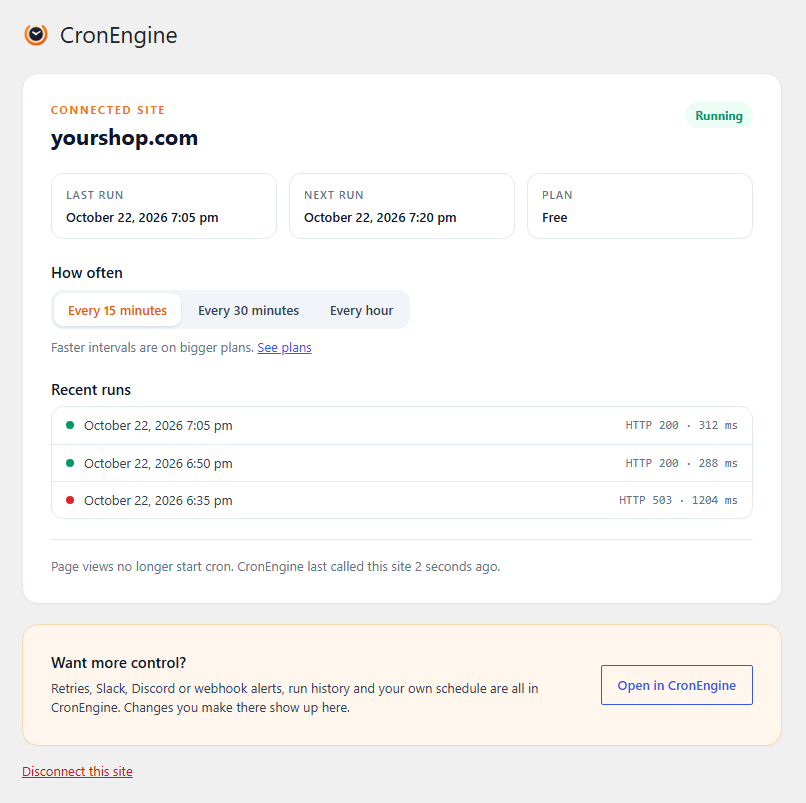
- See it working. Last run, next run and recent results right in Tools, CronEngine, and a check in Site Health.
- More when you need it. Retries, Slack, Discord and webhook alerts, run history and custom schedules are in your CronEngine account.
安装:
- Install and activate the plugin.
- Go to Tools, CronEngine and click Connect to CronEngine.
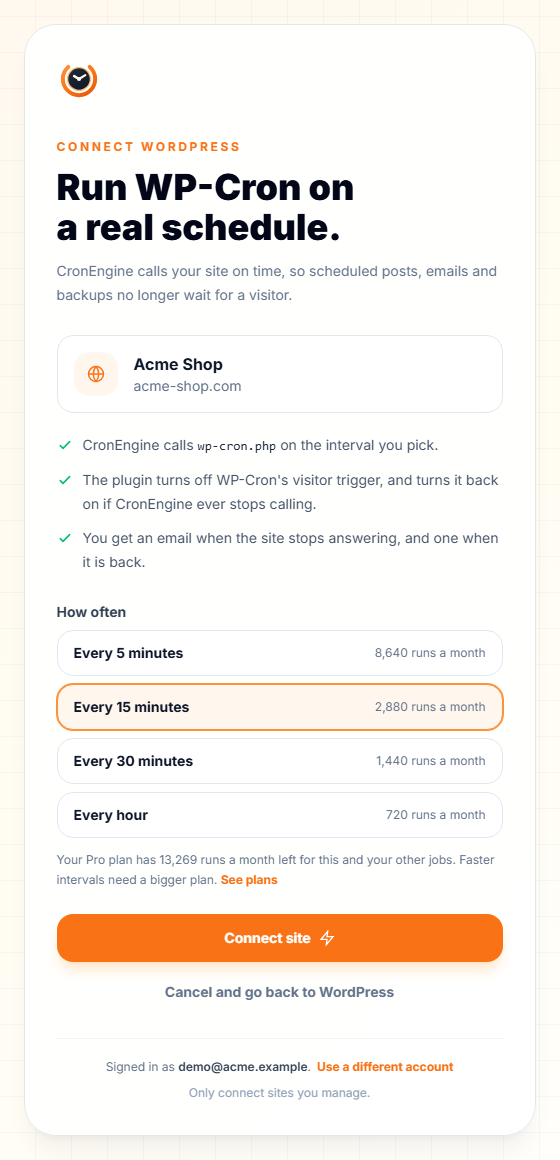
- Sign in or create a free account, choose how often cron should run, and click Connect site.
屏幕截图:
常见问题:
Do I need a CronEngine account?
Yes. The free plan is enough for one site every 15 minutes, and no card is needed. You can create the account during setup.
Does it work on shared hosting?
Yes. Nothing is installed on the server. CronEngine calls your site over HTTPS like a visitor would.
What happens if CronEngine is down, or my account ends?
The plugin notices when CronEngine has not called for a while and lets WordPress run cron on page views again, as it did before. When CronEngine calls again, it switches back.
I already set DISABLE_WP_CRON in wp-config.php.
That is fine, CronEngine still runs cron. The only difference is that the safety net cannot switch visitor cron back on while that line is there. The plugin page tells you when this applies.
Does it work with WooCommerce and Action Scheduler?
Yes. Action Scheduler runs from WP-Cron, so its queue is processed on CronEngine's schedule.
I copy sites to staging, or build new sites from a template.
That is safe. A copy takes the original's connection along in its database, but the plugin notices that the address changed. On the copy it never uses that connection: WordPress runs cron on visits as usual, and Tools, CronEngine offers to connect the copy as a site of its own. Disconnecting or deleting the plugin on a copy never touches the original.
I moved my site to a new address.
Tools, CronEngine shows that the address changed. Choose "Remove the old connection and connect this site": the old address's cron job is deleted in CronEngine and the new address is connected in the same step.
Does it work on multisite?
Yes. Connect each site from its own Tools, CronEngine page.
My host blocks requests to wp-cron.php.
Some security plugins and firewalls block it. Allow requests with the user agent "CronEngine-Dispatcher", or from 45.9.188.216.
更新日志:
- Copied and moved sites are recognised. A staging copy or a site built from a template no longer uses the original's connection, and disconnecting or deleting the plugin there never touches the original.
- A moved site can remove its old connection and connect its new address in one step.
- Site Health and the dashboard reminder say when a site is a copy.
- First release.