DevAgent Admin Workspace
| 开发者 | devagent |
|---|---|
| 更新时间 | 2026年8月25日 06:00 |
| PHP版本: | 8.1 及以上 |
| WordPress版本: | 7.1 |
| 版权: | GPLv2 or later |
| 版权网址: | 版权信息 |
详情介绍:
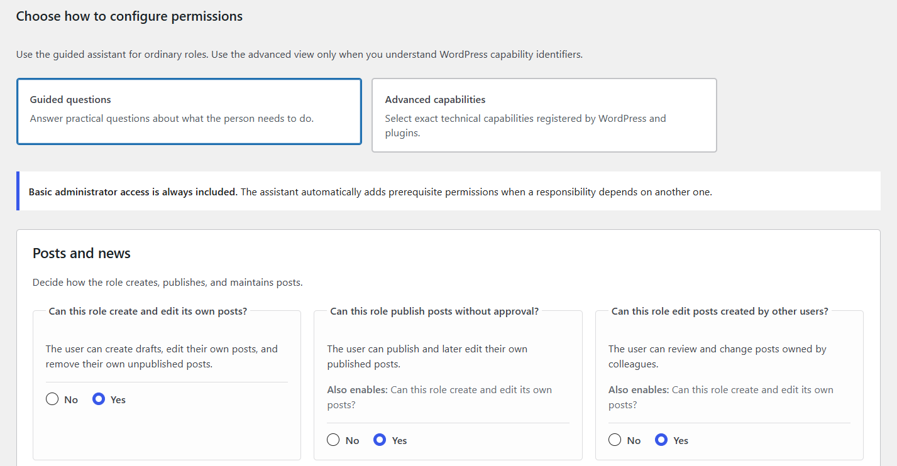
- Define what a role can do through guided questions or advanced capabilities.
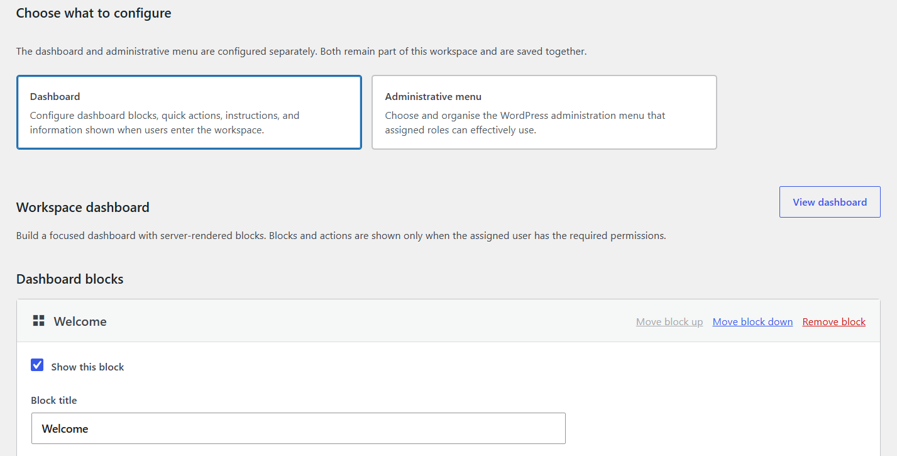
- Build the dashboard and quick actions that role needs for daily work.
- Organize the native admin menu without pretending that visibility grants permission.
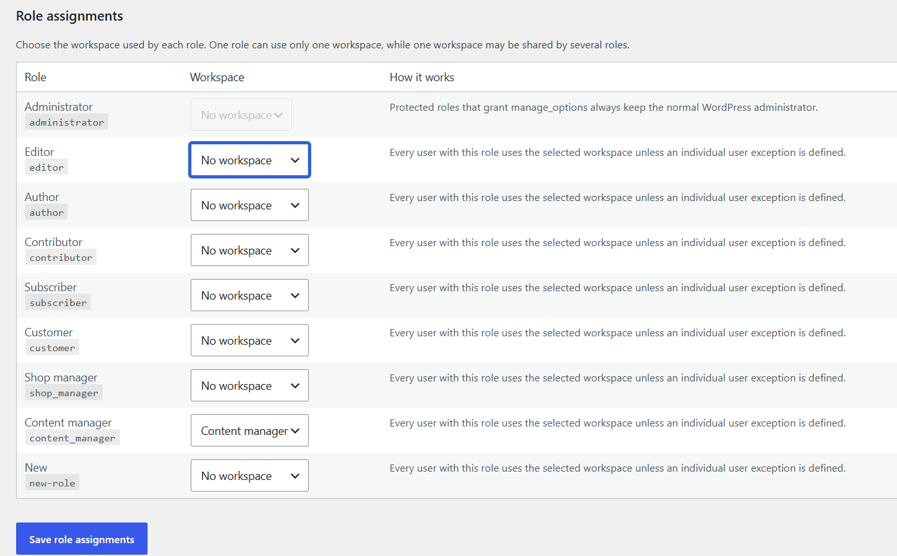
- Assign the complete workspace to one or several roles, with optional individual exceptions.
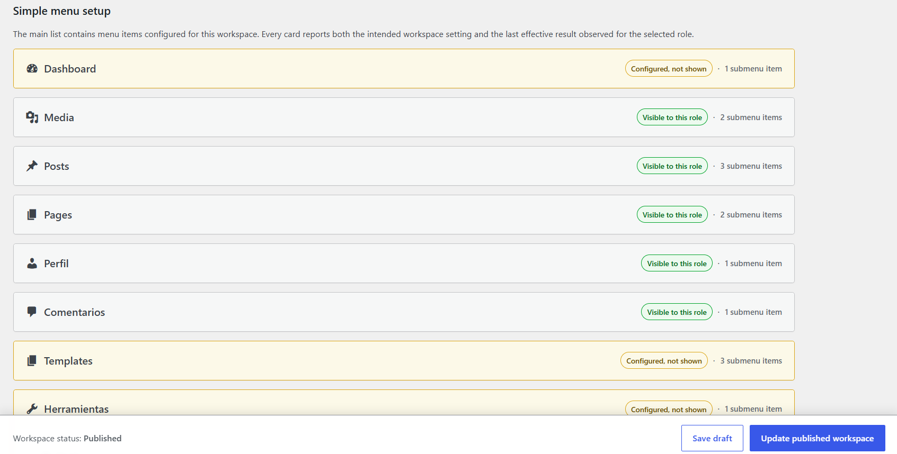
- Verify the menu that was actually rendered in the browser for a selected role, including items hidden later by plugin CSS or JavaScript.
- The menu WordPress and active plugins made available before workspace filtering.
- The menu items that were actually present and visible in the role user's rendered wp-admin navigation after workspace filtering and late plugin CSS or JavaScript changes.
- Visible to this role.
- Hidden by workspace.
- Pending verification.
- Configured as visible, but not shown.
- Not available to the selected role.
- Not currently registered.
- Create, duplicate, publish, deactivate, preview, restore, and safely delete workspaces.
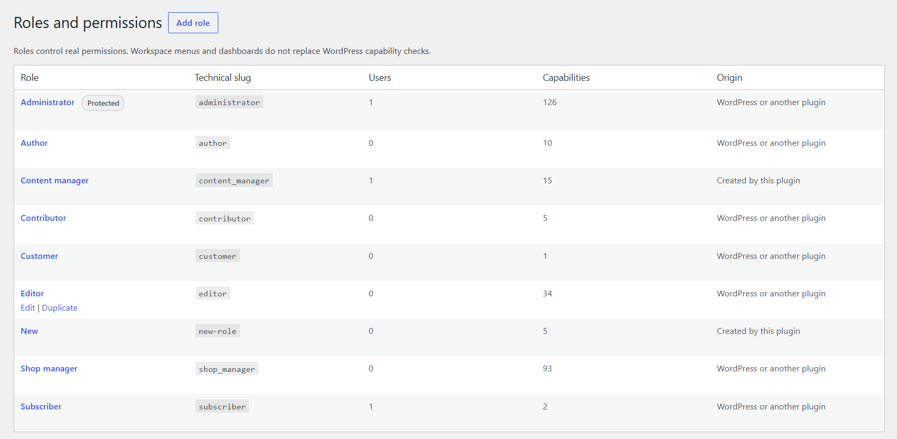
- Create and duplicate custom WordPress roles.
- Configure capabilities through guided questions or an advanced technical view.
- Detect standard capabilities, capabilities stored in registered roles, and capabilities declared by captured admin menu screens.
- Start from editable role and workspace templates for common client and content-management profiles.
- Build accessible, server-rendered dashboards with configurable blocks.
- Add capability-aware quick actions and validated destinations.
- Rename, hide, reorder, group, and review native administration menu items.
- Add validated internal and external navigation links.
- Compare configured menu visibility with the browser-rendered menu observed for each assigned role.
- Keep new plugin screens outside the workspace until an administrator explicitly approves them.
- Assign one published workspace to a role or override it for an individual user.
- Detect users whose multiple roles point to different workspaces.
- Redirect eligible users to a validated workspace start page after login.
- Replace the native Dashboard entry for users who receive a workspace.
- Exclude every user who has the
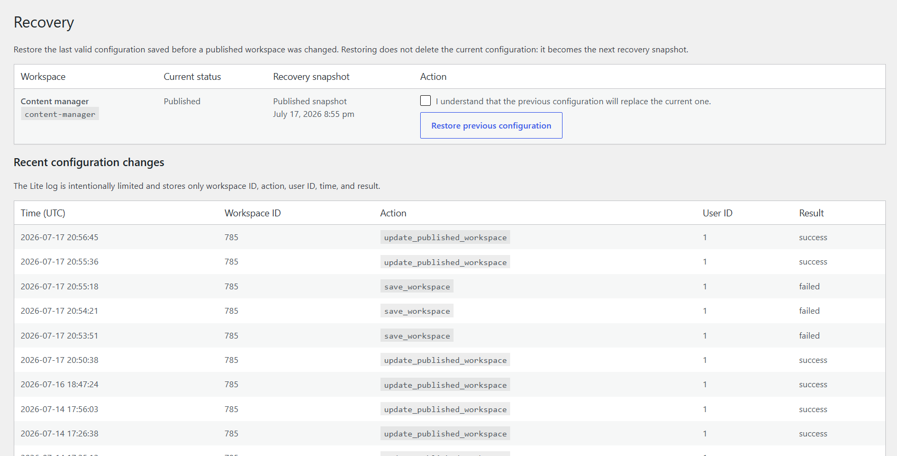
manage_optionscapability. - Recover the previous valid configuration for each workspace.
- Disable workspace application through an emergency constant.
- Review local diagnostics and a bounded configuration-change log.
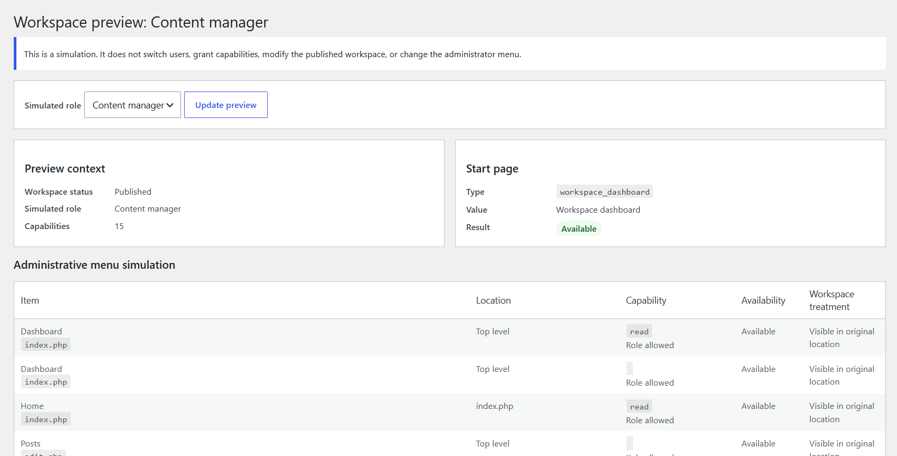
manage_options are permanently excluded from workspace application in this version. Administrators can preview workspaces without impersonating another user or changing their own capabilities.
All configuration-changing actions require the appropriate plugin capability and a valid nonce. Saved URLs, dashboard blocks, quick actions, menu configuration, role changes, and workspace assignments are validated and sanitized.
Privacy
The plugin stores all data locally and does not send telemetry or load remote resources.
Depending on configuration, it may store:
- Workspace configuration and assignments.
- The ID of the user who created a workspace.
- Role-specific menu snapshots in expiring transients.
- The ID of the user who performed a configuration change in a limited local log.
安装:
- Upload the
devagent-admin-workspacefolder to/wp-content/plugins/, or install the ZIP from Plugins > Add New > Upload Plugin. - Activate DevAgent Admin Workspace.
- Open Admin Workspace > Roles and permissions to prepare a role.
- Open Admin Workspace > Add workspace to create a dashboard and menu configuration.
- Publish the workspace.
- Open Admin Workspace > Assign workspaces to associate it with a role or, when needed, a specific user exception.
- Log in once with a non-administrator user who has the assigned role and open wp-admin so the plugin can record the browser-rendered menu observation.
- Return as an administrator and review Edit workspace > Administrative menu.
- Test the complete result with a non-administrator account before deploying it to production users.
屏幕截图:
常见问题:
Does hiding a menu item remove the user's permission?
No. Menu visibility is presentation only. WordPress capabilities determine whether the user can access or modify data. Remove or change the role capability when access itself must be restricted.
Why is an item enabled in the workspace but missing from the user's menu?
The menu checkbox records the intended workspace configuration. The final result also depends on WordPress and the plugin that owns the screen. A plugin can conditionally register or remove a screen, require additional permissions, depend on a parent menu, reject an unavailable callback, or hide the rendered item later with CSS or JavaScript. The affected menu card reports the last browser-rendered result and provides diagnostic facts and recommended checks.
How do I refresh the rendered menu result for a role?
Log in once with a user who has the role and assigned workspace, then open any wp-admin screen. Return as an administrator and reopen the workspace menu editor.
Does the plugin detect capabilities from other plugins?
It includes WordPress capabilities, capabilities stored in registered roles, and capabilities declared by captured admin menu screens. Unknown plugin capabilities appear with their technical identifiers and are not automatically classified as safe. It does not scan third-party source code or guarantee discovery of separate AJAX, REST, background-action, or dynamically calculated permissions. A plugin-specific integration is still required when an external plugin does not expose granular capabilities.
Can the workspace grant access to a plugin screen?
No. A workspace can organize or hide an available menu item, but it cannot bypass the capability checks implemented by WordPress or another plugin.
Can administrators receive a workspace?
No. Any user with the manage_options capability is excluded from workspace application. Administrators can use the protected preview screen instead.
What happens if a configured plugin screen no longer exists?
The reference remains stored and is shown as unavailable in the workspace editor. If it is used as the start page, the user falls back to the workspace dashboard.
Can several roles share one workspace?
Yes. The workspace configuration is shared, while the effective menu can differ because each role has different WordPress capabilities. Create separate workspaces when roles need genuinely different menu structures.
What are individual user exceptions for?
They allow one user to receive a different workspace without changing that user's roles or permissions. They are useful for resolving a multi-role ambiguity or providing different navigation to one person who otherwise has the same permissions as the rest of a team.
Can I temporarily disable all workspaces?
Yes. Add the following constant to wp-config.php:
define( 'DEVAWORKSPACE_DISABLE_WORKSPACES', true );
This restores the normal WordPress administrator while keeping recovery, settings, and diagnostics available to authorized administrators.
Does uninstall delete my data?
Not by default. Data is preserved unless "Permanently remove this plugin's data when the plugin is deleted" is enabled under Admin Workspace > Settings. Custom roles are preserved to avoid leaving users without a valid role.
Does the plugin use external services or telemetry?
No.
更新日志:
- Confirmed compatibility with WordPress 7.1.
- Updated plugin metadata and WordPress.org compatibility declaration.
- No functional or data-schema changes are included in this release.
- Initial release.
- Added workspace CRUD, validation, versioned configuration, and recovery snapshots.
- Added guided and advanced role management with protected administrator capabilities.
- Added detection of capabilities declared by captured WordPress and plugin menu screens.
- Added editable role and workspace templates.
- Added dashboard blocks and capability-aware quick actions.
- Added stable administrative menu capture, renaming, hiding, reordering, sections, and links.
- Added separate available-menu, PHP-menu, and browser-rendered snapshots for assigned roles.
- Added per-item status and diagnostics when configured visibility differs from the menu actually rendered in the role user's browser.
- Added opt-in review for newly detected plugin screens.
- Added role and individual-user assignments, runtime workspace resolution, menu and dashboard application, and safe login redirection.
- Added protected preview, emergency mode, bounded local logging, recovery, and diagnostics.
- Added settings, privacy export and erasure integration, multisite lifecycle handling, and publication hardening.