
Devllo Wine Toolkit for WooCommerce
| 开发者 | devllo |
|---|---|
| 更新时间 | 2026年4月10日 06:49 |
| PHP版本: | 7.4 及以上 |
| WordPress版本: | 6.9 |
| 版权: | GPLv2 or later |
| 版权网址: | 版权信息 |
详情介绍:
Devllo Wine Toolkit for WooCommerce adds everything a wine shop needs to present products properly and help customers make informed purchase decisions.
Wine Profile
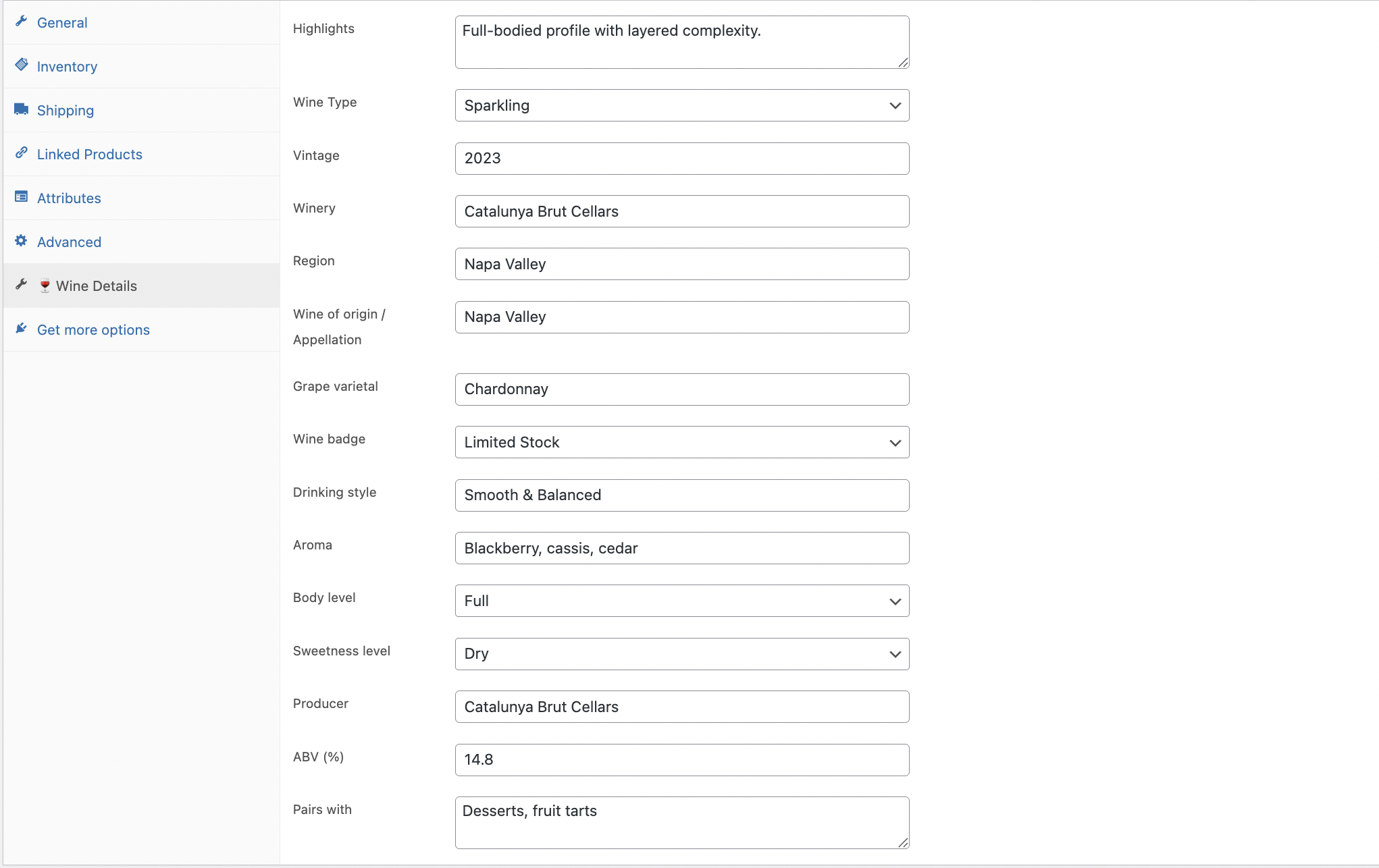
Add detailed wine information to any WooCommerce product — grape varietal, vintage, region, winery, appellation, body, sweetness, aroma, ABV, drinking style, producer, and food pairings. All fields are optional and individually toggleable from the settings page.
Similar Wine Recommendations
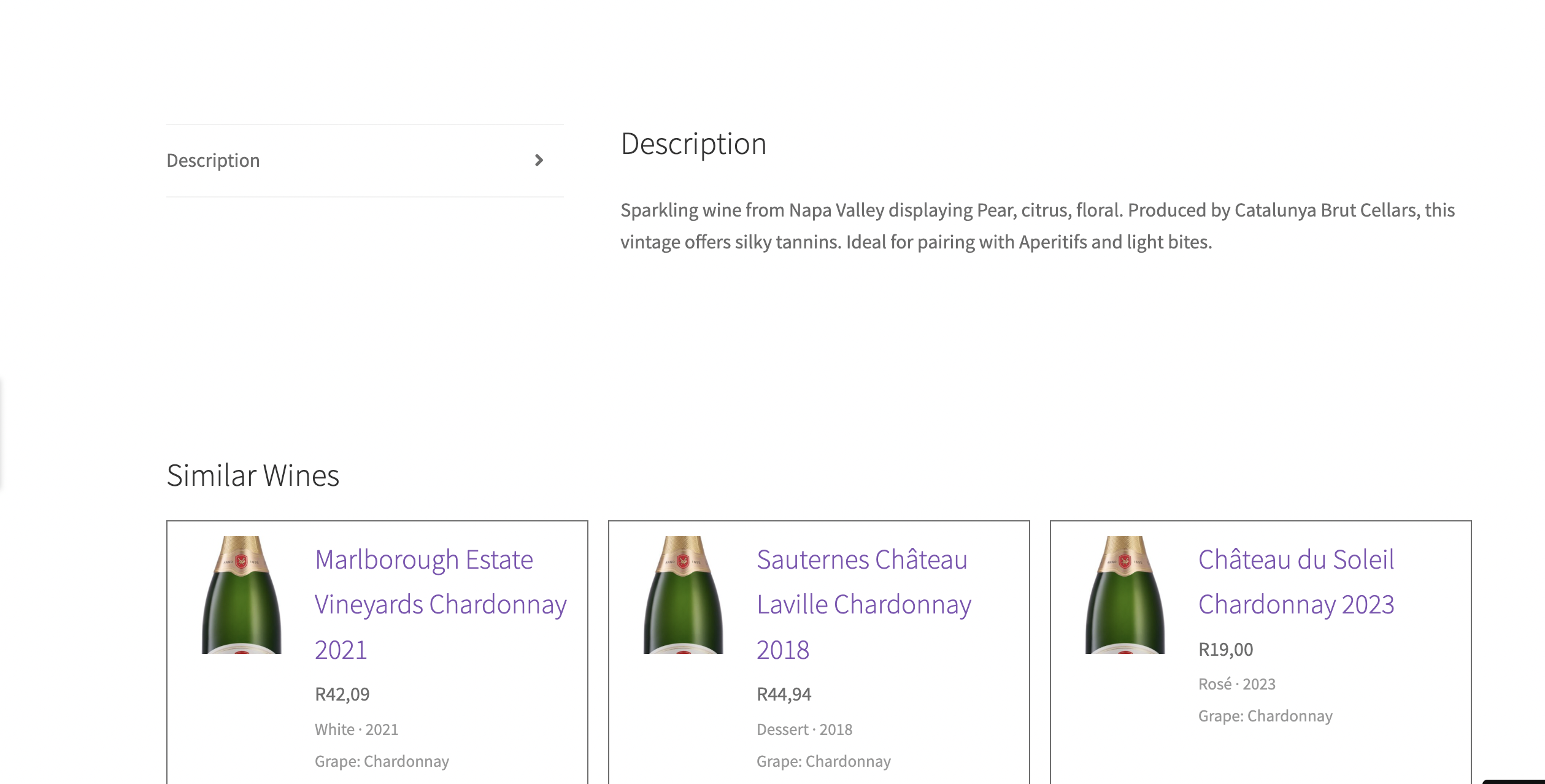
Automatically show similar wines on each product page based on shared grape varietal. Configure how many wines to show (1–3) and how they are sorted.
Wine Comparison
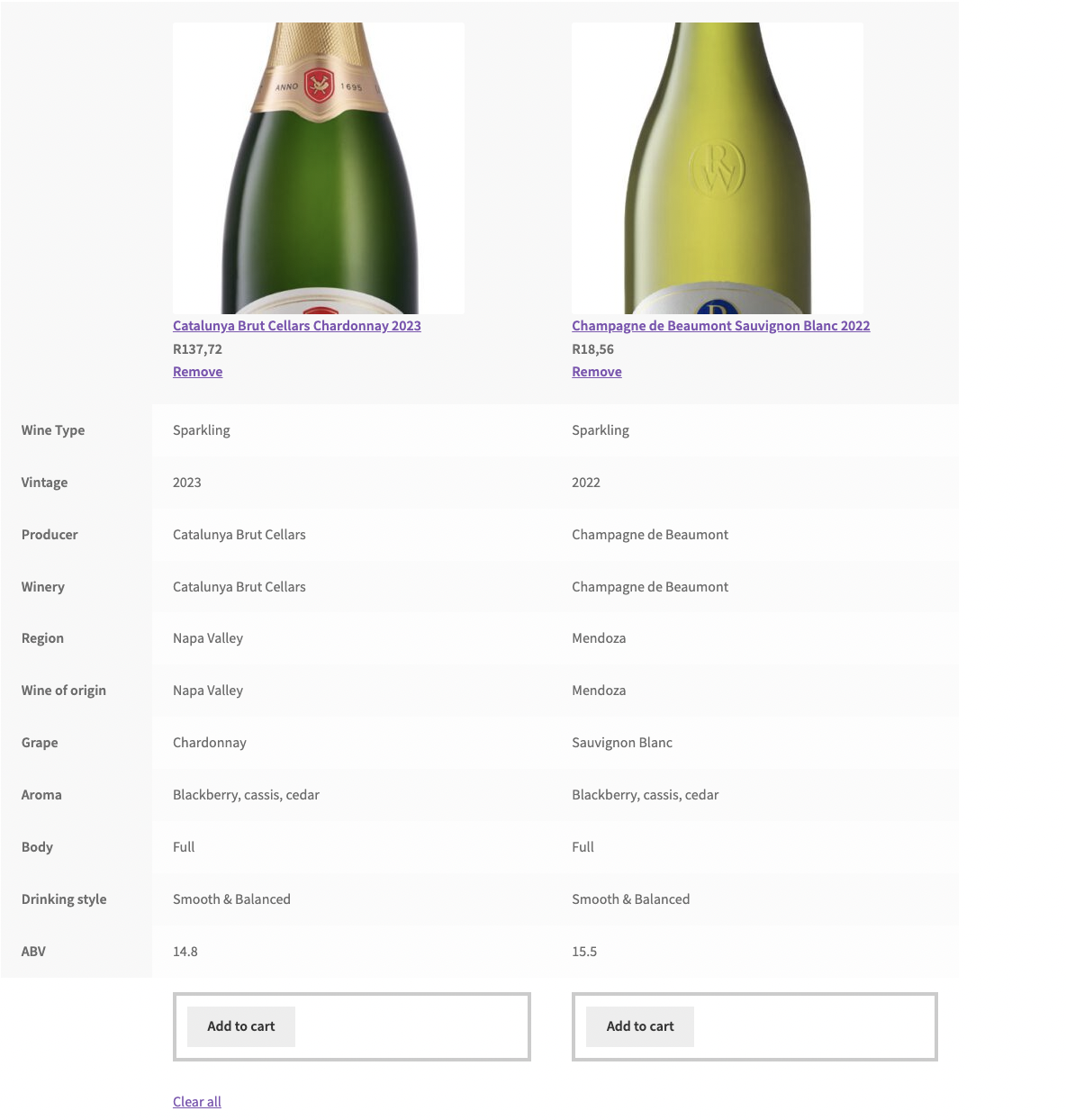
Let shoppers add up to two wines to a comparison list and view them side by side on a dedicated comparison page. Works via a simple shortcode or Gutenberg block. No page builders required.
Wine Badges
Highlight products with contextual badges — New, Best Seller, Award Winning, or Limited Stock — displayed on shop listings and single product pages.
Theme Friendly
The plugin outputs minimal structural CSS only. Typography, colours, and spacing inherit from your active theme. A single CSS custom property (--dwe-accent) is available as a styling override point.
Features
- Custom wine product data tab in the WooCommerce product editor
- 14 wine-specific fields — all individually toggleable
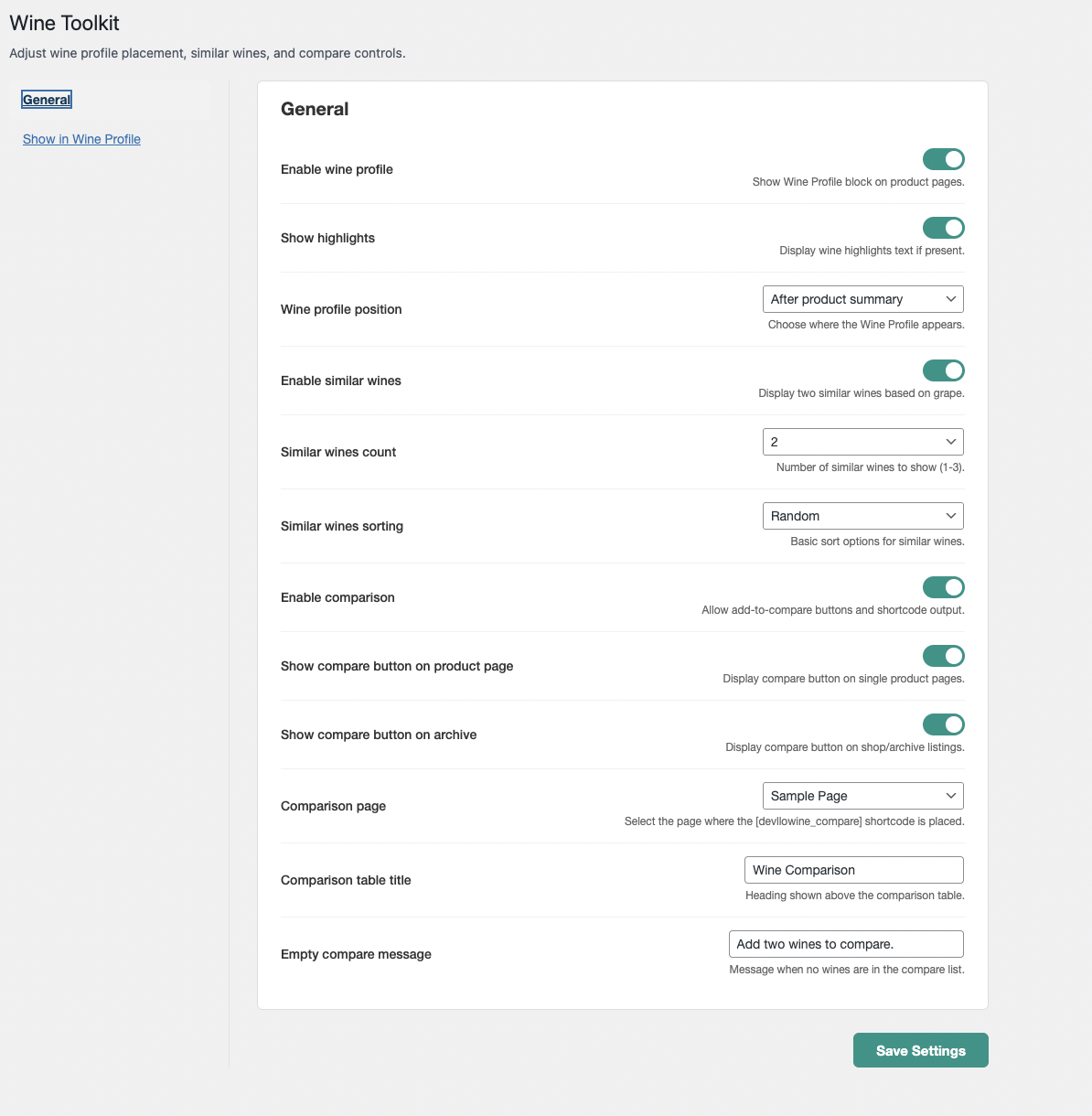
- Configurable profile position (before summary, after summary, after tabs)
- Similar wines section based on grape varietal match
- Session-based wine comparison list (max 2 wines)
- Comparison table shortcode [devllowine_compare]
- Gutenberg block for the comparison table
- Wine badges on shop and product pages
- React-powered settings UI with auto-save
- Theme-safe CSS — no hardcoded colours
- Translation ready
安装:
- Upload the plugin folder to /wp-content/plugins/
- Activate the plugin through the Plugins menu in WordPress
- Go to WooCommerce > Wine Essentials to configure settings
- Create a page for the comparison table and add the [devllowine_compare] shortcode to it
- Select that page under WooCommerce > Wine Essentials > Comparison page
- Add wine details to any product via the Wine Details tab in the product editor
屏幕截图:
常见问题:
Does this work with any WooCommerce theme?
Yes. The plugin outputs layout-only CSS and inherits typography and colours from your active theme.
Can I control which fields appear in the wine profile?
Yes. Every field can be individually toggled on or off from WooCommerce > Wine Essentials > Show in Wine Profile.
How does the similar wines feature work?
It queries other published products that share the same grape varietal value. It matches on exact text, so consistent data entry is important.
How many wines can be compared at once?
Two wines at a time. Adding a third automatically replaces the oldest.
Can I override the plugin templates?
Yes. Place your custom templates in your theme under devllo-wine-essentials/ and they will take priority over the plugin defaults. This follows the standard WooCommerce template override system.
Does it work with the block editor?
Yes. A Wine Comparison block is available in the Gutenberg block inserter as an alternative to the shortcode.
更新日志:
1.0.0
- Initial release