
Dhee Indic Transcriber
| 开发者 | dheeyantra |
|---|---|
| 更新时间 | 2026年11月14日 15:07 |
| PHP版本: | 7.2 及以上 |
| WordPress版本: | 7.1 |
| 版权: | GPL-2.0-only |
| 版权网址: | 版权信息 |
详情介绍:
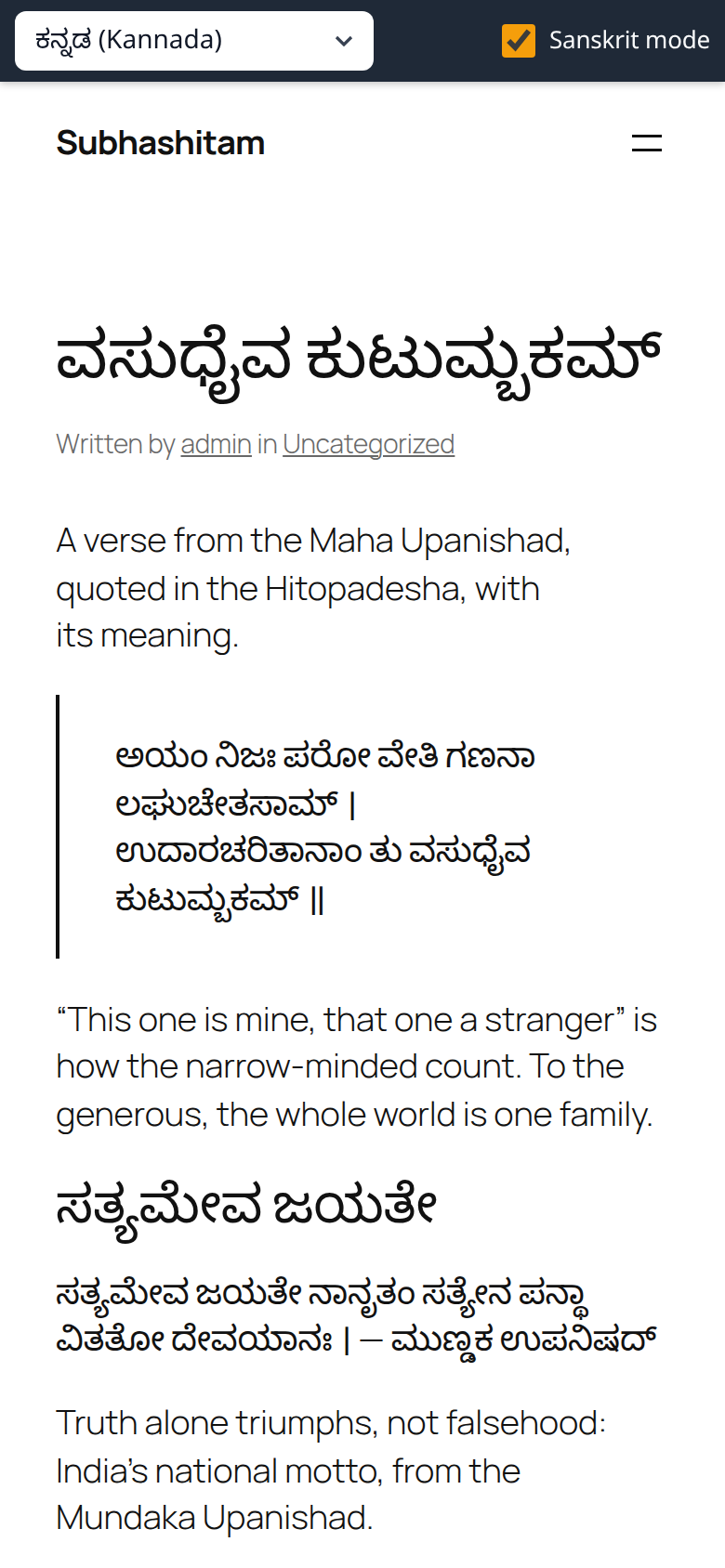
- Read in — a dropdown of scripts. The reader picks one, and every piece of Indic text on the page is rewritten in it, whatever script it was written in. Text in English is never touched.
- Sanskrit mode — checked by default. Every letter keeps its own vowel, as Sanskrit is read: राम becomes Rama, कमल becomes കമല. Uncheck it to read Hindi, Marathi, Bengali, Gujarati, Odia and Punjabi the way they are spoken today: Ram, കമൽ.
- Your posts are never changed. Turn the plugin off and nothing is left behind.
- Nothing is sent to a server, and every visitor gets the same HTML, so page caching keeps working.
- Text added after the page loads — comments, infinite scroll, anything a script adds — is converted as it appears.
- Code, form fields and anything marked
notranslateare left alone, and you can name other parts of the page to leave alone.
安装:
- Upload the
dhee-indic-transcriberfolder to/wp-content/plugins/, or install the zip from Plugins > Add New > Upload Plugin. - Activate it.
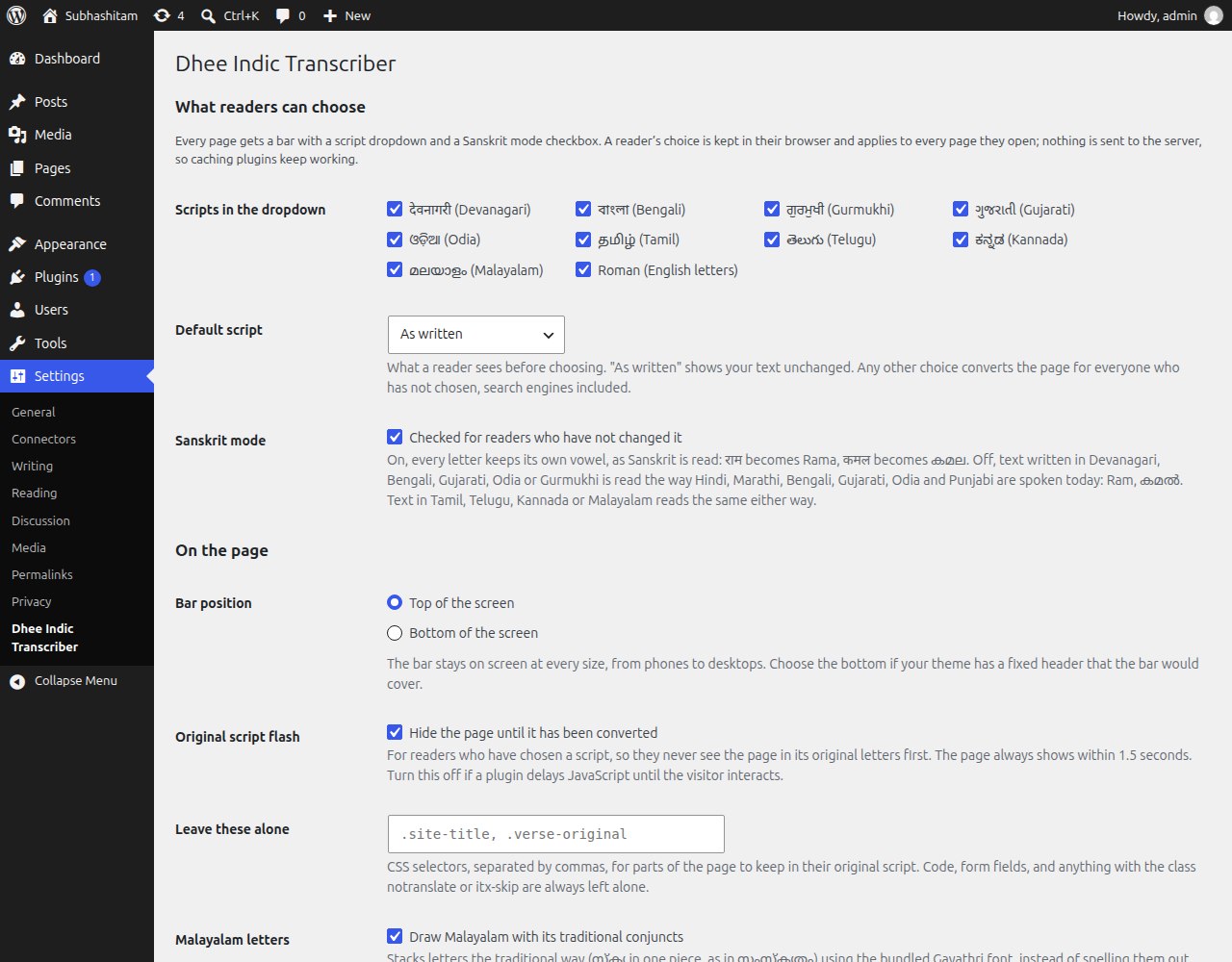
- Optionally, visit Settings > Dhee Indic Transcriber to choose which scripts readers are offered, the default script, whether Sanskrit mode starts checked, and whether the bar sits at the top or the bottom.
屏幕截图:
常见问题:
Why does Malayalam look different from the rest of my site?
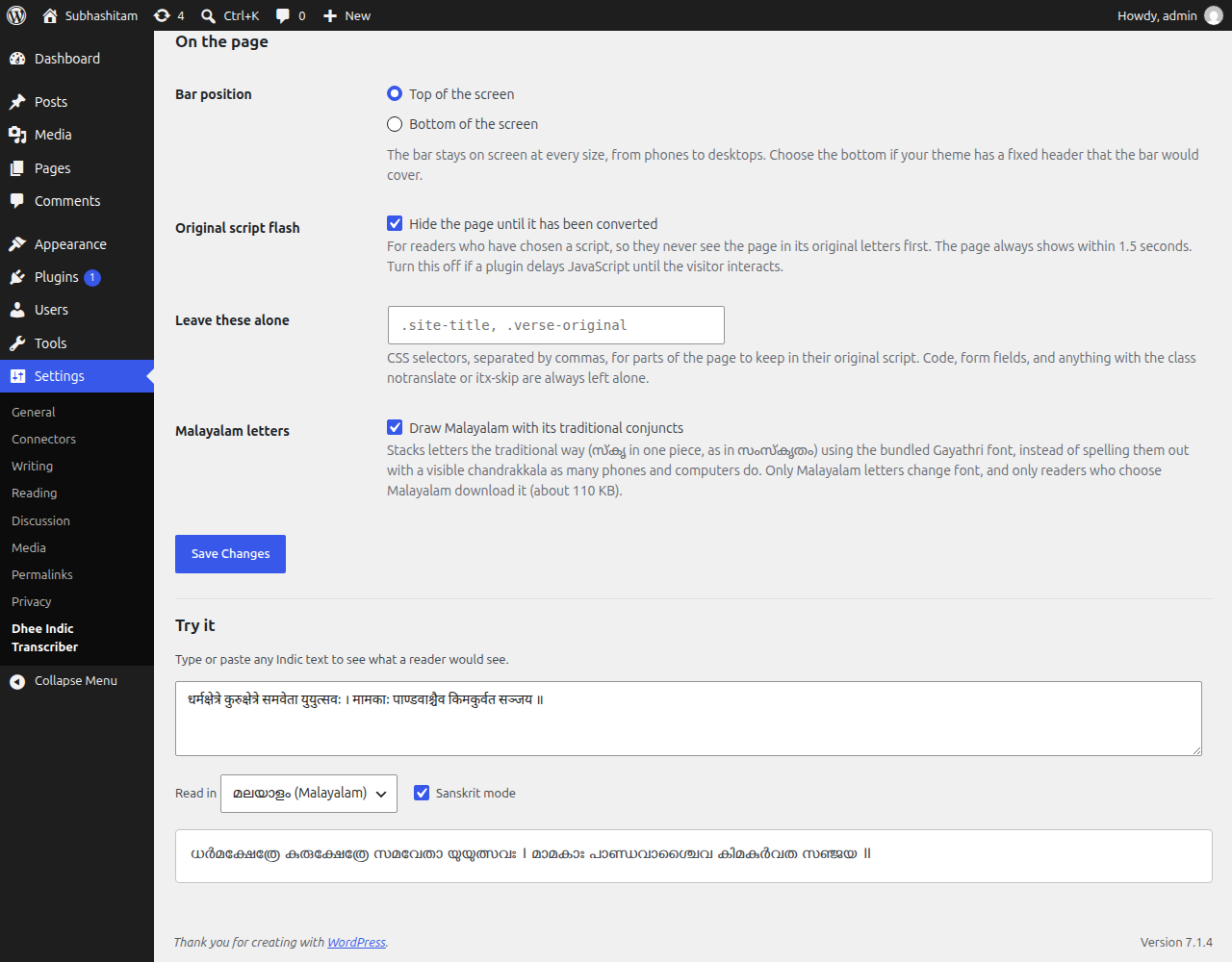
Malayalam has two ways of drawing the same letters: traditional, with conjuncts stacked into one shape (സ്കൃ in സംസ്കൃതം), and reformed, with a visible chandrakkala between them. Which one a reader sees depends only on the font, and most phones and computers draw the reformed one. The plugin draws Malayalam in Gayathri, a traditional-orthography font by Swathanthra Malayalam Computing (SIL Open Font License, included in assets/fonts/gayathri), for readers who choose Malayalam. Only Malayalam letters change font. If you prefer your readers' own fonts, untick "Draw Malayalam with its traditional conjuncts" in the settings.
The other scripts need nothing extra: the fonts readers already have stack Devanagari, Bengali, Gujarati, Odia, Telugu and Kannada conjuncts properly, and Tamil and Gurmukhi show the virama by convention.
My theme's fixed header covers the bar, or the bar covers it
Set the bar position to Bottom of the screen in Settings > Dhee Indic Transcriber.
How do I keep part of a page in its original script?
Add the class notranslate or itx-skip to it, or list CSS selectors for it under "Leave these alone" in the settings.
Does it affect search engines?
No, unless you set a default script other than "As written". Search engines see your text as you wrote it.
Can I link to a page in a particular script?
Yes: add ?itx_script=tamil to the address (and &itx_sanskrit=0 for spoken mode). The page opens in that script without changing the reader's saved choice. The script names are devanagari, bengali, gurmukhi, gujarati, odia, tamil, telugu, kannada, malayalam and roman.
Can I change the bar's colours?
Yes, with CSS custom properties in your theme or under Appearance > Customize > Additional CSS:
#indic-transcriber-bar { --itx-bg: #7c2d12; --itx-fg: #fff7ed; --itx-accent: #fde68a; }
The height is --itx-height on :root (44px by default).
Can a script choose for the reader, or build its own switcher?
IndicTranscriber.choose('malayalam') switches the page (pass '' for the text as written, and a second argument false for spoken mode). IndicTranscriber.current() returns the choice, IndicTranscriber.hasIndic() says whether the page has Indic text, and IndicTranscriber.refresh() reconverts the page and looks for Indic text again: a site that swaps its content without loading a new page calls it after each change of page, and the bar then shows or hides to match. The engine itself is SreeVidya.transliterate(text, 'malayalam', { sanskrit: true }).
Why is there no bar on some pages?
The bar shows only on pages with Indic text to convert: Devanagari, Bengali, Gurmukhi, Gujarati, Odia, Tamil, Telugu, Kannada or Malayalam letters. The server makes a first guess from the page's posts, title and site name, so the bar does not pop in or out, and the reader's browser then checks the whole page. The indic_transcriber_page_has_indic filter overrides the first guess.
Can I switch it off on some pages?
Yes, with a filter:
add_filter( 'indic_transcriber_enabled', function ( $on ) { return $on && ! is_page( 'checkout' ); } );
Does it work with page caching and JavaScript optimisation plugins?
Page caching, yes. If a plugin delays JavaScript until the visitor interacts, either exclude indic-transcriber from that or turn off "Hide the page until it has been converted", or readers who have chosen a script will see a blank page for 1.5 seconds.
更新日志:
- Roman is written in ISO 15919: ā ī ū r̥ ē ō ṁ ḥ ṅ ñ ṭ ḍ ṇ ś ṣ ḷ ḻ ṟ, in lower case, with a colon where two letters would read as one. It was an informal English-style spelling (Namasthe, Paroa).
- The bar shows only on pages that have Indic text to convert, and appears if Indic text is added later.
IndicTranscriber.hasIndic(), andIndicTranscriber.refresh()now checks the page for Indic text again.
- First release.