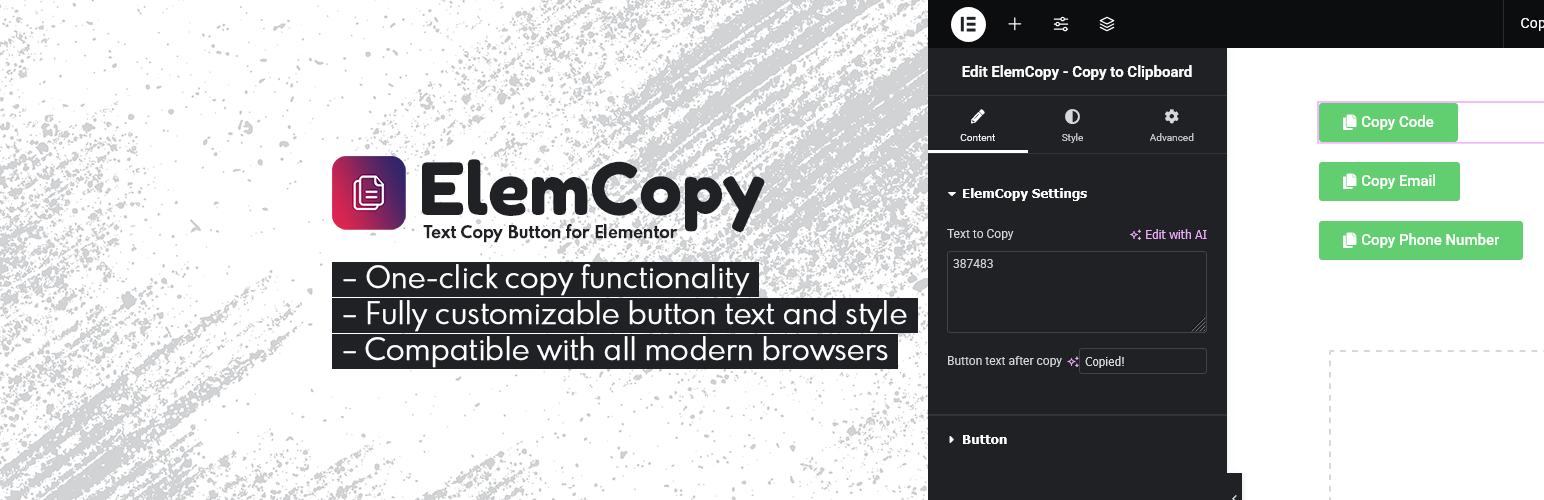
ElemCopy - Text Copy Button for Elementor
| 开发者 | Pluginable |
|---|---|
| 更新时间 | 2026年8月21日 21:09 |
| PHP版本: | 7.4 及以上 |
| WordPress版本: | 7.1 |
| 版权: | GPLv2 or later |
| 版权网址: | 版权信息 |
详情介绍:
- 🚀 One-Click Copy - Let visitors copy content instantly with a single click.
- 🎨 Fully Customizable - Customize button text, icon, colors, size, alignment, and styling.
- ⚡ Lightweight & Fast - Built with performance in mind and without unnecessary bloat.
- 📱 Responsive - Works smoothly across desktop, tablet, and mobile devices.
- 🔌 Seamless Elementor Integration - Use it anywhere Elementor widgets can be used.
- 🧩 No Coding Required - Everything can be configured directly from Elementor.
- Coupon and promotional codes
- Affiliate and referral links
- Email addresses
- Website URLs
- Contact information
- Custom messages
- Documentation and instructions
- Developer snippets
- Any other text users may need to copy quickly
- 🖼️ Copy Images to Clipboard
- 💻 Copy Code to Clipboard
- 🔄 Dynamic Tags Support
- 🔔 Customizable Toast Notifications
- ✨ Enhanced Copy Experience
安装:
- Download ElemCopy from the WordPress plugin repository or the Pluginable website.
- Log in to your WordPress admin dashboard.
- Go to Plugins > Add New.
- Click Upload Plugin and select the plugin ZIP file.
- Click Install Now.
- Click Activate.
- Edit any page with Elementor.
- Search for ElemCopy in the Elementor widget panel.
- Drag the widget onto your page.
- Add your content and customize the button to match your website.
常见问题:
What does ElemCopy do?
ElemCopy adds a Copy to Clipboard widget to Elementor. Visitors can copy text, links, email addresses, coupon codes, and other text-based content instantly with one click.
Can ElemCopy copy images?
Yes. ElemCopy Pro supports copying actual images to the clipboard as well as image HTML code.
Can I copy code snippets?
Yes. The Pro version includes support for copying code to the clipboard, making it useful for developers, documentation websites, tutorials, and code libraries.
Do I need coding knowledge?
No. ElemCopy is designed to be beginner friendly. Simply add the widget through Elementor and configure it using the available settings.
Can I customize the copy button?
Yes. You can customize the button label, icon, colors, size, alignment, spacing, and other styling options to match your website.
Does ElemCopy work on mobile devices?
Yes. ElemCopy is designed to work across modern desktop and mobile browsers.
Can I use it for coupon codes and affiliate links?
Absolutely. ElemCopy is perfect for coupon codes, promotional offers, referral URLs, affiliate links, long URLs, email addresses, and other text-based content.
Will ElemCopy slow down my website?
ElemCopy is lightweight and built with performance in mind, helping you add copy functionality without unnecessary overhead.
Can I show a message after content is copied?
Yes. ElemCopy Pro allows you to display a customizable toast notification or success message after the content has been copied.
Does ElemCopy support Dynamic Tags?
Yes. ElemCopy Pro supports Elementor Dynamic Tags, allowing you to copy dynamically generated values such as custom field data, user information, or other dynamic content.
Can I use ElemCopy inside Elementor Popups and Containers?
Yes. Since ElemCopy is an Elementor widget, it can be used inside Elementor popups, containers, sliders, tabs, accordions, and other Elementor layouts.
更新日志:
- Added WordPress 7.0 compatibility.
- Added WordPress 6.9 compatibility.
- Initial release of ElemCopy - Text Copy Button for Elementor.