
AI Popup Builder & Popup Maker by OptiMonk
| 开发者 | OptiMonk |
|---|---|
| 更新时间 | 2026年10月6日 16:43 |
| PHP版本: | 2.8.0 及以上 |
| WordPress版本: | 6.9 |
| 版权: | GPLv2 or later |
| 版权网址: | 版权信息 |
标签
下载
详情介绍:
- Builds popups via chat: describe your goal, and the AI agent designs, writes and targets the popup for you.
- Adds motion: animated backgrounds that make visitors stop scrolling.
- Works inside Claude and ChatGPT: build and edit popups from your AI assistant through MCP integration.
- Finds your next win: it reads your store data, spots what to improve, and suggests ready-made campaigns.
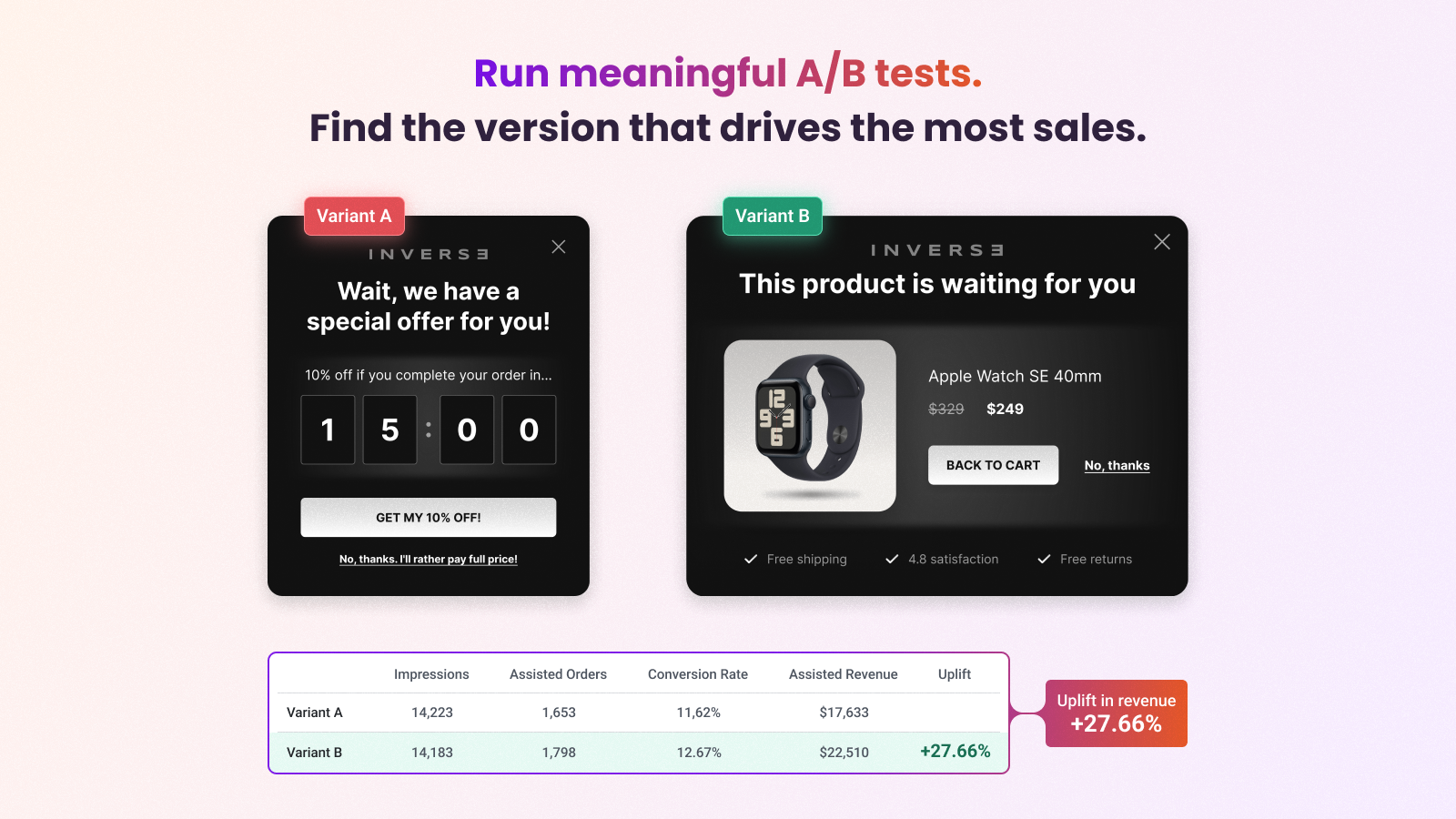
- Runs A/B tests on request: ask for headline, design or offer variants, and it sets them up.
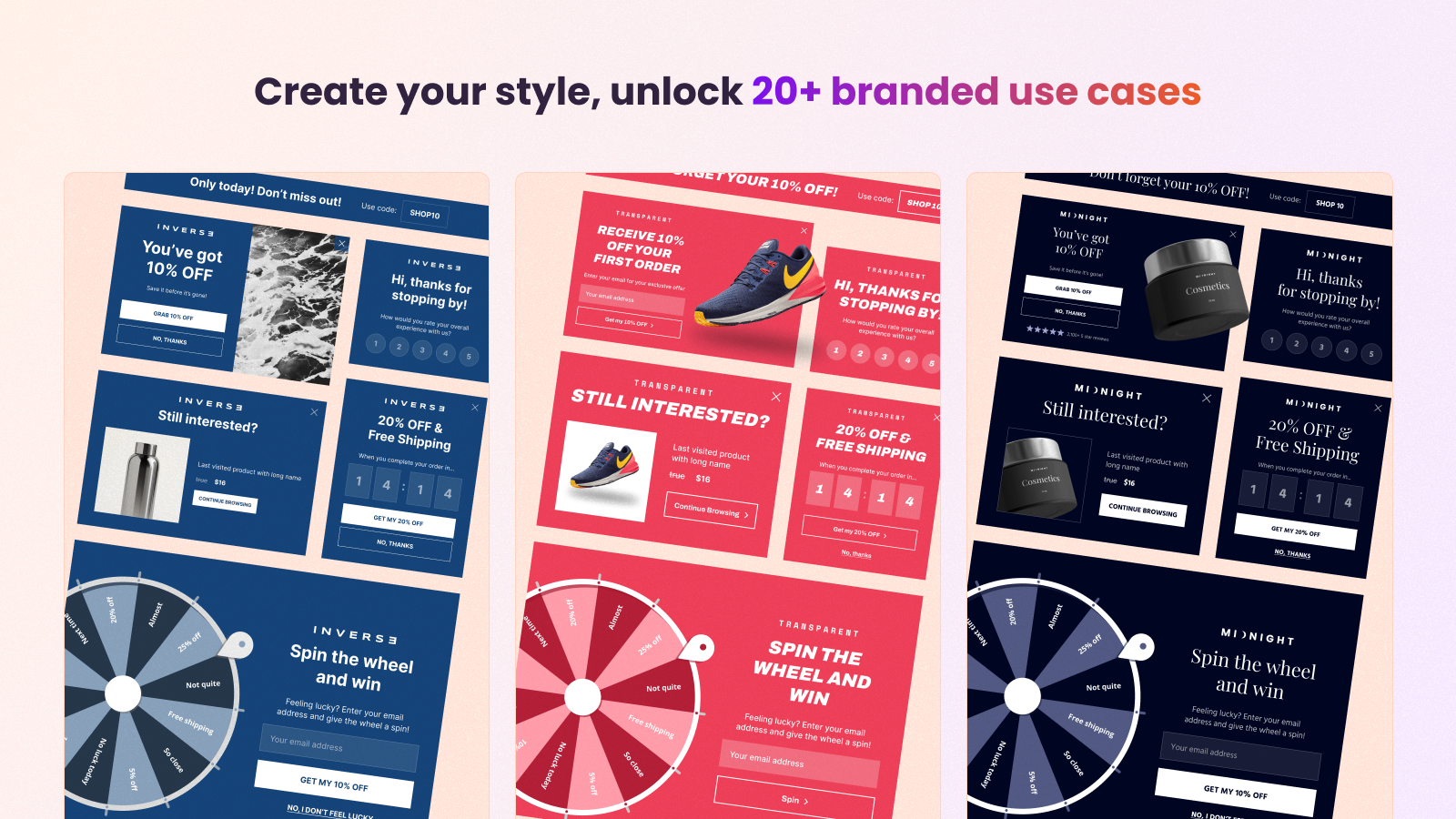
- Build: email and SMS popups, cart abandonment offers, lucky wheels, and scratch cards, each one made for your store in minutes.
- Test: create as many variants as you like. Test headlines, designs and CTAs, or pit whole campaign types against each other, like a lucky wheel against an email signup popup.
- Learn: analytics shows the revenue each campaign brings in, not just clicks and signups, and points out where you are losing sales.
- Repeat: the agent turns what it learns into new campaign ideas, each with a ready-made design. Launch the ones you like in one click.
Start for free, with every feature The free plan includes 10,000 pageviews per month, all features, and unlimited users.CONVERSION BOOSTERS YOUR AGENT CAN ADD TO ANY CAMPAIGN
- Animated popups that catch the eye with one click
- Survey popups that collect first-party data
- Lucky wheels and scratch cards that make signing up fun
- Countdown timers that add urgency to limited-time offers
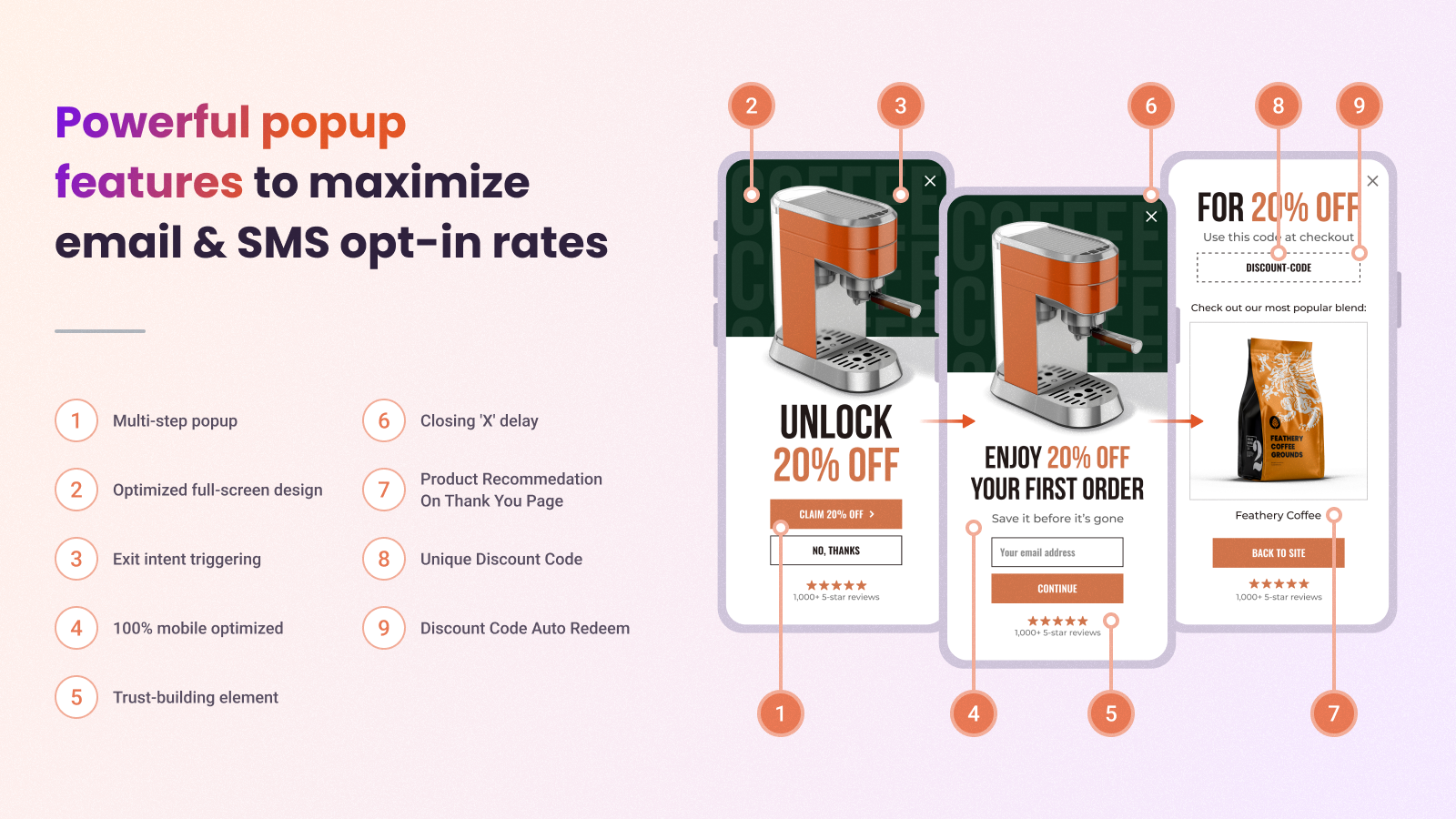
- Multi-step campaigns that guide shoppers from first visit to checkout
- WooCommerce discount popups
- WooCommerce lucky wheel popups
- WooCommerce exit popups
- WooCommerce upsells
- WooCommerce countdown timers
- WooCommerce cart abandonment popups
- WooCommerce product recommendations (Most popular, Recently viewed)
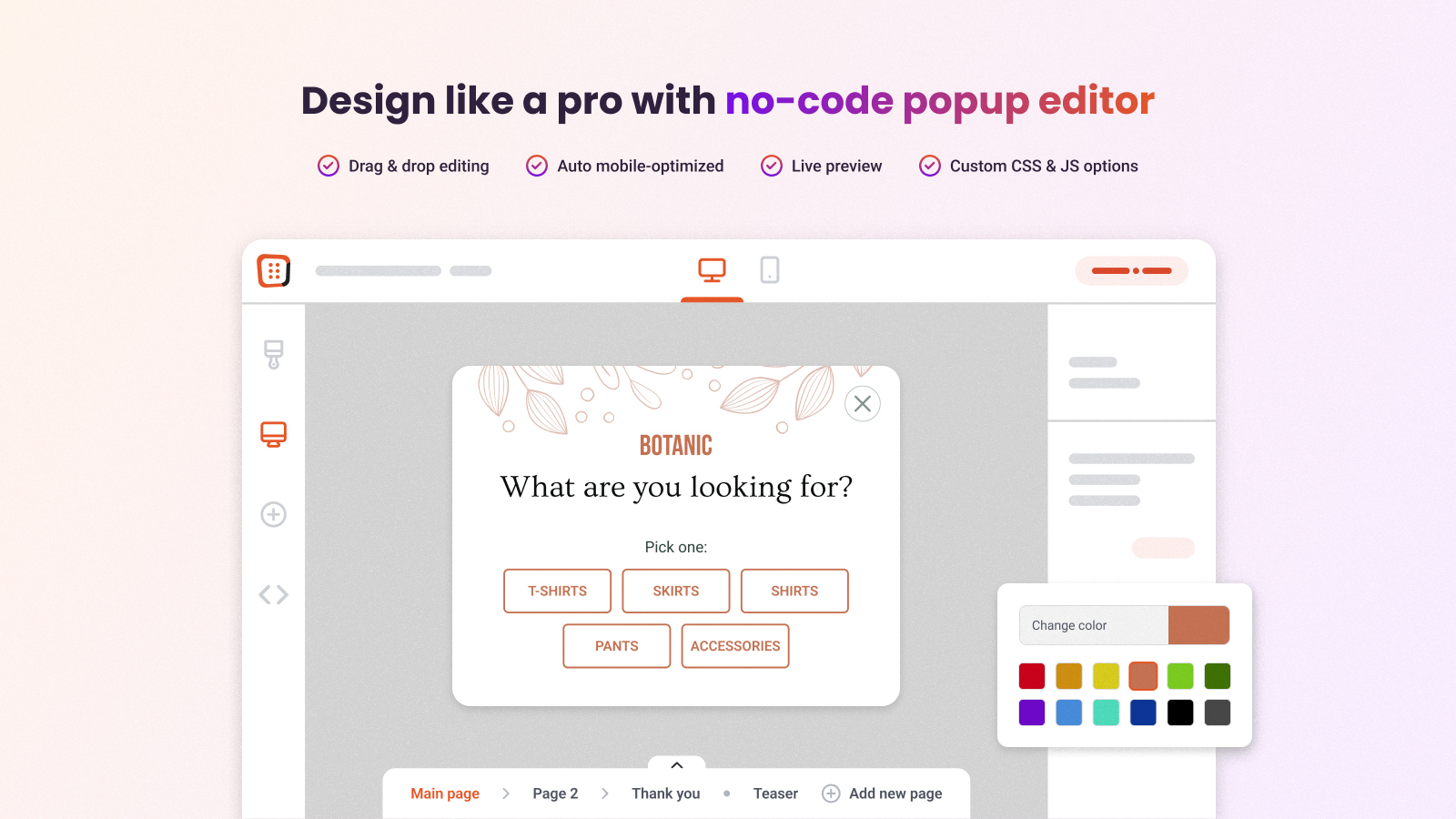
Ryan Pamplin | CEO, BlendJet | +39.2% extra revenue "When comparing OptiMonk vs other leading popup solutions, no one else has the valuable integrations we need, robust testing capabilities, and amazing team to support our ever-evolving needs." See case study → Eric Nguyen | CEO, Indestructible Shoes | +13.2% e-commerce conversion rate "I had high expectations when I started using OptiMonk, but still I was surprised by the results. In just a short period of time, we could reach higher conversion rates than with any other tools. Highly recommended!" See case study →BUILD POPUPS BY CHATTING, NOT DRAGGING You don't need a designer, a copywriter or a developer. Tell the agent what you want, and it handles the design, the copy and the setup. From one sentence to a finished popup Enter your domain and type what you need, for example: "10% discount for email signup, on exit intent". The agent scans your site in seconds, picks up your colors, fonts, style and products, and builds a popup that looks like it was made by your own team. Classic popups, fullscreens, gamified popups, surveys or multi-step flows: just say which. Give it a starting point Have an idea of the look you want? Share one of your earlier popups, an example from the popup library, or any image you upload. The agent turns it into a campaign that fits your site. Create your first popup for free → Change anything by asking Want different copy, a new color or a bigger button? Ask in the chat. Need a variant for an A/B test? Ask for that too. Build from Claude, ChatGPT or any AI assistant Connect OptiMonk to your AI assistant through MCP, then create campaigns and check your results without opening the OptiMonk dashboard. See how to connect your AI assistant Details that lift conversions
- Animated popups: subtle background motion, added with one click, draws attention to your message.
- Delay Closing X: show the close button a few seconds later, so visitors read your offer first.
- Countdown timer: use the urgency of limited-time offers.
- Any language: the agent writes your popup in the language your visitors speak.
- Dynamic product recommendations: show each visitor the products they are most likely to buy, such as best sellers or items they viewed recently.
- Product sales
- Orders above a set cart value
- Products added to cart
屏幕截图:
常见问题:
How does the OptiMonk AI agent work?
Enter your domain and describe the popup you want in the chat. The agent maps your brand's colors, fonts, style and products, asks questions if needed, and builds a custom popup. Refine it in the chat, set the targeting, and launch it in one click.
Do I stay in control of what goes live?
Yes. The agent suggests campaigns, tests and improvements, and you decide which ones to apply and launch.
Can the agent create popups in other languages?
Yes. It writes the popup in whichever language you ask for.
Does this plugin slow down my site?
No. OptiMonk loads asynchronously and is optimized for page speed.
Can I customize the look and feel of the campaigns?
Yes, you have full control. Ask the agent for changes in the chat.
Do I need coding skills to use OptiMonk?
No. The agent handles the design, the copy and the setup. If you get stuck, our support team helps you for free.
Can I use OptiMonk from Claude, ChatGPT or other AI assistants?
Yes. With the MCP integration, you can create campaigns and check your data from Claude, ChatGPT or another AI assistant. See the setup guide.
Which email and marketing tools does OptiMonk integrate with?
Klaviyo, Mailchimp, Hubspot, ActiveCampaign, Attentive, Infusionsoft, Aweber, GetResponse, Constant Contact, Campaign Monitor and more. New subscribers are sent to these tools automatically, or you can download them as a CSV file. You can set up integrations in each campaign's settings.
更新日志:
- Improvement: Wider cart integration support
- New: Added platform detection to WooDataForOM.shop.platform (wordpress/woocommerce)
- New: Support for Product Recommender algorithms like Most popular, Recently viewed in WooCommerce stores
- New: Support for Order tracking in WooCommerce stores
- OptiMonk popups are officially the #1 in speed
- New: Announcement popup templates
- Improvement: Weekly report emails about campaign performance and leads
- New: more Black Friday templates
- Improvement: Smart Discount Popups into fullscreen popup templates
- Fix: Extended GA4 tracking with custom-formatted purchase events
- Fix: Enhanced cart rules based on product names
- Improvement: Email spellchecker
- Improvement: Alert emails if a campaign stops showing
- Improvement: Smarter page type targeting (including home page + regular expressions)
- New: Dynamic Shopify-based product recommendation
- New: Groundy Template Family
- New use cases: “Win a gift” and “Exit Reminder”
- New: 4 new template designs
- Fix: Klaviyo API & integration update
- Improvement: Renewed analytics dashboard with domain-level data
- New: Google Analytics 4 order tracking in campaign performance
- New: Campaign performance tracking based on Custom Conversion Event
- New: Mobile preview for different devices
- New: 4 new template designs
- Improvement: Product data for campaign targeting is read from the inline shop data instead of extra server requests on every page load
- Fix: Product data is filled in reliably on product pages where the product could not be resolved from the URL (subdirectory, multilingual or page builder setups)
- Plugin renamed to "AI Popup Builder & Popup Maker by OptiMonk", new banner
- Updated plugin description and screenshots
- Test up to 6.9
- Feature: Add WooCommerce category data (name, slug, ID) to WooDataForOM for better campaign targeting
- Feature: Add WooCommerce cart URL to shop data for easier cart navigation in campaigns
- Improvement: Wider cart integration support
- New: Platform detection in WooDataForOM.shop.platform (wordpress/woocommerce)
- Fix: Cart integration when the WooCommerce plugin responds slowly
- New: WooDataForOM shop data (shop ID, product, order) for Product Recommender and order tracking in WooCommerce stores
- New: AJAX add-to-cart hooks for product cards
- Improvement: Cart update logic removed from the plugin
- New: Support for the visitorCartV3 cart rule
- New: Plugin activation and uninstall tracking
- Test up to 6.6.1
- Feature: Support new visitor cart rule
- Solve PHP warnings
- Fix CSRF vulnerability
- Update description
- Test up to 6.2.0
- Prioritize inserting script to head
- Add async load to the insert code
- Add product name to cart attributes
- Insert new code to the head section
- Improved cart and visitor attributes handling
- Load WooCommerce product page data if campaigns are using it
- Load WooCommerce cart data if campaigns are using cart rules
- Fix Cart items price for campaign cart rule
- Fixing compatibility issues with WordPress 5.6
- Fixing compatibility issues WooCommerce 2.6.14
- Remove admin stylesheet from frontend.
- Add notification after two weeks.
- Direct calls update.
- Remove PHP sessions from the plugin.
- FIX: Start session when it is needed.
- Protocol definition change
- Minor translation modification
- PHP 5.2 compatibility issue fix
- Admin interface changes
- WooCommerce plugin support
- Hungarian language added
- The first version of OptiMonk's WordPress plugin