Extendify
| 开发者 |
extendify
richtabor kbat82 clubkert arturgrabo |
|---|---|
| 更新时间 | 2026年10月23日 00:14 |
| PHP版本: | 7.0 及以上 |
| WordPress版本: | 7.2 |
| 版权: | GPLv2 |
| 版权网址: | 版权信息 |
标签
template
page builder
editor
blocks
gutenberg
gutenberg blocks
templates
library
layouts
layout
wordpress blocks
patterns
下载
0.2.0
1.13.2
0.10.2
0.11.1
0.5.0
0.8.0
0.8.4
1.0.1
1.16.0
1.2.0
1.6.1
1.0.0
1.6.0
1.6.3
1.7.0
1.8.1
1.9.0
0.4.0
3.2.1
0.3.0
1.11.2
1.15.1
1.8.2
3.1.1
3.1.5
1.12.3
1.2.2
1.2.3
1.4.0
1.5.0
1.5.1
1.9.1
1.13.3
1.13.4
1.13.5
1.3.0
1.9.2
1.9.3
1.14.0
1.14.5
1.8.0
0.6.0
0.9.0
1.18.3
1.18.4
1.18.5
1.19.0
0.8.1
0.9.1
1.19.2
1.19.5
2.0.1
2.0.0
2.1.0
2.0.4
1.1.0
1.10.0
1.11.1
1.19.3
2.0.3
0.10.0
2.2.2
2.3.1
0.7.0
1.13.1
1.14.1
1.17.1
1.2.4
2.1.1
2.4.0
1.17.0
1.17.2
1.19.1
2.3.2
3.0.2
1.11.0
1.16.1
1.2.1
2.4.1
3.0.0
1.15.0
3.0.1
0.3.1
1.15.3
3.0.5
1.14.3
1.14.6
1.15.2
1.6.2
2.0.2
2.0.5
2.2.0
2.3.0
3.0.6
0.10.1
0.9.5
1.12.0
1.15.4
1.18.2
1.19.7
3.1.0
0.1.0
0.8.3
0.9.3
0.9.4
1.10.1
2.2.1
3.0.4
3.1.3
3.1.4
1.12.2
1.14.4
1.18.1
1.19.4
3.1.6
0.11.0
0.9.2
1.12.1
1.13.0
1.18.0
3.0.3
3.1.2
3.2.0
3.2.2
0.8.2
1.14.2
1.19.6
3.2.3
3.2.4
详情介绍:
Extendify is the platform of site design and creation tools for people that want to build a beautiful WordPress website with a library of patterns for the Gutenberg block editor.
Make a beautiful WordPress website easier and faster than ever before with Extendify's library of Gutenberg block patterns for Gutenberg.
A library of Gutenberg block patterns
Our library of reusable website block patterns can be assembled to rapidly build beautiful websites or add to existing ones. These well-designed block patterns enable you to drag, drop and publish in WordPress, without a single line of code.
Core Gutenberg blocks
Get beautiful patterns without the added maintenance of third-party blocks or block collections, as our Gutenberg block patterns are made with core WordPress blocks whenever possible.
Built for your theme
Extendify is a theme-agnostic design experience platform that works with your Gutenberg-friendly WordPress theme or Block Theme — instantly leveling-up your editing and publishing flow today. If you change your theme, colors, typography, or any other element, your Extendify Gutenberg block patterns will adapt to the new design.
Block Pattern Types
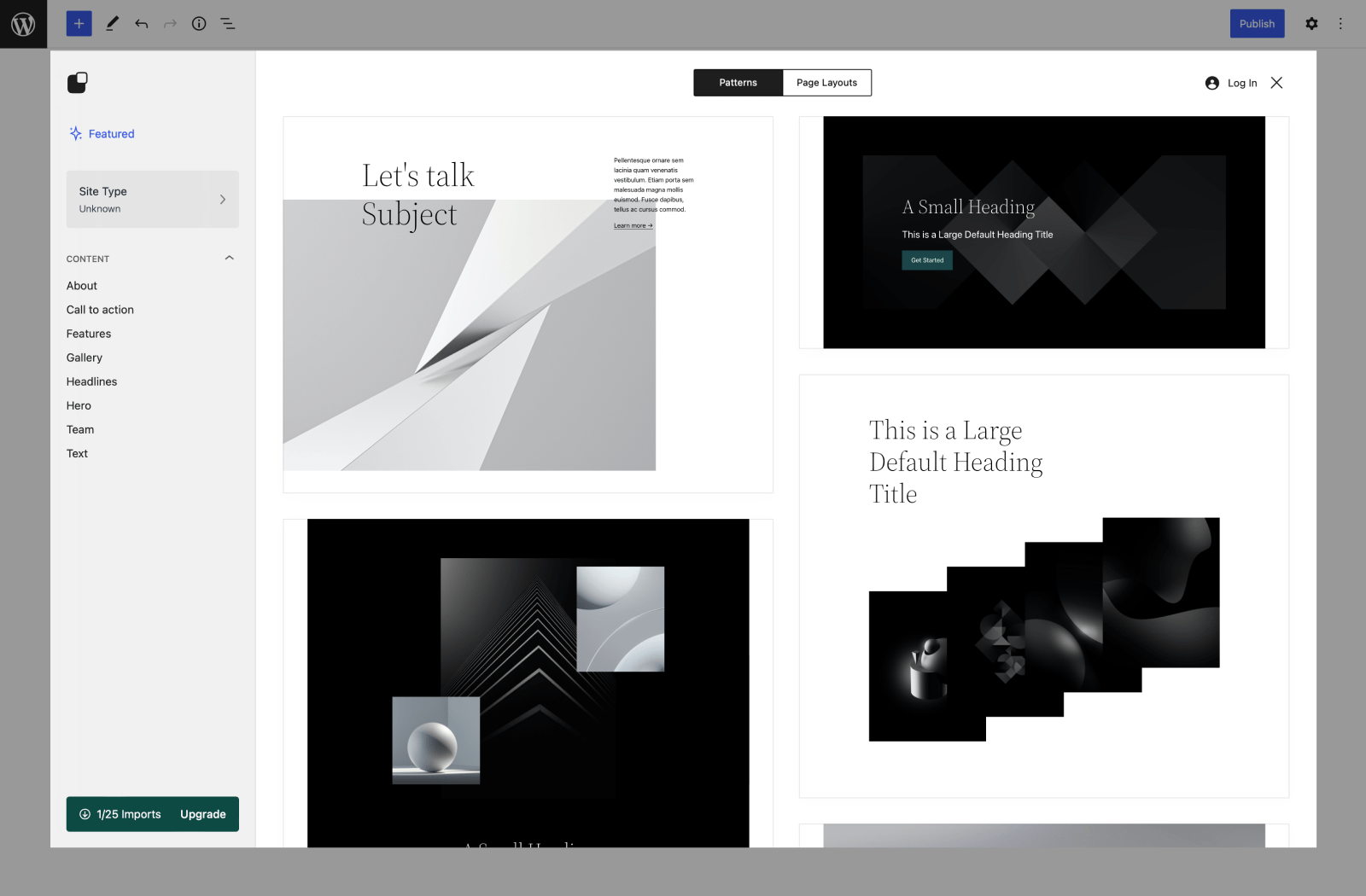
Choose from Gutenberg block pattern types for every part of your website, including:
- About page patterns
- Call to action patterns
- Feature patterns
- Gallery patterns
- Headline patterns
- Hero patterns
- Team patterns
- Text patterns
- Browser
- Referring site
- Category selection
- WP language
- WP version
- Active theme
- Active plugins
- Anonymized UUID
- Anonymized IP address
安装:
- Install using the WordPress plugin installer, or extract the zip file and drop the contents into the
wp-content/plugins/directory of your WordPress site. - Activate the plugin through the 'Plugins' menu in WordPress.
- Edit or create a new page on your site
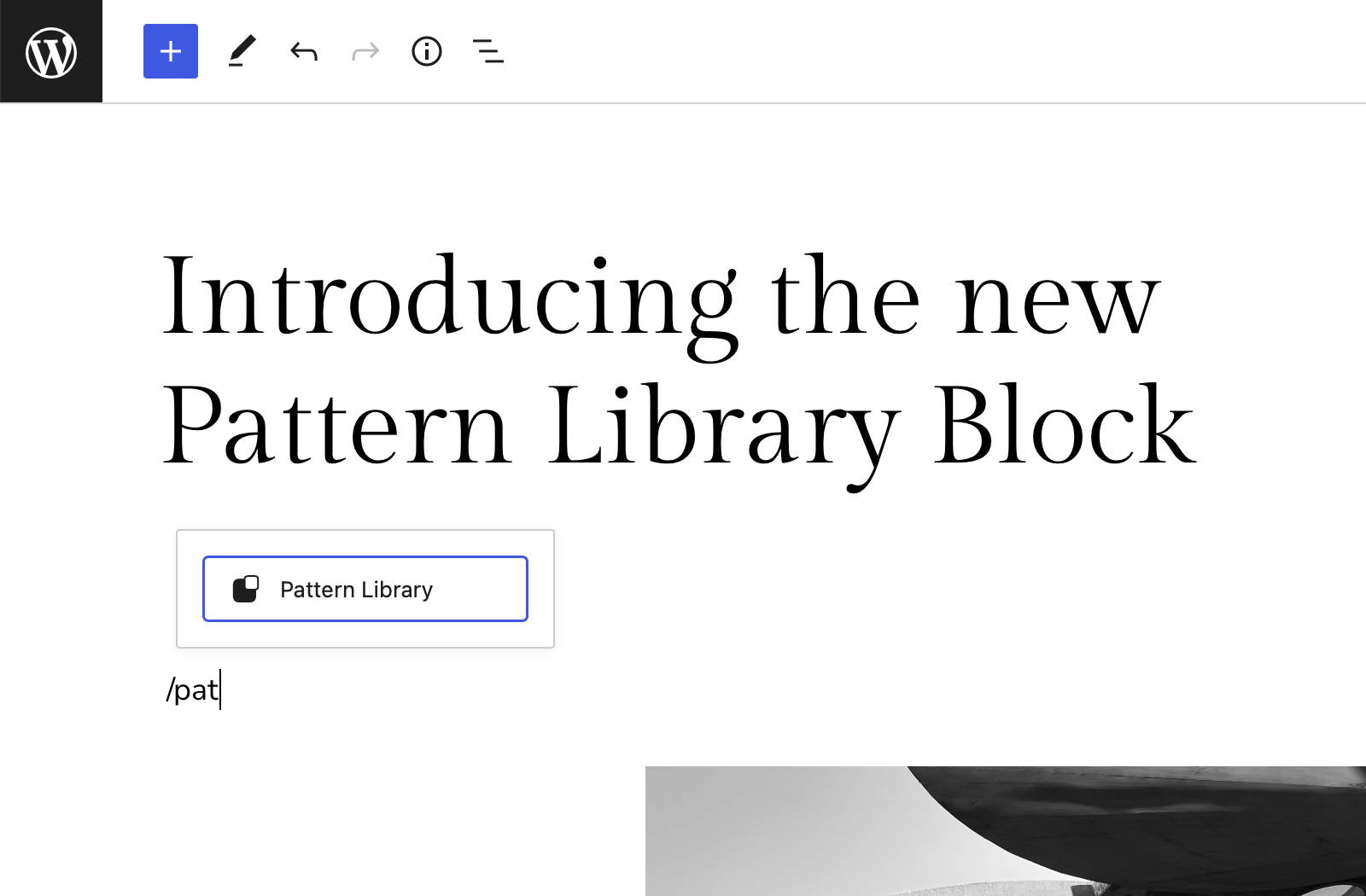
- Press the 'Library' button at the top left of the editor header
- Browse and import beautiful patterns and full page layouts; click one to add it directly to the page.
屏幕截图:
更新日志:
3.2.4 - 2026-10-22
- Various bug fixes and improvements
- Various bug fixes and improvements
- Various bug fixes and improvements
- Various bug fixes and improvements
- Security: only users who can edit the site design can save block style names
- Various bug fixes and improvements
- Various bug fixes and improvements
- Security: the image importer now checks an image's source before downloading
- Various bug fixes and improvements
- Various bug fixes and improvements
- Fixed a fatal error that could occur on some sites during plugin load
- Various bug fixes and improvements
- Various bug fixes and improvements
- Added Quick Edit for editing content directly on your site
- Various bug fixes and improvements
- Various bug fixes and improvements
- Various bug fixes and improvements
- Various bug fixes and improvements
- Various bug fixes and improvements
- Various bug fixes and improvements
- Fixed a conflict with the Simplybook plugin
- Onboarding improvements
- AI Agent improvements
- Fixed a bug where the category couldn't be changed in the library
- Added support for new theme variations
- Updated translations
- Fixed plugin z-index conflicts with other plugins
- Various bug fixes and improvements
- Various bug fixes and improvements
- Various bug fixes and improvements
- Various bug fixes and improvements
- Various bug fixes and improvements
- Various bug fixes and improvements
- Various bug fixes and improvements
- Updates translations
- Various bug fixes and improvements
- Various bug fixes and improvements
- Various bug fixes and improvements
- Updates translations
- Various bug fixes and improvements
- Various bug fixes and improvements
- Various bug fixes and improvements
- Fixed a redirection bug
- Removed some animations that played during the wrong time.
- No breaking changes
- Added new designs and patterns
- Various bug fixes and improvements
- Various bug fixes and improvements
- Updates translations and sprintf use
- Updates theme.json handling
- Fixes an issue where library patterns couldn't be inserted
- Updates min required version to 6.5
- Updates some translations
- Fixes an issue when inserting a pattern and show templates is enabled
- Updates translations
- Various bug fixes and improvements
- Various bug fixes and improvements
- Various bug fixes and improvements
- Various bug fixes and improvements
- Fixed translation loading errors
- Various bug fixes and improvements
- Various bug fixes and improvements
- Fixed a bug where scroll lock was happening in wp-admin
- Various bug fixes and improvements
- Fixed a bug where we passed in the wrong type to get_block_editor_settings
- Updated translations
- Various bug fixes and improvements
- Fix a redirect bug
- Various bug fixes and improvements
- Update language files
- Various bug fixes and improvements
- Update language files
- Various bug fixes and improvements
- Fixes a bug when reading blog sample data
- Improvements to onboarding
- Various bug fixes
- Added Romanian translations
- Various bug fixes and improvements
- Added Arabic, Romanian, Hindi, Colombian, and Mexican Spanish language support
- Various bug fixes and improvements
- Fixed a bug where svg images being imported would end up corrupted
- Added Serbian language support
- Various bug fixes and improvements
- Added initial support for 3rd party plugin patterns
- Added compatibility with new Extendable helpers
- Various bug fixes and improvements
- Added Bulgarian language support
- Various bug fixes and improvements
- Updated button styles to match WP designs
- Updated Theme.json files to match the Extendable theme
- Various bug fixes and improvements
- Updated styles for WP 6.6 compatibility
- Updated Polish translations
- Removed the Exendify admin landing page
- Fixed a few mobile style inconsistencies
- Fixed an issue with the logo overflowing
- Added language support for Czech, Hungarian, and Slovak
- Added auto image imports for our pattern images
- Fixes an issue with loading goals with some permalink structures
- Adds Turkish language support
- Adds Unsplash image search on Draft
- Various bug fixes and improvements
- Fixes a data conflict with an external plugin
- Fixes a bug where users were redirected to the wrong Extendify page
- Fixes a bug where a constant was being read before it was defined
- Update WP script packages
- Various bug fixes and improvements
- Fixed a bug where buttons in Gutenberg would trigger a form submit
- Fixed compatibility with Dark Reader Chrome extension
- Various other bug fixes and improvements
- Enhancements to editor AI tools
- Redesign of the Site Assistant
- Various bug fixes and improvements
- Fixed an issue where some users would be incorrectly redirected
- Various bug fixes and improvements
- Fixes loading issues with live previews
- Various bug fixes and improvements
- Fixes a bug where an icon would show up within iframes
- Updates Swedish translations and others
- Fixes a conflict with Kadence and Google fonts
- Fixes some issues with translation strings missing
- Fixes a bug where the "open on new page" option wouldn't persist
- Various bug fixes and improvements
- Fixes a scrolling issue on some screens
- Self hosting translation files within the plugin
- Various bug fixes and improvements
- Added better library support for non-block themes
- Various bug fixes and improvements
- Design Library rebuilt from the ground up
- Various bug fixes and improvements
- Fixes a compatibility issue with WooCommerce product images
- Fixes a bug where translations wouldn't load after an update
- Fixes a bug where scripts loaded twice on the upgrade page (in the iframe)
- Fixes a bug where the input focus would happen too soon
- Adds various UI enhancements
- Updates Launch flow and design
- Various bug fixes and improvements
- Fixes an issue with some translations not showing
- Fixes an issue where translated text would not wrap to the next line
- Removed settings to show/not show the Library button
- Fixes a bug where the library button occasionally wouldn't show up for some users
- Fixes a bug where we'd mark the db as having imported a template before imported
- Fixes an issue with the logo preview not showing
- Adds overall performance improvements specific to data loading
- Adds 6.3 compatibility fixes and tweaks
- Added php 8.2 compatibility
- Fixes an issue where loading translations too early would conflict with mailer type plugins
- Fixed various translation issues
- Fixes an issue with navigation type blocks missing the outer wrapper
- Fixes an issue where some css styles were being stripped for some users
- Tweaked the loading of some buttons for better visual consistency
- Fixes a nav block inserter bug for non-English languages
- Various performance and error handling improvements
- Adds ability to insert css utility classes to current theme when deactivating
- Fixes an optimistic update bug that caused a loading error
- Updated tour progression checking
- Fix translation loading
- Various bug fixes and improvements
- Deprecation notice: In the next release we will be removing a majority of unused utility classes from the frontend stylesheet. This is to reduce the frontend stylesheet filesize and improve page speed. These classes were not included in any of our patterns, but may have been manually used by some users. If you are using these classes and need assistance in migrating these unused styles, please reach out to us at support@extendify.com
- Add improved language support
- Increase monthly imports to 10
- Various bug fixes and improvements
- Updated Welcome Notice
- Tweaked various design elements
- Removed "pro" badge for pro users
- Updated WP6.2 compatibility
- Updated various responsive issues
- Fixed a bug where the library would crash on new pages
- Various bug fixes and improvements
- Various bug fixes and improvements
- Fixed a bug where comparing active plugins would crash the UI
- Add automated testing
- Various bug fixes and improvements
- Various bug fixes and improvements
- Update translations and comments
- Improve transition/animation processing
- Fix modal page jumps
- Add automated testing
- Update site type sort ordering
- Optimize preview loading
- Various bug fixes
- Fixes a bug where page data was ignored
- v1 release is here! 🚀
- Improved loading of patterns in live previews
- More templates and more site types to chose from
- Improved compatibility with Extendable theme
- Fixed issue where some users would see API errors randomly
- Better handling of page redirects
- Fix a bug where page data wasn't loading
- Fix issue with request headers
- Update logic for admin page routing
- Various bug fixes
- Update side nav to show relevant menu pages
- Various bug fixes
- Add check for https in urls
- Minor bug fixes
- Add aspect ratio utility classes
- Various bug fixes and optimizations
- Various bug fixes and performance improvements
- Update menu page logic
- Update network request efficiency
- Fix server error issues
- Various bug fixes and performance improvements
- Various bug fixes and performance improvements
- Fix bug where library data isn't loading
- Update UI/UX components
- Add shared site type experience across users
- Better handle asset and data loading
- Various bug fixes and updates
- Add API language support
- Various bug fixes and updates
- Minor translation updates
- Various bug fixes and updates
- Various bug fixes and updates
- Remove forced full width on older themes
- Added title tooltips to site type selector
- Remove notices from admin page
- Various bug fixes and performance improvements
- Optimize live preview rendering
- Add faster server backend
- Add Extendify welcome page
- Remove content idle timer
- Update sidebar handle accessibility styling
- Updated wp tested up to value
- Implement UI improvements to encourage discoverability
- Add support for the Full Site Editor experience
- Update SiteType UX component
- Optimize layout rendering idle checker
- Improve server error refresh
- Fix library button on mobile
- Add new design categories
- Add ability to open library via search param
- Tweak get_plugins call to not cache results
- Improve toolbar on mobile
- Add support for inverted style patterns
- Improve library loading time
- Add pattern library variants to open the library
- Enhance layout view with autoscroll
- Improve modal layout design consistency
- Remove NeedsRegistrationModal
- Add various performance improvements
- Add singular value when import count is 1
- Remove destructuring within block filters
- Fix typo in setTimeout function name
- Improve layout rendering performance
- Improve utility styles to better support WordPress 5.9
- Add fallback for blurred background in Firefox
- Add refresh screen when user is idle after 10 minutes
- Fix missing property check
- Add initial support for pro patterns
- Improve pattern loading speed
- Improve library header toolbar button
- Improve multi-site support
- Fix excess blockGap on full/wide blocks with WP 5.9
- Add null check on import position
- Add support for importing patterns to a specific location
- Add
/extendifyslash command to open the library - Add preview optimizations
- Add check for live preview visibility
- Fix pattern display bug with TT1 CSS Grid galleries