
FlexiTOC – Flexible Table of Contents
| 开发者 | nazmulasif |
|---|---|
| 更新时间 | 2026年8月22日 02:58 |
| PHP版本: | 7.4 及以上 |
| WordPress版本: | 7.1 |
| 版权: | GPLv2 or later |
| 版权网址: | 版权信息 |
详情介绍:
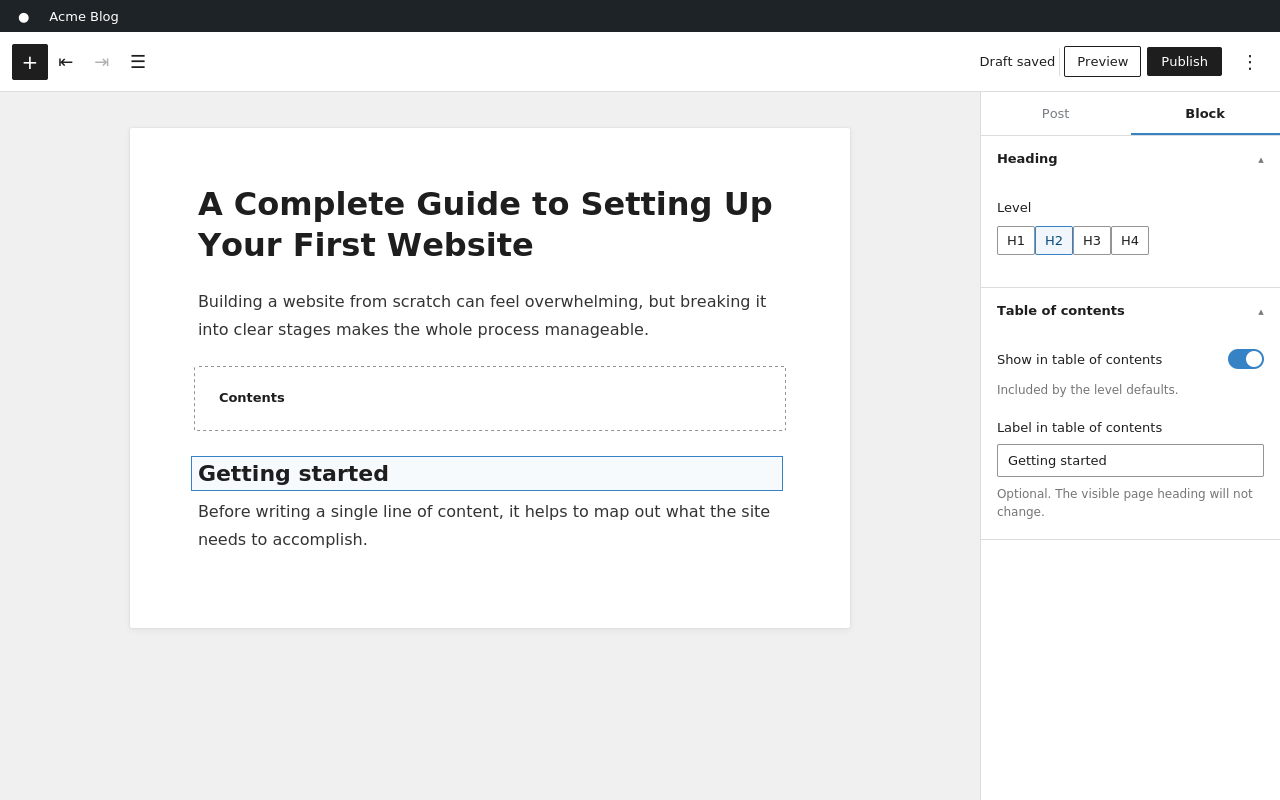
- Every Heading block gets a simple choice — include, exclude, or just follow the site's level defaults. Force one important H5 into the TOC, or drop a noisy H2 out, without touching global settings.
- Give any heading a shorter TOC-only label ("Getting started with the plugin" can appear as just "Getting started"). The visible heading never changes.
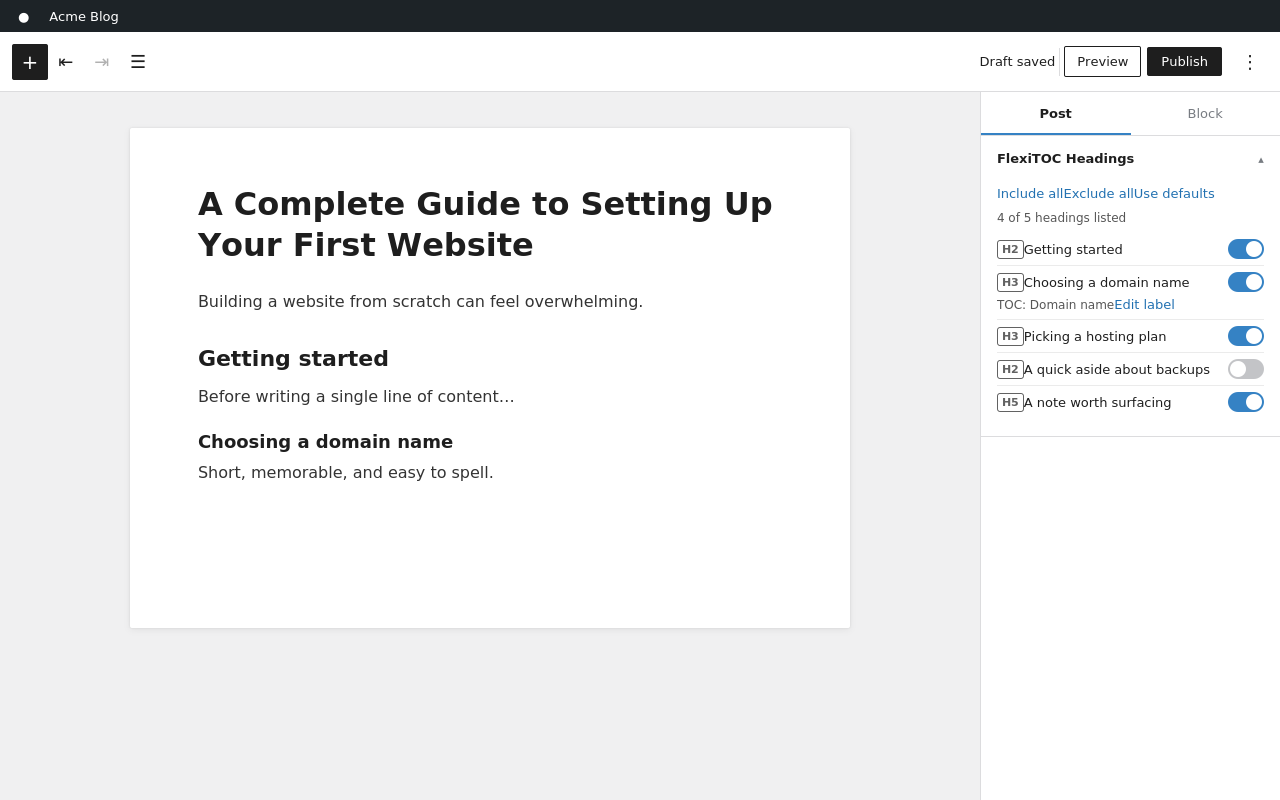
- Manage every heading from one place: the FlexiTOC Headings panel in the editor sidebar lists them all with toggles, labels, search, and bulk actions.
- Choices are stored on the heading itself — rename it, move it, drag it around: your curation survives, because there is nothing to re-match.
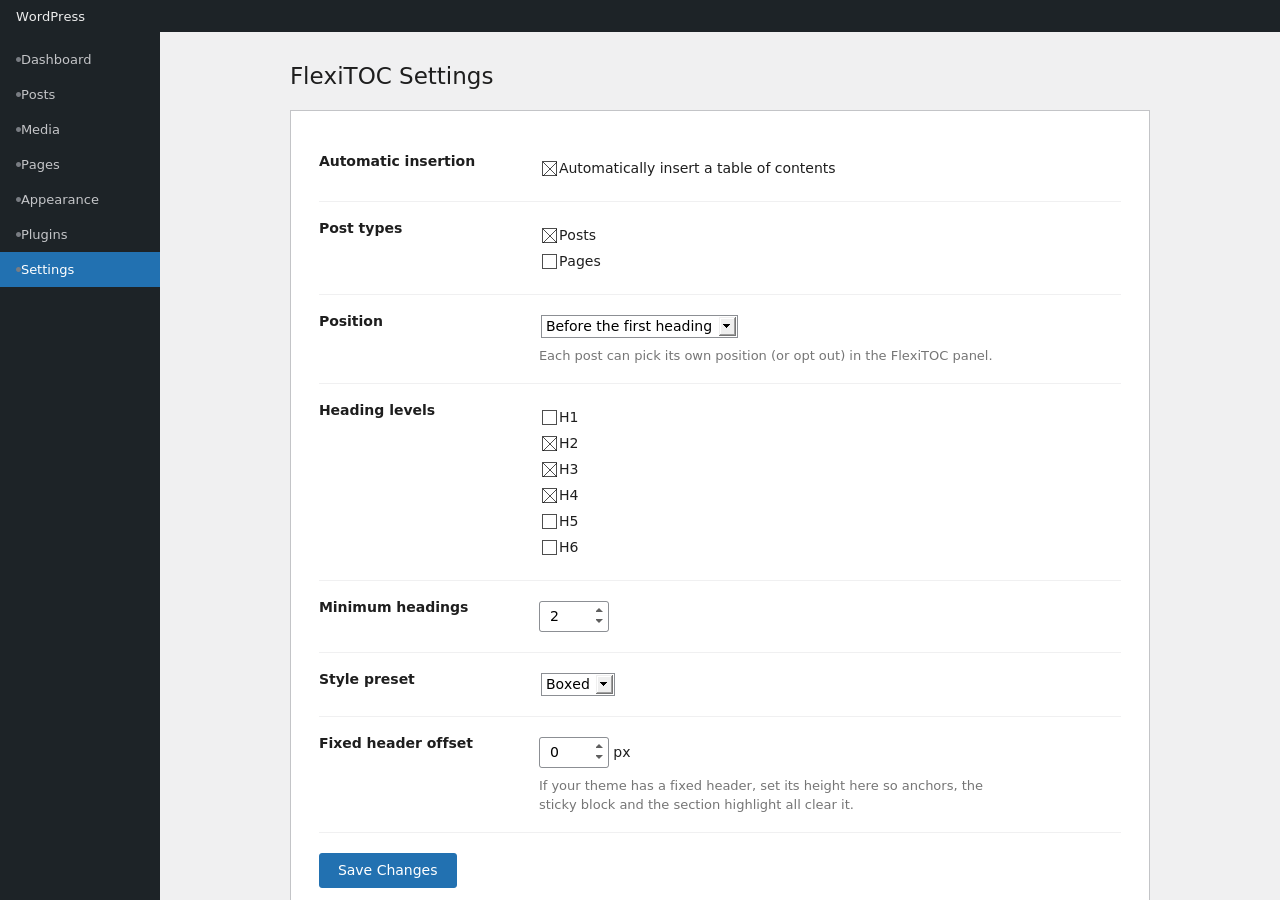
- Automatic – pick position and post types once in Settings. Each post can override the position, or opt out, in the FlexiTOC Display panel.
- Block – put the FlexiTOC block exactly where you want it: in the post, in a sidebar, in a Site Editor template (it follows the post it sits next to, including inside a Query Loop). Sticky, "highlight current section", and a flat (non-indented) heading hierarchy make it a proper documentation sidebar.
- Shortcode –
[flexitoc]for classic content and page builders, including Elementor and Divi.
- Inherits your theme's colors and typography — including dark themes. Three style presets (Default, Boxed, Minimal) plus the native block color, border, spacing and typography controls when you want more.
- Clean, accessible markup: a real
navlandmark, nativedetailscollapsing (no JS),aria-currenton the active link, reduced-motion respected. - Loads nothing on pages without a TOC. The optional scroll-spy script is under 1 KB.
- Never rewrites your stored content — anchors are added at render time with WordPress's HTML API. Deactivate the plugin and your content is exactly as it was.
- A "Fixed header offset" setting keeps anchors, the sticky block and the section highlight clear of fixed headers.
- Hidden headings (
hidden,aria-hidden) are ignored automatically. - Writing in Bengali, Devanagari, Japanese, Arabic, Cyrillic or any non-Latin script? Your headings get complete, readable anchor links automatically -- no setting to find, and none of the truncation or collisions that percent-encoded anchors cause.
- Utility classes work anywhere, on the heading or a wrapper:
flexitoc-include,flexitoc-exclude(orno-toc) on headings or their containers;flexitoc-ignoreon a container to skip everything inside it. - Filters:
flexitoc_headings(the list an instance will show),flexitoc_html(final markup),flexitoc_settings(effective settings). - Existing heading ids are always respected, and generated ids never collide with any id already in the document.
安装:
- Install FlexiTOC from Plugins → Add New (search "FlexiTOC"), or upload the zip from Plugins → Add New → Upload Plugin.
- Activate it. That's it — the next eligible post or page gets a table of contents automatically.
- To adjust position, heading levels, or style, visit Settings → FlexiTOC. To place it manually instead, use the FlexiTOC block or the
[flexitoc]shortcode.
屏幕截图:
常见问题:
Will FlexiTOC slow down my site?
No measurable impact on pages without a TOC — no CSS or JS loads unless a TOC actually renders. Even where it does, the stylesheet is small and the optional scroll-spy script (only loaded if you enable "highlight current section") is under 1 KB.
Is FlexiTOC really free — will there be a paid upgrade later?
Yes, really free, and it stays that way. There is no Pro tier, no feature paywall, and no upsell nags. Every feature described on this page — automatic insertion, per-heading control, sticky sidebar, the works — is in the free plugin, permanently.
Why doesn't the TOC appear on a post?
By default it needs at least 2 eligible headings (configurable). A TOC listing one entry is noise, so the automatic mode skips it — but a block or shortcode you placed yourself always renders.
Where do I include/exclude a single heading?
Select the heading block and use its "Table of contents" panel — or open FlexiTOC Headings in the document sidebar to manage all of them at once. In the classic editor or a page builder, add the flexitoc-include / flexitoc-exclude CSS class instead.
How do per-heading choices interact with heading levels?
Levels are the default; explicit choices win. A heading you explicitly include shows even if its level isn't selected, and one you exclude never shows. Headings you never touched simply follow the effective levels (block setting → per-post setting → site default).
Does it modify my post content in the database?
No. Anchor ids are injected at render time only. Your stored content is never touched.
Can I put it in a sidebar or template?
Yes — the FlexiTOC block works in widget areas, template parts and Site Editor templates, and shows the TOC of the post being viewed. Enable Sticky and "Highlight current section" for a documentation-style sidebar.
What are the shortcode options?
[flexitoc title="Contents" levels="2,3" list="ol" hierarchy="flat" collapse="closed" sticky="1" scrollspy="1" class="my-class"] — every attribute is optional; anything you omit inherits the global settings. list accepts ul (bulleted), ol (numbered), or none (no marker). hierarchy accepts nested (default) or flat (single level — best for sidebars).
A post shouldn't have an automatic TOC — how do I turn it off?
Open FlexiTOC Display in that post's sidebar and choose "Do not auto-insert" (or a different position for just that post). Manual blocks and shortcodes are not affected.
更新日志:
- Fix: headings written in non-Latin scripts (Bengali, Devanagari, Japanese, Arabic, Cyrillic and so on) got mangled anchor links. WordPress's URL-slug handling percent-encodes each of those characters into about nine, then truncates at 200 -- so only ~22 characters of the heading survived, cut off mid-word. Worse, two different headings sharing that opening ran together into the same anchor, and the resulting "-2" suffixes shift if headings are later added or reordered, quietly breaking links that were already shared. Anchors now keep the heading's own characters, so they stay complete, readable and stable. Latin-script headings are unaffected: their anchors are byte-for-byte what they were before.
- Fix: TOC links could scroll to the wrong position when "Smooth scrolling" was on -- a layout shift while the browser's native smooth-scroll animation was still running (a web font or image finishing load and changing the page height, for example) could stop it short of the target heading. A small script, loaded only when smooth scrolling is enabled, now checks the landing position shortly after and corrects it if a shift knocked it off course. Not yet confirmed against WordPress 7.1 -- needs its own live verification pass.
- Fix: on a WordPress 7.1 Release Candidate, the FlexiTOC block occasionally failed to register at all (missing from the block inserter), caused by a timing race where
window.wpwas still undefined when the block's editor script ran, despite correct script dependencies. Both editor scripts now defer their setup untilwpand the specific sub-modules they need are confirmed available, which resolves this regardless of the underlying timing cause and is safe on all supported WordPress versions. - Confirmed compatible with WordPress 7.1 after repeated (8x) testing on the environment that originally reproduced the issue, with the fix applied.
- Fix: block.json was missing declarative
editorScript/style/editorStylereferences, which WordPress.org's plugin-directory scanner needs to detect and list a plugin's blocks (the "Blocks" section on the plugin page, and visibility in the block editor's "Available to install" search). The actual script/style registration is unchanged -- these are handled in PHP as before, for translations and settings-aware localization -- this only makes them statically visible to the directory's scanner. - Add: readme tags now include "block" (moved into the first five, since only the first five tags are used for WordPress.org search).
- Improve: readme wording refined against real search-demand data (highest-volume validated query is "wordpress table of contents"; page-builder compatibility -- Elementor and Divi, both verified working via the shortcode -- also has measurable search demand).
- Add: an Installation section, and two FAQ entries addressing performance impact and the free/no-upsell guarantee up front.
- Fix: when automatic insertion was off and a FlexiTOC block was placed outside the post content (a sidebar, widget area, or Site Editor template part), anchor ids were never added to the article's headings. The sidebar TOC's links pointed at ids that did not exist anywhere on the page, so clicking them did nothing (or occasionally jumped to the top of the page instead). Anchor ids are now always added whenever the page is displayed, regardless of where the TOC itself is placed.
- Harden: some themes call
the_contentmore than once for the same post; the plugin now caches its own processed output per post for the request so a second call can't strip a custom heading label a second time with nothing left to restore it from.
- Add: a third list style, None, for a clean nav-style list with no bullets or numbers.
- Add: Heading hierarchy setting (Nested/Flat) — Flat lists every included heading at a single level, ideal for sidebar and sticky placements where nested indentation competes with the available width. Configurable globally, per block, and per shortcode.
- Improve: the Numbered style now uses outline-style numbering for nested headings (1, 1.1, 1.2, 2, 2.1 ...) instead of switching to letters (a, b, c) at the second level.
- Fix: the block editor's list-style preview (Bulleted/Numbered) always showed a bulleted list regardless of the selected setting; it now matches whatever is actually selected.
- Fix: the "Bulleted" list style set no visible marker at all (
olcorrectly showed numbers, butulhad no matching override and stayed markerless). Bullets now render for the Bulleted style, both on the front end and in the editor preview.
- Initial release.
- One shared engine behind automatic insertion, the block and the shortcode — anchors and TOC built in a single pass over the final content.
- Tri-state per-heading control (follow defaults / always include / always exclude) plus TOC-only labels, both stored on the heading block itself.
- FlexiTOC Headings manager and FlexiTOC Display panels in the editor sidebar; classic meta box for the classic editor.
- Automatic placement (top, before/after first heading, after first paragraph, bottom) with per-post override or opt-out.
- Style presets and native block color/border/spacing/typography support; sticky sidebar mode; optional scroll spy; fixed-header offset.
- Page-builder utility classes, hidden-heading detection, and developer filters.