Half Baked Category Colours
| 开发者 | emrysh |
|---|---|
| 更新时间 | 2026年3月5日 07:18 |
| PHP版本: | 7.4 及以上 |
| WordPress版本: | 6.9 |
| 版权: | GPLv2 or later |
| 版权网址: | 版权信息 |
详情介绍:
Half Baked Category Colours adds a per-category colour picker and applies those colours sitewide wherever categories are displayed.
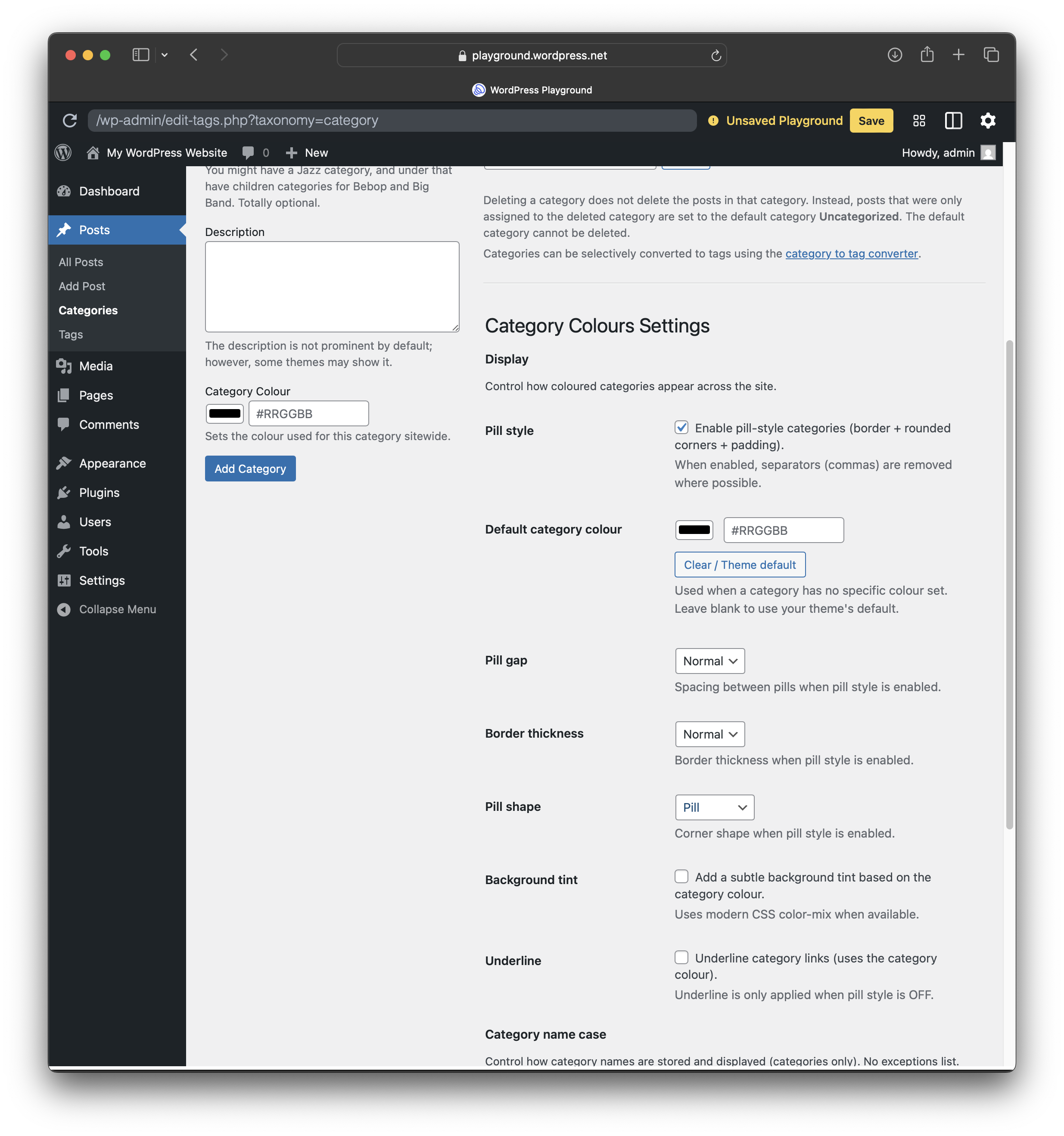
It is designed to be simple in day-to-day use. Set a colour once on the category screen and you are done. If you want a consistent “category pill” look across themes, you can optionally enable pill styling and fine-tune spacing, tint, underline, border thickness, and pill shape.
Highlights
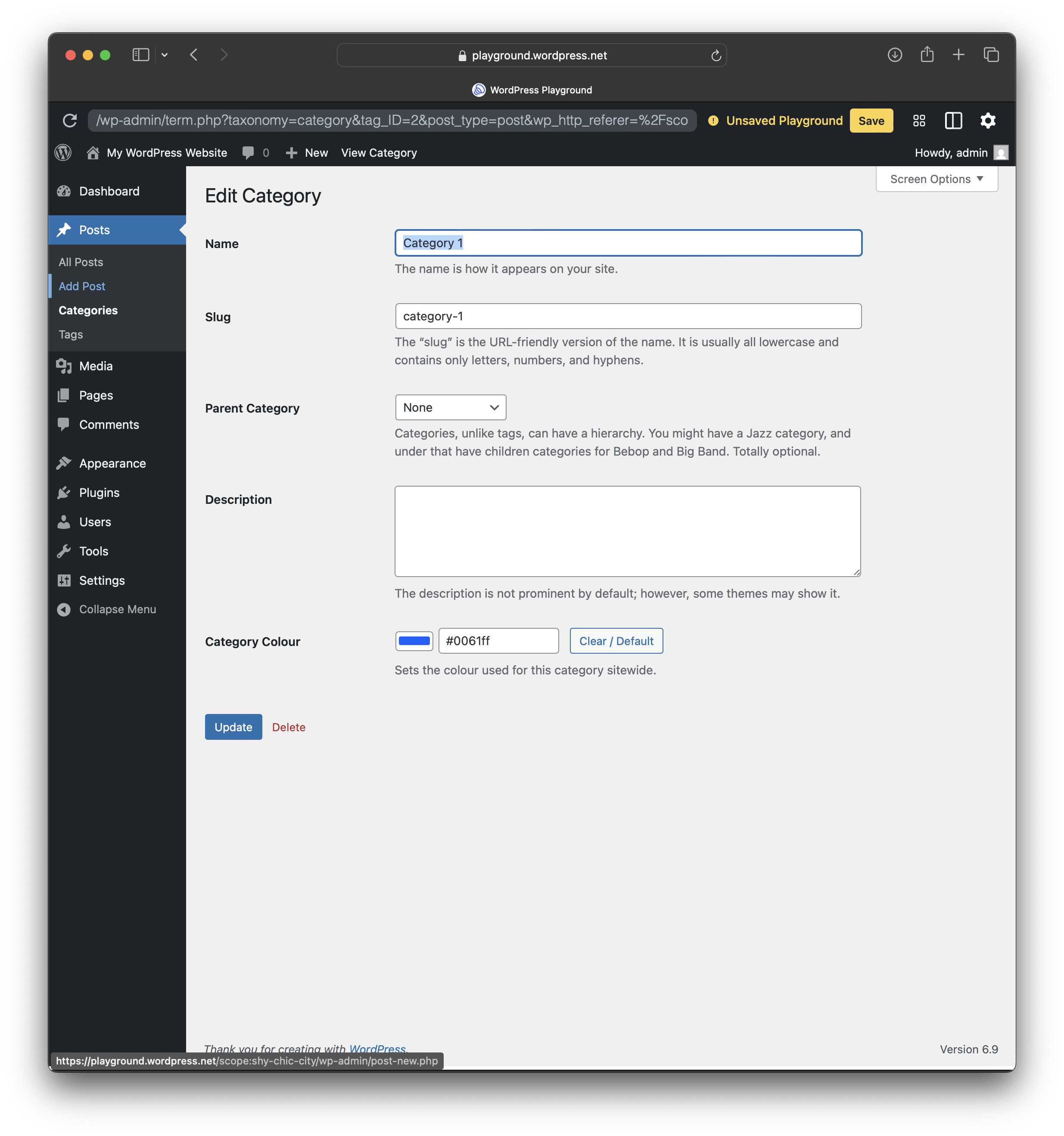
- Set a colour per category on Posts → Categories (add or edit), plus Quick Edit support.
- Optional default category colour (used when a category has no specific colour).
- Optional pill styling (rounded borders + padding), plus controls for pill gap, border thickness, pill shape, background tint, and underline.
- Category list screen improvements, including a colour swatch column and Quick Edit colour picker.
- Optional category name case tools (categories only), including Storage case, auto-apply on create or edit, forced Display case, and Normalize all.
- Go to Posts → Categories and set a colour for each category you want styled.
- Optionally set a Default category colour to cover anything left unset.
- Optionally enable pill styling for a consistent look across themes.
安装:
- Upload the plugin files to the
/wp-content/plugins/half-baked-category-coloursdirectory, or install the plugin through the WordPress plugins screen directly. - Activate the plugin through the Plugins screen in WordPress.
- Go to Settings and open Half Baked Category Colours (or use the plugin’s settings link).
- Set your defaults and styling options.
- Assign colours to categories in Posts → Categories.
屏幕截图:
常见问题:
Where do I change category colours?
Go to Posts → Categories. You can set colours when adding or editing a category, or via Quick Edit.
What happens if I don’t set a colour?
If you set a Default category colour, it will be used. Otherwise your theme’s default styling is used.
Do I have to use pill styling?
No. Pill styling is optional. You can just set category colours and let your theme handle layout, or enable pill styling for consistency.
Do child categories inherit colours?
Yes. If a child category has no colour set, it can inherit its parent category colour.
What’s the difference between Storage case and Display case?
Storage case is used for normalization of saved category names. Display case is an optional front-end rule for how category names appear to visitors.
Will case tools change existing categories?
Only if you run “Normalize all”, or if you enable auto-apply on create or edit for future changes.
更新日志:
1.1.11
Submission/compatibility updates and admin UI improvements.
1.1.10
Child categories inherit parent colour when unset.
1.1.9
Adds a default category colour option and ensures styling options apply even when a colour is not set.
1.1.8
Fixes per-category colours not applying in some themes.
1.1.7
Ensures pill styling still renders even when no default category colour is set.
1.1.6
Restores front-end pill/tint styling reliability.
1.1.5
Improves styling behaviour for categories without a colour set and includes Uncategorized in case tools.
1.1.0
Adds category name case tools (optional). No breaking changes expected.