Iconic Copy Text Blocks
| 开发者 |
sahityaporwal
iconicbits IconicBits |
|---|---|
| 更新时间 | 2026年8月1日 13:50 |
| 捐献地址: | 去捐款 |
| PHP版本: | 7.4 及以上 |
| WordPress版本: | 7.0 |
| 版权: | GPLv2 or later |
| 版权网址: | 版权信息 |
详情介绍:
Iconic Copy Text Blocks lets you add a beautifully styled text box with a one-click "Copy to Clipboard" button anywhere in your WordPress posts or pages — using the Gutenberg block editor. No shortcodes, no coding required.
Perfect for sharing AI prompts, code snippets, commands, coupon codes, or any text you want visitors to copy quickly.
Key Features
- Copy Box Block — Add the block from the Gutenberg editor with one click
- Corner Copy Icon — A subtle icon in the top-right corner of the box for quick copying
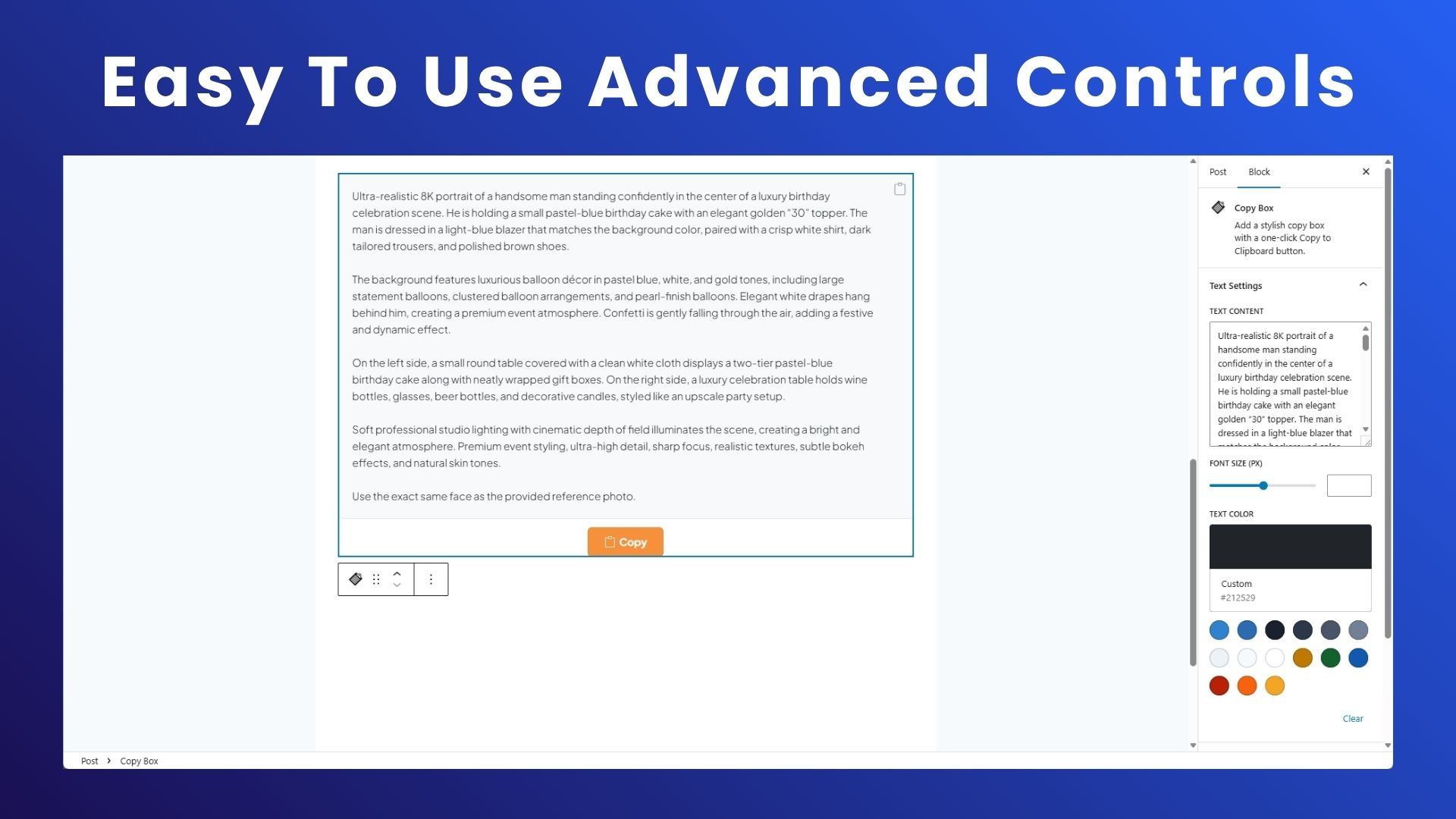
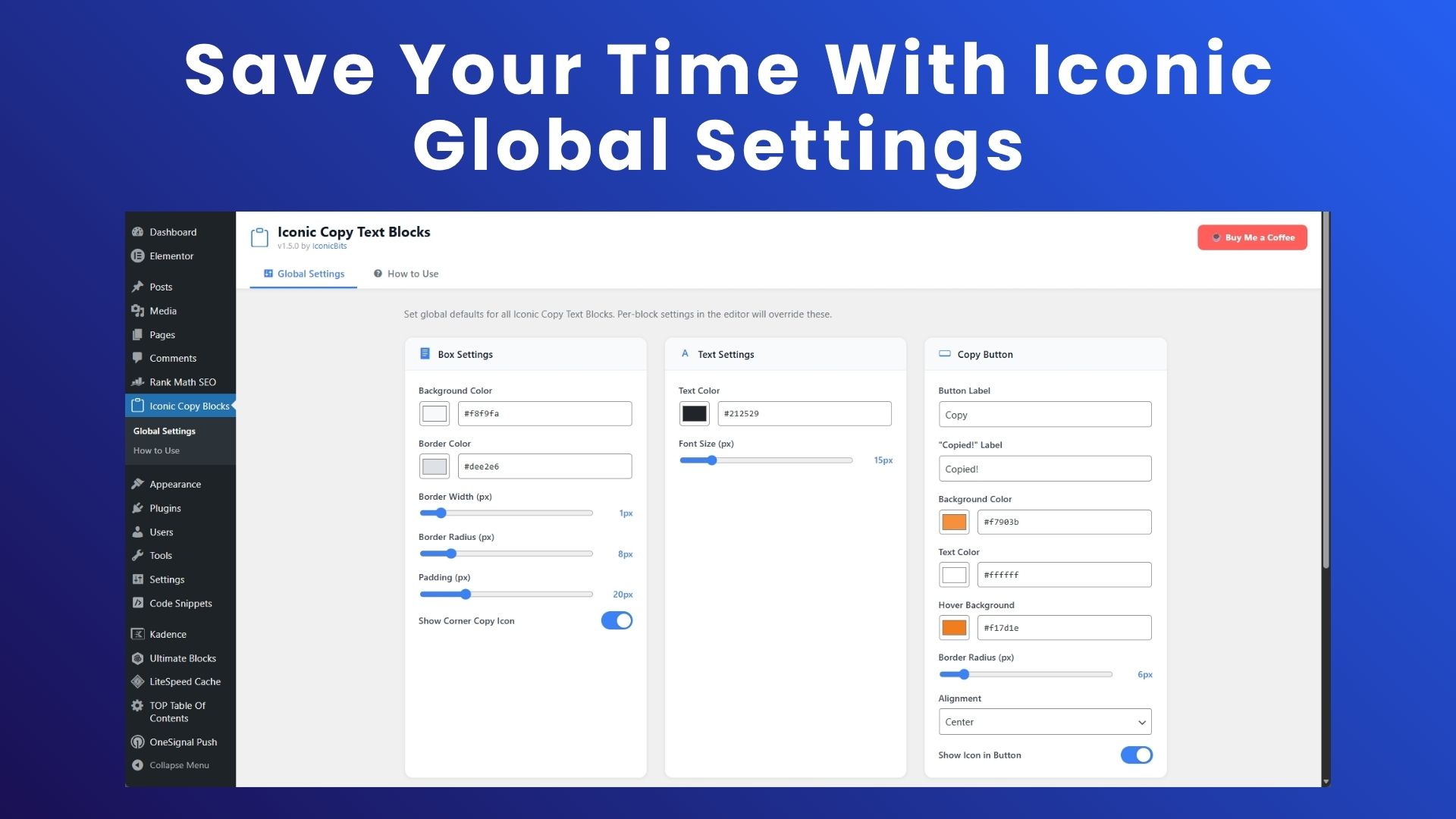
- Fully Customizable Box — Control background color, border color, border width, border radius and padding
- Fully Customizable Text — Set text color and font size
- Fully Customizable Button — Button label, "Copied!" label, background color, text color, hover background, border radius and alignment
- Show/Hide Icons — Toggle the copy icon inside the button and the corner icon on/off independently
- Global Settings — Set site-wide defaults for all blocks from a dedicated admin menu page
- Live Preview — See your style changes instantly in the Global Settings page before saving
- Works everywhere — Uses the modern Clipboard API with a legacy fallback for older browsers
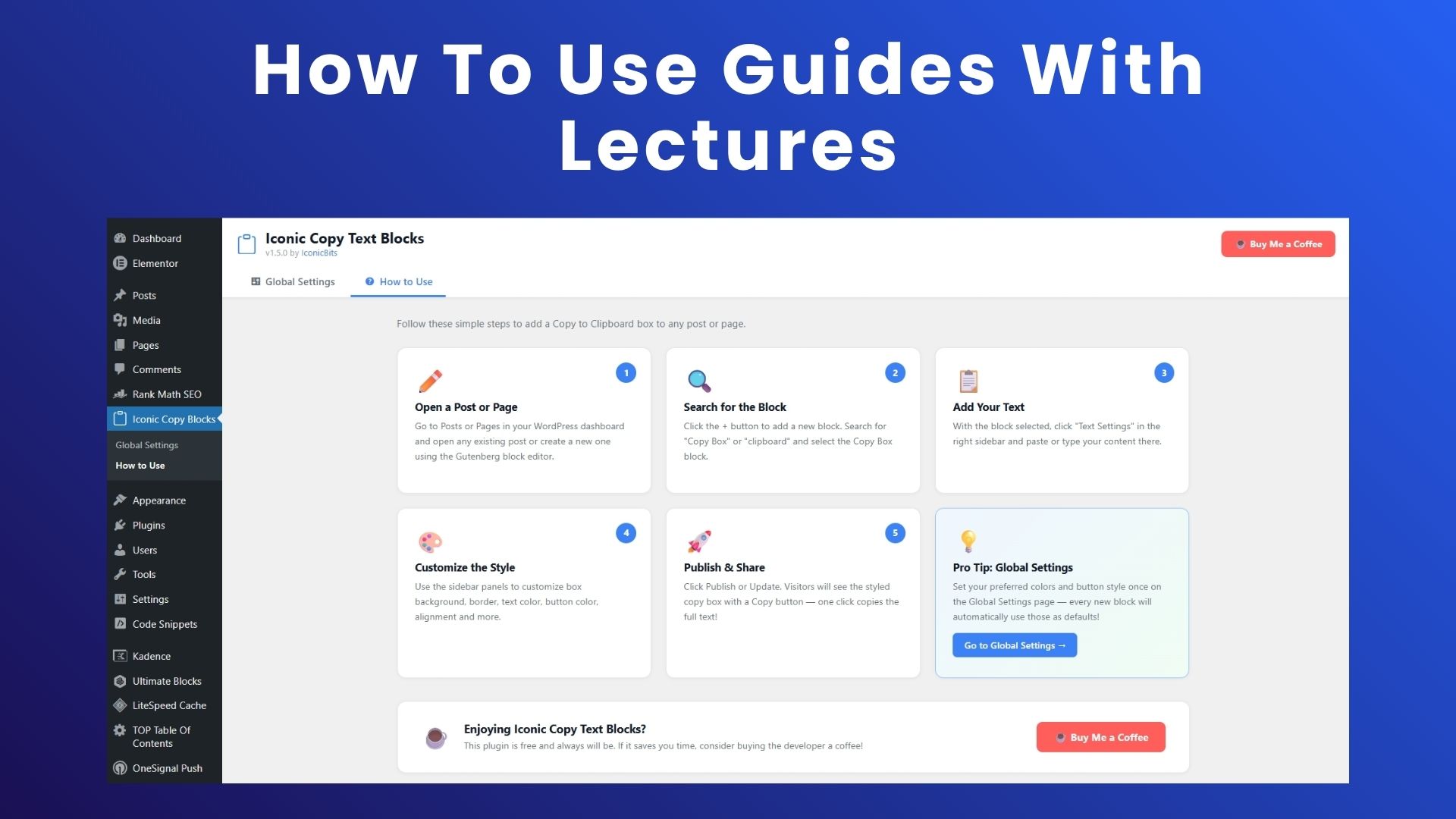
- Open any post or page in the Gutenberg editor
- Click the + button and search for Copy Box
- Add the block and type or paste your text in the sidebar panel
- Customize colors, button style, and more from the sidebar
- Publish — visitors can now copy your text with one click!
安装:
- Open the plugin section click on add new plugin and search for Iconic Copy Text Blocks
- Activate the plugin from the Plugins screen in WordPress
- Go to Iconic Copy Blocks → Global Settings to configure default styles
- In the Gutenberg editor, click + and search for Copy Box
- Add the block, enter your text, customize and publish.
屏幕截图:
常见问题:
Does this work with the Classic Editor?
No. Iconic Copy Text Blocks is built exclusively as a Gutenberg block and requires the WordPress block editor.
Can I add multiple Copy Box blocks on one page?
Yes. You can add as many blocks as you like. Each one can be styled independently.
Will the copy button work on mobile devices?
Yes. The plugin uses the modern Clipboard API which is supported on all current mobile browsers, with a fallback for older browsers.
Can I change the "Copy" and "Copied!" button text?
Yes. Both labels are fully customizable — per block in the editor sidebar, or globally via Iconic Copy Blocks → Global Settings.
Does the plugin add anything to the front-end of my site?
Only the blocks you add to posts and pages are shown to visitors. There are no forced "Powered by" links, no tracking, and no external requests.
更新日志:
1.7.0
- Improve Security
- Update The Logo
- Update The Color Panel
- Update The How To Use Information
- Some Other Minor Fixes
- Plugin renamed to Iconic Copy Text Blocks
- New slug: iconic-copy-text-blocks, prefix: ictb_
- Block apiVersion updated to 3
- All handles updated to ictb- prefix
- Full security hardening: sanitize_hex_color, whitelisted alignment, integer clamping, wp_kses for SVG
- Initial release.