
SiteEase Progressive Web App
| 开发者 | iflairwebtechnologies |
|---|---|
| 更新时间 | 2026年9月8日 20:57 |
| 捐献地址: | 去捐款 |
| PHP版本: | 5.6 及以上 |
| WordPress版本: | 7.1 |
| 版权: | GPLv2 or later |
| 版权网址: | 版权信息 |
详情介绍:
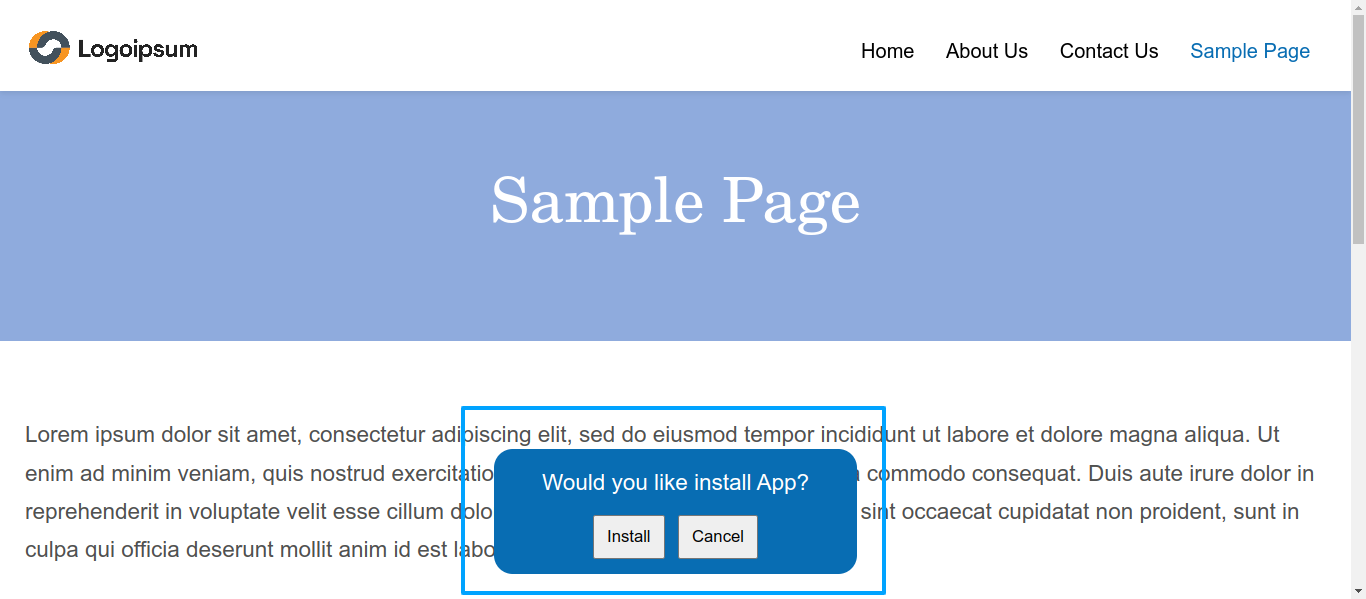
SiteEase Progressive Web App allows you to transform your WordPress website into a fully functional Progressive Web App (PWA). It provides app-like capabilities such as offline access, faster loading through caching strategies, and the ability for users to install your site on their device’s home screen.
The plugin offers an intuitive admin interface where you can configure application details, appearance, caching behavior, and advanced PWA options without writing code.
This plugin does not collect personal data and focuses entirely on performance, usability, and offline availability.
Core Features
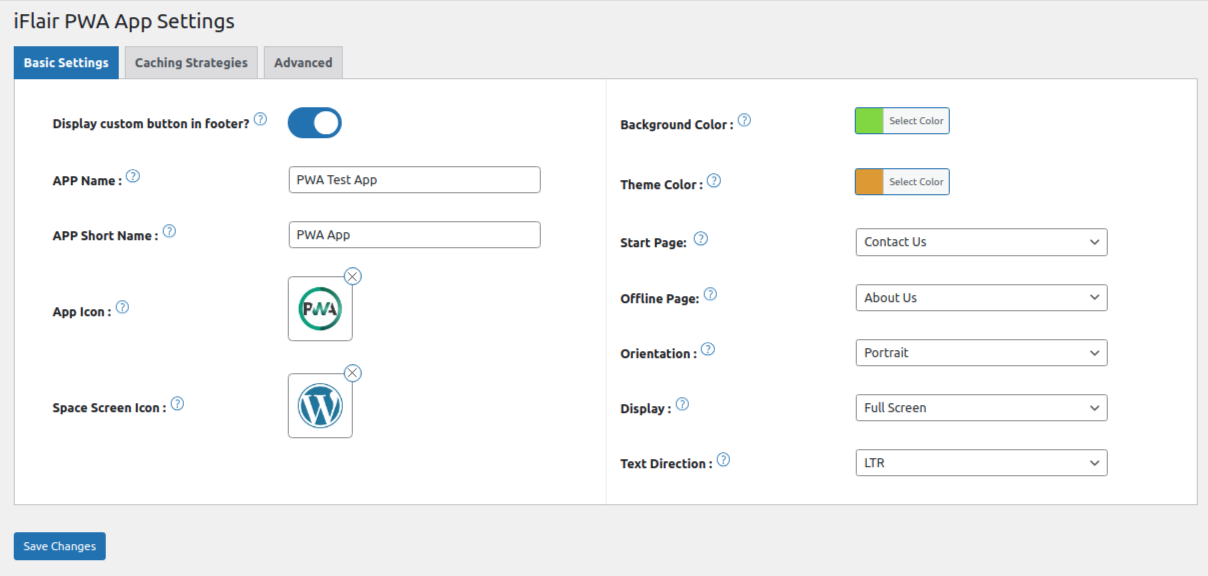
1) App Name\
Defines the name displayed on the home screen, app launcher, and task switcher.
2) App Short Name\
A shortened version of the app name used where space is limited.
3) App Icon\
Icon displayed when the PWA is installed on mobile devices.
4) Splash Screen Icon\
Icon shown on the splash screen during app launch, primarily on desktop devices.
5) Background Color\
Sets the background color used while the application loads.
6) Theme Color\
Defines the primary UI color for browser and OS elements.
7) Start Page\
Select the page users land on when opening the installed PWA.
8) Offline Page\
Specify a custom page shown when users are offline and content is unavailable.
9) Orientation\
Control whether the app displays in portrait, landscape, or auto mode.
10) Display Mode\
Choose how the PWA appears (standalone, fullscreen, minimal UI, or browser).
11) Text Direction\
Supports both LTR and RTL languages.
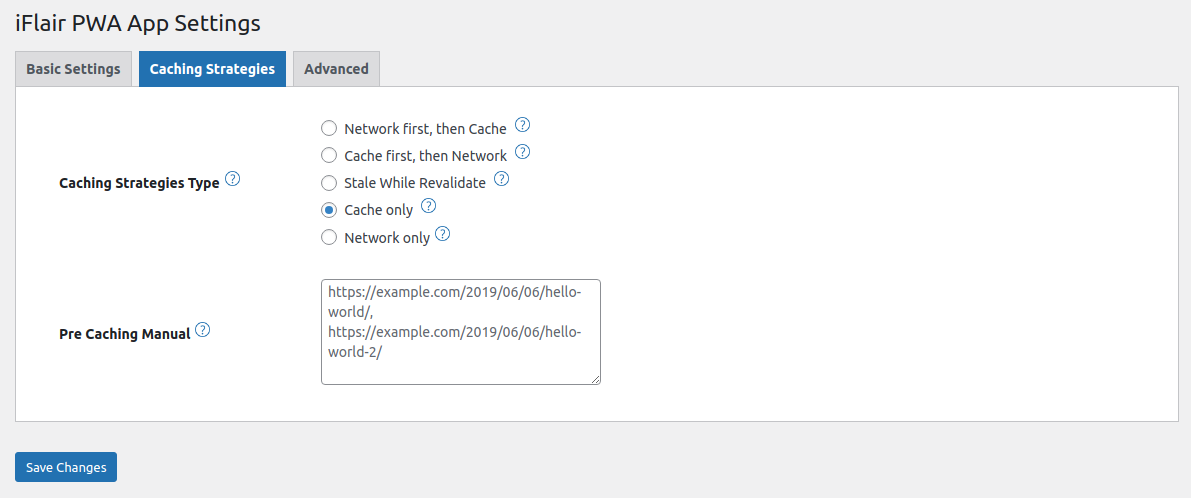
12) Caching Strategy Type\
Configure caching strategies for assets, pages, and requests using service workers.
13) Manual Pre-Caching\
Define URLs that should be cached in advance for faster load times and offline use.
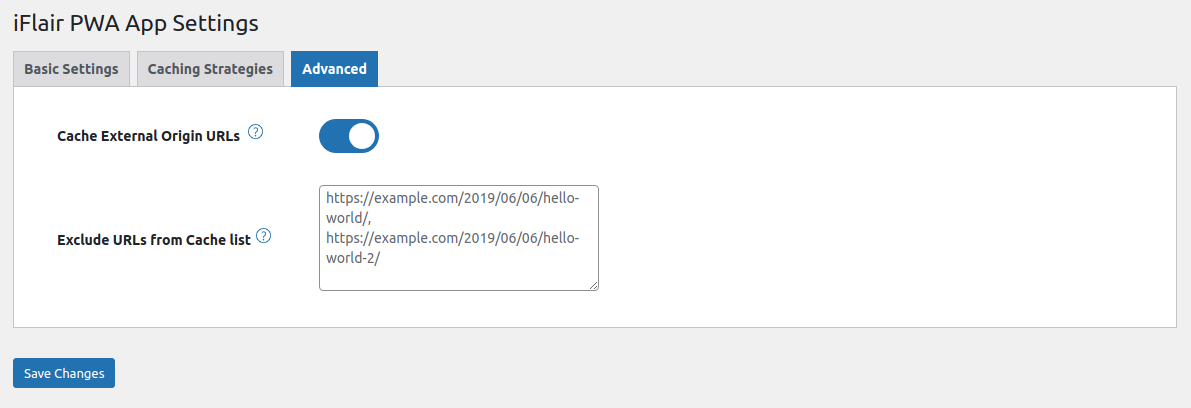
14) Cache External Origin URLs\
Enable caching of external resources such as fonts, scripts, or images.
15) Exclude URLs from Cache\
Exclude specific URLs from caching (comma-separated).
The service worker also bypasses requests containing WordPress login or WooCommerce session/cart cookies, while anonymous public GET requests continue to use the configured caching strategy.
16) Offline Analytics\
Optionally initializes Workbox Google Analytics support in the service worker.
17) Monochrome Icon\
Adds the configured monochrome attachment to the manifest with purpose
monochrome.
The service worker bypasses caching for Range requests. This preserves compatibility with audio, video, PDF, and other partial-content requests.
安装:
- Go to Plugins → Add New
- Search for SiteEase Progressive Web App
- Install and activate the plugin
- Open SiteEase Progressive Web App in the WordPress admin menu to configure options
屏幕截图:
常见问题:
What does this plugin do?
It converts a WordPress website into a Progressive Web App with offline access, caching, and installable features.
Do I need coding knowledge to use this plugin?
No. All settings are configurable through the WordPress admin panel.
Does this plugin collect user data?
No. The plugin does not collect, store, or transmit personal user data.
Can I control caching behavior?
Yes. You can select caching strategies, pre-cache URLs, exclude URLs, and cache external resources.
Is this plugin GDPR-compliant?
Yes. The plugin does not track users or store personal information.
Does the plugin collect personal data?
The plugin itself does not collect, store, or transmit personal profile data. However, website owners are responsible for their overall GDPR/privacy compliance, including analytics, third-party services, cookies, consent mechanisms, and other plugins used on the website.
更新日志:
1.0.0
- Initial release
- Improved admin UI and theme compatibility
- Core improvements and optimizations
- Updated plugin screenshots
- Updated admin menu naming
- Renamed admin menu for better clarity
- Updated plugin naming to avoid conflicts
- Improved settings structure and labels
- Minor code cleanup and compatibility fixes
- Fixed hardcoded plugin paths and URLs for scripts, styles, and assets.
- Moved service worker, register JS, and manifest files to wp-content/uploads/iflair-pwa-app/.
- Updated all file URLs to use wp_upload_dir() dynamically.
- Added fallback to file_put_contents() if Filesystem API is not available.
- Status checker now correctly reads files from uploads folder.
- Plugin fully update-safe and multisite-compatible.
- Deferred manifest, registration script, and service-worker generation until wp_loaded.
- Prevented permalink APIs from running during plugin bootstrap or activation.
- Preserved Elementor, Elementor Pro, WooCommerce, REST, AJAX, and private-request cache protections.
- Added version-aware generation checks for synchronized root and uploads files.
- Added root service-worker availability detection and a limited-scope uploads fallback.
- Added safe handling for missing Cache Only resources.
- Added backward compatibility for steal_while_revalidate and the stale_while_revalidate strategy name.
- Added Browser display mode to the admin settings.
- Added WordPress and WooCommerce session-cookie cache protection.
- Added monochrome icon support and actual attachment dimensions to the manifest.
- Removed the global iOS anchor rewrite and unused manifest loader filters.
- Added HTTPS and limited-scope admin warnings.