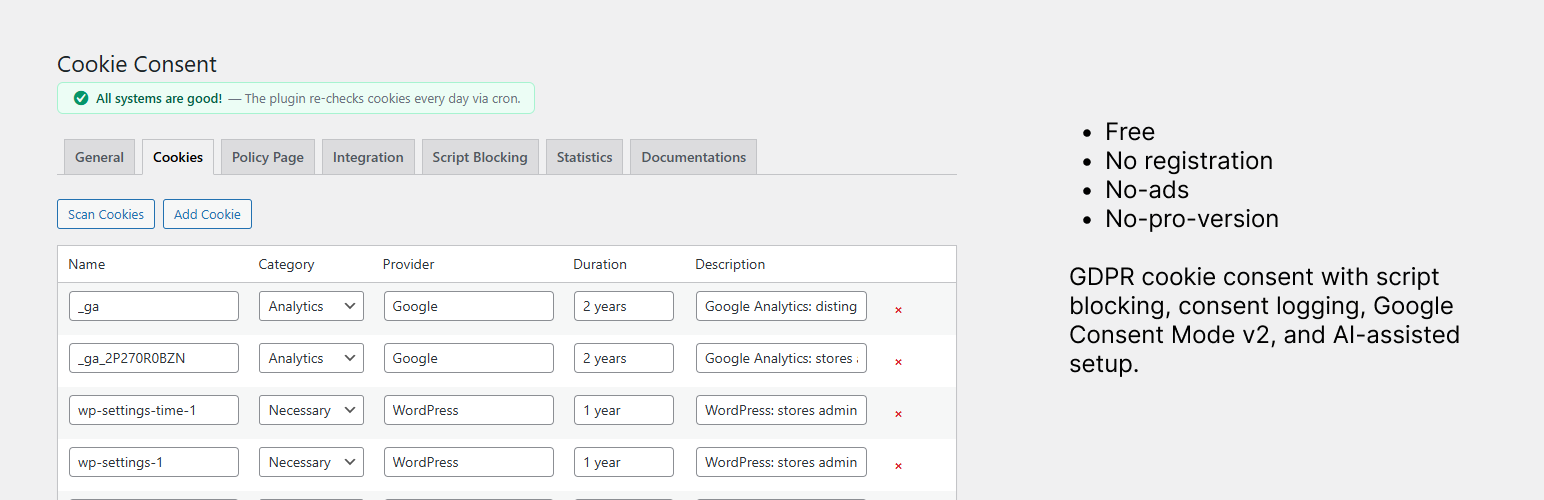
Kansleri Cookie Consent
| 开发者 |
kansleri
tapiokansleri |
|---|---|
| 更新时间 | 2026年4月22日 21:43 |
| PHP版本: | 7.4 及以上 |
| WordPress版本: | 6.9 |
| 版权: | GPLv2 or later |
| 版权网址: | 版权信息 |
详情介绍:
- Three banner styles: bottom bar, centered modal, corner popup
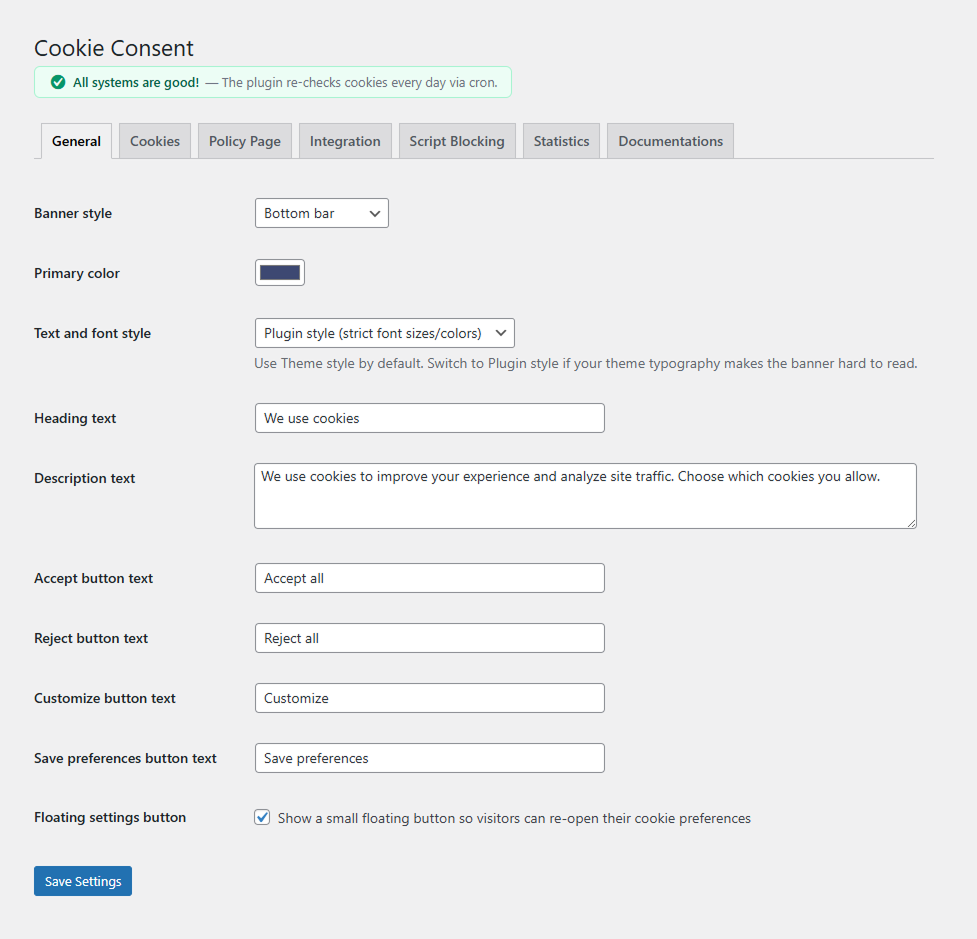
- Customizable colors, texts, and button labels
- Theme or Plugin typography mode for consistent banner styling
- Four consent categories: Necessary, Analytics, Marketing, Preferences
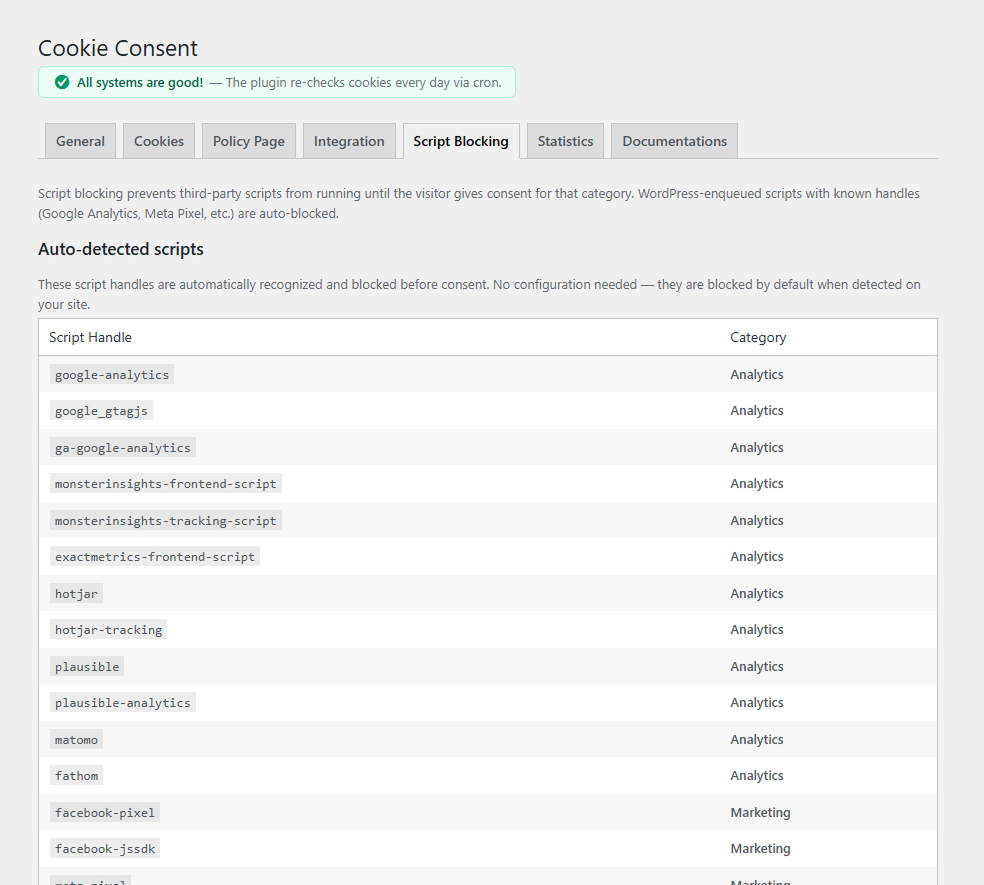
- Script auto-blocking — prevents third-party scripts from running until consent is given
- YouTube & Vimeo iframe blocking — video embeds are blocked until marketing cookies are accepted, with a user-friendly placeholder
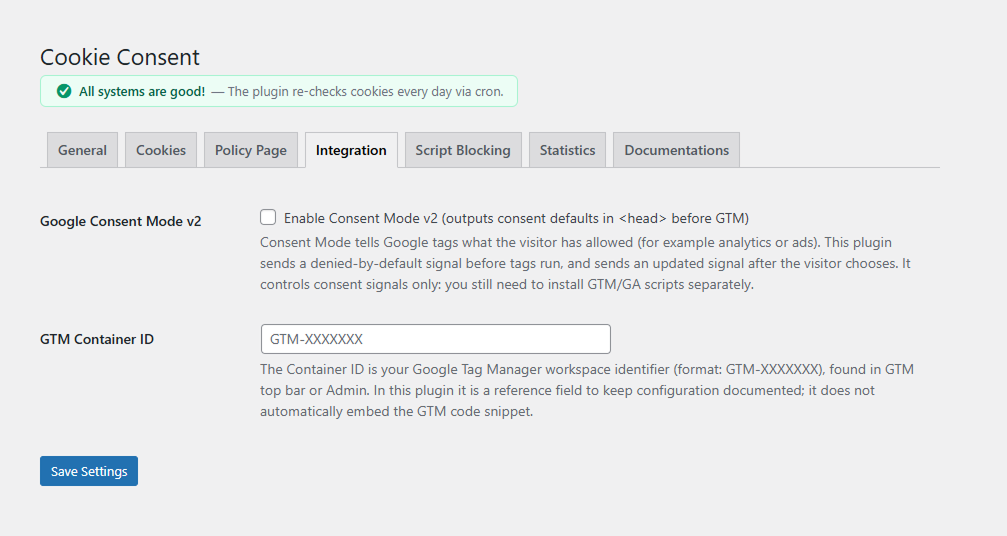
- Google Consent Mode v2 integration with automatic default/update signals
- GTM dataLayer push on consent changes
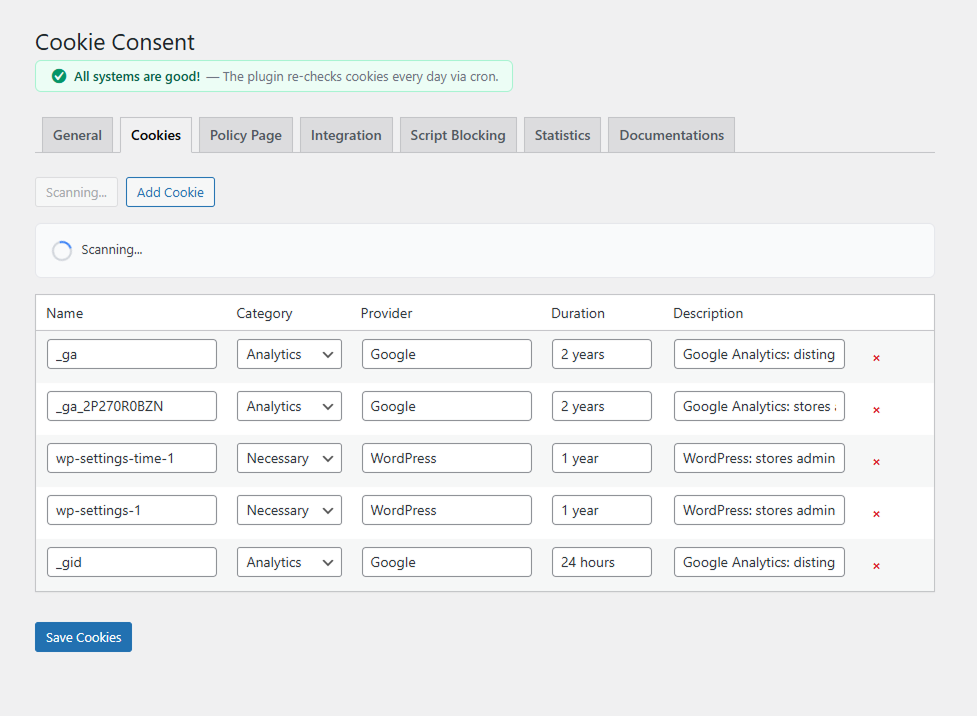
- Built-in cookie scanner that auto-identifies common cookies (Google Analytics, Meta Pixel, WordPress core, and more)
- AI-assisted cookie descriptions — copy a prompt, paste into an AI tool, import the result
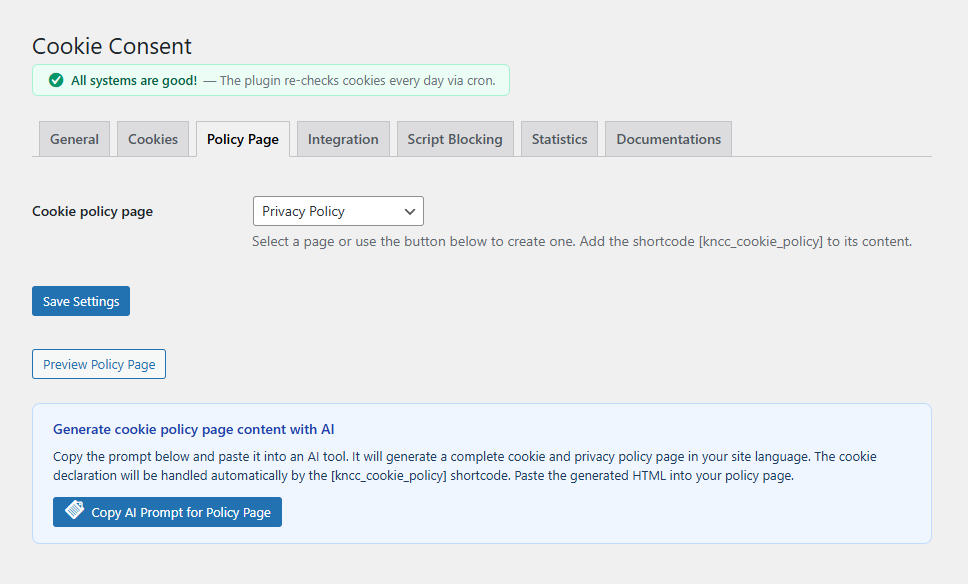
- AI-assisted policy page generation — generate a complete cookie/privacy policy page with one prompt
- Auto-generated cookie policy page with a dynamic shortcode (theme or plugin styling)
- Floating settings button for visitors to update preferences (on by default)
[kncc_cookie_settings]shortcode — add a cookie settings link anywhere (footer, menu, etc.) with customizable text- "Edit cookie preferences" button on the policy page for easy consent withdrawal
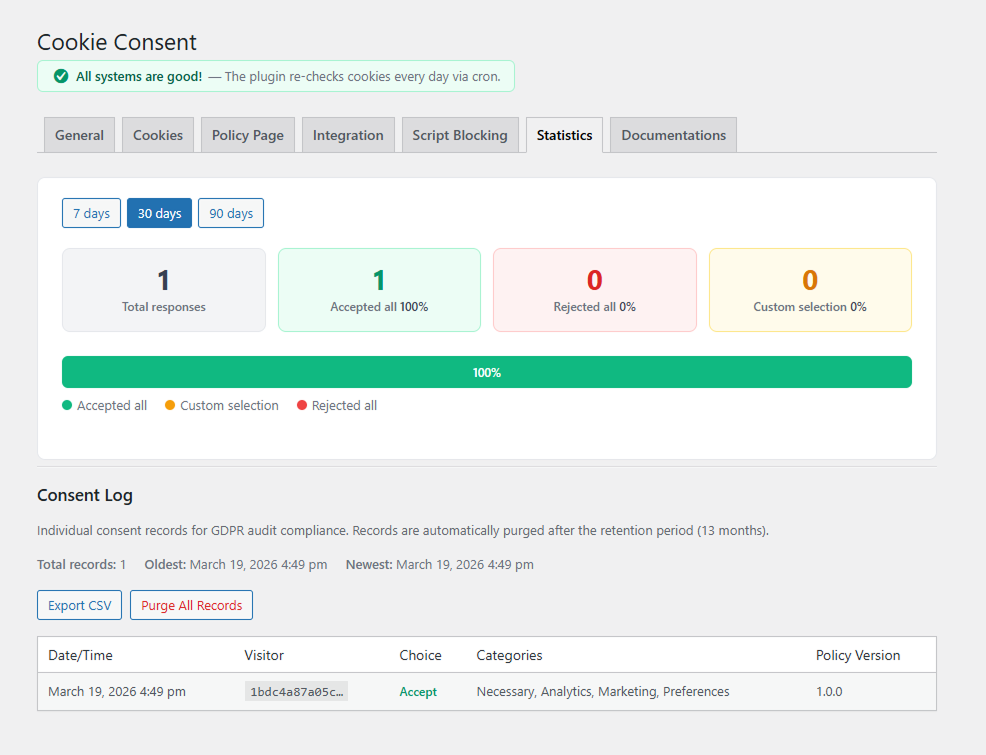
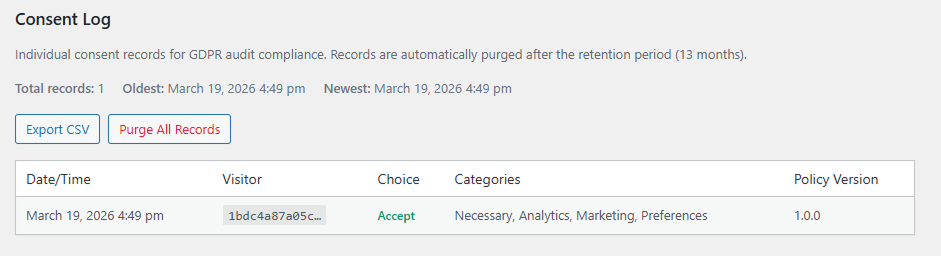
- Per-user consent logging — anonymized audit trail for GDPR compliance with CSV export
- Consent statistics dashboard (no personal data stored)
- Graceful multilingual policy page fallback — if a language is missing a translated policy page, the banner links to the default-language page instead of a 404
- Google Site Kit integration — auto-detects and avoids duplicate consent signals
- WP Consent API integration — shares consent status with other plugins
- Full WPML and Polylang support — per-language banner texts, cookie descriptions, banner style, colors, and policy page
- Finnish translation included with auto-localized defaults
- Daily cron check for missing cookie descriptions with admin notifications
- Comprehensive documentations tab with installation guide, option explanations, and troubleshooting
- Clean uninstall — removes all data when deleted
安装:
- Upload the
kansleri-cookie-consentfolder to the/wp-content/plugins/directory, or install directly through the WordPress plugin screen. - Activate the plugin through the Plugins menu in WordPress.
- Navigate to Settings > Cookie Consent to configure the banner.
- Use the Cookies tab to scan your site and register cookies.
- Publish the auto-created cookie policy page or add the
[kncc_cookie_policy]shortcode to any page.
屏幕截图:
常见问题:
Does this plugin support Google Consent Mode v2?
Yes. When enabled under the Integration tab, the plugin outputs consent defaults in <head> before any other scripts, and sends consent update signals whenever a visitor changes their preferences. If Google Site Kit is active, duplicate defaults are automatically avoided.
How does the cookie scanner work?
The scanner loads your homepage in a hidden iframe, reads all cookies, and matches them against a built-in database of known cookie patterns (Google, Meta, WordPress, etc.). Known cookies are added automatically; unknown cookies are presented for categorization with an AI-assisted workflow.
Does it work with WPML or Polylang?
Yes. When WPML or Polylang is active, you can set per-language banner texts, cookie descriptions, banner style, colors, and policy page. Switch to a secondary language in the admin bar and edit the settings. Values not customized for a language fall back to the default language. Cookie names, categories, providers, and durations are shared across all languages.
Does it work with Google Site Kit?
Yes. The plugin detects Site Kit automatically. If Site Kit is managing consent mode defaults, this plugin skips its own default output and only sends consent updates when visitors make a choice. Consent Mode v2 is forced on when Site Kit is active.
Does it work with WP Consent API?
Yes. When the WP Consent API plugin is active, consent status is automatically shared with other plugins that support the API.
How are consent statistics tracked?
Statistics are tracked server-side via lightweight AJAX calls when visitors make a consent choice. No personal data, IP addresses, or tracking cookies are used. Only daily aggregates (accept/reject/custom counts) are stored.
Does it block YouTube and Vimeo embeds?
Yes. YouTube and Vimeo iframes are automatically blocked until the visitor accepts marketing cookies. A placeholder is shown in place of the video with an "Accept marketing cookies" button. If the visitor has already accepted cookies via the consent banner, videos load normally without any placeholder.
How do I add a cookie settings link to my footer?
Use the shortcode [kncc_cookie_settings] in any widget, page, or template. You can customize the link text with [kncc_cookie_settings text="Manage cookies"]. The shortcode is also shown with a copy button in the plugin settings page.
What happens when the plugin is uninstalled?
All plugin options (kncc_settings, kncc_cookies, kncc_consent_stats, kncc_incomplete_cookies, kncc_show_activation_notice, kncc_defaults_localized, kncc_cron_error) and the daily cron schedule are removed from the database. The auto-created policy page is not deleted to prevent accidental content loss.
更新日志:
- New: Empty banner text fields fall back to the visitor's locale default at render time — each language gets its own locale-appropriate defaults (English by default, Finnish only on the Finnish version). Cleared fields stay empty in the database, so the admin can leave a field empty to "use the default" without the form filling itself back in on save.
- New: Default values shown as placeholders in the admin form so it's obvious what visitors would see if a field is left empty
- New: Graceful fallback to default-language policy page when a language is missing its own translation (both Polylang and WPML)
- New: Dead policy-page links are no longer rendered — if the selected page is deleted, trashed, or unpublished, the banner omits the link instead of pointing to a 404
- Improved: Admin language notice is clearer — a warning when editing a secondary language (saves target that language only), and an info notice when editing the default language so the active save target is never ambiguous
- Improved: Polylang's "Show all languages" admin-bar filter is now treated as the default language, including under Polylang's WPML compatibility mode — no more misleading "language: ALL" warnings
- Improved: WPML policy-page resolution now uses the same default-language fallback logic as Polylang, with explicit publish-status checks for every resolved translation
- Removed: Admin warning about missing policy-page translations (no longer needed, replaced by the graceful fallback)
- Updated: Finnish translations for all new and changed admin strings
- New: Policy page style setting — choose theme or plugin styling for the [kncc_cookie_policy] cookie declaration table
- Improved: Cookie policy table is now mobile-responsive — stacks into card layout on small screens
- Improved: Policy page theme mode adapts to dark and light backgrounds
- Improved: "Edit cookie preferences" button moved to top of policy page
- Fixed: Daily cron check not re-scheduling after plugin updates
- Updated: Finnish translations
- Fixed: Direct file access protection added to uninstall.php
- Updated: Finnish translations for documentation tab strings
- New: Full WPML and Polylang multilingual support — per-language banner texts, cookie descriptions, banner style, colors, and policy page
- New: Per-language cookie descriptions — cookie structure is shared, only descriptions are translatable
- New: AI prompts auto-generate in the current admin language
- Improved: Reliable language detection during AJAX saves for Polylang compatibility
- Improved: Iframe placeholder sizing — proper min-height and no overflow on mobile
- Improved: Documentation tab with multilingual guide, shortcode reference, and iframe blocking docs
- Fixed: Cookie deletion not persisting when saving from a secondary language
- Fixed: Scanner result strings showing mixed languages
- New: YouTube and Vimeo iframe blocking — video embeds are blocked until marketing cookies are accepted
- New:
[kncc_cookie_settings]shortcode to add a cookie settings link anywhere (footer, menu, widgets) - New: Shortcode info box with copy button in admin settings
- Improved: Page reload on "Reject all" to ensure blocked content is properly hidden
- Improved: Server-side consent cookie check to avoid unnecessary placeholders for returning visitors
- Updated: Finnish translations for all new strings
- Initial release