
KeepInMind Dashboard Notes
| 开发者 | elchananlevavi |
|---|---|
| 更新时间 | 2026年10月4日 20:33 |
| PHP版本: | 7.4 及以上 |
| WordPress版本: | 7.1 |
| 版权: | GPLv3 or later |
| 版权网址: | 版权信息 |
详情介绍:
- You temporarily disable a plugin to test whether it's causing a conflict. Drop a Warning note on the Plugins page so everyone knows it was turned off on purpose - and so you remember to check back in three weeks.
- You installed a plugin for one very specific reason that isn't obvious. Pin a note to it explaining why it's there, so another admin - or future you - doesn't delete it thinking it's unused.
- A client keeps changing a setting that breaks their site. Attach an always-visible Alert banner right next to that toggle: "Do not change - this controls the checkout redirect."
- Your developer configured a custom field with a non-obvious format. Leave a note on the field itself explaining what values are expected, so the content team doesn't have to guess.
- You're onboarding a new team member. Instead of writing a separate training doc, scatter helpful Attention banners across the pages they'll use most - guidance that shows up exactly where they need it.
- You're running a staging review before launch. Pin notes to every area that needs a final check, and let your team reply with updates as they work through the list.
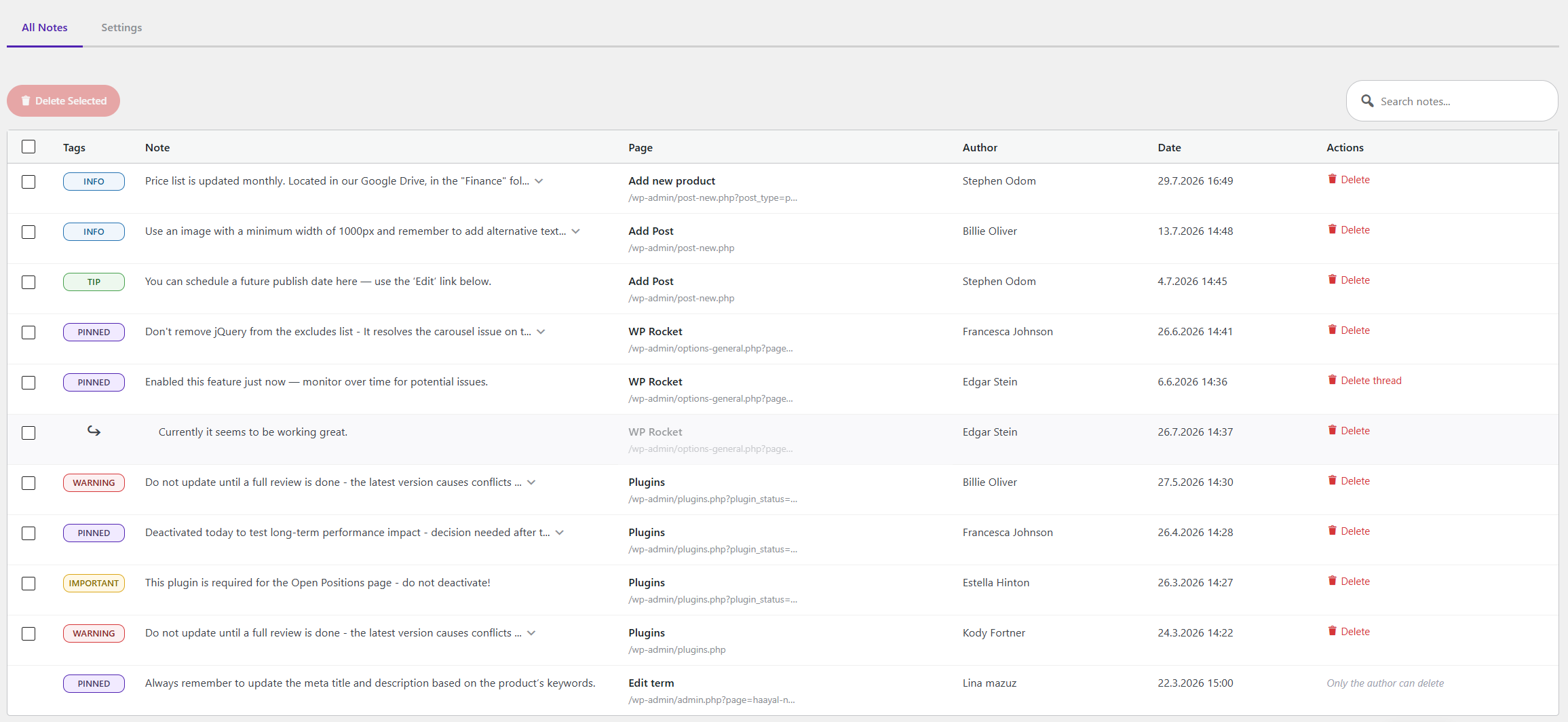
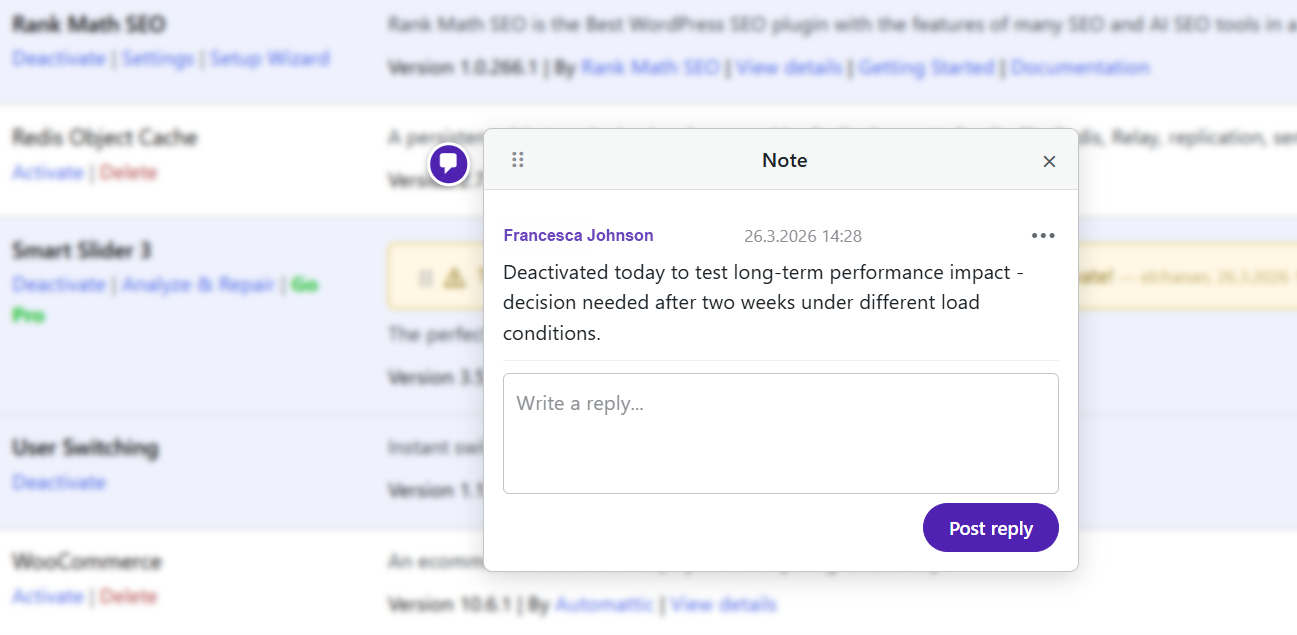
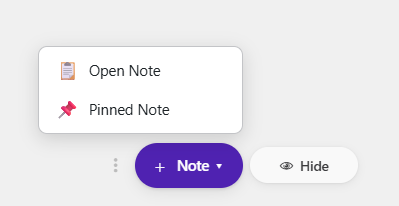
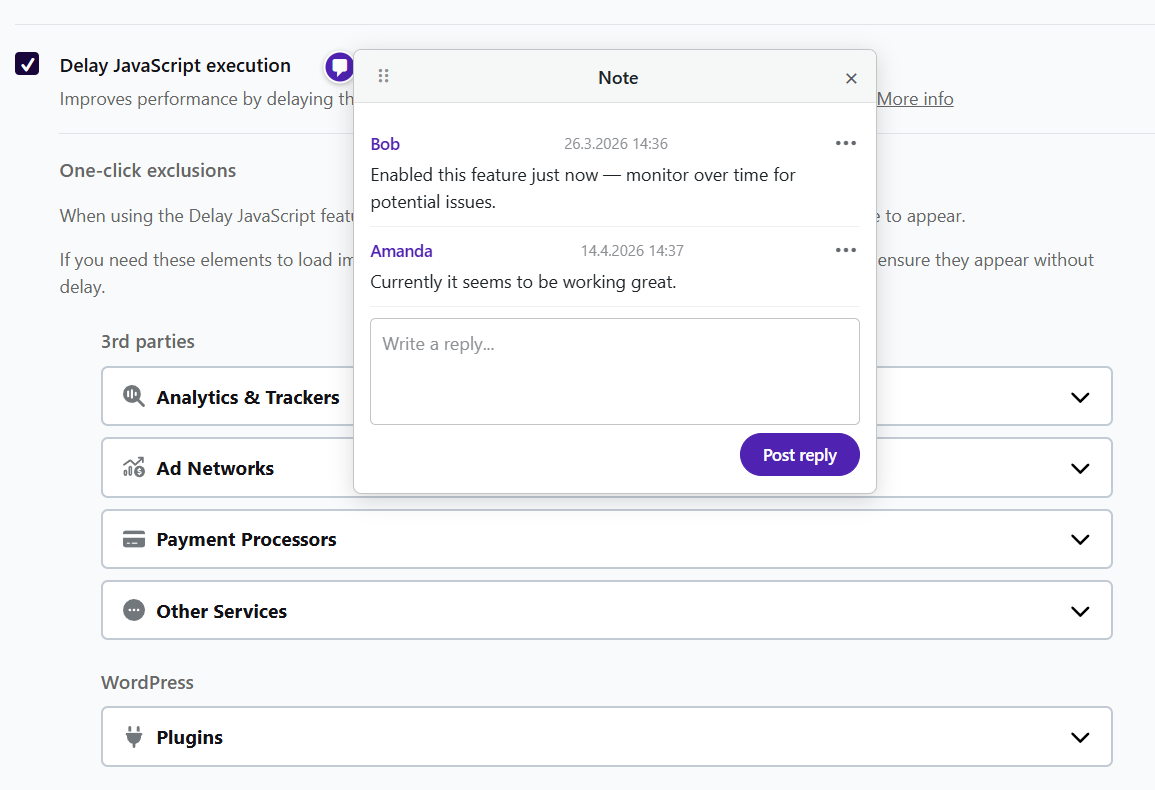
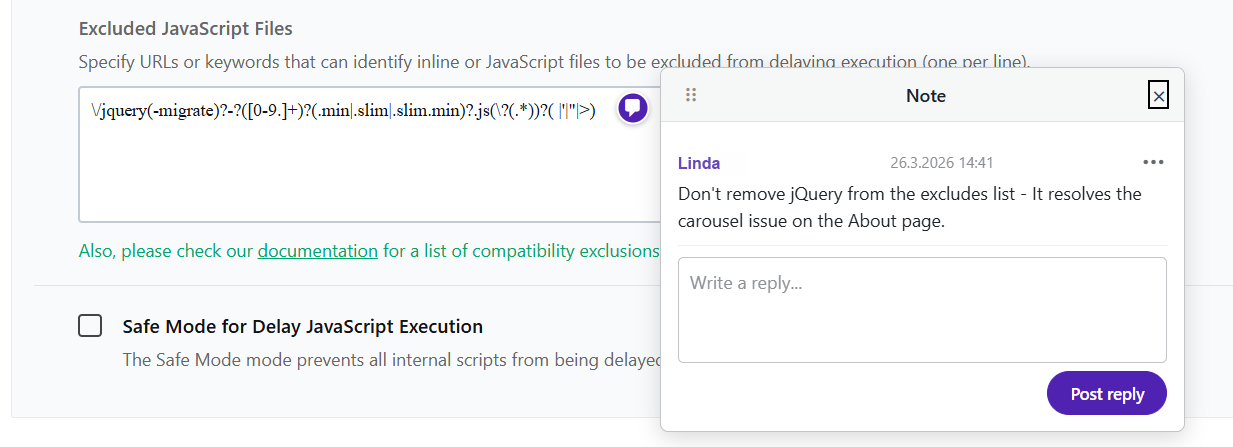
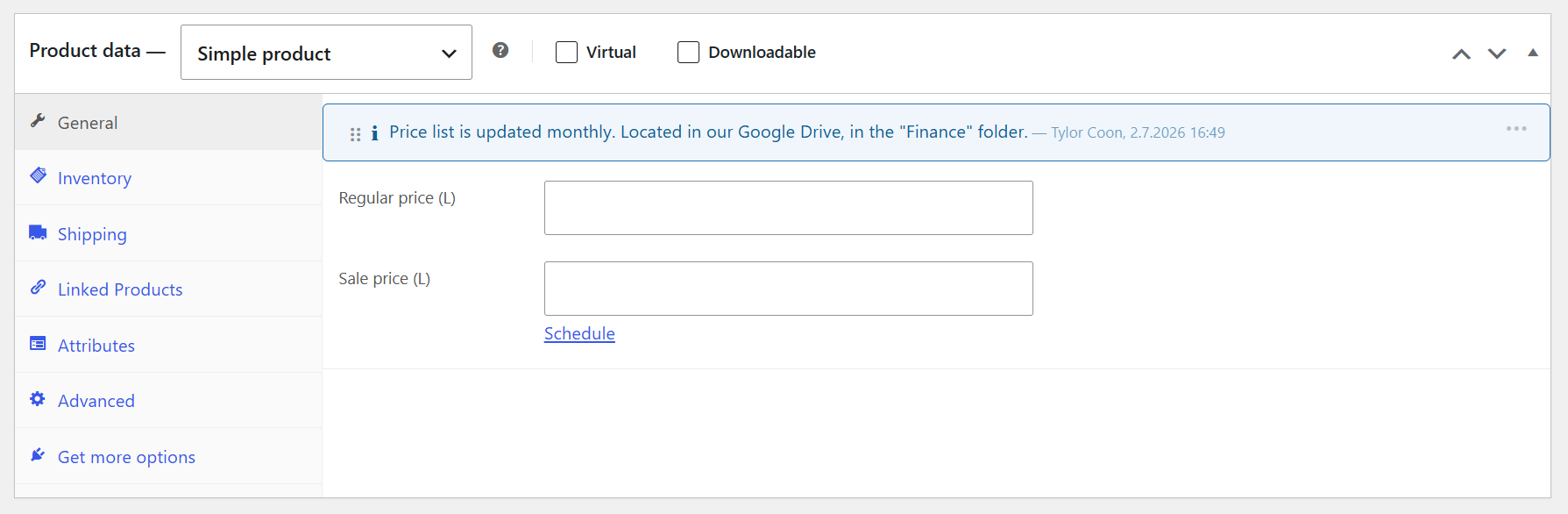
- Pinned Note - Appears as a marker on the page. Click to open and manage a threaded discussion.
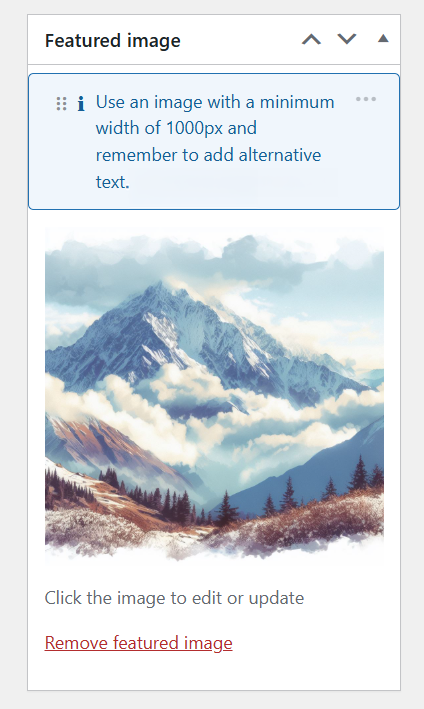
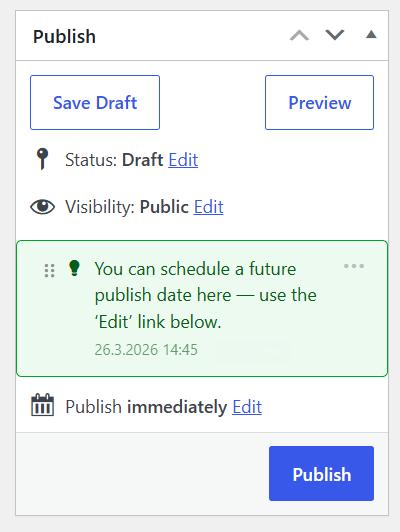
- Open Note - Always visible inline. Choose a color to highlight the note based on its importance.
- Sticky Note - Bold square note that sticks in place for highly visible reminders and warnings.
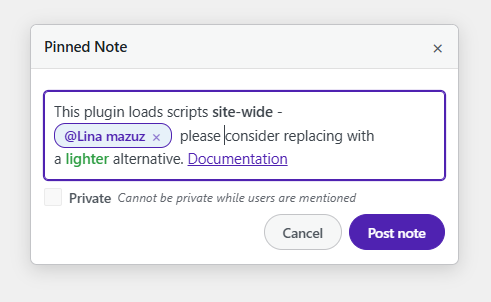
@ to mention any allowed user. They'll receive an email notification with your note. Autocomplete helps you find the right person fast - just keep typing to filter.
Private notes
Mark any note as private so only you can see it. Perfect for personal reminders and work-in-progress notes.
Threaded Replies
Pinned notes support full threaded replies. Keep conversations organized and contextual without cluttering the page.
Drag & Relocate
Notes can be dragged to a new element if the page layout changes. Grab the drag grip and drop it on the right spot - all replies move with it.
Note Scoping\
On entity pages (posts, terms, users), choose whether your note applies to this specific item or all items of this type. For example, a note on the “Blue T-Shirt” edit page can be scoped just to that product - or to the edit page of all products.
Configurable Permissions
Control exactly who can add notes and who can edit or delete:
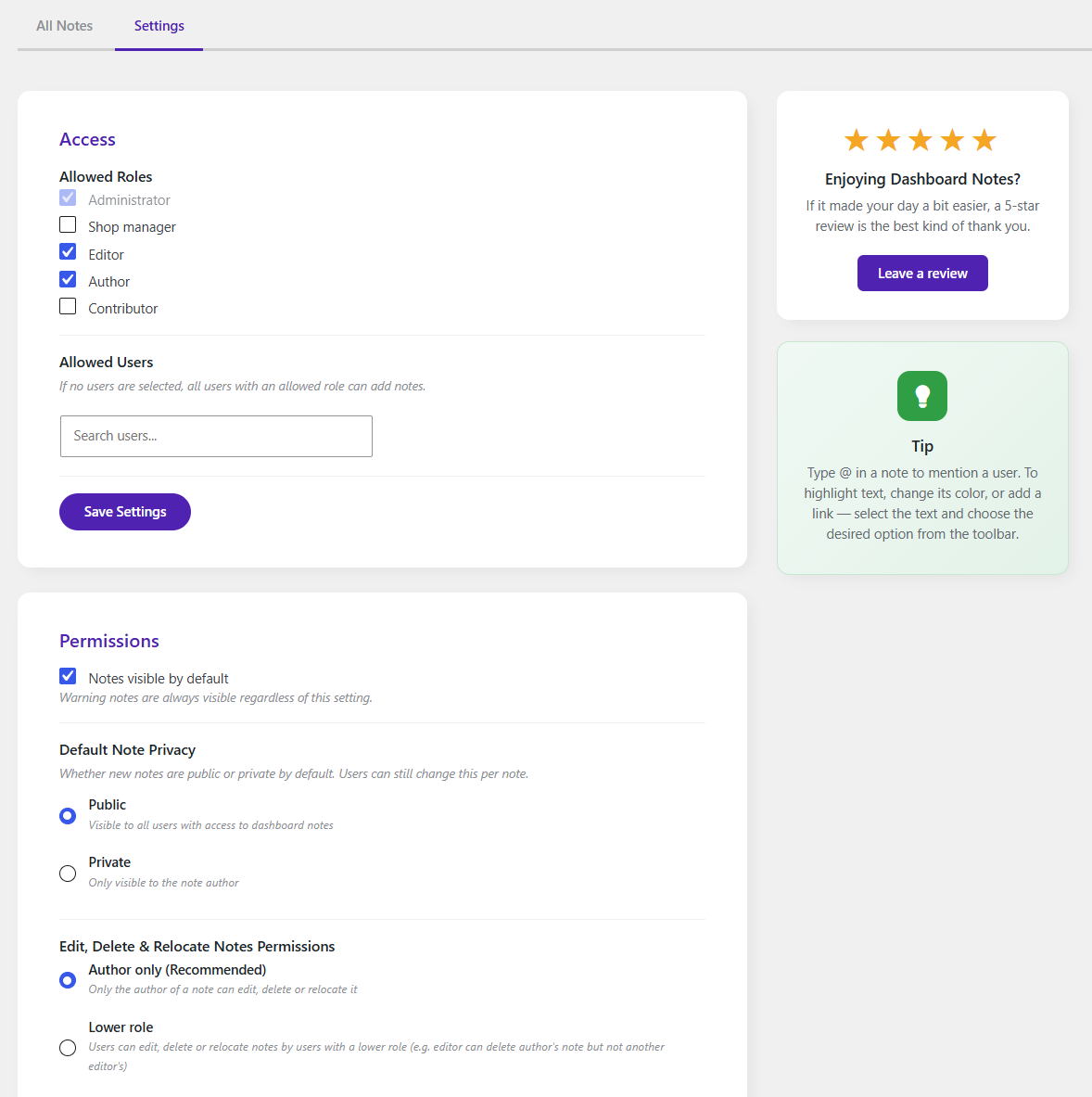
- Role-based access - Choose which roles can use the plugin (Administrator is always included).
- User-level access - Whitelist specific users regardless of role.
- Edit/Delete/Relocate policies - Author only, role hierarchy (strict or relaxed), or everybody.
安装:
- Upload the
keepinmind-dashboard-notesfolder to/wp-content/plugins/. - Activate the plugin through the Plugins menu in WordPress.
- Click the floating note button (bottom-right corner) to start placing notes.
- Configure roles, permissions, and policies under Settings → Dashboard Notes.
屏幕截图:

常见问题:
Who can see the notes?
Only users with allowed roles or explicitly allowed users can see and create notes. By default, Administrators and Editors have access. You can customize this in the plugin settings.
Can I use this on the front-end?
No - KeepInMind Dashboard Notes is designed exclusively for the WordPress admin area. It works on every admin page, including custom post type editors, WooCommerce settings, and third-party plugin pages.
Will KeepInMind Dashboard Notes slow down my website or the admin dashboard?
No. Notes are designed to stay lightweight and won’t slow down your admin. They load in the background after the page opens, and the plugin only runs where it’s needed - inside the admin area.
Can I make a note visible only to myself?
Yes! Check the Private checkbox when creating a note. Private notes are only visible to you - no other user can see them, regardless of their role.
Isn’t this redundant with the Notes feature in WordPress 7?
No. WordPress 7 Notes are built for content collaboration inside Gutenberg - commenting on and suggesting changes within post content. This plugin focuses on contextual admin notes - letting you add notes across the WordPress dashboard (not inside content) to document decisions, highlight important settings, and guide editors in context.
What happens to notes when I uninstall the plugin?
By default, all data is preserved. You can change this to automatically delete all notes on uninstall in the plugin settings under Data Management.