KindPixels PDF Gallery – Turn Files into Clean Galleries
| 开发者 | kindpixels |
|---|---|
| 更新时间 | 2026年4月16日 21:02 |
| PHP版本: | 7.4 及以上 |
| WordPress版本: | 6.9 |
| 版权: | GPLv2 or later |
| 版权网址: | 版权信息 |
详情介绍:
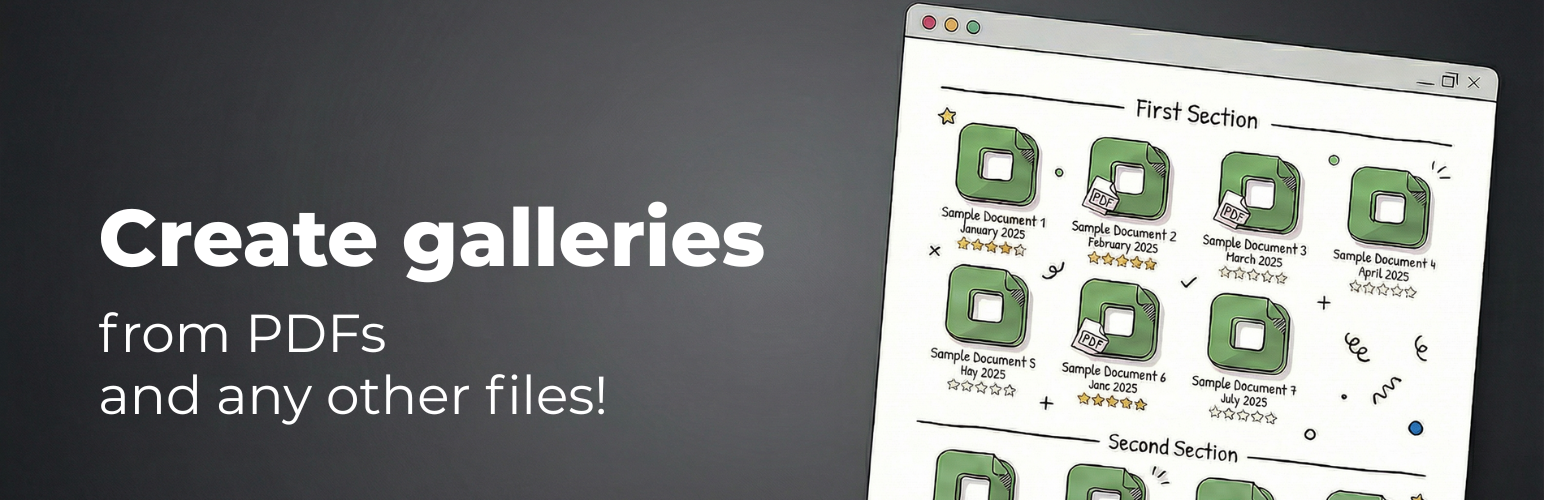
PDF Gallery is a plugin that allows you to create stunning document galleries with ease. Display PDF files, Office documents, images, videos, audio files (and even YouTube videos!) in beautiful grid or masonry layouts, with a built-in lightbox viewer. Give it a try!
Key Features
- Create File Galleries – Turn your files into clean, visual galleries.
- Built-in Lightbox – Full-screen document viewer with zoom and navigation.
- Responsive Design – Galleries look great on all devices.
- Thumbnail Styles – Choose from multiple thumbnail layouts.
- Advanced Customization – Fine-tune gallery design and behavior.
- Section Dividers – Organize documents into logical sections using dividers and labels.
- Drag & Drop Ordering – Reorder documents with simple drag and drop.
- Shortcode Support – Embed galleries anywhere on your website using a shortcode.
- PDF documents
- Images (JPG, PNG, GIF, WebP)
- Videos (MP4, YouTube links)
- Audio files (MP3, WAV, OGG)
- Microsoft Office (Word, Excel, PowerPoint)
- Archives (ZIP, RAR, 7Z)
- eBooks (EPUB, MOBI)
- One gallery with unlimited files
- All display settings and styling options
- Files uploaded one by one Pro version adds:
- Unlimited galleries
- Batch upload for multiple files at once
- File analytics
- Priority support For a complete comparison, see the full feature table.
安装:
- In your WordPress dashboard, go to "Plugins → Add New" and search for "KindPixels PDF Gallery" then click "Install Now" and "Activate".
- Alternatively, upload the
kindpixels-pdf-galleryfolder to the/wp-content/plugins/directory via FTP, then activate it from the "Plugins" menu. - Go to "PDF Gallery" in your admin menu to create your first gallery.
- Each gallery has a unique shortcode starting with
[kindpdfg_gallery]– copy and paste it into any page or post.
常见问题:
How do I display a gallery on my page?
Each gallery has a unique shortcode that starts with [kindpdfg_gallery]. Simply copy the shortcode from the Galleries tab and paste it on any page or post on your website.
What if I have more questions?
Once you install the plugin, head over to the Documentation tab where we have an extensive guide covering all features, settings, and customization options.
更新日志:
2.6.8
- Fix: Lightbox thumbnails no longer overlap with the document content
- Improvements for update experience
- Other bug fixes
- Improved: Zoom controls now always visible in lightbox top bar
- Improved: Click-to-zoom now doubles current zoom level instead of fixed 200%
- Minor stability improvements
- Fix: Keyboard navigation (arrow keys, Page Up/Down) now works immediately in fullscreen mode
- Fix: Analytics summary cards now display correct totals from backend data
- Minor stability improvements
- New: Fullscreen mode in lightbox with immersive document viewing
- Minor stability improvements
- New: Redesigned placeholder image settings with side-by-side card selection
- New: Custom placeholder supports drag & drop upload
- New: Engagement notice for active free users encouraging ratings and feedback
- Improved: Token Map hover highlights for grouped elements (titles, subtitles, thumbnails)
- Fix: Transparent background checkbox now properly toggleable
- New: YouTube uploads via link now include a Subtitle field, auto-populated with channel name
- New: WP Media Library title and description now auto-populate Title and Subtitle fields
- Fix: Enhanced keyboard scrolling inside lightbox
- Fix: Analytics chart correctly aggregates data monthly for 365-day view
- Improved upload form UX with subtitle support across all methods
- New: Comprehensive Color Settings with preset themes (Default, Dark, Warm, Forest, Ocean)
- New: Interactive Token Map — click any gallery element to edit its color visually
- New: Transparent gallery background option (default for Default preset)
- New: Custom preset — any manual change is saved as a Custom preset
- Fix: Gradient Zoom style now centers both title and subtitle under thumbnail
- Improved color picker alignment and usability
- Fix: Update button now triggers in-page update instead of redirecting away
- Fix: Fallback redirect now scrolls to and highlights the plugin row
- Improved iframe-to-parent communication for WordPress AJAX updates
- Fix: Frontend gallery loading issue on certain themes (changed iframe to eager loading)
- Fix: Update button no longer hangs indefinitely — falls back to plugins page after 10 seconds
- Improvement: Vertical alignment of accent color preview in Settings
- Fix: Accent color now properly updates on frontend shortcode after saving
- Improvement: Frontend settings fetch now includes gallery context for per-gallery settings
- Fix: Lightbox scroll onboarding now correctly resets when navigating between documents
- Minor stability improvements
- New saturation-based color picker for accent color settings
- Redesigned accent color section with full-width card preview
- Polished Gradient Zoom thumbnail style with dual-tone gradient border
- Redesigned the Accent Color section of Settings
- Fixed analytics activity chart not updating when changing date range
- Fixed scroll onboarding not showing for existing users after update
- Added scroll onboarding hints for multi-page PDFs in lightbox
- Enter key now saves when editing files
- Update notifications now visible for Pro users inside the plugin dashboard
- Added gap size setting for gallery spacing customization
- Added upload via link feature
- Added File Analytics with views and clicks tracking (Pro)
- Cross-gallery navigation in analytics modal
- Added YouTube video support — paste YouTube URLs directly
- YouTube thumbnails and titles fetched automatically
- Added multi-select with Shift+click for bulk operations
- Added bulk delete functionality
- Added section dividers for document organization
- Added masonry layout option
- Complete redesign with modern React-based interface
- Added lightbox document viewer with zoom and navigation
- Added multiple thumbnail styles and hover animations
- Initial release