Login Security Captcha
| 开发者 | scriptstown |
|---|---|
| 更新时间 | 2026年6月25日 10:48 |
| 捐献地址: | 去捐款 |
| WordPress版本: | 7.0 |
| 版权: | GPL v2 or later |
| 版权网址: | 版权信息 |
标签
下载
1.7.0
1.7.2
1.6.2
1.2.1
1.2.2
1.2.3
1.2.4
1.2.5
1.2.6
1.2.7
1.3.0
1.3.1
1.5.5
1.5.7
1.5.8
1.5.9
1.6.0
1.2.0
1.5.6
1.8.6
1.5.0
1.4.0
1.5.1
1.2.8
1.2.9
1.3.3
1.3.4
1.3.5
1.3.6
1.3.2
1.3.7
1.4.2
1.4.3
1.3.8
1.3.9
1.4.1
1.4.4
1.6.3
1.4.5
1.4.6
1.5.2
1.5.3
1.5.4
1.6.4
1.6.5
1.6.1
1.6.6
1.7.1
1.6.7
1.6.8
1.7.7
1.7.3
1.8.1
1.7.4
1.7.5
1.7.6
1.7.8
1.7.9
1.8.0
1.8.2
1.8.3
1.8.4
1.8.5
1.8.9
1.9.0
1.8.7
1.8.8
1.9.1
详情介绍:
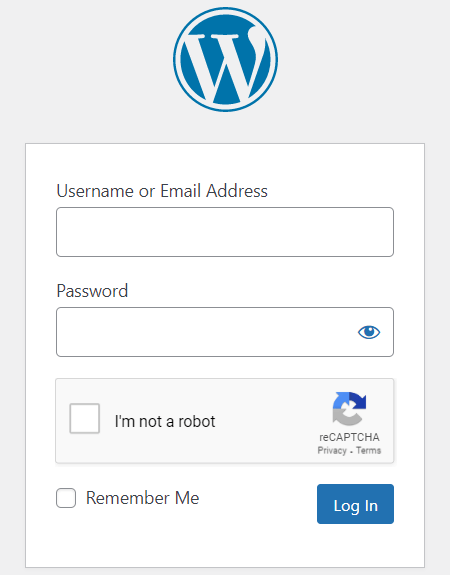
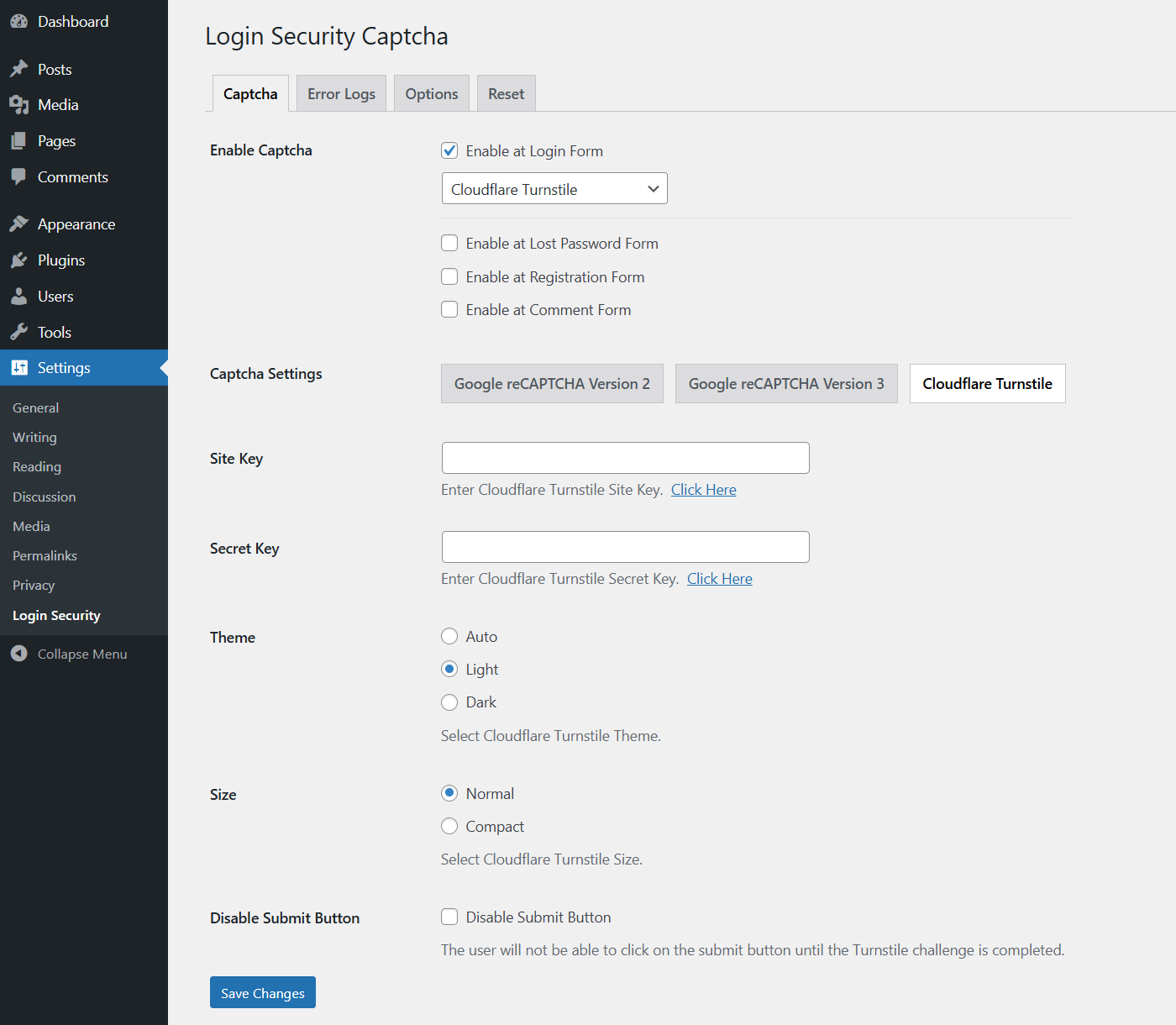
Login Security Captcha is a security plugin for WordPress to add CAPTCHA or CAPTCHA-free services such as Cloudflare Turnstile and Google reCAPTCHA to the WordPress login, registration, lost password, and comment form. This is a fast and lightweight security plugin to place captcha on standard WordPress forms with minimal footprints. It can prevent spam comments and protect the login form against Brute-force attacks. It has simple settings to configure the plugin quickly.
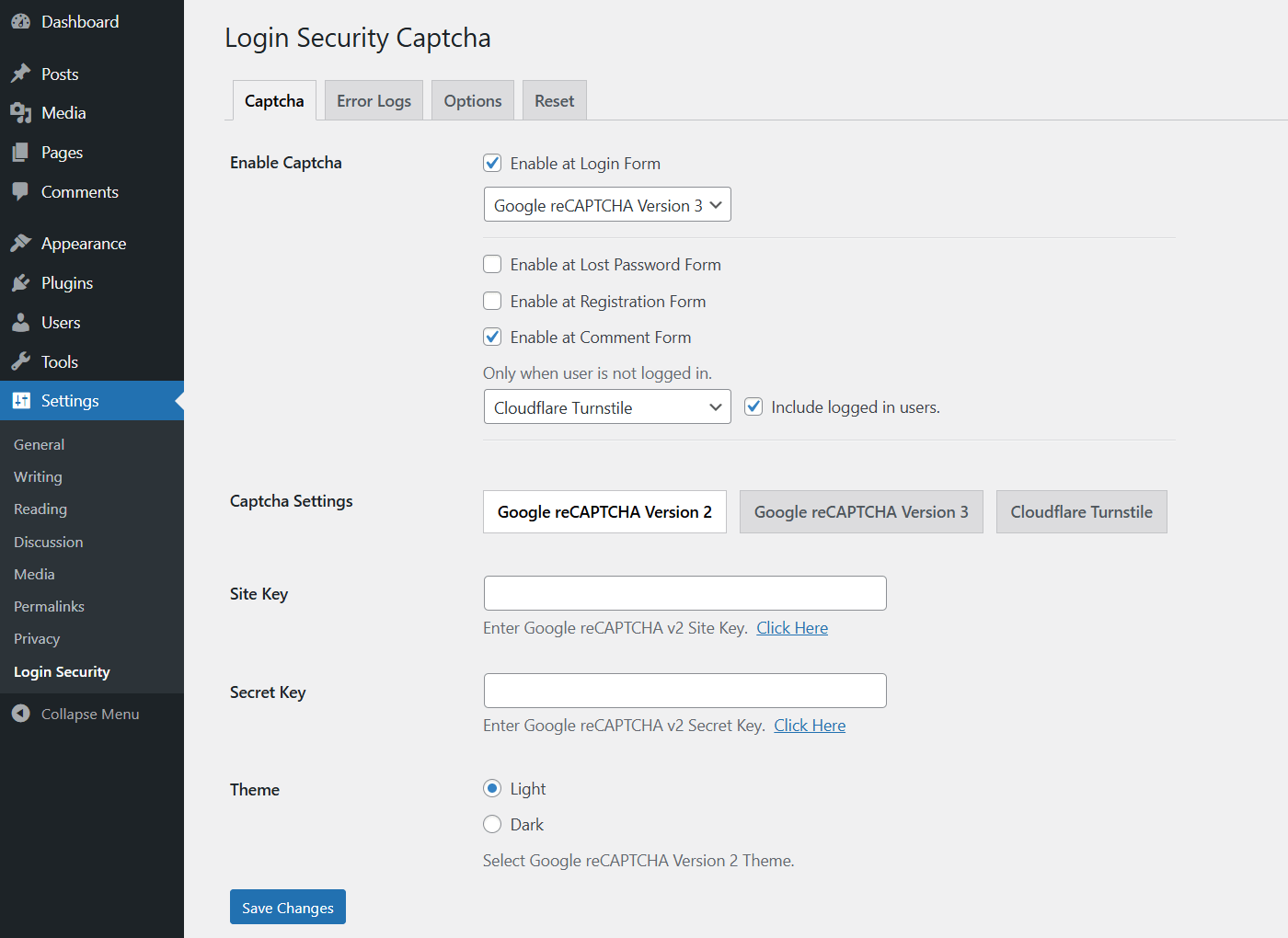
The plugin supports Cloudflare Turnstile, Google reCAPTCHA Version 2, and Version 3 with multiple options. This is the best WordPress captcha plugin for antispam protection to secure comment form and WordPress login page. It allows you to place different versions of reCAPTCHA and also Turnstile on different forms at the same time. This plugin comes with a set of simple options to quickly set up captcha validation on the common forms.
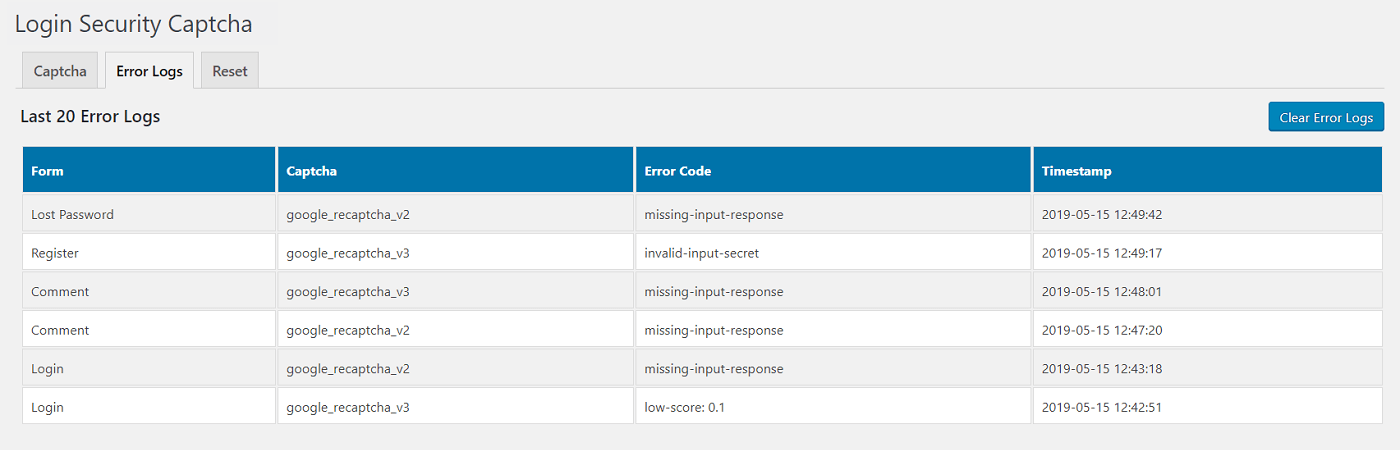
Using this security plugin, you can change the captcha theme to light or dark depending on your preferences for Cloudflare Turnstile and Google reCAPTCHA. You can also configure various other parameters like the score value for reCAPTCHA version 3. You can monitor the error logs and have the option to disable the captcha on the comment form for logged-in users. Also, you can adjust the captcha size to compact or normal for Cloudflare Turnstile.
Login Security Captcha Features
- Cloudflare Turnstile
- Google reCAPTCHA v2
- Google reCAPTCHA v3
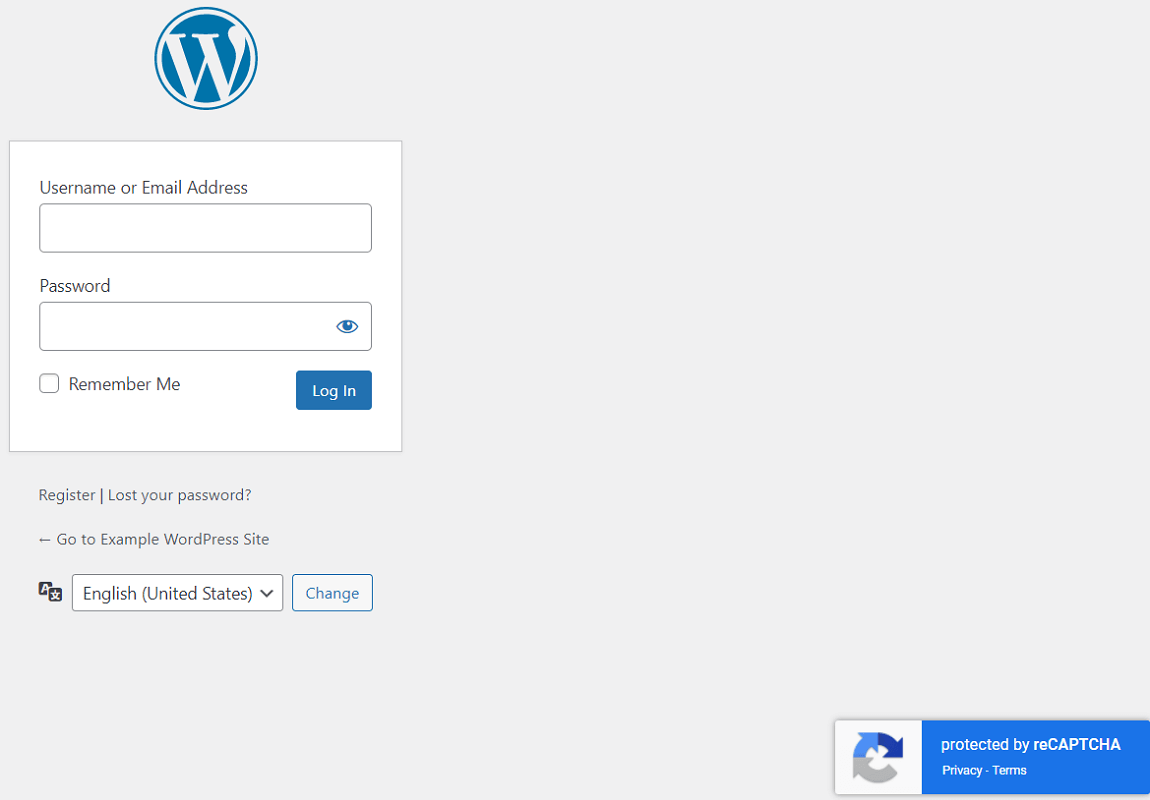
- Set reCAPTCHA v3 Position
- Captcha Theme and Size
- Secure Login Form
- Secure Registration Form
- Secure Lost Password Form
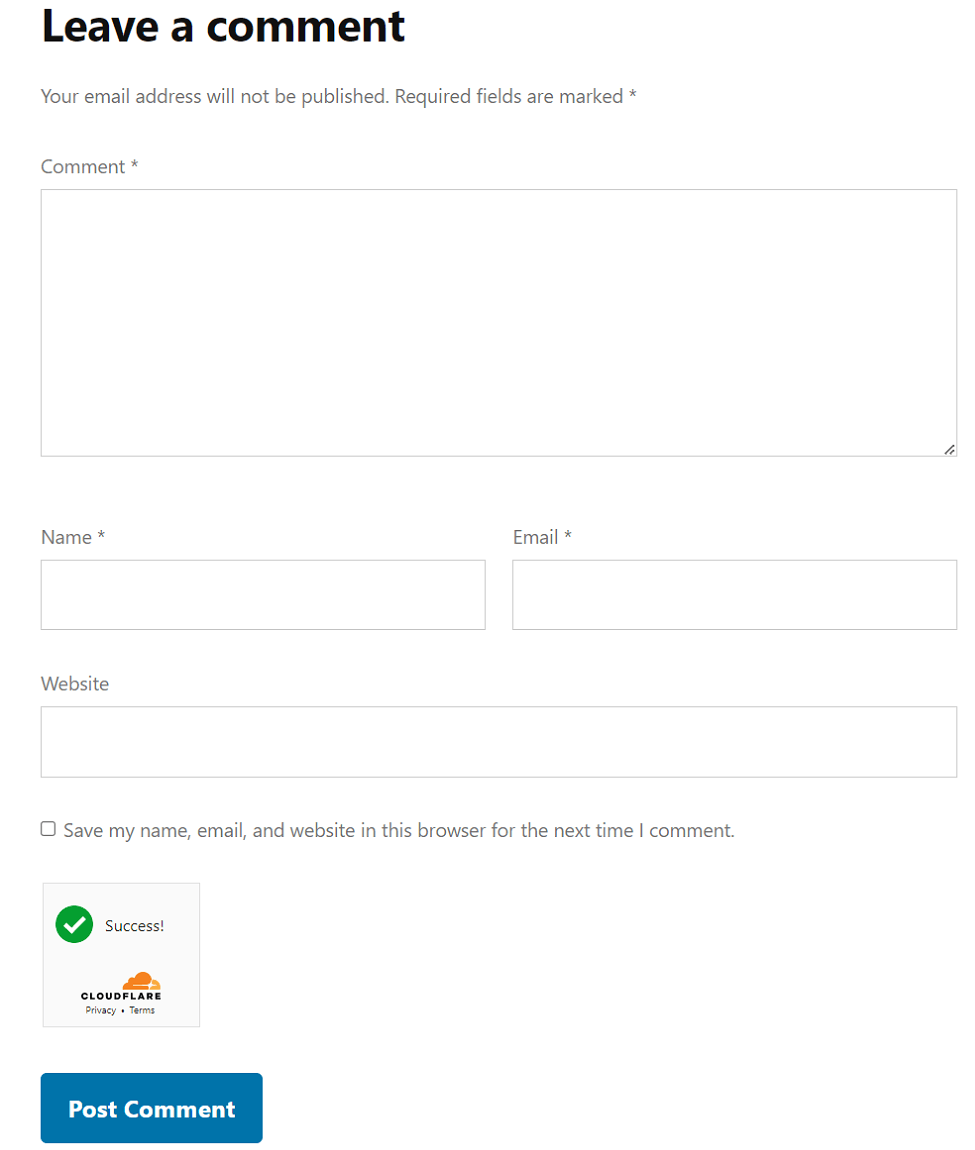
- Protect Comment Spam
- Monitor Error Logs
- Prevent Brute-force Attack
- Limit Login Attempts by IP Address
- Check and Monitor Last Login
- Check Login History by Username
- Recent Login Dashboard Widget
- Cloudflare Turnstile Support
- Google reCAPTCHA v2 and v3
- Redirect after Login or Logout
- Role-Based Redirection
- Secure Login and Registration Form
- Secure Lost Password Form
- Easy to Protect Comment Spam
- Login Form - WooCommerce
- Lost Password Form - WooCommerce
- Registration Form - WooCommerce
- Secure WooCommerce Checkout Form
- Advanced Security and Much More
安装:
Login Security Captcha [Installation Guide]
- You can:
-
Upload the entire
login-security-recaptchafolder to the/wp-content/plugins/directory via FTP. - Upload the zip file of plugin via Plugins -> Add New -> Upload in your WordPress Admin Panel.
- Search Login Security Captcha in the search engine available on Plugins -> Add New and press Install Now button.
- Activate the plugin through Plugins menu in WordPress Admin Panel.
- Click on Login Security under Settings menu to configure the plugin.
- Ready, now you can use it.
屏幕截图:
常见问题:
How to get Cloudflare Turnstile Site Key and Secret Key?
- To get the Site Key and Secret Key, signup for the Cloudflare account and navigate to Cloudflare Turnstile dashboard.
- Next, provide your domain to generate Site Key and Secret Key for Turnstile.
- You may also read our guide on How to Get Site Key and Secret Key for Cloudflare Turnstile.
How to get Google reCAPTCHA Site Key and Secret Key?
- To get the Site Key and Secret Key, go to Google reCAPTCHA Admin Console.
- Sign in into your Google account to proceed next into reCAPTCHA dashboard.
- After Sign in, you will be redirected to your Google reCAPTCHA dashboard.
- Now, you will need to provide your domain (website URL) and specify reCAPTCHA version to create Site Key and Secret Key.
- You can also read our Step-by-Step Instructions in Detail.
更新日志:
1.9.1
- Code improvements.
- Readme updated.
- Updated minimum WordPress version to 5.3.
- Readme updated.
- Improvement: Settings page.
- Tested compatibility with PHP 8.5.6.
- Readme updated.
- Readme updated.
- Tested compatibility with PHP 8.5.5.
- Readme updated.
- Code improvements.
- Readme updated.
- Tested up to 7.0.
- Code improvements.
- Readme updated.
- Tested compatibility with PHP 8.5.
- Readme updated.
- Code improvements.
- Tested up to 6.9.
- Code improvements.
- Tested up to 6.8.2.
- Improvement: Minor fixes.
- Code improvements.
- Code improvements.
- Readme updated.
- Settings UI improvements.
- Tested up to 6.8.1.
- Readme updated.
- Tested up to 6.8.
- Skip captcha validation for comment replies from the admin screen.
- Code improvements.
- Tested compatibility with PHP 8.4.
- Readme updated.
- Tested up to 6.7.
- Readme updated.
- Tested up to 6.6.2.
- Readme updated.
- Readme updated.
- Improvement: Settings page.
- Tested up to 6.6.
- Readme updated.
- Tested up to 6.5.5.
- Tested up to 6.5.4.
- Readme updated.
- Improvement: Settings page.
- Tags updated.
- Tested up to 6.5.
- Readme updated.
- Tested up to 6.4.2.
- Tested compatibility with PHP 8.3.
- Readme updated.
- Readme updated.
- Tested up to 6.4.
- Changed minimum PHP version requirement.
- Readme updated.
- Tested up to 6.3.
- Added: Option to generate reCAPTCHA v3 token on page load.
- Readme updated.
- Tested up to 6.2.
- Tags updated.
- Readme updated.
- Readme updated.
- Added: Support for Captcha-free Cloudflare Turnstile.
- Improvement: Code refactor.
- Readme updated.
- Updated readme.
- Improvement: Settings page.
- Tested up to 6.1.
- Improvement: Settings page.
- Updated readme.
- Tested up to 6.0.1.
- Updated readme.
- Tested up to 6.0.
- Added: Badge position for reCAPTCHA version 3.
- Improvement: Check for empty token before making a remote call.
- Improvement: Generate v3 token on form submission only.
- Improvement: Load plugin translations using the init action.