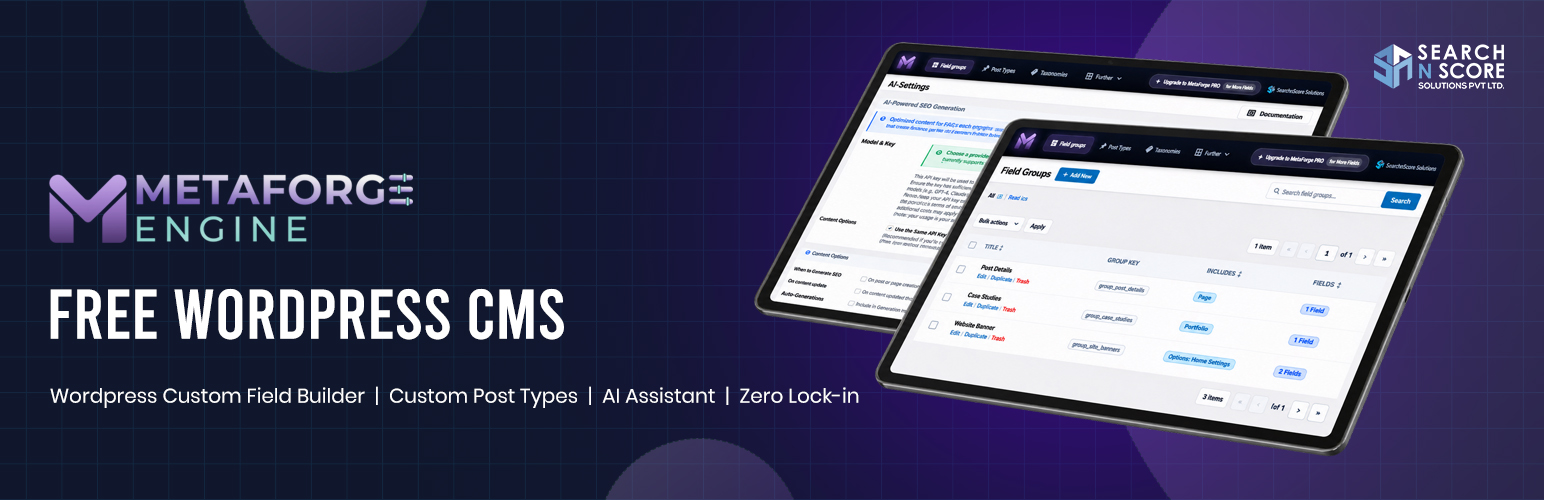
MetaForge Engine – Custom Fields
| 开发者 | searchnscoresolutions |
|---|---|
| 更新时间 | 2026年11月24日 21:22 |
| 捐献地址: | 去捐款 |
| PHP版本: | 7.4 及以上 |
| WordPress版本: | 7.1 |
| 版权: | GPLv2 or later |
| 版权网址: | 版权信息 |
详情介绍:
- WordPress Custom Field Builder with Clean Database Architecture: Create structured custom meta boxes across posts, pages, custom post types, taxonomy terms, user profiles, and global options pages. All metadata is stored in standard WordPress core tables (
wp_postmeta,wp_termmeta,wp_options) without cryptic serialization or proprietary locks. - 20 Core Free Field Types Included: Access 20 essential field types right out of the box—including nested Group containers, User Selectors, Post Type Selectors, dynamic Taxonomies, Date/Time pickers, Color pickers, Range sliders, and Buttons with zero artificial limits.
- Structured Nested Groups & Hierarchies: Build multi-level data models with unlimited nesting depth, memory-safe iteration, and clean PHP template syntax.
- Seamless 1-Click Migration for Advanced Custom Fields: Seamlessly migrate existing Advanced Custom Fields field groups in a single click via MetaForge → Tools → Switch to MetaForge. The importer automatically converts existing field groups into native MetaForge schemas, allowing developers to query fields using familiar, zero-lock-in
metaforge_*template helpers (metaforge_get_field(),metaforge_have_rows(),metaforge_the_row()). - WordPress Dynamic Fields & Relational Bindings: Connect custom post types with dynamic AJAX dependencies, taxonomy terms, bidirectional user selectors, and custom query sorting hooks (
metaforge_post_order,metaforge_term_order). - Visual Custom Post Type & Taxonomy Managers: Create and configure custom post types and hierarchical or tag taxonomies directly in the dashboard without writing code or installing extra plugins.
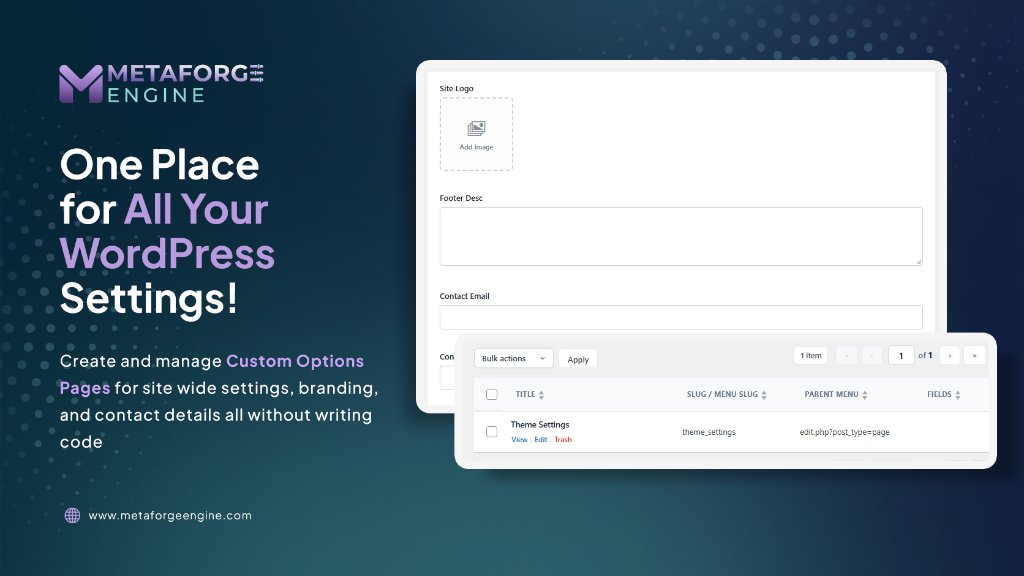
- Global Options Pages: Register site-wide settings panels for headers, footers, social links, and API credentials with full field group assignment.
- Gutenberg Block Bridge: Transform any field group into a native WordPress block (
metaforge/block registry) with zero React or JavaScript boilerplate. Customize block rendering using standard PHP template overrides (template-parts/blocks/{slug}.php). - Enterprise Multi-Provider AI Core: Integrate OpenAI (ChatGPT & Responses API), Anthropic Claude, Google Gemini, Groq (Llama), DeepSeek, or OpenRouter to generate field groups, schemas, and realistic mock data from natural language prompts.
- Guaranteed Zero Lock-In: Built-in template functions (
metaforge_get_field(),metaforge_have_rows(), etc.) are defensively wrapped withfunction_exists(). If MetaForge Engine is ever deactivated, your templates remain safe from fatal PHP errors, and all custom meta remains 100% accessible via native WordPressget_post_meta()calls. - Trash & Restore Lifecycle Module: Full soft-delete and restore capabilities across Field Groups, Custom Post Types, Taxonomies, and Options Pages. Restored items enter Draft status with automatic duplicate slug and key conflict resolution.
- Complete 28 Field Type Selector: View and explore all 28 available field types organized cleanly across 5 categories in the field builder dropdown with companion PRO badges.
- Extend with MetaForge Pro: Unlock 8 advanced field types including Repeaters with drag-and-drop ordering, Flexible Content modular layout builder, Gallery multi-image uploader, Relationship bidirectional selector, oEmbed, Icon Picker, Code Snippet container, and Accordion panels.
- Text: Single-line text with character counters, prepends/appends, and HTML5 validation.
- Textarea: Multi-line text with customizable row height and
<br>or<p>auto-formatting. - Number: Integer or floating decimal with min, max, and step boundaries.
- Range / Slider: Interactive slider UI for numeric values.
- Checkbox: Multi-value checkbox group with dynamic layout direction.
- Radio: Single-selection radio button list.
- True / False: Binary toggle switch with custom affirmative/negative labels.
- Link: Comprehensive URL picker supporting internal post selection, target, and link text.
- Button / CTA: Action button configurator with URL, label, styling, and target attributes.
- Color Picker: Iris-based color selector with hex and rgba support.
- Date & Time Picker: Customizable date, time, and datetime inputs with format presets.
- Image: Media modal selector returning structured array, image URL, or attachment ID.
- File: Secure media uploader supporting document and asset file types.
- WYSIWYG Editor: Full WordPress TinyMCE / visual rich-text editor.
- Select: Dropdown menu supporting single or multi-select with search filtering.
- Post Type Selector: Dynamic post picker with post type filtering and object return formats.
- Taxonomy: Term selector with dynamic AJAX bindings connected to post type selectors.
- User Selector: User profile picker filtered by user role and capabilities.
- Group: Nested associative subfield containers for structured object grouping.
- Tab: Visual section dividers for organizing large meta boxes into clean tabs.
- Repeater: High-performance repeatable subfield matrix with drag-and-drop sorting.
- Flexible Content: Multi-layout modular block builder for dynamic page composition.
- Gallery: Multi-image batch uploader with drag-and-drop ordering.
- Relationship: Bidirectional post relational selector with live search filtering.
- oEmbed: Embed video, audio, and rich media with responsive aspect wrappers.
- Icon Picker: Visual vector icon selector.
- Code Snippet: Syntax-formatted read-only code display container for documentation and code block presentation.
- Accordion: Collapsible interface panels for complex admin forms.
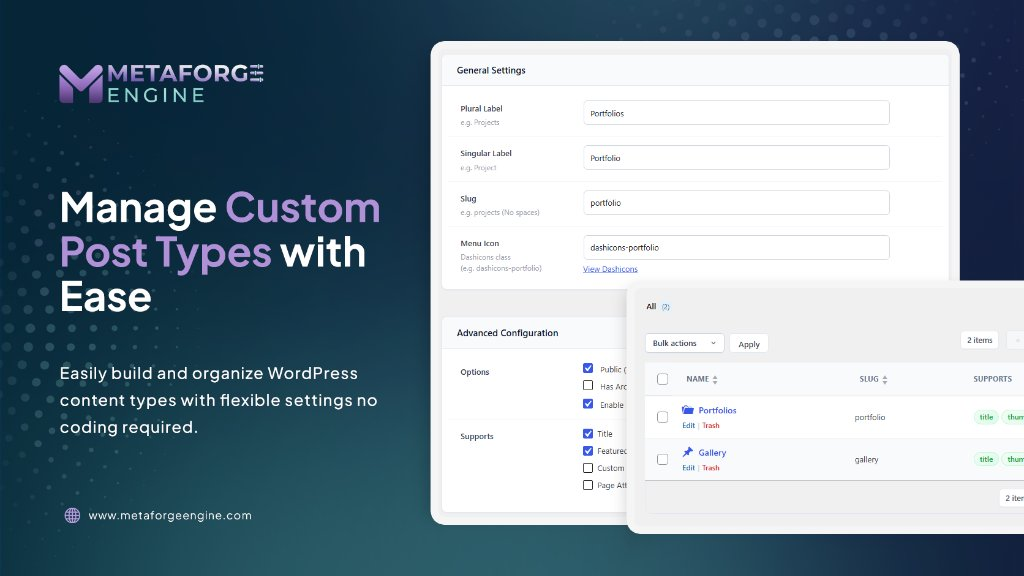
- Custom Post Type Manager: Register and configure custom post types with custom slugs, REST API exposure, dashicons, menu positioning, and hierarchical attributes.
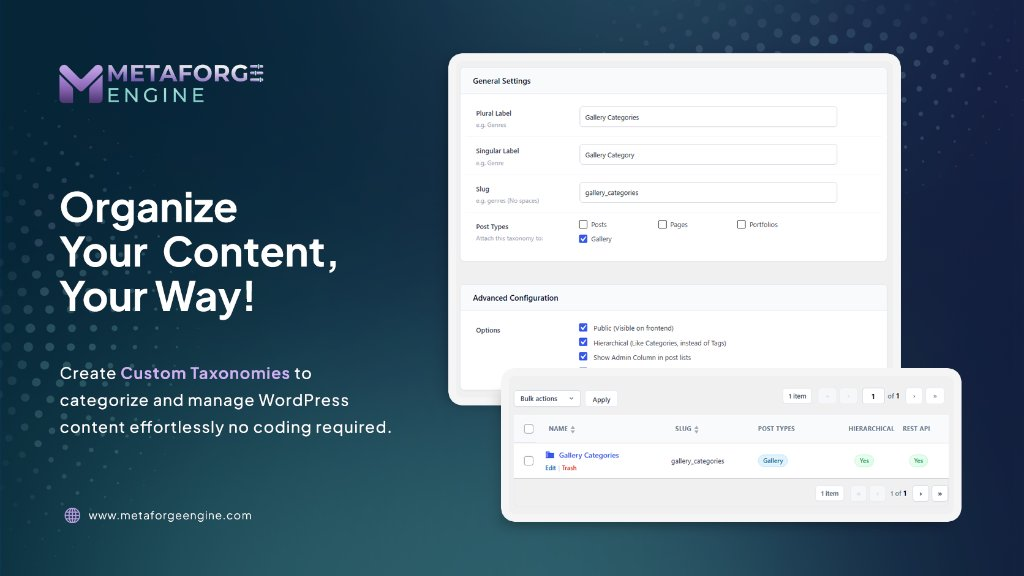
- Custom Taxonomy Manager: Register hierarchical (category-like) and flat (tag-like) custom taxonomies mapped to any registered post type.
- Visual Drag-and-Drop Reordering: High-performance batch ordering engine for custom post types and taxonomy terms with query sorting hooks (
metaforge_post_order,metaforge_term_order). - Global Options Pages: Register custom options pages for site-wide settings (header, footer, social links, API credentials) backed by the
metaforge_optionspost type. - Role & Capability Manager: Configure custom WordPress user roles and fine-grained capability assignments (
manage_metaforge). - JSON Sync & Version Control: Automatically export field group schemas to
.jsonfiles within your theme or plugin for Git version control and team synchronization. - WP-CLI Integration: Execute
wp metaforge syncin continuous integration and automated deployment scripts. - Tools & System Logs: Built-in authenticated System Logs viewer, export/import tools, and 1-Click "Switch to MetaForge" competitor field group migration.
wp_ai_client_prompt()). These services are strictly optional and only invoked when a site administrator explicitly configures an API key under MetaForge → AI Settings and initiates an AI generation action. No user or visitor personal data (PII) is ever collected, transmitted, or tracked.
- OpenAI API: Generates field schemas, post types, and realistic mock data from natural language prompts. Terms of Service | Privacy Policy
- Anthropic Claude API: Natural language schema and meta box generation. Terms of Service | Privacy Policy
- Google Gemini API: Fast prompt-based layout, content, and schema structure creation. Terms of Service | Privacy Policy
- Groq API: High-speed inference for open models (Llama). Terms of Service | Privacy Policy
- DeepSeek API: Intelligent custom schema design and field modeling. Terms of Service | Privacy Policy
- OpenRouter API: Multi-model gateway routing for user-selected LLM models. Terms of Service | Privacy Policy
- Select2: Searchable dropdowns. Source: https://github.com/select2/select2 (License: MIT)
- SortableJS: Drag-and-drop reordering engine. Source: https://github.com/SortableJS/Sortable (License: MIT)
安装:
- Upload the
metaforge-enginedirectory to the/wp-content/plugins/directory (or install via Plugins → Add New → Upload Plugin). - Activate MetaForge Engine through the Plugins menu in WordPress.
- Access MetaForge from the WordPress admin sidebar menu.
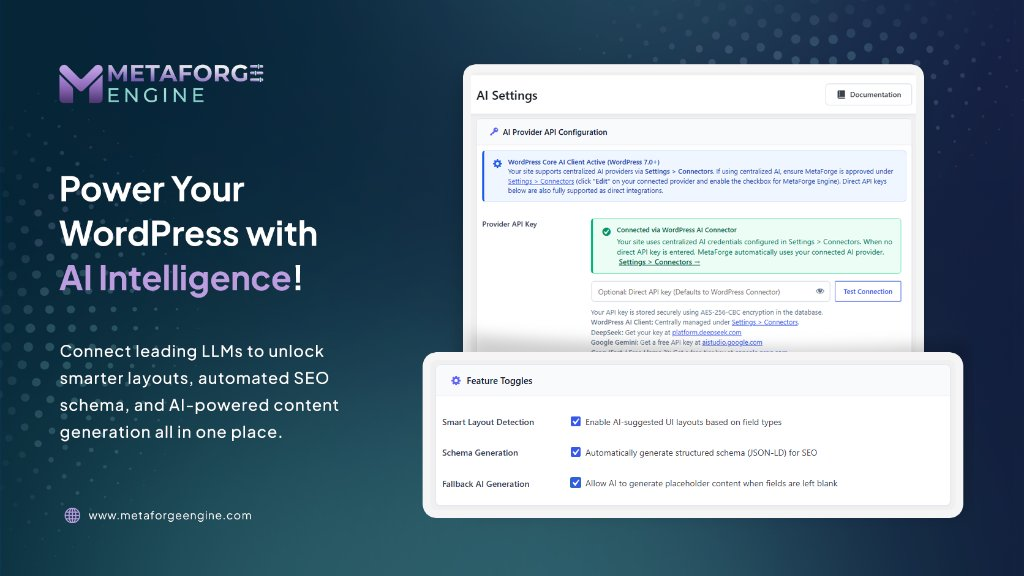
- Configure AI Settings: (Optional) Navigate to MetaForge → AI Settings to connect your preferred AI provider, or define
MetaForge_AI_API_KEYinwp-config.php. - Create Custom Post Types & Taxonomies: Use the visual Post Types and Taxonomies managers to register custom content structures with zero code.
- Build Field Groups: Go to MetaForge → Field Groups to add custom fields or use the AI Layout Assistant to generate schemas from natural language.
- Setup Git JSON Sync: Enable local JSON Sync under settings to commit field definitions directly into your theme or plugin repository for team version control.
屏幕截图:
常见问题:
Is MetaForge Engine a drop-in Advanced Custom Fields (ACF) alternative?
Yes. MetaForge Engine is engineered as a modern, high-performance Advanced Custom Fields alternative with zero data lock-in. You can migrate existing custom field groups in a single click under MetaForge → Tools → Switch to MetaForge. Your field definitions are cleanly converted, and your templates can query data using familiar developer helper functions (metaforge_get_field(), metaforge_have_rows(), metaforge_the_row()). Built-in defensive function wrappers ensure your website never crashes with fatal PHP errors even if the plugin is deactivated.
Is MetaForge Engine free to use for WordPress custom fields?
Yes! MetaForge Engine is 100% GPL-licensed open source software. All 20 core field types (including Group, Post Type Selector, Taxonomy, User Selector, Date/Time, Color Picker, Range, and Button), visual custom post type builders, taxonomy managers, global options pages, and developer PHP helper functions are completely free.
What advanced fields are included in MetaForge Pro?
MetaForge Pro unlocks 8 advanced enterprise field types: Repeater fields with drag-and-drop reordering, Flexible Content modular layout builder, Gallery multi-image uploader, Relationship bidirectional selector, oEmbed, Icon Picker, Code Snippet container, and Accordion panels, along with advanced layout workflows.
What makes MetaForge Engine different from other custom field builders?
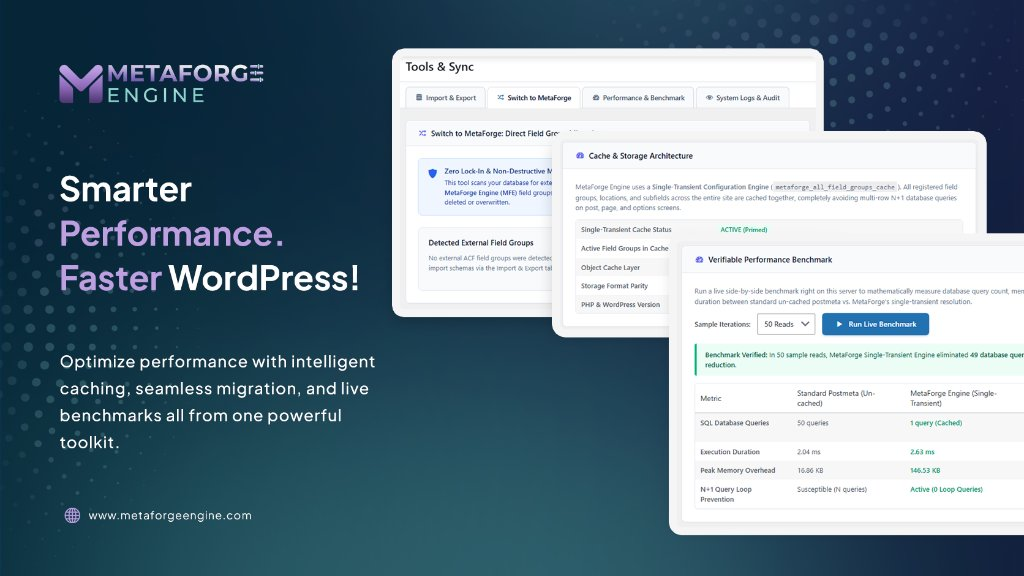
MetaForge Engine was designed from the ground up as a modern, high-performance Advanced Custom Fields builder. It delivers familiar developer workflows (metaforge_get_field(), metaforge_have_rows(), metaforge_the_row()) combined with modern architectural advantages: single-transient configuration caching to eliminate N+1 database queries, native multi-provider AI schema generation, built-in visual custom post type & taxonomy managers, drag-and-drop post/term ordering, and a 1-click migration tool under MetaForge → Tools.
Where is my custom field and meta box data stored in WordPress?
All custom field data is stored in standard WordPress core database tables (wp_postmeta, wp_termmeta, wp_options). There is zero proprietary data lock-in. Field values can be retrieved at any time using native WordPress functions like get_post_meta($post_id, 'field_name', true).
How do I display custom fields in WordPress theme templates?
MetaForge Engine provides clean, zero-lock-in template helpers:
metaforge_get_field('field_name'): Returns formatted field data.metaforge_the_field('field_name'): Directly echoes sanitized field output.metaforge_have_rows('repeater_name')&metaforge_the_row(): Iterates through repeaters and flexible content layouts. All functions are defensively wrapped withfunction_exists(), ensuring your templates never crash if the plugin is deactivated.
How does the 1-click migration from Advanced Custom Fields work?
Under MetaForge → Tools → Switch to MetaForge, the plugin automatically scans your database for existing custom field groups and legacy configurations and converts them into native MetaForge format in seconds. Once imported, your existing content remains intact, and you can query your data cleanly using MetaForge's template helpers.
How can I independently verify MetaForge's performance and query optimization?
You can verify MetaForge's single-transient caching and 0 N+1 query loop prevention directly on your own server. Navigate to MetaForge → Tools → Performance & Benchmark to run a live side-by-side benchmark measuring SQL query counts, memory usage, and execution duration, or execute wp metaforge benchmark directly in your terminal via WP-CLI.
How do nested fields and Repeater fields perform on high-traffic websites?
Nested Group fields are included free in MetaForge Engine. Repeatable matrix fields (available in MetaForge Pro) bundle repeater rows into optimized, indexed JSON structures, resolving entire repeater trees in a single database read. This eliminates the multi-query performance bottleneck (N+1 queries) found in older custom field plugins.
How does the Flexible Content modular layout builder work?
Available in MetaForge Pro, MetaForge's Flexible Content field allows content creators to stack customizable layouts (such as Hero Banners, 2-Column Text, Quote blocks, or Feature Grids) in any order. In theme templates, developers use metaforge_have_rows('page_sections') and metaforge_get_row_layout() to dynamically include semantic template parts via get_template_part('template-parts/blocks/' . $layout).
Can I create Gutenberg blocks using MetaForge custom fields?
Yes! The Gutenberg Block Bridge automatically registers any field group as a native WordPress block (metaforge/ block registry) with zero React or JavaScript boilerplate. Developers can render the block output using simple PHP template files (template-parts/blocks/{slug}.php).
Can I register custom field groups programmatically in PHP code?
Yes! MetaForge Engine includes full support for programmatic field group registration via metaforge_add_local_field_group(). You can define field groups in your theme's functions.php or a custom functionality plugin, keeping your schemas under version control alongside automated Git JSON Sync.
Can I add custom fields to Taxonomies, User Profiles, and Options Pages?
Yes. MetaForge Engine includes comprehensive location rule targeting for Custom Post Types, Pages, Posts, Categories, Tags, Custom Taxonomies, User Profile screens, and custom Global Options Pages registered via the built-in Options Page Manager.
What happens if MetaForge Engine is deactivated? Will my site crash?
No. MetaForge Engine enforces a strict Zero Lock-In architecture. All public helper functions (metaforge_get_field(), metaforge_the_field(), metaforge_have_rows(), etc.) are defensively wrapped with function_exists(). If the plugin is ever deactivated, your theme templates continue executing without fatal PHP errors, and all your raw custom meta remains 100% accessible via standard WordPress get_post_meta() calls.
How does the built-in AI Schema Assistant work?
MetaForge Engine includes multi-provider AI support for OpenAI, Anthropic Claude, Google Gemini, Groq, DeepSeek, and OpenRouter. You provide your own API key under MetaForge → AI Settings or define MetaForge_AI_API_KEY in wp-config.php. The assistant can generate complete field schemas, post types, and realistic mock data from simple natural language prompts.
Is user data or metadata tracked or transmitted remotely?
No. MetaForge Engine is completely private. It does not track site users, collect telemetry, or transmit any background phone-home data. All AI conversational memory is stored strictly within your local WordPress database (wp_metaforge_ai_memory).
更新日志:
- Assets: Added official high-resolution 128x128 and 256x256 icon assets (
icon-128x128.png,icon-256x256.png) adhering strictly to WordPress.org directory specifications. - New: Added non-intrusive, milestone-based 5-star review encouragement notice for active site administrators.
- SEO & Ranking: Enhanced WordPress.org search tags and added high-intent ACF alternative FAQ.
- Maintained: Official plugin title retained as "MetaForge Engine – Custom Fields".
- Core: Bumped plugin version and database migration version to 2.0.0.
- Fixed: Preserved Accordion open/collapse states across post saves and refreshes with persistent hidden state (_mfe_open) and client-side storage fallback.
- New: Sequential numbering (1, 2, 3...) and sequence badges (#1, #2, #3) for Flexible Content layouts with real-time re-indexing on add, remove, and drag-and-drop sort.
- Improved: Official plugin title updated to "MetaForge Engine – Custom Fields" for high-impact search SEO discoverability.
- Improved: Refreshed official WordPress.org banner assets (banner-1544x500.png, banner-772x250.png).
- Improved: Modernized Pro license screen with 2-column responsive layout, dedicated Update Information sidebar, and 1-click update checks.
- Core: Bumped plugin version and database migration version to 1.0.9.
- New: Nested Tab Sub-Fields container support allowing direct field creation inside Tab containers in the visual builder.
- New: Universal Tab Sub-Field DOM rendering across all contexts (post meta boxes, flexible content layouts, repeaters, groups, taxonomies, user profiles, and options pages).
- New: Tab-wise PHP code generation in builder modal ( button) and field group code export with dynamic frontend tab switcher.
- New: Standardized WordPress screenshot assets (screenshot-1.png through screenshot-7.png) for official WordPress.org plugin directory and dashboard info modal.
- Fixed: Defensive WP_User, WP_Post, and array key id / ID object validation preventing PHP 8 undefined array key warnings.
- Improved: Recursive sanitization and namespaced storage for tab sub-fields, preventing field name collisions between tabs.
- Core: Bumped plugin version and database migration version to 1.0.8.
- New: Trash & Restore lifecycle module across all list tables (Field Groups, Custom Post Types, Taxonomies, and Options Pages) with soft deletion, permanent deletion, bulk actions, and Empty Trash support.
- New: Item restoration now safely restores items to Draft status, allowing administrators to review layouts and configurations before publishing.
- New: Duplicate slug and key collision detection upon restore, automatically calculating unique identifiers if active items share the same slug.
- Improved: Field builder dropdown now permanently displays all 28 field types across all 5 categories, with companion PRO field types clearly indicated and disabled until a Pro license key is activated.
- Improved: Added selection guard and upgrade prompt modal in JavaScript when unlicensed PRO field types are selected.
- UI: Unified danger confirmation modal styling with red warning icon and red action buttons across all delete and trash operations.
- UI: Immediate list table views refresh on soft delete, displaying updated All and Trash counts without requiring a manual page reload.
- Fixed: Resolved empty state placeholder masking list tables when navigating to the Trash view in Taxonomies and Options Pages.
- Core: Bumped plugin version and database migration version to 1.0.7.
- Improved: Updated SearchnScore Solutions author URL to searchnscore.com across plugin headers, navigation header badges, and admin footers.
- Improved: Refreshed official brand logo icons in plugin assets.
- Improved: Enhanced "Switch to MetaForge" ACF migration UI to accurately detect already-converted field groups, displaying completion badges, direct edit links, and adaptive "Re-sync" actions.
- Fixed: Resolved repeated conversion notice by cross-referencing existing MetaForge field groups against detected external ACF field groups.
- Improved: Restored standard vertical Block layout baseline with full-width fields, stacked labels, and clean container spacing.
- New: Row layout (20/80 side-by-side split) featuring 20% left label column with slate background and right divider, and 80% full-width input controls.
- Improved: Nested group, repeater, and flexible content fields inside Row layout now expand to 100% full-width cards, eliminating horizontal squishing.
- Fixed: Unified Tab view content UI across all Page and Post edit screens, presenting a modern 20/80 side-by-side label and input distribution with slate headers and seamless tab container integration.
- Fixed: Corrected Button and Link field alignment in Tab view UI, ensuring identical 18px left margin alignment with standard inputs, vertical centering, and refined preview pill styling.
- Fixed: Resolved horizontal checkbox and radio button flow in Row layout and Tab panels, preventing unwanted vertical stacking and cross-axis centering.
- Fixed: Strictly eliminated duplicate and leftover tab divider headings at the bottom of metabox and group card containers.
- Fixed: Resolved issue where field groups containing tab dividers were erroneously hidden on post add/edit screens due to overly broad descendant selector matching.
- Improved: Balanced Table column distribution preventing column squishing and text overlapping, with proportional column budgeting across all fields.
- Fixed: Eliminated redundant horizontal scroll on table views when all columns fit within viewport bounds.
- Fixed: Resolved checkbox and radio choice group layout overrides, ensuring generous 18px horizontal spacing and 8px box-to-label separation across both manually created and ACF-imported field groups.
- Fixed: Strictly aligned checkbox and radio choice groups flush left in Table layout columns, eliminating staggered zig-zag indentations.
- Fixed: Corrected Tab navigation alignment, removed extraneous left padding offset, and ensured proper baseline border integration for seamless tab switching.
- Fixed: Resolved issue where single tab sections displayed duplicate tabs ("Tab 1", "Tab 2") by ensuring nested tab endpoint dividers within Row and Table containers are properly identified, retaining configured tab labels and cleanly placing subsequent fields below the tab structure.
- Fixed: Nested group and repeater fields inside Table cells preserve internal labels and retain proper column containment. Conditional Logic
- Fixed: Resolved display override conflicts where layout rules overrode .mfe-condition-hidden, ensuring fields conditionally controlled by radio buttons and checkboxes reliably toggle visibility.
- Improved: Enhanced conditional logic watcher matching to support both value attributes and label text for radio buttons, with multi-level scope discovery across nested containers. Tools & Migration
- New: Added zero-lock fallback auto-conversion of ACF Repeater fields to Group fields during migration when MetaForge Pro is deactivated, preserving 100% of subfields and database values.
- New: Automatic re-sync of conditional logic rules and condition sources when clicking 'Re-sync Choices' on Checkbox, Radio, and Select fields.
- Fixed: Preserved choice field layout ('horizontal' vs 'vertical') and auto-populated raw choices string when importing ACF field groups via JSON.
- Fixed: Corrected success and notice message alignment in admin panels.
- Improved: Modernized post/page edit metabox styling with clean frameless containers, eliminating redundant outer borders and padding.
- Fixed: Removed redundant field group title rendering inside post-edit metaboxes.
- Improved: Removed horizontal dividing border below Group and Sub-Group card headers for a seamless card body flow. Field Builder & Conditional Logic
- Fixed: Resolved Conditional Logic rule rows visibility issue caused by .mfe-hidden CSS !important conflict on .mfe-condition-rules-wrap.
- Improved: Updated metaforge_refresh_condition_fields to discover condition sources across all siblings (before and after), ancestor scopes, and top-level fields.
- New: Native WordPress Iris Color Picker (wp-color-picker) integration with interactive popup color wheel, hex input, default palette, and Clear button.
- Fixed: Added dual template prefix matching (/(?:MetaForge|MFE)_FIELD_PREFIX/g) in dynamic field and sub-field insertion.
- Fixed: Resolved Textarea 'New Lines' and 'Rows' settings persistence on field group save, and prevented duplicate break tags in template code and value formatting. Select & Choices UI
- Fixed: Real-time copy badge generation in .mfe-choices-copy-col while typing or clicking 'Re-sync Choices', eliminating the need to save the field group first.
- Improved: Implemented dynamic line-height alignment (28px) and instantaneous vertical scrolling in .mfe-choices-wrap with mouse wheel forwarding. Code Generator & Block Settings
- Fixed: Full recursive subfield extraction for Group fields (e.g. Layouts) in the PHP Template Code modal.
- Fixed: Removed forced redirection to Block Settings on field group save, and resolved .mfe-hidden conflict when toggling 'Enable Gutenberg Block'.
- New: Differentiated Group and nested Sub-Group fields on post/page edit screens using semantic heading tags (H3 for root groups, H4 for nested sub-groups), icon badges, and clean card containers (.mfe-group-card).
- New: Redesigned Color Picker field UI with a compact inline layout, custom rounded swatch preview box, uppercase monospace hex input with
#prefix, 8 quick preset color dots, and one-click default reset button. - Improved: Real-time synchronization across color picker swatch, native color dialog, text hex input, presets, and reset buttons in
assets/js/field.js. - Fixed: Field body accordion expand/collapse toggle behavior in field builder views. PHP Code Generator & Template Logic
-
Fixed: Resolved variable collision and duplicate variable naming in the PHP template code generator when nested groups or multiple sub-groups share identical field slugs (e.g.,
title), automatically scoping sub-group variables (e.g.,$banner_layout_titlevs$about_layout_title). -
New: Added semantic sub-group comments (
<!-- Sub-Group: {label} -->) and container wrapper elements in generated frontend HTML markup for nested groups. Core & Stability -
Fixed: Syntax error fix in
FieldManager.phpand verified binary equality across release distribution trees.
- New: Dynamic image return format options ('array', 'url', 'id') in field group settings, format value engine, and PHP template code generator.
- New: Universal theme compatibility aliases (
get_field(),the_field(),have_rows(),the_row(),get_sub_field(),reset_rows()) for seamless migration from legacy field engines. - New: Recursive repeater and group sub-field value formatter (
metaforge_format_field()). -
Fixed: Image URL resolution fallback when
image_downsize()returns false (e.g. for PNGs, SVGs, or uncompressed media), ensuring reliable fallback towp_get_attachment_url(). Built-in template generator updated with dual fallback. Admin UI & Builder Improvements - New: Auto-dismissing toast notifications (4s for success, 10s for warnings/errors) with manual close button and hover-pause behavior.
- New: URL query parameter cleaner removing
?saved=1on load so page refresh does not re-display old messages. - Improved: Gutenberg Block Settings tab automatically remains active upon saving when block registration is enabled.
- Security: Replaced unescaped
$pro_disabled_attrwith WordPress nativedisabled()helper across all companion Pro field selector options for strict WordPress Security escaping compliance (WordPress.Security.EscapeOutput).
- Improved: Companion Pro field types (Repeater, Flexible Content, Gallery, Relationship, oEmbed, Icon Picker, Code Snippet, Accordion) now display in the field type selector with clear '(PRO Only)' indicators and disabled status when MetaForge Pro is installed without an active license key.
- Improved: Prevented invalid field group configuration saves when attempting to add unlicensed Pro fields without proper activation. Documentation & Repository Optimization
- Documentation: Complete overhaul of the Frequently Asked Questions (FAQ) section with 14 comprehensive questions addressing developer workflows, zero lock-in guarantees, and performance benchmarks.
- Documentation: Added real-world theme template code examples demonstrating
metaforge_get_field(),metaforge_the_field(),metaforge_have_rows(), andmetaforge_the_row(). - Documentation: Added detailed explanations of database storage architecture (
wp_postmeta,wp_termmeta,wp_options) and single-read performance caching to eliminate N+1 query loops. - Documentation: Detailed the 1-Click Migration scanner under MetaForge → Tools for converting existing Advanced Custom Fields groups into native MetaForge schemas.
- Documentation: Refined repository search tags (
advanced custom fields, custom fields, field builder, meta box, custom post type) and tagline for improved WordPress.org directory indexing. - Documentation: Standardized phrasing across plugin descriptions and documentation headers.
- Official WordPress.org directory submission and comprehensive review compliance.
- 20 Core free field types: Text, Textarea, Number, Range / Slider, Checkbox, Radio, True/False, Link, Button / CTA, Color Picker, DateTime, Image, File, WYSIWYG, Select, Post Type Selector, Taxonomy, User, Group, and Tab.
- 8 MetaForge Pro field types decoupled to companion plugin (
metaforge-pro): Repeater, Flexible Content, Gallery, Relationship, oEmbed, Icon Picker, Code Snippet, and Accordion. - Security: Removed arbitrary code and script insertion ("Allow Embed Code" option and embed modal removed from free builder; standard WordPress sanitizers enforced on all fields).
- Security: Hardened script-context JSON-LD output in Schema Generator using JSON_HEX_TAG to prevent script block breakout.
- Security: Context-appropriate late output escaping applied across all admin templates, eliminating unescaped echoes.
- Security: Shortcode [metaforge_field] return values sanitized and escaped using esc_html and wp_kses_post.
- Standards: Consistent >= 4 character distinctive prefixing standardized across entire codebase (metaforge_ / METAFORGE_ / MetaForge_).
- Standards: "Tested up to" declared strictly in readme.txt only (removed from main PHP plugin header).
- Libraries: Upgraded bundled Select2 to official stable release 4.1.0 (removed pre-release tags).
- External Services: Eliminated external image service calls in favor of 100% self-contained local SVG placeholder generation.
- Multi-Provider AI Core Engine with OpenAI, Anthropic Claude, Google Gemini, Groq, DeepSeek, and OpenRouter support with verified HTTP 200 terms and privacy agreements.
- AI Layout Assistant for generating field groups from natural language prompts.
- Visual Custom Post Type & Taxonomy builders with drag-and-drop ordering.
- Gutenberg Block Bridge for rendering field groups as native editor blocks.
- Global Options Pages with unlimited sub-pages.
- Full REST API endpoints for all registered fields and field groups.
- WP-CLI
wp metaforge synccommand for CI/CD workflows. - Zero Lock-In architecture with JSON sync and native WordPress meta storage. Performance
- Instant field toggle in builder UI — eliminated jQuery animation layout thrashing.
- Removed redundant page-load event loop that caused 10-second browser freezes on complex field groups.
- Batch database operations for post/taxonomy reordering.
- New: Added modern field types: Range / Slider (
MetaForge_RangeField) and Button / CTA (MetaForge_ButtonField). - New: Added System Logs & Audit Trail tab in MetaForge → Tools with event type filtering, one-click log copy, and nonce-protected log clearing.
- New: Added Switch to MetaForge non-destructive 1-Click direct database migration tool in MetaForge → Tools.
- New: Added Gutenberg theme block template overrides (
template-parts/blocks/{slug}.phpandblocks/{slug}.php) with automatic field variable extraction. -
New: Integrated high-performance SPL class autoloader for dynamic lazy-loading of all
MetaForge_*classes. Security & Performance - Security: Removed standalone unauthenticated scripts from distribution and replaced with authenticated, capability-protected admin views.
- Security: Hardened JSON Sync file paths against path traversal with canonical realpath checks.
- Security: Enhanced AI API remote client with SSL validation, timeout handling, and secure error reporting.
- Performance: Replaced iterative post reorder updates with high-speed
$wpdbbatch updates and cache flushing, reducing reorder execution time on 500+ items from ~10s to ~30ms. - Performance: Added automatic transient cache invalidation hooks on field group save, delete, trash, and restore.
- New: Added Rows and New Lines (
Automatically add <br>,Automatically add paragraphs,No Formatting) Presentation options for Textarea fields with dynamic backend render and frontend output formatters. - New: Defensive
function_existswrappers added across public helper functions (metaforge_get_field,metaforge_the_field, etc.) guaranteeing site uptime and zero lock-in even when MetaForge Engine is deactivated. -
New: Added
metaforge_the_field($field_name, $post_id)public developer function to directly echo formatted field values. Improved & Fixed -
Improved: Defensive
if (!function_exists(...))wrappers added across all public developer API functions inapi/functions.php. - Fixed: Removed background debug logging calls from
TaxonomyOrderManager.php, eliminating disk write overhead on term queries.
- New: WordPress User Selector field (
MetaForge_UserField) supporting role filters, multi-select, andWP_Userobject outputs. - New: Tab (
MetaForge_TabField) UI dividers for meta box form organization. - New: Native MetaForge developer loop helper functions (
metaforge_have_rows(),metaforge_the_row(),metaforge_get_sub_field(),metaforge_reset_rows()). - New: Built-in front-end shortcode
[metaforge_field name="field_name"]with post_id override. - New: Writable REST API support (
update_callback) for custom field endpoints. -
New: WP-CLI integration command (
wp metaforge sync) for CI/CD environments. Improved & Security -
Improved: Relational and taxonomy field formatting now uses single batched
get_posts()andupdate_meta_cache()calls, eliminating N+1 database queries. - Improved: In-memory REST API field group configuration caching.
- Security: Added AES-256-CBC encryption key security warnings in AI Settings UI.
- New: Drag-and-drop Visual Reordering Engine for Custom Post Types (
MetaForge_PostOrderManager) and Taxonomy terms (MetaForge_TaxonomyOrderManager). -
New: Color Picker (
MetaForge_ColorPickerField) and DateTime (MetaForge_DateTimeField) field types. Improved - Improved: Enhanced location rule matcher for taxonomy pages and user profile edit screens.
- New: Live DOM-based PHP Code Generator inside the Field Group Builder — updates instantly as fields are edited without requiring a save.
- New: Dynamic select field placeholder generation based on field labels (e.g., "— Select Page Type —"). Improved & Fixed
- Improved: Field duplication performs a deep copy of form state including select values, textarea content, and radio/checkbox checked states.
- Improved: Builder field property regex now handles all field attributes for robust index renumbering.
- Fixed: Select, PostType, and Taxonomy dropdown fields showing blank empty options instead of descriptive placeholders.
- Fixed: Builder field renumbering dropping
taxonomy_slug,dynamic_source, andappearanceattributes during reorder.
- New: Enterprise REST API Controller (
MetaForge_RestController) for field schema inspection and value endpoints. - New: Global Options Page Manager (
MetaForge_OptionsPageManager) backed by themetaforge_optionspost type. - New: Gutenberg Block Bridge (
MetaForge_BlockBridge) converting field groups to native Gutenberg blocks (metaforge/block registry). - New: AI Chat Panel with Layout Assistant Wizard and Fresh Layout Wizard.
- New: JSON Import/Export via AI chat interface and admin settings.
- New: Multi-provider AI API Client (
MetaForge_APIClient) supporting OpenAI (Completions & Responses API), Anthropic Claude, Google Gemini, and Groq (Llama). - New: Dynamic relational fields (Post Type Selector, Taxonomy field with dynamic AJAX dependencies, Relationship field with live search populator).
- New: Local JSON Sync Manager (
MetaForge_JSONSyncManager) for Git version control.
- Initial public release with core engine architecture (
MetaForge_Loader,MetaForge_FieldManager,MetaForge_Field_Registry). - Visual Custom Post Type (
MetaForge_PostTypeManager) and Taxonomy (MetaForge_TaxonomyManager) managers. - Basic field types (Text, Textarea, Number, Checkbox, Radio, True/False, Link, Image, File, WYSIWYG, Group).
- Meta box rendering, location rules, and WP_List_Table field group management interface.