
MountDev Email Delivery for Cloudflare
| 开发者 | cascadiawebservices |
|---|---|
| 更新时间 | 2026年9月28日 21:49 |
| PHP版本: | 7.4 及以上 |
| WordPress版本: | 7.1 |
| 版权: | GPLv2 or later |
| 版权网址: | 版权信息 |
详情介绍:
- Cloudflare Email Service delivery. Every message goes to Cloudflare in a single API request, with To, Cc, Bcc, Reply-To, HTML or plain text, custom headers and attachments.
- One sender name on every email. Help desks and form plugins often send with their own sender name. Turn on "Always use this name" and every email shows the name you choose. The From address is left as the sending plugin set it, so replies still reach the right inbox.
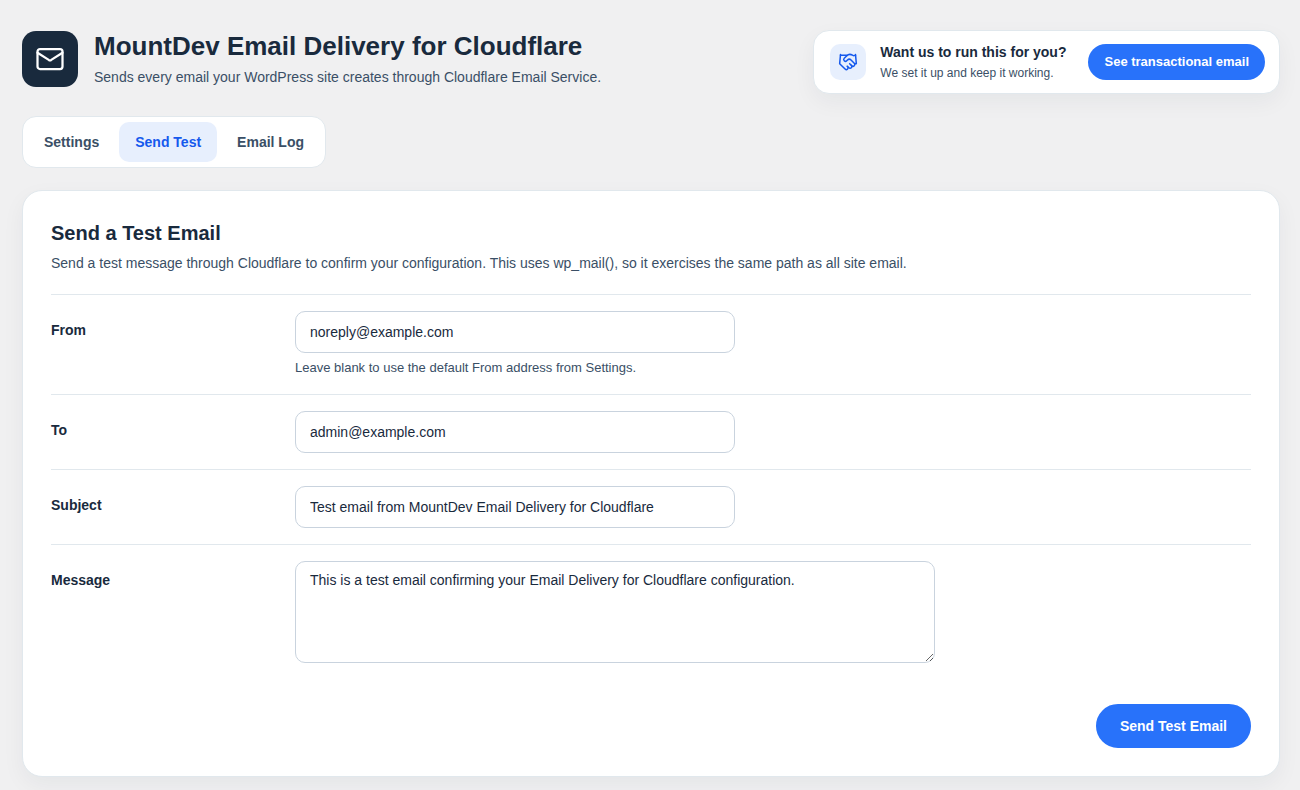
- Test email. Send a test from the settings screen to confirm delivery before you rely on it.
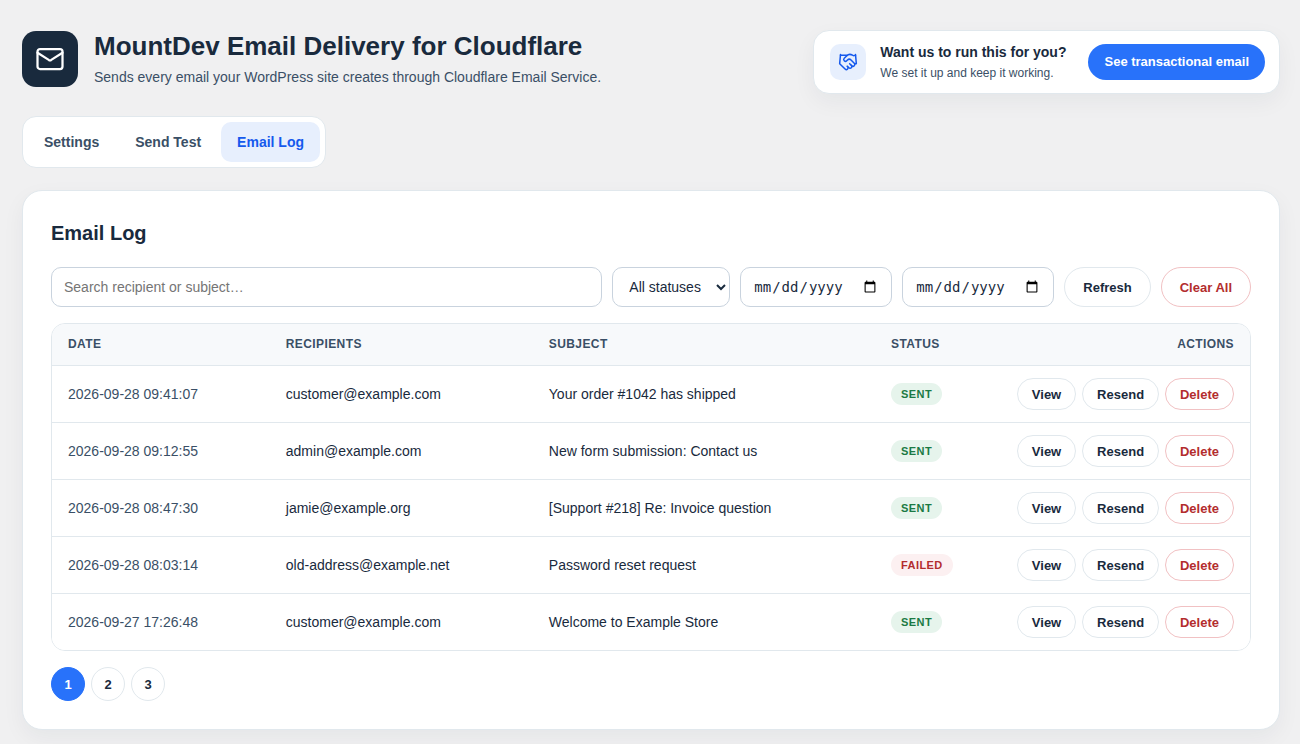
- Email log. Every message is recorded with its recipients, subject, body, headers, status and Cloudflare's response. Search by recipient or subject, filter by status or date, and view any message in full.
- Resend from the log. Send a logged email again in one click. Attachments are not stored, so they are not included in a resend.
- Log retention. Old entries are deleted automatically after 7, 14, 30, 60, 90, 180 or 365 days, or kept forever. The default is 30 days.
- Encrypted API token. Your Cloudflare token is encrypted with AES-256 before it is saved. This uses PHP's OpenSSL extension, which most hosts include.
- Safe fallback. While the plugin is switched off or not yet set up, WordPress sends email the way it normally does.
- A Cloudflare account with your domain on Cloudflare DNS.
- A sender domain set up for Email Sending in Cloudflare.
- A Cloudflare API token with the Email Sending permission.
安装:
- In WordPress, go to Plugins, then Add New, and search for "MountDev Email Delivery for Cloudflare". Or upload the ZIP file.
- Activate the plugin.
- Go to Settings, then Email Delivery.
- Enter your Cloudflare Account ID, API token and default From address, then turn on sending.
- Use the Send Test tab to confirm delivery.
屏幕截图:
常见问题:
Is this an SMTP plugin?
It does the same job as an SMTP plugin: it takes over WordPress email and sends it through a proper mail service. The difference is that it uses Cloudflare's Email Sending API instead of SMTP, so there are no server, port or password settings.
Does it work with other plugins that send email?
Yes. It hooks the pre_wp_mail filter, so any email sent through the standard wp_mail() function goes through Cloudflare. That includes WooCommerce, form builders and help desk plugins.
A plugin sends email with the wrong sender name. How do I fix it?
Enter your Default From Name in the settings and leave "Always use this name, even when another plugin sets its own" checked. Every email will then use that name.
Where do I get a Cloudflare API token?
In the Cloudflare dashboard, create an API token with permission to use Email Sending for your account. Your Account ID is on the account overview page.
Is there a size limit?
Cloudflare accepts messages up to 5 MB in total, including attachments. Larger messages are not sent, and the log records why.
How long are logs kept?
30 days by default. You can choose 7, 14, 30, 60, 90, 180 or 365 days, or keep logs forever, on the Settings tab. There is also a button to run the cleanup straight away.
更新日志:
- Changed: New look for the settings page. The header, tabs, forms and Email Log share one layout, and the page uses the full width of the screen.
- Changed: The two sidebar boxes are replaced by a small card in the header and a band at the end of the page, both linking to Cascadia Web Services.
- Changed: Notices from other plugins are hidden on this plugin's settings page, so they no longer split the page header.
- Changed: Tabs show a hover state and tell screen readers which tab is selected.
- Fixed: Emails Cloudflare refused, because the address bounced before or is on your Cloudflare suppression list, were logged as sent. They are now logged as failed with the refused addresses, and WordPress is told the email was not sent. If only some recipients are refused, the email is logged as sent with a note naming them.
- Fixed: Addresses Cloudflare lists as suppressed are now treated as not sent, the same way.
- Changed: The Email Log shows Cloudflare's reply in plain words, such as which addresses were delivered, queued, bounced or suppressed, with the raw reply one click away.
- Changed: The advertising images beside the settings are gone. In their place are two plain WordPress boxes with text links, and the plugin is about 1 MB smaller.
- Added: HTML emails in the Email Log now show as they looked, with a switch to see the HTML source. The preview runs no scripts, and images from other sites load only when you click Load images.
- New setting: always use the Default From Name, even when another plugin (a help desk or form builder, for example) sends with its own sender name. On by default. The From email address is not changed.
- Initial release: Cloudflare Email Service delivery, test email, email log with resend, and log retention.