
Any Block Carousel Slider
| 开发者 | weblazer |
|---|---|
| 更新时间 | 2026年9月17日 18:50 |
| PHP版本: | 7.4 及以上 |
| WordPress版本: | 7.1 |
| 版权: | GPLv2 or later |
| 版权网址: | 版权信息 |
详情介绍:
安装:
- Go to "Plugins" → "Add New".
- Search for Any Block Carousel Slider.
- Click "Install Now" then "Activate".
- Download the plugin archive.
- Upload the folder to
/wp-content/plugins/. - Activate it from the "Plugins" menu.
- Open a page, post, or template in the Gutenberg editor.
- Select a supported block (Gallery, Group, or Query Loop/Post Template).
- Enable the Carousel button in the block settings.
- Adjust your columns, minimum width, or spacing.
- Publish or update: the carousel slider is operational.
屏幕截图:
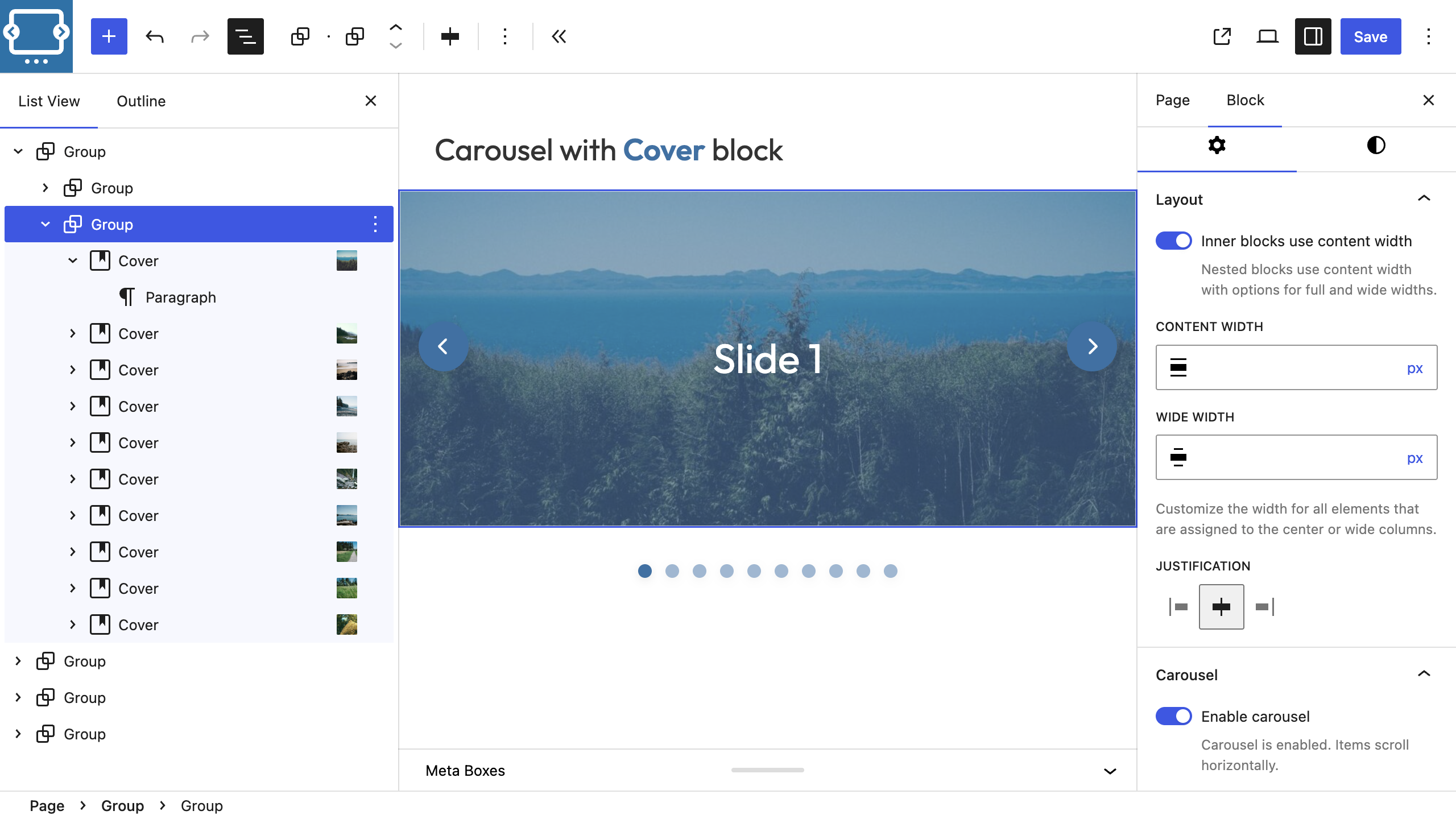
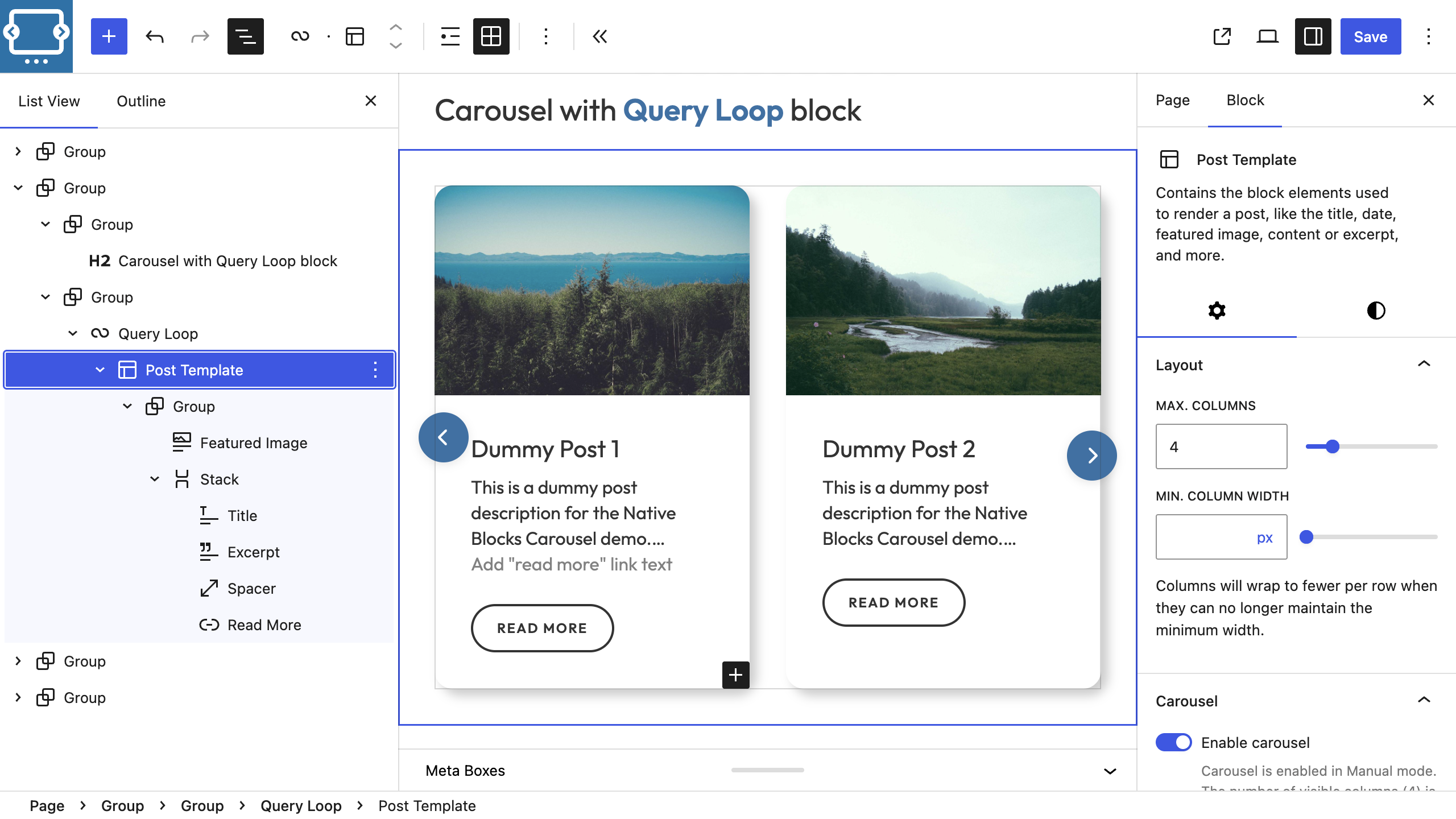
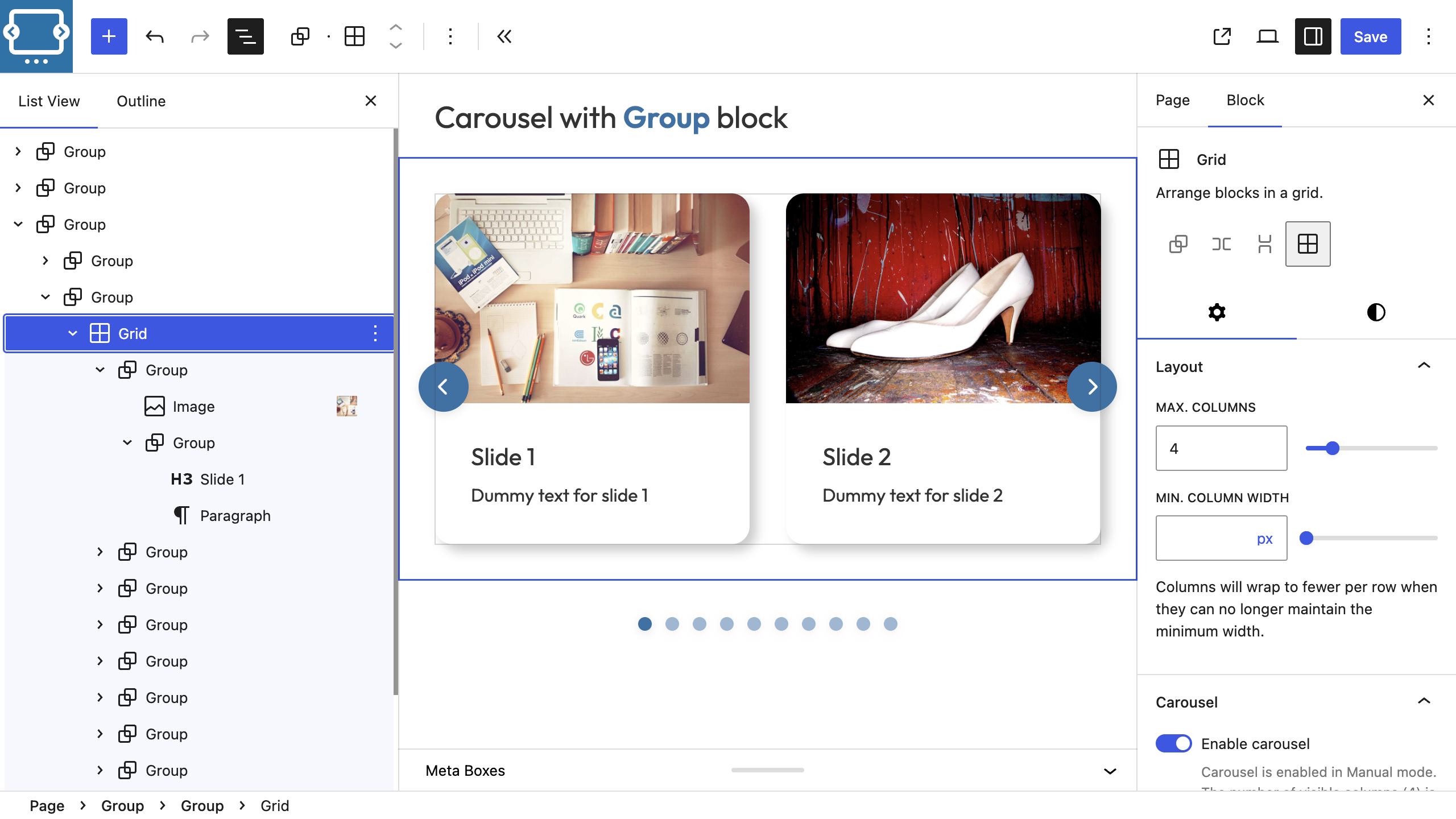

常见问题:
How does Any Block Carousel Slider differ from traditional carousel blocks?
Unlike traditional carousels that force you to insert a dedicated "Carousel" block and rebuild each slide by hand, Any Block Carousel Slider turns the Gutenberg blocks you already have (Query Loop/Post Template, Group, Gallery) into a slider via a simple toggle. With a Query Loop for instance, legacy solutions usually require limiting the loop to one post per slide and duplicating layouts. Here, one block is enough: single action, zero duplication, maximum performance.
Is it compatible with all themes (block themes, FSE)?
Yes. The Gutenberg carousel slider block plugin reads style variables generated by your theme (classic or full site editing) and applies the carousel slider without breaking the initial grid.
Does it require JavaScript on the frontend?
No heavy JavaScript libraries (like Swiper.js or Slick). The plugin uses native CSS scroll-snap for smooth layout and scrolling, accompanied by an extremely lightweight frontend script (~40KB raw source, <15KB minified/gzipped) to manage navigation arrows, pagination dots, autoplay, and loop behaviors.
How do I transform a Query Loop into a carousel?
Enable the Query Loop Gutenberg block (or Post Template), configure your filters and rendering, then check Carousel. For Post Template blocks, switch the layout to Grid so you can control the number of cards displayed per viewport. Posts are automatically aligned on a scrollable line with snap and CSS arrows. This is the main advantage over traditional carousel slider plugins that don't support Query Loops natively.
Can I mix images, titles, buttons, and forms in the same carousel?
Yes. The plugin respects existing inner Gutenberg blocks. A Group block containing image, text, buttons, or forms is transformed as-is in carousel mode.
How do I control the number of visible columns?
Switch the block layout to Grid in the Gutenberg sidebar (Layout panel) and set the desired column count for each breakpoint. The carousel inherits the same grid settings, so adjusting the Grid controls is the recommended way to decide how many slides remain visible.
WooCommerce compatible?
Yes, when your products are rendered via the Query Loop/Post Template block (for example by querying the product post type or a WooCommerce pattern). A dedicated integration for the legacy Products block remains on the roadmap, but today you can already build product sliders by using the Query Loop to target WooCommerce content.
Is there an autoplay mode, infinite loop, or custom arrows?
Yes! The plugin includes built-in infinite looping (Loop mode) and automatic slide progression (Autoplay with configurable delay) controllable directly from the Gutenberg block settings. You can also customize, show, or hide navigation arrows and pagination markers independently.
Can I have multiple carousels on the same page?
Yes, without limit. Each Gutenberg block manages its own CSS variables for the carousel slider.
How do I adjust buttons or position markers?
In your theme or via a CSS snippets plugin, override the variables:
css
.wp-block-group.is-carousel {
--carousel-button-bg: var(--wp--preset--color--primary);
--carousel-marker-size: 0.8rem;
}
If the navigation buttons look offset or partially hidden, wrap the carousel-enabled block inside a parent Group (or another container block) so the wrapper can provide the proper padding and overflow context for the controls.
Is it compatible with all browsers?
Yes! Navigation buttons, pagination dots, and scroll behavior all use standard HTML and CSS supported by every modern browser (Chrome, Firefox, Safari, Edge). The plugin uses native scroll-snap for smooth scrolling and lightweight JavaScript for interactive navigation controls.
更新日志:
- ✨ Feature: Added non-intrusive admin review prompt requesting user feedback and 5-star ratings on WordPress.org after 14 days of use.
- 🐛 Fix: Resolved Gallery block width calculation issues when row and column gaps differ (--carousel-gap-x).
- 📱 Responsive: Enhanced mobile layout for Gallery blocks (defaults to 2 columns per view with gap calculations below 600px).
- 🌐 I18n: Added complete French (fr_FR) translation support for admin notices, block settings, and WordPress.org strings.
- 📝 ASO: Updated plugin title, tags, and short description for better WordPress.org search discoverability.
- 🔧 Maintenance: Updated WordPress compatibility up to 7.1.
- 🚀 Refactoring: Modernized codebases to clean ES6 Javascript and consolidated redundant utility logic in carousel-shared.js.
- ♿ Accessibility: Implemented full ARIA roles, tabindex, dynamic states, and support for keyboard Arrow navigation with infinite loop controls.
- 🎨 Gutenberg Customization: Added native PanelColorSettings for buttons background and SVG color, RangeControl for arrow horizontal offset, and alignment/style settings for pagination indicators (Dots vs Lines).
- ⚡ Performance: Replaced ratio-based IntersectionObserver highlighting logic with distance calculations for pixel-perfect active marker highlights on multi-column viewports.
- 🧹 Simplification: Removed hardcoded Cover block padding exceptions in CSS and Javascript, allowing standard block properties and custom arrow offset controls to determine spacing.
- 🐛 PHP: Fixed an Array to string conversion warning when using split block spacing/gap settings on parent blocks (e.g., core/group, core/columns).
- 🔧 Maintenance: Bumped version to 2.0.4.
- 🎨 CSS: Added container padding reset for carousels containing Cover blocks (
.wp-block-cover) to allow images to stretch full-width. - ⚡ Editor: Implemented a robust padding resolver (
resolveEditorPadding) in the Gutenberg editor to retrieve original spacing settings from block attributes and inline element styles, preventing arrows from collapsing to the edge. - 🐛 JS: Fixed a scope reference bug where Gutenberg's change listener could not access the color synchronization routine, preventing
checkAndUpdateColorsReferenceErrors in the console. - 🔧 Maintenance: Bumped version to 2.0.3.
- 🎨 CSS: Adjusted responsive marker sizes and gaps in carousel.css.
- 🔧 Maintenance: Bumped version to 2.0.2.
- 📝 Documentation: Updated plugin headers, README, and readme.txt to align with v2.0.0 features.
- 🎮 Playground: Switched to database-driven homepage layout with templates/index.html to match the test site.
- 🔧 Maintenance: Shortened the readme.txt short description to comply with WordPress.org 150-character limit.
- 🛠️ Tooling: Added update-playground.sh utility for seamless synchronizations.
- 🌐 Major: Navigation buttons and pagination dots are now real HTML elements for full cross-browser compatibility.
- ✅ Works seamlessly on Chrome, Firefox, Safari, and all modern browsers.
- 🎯 Clickable pagination dots with active slide tracking via IntersectionObserver.
- ♿ Improved keyboard accessibility with focusable buttons and ARIA attributes.
- 🧹 Removed dependency on experimental CSS
::scroll-buttonand::scroll-markerpseudo-elements. - 🚀 Simplified loop logic with direct button click handling.
- ✅ Verified compatibility with WordPress 7.0 (Gutenberg Phase 3: Collaboration).
- 🚀 Maintenance release.
- 🎨 Removed redundant parent positioning CSS rule for better theme compatibility.
- 🧹 Removed default "Hello World" post from playground.
- 🎨 Fixed site icon (favicon) in playground demo.
- 🎮 Added official blueprint.json for 'Live Preview' button on WordPress.org.
- 🔗 Improved playground link formatting.
- 🎮 Added official WordPress Playground interactive demo.
- 🏷️ Maintenance and performance optimizations.
- ✨ Improved button color synchronization in the Site Editor (FSE).
- 🎨 Carousel buttons now directly follow global theme styles by reading WordPress CSS variables (
--wp--style--elements--button--color--*). - 🛡️ Enhanced editor reliability: dedicated hidden reference button prevents picking up custom block-level colors.
- 🛠️ Robust iframe detection in the Site Editor for perfect WYSIWYG experience.
- ♻️ Align plugin text domain with official WordPress.org slug.
- 🧼 Renamed local plugin/SVN directories to remove text-domain lint warnings.
- 🏷️ Published the 1.0.3.4 release tag on WordPress.org.
- 🔗 Simplified WordPress Playground link in "Try it now" section.
- 📝 Updated readme.txt to refresh WordPress.org cache.
- 🛡️ Security: Added direct access protection to all PHP files.
- 📝 Documentation: Corrected WordPress version compatibility format.
- 🏷️ Maintenance release.
- 🛠️ Compatibility with WordPress 6.9.
- 🏷️ Maintenance release.
- 🐛 Fixed CSS: commented out scroll-snap-stop to prevent blocking behavior.
- 🐛 Fixed CSS: changed scroll-snap-align from center to start for better alignment.
- ✨ Added Loop functionality: infinite carousel scrolling with seamless reset to start/end.
- ✨ Added Autoplay functionality: automatic slide progression with configurable delay.
- 🎯 Loop keeps navigation buttons visible even at carousel boundaries.
- ⏱️ Autoplay respects configured delay before resetting when loop is enabled.
- 🎨 Improved scroll detection to ignore scroll-snap micro-adjustments.
- 🐛 Fixed premature reset triggers when scrolling towards carousel end.
- 🛠️ Enhanced boundary detection for better loop and autoplay behavior.
- 🎮 Added WordPress Playground demo with pre-configured carousel examples.
- 🔗 Updated "Try it now" section with interactive demo link.
- 📝 Updated readme.txt to refresh WordPress.org cache.
- 🔄 Plugin rebranded from "Native Blocks Carousel" to "Any Block Carousel Slider".
- 🐛 Fixed dynamic arrow style updates in the Gutenberg editor (now works correctly in iframe contexts).
- 🎨 Improved block detection across editor iframes for better arrow icon synchronization.
- 🛠️ Enhanced multi-context carousel updates for Site Editor and Block Editor compatibility.
- ✨ Added dedicated toggles in the inspector to show or hide arrows and pagination markers independently.
- 🎯 Introduced
carouselShowArrowsandcarouselShowMarkersblock attributes for fine-grained carousel controls. - 🎨 Synced editor and frontend behaviors for the
abcs-hide-arrowsandabcs-hide-markersclasses. - 🛠️ Bumped plugin version and refreshed asset headers.
- ✨ Added Auto mode (fixed width) for Post Template and Group blocks.
- ✨ Smart mode selection based on Gutenberg settings.
- 🎨 Complete horizontal/vertical padding management via CSS variables.
- 🎨 Buttons and markers automatically adapt to custom spacing.
- 📱 Fixed width respected even on mobile thanks to
min()andclamp(). - 💬 Enhanced contextual messages in the editor to guide mode selection.
- 🚀 Optimized editor JavaScript service to limit memory footprint.
- 🐛 Fixed control positioning with asymmetric padding.
- 🛠️ Internal refactor: PSR-4 autoload, modular services, front/editor separation.
- 🎉 Initial version available on WordPress.org.
- ✅ Support for Gallery, Group, and Query Loop/Post Template blocks.
- 🎯 Automatic column and block spacing detection.
- 📱 WordPress standard breakpoints integrated (1280 → 375).
- 🎨 Responsive buttons and markers (3rem → 1.75rem, 0.66rem → 0.35rem).
- 🚀 No JavaScript dependencies on frontend (100% native CSS).
- ♿ Keyboard navigation, respects
prefers-reduced-motion. - 🔄 Multi-carousel compatibility on the same page.