نرخ زنده
| 开发者 | Nerkh.IO |
|---|---|
| 更新时间 | 2026年11月3日 22:07 |
| PHP版本: | 7.4 及以上 |
| WordPress版本: | 7.0 |
| 版权: | GPLv2 or later |
| 版权网址: | 版权信息 |
详情介绍:
Nerkh Live is a professional WordPress plugin that lets you display live prices of gold, currency, coins and cryptocurrencies on your website.
The plugin retrieves real-time financial data from an API web service and automatically displays the rates on your site using a fully customizable sticky price bar.
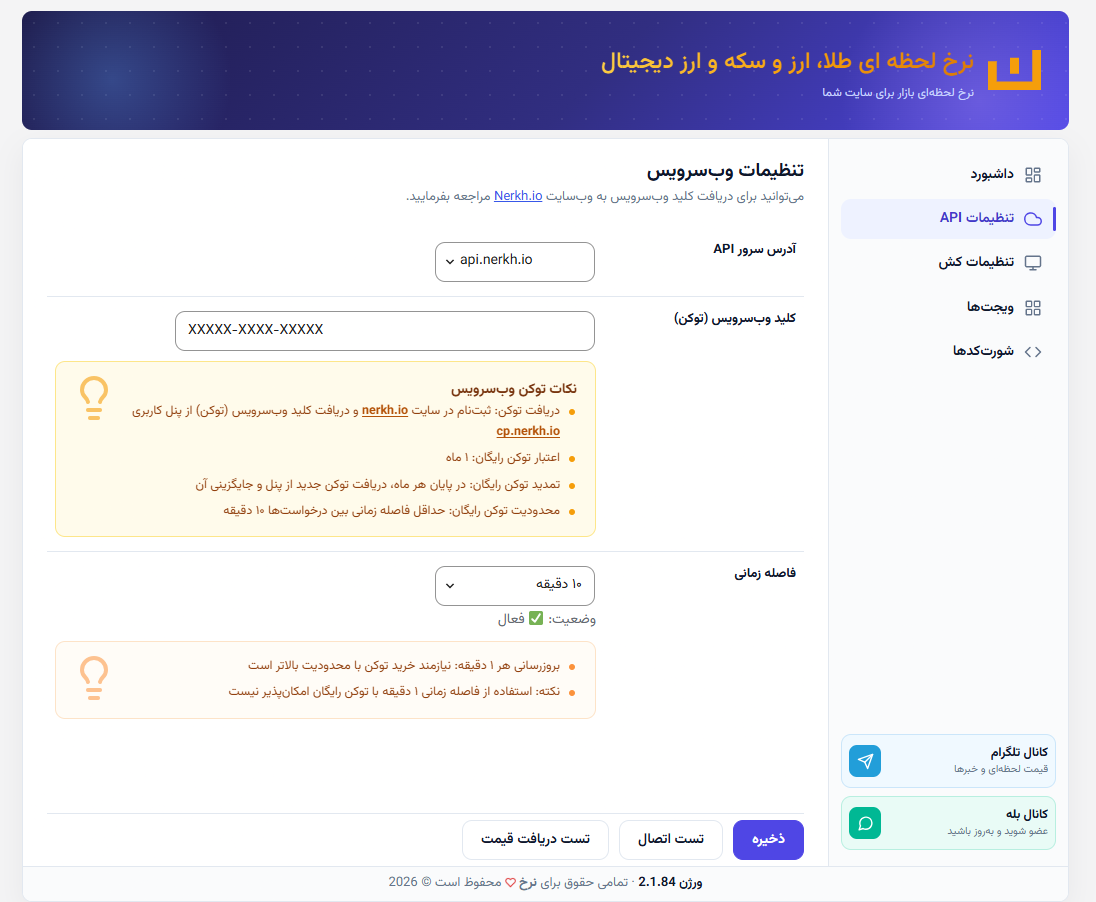
Users can easily connect the plugin to the API by entering their API key obtained from the main website.
The plugin is completely free and compatible with WordPress and WooCommerce.
安装:
- Upload the plugin files to the
/wp-content/plugins/folder. - Activate the plugin from the 'Plugins' menu in WordPress.
- Open the Nerkh Live settings page.
- Enter your API key.
- Save the settings.
- Configure the display style and update interval.
- Done! Live prices are now shown on your site.
屏幕截图:


常见问题:
Is the plugin free?
Yes. Nerkh Live is completely free for WordPress and WooCommerce users.
How do I connect the plugin to the API?
Get your API key from the main website and enter it in the plugin settings page.
Can I customize the design?
Yes. You can fully customize the colors, fonts, bar position and display style.
Can I choose which items to display?
Yes. You can select only the financial items you want to show on your site.
Does the plugin support automatic updates?
Yes. The plugin can update prices automatically every 10, 30 or 60 minutes.
更新日志:
2.1.84
- Removed the drop shadow under the frontend table widget
- Table shortcode and table AJAX now work only when the table widget is selected; bar and table are mutually exclusive
- Treat network errors and invalid/empty API responses as failures
- Show API error codes and hide prices in the table and rates widgets; keep AJAX shells for automatic recovery
- Suppressed third-party WordPress admin notices on the plugin screen so they cannot break the header
- Fresh installs now preselect six default items for both bar and table widgets
- Renamed the plugin to «نرخ زنده» on the Plugins screen
- Added activation + weekly heartbeat reporting to dl.nerkh.io
- Updated the free-token renewal text and lightened the interval warning box
- Added linked token/panel URLs and moved interval limits into an orange warning box
- Removed the inline test-results block (toast only) and updated the token help text
- Made AJAX price endpoints cache-safe (no-cache headers, no stale-nonce failures) and added auto-refresh to the rates widget
- Added success and failure notifications to the test-fetch button
- Removed the fetched item count from the API connection success notification
- Added a numbered step guide for saving the API key, testing the connection and fetching prices
- Swapped the table date/time order and matched the update button font to the table
- Fixed the table update time losing minutes and restyled the brand link with a navy outline heart
- Removed the stray horizontal scrollbar under the table
- Narrowed the price column and overall table by 10px
- Reduced the item column and the overall table width by 10px each
- Kept table column widths proportional so the change column stays visible on narrow screens
- Set exact table column widths (4px narrower per column)
- Slimmed the table overall, including the item and price columns
- Fine-tuned the table price column width
- Narrowed the table price column by another 10px
- Narrowed the table price column and overall table width by ~20px each
- Narrowed the table item column further and rebalanced the price column
- Narrowed the table item column by 10px
- Rebuilt the frontend price table layout: aligned columns, narrower change column and a consistent header highlight
- Widgets tab: plain active radio indicator, auto-opened settings and improved accordion styling
- Normalised legacy widget types such as "block" back to a supported widget
- Widgets tab: highlighted active widget, opened its settings automatically and refreshed the accordion UI
- Reduced the admin footer height
- Kept the active admin tab across page reloads via the URL
- Centred the admin page even when other admin-style plugins override .wrap margins
- Centred the admin settings page with equal left/right spacing
- Moved the bar brand badge markup and CSS into the encrypted API file
- Fine-tuned vertical centring of the NERKH.IO label in the brand badge
- Vertically centred the NERKH.IO label inside the brand badge
- Locked the bar height so the brand badge no longer moves between price and error states
- Increased the bar height by 5px
- Redesigned the bar error state to match the brand badge and show the API error code
- Locked the bar height so the ticker and error state never resize it
- Centralized brand, company and API configuration in
includes/nerkh-live-api.php - Removed duplicated brand/social strings and hard-coded API host fallbacks
- Fixed duplicate admin font stylesheet enqueue
- Added capability check to the widget color-reset AJAX handler
- Uninstall now clears cached prices before dropping the tables
- Fixed plugin automatic update issue
- Added per-item dedicated shortcodes (e.g.
[NERKH_GOLD18K],[NERKH_USD]) - Dedicated shortcodes display only the formatted number (without currency unit)
- Added shortcode help box in the admin settings page
- Added copy button with tooltip for shortcodes
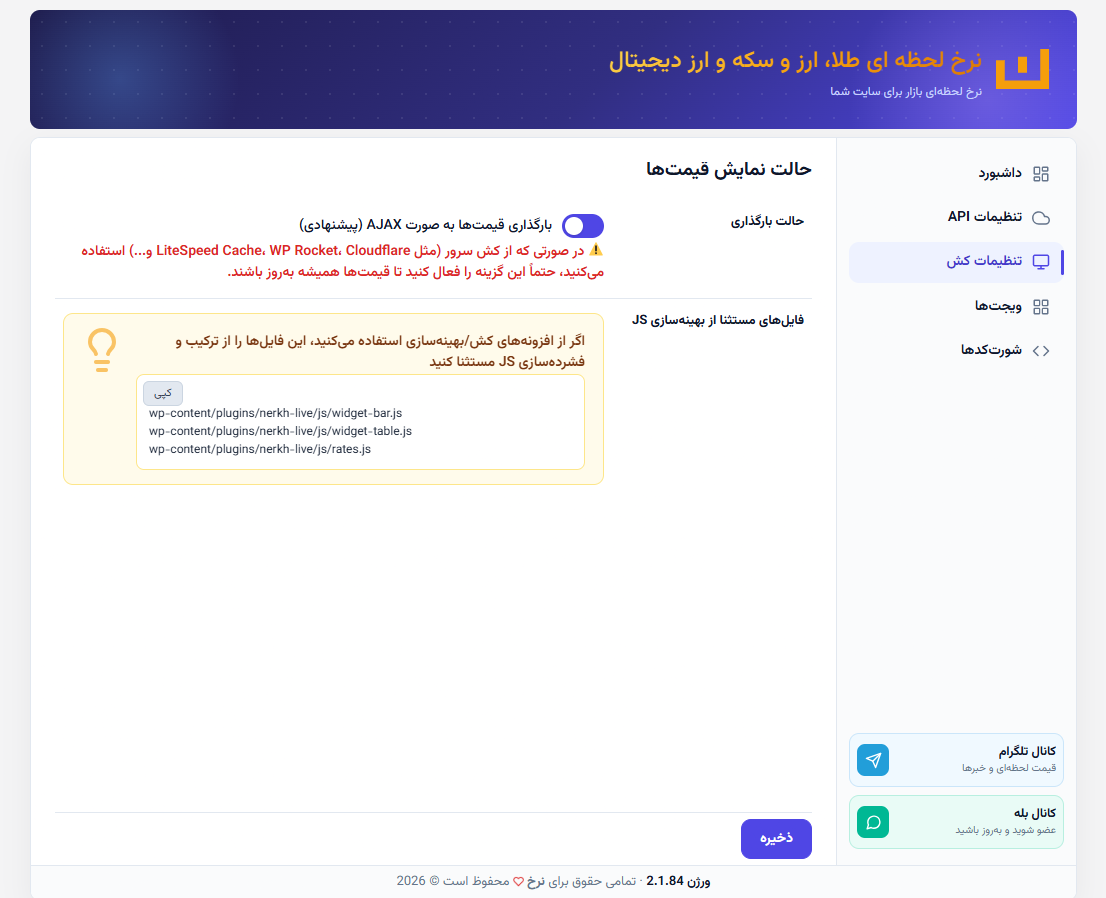
- Added cache-excluded files help box (for LiteSpeed, WP Rocket, Cloudflare)
- Added "Load prices via AJAX" option in settings (default: enabled)
- Fixed raw item keys showing instead of Persian labels in the main shortcode
- Fixed price freeze issue with server cache (LiteSpeed Cache, WP Rocket, Cloudflare)
- Added AJAX display mode for price shortcodes - prices are read from the database via Ajax, fixing server cache issues (LiteSpeed Cache, WP Rocket, Cloudflare)
- Added "Load prices via AJAX" option in plugin settings (default: enabled)
- Added colored warning for users using server cache
- Added loading animation (loading pulse) while fetching prices
- Fixed raw item keys showing instead of Persian labels in shortcodes
- Completed Persian localization of the environment and admin panel
- Updated external service documentation - full API communication disclosure, terms of use and privacy policy links in readme
- Replaced inline debug script with proper wp_enqueue_script() and wp_localize_script()
- Fixed sticky bar price freeze caused by cache plugins (LS Cache, WP Rocket)
- Sticky bar now fetches prices via Ajax to bypass page cache
- Sticky bar prices auto-update based on the cron interval
- Bar element appended to document.body instead of document.documentElement
- Security hardening - all outputs properly escaped
- Fixed database query warnings
- Improved PHPCS compatibility
- Code quality improvements
- Fixed plugin structure
- Added automatic update interval
- Added API connection test
- Added customizable sticky bar
- Improved WooCommerce compatibility
- Performance improvements
- UI and settings improvements