
Optiontics – Product Options & Variation Swatches for WooCommerce
| 开发者 | arraytics |
|---|---|
| 更新时间 | 2026年11月25日 01:01 |
| PHP版本: | 7.4 及以上 |
| WordPress版本: | 7.1 |
| 版权: | GPLv2 or later |
| 版权网址: | 版权信息 |
详情介绍:
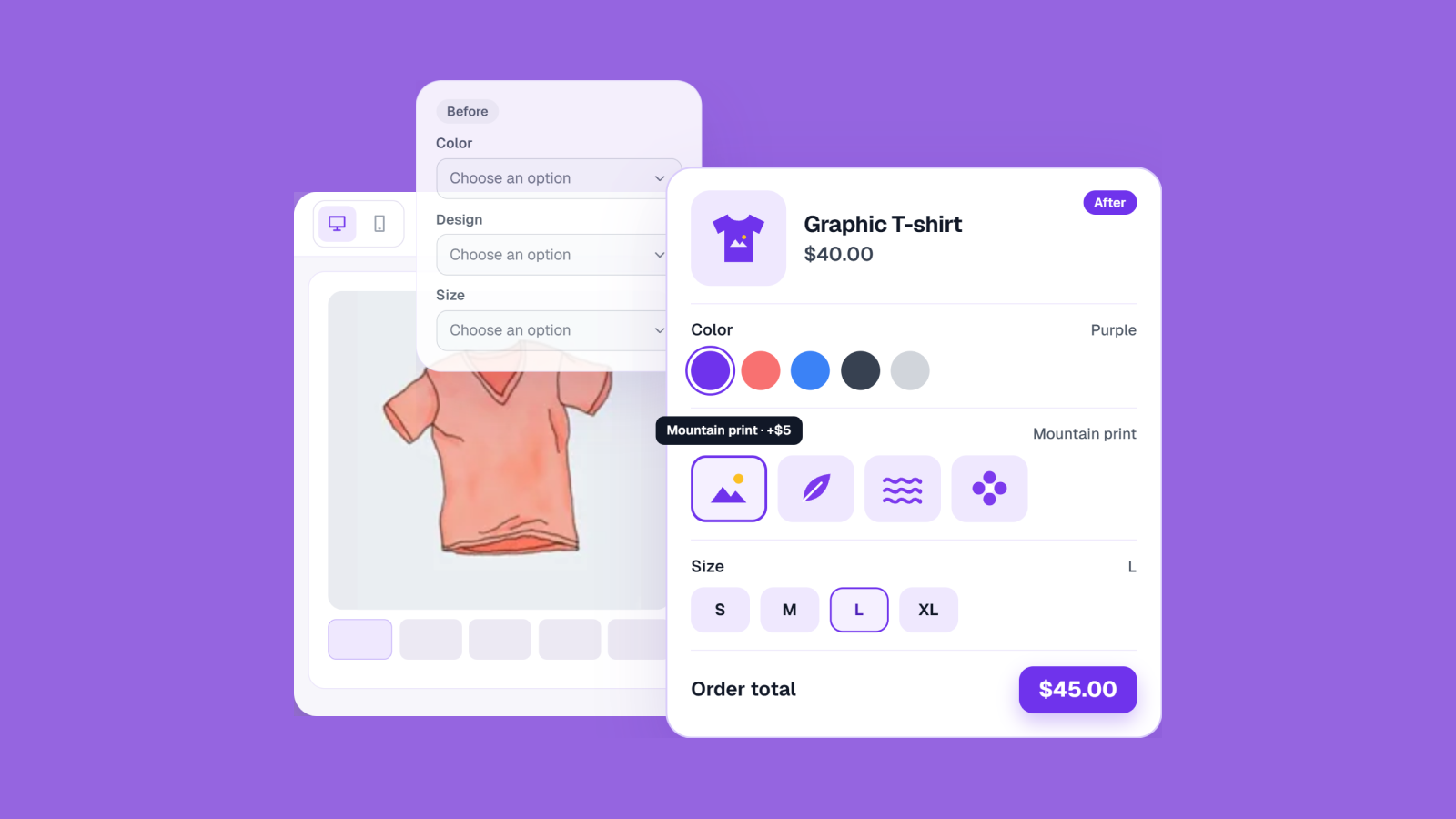
- Replace standard variation dropdowns with clear color, label, or image choices, so shoppers can see and select available product variations.
- Help customers choose combinations such as color, size, or material on the product page.
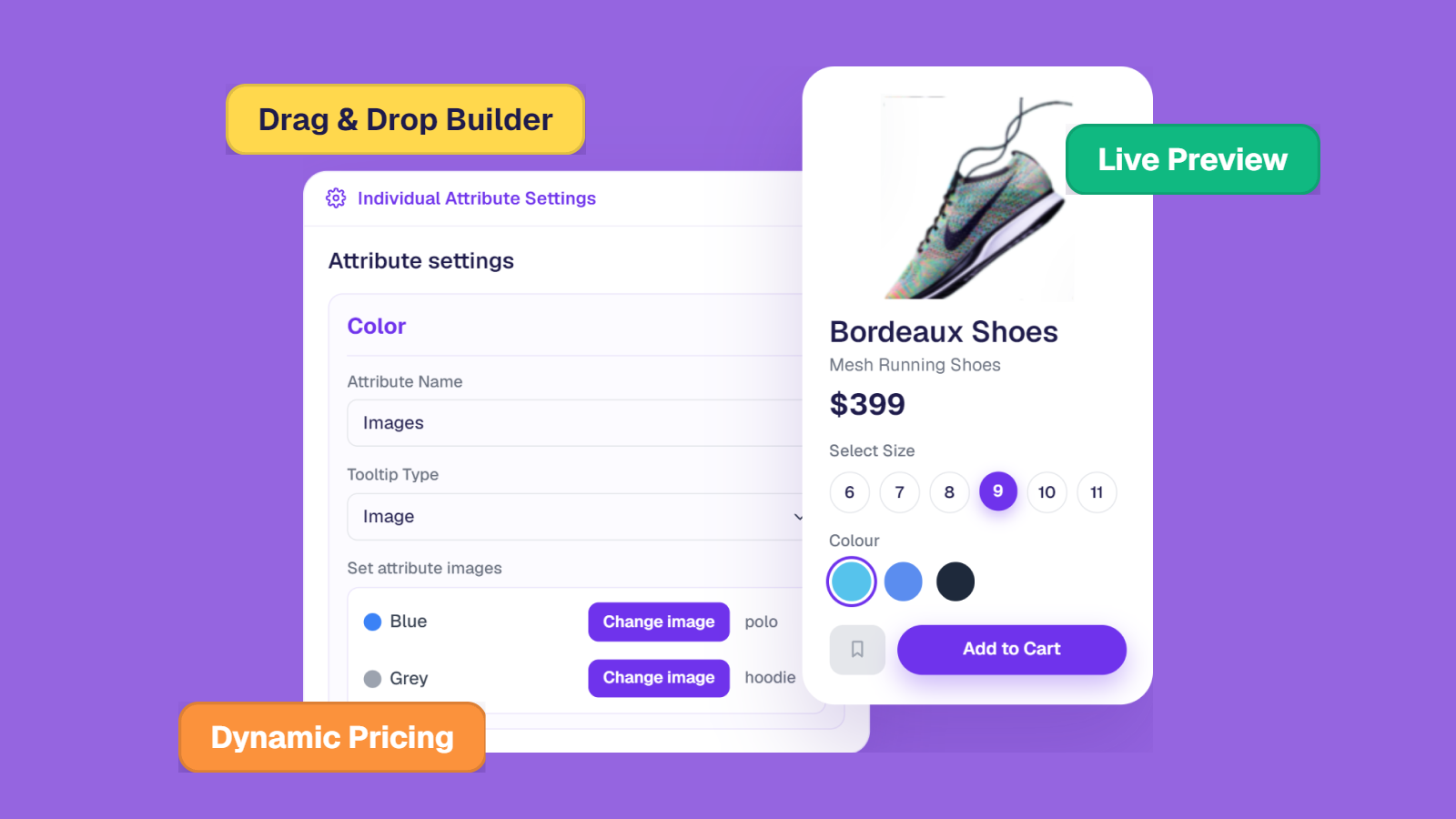
- Link color swatches to WooCommerce attributes. Swatches can use term colors saved by Variation Swatches for WooCommerce and CartFlows.
- Keep variation selection and paid product add-ons together in one product customization experience.
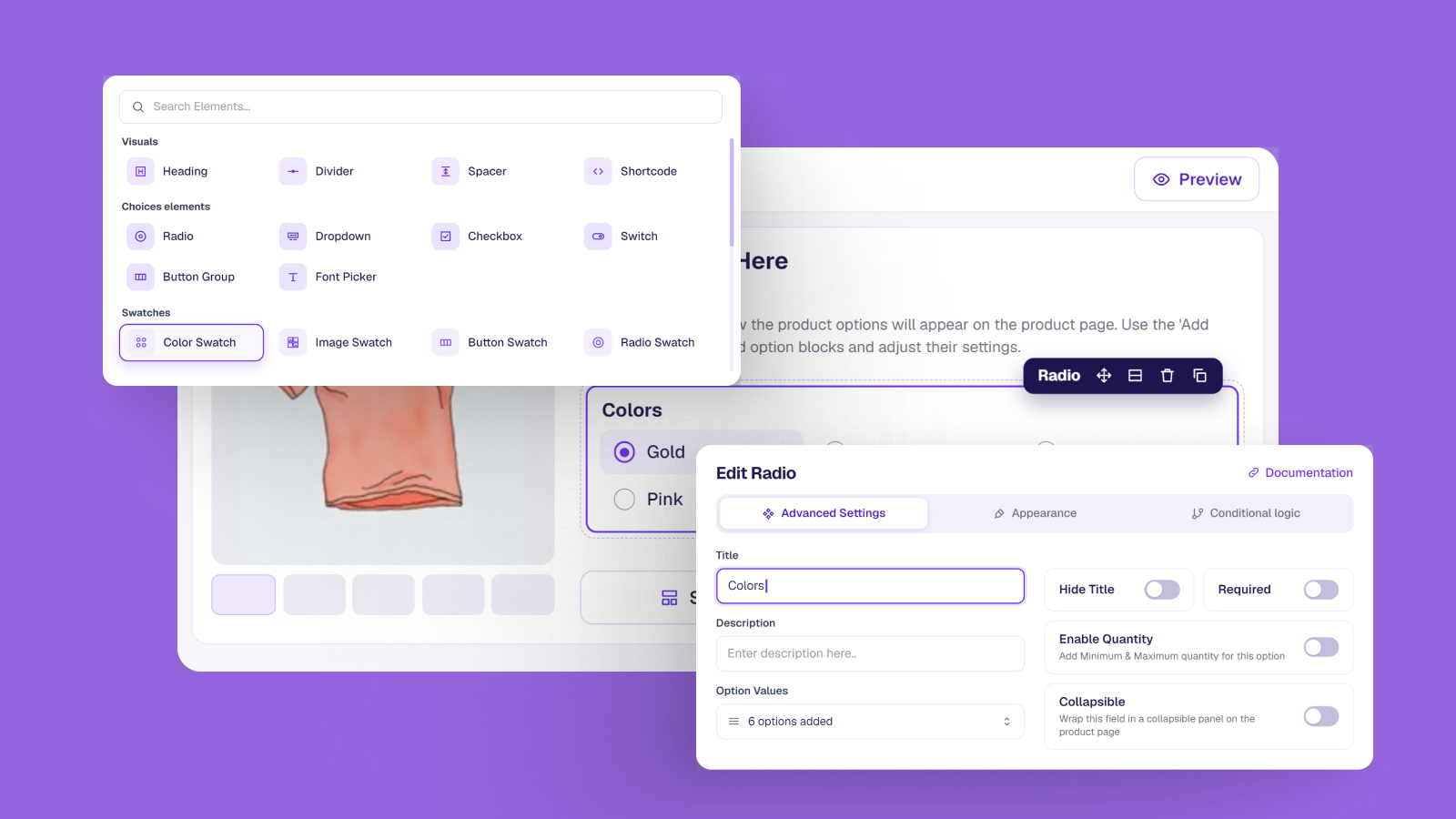
- Create product option forms with the visual drag-and-drop builder.
- Add text, number, select, checkbox, radio, color swatch, date and time, font picker, and other field types.
- Reuse option sets across products, or target products, categories, tags, or brands.
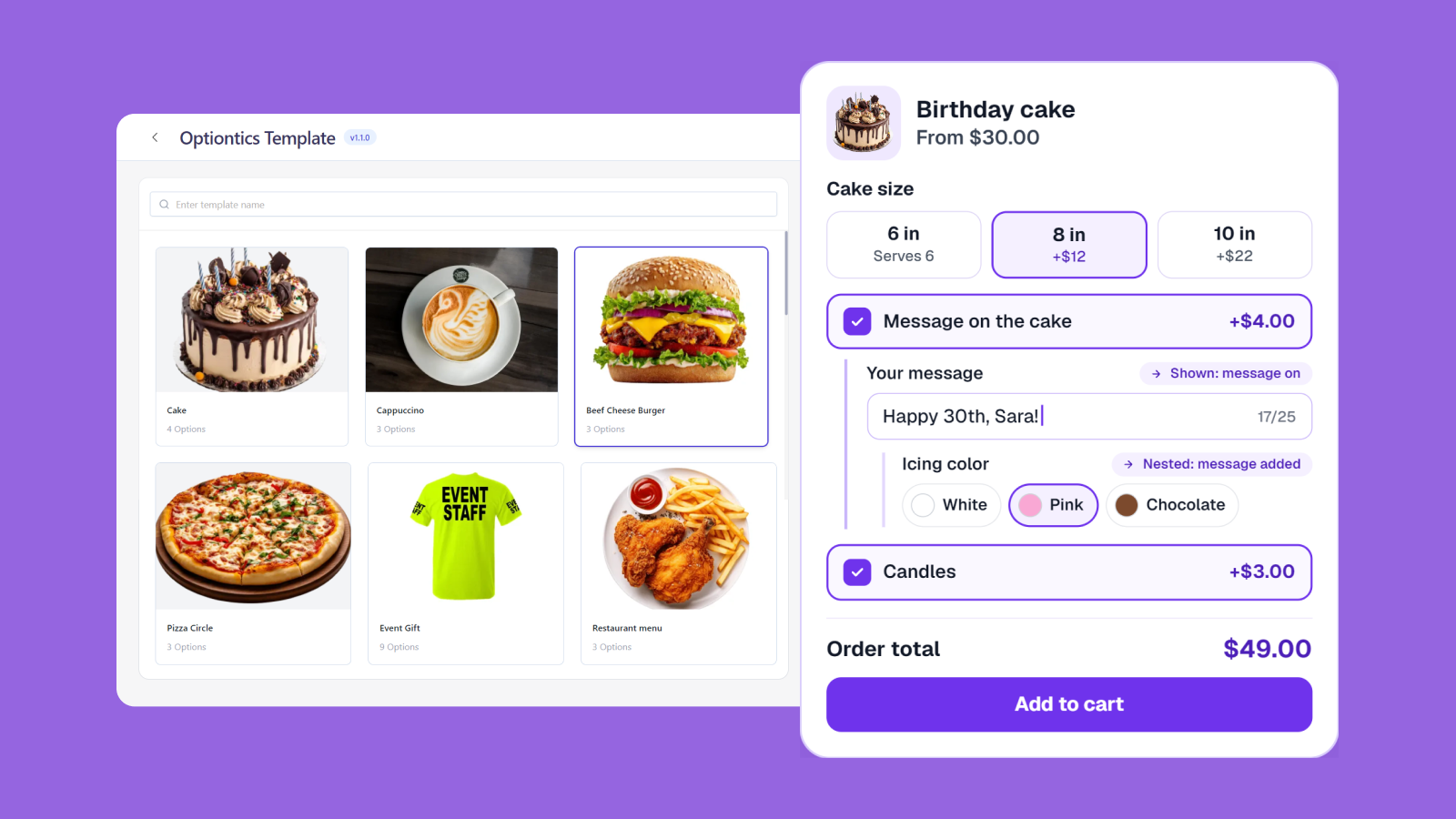
- Set fixed or percentage-based prices for choices.
- Charge by character, word, line, unit, or volume (tiered pricing).
- Update the product price as customers make selections. The WooCommerce variation price appears alongside option totals.
- Show or hide fields based on other selections, the selected variation, attributes, quantity, or price.
- Hidden fields are not charged.
- Carry selected variations and add-on details into the WooCommerce cart and order.
- Display add-on selections in order emails, the admin order view, and the customer's account.
- Validate required fields, character limits, and number ranges.
- Review option set views, clicks, add-to-carts, sales, and option revenue under Optiontics → Analytics.
- Analytics are stored on your site. No cookies, visitor IDs, or customer profiles are used. Storefront tracking can be turned off in settings.
- Describe the options you need and let “Create with AI” draft an option set in the builder.
- Choose the WordPress AI Client (WordPress 7.0 and later) or an Aisentic API key. A prompt is sent only when you click Generate. See External Services for details.
- Start with a ready-made option set template from Optiontics → Templates.
- Upload font files or import selected Google Fonts weights after allowing access. Font files are served from your own site.
- When Dokan is active, vendors can create option sets for their own products. Vendor option sets and analytics stay scoped to those products.
安装:
- Upload the plugin files to
/wp-content/plugins/optiontics/, or install the plugin through the WordPress plugin installer. - Activate the plugin through the “Plugins” menu in WordPress.
屏幕截图:
常见问题:
What does Optiontics do?
Optiontics lets you show WooCommerce product variations with visual swatches and add customizable product options such as text, dropdowns, checkboxes, and paid add-ons. Customers make their choices on the product page, and the selections are carried into the cart and order.
How are variation swatches different from product add-ons?
Variation swatches let shoppers select an existing WooCommerce variation, such as a product's color or size. Product add-ons let you collect extra choices—such as engraving text, gift wrapping, or toppings—and can add to the price. Optiontics brings both into one product customization flow.
Does Optiontics work with WooCommerce variable products?
Yes. Option sets can work alongside WooCommerce variations, and conditional logic can show or hide fields based on a selected variation or attribute. Swatch option sets can be assigned to WooCommerce products.
Can I use colors saved by Variation Swatches for WooCommerce?
Yes. Linked color swatches can use colors saved for product attribute terms by Variation Swatches for WooCommerce and CartFlows.
Can add-on options change the product price?
Yes. You can set fixed, percentage-based, per-character, per-word, per-line, per-unit, or tiered prices. The product and add-on totals update as the shopper makes selections.
Do I need Elementor or another page builder?
No. Optiontics adds product customization to WooCommerce product pages; it is not a store page builder and does not require Elementor.
Does Optiontics require WooCommerce?
Yes. WooCommerce must be installed and active for Optiontics to work.
My store is behind Cloudflare or another proxy. Does analytics still work?
Yes. Analytics limits how many events one address can send, and behind a proxy every shopper can appear to come from the proxy's address. Tell Optiontics which header holds the real visitor address with the optiontics_analytics_client_ip filter, for example on Cloudflare:
add_filter( 'optiontics_analytics_client_ip', function ( $ip ) { return isset( $_SERVER['HTTP_CF_CONNECTING_IP'] ) ? sanitize_text_field( wp_unslash( $_SERVER['HTTP_CF_CONNECTING_IP'] ) ) : $ip; } );
Only use a header your proxy sets, since visitors can send any header themselves.
更新日志:
- New: Import Google Fonts into Custom Fonts, with the weights you choose. Nothing is fetched until you allow access, and the files are served from your own site.
- New: Custom Fonts now lives in Optiontics → Settings → Custom Fonts.
- New: Swatch tooltips that show the option name on hover and keyboard focus.
- New: Hide colour names on Color Swatch blocks (still read by screen readers).
- New: Warning when two swatches in one option set use the same attribute.
- New: Settings and Docs links on the Plugins screen.
- Improvement: Option sets that hold swatches can only target WooCommerce products; Eventin events have no variations.
- Improvement: Linked swatches use colours saved by Variation Swatches for WooCommerce and CartFlows, and hide their buttons on the same attribute.
- Improvement: The WooCommerce variation price now sits next to the option totals.
- Improvement: About Us lists Pointics in place of Poptics.
- Improvement: Extension hooks for add-ons in the builder, settings, cart and storefront.
- Fix: Searching products in the selection modal no longer drops unsaved blocks from the canvas.
- Fix: Saving an option set keeps blocks of an inactive add-on.
- Fix: Vendor option sets stay on the vendor's own products.
- Fix: Install and activate WooCommerce in place from the notice.
- Security: Hardened REST input, settings and vendor access, and escaped output where it is printed.
- Change: Controls that only worked with Optiontics Pro (option sale prices, option images, per-option quantity boxes, appearance colours and image swatch pictures) are no longer part of this plugin; Optiontics Pro provides them.
- Initial release on WordPress.org.
- Visual drag-and-drop option builder with text, textarea, number, email, phone, select, checkbox, radio, toggle, button group, color swatch, date and time, font picker, range slider, shortcode and layout blocks.
- Fixed, percentage, per-character, per-word, per-line, per-unit and volume pricing for options.
- Conditional logic to show or hide fields by other fields, variation, attribute, quantity or price.
- Assign option sets to products, categories, tags and brands, or from the WooCommerce product edit screen.
- Option set analytics: views, clicks, add to carts, sales and revenue.
- Build option sets with AI through the WordPress AI Client or an Aisentic free token.
- Custom fonts, appearance styling, dark mode and Dokan vendor support.