
PeproDev Receipt Uploader for WooCommerce
| 开发者 |
peprodev
amirhosseinhpv amirhpcom blackswanlab |
|---|---|
| 更新时间 | 2026年9月26日 15:40 |
| 捐献地址: | 去捐款 |
| PHP版本: | 7.4 及以上 |
| WordPress版本: | 7.1 |
| 版权: | GPLv2 or later |
| 版权网址: | 版权信息 |
详情介绍:
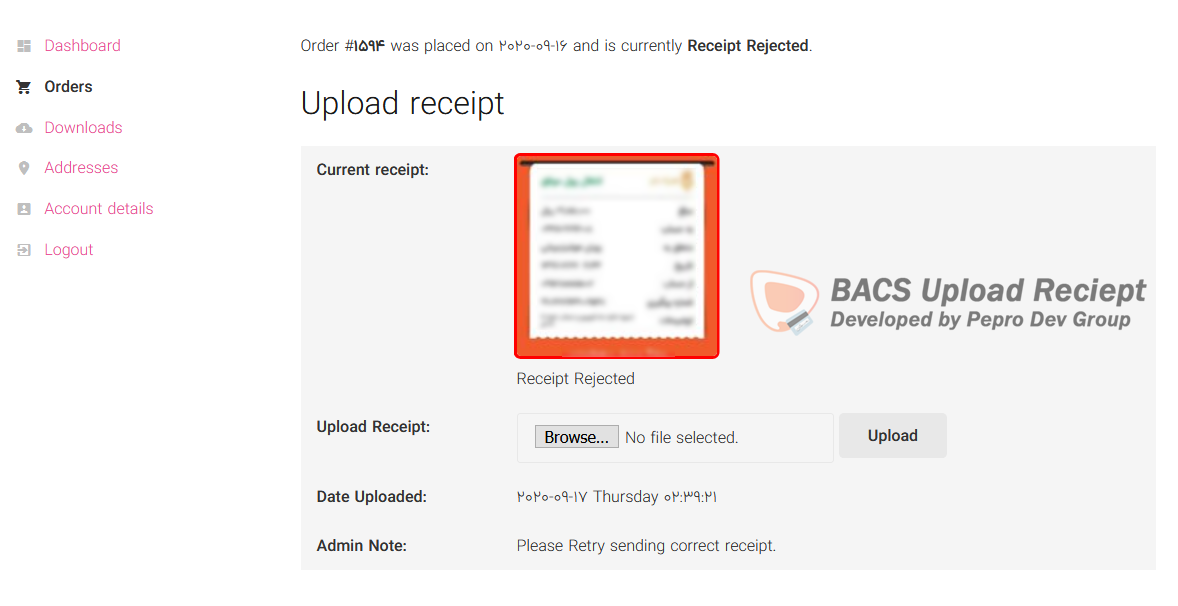
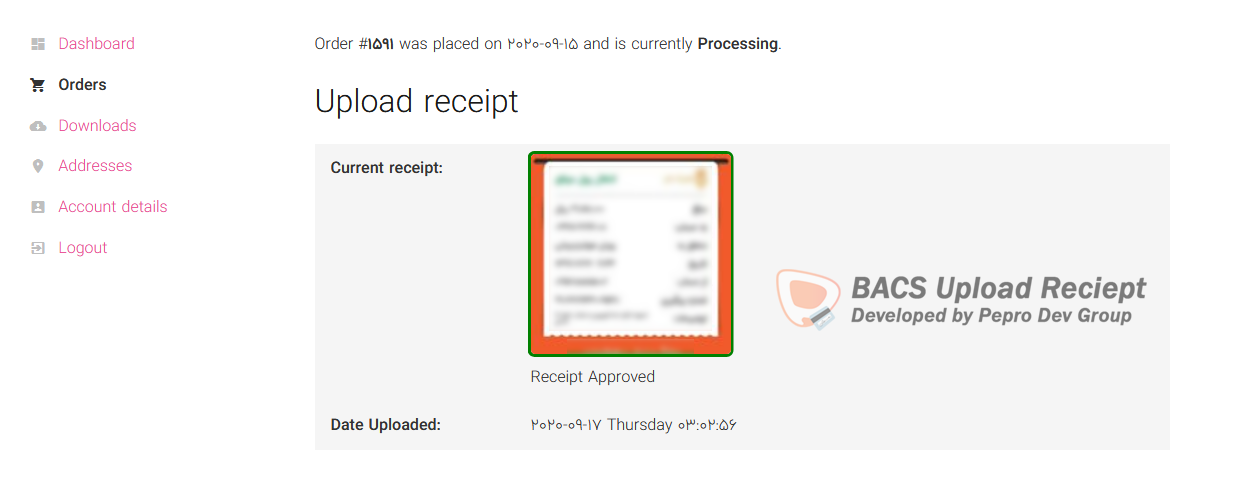
PeproDev Receipt Uploader for WooCommerce is made for stores that accept bank transfers, card-to-card, cash deposits or any offline payment. After checkout the customer uploads the payment receipt on the thank-you page or in My Account, and the shop manager approves or rejects it from the order screen.
Features
- Receipt upload for any payment method (BACS, cheque, cash on delivery or any custom gateway)
- Upload form on the thank-you page and on the My Account order details page
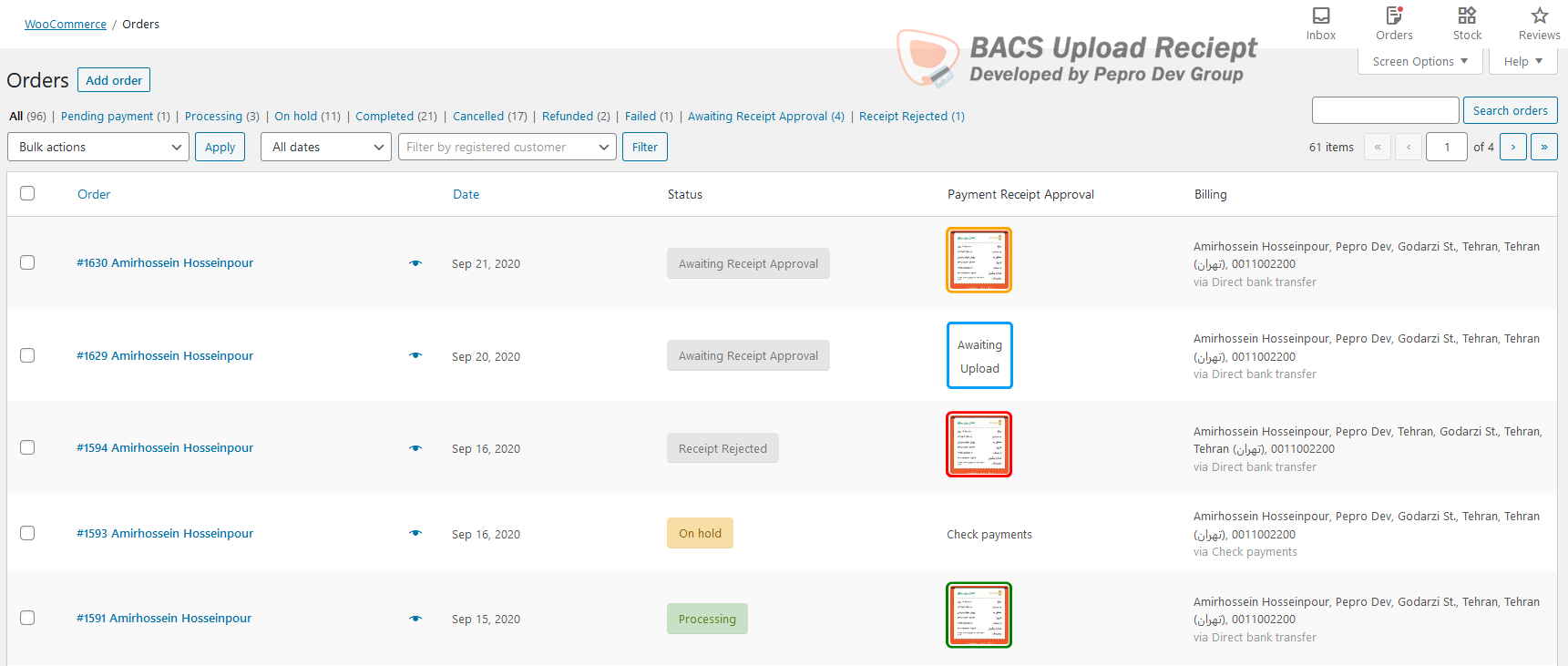
- Approve, reject or reset receipts from the order screen, with an admin note for the customer
- Automatic order status change on order placed, receipt uploaded, approved and rejected
- Three extra order statuses: Awaiting Receipt Upload, Awaiting Receipt Approval and Receipt Rejected
- Six WooCommerce emails (uploaded, approved and rejected, for customer and admin), fully customizable from WooCommerce > Settings > Emails
- Allowed file types (JPG, PNG, WEBP, GIF, BMP, AVIF, HEIC, PDF) and maximum file size
- Custom content before and after the upload form (HTML and shortcodes), custom form title and optional redirect after upload
- Receipt column in the orders list and a receipt filter in the media library
- Shortcodes:
[receipt-form]and[receipt-preview] - Compatible with High-Performance Order Storage (HPOS) and WooCommerce Subscriptions
- RTL ready, translation ready
- Receipts are stored in a protected folder (
wp-content/uploads/receipt_upload) with random file names - Receipts are only shown through signed links that are bound to the order they belong to
- Only the order owner (or a guest with the order key) and shop managers can upload or view a receipt
- Files are validated by their real content, not only by extension
- The Help & Tools tab checks whether your server blocks direct access to the receipt folder and gives you an Nginx rule if it does not
- Actions:
peprodev_uploadreceipt_customer_uploaded_receipt,peprodev_uploadreceipt_receipt_status_changed,peprodev_uploadreceipt_receipt_approved,peprodev_uploadreceipt_receipt_rejected,peprodev_uploadreceipt_receipt_awaiting_upload,peprodev_uploadreceipt_receipt_awaiting_approval,peprodev_uploadreceipt_order_placed,peprodev_uploadreceipt_save_receipt,peprodev_uploadreceipt_email_receipt_preview - Filters:
peprodev_uploadreceipt_folder_name,peprodev_uploadreceipt_allowed_file_mimes,peprodev_uploadreceipt_max_upload_size,peprodev_uploadreceipt_safe_mimes - jQuery events on
document:peprodev_receipt_uploader_ajax_prevented,peprodev_receipt_uploader_ajax_success,peprodev_receipt_uploader_ajax_failed,peprodev_receipt_uploader_ajax_completed
安装:
- Install the plugin from Plugins > Add New, or upload it to
/wp-content/plugins/. - Activate it. WooCommerce must be active.
- Go to WooCommerce > Settings > Receipt Upload and choose the payment methods that need a receipt.
- Customers upload their receipt after checkout, you approve or reject it from the order screen.
屏幕截图:
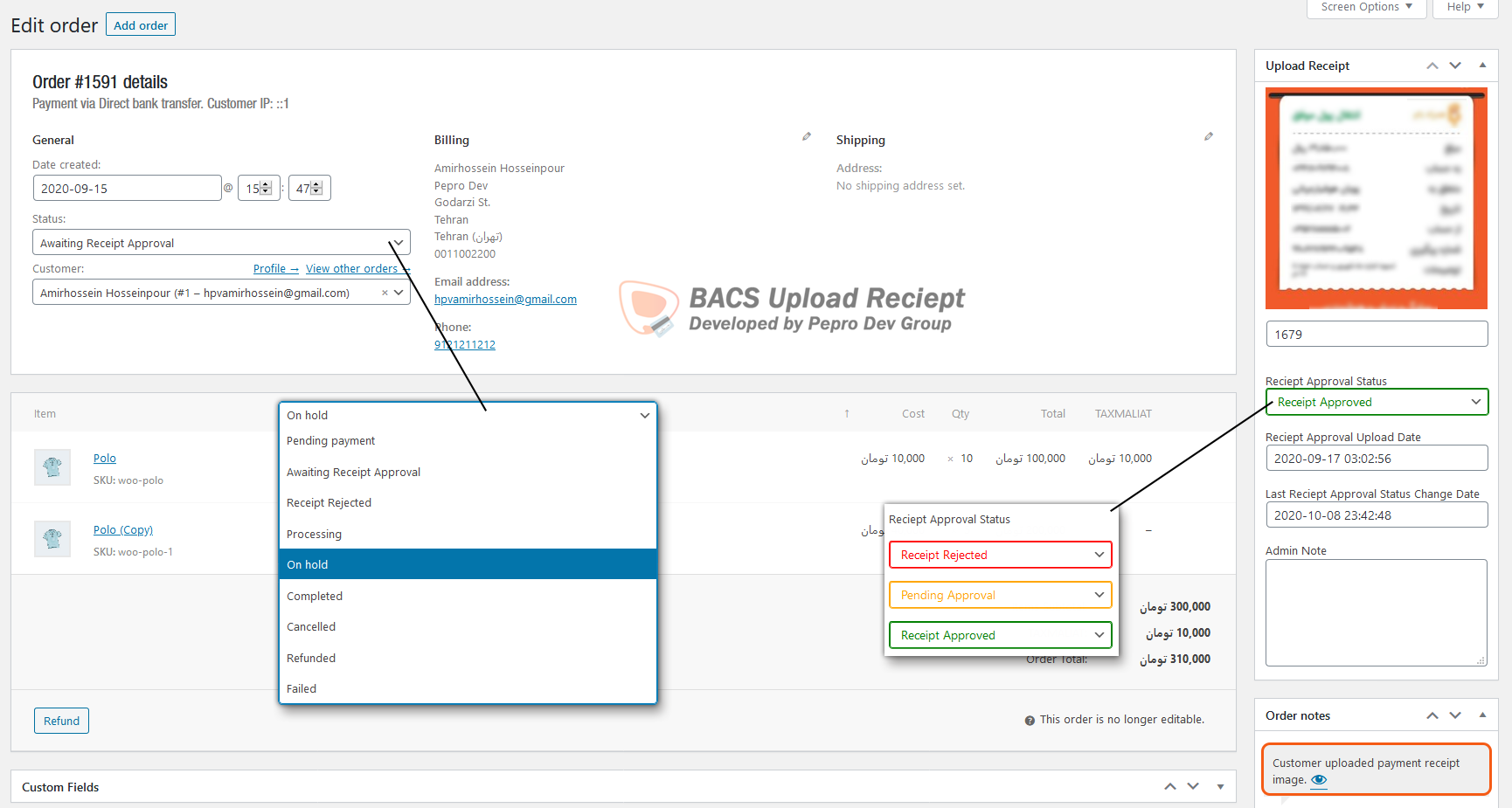
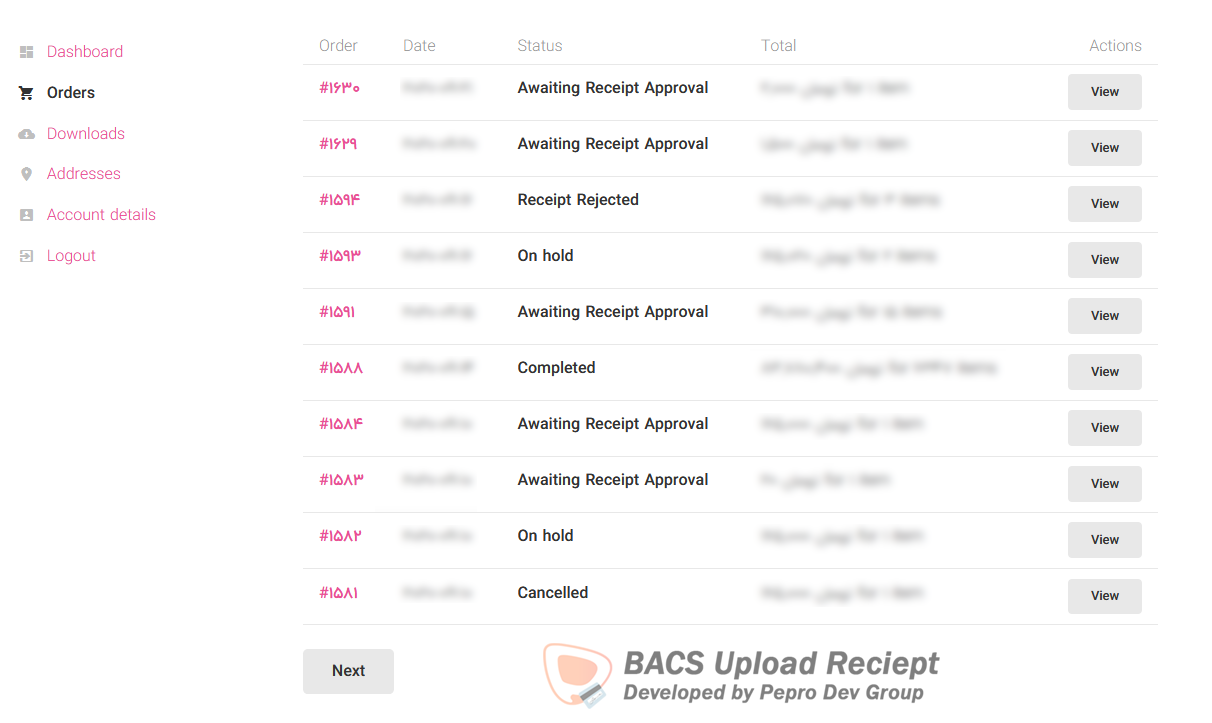
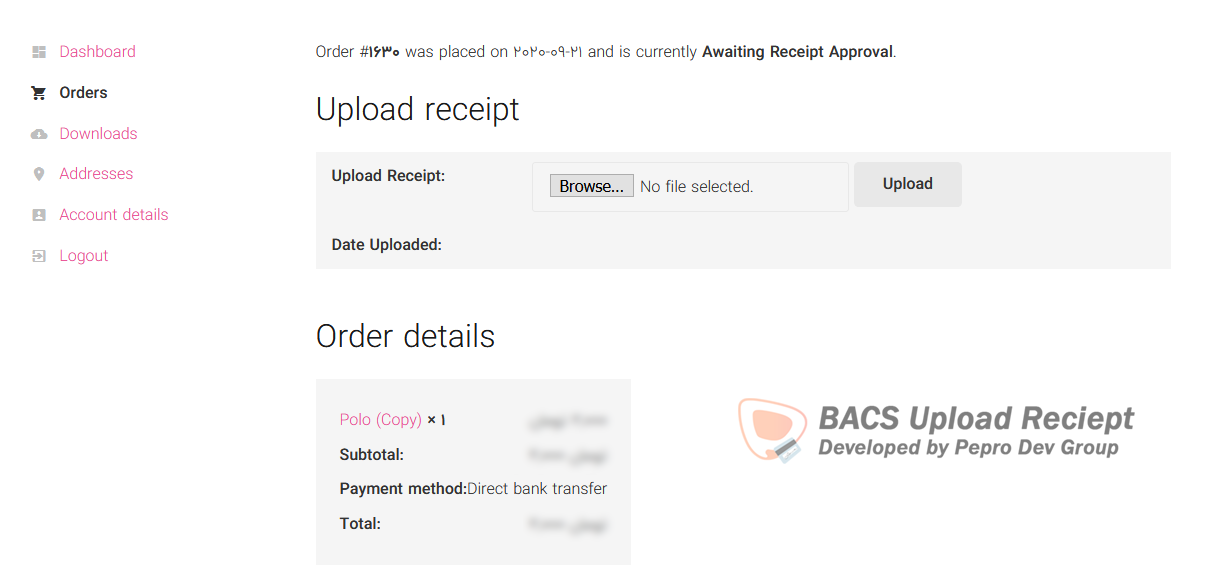
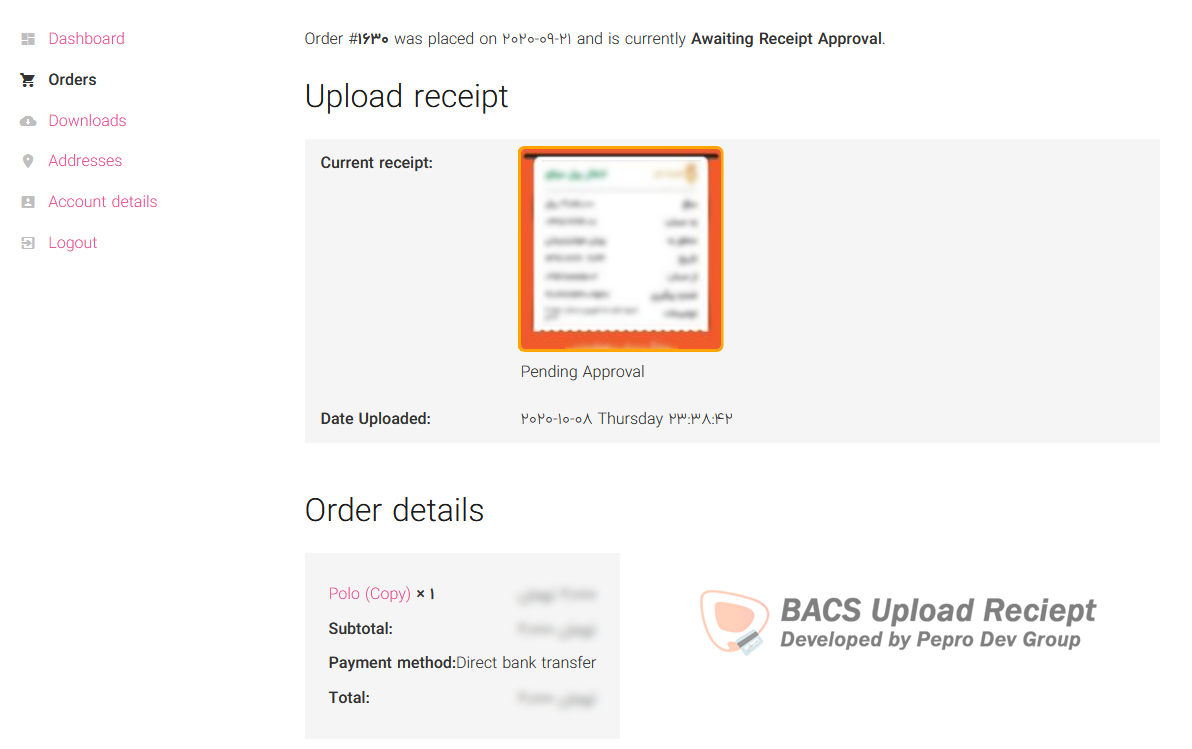
常见问题:
Where are the settings?
WooCommerce > Settings > Receipt Upload.
Can guests upload a receipt?
Yes. Guests can upload from the thank-you page, which is protected by the WooCommerce order key.
My site runs on Nginx, are receipts safe?
Receipts always use signed links, but Nginx ignores .htaccess. Open the Help & Tools tab to check the folder and copy the Nginx rule if needed.
How can I contribute to this plugin?
Send a pull request or open an issue on our GitHub repository.
How can I report security bugs?
You can report security bugs through the Patchstack Vulnerability Disclosure Program. The Patchstack team help validate, triage and handle any security vulnerabilities. Report a security vulnerability.
更新日志:
v2.15.0 (2026-09-26)
- Fixed: receipt status showed as Unknown Status on the first thank-you page view with block themes
- Security: fixed unauthenticated cross-order receipt tampering (IDOR) in the upload request, thanks to Lyris Vale for the responsible disclosure
- Security: fixed unauthenticated disclosure of other customers' receipt images (IDOR) in the receipt preview, thanks to Shivamani Vastrala for the responsible disclosure
- Tested up to WordPress 7.1, WooCommerce 11.1 and PHP 8.1 to 8.5
- Updated readme, FAQ and developer hooks list
- Developer name updated to AmirhpCom
- New: dedicated settings tab under WooCommerce > Settings > Receipt Upload with General, Order Status Automation, Upload Form and Help & Tools sections
- New: allowed file types picker (JPG, PNG, WEBP, GIF, BMP, AVIF, HEIC, PDF) instead of typing MIME types, old values are migrated
- New: receipt storage protection check with an Nginx rule suggestion when the folder is exposed
- New: custom upload form title
- New: server upload limit is shown next to the maximum file size
- Improved: clearer setting labels and descriptions, quick links to all receipt emails
- Old settings URL redirects to the new tab
- Plugin renamed to PeproDev Receipt Uploader for WooCommerce to follow WordPress.org trademark rules
- Text domain changed to pepro-bacs-receipt-upload-for-woocommerce so translations from translate.wordpress.org load automatically
- Resolved all Plugin Check (PCP) errors and warnings
- Requires WordPress 6.0+, PHP 7.4+ and WooCommerce 7.0+, declared WooCommerce as a required plugin
- Deprecated filters pepro_upload_receipt_folder_name, pepro_upload_receipt_allowed_file_mimes and pepro_upload_receipt_max_upload_size, use the peprodev_uploadreceipt_ prefixed versions
- Global plugin instance renamed to $GLOBALS['peprodev_uploadreceipt']
- Plugin no longer deactivates itself when WooCommerce is missing, it shows a notice instead
- Updated translation template and Persian translation
- Security: receipt form and preview shortcodes only render for the order owner, a guest with a valid order key, or shop managers
- Security: email receipt preview no longer relies on a shortcode that could be abused from post content
- Security: all output is escaped, all input is sanitized and unslashed
- Security: saving receipt data on the order screen now requires order management capability and validates the status value
- Security: media library receipt filter is limited to the admin media screen
- Security: custom order statuses are no longer registered as public
- Fixed: when order placed status was set to Disabled, the thank-you page changed order status to Pending payment
- Fixed: setting a receipt back to Awaiting Upload sent a wrong receipt uploaded email
- Fixed: undefined variables notice when saving admin note
- Fixed: uploaded date and admin note line breaks
- Improved: emails now share one base class, support {order_number} and {order_date} placeholders and admin emails are marked as sent to admin
- Improved: previously uploaded receipts list works with HPOS
- Improved: assets are versioned and loaded only where needed
- Security: receipt previews are now served by signed, unforgeable links that are checked against the order the receipt belongs to, reported by Shivamani Vastrala
- Security: receipt folder is now protected against direct access (deny rules and index file), created on upgrade and on every upload
- Security: new receipts get random file names and are stored as private attachments
- Security: receipt attachment URLs, image sources and attachment pages are hidden from users who cannot manage orders
- Removed: the old secure_preview link and the Use Secure Link option, receipts are always served securely now
- Fixed: .htaccess was not created on the first upload
- Security: receipt upload now verifies order ownership (customer account or order key) instead of trusting a public nonce, reported by Lyris Vale
- Security: upload nonce is now bound to the order
- Security: uploads are blocked for approved or pending receipts and for order statuses not allowed in settings
- Security: uploaded file type is validated by real content and extension against a safe list
- Fixed: wrong receipt status returned after upload
- Fixed: ensure receipt attachment meta is saved before email notification
- Added: Enhance UX by linking receipt preview image to full-size version
- Fixed: load_plugin_textdomain called too early in WordPress 6.7+
- This version was released with thanks to Alan Rodriguez (github@tatenalan)
- Fixed security Issue Addressed by Mika from Patchstack & vgo0 from Wordfence
- HPOS Full Compatibility
- Minor fix for new WooCommerce
- Fixed
Uncaught Error: Call to undefined method WP Post:get_id()
- Fix HPOS error of incompatibility
- Fix error on not getting Order ID
- Fix not showing uploaded receipt image
- Fix compatibility with High-Performance Order Storage
- Fix HPOS Orders screen column not showing
- Fix HPOS Order screen metabox not showing
- Now Upload Receipts to different directory (wp-content/uploads/receipt_upload) -- Thanks to (Yok Morales)
- Auto-add an .htaccess file into upload directory to prevent listing
- Added compatibility with WooCommerce High-Performance Order Storage
- Added filter to media list mode to show Only Receipts or Filter Receipts by Order ID
- Added Receipts file size column in media screen, listing view
- Fixed trimming New Lines while Saving custom html content (before/after upload form)
- Added Option to set which Order Statuses you want to show upload form
- Fixed Re-sending Notification Email on order update
- Fixed Showing upload form on Completed/Canceled Orders
- Fixed Fatal Error on Sending Mail because of not declaring constant PEPRODEV_RECEIPT_UPLOAD_EMAIL_PATH earlier
- Fixed change order status on change receipt status
- Added Option to Add Custom Content Before/After Form (Accepts HTML & Shortcode)
- Added Option to change Order Status when Receipt Status is Approved
- Fixed Wrong Order Status when Receipt is Rejected (thanks to Alex Perez)
- Added View Button to Uploaded Receipts Metabox to Open Full-Resolution file in new tab
- Fixed Upgrading from v2.2.2 to 2.4.0 cause Fatal Error
- Added Recipient for Admin Emails
- Added Additional Content for Emails
- Enhanced Triggering Emails
- Fixed Emails not Sending on Status Change
- Added Uploading Percentage to Toast message
- Changed Plugin row-meta to WordPress default style
- Updated some translations
- Shortcode [receipt-form] now works on Thankyou page (no order_id argument is needed)
- Updated some translations
- Option to Enable/Disable Secure Link for Showing Uploaded Receipts
- Now Compatible with WooCommerce Subscriptions
- Integration with WooCommerce Email Notifications
- Send Email on Receipt Upload, Approve and Reject to Admin and Customer
- Change Order Status on Order Placed, Receipt Uploaded, Approved or Rejected
- Added Shortcode to Display Uploaded Receipt
[receipt-preview order_id=2095] - Added Shortcode to Display Upload Receipt Form
[receipt-form order_id=2095] - Added Secure Image Display! (Hide uploaded receipt URL)
- Fixed not showing all gateways
- Fixed only select two gateways
- Added Option to redirect to an address on success upload
- DEV: added jQuery hook on $(document) ~>
peprodev_receipt_uploader_ajax_prevented - DEV: added jQuery hook on $(document) ~>
peprodev_receipt_uploader_ajax_success - DEV: added jQuery hook on $(document) ~>
peprodev_receipt_uploader_ajax_failed - DEV: added jQuery hook on $(document) ~>
peprodev_receipt_uploader_ajax_completed
- Added new Order status, Awaiting Upload
- Added Setting Link to WooCommerce menu
- DEV: Deprecated Hook
woocommerce_customer_purchased_bacs_order - DEV: Deprecated Hook
woocommerce_customer_uploaded_receipt - DEV: Deprecated Hook
woocommerce_admin_saved_receipt_approval - DEV: Deprecated Hook
woocommerce_admin_changed_receipt_approval_status - DEV: Added Hook
peprodev_uploadreceipt_order_placed - DEV: Added Hook
peprodev_uploadreceipt_save_receipt - DEV: Added Hook
peprodev_uploadreceipt_receipt_rejected - DEV: Added Hook
peprodev_uploadreceipt_receipt_status_changed - DEV: Added Hook
peprodev_uploadreceipt_receipt_attached_note - DEV: Added Hook
peprodev_uploadreceipt_customer_uploaded_receipt
- 🔥 Multiple Gateways Receipt acceptance
- 😍 New UI at front-end (using toast instead of alert)
- 😍 New UI at back-end (added more tools, changes styles)
- 😍 Show prev. uploaded receipts in Order Metabox
- Added Settings page: wp-admin/admin.php?page=wc-settings&tab=checkout§ion=upload_receipt
- Added Settings page link in plugins meta row
- Added Size Limit Option
- Added File Type Option (can use PDF as receipt, just add application/pdf as Mimes)
- Changed UI in Admin Side, minimal style
- General Bug Fixes and Improvements
- Changed Class name to
Pepro_Upload_Receipt_WooCommerce - Changed text-domain to
receipt-upload - DEV: added hook:
pepro_upload_receipt_allowed_file_mimes - DEV: added hook:
pepro_upload_receipt_max_upload_size
- WP-5.6 compatible
- Error handling during upload fix
- text-domain change
- Fixed Translation and some small errors
- Initial release