Performance Optimisation
| 开发者 | nilesh912 |
|---|---|
| 更新时间 | 2026年4月14日 21:14 |
| PHP版本: | 7.4 及以上 |
| WordPress版本: | 6.9 |
| 版权: | GPLv2 or later |
| 版权网址: | 版权信息 |
详情介绍:
- Clear scope: One place for cache stats, file optimisation, images, preload, and tools—without bundling unrelated features.
- Safety-first UX: Advanced toggles show warnings; WooCommerce-related options remind you to test cart and checkout.
- Core Web Vitals & PageSpeed: Lazy loading, minification, preconnect/prefetch, and image formats help real-world metrics—not just a higher score on a single lab test.
- Dashboard with an overview of cache, JavaScript, CSS, and image optimisation status.
- Cache management tools, including size display and a "Clear Cache" button.
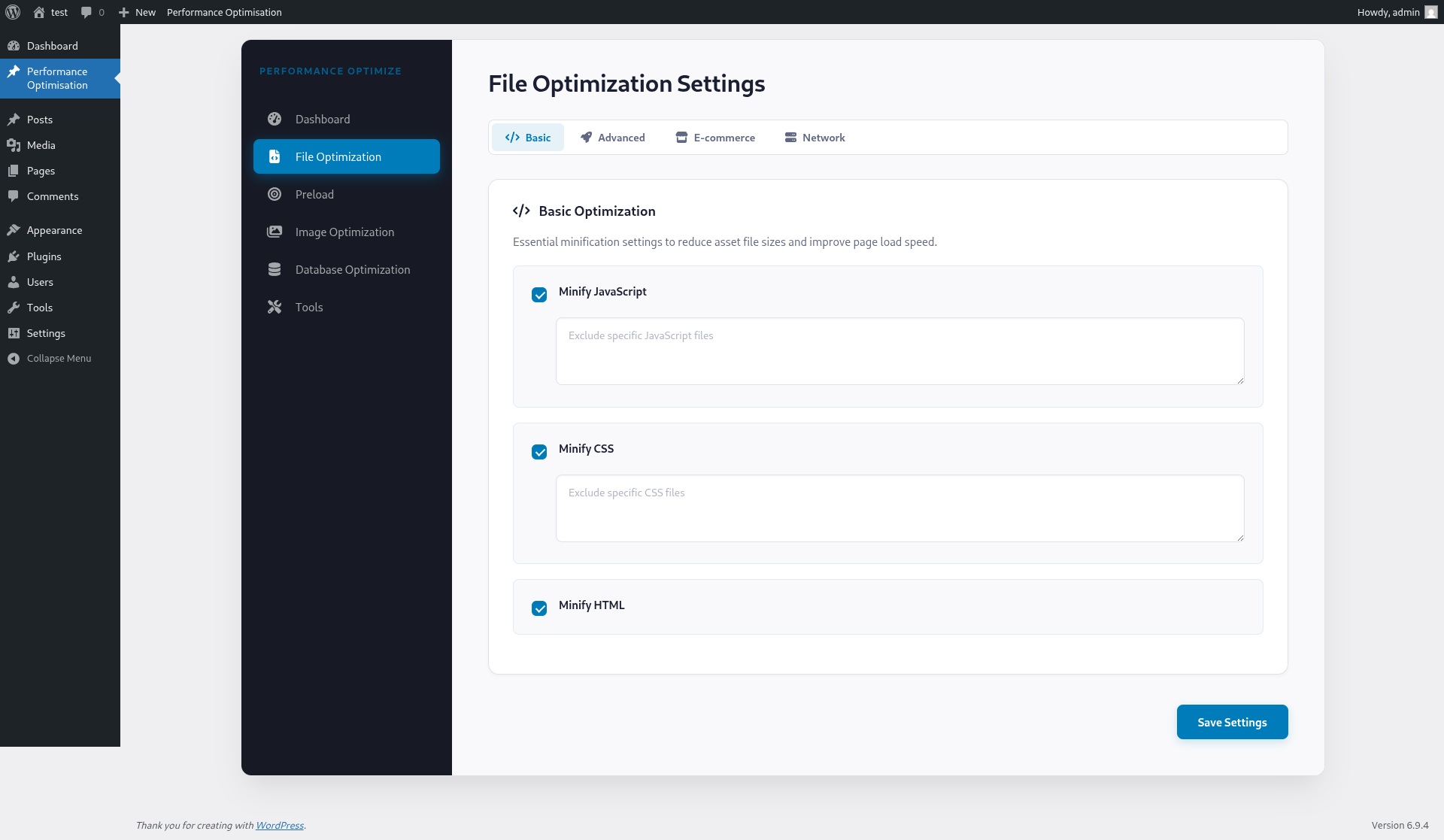
- JavaScript & CSS Optimization: Minify, combine, defer/delay (opt-in), and exclude specific files.
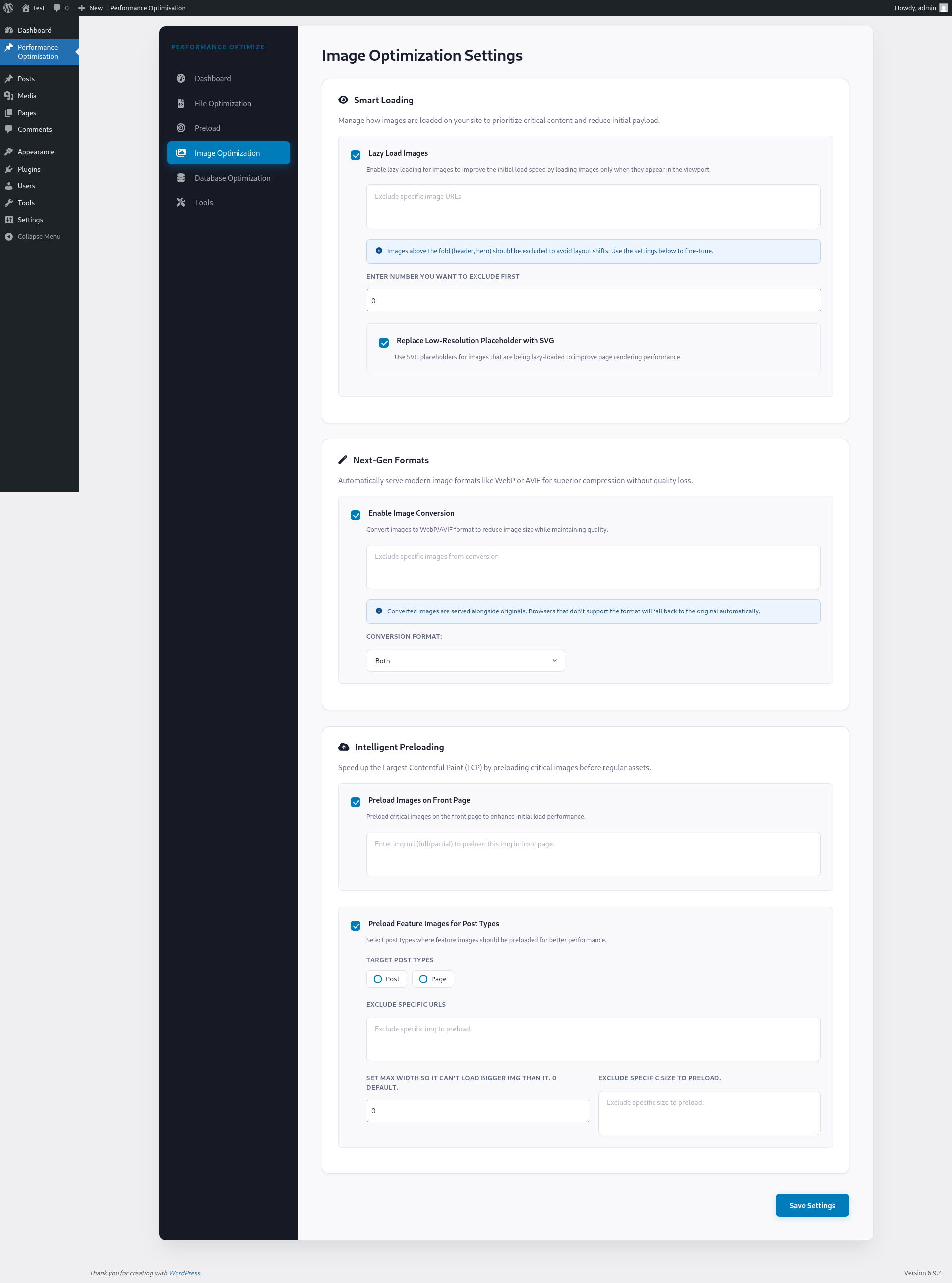
- Image optimization: Convert images to WebP and AVIF formats.
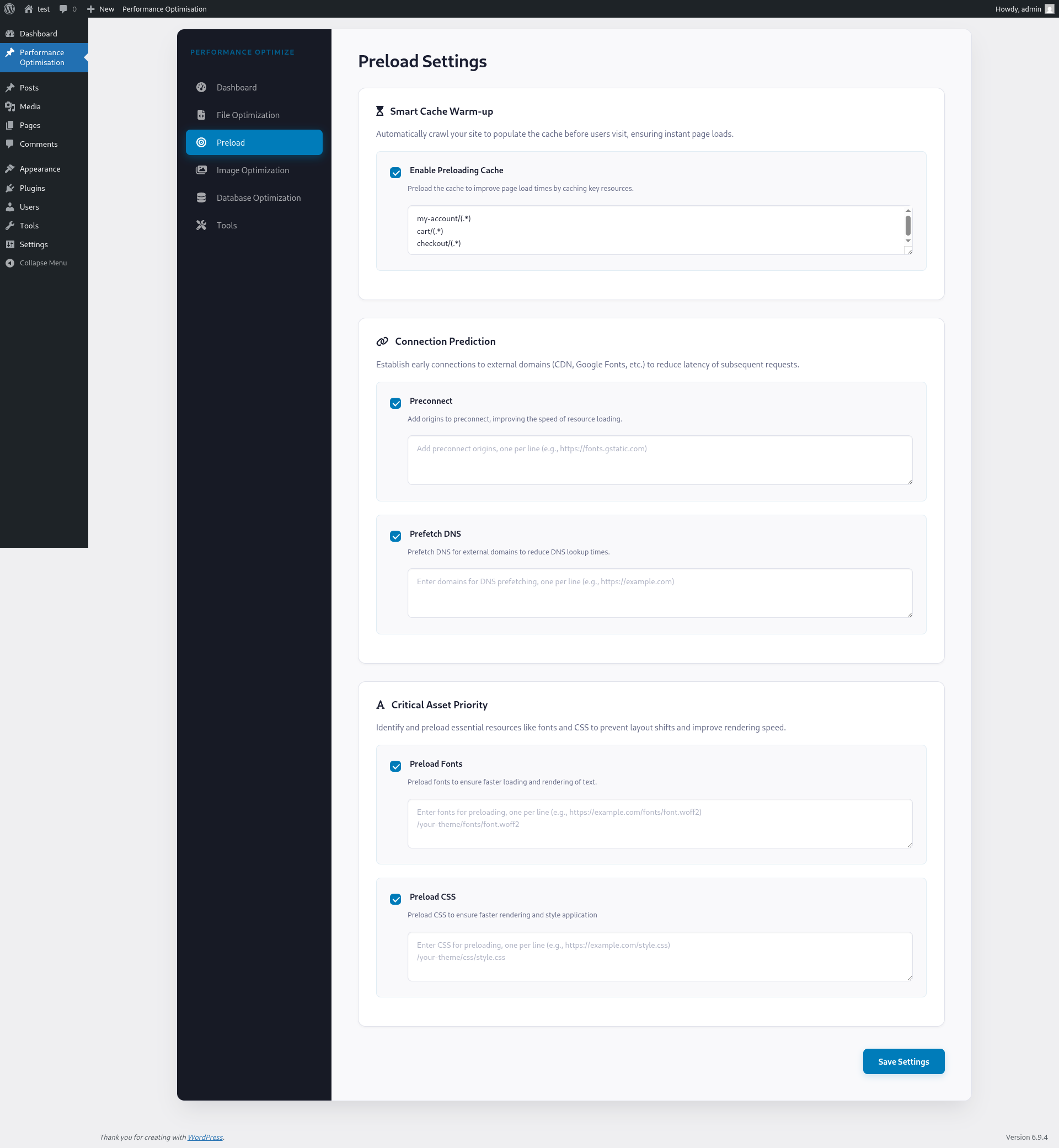
- Preload settings for cache, fonts, DNS, and images.
- Advanced lazy loading options.
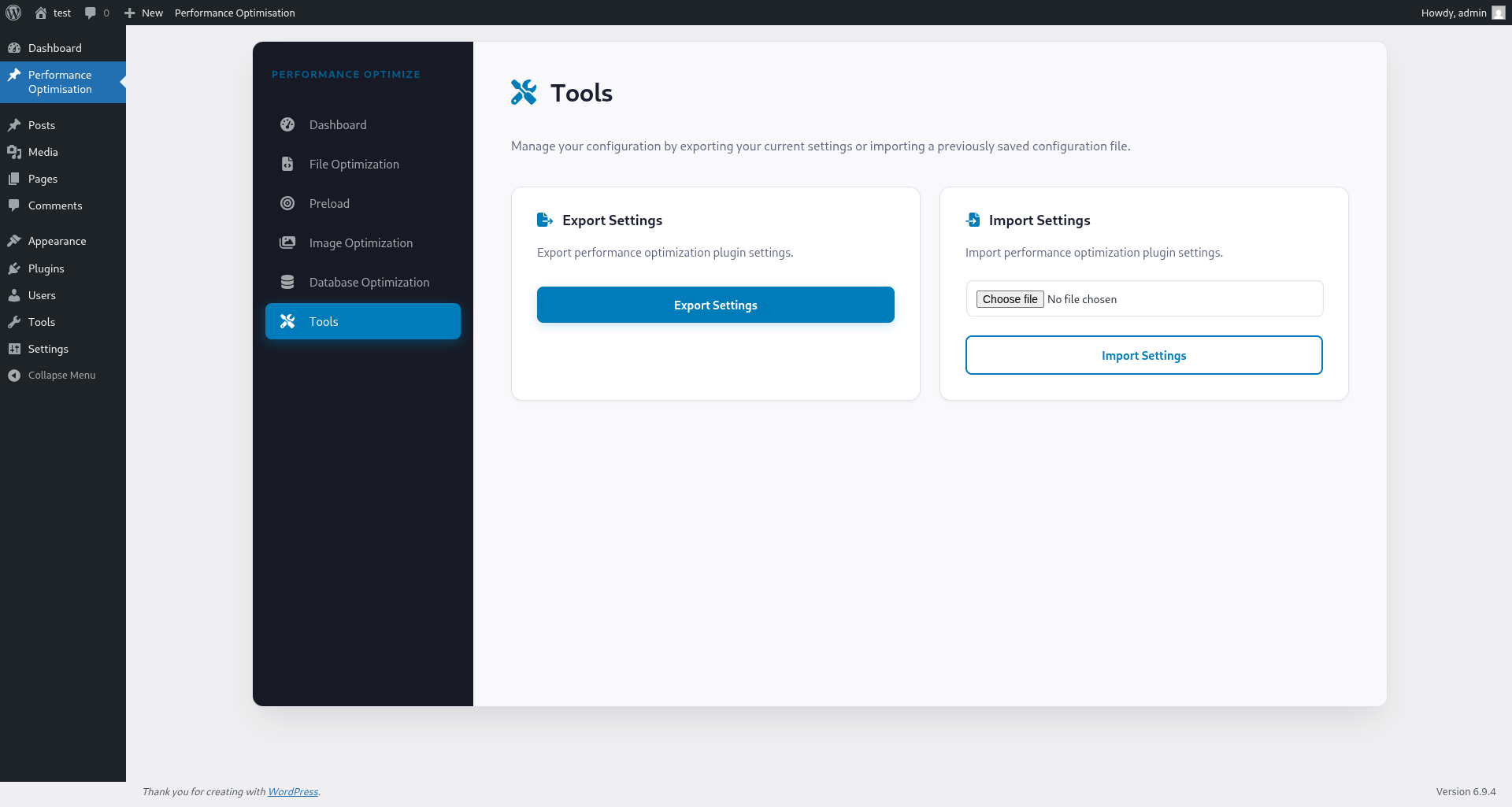
- Import/export plugin settings.
安装:
- Upload the plugin files to the
/wp-content/plugins/performance-optimisationdirectory, or install the plugin through the WordPress plugins screen directly. - Activate the plugin through the 'Plugins' screen in WordPress.
- Configure the settings via the Performance Optimisation menu in the WordPress admin panel.
屏幕截图:
常见问题:
Will this work with WooCommerce?
Yes. WooCommerce-specific asset removal is optional and off by default. If you enable it, test cart, checkout, and product pages—incorrect URL or handle exclusions can break the storefront.
Can I use this with another cache plugin (WP Super Cache, LiteSpeed, WP Rocket, etc.)?
You should run one full-page caching solution. This plugin can install a advanced-cache.php drop-in when appropriate; if another plugin or your host already manages that file, Performance Optimisation will not replace it and may show an admin notice. Minify/image features may still be usable depending on your stack—test carefully.
Does this plugin improve Core Web Vitals or PageSpeed Insights?
It can help when you enable features that address LCP, CLS, and JS blocking (lazy load, minify, preload, modern image formats). Results depend on your theme and other plugins; always measure before and after.
How do I optimize images using this plugin?
Go to the Image Optimisation Settings tab, enable image conversion, and choose the format (WebP, AVIF, or both). Click "Optimize Now" to start the process.
Can I exclude specific JavaScript or CSS files from minification?
Yes, in the File Optimization Settings tab, use the provided text areas to list files you want to exclude.
Does the plugin support lazy loading for images?
Yes, lazy loading can be enabled in the Image Optimisation Settings tab. You can also use SVG placeholders for better performance.
How can I import/export plugin settings?
Use the Tools section to export your current settings or import settings from another instance.
更新日志:
- Fix: Resolved fatal error where
Advanced_Cache_Handlerwas not found during activation or admin notice checks. - Performance: Refactored
Advanced_Cache_Handlerto use lazy loading ("require when needed") to reduce memory footprint. - Fix: Shortened plugin short description to meet WordPress.org's 150-character limit.
- Fix: Implemented handle whitelisting in Metabox to prevent unauthorized script/style handle persistence.
- Fix: Support parent directory locations for
wp-config.php(core-mirroring behavior). - Fix: Properly handle transient deletion and
WP_CACHEconstant guards during activation. - Fix: Alignment and escaping in admin notices for WPCS compliance.
- Fix: Add
WP_CACHEto wp-config.php when the constant was previously undefined (correct activation logic). - Safety:
advanced-cache.phpincludes a plugin marker; do not overwrite or delete another plugin’s drop-in. - UX: Admin notices for foreign drop-in, wp-config issues, competing full-page cache plugins, and a short post-activation welcome notice.
- UI: Stronger warning when enabling WooCommerce asset removal.
- Docs: Expanded readme description, FAQ, and screenshot placeholders.
- Meta: Plugin header
Requires at leastnow matches readme.txt (6.2).
- New: Automatic Gzip compression and browser caching for faster page loads.
- New: CDN support — serve static assets from your own CDN domain.
- New: Smarter cache clearing — related pages update automatically when you edit content.
- New: Safety prompts before deleting data, removing images, or importing settings.
- New: Helpful warnings when enabling advanced options like Defer JS or Server Rules.
- New: Plugin UI matches your chosen WordPress admin color scheme.
- Improvement: Faster loading — removed external font dependency.
- Improvement: Better form inputs, loading indicators, and keyboard navigation.
- Improvement: Faster database operations for image processing.
- Security: Fixed several file path security issues.
- Compatibility: Tested up to WordPress 6.9.
- Security: Fixed path traversal vulnerability in the Image Optimisation REST endpoint.
- Security: Added directory traversal protection in URL-to-path resolution.
- Performance: Optimized image queue database writes by caching in memory and flushing once on shutdown.
- Fix: Updated CheckboxOption component to use unique IDs for proper accessibility (label/input association, aria-describedby).
- Fix: Anchored build paths in .distignore to prevent accidental exclusion of vendor files.
- Fix: Cache the Img_Converter instance to reduce PHP overhead during image conversion.
- Fix: Validate and sanitize imported REST API settings before saving.
- Fix: Improve sidebar accessibility and keyboard navigation in the admin UI.
- Update: Use
@wordpress/elementfor React rendering compatibility in WordPress.
- Improvement: Optimized JS Defer and Delay loading by caching exclusion lists.
- Improvement: Enhanced backend performance by reducing redundant string parsing.
- Security: Implemented protection against potential directory traversal vulnerabilities.
- Fix: Standardized REST API key sanitization to prevent settings synchronization issues.
- Localization: Added translated ARIA labels for sidebar accessibility.
- Improvement: Visually enhanced the 'File Optimization' settings for easier configuration.
- Improvement: Hardened overall plugin security and input validation.
- Fix: Automatically clear cache when changing permalink settings or switching themes.
- Fix: Prevented unnecessary CSS files from generating on 404 error pages.
- Update: Improved image lazy loading reliability for smoother page rendering.