
PostMeta Viewer – Custom Fields Inspector
| 开发者 |
wpwebguru
vivekkumarsahu0 |
|---|---|
| 更新时间 | 2026年6月21日 15:45 |
| PHP版本: | 7.4 及以上 |
| WordPress版本: | 7.0 |
| 版权: | GPLv2 or later |
| 版权网址: | 版权信息 |
详情介绍:
PostMeta Viewer is an essential utility for WordPress developers who work with custom fields and post meta. Whether you're using Advanced Custom Fields (ACF), Pods, Toolset, or custom-coded meta fields, this plugin provides a clean and developer-friendly interface to explore, search, and analyze meta data across your entire WordPress site.
It is designed strictly as a read-only inspection tool, making it safe for production environments.
Key Features
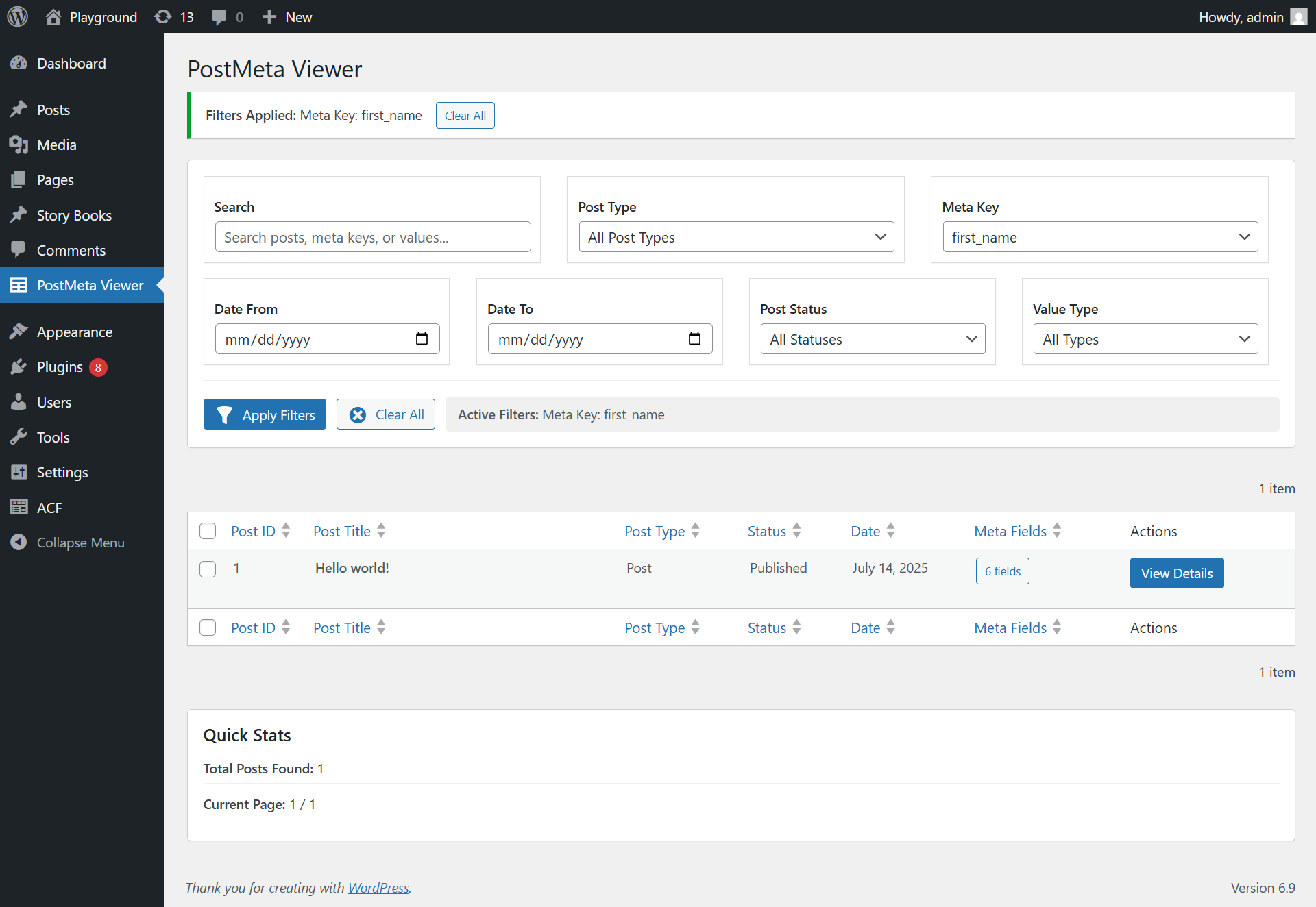
- Complete Meta Overview\ Browse all posts, pages, and custom post types with total custom field counts.
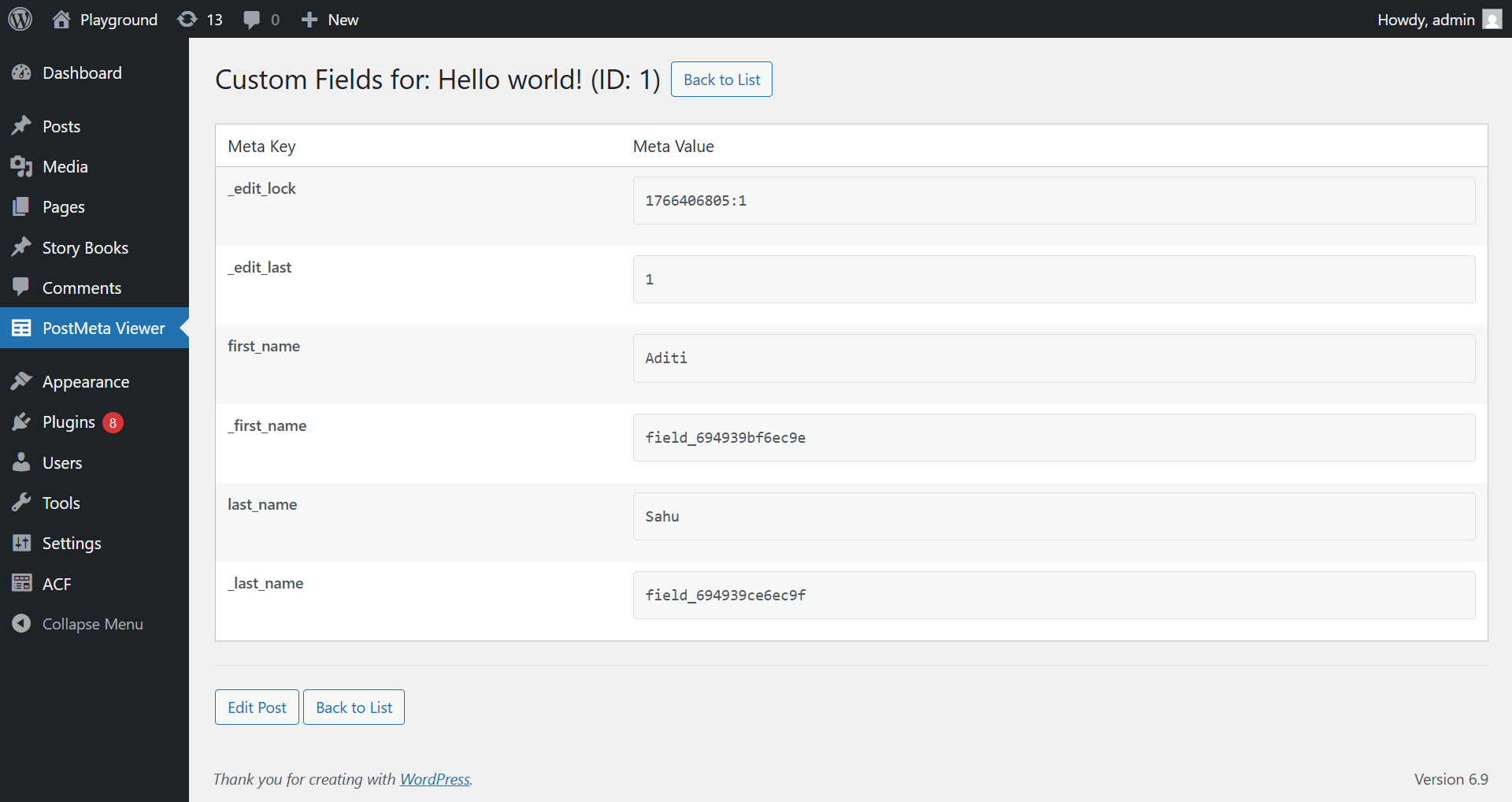
- Detailed Meta Inspection\ View all meta keys and values for any individual post, taxonomy term, user, or comment.
- Powerful Search & Filtering\ – Search across post titles, content, meta keys, and meta values\ – Filter by post type, post status, and date range\ – Filter by specific meta key existence\ – Filter by meta value type (string, array, JSON, numeric, empty)
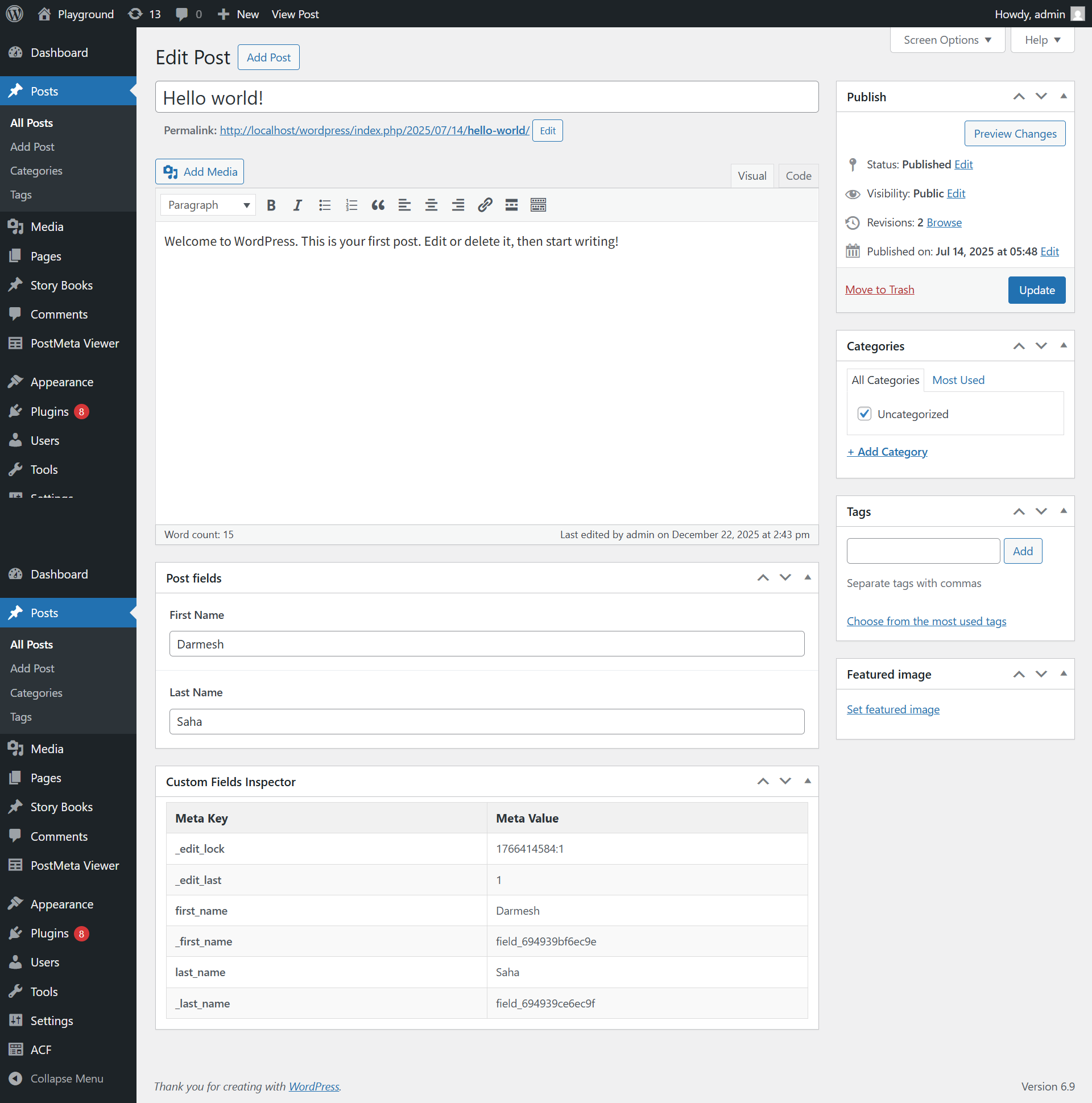
- Meta Inspector Everywhere\ – Post edit screen meta box (configurable per post type)\ – Taxonomy term edit screens (categories, tags, custom taxonomies)\ – User profile edit screens\ – Comment edit screen
- Developer-Friendly Data Display\ – Proper formatting for serialized, array, and JSON meta values\ – One‑click “beautify” toggle to expand complex data structures\ – Dark‑style pre‑formatted output for readability
- Post Statistics\ Quick insights into total posts and filtered results.
- Extensive Settings Page\ – Choose which roles can access the inspector\ – Toggle visibility on post types, taxonomies, users, and comments\ – Hide internal meta keys (those starting with an underscore)\ – Adjust items per page
- Responsive Admin UI\ Works smoothly across all screen sizes.
- ACF Developers – Debug and verify stored ACF field data
- Plugin Developers – Inspect custom meta added by plugins
- Theme Developers – Validate custom field implementations
- Site Debugging – Identify and resolve metadata issues
- Migration Projects – Analyze existing meta structures
- Learning WordPress – Understand how post meta works internally
安装:
Automatic Installation
- Go to Plugins → Add New in your WordPress admin
- Search for PostMeta Viewer
- Click Install Now
- Activate the plugin
- Download the plugin ZIP file
- Go to Plugins → Add New → Upload Plugin
- Upload the ZIP file and click Install Now
- Activate the plugin
- Unzip the downloaded file
- Upload the
postmeta-viewerfolder to/wp-content/plugins/ - Activate PostMeta Viewer from the Plugins screen
屏幕截图:


常见问题:
Is this plugin safe for production sites?
Yes. The plugin is read-only and does not modify or delete any data.
Does it work with Advanced Custom Fields (ACF)?
Yes. It displays the raw meta data stored by ACF.
Can I edit meta values using this plugin?
No. This plugin is intended for inspection and debugging only.
Does it affect site performance?
No. It runs only in the WordPress admin area when actively used.
Can I export post meta data?
Export functionality is not available yet but is planned for future releases.
Is there a display limit for posts?
Pagination is enabled with 20 posts per page by default (adjustable in Settings).
Can I see meta for taxonomy terms, users, and comments?
Yes – all these are supported and can be enabled/disabled in the Settings.
更新日志:
1.1
- New: Taxonomy term meta inspection on edit screens
- New: User profile meta inspection
- New: Comment meta inspection
- New: Settings page with role‑based access control
- New: Toggle visibility for meta boxes on post types, taxonomies, users, and comments
- New: Hide internal meta keys (starting with
_) via settings - New: Access control is now per-role via checkboxes (any combination of roles, not just a single capability), with Administrator always protected from accidental lockout
- New: Per-post-type control over where the Custom Fields Inspector meta box appears, via checkboxes on the Settings page
- Improved: Beautified array/JSON values now expand inline within the table cell instead of requiring a separate modal
- Improved: Better display of serialized, JSON, and array data with “beautify” toggle
- Improved: Pagination and items per page now configurable
- Fixed: Translation issues and minor UI improvements
- Security: Added nonce verification and capability checks throughout
- Initial release
- Full post meta overview
- Advanced search and filtering
- Detailed meta inspection
- Post edit screen meta box
- Support for all post types and statuses