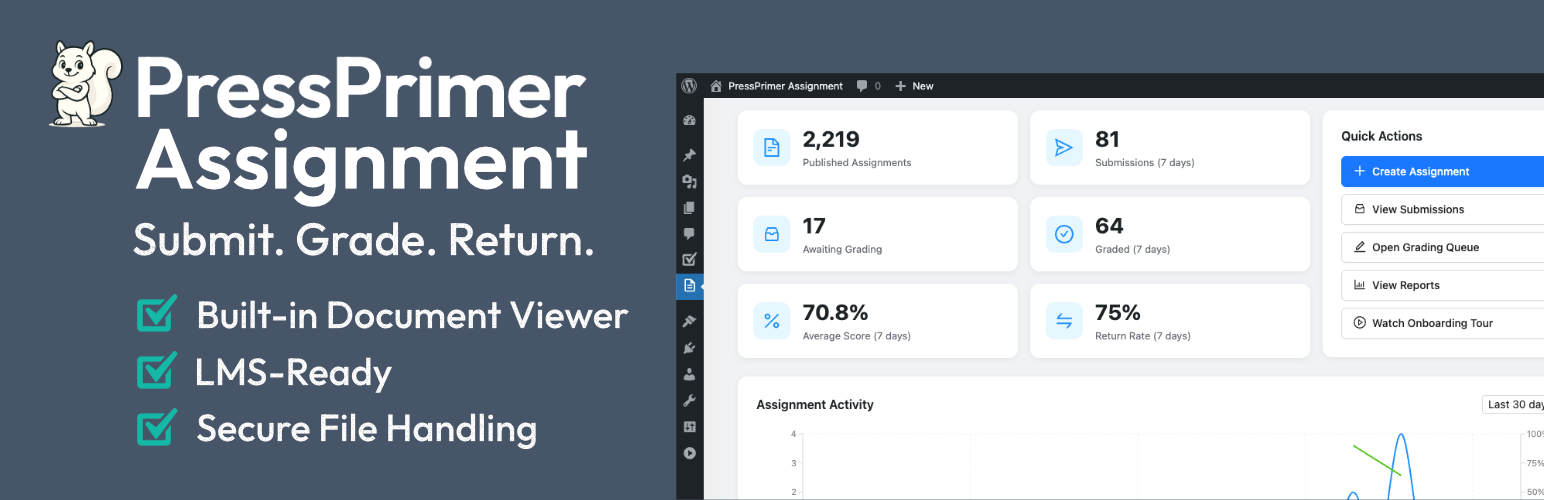
PressPrimer Assignment – Homework Submission, Document Viewer & LMS Grading Workflows
| 开发者 | pressprimer |
|---|---|
| 更新时间 | 2026年10月13日 23:22 |
| PHP版本: | 7.4 及以上 |
| WordPress版本: | 7.1 |
| 版权: | GPLv2 or later |
| 版权网址: | 版权信息 |
详情介绍:
- Flexible Submission Types – Accept file uploads, rich text submissions, or let students choose. Support for PDF, DOCX, PPTX, TXT, RTF, ODT, and image files out of the box.
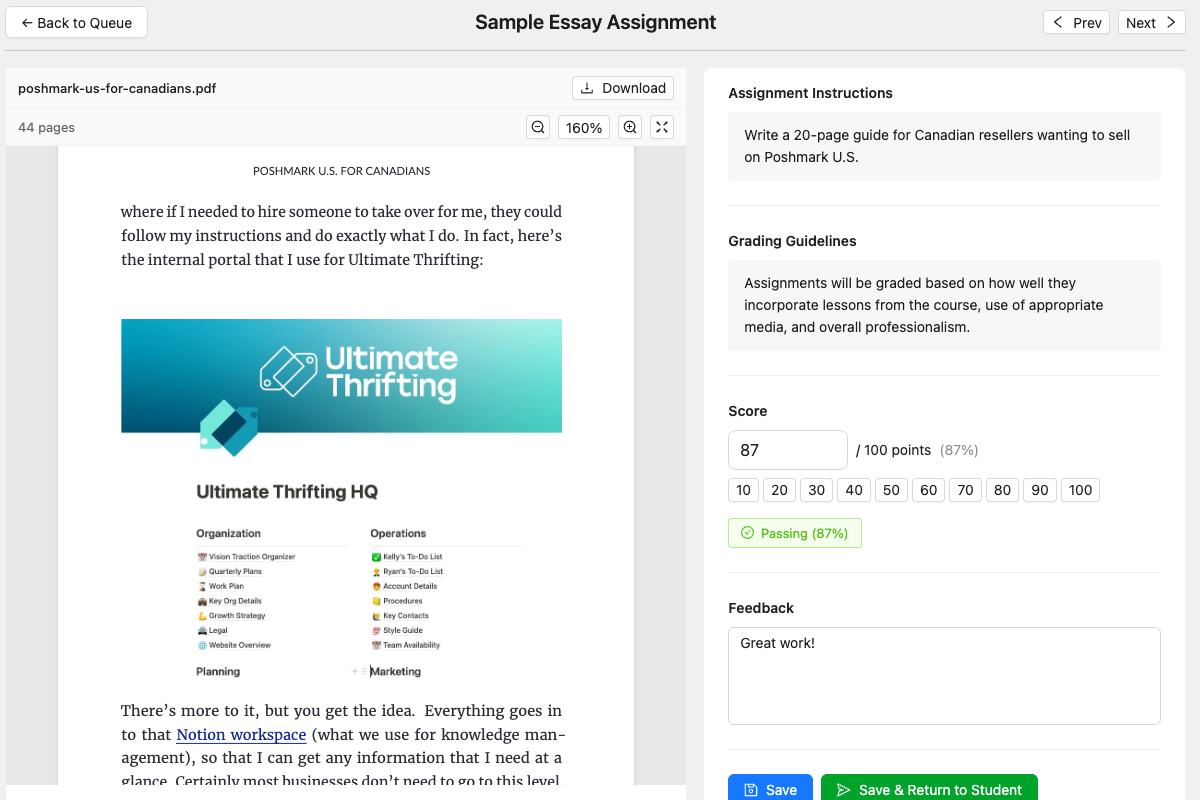
- Grade Without Leaving WordPress – A dedicated grading queue with a side-by-side interface: the student's document renders on the left while you score and write feedback on the right. Built-in viewers for PDF, Word documents, PowerPoint decks, images, and text files mean you never have to download, open, and track files on your desktop.
- Native LMS Integration – Works with LearnDash, Tutor LMS, LifterLMS, and LearnPress. Assignments appear in lessons, passing grades trigger lesson completion, and instructor roles are mapped automatically.
- Secure File Handling – Six-layer file validation and permission-based file serving. Student files are never directly accessible via URL.
- Customizable Email Notifications – Automatic emails for submission confirmation, grade release, and new submission alerts. Fully customizable templates with token placeholders.
- Three Professional Themes – Default, Modern, and Minimal themes that match the PressPrimer Quiz visual style.
- Unlimited assignments and submissions
- Configurable maximum points and passing score
- Three submission types: file upload, text/rich text, or student's choice
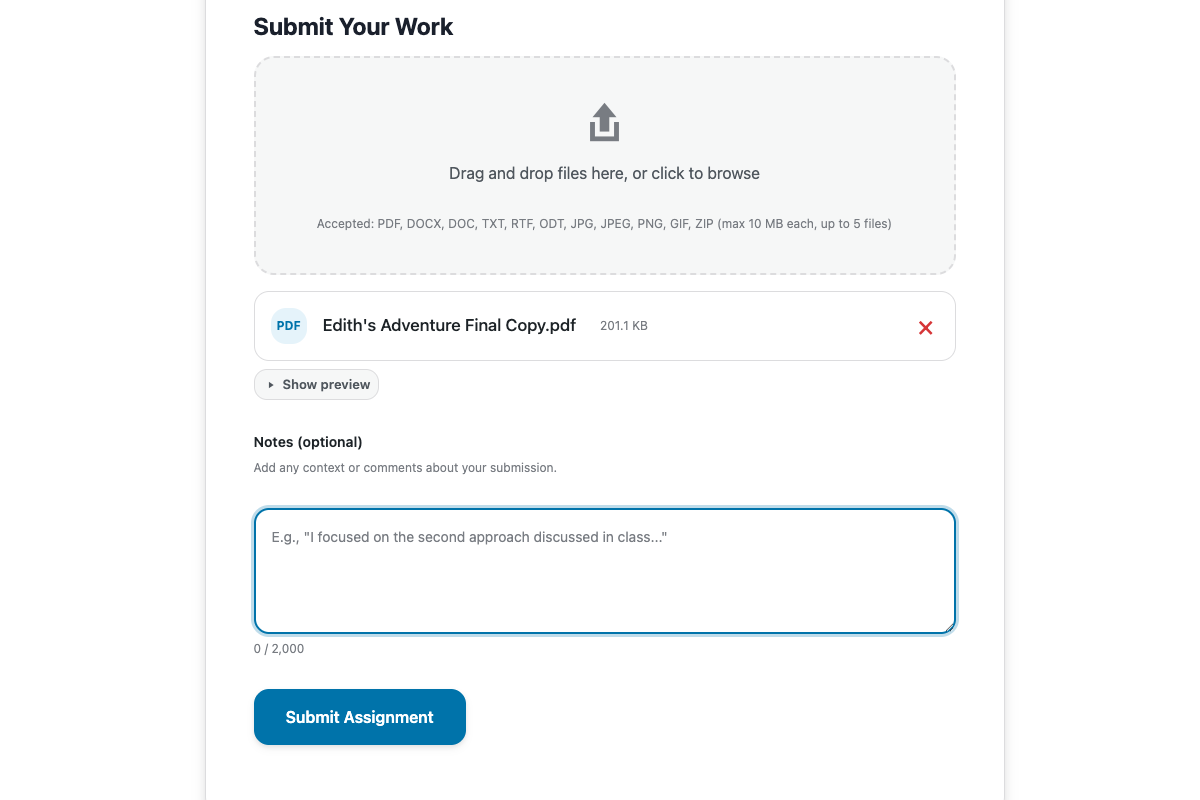
- Configurable file types, file size limits, and multiple files per submission
- Duplicate any assignment to copy its settings
- Drag-and-drop file upload with progress indicators
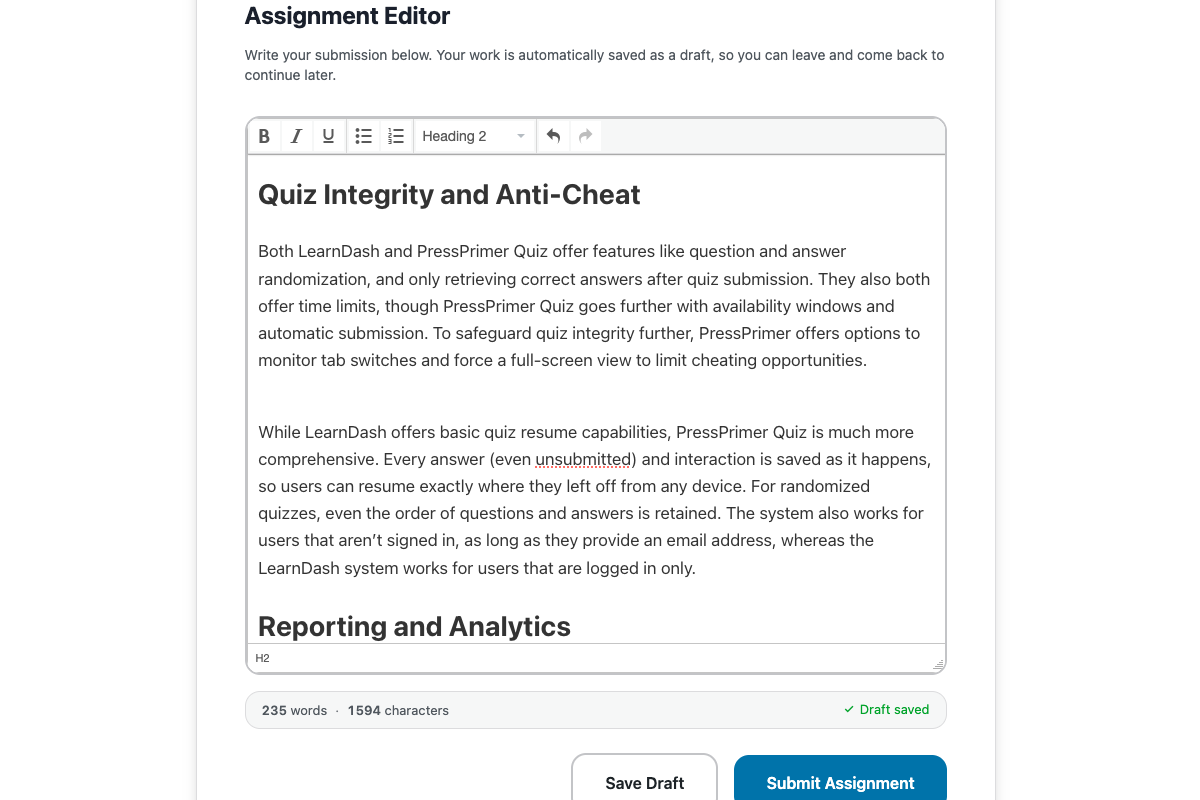
- TinyMCE rich text editor with live word count and auto-save drafts
- Student notes field for context or questions
- View submission status, grade, and instructor feedback
- Previous submission history with feedback for each attempt
- Centralized grading queue with filter and sort
- Side-by-side grading interface: document viewer on the left, grading panel on the right
- Built-in viewers render PDF, DOCX, PPTX slides, images, and text files directly in WordPress; no downloading required
- Automatic text extraction from PDF, DOCX, PPTX, ODT, RTF, and TXT files with quality scoring
- Rich text feedback editor with bold, italic, lists, and links — feedback is rendered with its formatting on the student view, not as plain text
- Submissions list filterable by score range, feedback presence, and submission date range
- Grading guidelines reference panel pulled from the assignment
- Submission confirmation, grade notification, and new submission alert emails
- Customizable subject and body templates per email type
- Token placeholders: student name, assignment title, score, feedback URL, and more
- Dashboard with submission statistics, activity chart, and recent submissions
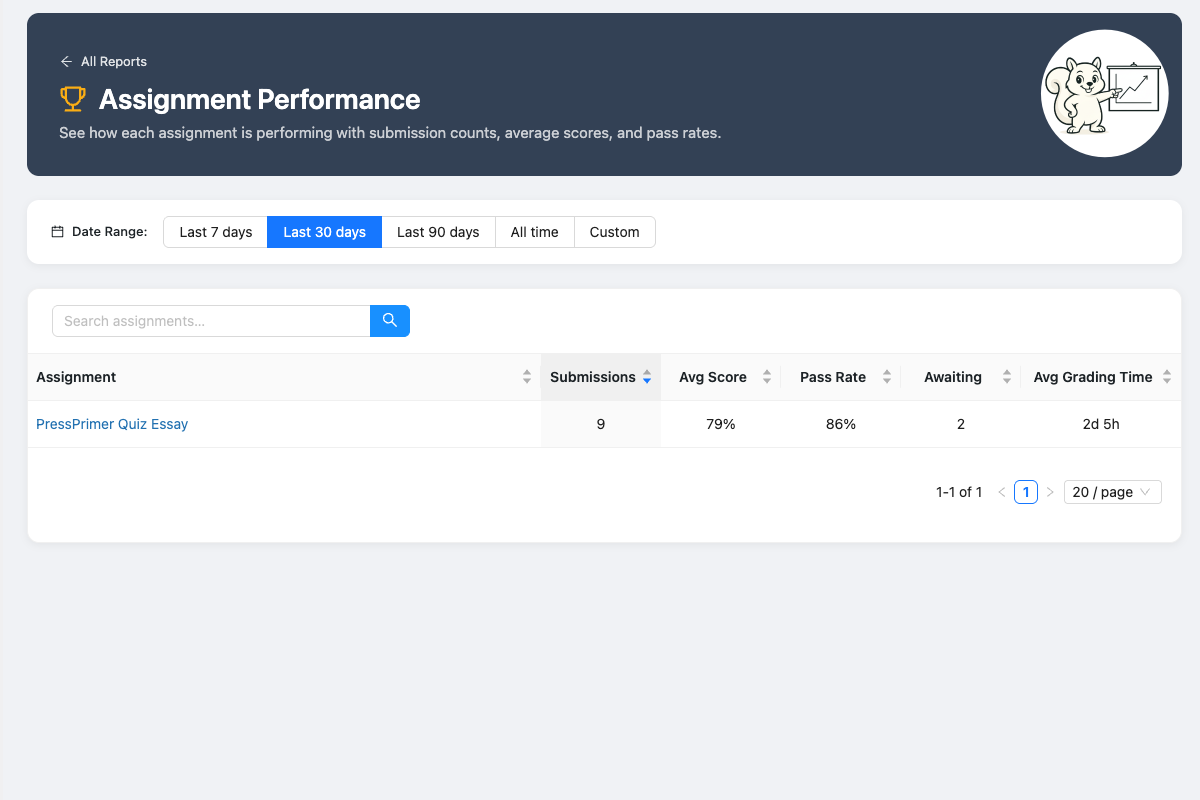
- Reports page with filterable submission data
- Six-layer file upload validation (extension whitelist, MIME verification, double-extension blocking, dangerous file rejection)
- Files stored outside webroot with permission-based serving through PHP
- Capability-based access control (teachers see only their own assignments)
- WordPress Privacy API integration (Tools > Export/Erase Personal Data)
- Clean uninstall with optional complete data and file removal
- Keyboard navigation, screen reader support, and reduced motion preferences
- Course creators using LearnDash, Tutor LMS, LifterLMS, or LearnPress who need better assignments than built-in tools
- University departments collecting essays, lab reports, or research papers
- Corporate trainers gathering certification documents and project deliverables
- Standalone WordPress educators who need assignments without a full LMS
- Online course entrepreneurs selling courses with graded assignments
- Groups & Assignments – Organize students into groups, distribute assignments with per-group due dates, and track completion progress.
- Group Reports – Per-group completion dashboards with submission status grids, score distributions with pass-threshold coloring, drill-down student data.
- Rubric Builder – Create analytic rubrics with criteria and performance levels, attach them to assignments for structured grading with automatic score calculation and per-criterion feedback.
- Per-Criteria Report – See where students are struggling at the rubric-criterion level.
- Teacher Role – Teachers manage their own groups and grade only their students' submissions, while admins retain full access to all data.
- Data Retention & Cleanup – Automatically prune old submission files and orphaned data.
- Inline Document Annotations – Mark up PDFs, images, and text submissions directly in the grading interface with highlights, underline, strikethrough, freehand drawing, and comments.
- AI-Assisted Grading – Generate suggested scores and feedback for submissions using OpenAI or Anthropic. Rubric-aware: returns per-criterion scores when a rubric is attached.
- AI Proofreading – Detect spelling and grammar issues in student submissions with one-click insertion of notes into feedback. Configurable locale for regional spelling variants.
- xAPI / LRS Integration – Send Experience API statements to your Learning Record Store. Built-in queueing system ensures reliable delivery.
- AI Content & Plagiarism Detection – Run submitted text through Winston AI, GPTZero, or Originality.ai to surface AI-generated content and plagiarism scores. Auto-check on submission or run manually. Provider-aware grading panel shows scores and interpretation.
- Plagiarism Report – Cohort-wide report with AI-likelihood and originality-score distributions, stat cards, a per-provider confidence breakdown, and a paginated flagged-submissions table with color-coded scores and tooltips explaining exactly why each row was flagged.
- Anonymous Grading – Per-assignment toggle that masks student identity throughout the grading window so grades aren't biased by who wrote the work. Identity stays hidden until submissions have been graded and returned.
- Audit Logging – Immutable log of every assignment, submission, grading, settings change, annotation, xAPI emission, plagiarism check, and cleanup run with configurable retention, role-based viewer, and export. Audit Trail report on the Reports page surfaces filterable events with object links and a search box.
- White-Label Branding – Remove all PressPrimer branding and customize with your own plugin name, logos, colors, and custom CSS.
- Action hooks for assignment creation, submission, grading, and email events
- Filter hooks for submission permissions, file access, email templates, and role mapping
- Full REST API for assignments, submissions, files, categories, and statistics
- Custom database tables with automatic schema migration
/src directory contains all unminified source files. The plugin uses webpack for building production assets. To rebuild from source:
- Clone the repository
- Run
npm installto install dependencies - Run
npm run buildto compile assets
安装:
- Go to Plugins > Add New in your WordPress admin
- Search for "PressPrimer Assignment"
- Click Install Now and then Activate
- Navigate to ** Assignments ** in your admin menu to get started
屏幕截图:
常见问题:
Is this really free, or is it a limited trial?
It's genuinely free and not locked down. PressPrimer Assignment includes unlimited assignments, unlimited submissions, full grading tools, LMS integrations, email notifications, and three professional themes in the free version. We believe in earning upgrades by offering genuinely valuable features, not by crippling the free experience.
Does this work with LearnDash?
Yes. PressPrimer Assignment integrates natively with LearnDash. Attach assignments to lessons or topics, and passing grades can automatically trigger lesson completion. LearnDash Group Leaders receive teacher-level permissions to create assignments and grade submissions. The integration activates automatically when LearnDash is detected.
Does this work with Tutor LMS?
Yes. Assignments integrate with Tutor LMS lessons via the editor sidebar and course builder. Passing grades can auto-complete lessons, and course completion triggers when all lessons are done. Tutor LMS Instructors receive teacher-level permissions automatically.
Can I use this without an LMS plugin?
Absolutely. PressPrimer Assignment works as a standalone plugin. Use the [pressprimer_assignment] shortcode to embed assignments on any page or post. The LMS integrations are a bonus that enable automatically when an LMS is detected—they don't restrict standalone use.
Does this work with PressPrimer Quiz?
Yes. Both plugins are part of the PressPrimer suite and are designed to work together. When both are active, they share the Groups infrastructure and Teacher role for a unified experience. Each plugin also works independently.
What file types can students upload?
By default: PDF, DOCX, TXT, RTF, ODT, JPG, JPEG, PNG, and GIF. Administrators can configure allowed file types per assignment. All uploads go through six layers of security validation including MIME type verification and dangerous file blocking.
Can students submit text instead of files?
Yes. Each assignment can be configured to accept file uploads, text/rich text submissions, or let the student choose. Text submissions use a TinyMCE editor with live word and character counts, auto-save drafts, and a 50,000-character limit.
How does the grading interface work?
The grading interface uses a side-by-side layout. The student's submitted document renders directly in the left panel. PDF, DOCX, images, and text files all display without downloading. The right panel has fields for score, pass/fail status, and rich text feedback, plus a reference panel showing the assignment's grading guidelines.
Can I customize the email notifications?
Yes. Each email type (submission confirmation, grade notification, admin alert) has its own customizable subject and body template. Templates support token placeholders for dynamic content like student name, assignment title, score, and feedback. You can also set a custom from name, from email, and upload a logo for the email header.
Can graders annotate student documents directly?
Yes, with the School add-on. Inline document annotations let you highlight, underline, strikethrough, freehand draw, and drop sticky-note comments on PDFs, images, and text submissions — all without leaving the WordPress grading interface. Annotations save automatically, are visible to students when the submission is returned, and the PDF viewer includes a zoom toolbar so you can dig into details on long documents.
Can I check submissions for AI-generated content or plagiarism?
Yes, with the Enterprise add-on. AI Content & Plagiarism Detection runs submitted text through your choice of Winston AI, GPTZero, or Originality.ai. Checks can run automatically on submission or be triggered manually per submission. The grading panel shows the scores with color-coded interpretation labels, matched-source counts, and a one-click "Insert plagiarism summary" button that drops a provider-specific summary into your feedback. A cohort-wide Plagiarism Report shows AI-likelihood and originality distributions plus a paginated flagged-submissions table.
Does PressPrimer Assignment integrate with my LRS or xAPI pipeline?
Yes, with the School add-on. PressPrimer Assignment can emit Experience API (xAPI) statements to your Learning Record Store when students submit, grades are saved, and submissions are returned. The settings page includes a Test Connection workflow, a queue with retry handling, and per-event toggles so you can decide which actions are reported.
更新日志:
- Fixed: Assignments attached to LearnDash, Tutor LMS and LifterLMS lessons now always appear on the lesson page, and no longer show up in page descriptions, on sites where an SEO or social plugin generates those descriptions
- Fixed: On Tutor LMS 4, the "Mark as Complete" button now stays hidden until the student passes the attached assignment
- Fixed: When a Tutor LMS lesson requires a passing grade, it can no longer be marked complete without one, in every Tutor LMS version
- Fixed: Student submission dates and the "Graded by … on …" line now show the site's time zone instead of UTC
- Fixed: Every tab on the Settings page now shows its own icon instead of several tabs sharing the same generic one
- Added: PowerPoint (.pptx) submission support
- Added: Due dates with a late policy and optional scoring penalty
- Added: A guided setup tour that walks new users through creating and publishing a real assignment, with starter templates, one-click page creation and optional email course for admins (explicit opt-in only — only the typed email address is ever sent; see External Services)
- Added: What's New panel shown to administrators once after each major update
- Added: Upgrade page describing the premium addons, with locked report previews (administrators only)
- Added: New developer filter to customize which file is served on submission downloads (used by the Enterprise addon to deliver watermarked copies)
- Changed: New assignments now default to Published status
- Fixed: The grading count badge in the admin menu displays correctly on WordPress 7.0
- Fixed: Admin search fields no longer misalign their placeholder text or show a stray focus box
- Fixed: Uninstalling the plugin now removes any pending text-extraction tasks from the scheduled-task queue
- Fixed: A crash inside the text-extraction library can no longer block a student's file upload
- Fixed: On the assignment editor's File Settings tab, clicking a file-type checkbox no longer clears the other selected types on an existing assignment
- Improved: Tightened permission checks on the categories REST endpoint so teachers can only view individual categories they own or have access to. Single-teacher sites are unaffected.
- Added: Rich text editing in assignment description, instructions, grading guidelines, instructor feedback, and email template body fields. Toolbar supports bold, italic, bulleted and numbered lists, links, undo, and redo.
- Added: Submissions list filters for score range, feedback presence (any / has feedback / no feedback), and submission date range
- Added: Duplicate assignment action available as a row action, bulk action, and editor toolbar button — copies all settings and taxonomy into a new draft owned by the current user
- Added: New
pressprimer_assignment_assignment_duplicatedaction hook so addons can copy their own per-assignment data - Added: Returned submissions render inline on the student view so grader annotations from the School addon are visible to students
- Fixed: Submission scores no longer shift retroactively when an assignment's max points is later edited — the Reports page, admin submission detail, the student assignment page (current returned card and the resubmission history), and the [ppa_my_submissions] dashboard widget all use the max points value recorded at grade time
- Fixed: The Re-extract text button is no longer shown to students on the assignment page and no longer appears on submissions that have already been graded or returned (it overwrites the extracted text, which shouldn't happen after grading)
- Fixed: The submission viewer's file header reflows cleanly on narrow screens
- Fixed: PDFs render at a scale that fits the available column width on the student frontend viewer instead of overflowing
- Fixed: Download URLs work correctly when the file URL already contains a query string
- Fixed: Concurrent file uploads no longer create duplicate draft submissions for the same student
- Fixed: LearnDash, LifterLMS, LearnPress, and Tutor LMS lesson pages no longer display "Assignment not found" when the mapped assignment has been deleted — the lesson renders normally with the assignment block omitted
- Fixed: Submissions list and grading-queue tables resize sensibly as the admin window shrinks, with column widths sized in em units so they scale with the user's font size
- Fixed: Submissions list column widths so the Student column no longer wraps when name and email don't fit
- Added: LifterLMS integration with lesson embedding, completion triggers, and instructor role mapping
- Added: LearnPress integration with lesson embedding, completion triggers, and instructor role mapping
- Added: Multi-format text extraction for DOCX, ODT, RTF, and TXT files with quality scoring
- Added: Unlimited resubmissions option (set max resubmissions to 0)
- Added: Grader name now shown alongside the graded date in student feedback ("Graded by X on Y")
- Added: Premium add-on support with extensibility hooks for Groups, Rubrics, AI Grading, AI Proofreading, White-Label, and Audit Logging
- Added: Status page shows addon versions and database table health for all installed addons
- Added: Reports page supports addon report cards
- Fixed: Assignment edit links in reports and TutorLMS integration now point to the correct admin page
- Fixed: Graded submissions stay visible in the grading queue until explicitly returned to the student
- Fixed: Save validation failures now switch to the tab containing the first error so the message is visible
- Fixed: Duplicate assignments no longer created when a rubric save fails after assignment creation
- Fixed: File upload error messages now show the specific constraint that was exceeded
- Fixed: Download button now triggers a file download instead of opening the file inline in the browser
- Fixed: Resubmitted assignments no longer resurface old submissions in the grading queue
- Fixed: Thin border-radius rendering on the text editor container
- Fixed: Save Draft, Submit, and word counter now work correctly when retaking a text-only assignment after a failed submission
- Fixed: File upload progress bar no longer overlaps the file type icon during upload
- Fixed: When an assignment save is rejected by validation, an error notification appears at the top of the screen so the message is visible regardless of where the Save button was clicked
- Improved: Inline CSS injection uses wp_strip_all_tags() and wp_kses() sanitization
- Improved: All WP_Error codes use the full pressprimer_assignment_ prefix
- Initial release