
PD17 Map — OpenStreetMap Vector Maps
| 开发者 | prodev17 |
|---|---|
| 更新时间 | 2026年10月16日 13:40 |
| PHP版本: | 7.4 及以上 |
| WordPress版本: | 7.1 |
| 版权: | GPLv2 or later |
| 版权网址: | 版权信息 |
详情介绍:
[office_map] shortcode anywhere, or add the widget to a sidebar.
Why it stands out
- Vector maps (MapLibre GL JS). Crisp at any zoom with smooth panning and rotation — the feel of commercial maps, at zero cost.
- Truly key-free. No credit card, no quota and no "invalid API key" failures.
- Privacy-friendly by default. The map loads without accounts or analytics, and the optional address search can be turned off completely.
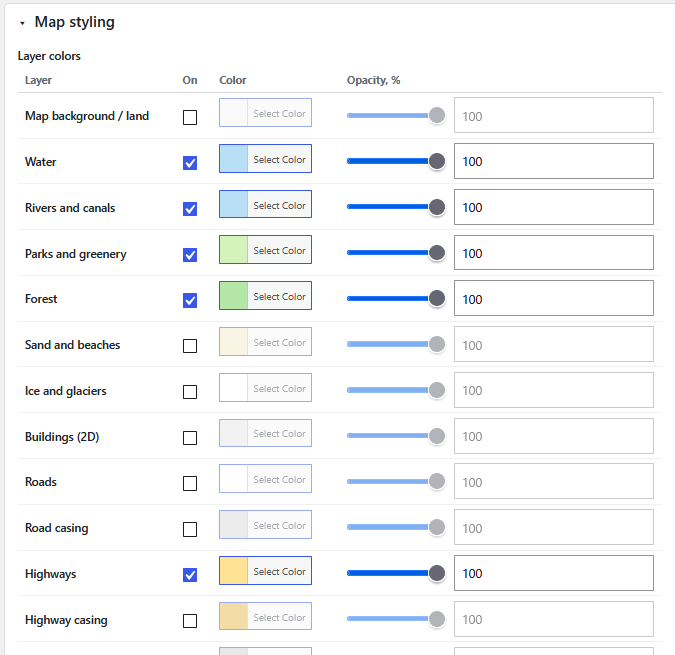
- Fine-grained styling. Recolor 17 layer categories (roads, water, parks, buildings, labels, POI and more) and hide anything you don't need.
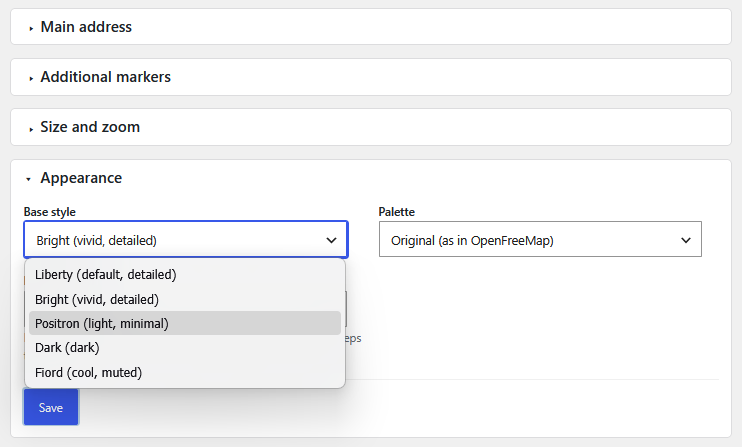
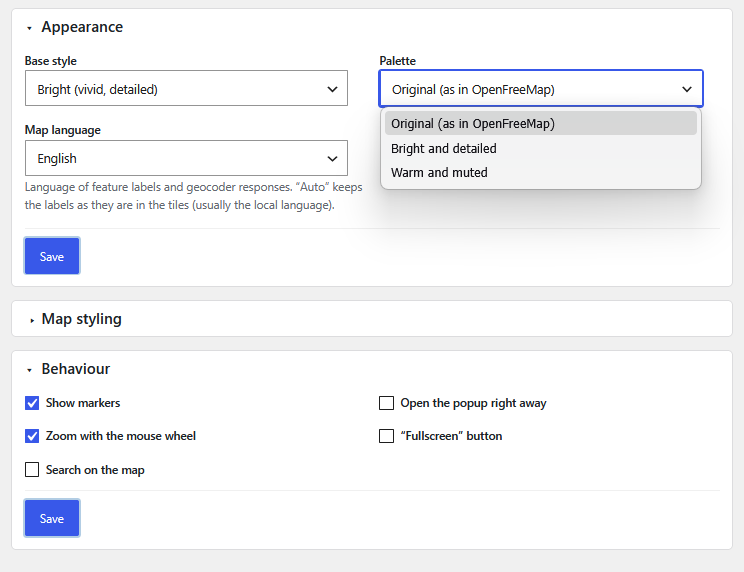
- One-click look presets — a bright detailed palette and a warm muted palette.
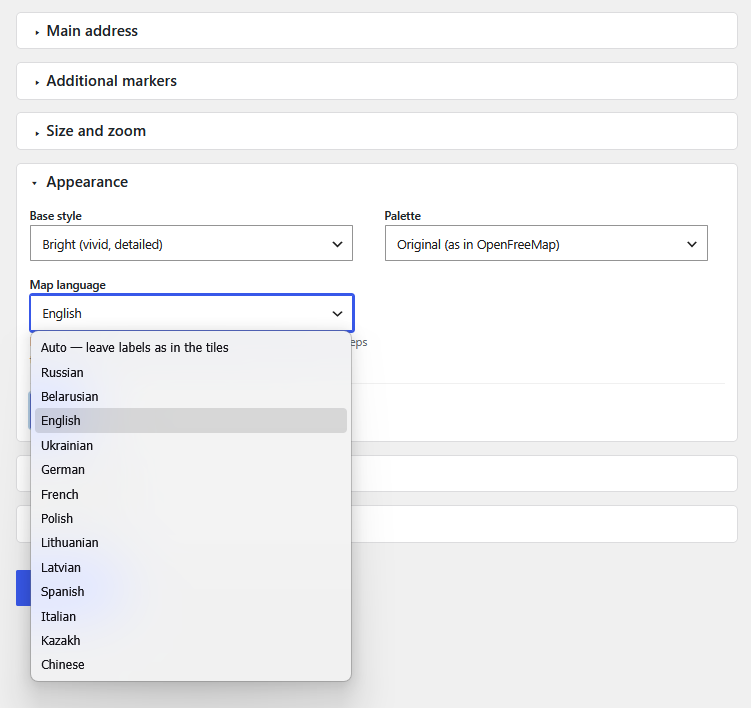
- Multilingual labels (Russian, English, Belarusian, German, Polish and more).
[office_map]shortcode and a widget.- A Gutenberg block — insert the map straight from the block editor, with the same settings and a live preview.
- Visual settings page with a live preview.
- Multiple markers, each with its own icon, color and rich popup.
- Optional on-map address search with server-side rate limiting and one-day caching.
- Width presets ("block", "full width", custom in % or px), fixed zoom or auto-fit to all markers.
- Fullscreen button, mouse-wheel zoom toggle and custom marker images.
- Import / export of all settings as JSON, to move a configuration between sites.
- Graceful fallback: if the tile server is unreachable, the office title and address are still shown.
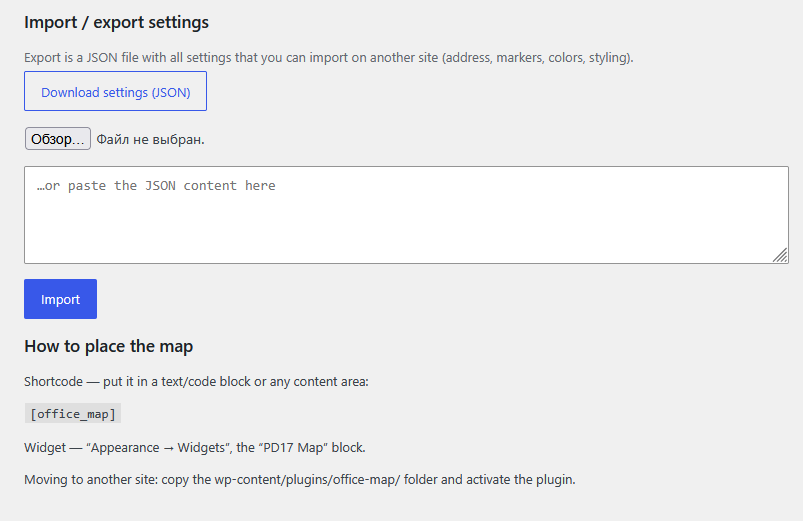
[office_map]
You can override individual options:
[office_map lat="53.9006" lng="27.5590" zoom="16" height="420" title="Our office" style="liberty"]
External services
This plugin connects to external services only when a feature that needs them is used. The map is loaded whenever it is displayed; the address search is off by default and is used only when you enable it (or when you use the address search on the settings page).
- OpenFreeMap (
tiles.openfreemap.org) — vector map tiles, styles, fonts and icons built from OpenStreetMap data. Loaded every time a map is displayed. No account, no API key and no cookies are used. Data sent: only the standard tile/style requests for the map area being viewed. Privacy policy: https://openfreemap.org/privacy/. Project: https://openfreemap.org/. - Nominatim (
nominatim.openstreetmap.org) — OpenStreetMap geocoding, used only for the address search. Data sent: the text you type, plus the site URL and the site administrator's email in theUser-Agentheader, as required by the service's usage policy. Requests are limited to one per second and cached for one day. Usage policy (terms of use): https://operations.osmfoundation.org/policies/nominatim/. Privacy policy: https://osmfoundation.org/wiki/Privacy_Policy.
- The map tiles are loaded from OpenFreeMap without cookies or tracking.
- The address search is disabled by default. When you enable it, the text you type is sent (through your own server) to OpenStreetMap Nominatim; requests are rate-limited and cached. Nothing else is sent.
- No data is collected or stored by the plugin author; the plugin does not create accounts and does not track users.
安装:
- Install the plugin from the WordPress plugin directory, or upload the
prodev17-location-mapfolder to/wp-content/plugins/. - Activate the plugin through the "Plugins" screen.
- Open PD17 Map in the admin menu and set your coordinates and address.
- Add the
[office_map]shortcode to the page with your office, or use the "PD17 Map" widget.
屏幕截图:
常见问题:
Do I need a Google Maps API key?
No. PD17 Map does not use Google or Yandex at all. It renders OpenStreetMap data with MapLibre GL JS, so there is no API key, no billing account and no usage quota.
How do I add a map to a page?
Add the [office_map] shortcode (a Shortcode block in the block editor, or the classic editor), or place the "PD17 Map" widget in a sidebar. The map uses the settings from the plugin page, and you can override individual options directly in the shortcode.
Can I use it as a contact or office map?
Yes, this is the main use case. Set the coordinates and the address once and drop the map on your contact page, in the footer or in a sidebar.
Can I show several locations on one map?
Yes. Add several markers, each with its own icon, color and popup, and let the map fit all of them automatically, or set a fixed zoom.
Can I change the colors and hide map layers?
Yes. The visual style editor lets you recolor 17 layer categories (roads, water, parks, buildings, labels, POI and more) and hide anything you do not need, plus ready-made look presets.
Does it work without cookies or tracking?
Yes. The map is loaded without accounts, cookies or analytics, which makes it a good fit for privacy-focused and GDPR-sensitive sites.
Can I use it without the address search?
Yes. The search is off by default; the map works fully without it, and no request is made to any geocoder.
Can I show several maps on one page?
Yes. Each map gets a unique identifier and works independently.
Is attribution required?
Yes. Attribution for OpenStreetMap and OpenFreeMap is added automatically and must not be removed.
Where do the map tiles come from?
From OpenFreeMap, which serves OpenStreetMap-based vector tiles. No OpenStreetMap editing or hosting account is required.
Is the plugin translated?
The plugin is translation-ready (English is the source language) and is translated on translate.wordpress.org.
更新日志:
- New Gutenberg block: insert the map straight from the block editor, with the same settings and a live preview.
- The directory display name is now "PD17 Map — OpenStreetMap Vector Maps" (slug and text domain unchanged).
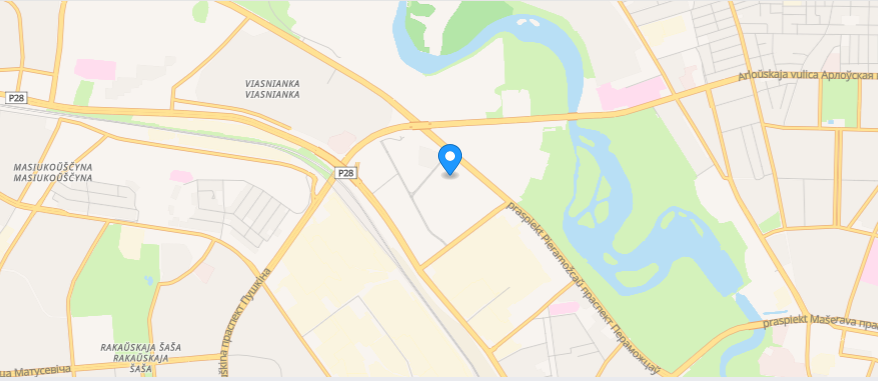
- Added five more directory screenshots: the front end, map styling, base styles, languages and behaviour.
- Renamed the plugin to "PD17 Map". The slug and text domain are unchanged (
prodev17-location-map), so no action is required. - Refreshed the directory banner.
- Renamed the plugin to "PD17 Map"; the text domain is now
prodev17-location-map. - English is now the source language; all user-facing strings are translatable.
- MapLibre GL JS is now bundled locally (5.24.0) — no code is loaded from a third-party CDN.
- The on-map address search is off by default and is clearly documented as an external service.
- The address search now uses OpenStreetMap Nominatim only (the Photon fallback was removed).
- Geocoder requests use a proper User-Agent with a contact address, are rate-limited and cached.
- Added
uninstall.phpto clean up options and transients on deletion. - Modernized the plugin headers; requires WordPress 6.0 and PHP 7.4.
- Added a
languages/*.pottemplate for translators (translation files are served by translate.wordpress.org).
- The open/closed state of the settings blocks is saved with the settings. Only the first block is open by default; open the ones you need and press "Save" — they stay open after reload.
- The "Zoom" field is shown only in "Fixed zoom" mode; it is hidden in "Fit all markers" mode.
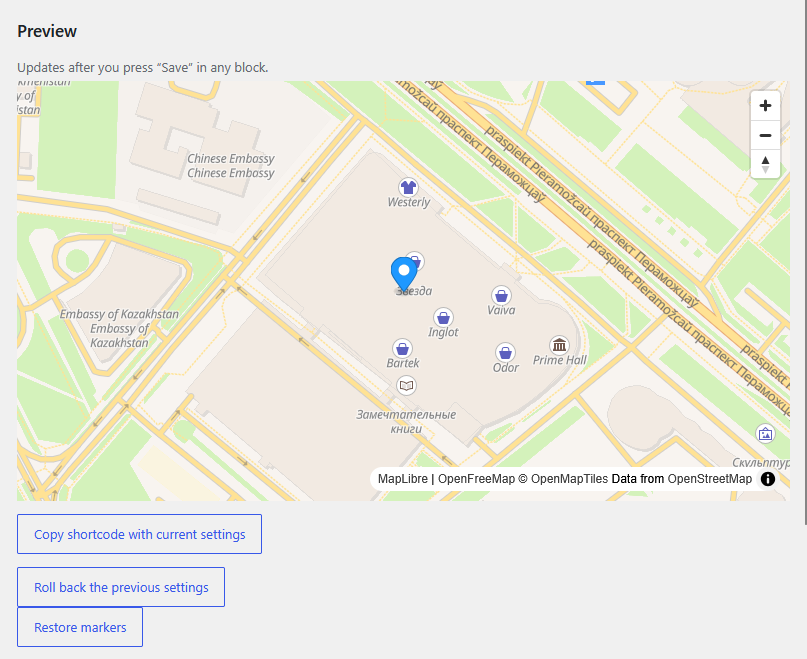
- Marker protection: a snapshot of the last state with markers is kept and a "Restore markers" button appears if the markers are lost.
- Import and export of settings as JSON: move the address, markers, colors and all styling to another site (images are exported as URLs).
- On-map search field styling: the field and the button are now on one line.
- A new "Search on the map" subsection in "Map styling": background, text, border, button background/text and corner radius.
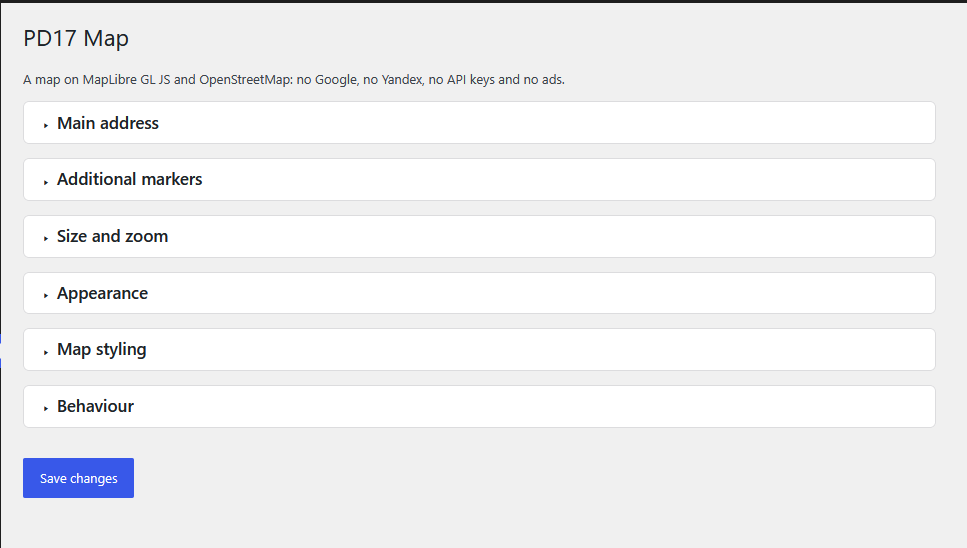
- Settings blocks reordered logically: "Main address" (coordinates and search), then "Additional markers", "Size and zoom", "Appearance", "Map styling", "Behaviour".
- Protection against losing settings: an empty or broken form submission no longer overwrites the saved data (coordinates, points, styles).
- A backup of the previous settings is created before each save.
- Added a "Roll back the previous settings" button on the settings page.
- New "Map styling" section: color and opacity for 17 layer categories (land, water, rivers, parks, forest, sand, ice, buildings, roads, road casings, highways, highway casings, rail, borders, labels, label halo, POI icons).
- Layer visibility: hide POI, buildings (2D), 3D buildings, terrain, borders, rail and transit, all labels; terrain opacity.
- Each additional marker can have its own icon (media library) and its own color.
- The additional-marker address became a textarea with HTML support, like the main one.
- New: map language selection — feature labels (from OpenMapTiles
name:xxfields) and the geocoder response language. - Compact settings page: latitude/longitude and other fields in rows; width "Value/Unit" visible only for the "Custom" preset.
- Settings sections can be collapsed (state remembered).
- "Copy shortcode with current settings" button.
- Map width setting: "Block" and "Full width" presets, plus a custom width in % or px.
- Address search: OpenStreetMap-based geocoder on the settings page and on the map itself.
- Several markers with popups and a "Fit all markers" zoom mode.
- A "Fullscreen" button for the map.
- Upload a custom marker image through the WordPress media library.
- Live preview: the map updates automatically as fields change.
- First release.