Provelopers Cache Manager
| 开发者 | provelopers |
|---|---|
| 更新时间 | 2026年3月31日 03:58 |
| 捐献地址: | 去捐款 |
| PHP版本: | 7.4 及以上 |
| WordPress版本: | 6.9 |
| 版权: | GPL-2.0-or-later |
| 版权网址: | 版权信息 |
详情介绍:
Managing cache on a modern WordPress site means dealing with multiple independent layers — the edge WAF, the server proxy, the WordPress object cache, and whatever caching plugin happens to be active. Most tools only address one of these layers, leaving the rest to be cleared manually.
If your site is hosted on GoDaddy or protected by Sucuri Website Security, you know the pain of logging into a separate dashboard just to flush the WAF cache after every update. Provelopers Cache Manager eliminates that step entirely.
This plugin uses external services only when explicitly configured by the user.
Provelopers Cache Manager brings every cache layer under one clean admin interface. One click ensures your visitors always see the most up-to-date content.
Core Features
One-Click Full Flush
Purge every cache layer simultaneously — WAF, server proxy, and WordPress — with a single click.
Selective Cache Flushing
Flush specific layers like WAF or WordPress cache independently without affecting others.
WAF Cache Integration (Sucuri & GoDaddy)
Connect your WAF API credentials to purge cache directly via the Sucuri Web Application Firewall API. Fully compatible with GoDaddy Website Security (Sucuri-powered). Includes HTTP fallback if API is unavailable.
Automatic Cache Clearing
Automatically purge caches when:
- Posts are published or updated
- Comments are posted
- Theme is switched Caching Plugin Support Automatically detects and clears cache for:
- WP Rocket
- W3 Total Cache
- WP Super Cache
- LiteSpeed Cache
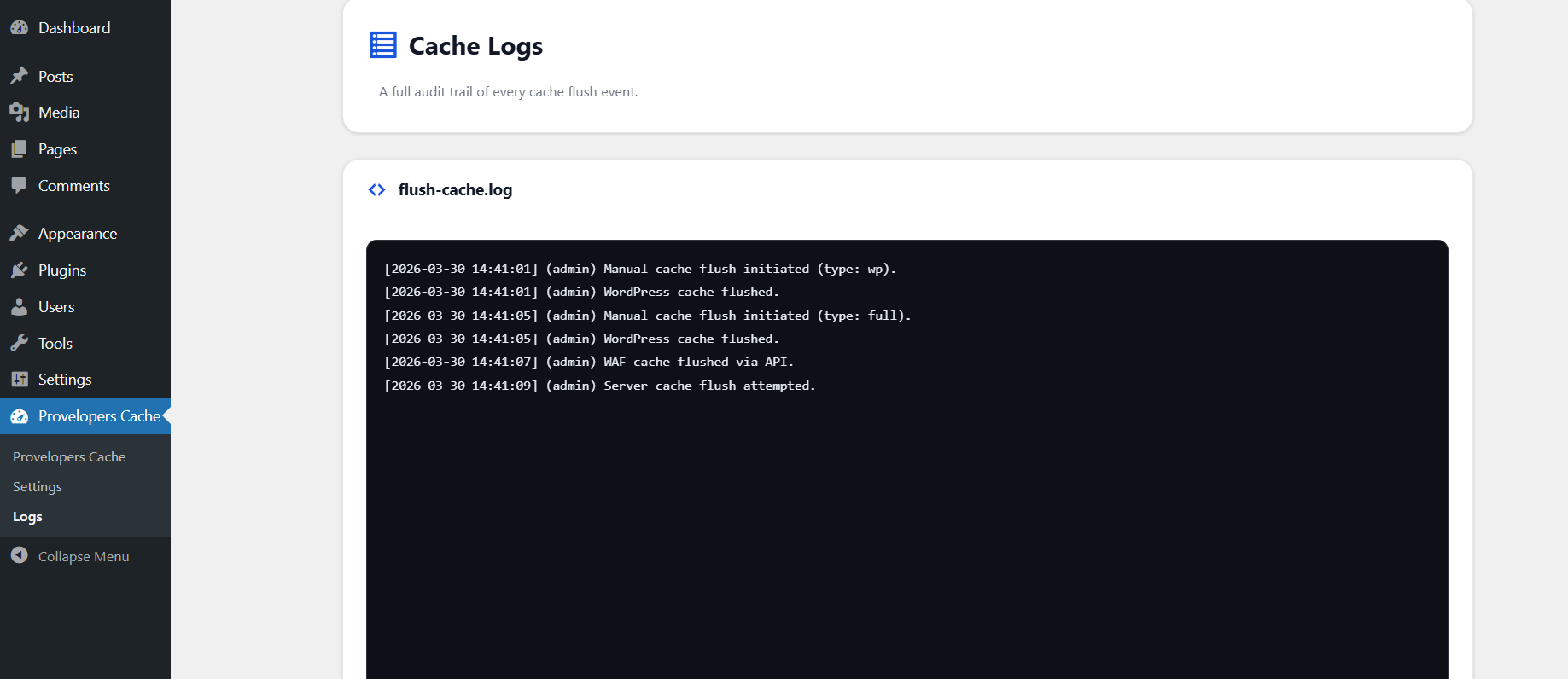
- Any plugin using native WordPress object cache Persistent Audit Log Track every cache flush with timestamp, user, and action. Logs are securely stored and manageable from the admin panel.
安装:
Install via WordPress Dashboard
- Go to Plugins → Add New
- Search for Provelopers Cache Manager
- Click Install Now → Activate
- Download the plugin ZIP
- Upload to
/wp-content/plugins/ - Activate from Plugins menu
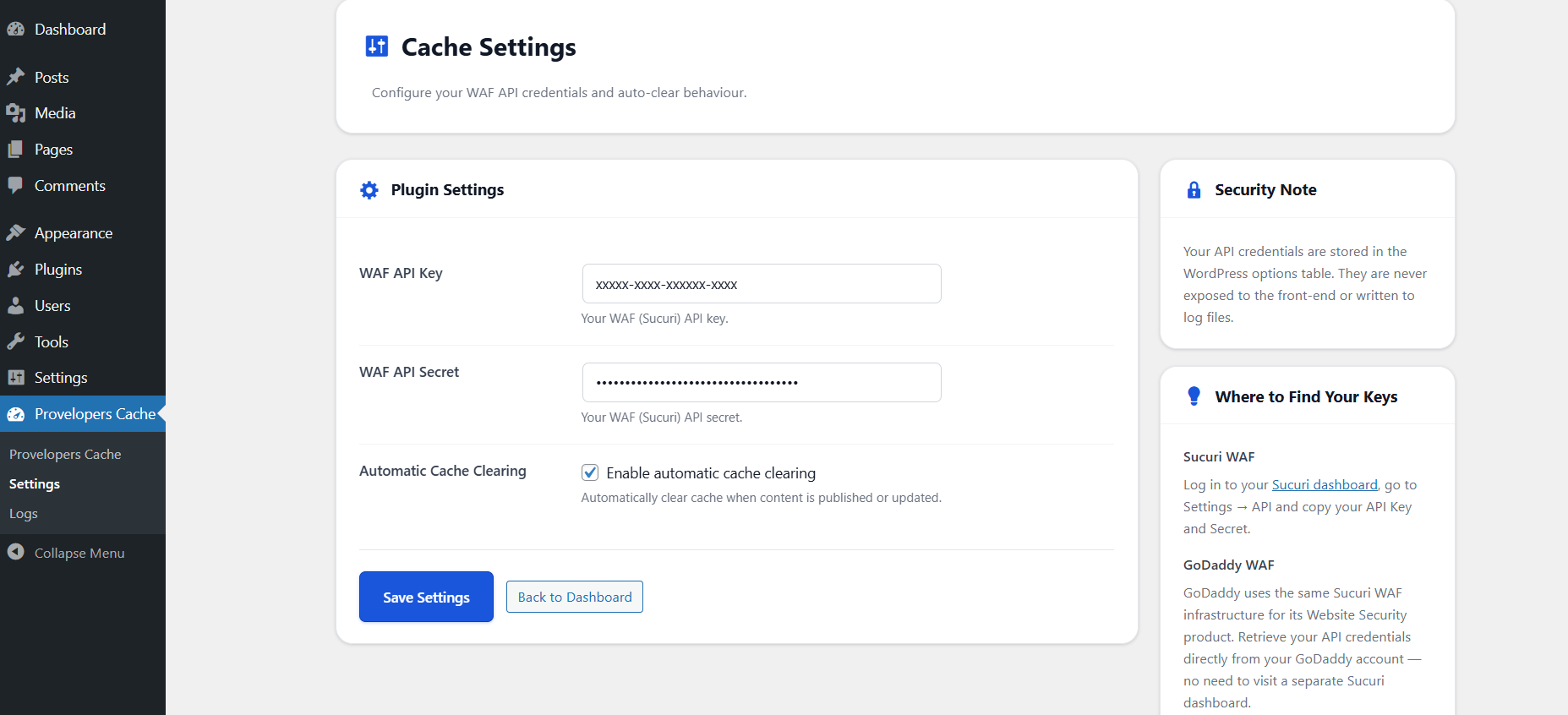
- Go to Provelopers Cache → Settings
- Enter WAF API Key & Secret (optional)
- Enable Auto Clear if needed
- Save settings
- Login: https://waf.sucuri.net/
- Navigate to Settings → API GoDaddy:
- Login: https://account.godaddy.com/
- Go to Website Security → Manage → Settings → API
屏幕截图:
常见问题:
Do I need Sucuri or GoDaddy?
No. The plugin works without WAF credentials. API is only needed for edge cache purge.
Which caching plugins are supported?
WP Rocket, W3TC, WP Super Cache, LiteSpeed, and any using wp_cache_flush().
Does it work with GoDaddy?
Yes. GoDaddy WAF uses Sucuri infrastructure, so API integration works seamlessly.
Are API credentials secure?
Yes. Stored securely in WordPress options and never exposed.
Does Auto Clear slow the site?
No. The impact is minimal and happens within normal WordPress operations.
Does it affect front-end performance?
No. The plugin runs only in admin.
How to view logs?
Go to Provelopers Cache → Logs.
Multisite support?
Not officially supported in this version.
What if API fails?
Fallback HTTP PURGE and headers will attempt cache clearing.
Does this plugin send data to third-party services automatically?
No. External API requests are only made when you configure WAF API credentials and trigger a cache flush manually or via the optional auto-clear feature.
更新日志:
1.0.0
- Initial release.