Recordar for Bluesky & Mastodon
| 开发者 | JRMora |
|---|---|
| 更新时间 | 2026年5月24日 16:31 |
| 捐献地址: | 去捐款 |
| PHP版本: | 7.4 及以上 |
| WordPress版本: | 7.0 |
| 版权: | GPLv2 or later |
| 版权网址: | 版权信息 |
详情介绍:
- Dual Publishing: Connect both Bluesky and Mastodon simultaneously.
- Smart Scheduling: Automatically publish old posts ("On a day like today, N years/months ago") at user-defined times.
- Full Multilanguage Support: Detects and allows filtering posts by language (e.g., 'es', 'en', 'de') if using plugins like Polylang or WPML.
- Immediate Publication of New Posts: Optionally, send a post to your networks immediately upon publication in WordPress.
- Editorial Control: Exclude specific posts (by ID) to prevent automatic publication.
- Link Handling (Embeds): Generates the link embed with image, title, and excerpt. Supports native image uploading for both networks.
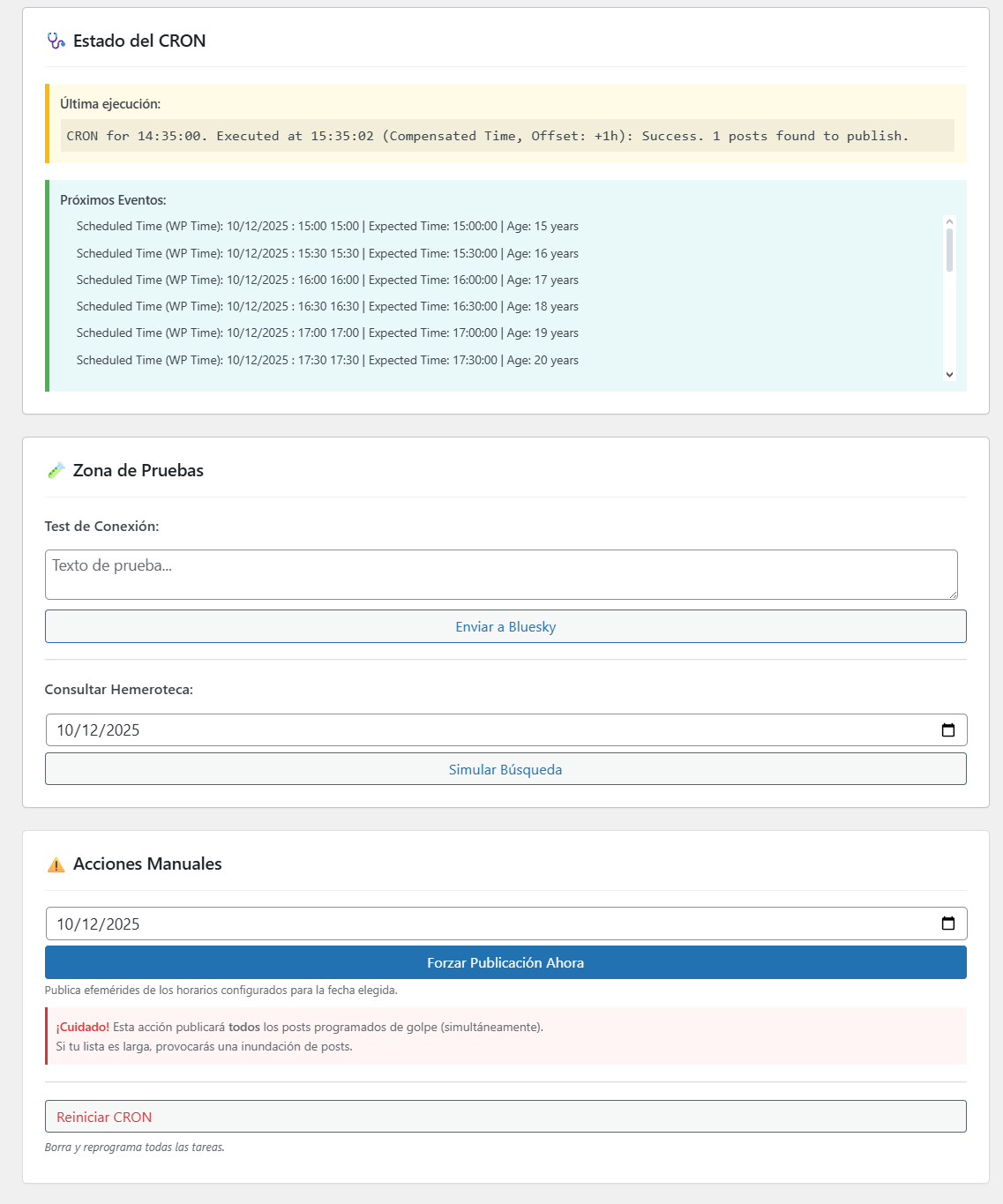
- Diagnostic Tools: Includes connection tests, Archive query tests, and CRON status/reset tools.
- Granular Control: Pause the entire system globally, or enable/disable each social network individually.
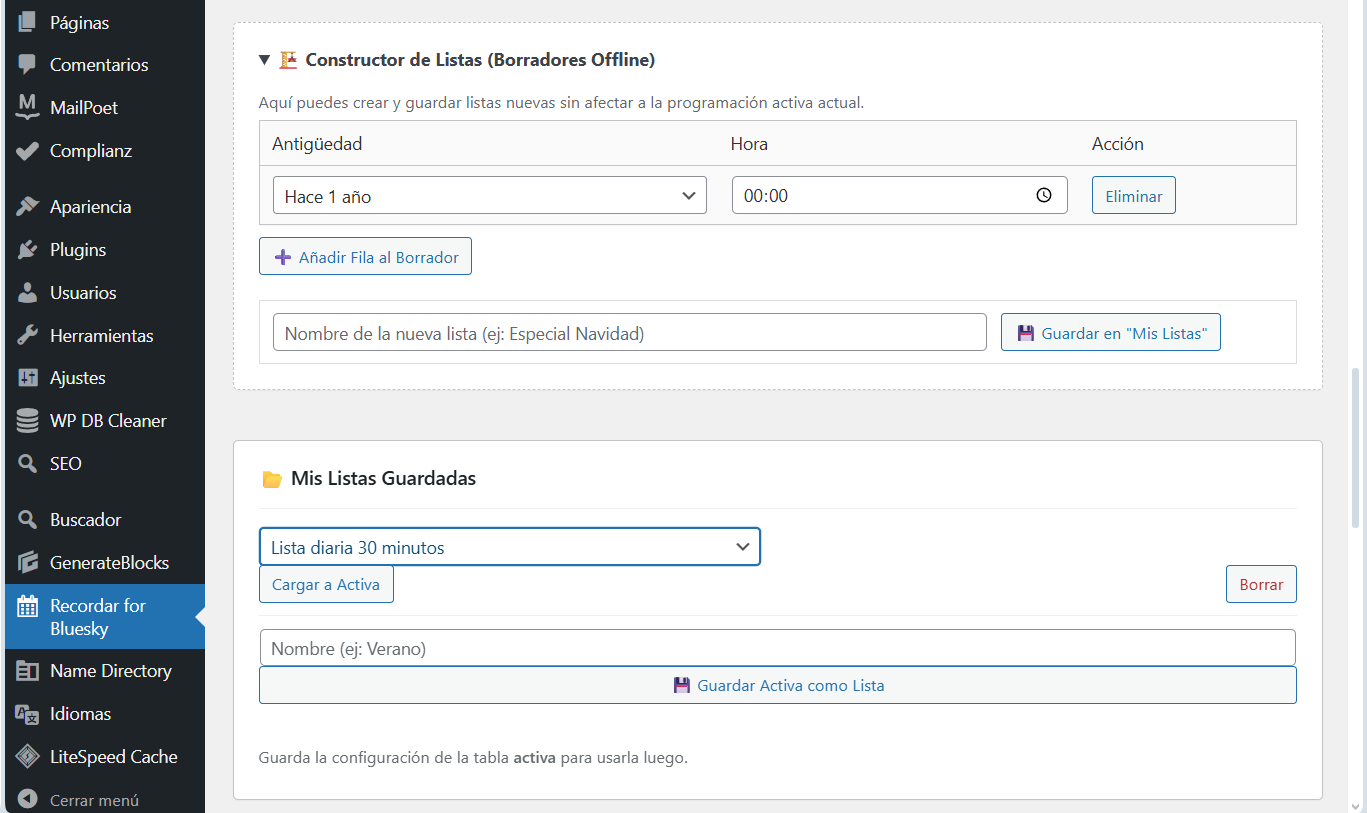
- Lists Laboratory: Create and save draft schedules offline before applying them.
- A Bluesky account (Handle + App Password).
- A Mastodon account (Instance URL + Access Token).
安装:
- Upload the
recordar-for-blueskyfolder to your/wp-content/plugins/directory. - Activate the plugin through the 'Plugins' menu in WordPress.
- Go to the new Recordar for Bluesky menu entry in your WordPress admin.
- Enter your credentials for Bluesky and/or Mastodon.
- Define the schedules and age of the posts you want to publish automatically.
- Make sure to save changes to schedule the CRON tasks!
屏幕截图:
常见问题:
How do I get a Mastodon Access Token?
Go to your Mastodon instance settings (usually under Preferences > Development). Click "New Application", give it a name (e.g., "WordPress"), select the permissions read and write, and save. Then click on the application name to reveal and copy the "Access Token".
What is a Bluesky App Password?
It is a password generated within your Bluesky account settings used specifically for third-party apps (like this plugin) to post on your behalf.
How does time synchronization work?
The plugin automatically detects your WordPress Timezone settings (Settings > General). You no longer need to calculate offsets manually. The CRON will fire exactly at the local time you configure.
What happens if a post has an excluded ID?
If a post is in the excluded IDs list, the plugin will never automatically publish it, neither as an ephemeris nor immediately as a new post.
Will I lose my lists if I uninstall the plugin?
By default, NO. Since version 1.9.0, data persistence is enabled by default to protect your lists. You can change this behavior in the "Uninstallation Options" section of the settings if you want a complete cleanup upon uninstallation.
What do the status icons in the schedule list mean?
After running a "Simulate Search" in the Testing Zone, the Active Schedule table updates to show results at a glance. A green checkmark (✅) indicates that content was found for that period. A grey dash (➖) indicates no matching post was found for today.
更新日志:
- FIX: Fixed regression in automated post messages where i18n placeholders were reverting to English after recent UI updates.
- UX: Improved the success message in the Testing Zone to accurately reflect which networks (Bluesky and/or Mastodon) received the test post.
- COMPATIBILITY: Tested up to WordPress 7.0.
- FIX: Resolved i18n string placeholders and translator comment warnings reported by WP 7.0 coding standards.
- SECURITY: Added proper escaping to admin dashboard icons and suppressed false positive validation warnings for strictly sanitized variables.
- Minor fix: Removed "New Blog Post!" prefix from automated posts for cleaner formatting.
- FIX: UI Layout. Fixed visual misalignment in the "List Builder" (Drafts) table columns.
- UX: Mobile Improvements. Added gutters to the dashboard to prevent "scroll traps" when managing long lists on mobile devices.
- I18N: Translation Ready. Search reports and Cron logs are now fully translatable (using proper placeholders).
- NEW: Visual Status Indicators. Added a new status column in the Active Schedule table.
- UX: In-situ Feedback. When running "Simulate Search", the table now displays a green checkmark (✅) for found posts and a grey dash (➖) for empty slots, allowing for quick status checks without scrolling.
- IMPROVEMENT: Tooltips. Added native WordPress tooltips to status icons for better clarity.
- NEW: Mastodon Support! Now you can connect your Mastodon account (Instance + Token).
- NEW: Multi-Network Logic. Publish to Bluesky, Mastodon, or both simultaneously.
- NEW: Individual Toggles. Pause or activate each social network independently without stopping the global system.
- UX: Redesigned credentials interface with separate cards for each network.
- IMPROVEMENT: Rich Text for Mastodon. Automatically appends the post excerpt to the message body when uploading images to ensure context is preserved (since Mastodon hides link cards when media is attached).
- NEW: Month-based Scheduling. Now you can schedule ephemeris for "1 month ago", "3 months ago", etc., expanding the possibilities beyond just years.
- IMPROVEMENT: Unified Selectors. The schedule dropdowns now handle and display both months and years intelligently.
- IMPROVEMENT: Translation Logic. Implemented
_n()function to ensure accurate pluralization of time periods in all languages (e.g., "1 year" vs "5 years"). - LOGIC: Robust Date Calculation. Added specific logic to handle month subtraction safely (handling edge cases like day 31 automatically).
- NEW: Automatic Timezone Synchronization. Removed manual offset selector. The plugin now intelligently uses the WordPress "Settings > General" timezone configuration.
- NEW: Data Persistence Option. Added a "Danger Zone" setting to choose whether to keep lists/settings upon uninstallation.
- IMPROVEMENT: Reforged CRON Logic. Completely rewrote the scheduling function using DateTimeZone.
- FIX: Server Compatibility. Added fallback for servers missing mbstring extension and hardened time parsing to prevent fatal errors.
- IMPROVEMENT: Enhanced Logging. The status log now explicitly displays Local Blog Time vs UTC.
- UX: Added an important safety warning to the "Force Publish Now" tool. It alerts the user that this action publishes all listed posts simultaneously to prevent accidental flooding.
- NEW: Global Pause system. Added a switch to temporarily stop all automatic activity without losing settings.
- NEW: Lists Laboratory (Drafts). New dedicated tool to create, edit, and save list drafts "offline" without affecting the active schedule.
- IMPROVEMENT: Modular Design (Dashboard). Complete UI overhaul using a card and grid system for better usability.
- IMPROVEMENT: Search Persistence. Archive test results now remain on screen after reload until manually closed.
- CRITICAL FIX: Hardened CRON Reset logic. Fixed recalculation to prevent past events from firing immediately upon reset, respecting server time offset.
- MAINTENANCE: Clean Uninstall (
uninstall.php). The plugin now automatically wipes all its options and credentials from the database upon deletion.