
SanctumGate
| 开发者 | laughteronwater |
|---|---|
| 更新时间 | 2026年1月1日 00:27 |
| PHP版本: | 7.4 及以上 |
| WordPress版本: | 6.9 |
| 版权: | GPLv3 or later |
| 版权网址: | 版权信息 |
详情介绍:
- Page-Level Control: Choose specific pages to make publicly accessible
- Category-Based Access: Make entire categories of posts public
- Category Archives: Public category archive pages for allowed categories
- User-Friendly Interface: Checkbox-based selection instead of manual ID entry
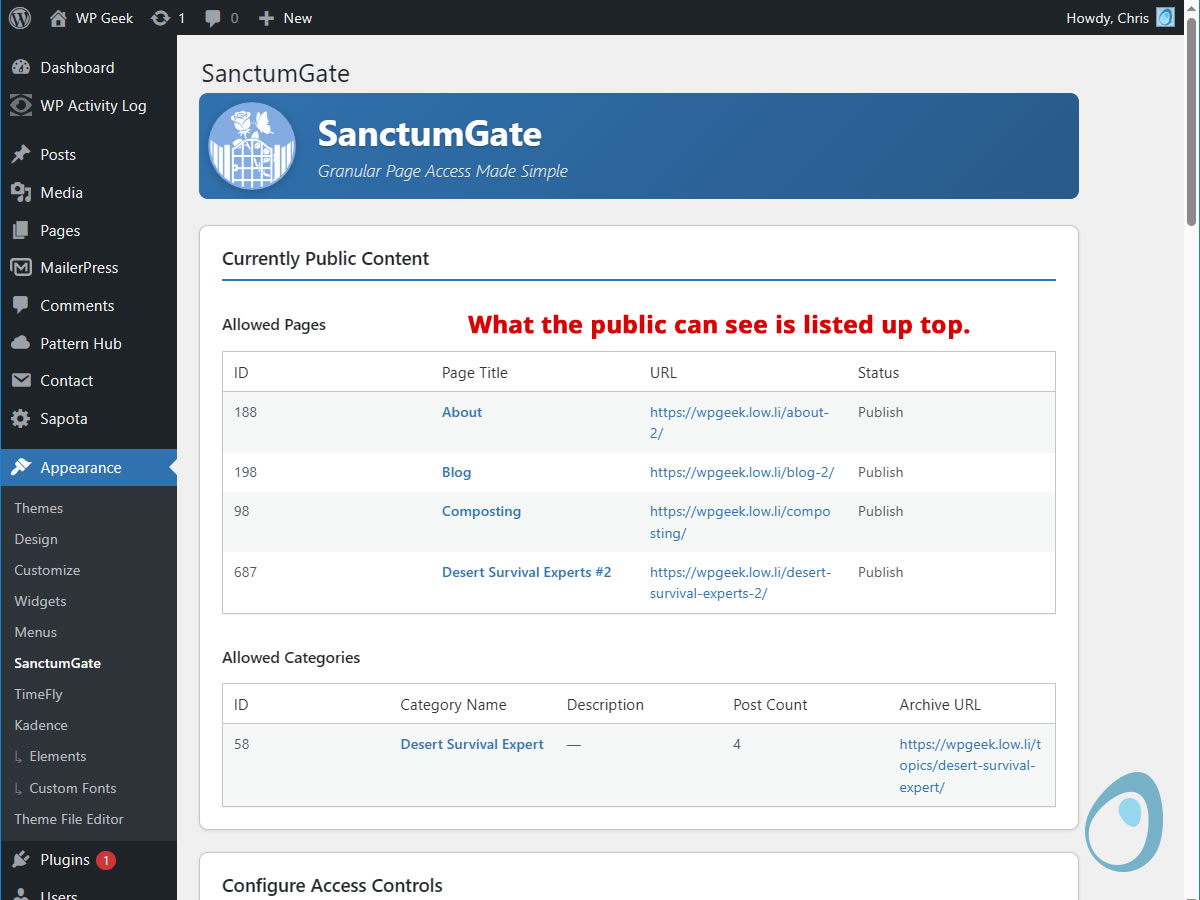
- Visual Feedback: See exactly what's currently public at a glance
- Lightweight: Minimal performance impact, perfect for smaller sites Perfect For:
- Small business websites
- Community sites
- Member-only content areas
- Private blogs
- Non-profit organization sites
安装:
- Upload the
sanctumgatefolder to the/wp-content/plugins/directory - Activate the plugin through the 'Plugins' menu in WordPress
- Go to Appearance → SanctumGate to configure access settings
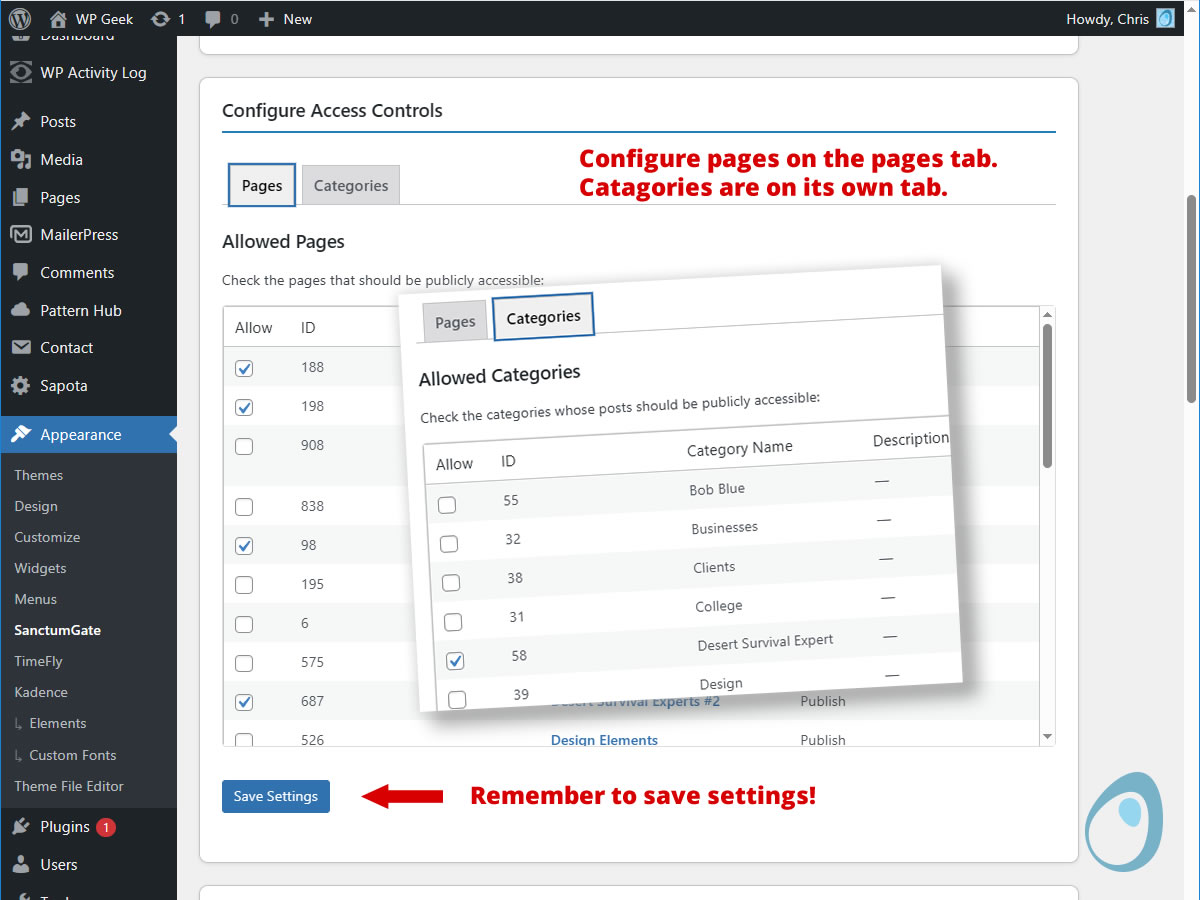
- Check the boxes next to pages and categories you want to make public
- Save your settings
屏幕截图:
常见问题:
Who is SanctumGate for?
SanctumGate is perfect for small to medium-sized websites that serve communities, organizations, or groups with mostly internal content, but need to showcase a few key pages publicly. Think intentional communities sharing event details and bylaws internally while letting potential new members see introductory pages; local resilience hubs coordinating volunteers with some public resource guides; sports teams managing private schedules and discussions while advertising upcoming games; or volunteer networks organizing private meetings with public opportunity listings. If your site is primarily for logged-in members but you want to selectively share just a few pages or post categories without the complexity and overhead of a full membership system, SanctumGate is designed for you.
How does SanctumGate work?
SanctumGate restricts access to your site's content, making everything private by default except for the home page and login page. You then selectively make specific pages and categories public through the settings interface.
How do I configure access controls?
- Go to Appearance ⇒ SanctumGate in your WordPress admin
- Check the boxes next to pages you want to make public
- Check the boxes next to categories whose posts should be public
- Save your settings
What content is public by default?
- Home page (always accessible)
- Login page (always accessible)
- Any pages you check in the settings
- All posts in categories you check
- Category archive pages for allowed categories
How do I make a specific page public?
In the SanctumGate settings page, go to the "Pages" tab and check the box next to the page title. Save your changes. The page will then be accessible without login.
How do I make posts in a category public?
In the SanctumGate settings page, go to the "Categories" tab and check the box next to the category name. All posts in that category will become publicly accessible.
What happens when I uncheck a page or category?
Unchecked content becomes private and requires login to access. The change takes effect immediately after saving.
Can I make individual posts public without making the whole category public?
Not currently. SanctumGate works at the page and category level for simplicity. For more granular post control, consider a dedicated membership plugin.
What about custom post types?
Currently, SanctumGate only handles standard WordPress pages and posts. Custom post types are not supported in this version.
Is the home page always public?
Yes, the home page (and front page) are always accessible to maintain basic site functionality.
What happens to search results and archives?
Search results and other archives will respect the access rules. Only public content will be visible in searches and feeds.
Does SanctumGate affect media files and images?
Media files (images, documents) embedded in public content will be accessible. However, direct links to media files in private content may still be accessible if someone has the URL. For complete media protection, consider additional security plugins.
How does this differ from other membership plugins?
SanctumGate is designed for simplicity. It doesn't handle payments, user registration, or complex permission levels. It's perfect for sites that just need basic "public vs. private" content separation.
Can I use SanctumGate with other plugins?
Yes, SanctumGate works well with most WordPress plugins. However, plugins that modify content access (like membership systems) may conflict. Test thoroughly in a staging environment.
Troubleshooting: Users can't access content they should be able to see
- Check that the page/post is in an allowed category or is an allowed page
- Verify your settings are saved
- Clear any caching plugins
- Check for conflicts with other security plugins
Troubleshooting: Content is showing as private when it should be public
- Confirm the page/category is checked in settings
- Save settings again to ensure they're applied
- Check for plugin conflicts
- Verify user is not logged in (public access)
Does SanctumGate work with multisite?
SanctumGate is designed for single sites. Multisite installations may require individual plugin activation per site.
Can I restrict access based on user roles?
Not currently. SanctumGate provides simple public/private separation. For role-based access, consider membership plugins.
What about RSS feeds and XML sitemaps?
RSS feeds and sitemaps will only include public content. Private content is excluded from feeds and sitemaps.
Is there a limit to how many pages or categories I can make public?
No, you can make as many pages and categories public as needed. However, for performance, consider keeping most content private if possible.
What happens if I deactivate SanctumGate?
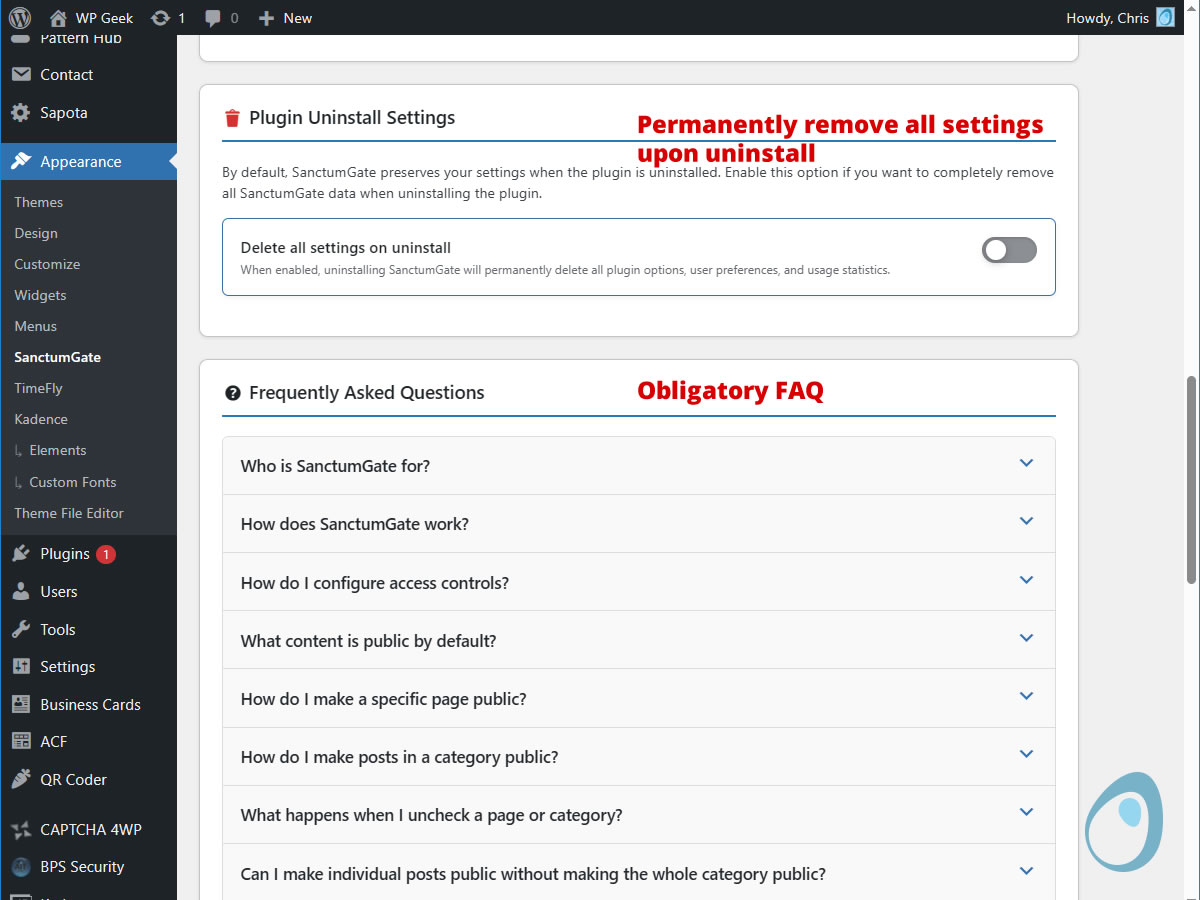
All content restrictions are removed, and your site returns to normal WordPress behavior where all content is publicly accessible. Content that was private through SanctumGate will become public unless you have individually set those posts or pages to "Private" visibility in the WordPress editor (under the "Visibility" section when publishing). Before deactivating, consider setting truly sensitive content to Private visibility to maintain protection.
About the SanctumGate Logo
The SanctumGate logo, a minimalist garden gate with a rose and butterfly peeking through, draws inspiration from the historic William Paca Garden in Annapolis, Maryland. Built in the 1760s by Declaration of Independence signer William Paca and his wife Mary, the garden features distinctive brick walls with latticed openings that balance privacy with glimpses of beauty beyond. According to a charming story told on garden tours (likely embellished by docents over the years), a young girl once asked Mary Paca why they needed a fence around their garden. "So they can have privacy," came the reply. "Then why the openings?" the girl asked. Mary smiled: "So others can see their privacy." Whether historically accurate or not, this delightful anecdote captures what SanctumGate aims to do: create private spaces while allowing carefully curated moments of visibility, letting the world glimpse the beauty within without compromising the sanctuary of members-only content.
更新日志:
- revised release
- formal name change to SanctumGate
- Initial release
- Page and category-based access control
- User-friendly checkbox interface
- WordPress 6.9 compatibility