
SERVIT Analytics
| 开发者 | cservit |
|---|---|
| 更新时间 | 2026年9月7日 19:42 |
| PHP版本: | 7.4 及以上 |
| WordPress版本: | 7.0 |
| 版权: | GPLv2 or later |
| 版权网址: | 版权信息 |
详情介绍:
- KPI tiles: sessions today/total, pageviews, average duration, pages/session, online visitors (live)
- Conversions: orders, confirmed orders, confirmation rate, contact requests
- Visitor timeline (pageviews & sessions) as area chart
- Orders & contact requests as bar chart
- Traffic sources (Google, Bing, Direct, Referral, ...)
- Page types (freely configurable via regex)
- Devices (mobile/desktop/tablet) as donut chart
- Top pages today
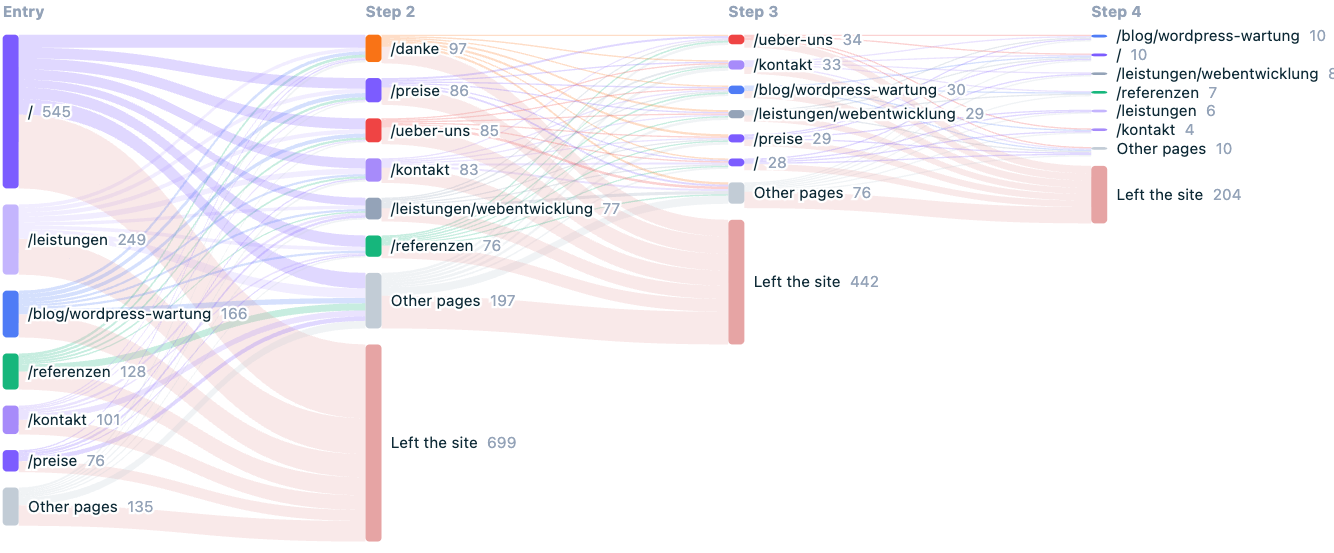
- Visitor flow: entry page, the pages visited next and where sessions end, as a Sankey diagram
- Entry and exit pages with bounce rate and exit rate
- Daily details table
- Period switcher (week / month / quarter) and auto-refresh every 30 s
- Cookieless — the session ID is stored only in the browser's sessionStorage and is cleared when the tab closes.
- No IP storage — a daily-rotating, non-reversible hash is used to count unique visitors.
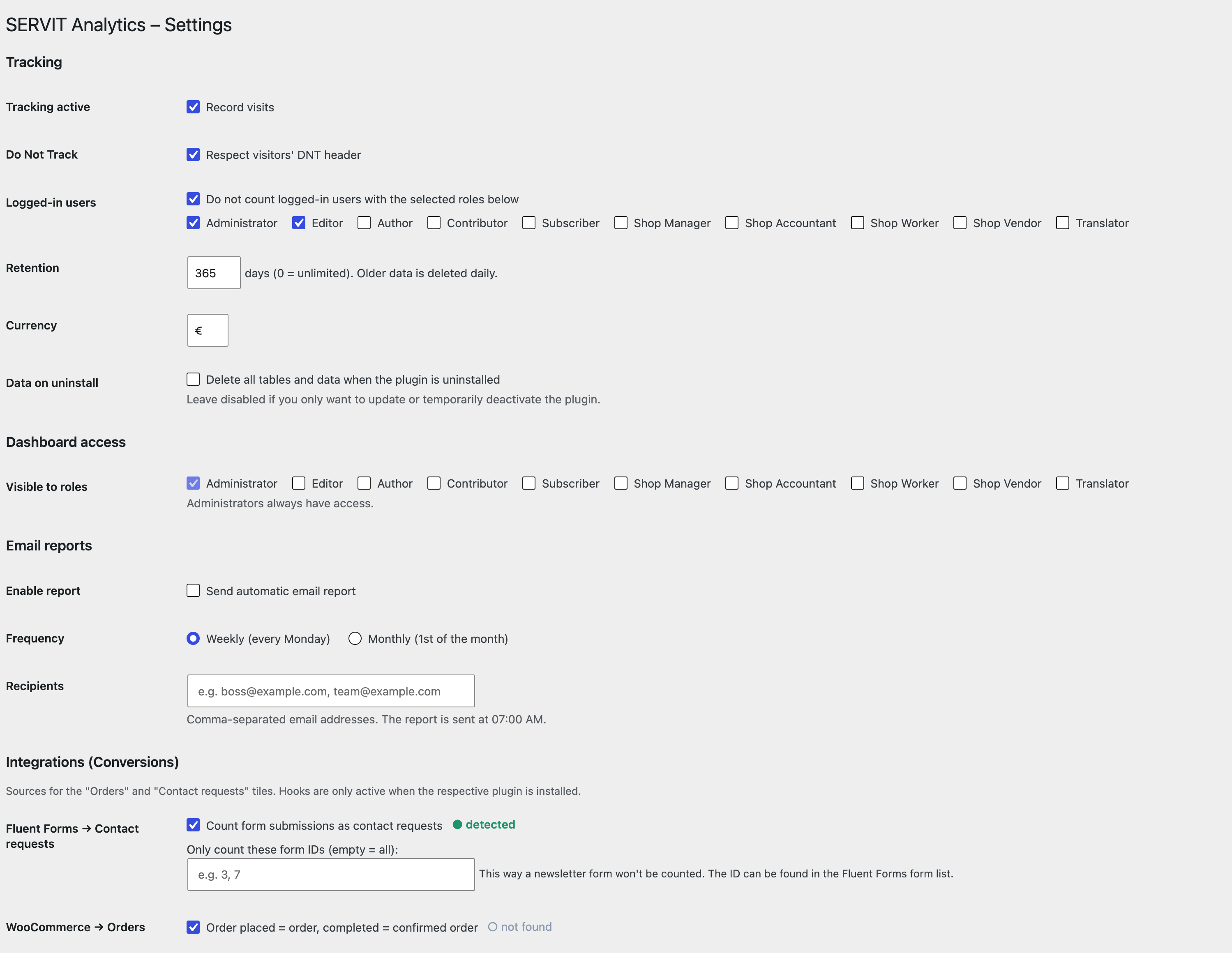
- Optional: respect Do-Not-Track, exclude logged-in roles, bot filter.
- No external scripts, no CDN, no Chart.js — all charts are rendered locally as SVG.
do_action( 'servit_analytics_event', 'contact', array( 'label' => 'Contact Form' ) );
do_action( 'servit_analytics_event', 'order', array( 'value' => 49.90 ) );
do_action( 'servit_analytics_event', 'order_confirmed', array( 'value' => 49.90 ) );
Or via JavaScript on the frontend:
ServitAnalytics.track( 'contact', { label: 'Contact Form' } );
The JavaScript helper is limited to non-monetary events (contact requests and tel/mailto/WhatsApp clicks) and is rate limited. Orders and their values are recorded server-side only — via the PHP hook above or the automatic shop integrations — so revenue figures cannot be forged from the browser.
Automatic integrations (individually toggleable under Analytics > Settings):
- Fluent Forms — each form submission counts as a contact request (optionally limited to specific form IDs).
- WooCommerce — new order = order event, completed = confirmed order.
- Easy Digital Downloads — purchase = order, completed = confirmed order.
- FluentBooking — booking = order, confirmed = confirmed order.
?utm_source=google&utm_medium=cpc&utm_campaign=summer_sale) or rely on automatically detected click IDs (gclid, gbraid/wbraid, fbclid, msclkid, ttclid, li_fat_id).
- The campaign is stored cookieless in localStorage (last-touch) and attributed to a later order/contact within the attribution window — including server-side conversions (Fluent Forms, WooCommerce) via visitor-hash backfill.
- Paid clicks appear cleanly separated in the traffic sources (e.g. "Google Ads" instead of "Google").
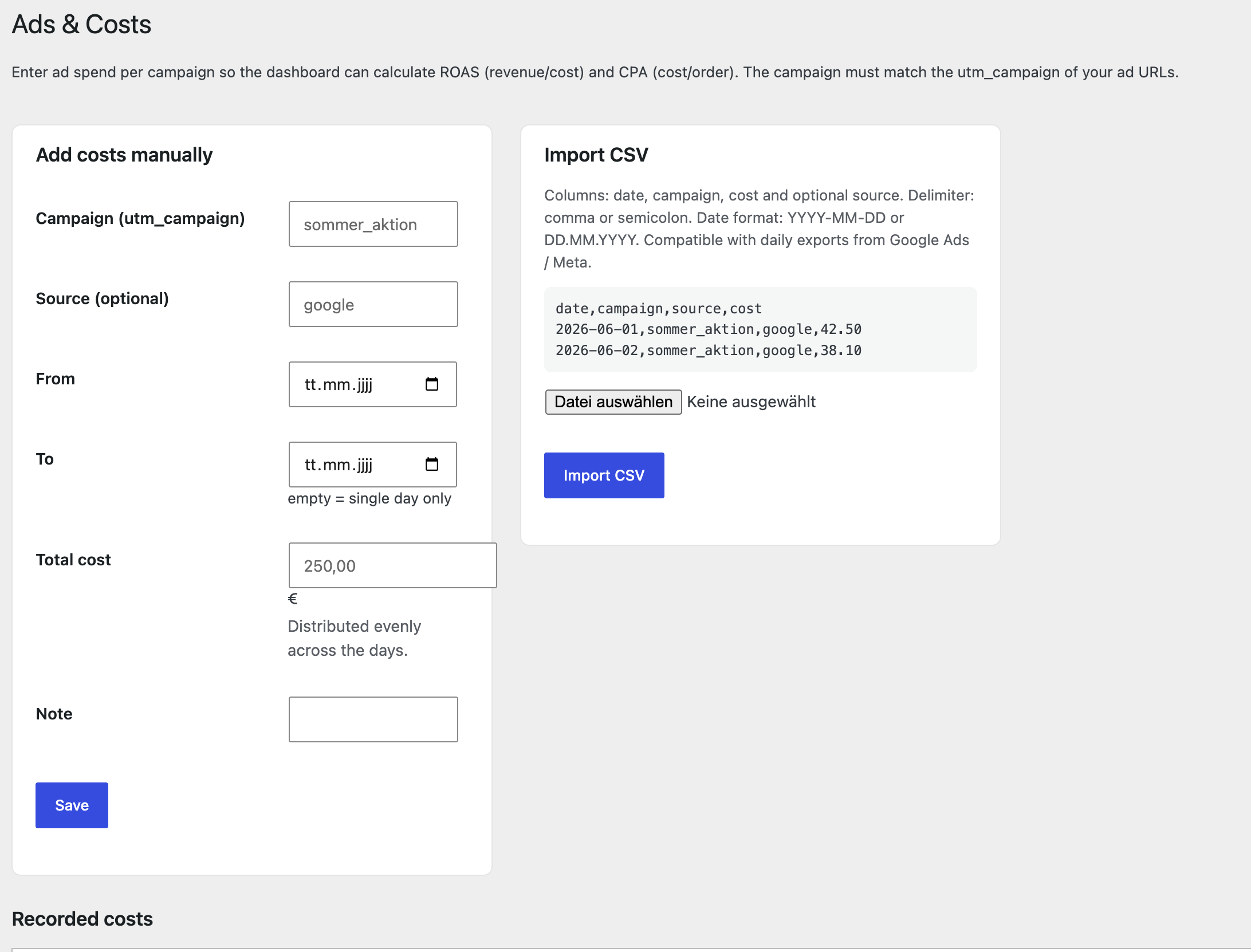
- The dashboard shows a campaign table: sessions, orders, contacts, conversion rate, cost, revenue, ROAS and CPA.
{prefix}_servit_analytics_views, {prefix}_servit_analytics_events, {prefix}_servit_analytics_ad_costs) to store pageviews, conversion events and ad spend data. No personal data (IP addresses, usernames) is stored. Visitor uniqueness is determined by a daily-rotating, non-reversible SHA-1 hash that cannot be traced back to an individual.
All data can be deleted by enabling "Delete all tables and data when the plugin is uninstalled" in the settings before uninstalling the plugin.
安装:
- Upload the
servit-analyticsfolder to/wp-content/plugins/or install the ZIP via Plugins > Add New > Upload. - Activate the plugin. The database tables are created automatically.
- Open the Analytics menu item in the admin sidebar.
- Under Analytics > Settings, configure page-type rules, excluded roles and data retention.
屏幕截图:

常见问题:
Does this plugin use cookies?
No. The session ID is stored in sessionStorage, which is cleared automatically when the browser tab is closed. No cookies are set at any point.
Does this plugin store IP addresses?
No. A daily-rotating, salted SHA-1 hash is computed from the IP, user agent and a WordPress nonce salt. The hash is stored; the IP is never written to the database.
Is this plugin GDPR compliant?
The plugin is designed with GDPR in mind: no cookies, no IP storage, no external services. Whether consent is required depends on your specific use case and jurisdiction — consult your data protection officer or legal counsel.
Does this plugin load external scripts or connect to remote servers?
No. Everything runs locally. Charts are rendered as inline SVG. There is no CDN, no external JavaScript library and no remote API call.
Can I use this alongside Google Analytics or other tracking tools?
Yes. SERVIT Analytics operates independently and does not interfere with other analytics solutions.
What happens to my data when I deactivate the plugin?
Nothing. All data is preserved. The plugin only removes its cron jobs on deactivation. To permanently delete all data, enable "Delete all tables and data when the plugin is uninstalled" in the settings, then uninstall the plugin.
How does the Statify import work?
Go to Analytics > Statify Import. The plugin reads the Statify database table and imports date, path and referrer for each row. Since Statify does not track sessions or devices, each imported pageview is counted as a separate session. The import runs in batches and can be resumed safely.
Which integrations are supported?
Fluent Forms (contact requests), WooCommerce (orders), Easy Digital Downloads (orders) and FluentBooking (bookings). Each integration can be toggled individually in the settings and is only active when the respective plugin is installed.
更新日志:
- New: Visitor flow — a Sankey diagram showing entry page, the pages visited next and where sessions end.
- New: Entry pages table with bounce rate, exit pages table with exit rate.
- Overall bounce rate for the selected period.
- All UI strings translated to English; German available via language files.
- Readme rewritten in English per WordPress.org guidelines.
- Plugin Check compatibility improvements.
- Added "Delete data on uninstall" setting to prevent accidental data loss.
- Initial release.