
ShapeOptions – Extra Product Options for WooCommerce
| 开发者 | shapekode22 |
|---|---|
| 更新时间 | 2026年11月4日 18:27 |
| PHP版本: | 7.4 及以上 |
| WordPress版本: | 7.1 |
| 版权: | GPLv2 or later |
| 版权网址: | 版权信息 |
详情介绍:
- No limits. Unlimited option groups, fields and choices, on unlimited sites.
- No code needed. Every field is set up in a visual builder.
- Fast. The product page script is lightweight vanilla JavaScript, with no jQuery or other libraries.
- Ready for current WooCommerce. Works with High-Performance Order Storage (HPOS) and the Cart and Checkout blocks.
- ✅ Text – Single-line text input, with optional placeholder and character limit.
- ✅ Textarea – Multi-line text for notes, messages and engraving text.
- ✅ Number – Numeric input with min, max and step.
- ✅ Email – Email address, checked for a valid format.
- ✅ URL – Web address, checked for a valid link.
- ✅ Phone – Phone number input.
- ✅ Date Picker – Pick a date, such as a delivery or event date.
- ✅ Time Picker – Pick a time, such as a pickup slot.
- ✅ Color Picker – Let customers choose any custom color.
- ✅ Range / Slider – Pick a value by dragging a slider, with a live readout.
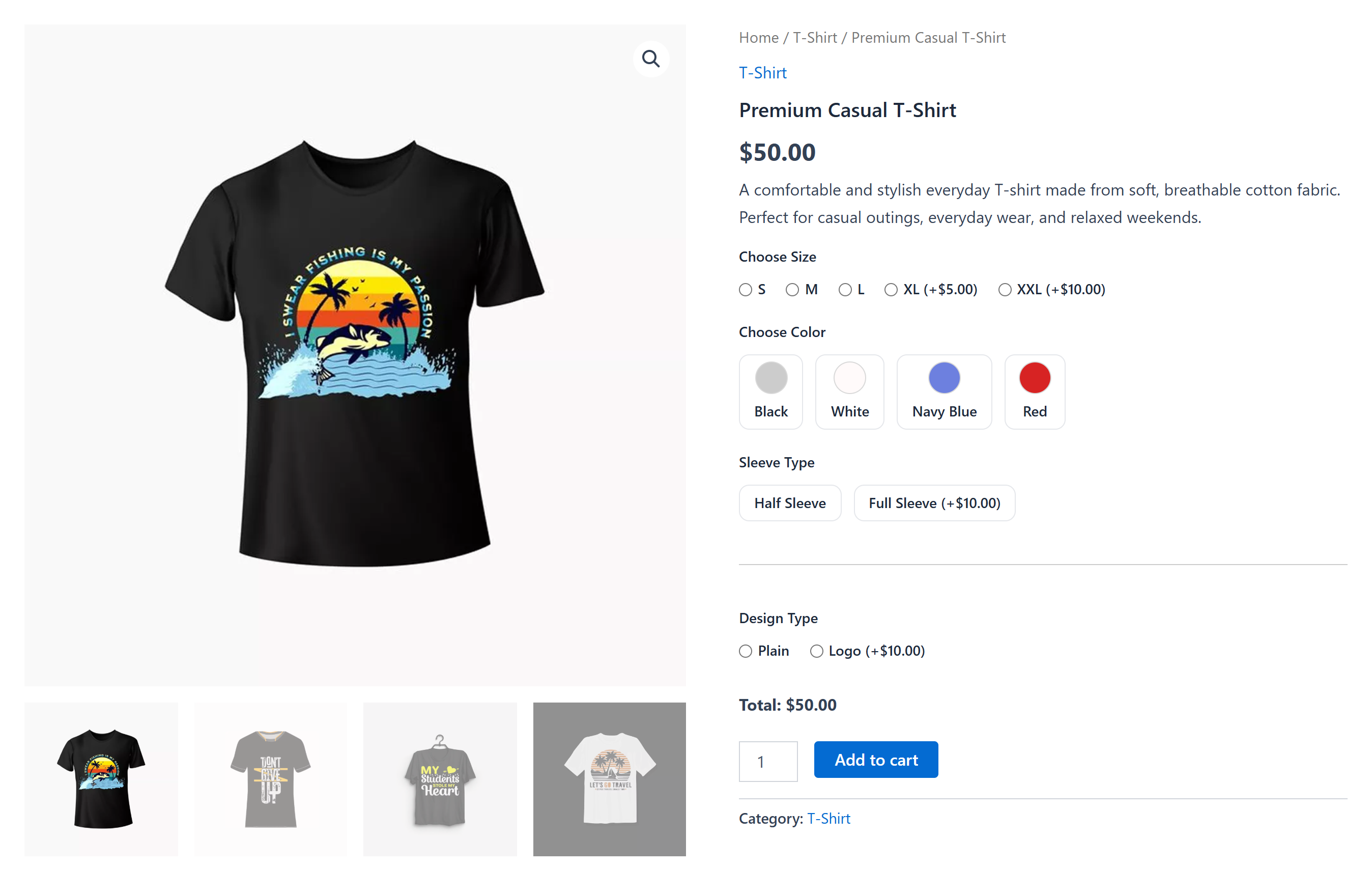
- ✅ Select Dropdown – Pick one choice from a dropdown, each with its own price.
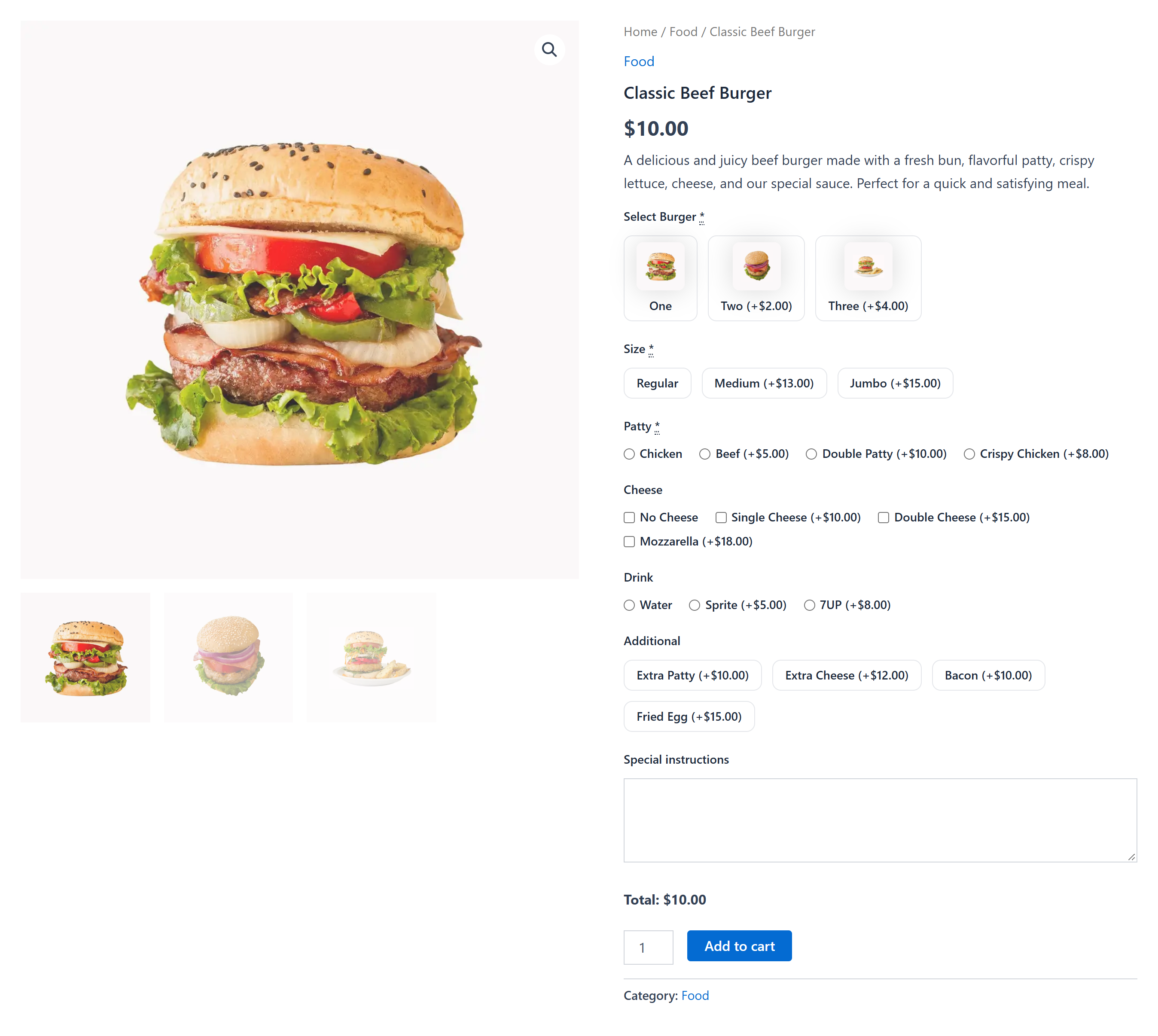
- ✅ Radio Buttons – Pick one choice from a list. Click again to deselect.
- ✅ Checkbox – A single yes/no option, such as "Add gift wrap".
- ✅ Checkbox Group – Pick several choices from a list.
- ✅ Switch / Toggle – A modern on/off switch.
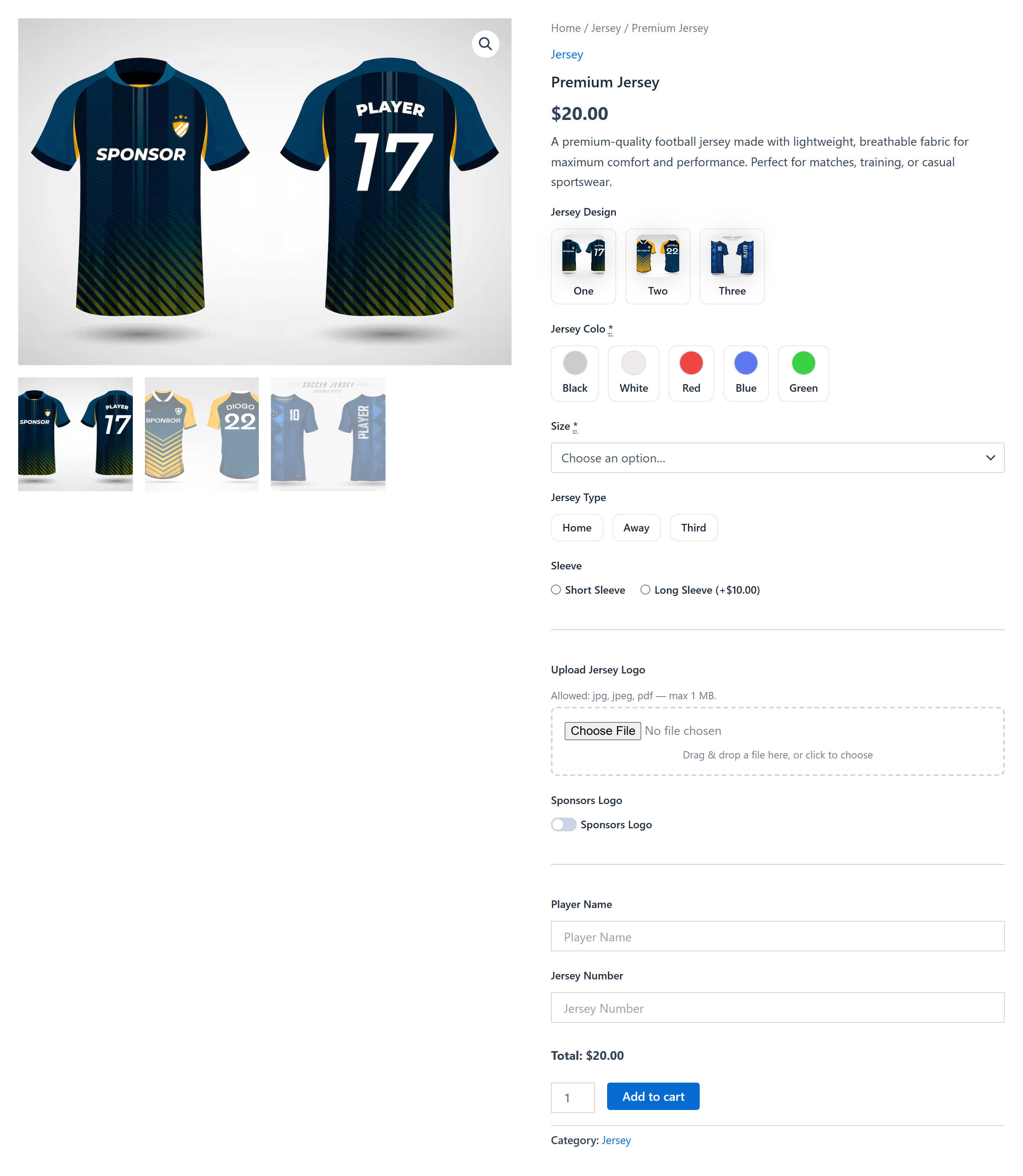
- ✅ File Upload – Secure single-file upload, with file type and size limits checked on the server.
- ✅ Heading – A title to split the form into parts.
- ✅ Paragraph / HTML – Text or simple HTML to explain an option.
- ✅ Separator – A divider line between fields.
- ✅ Collapsible Section – Group fields in a section customers can open and close.
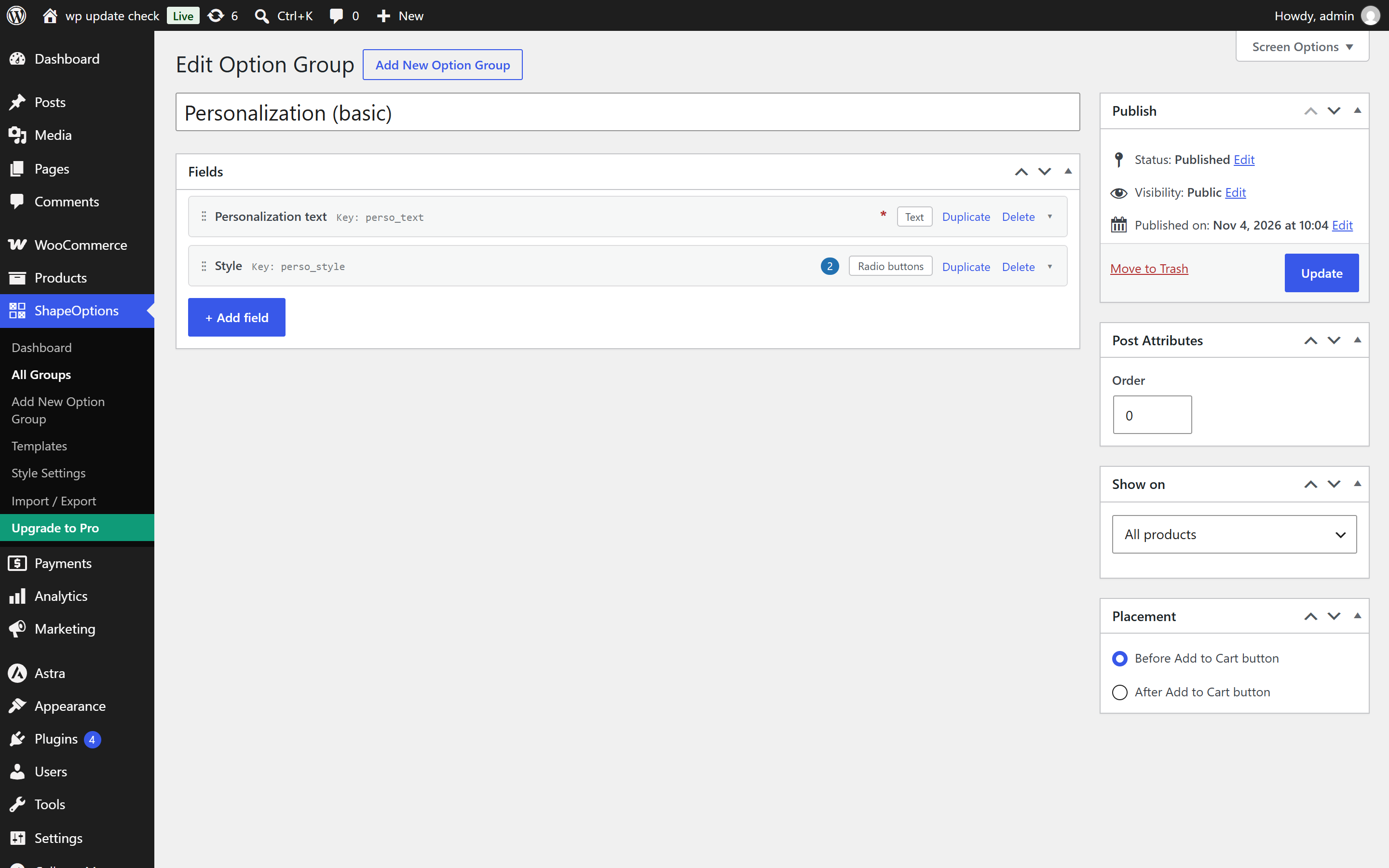
- ✅ Each field is a card. Click a card to open its settings.
- ✅ Add fields from a grouped field picker.
- ✅ Drag and drop to reorder fields, and duplicate a field with one click.
- ✅ Add choices as separate rows, each with its own label and price.
- ✅ Add instructions to a field. They appear as a hint on the product page.
- ✅ Flat fee for a field, or for each of its choices.
- ✅ Live options total on the product page, updated as the customer picks options.
- ✅ The extra cost is added to the cart item price.
- ✅ Show a group on all products, specific products (live search), categories or tags.
- ✅ Place the options before or after the Add to Cart button.
- ✅ Works with simple and variable products.
- ✅ Selected options appear in the cart, at checkout, on the order screen and in order emails.
- ✅ Uploaded files are stored in their own folder with random file names.
- ✅ Works with High-Performance Order Storage (HPOS) and the Cart and Checkout blocks.
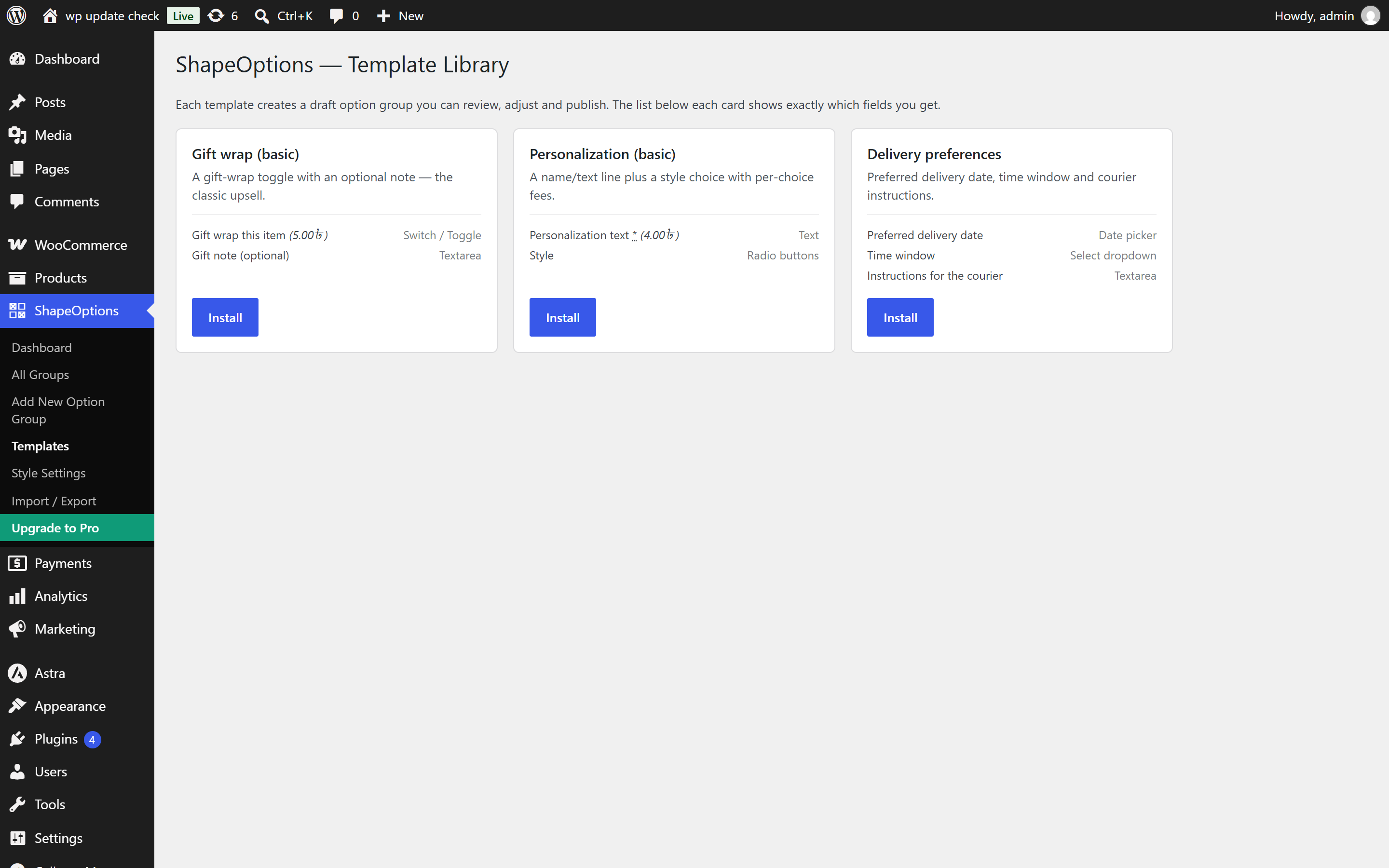
- ✅ Template library with previews: gift wrap, personalization, delivery preferences and more.
- ✅ Templates are added as drafts, so you can review them before publishing.
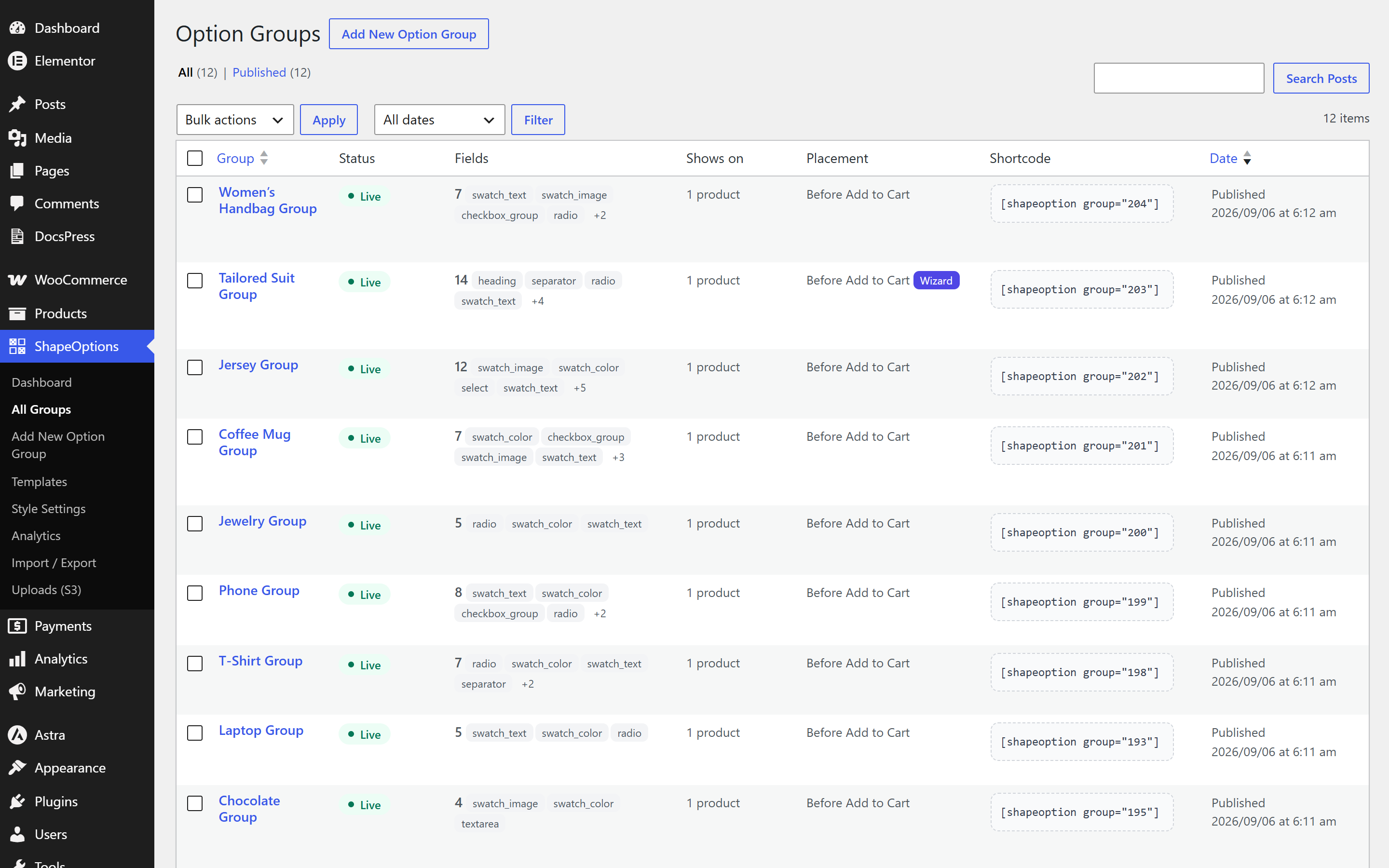
- ✅ Export option groups to JSON and import them on another site.
- ✅ 8 color schemes: Classic, Blue, Purple, Pink, Orange, Green, Teal and Lime.
- ✅ Field size (small, medium or large) and corner style (sharp or rounded).
- ✅ Field labels and choices can be translated through WPML or Polylang string translation.
- ✅ Translation ready, with a
.potfile included.
- ✅ Deactivating the plugin never deletes anything.
- ✅ Data is only removed on uninstall if you turn on that setting under Style Settings → Danger zone. You can download a backup file first.
- ✅ Order data and files attached to orders are always kept, so your past orders stay complete.
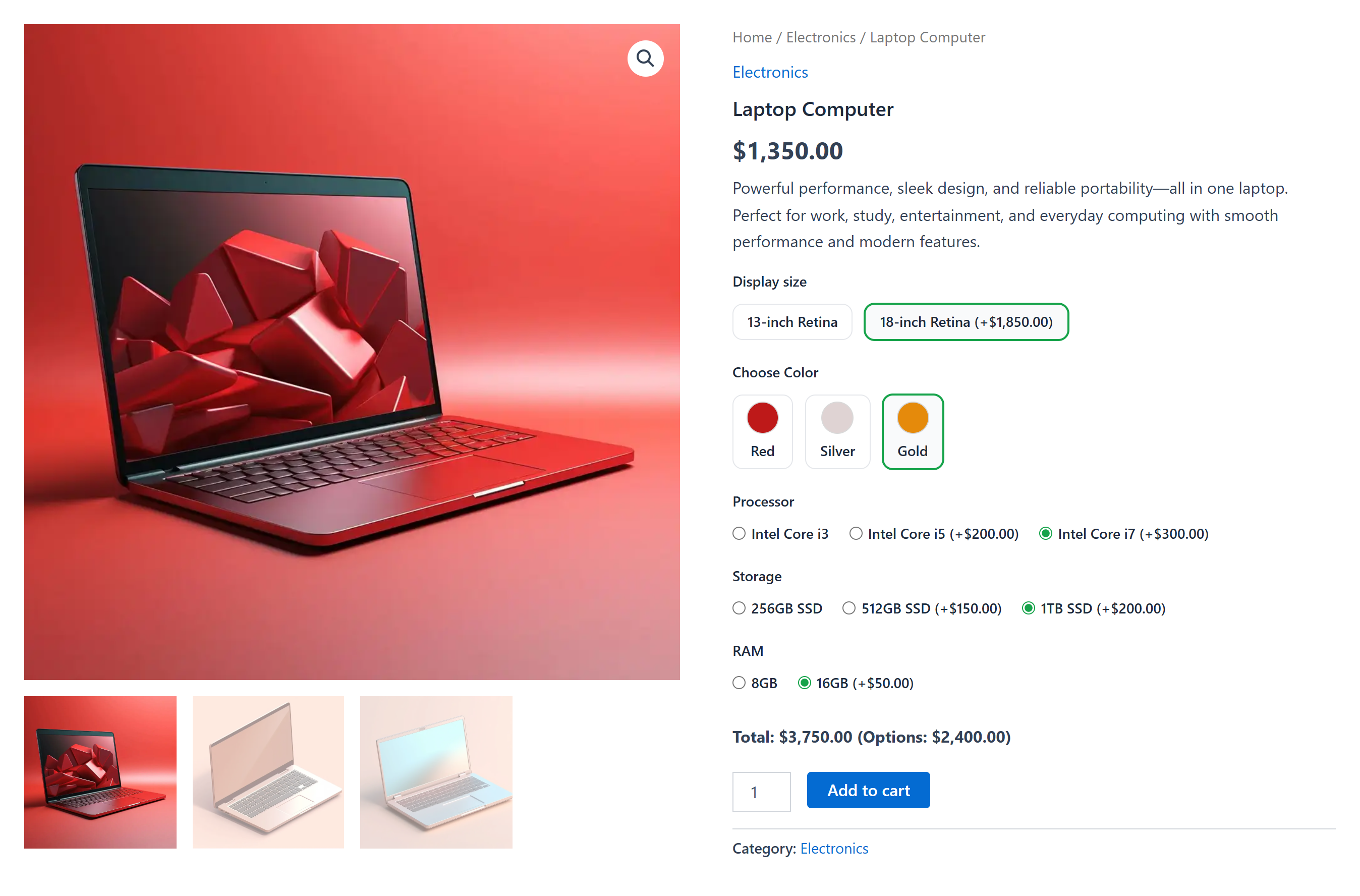
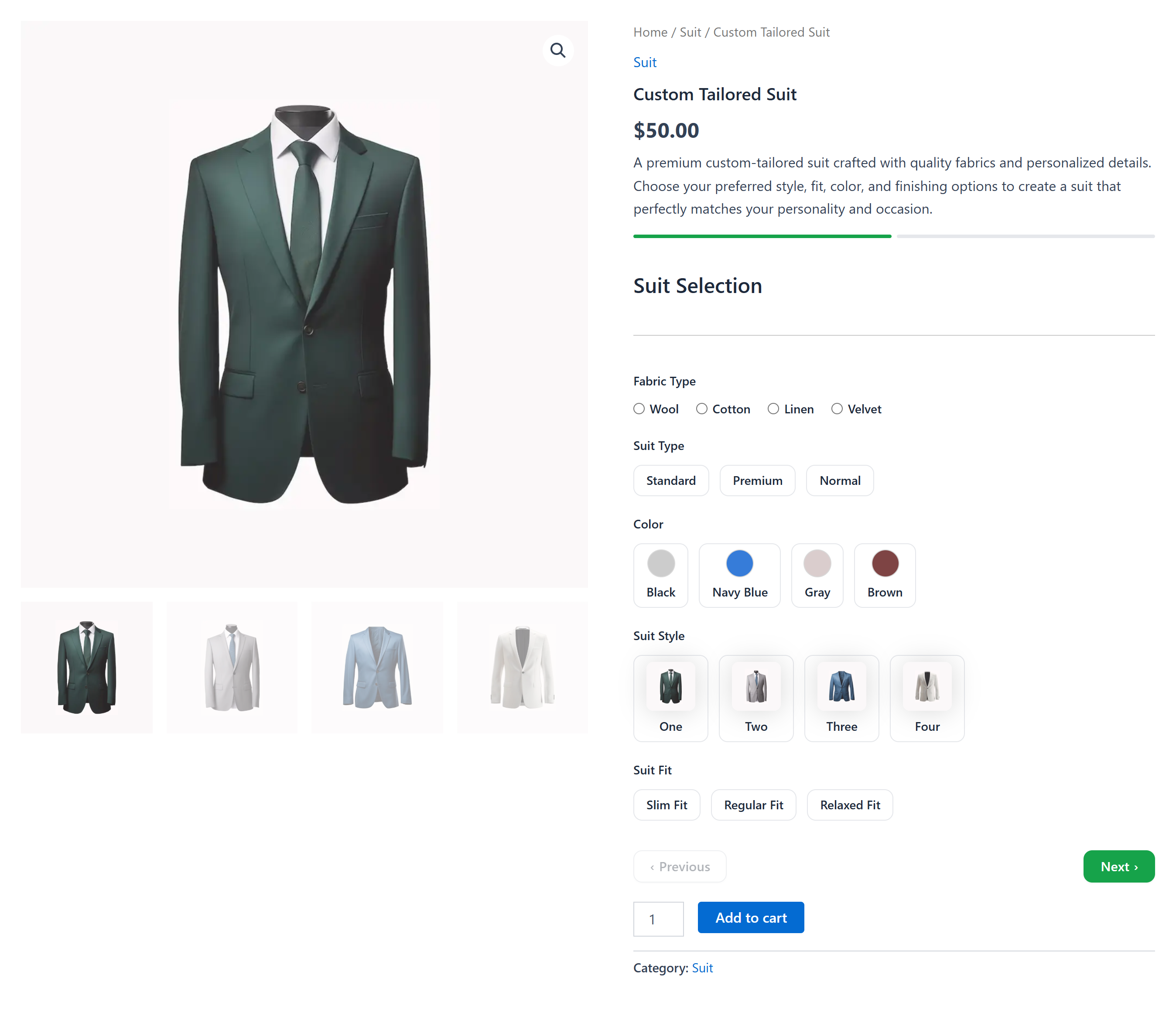
- 💎 Color Swatch – Color circles instead of a dropdown.
- 💎 Image Swatch – Image thumbnails customers click to choose.
- 💎 Text Swatch – Text buttons, such as sizes S, M, L, XL.
- 💎 Label Swatch – Buttons with a main label and a sublabel.
- 💎 Date & Time Range – A start and an end date and time, for rentals and bookings.
- 💎 Calculation – Works out a value from a formula using other fields, and can charge it as a fee.
- 💎 Product – Adds other products to the cart as their own lines, with their own price and stock. Shown as a dropdown, radio buttons or checkboxes, with optional images.
- 💎 Per unit (number entered × price).
- 💎 Percentage of the product price.
- 💎 Per character.
- 💎 Quantity tiers that follow quantity changes in the cart.
- 💎 Lookup tables.
- 💎 Negative fees that work as discounts.
- 💎 Show or hide fields based on the customer's other answers. Hidden fields are never priced or required.
- 💎 Show a group only to chosen user roles, or to everyone except them, including guests.
- 💎 Show a group only within a date window.
- 💎 Limit single fields to chosen user roles.
- 💎 Exclude products and categories.
- 💎 Multi-step wizard with a progress bar and Next / Previous buttons.
- 💎 Product configurator that changes the gallery image as options are picked.
- 💎 Repeatable fields, for example one name for each ticket in the cart.
- 💎 Edit options from the cart, without adding the product again.
- 💎 Drag-and-drop uploads, with multiple files per field.
- 💎 Change a cart line's shipping class based on the chosen option.
- 💎 Limit the shipping methods offered for an option.
- 💎 Analytics that show how often each option is picked and how much it earned.
- 💎 Advanced templates that show off swatches, conditional logic, tiered and lookup pricing, ranges and formulas.
- 💎 Store uploaded files on Amazon S3 or an S3-compatible service (DigitalOcean Spaces, Cloudflare R2, Wasabi).
- 💎 Place a group anywhere in the product form with a shortcode or Gutenberg block.
- 💎 Elementor widget, Divi module and Bricks element.
- 💎 WooCommerce Bookings and WooCommerce Subscriptions. Option fees are added to the booking cost and to every renewal.
- 💎 Currency switchers. Option fees are converted together with the product price.
安装:
- WordPress 6.2 or later
- WooCommerce 8.0 or later
- PHP 7.4 or later
- Go to Plugins → Add New in your WordPress dashboard.
- Search for ShapeOptions.
- Click Install Now, then Activate.
- Download the plugin zip file.
- Upload the
shapeoptionsfolder to/wp-content/plugins/, or upload the zip under Plugins → Add New → Upload Plugin. - Activate the plugin from the Plugins screen.
- Make sure WooCommerce is installed and active.
- Go to ShapeOptions → Dashboard.
- Create an option group, or start from a template in the Templates library.
- Add fields, set prices, and choose which products the group applies to.
- Publish the group and open one of those products to see the options.
屏幕截图:

常见问题:
Does it work with variable products?
Yes. Option groups appear on both simple and variable products.
Is there a limit on option groups, fields or sites?
No. You can create as many option groups, fields and choices as you need, on as many sites as you like.
Can I charge extra for an option?
Yes. Each field, and each choice in a choice field, can have its own flat fee. The product page shows a live total of the selected options, and the fee is added to the cart item price.
Where are uploaded files stored?
In a separate uploads/shapeoptions/ folder, with random file names. Allowed file types and the maximum size are checked on the server, not only in the browser.
Will the options show in emails and on the order screen?
Yes. Selected options appear in the cart, at checkout, on the admin order screen and in WooCommerce order emails.
Does it work with the Cart and Checkout blocks?
Yes. ShapeOptions works with both the block-based and the classic cart and checkout, and with High-Performance Order Storage (HPOS).
Can I translate the option labels?
Yes. Field labels and choices are registered for string translation in WPML and Polylang. The plugin interface is translation ready.
Can I move my option groups to another site?
Yes. Export your option groups as a JSON file and import them on the other site.
Is my data removed when I delete the plugin?
Only if you ask for it. Turn on the delete option under ShapeOptions → Style Settings → Danger zone. It is off by default. Order data and files attached to orders are always kept.
Does it slow down my site?
No. The product page script is lightweight vanilla JavaScript with no jQuery or other libraries, and admin scripts load only on their own ShapeOptions screens.
更新日志:
- New: Added an Upgrade to Pro page with a Free vs Pro comparison table.
- New: Added an Upgrade to Pro link on the Plugins screen.
- Improvement: Updated the premium features section of the plugin description.
- Tweak: Removed an unused install time option.
- Improvement: Rewrote the plugin description with a full list of field types and features.
- Improvement: Added an overview video and a video tutorial to the plugin description.
- Improvement: Added Product Page and Documentation links.
- Initial release.