Shapes Smart Scroll Animations
| 开发者 | lkdsgnr |
|---|---|
| 更新时间 | 2026年1月7日 22:00 |
| PHP版本: | 7.2 及以上 |
| WordPress版本: | 6.9 |
| 版权: | GPLv2 or later |
| 版权网址: | 版权信息 |
详情介绍:
Shapes Smart Scroll Animations is a micro-tool designed for developers and designers who need clean entrance animations without external libraries.
This plugin uses a Smart Grid Delay logic to detect your layout structure and animate elements naturally, whether they are in a multi-column desktop grid or a single-column mobile view.
How does it work?
Here is a deep dive into the technical advantages of Shapes Smart Scroll Animations plugin:
1. Smart Grid Delay logic
The core of this plugin is the
calculateColumnsInGroup algorithm. Instead of forcing you to write complex media queries for animation delays, the plugin:
- Dynamically checks the physical position (
offsetTop) of elements. - Detects when a new row begins.
- Resets the delay counter for every new row.
- Result: Animations look professional and perfectly staggered on any screen size automatically.
- Zero Dependencies: No jQuery, no GSAP, no heavy frameworks. The script is ultra-lightweight.
- IntersectionObserver API: I use the modern browser API to detect scrolling, which is much more efficient than listening to the
scrollevent. - GPU Acceleration: CSS properties use
will-changeto inform the browser ahead of time, offloading rendering to the GPU for smooth animations.
- Reduced Motion Support: If a visitor has "Reduce Motion" enabled in their system (Windows, macOS, iOS, Android), the plugin automatically disables all entrance animations to prevent motion sickness.
- Inclusive Design: Your site remains compliant with modern web standards without extra work.
- No-JS Fallback: If JavaScript fails or is disabled, elements remain fully visible (opacity: 1). Your content is safe.
- CSS Variables: I moved hardcoded values to CSS Custom Properties (
:root). You can globally change animation duration, easing, or distance directly in your theme's CSS without editing plugin files. - Simple Class System: Just add
.shps-animatedand an effect class.
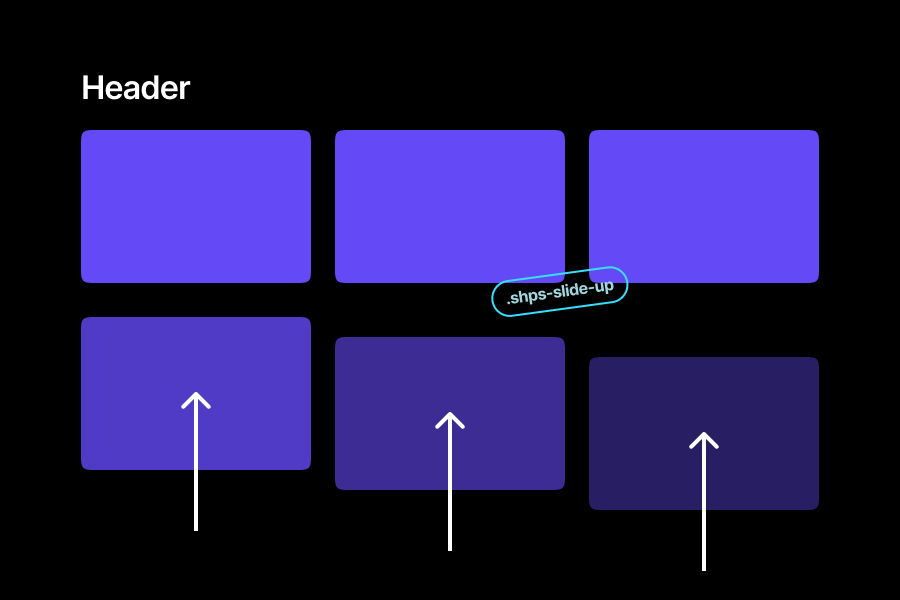
- Slide Up:
.shps-slide-up(Classic elegant entrance) - Zoom Out:
.shps-zoom-out(Modern scaling effect) - Slide Right:
.shps-slide-right - Slide Left:
.shps-slide-left
- Single Element: Add
shps-animated shps-slide-upto any HTML element or Block. - Grid/Group: Wrap elements in a container with class
shps-groupto enable the Smart Grid Delay.
.shps-delay-100(0.1s) ... to.shps-delay-1000(1.0s). Numeric values in increments of 100.
!important to override the inline styles applied by the plugin.
/* Example: Force 3rd item to wait 1 second */ .shps-group .shps-animated:nth-child(3) { transition-delay: 1.0s !important; }
Security & privacy
This plugin is designed to be safe and lightweight:
- 100% GDPR Compliant: No external calls, no tracking, no cookies, and no IP collection.
- Zero Dependencies: Written in pure Vanilla JS. No jQuery or external libraries that could cause conflicts.
- Database Free: The plugin does not perform any database queries (SQL), ensuring zero risk of injection attacks.
- Self-Contained: All assets are loaded locally. No reliance on external CDNs.
安装:
- Upload the plugin files to the
/wp-content/plugins/shapes-smart-scroll-animationsdirectory, or install the plugin through the WordPress plugins screen directly. - Activate the plugin through the 'Plugins' screen in WordPress.
- Add the CSS classes to your HTML or page builder elements.
屏幕截图:
常见问题:
How can I change the animation speed?
You can override the default settings using CSS Variables in your theme's stylesheet (Appearance > Customize > Additional CSS):
:root { --shps-duration: 0.6s; /* Default: 0.8s */ --shps-ease: cubic-bezier(0.25, 1, 0.5, 1); /* Custom easing */ --shps-distance: 30px; /* Default: 50px */ }
Why are animations not working on my device?
Please check your system Accessibility settings. If "Reduce Motion" is turned on, the plugin intentionally disables animations to provide an accessible experience.
更新日志:
1.0.7
- Minor performance improvements.
- readme.txt file corrections.
- readme.txt file corrections.
- readme.txt file corrections.
- readme.txt file corrections.
- readme.txt file corrections.
- readme.txt file corrections.
- Initial public release.
- Features: Smart Grid Delay, CSS Variables, No-JS fallback.