SQMViews
| 开发者 | schqm |
|---|---|
| 更新时间 | 2026年3月18日 00:21 |
| PHP版本: | 8.1 及以上 |
| WordPress版本: | 6.9 |
| 版权: | GPLv3 |
| 版权网址: | 版权信息 |
详情介绍:
- Near real-time page view tracking
- Engagement metrics (time on page, active time)
- Shows user activity (clicks, scrolls, etc.) with privacy-friendly event counting
- Interactive analytics dashboard with D3.js visualizations
- Historical data with daily aggregation
- Filter by date range, content type, and more
- Ultra-fast tracking endpoint (bypasses a core load)
- Minimal overhead (~5ms per request with the drop-in script)
- File-based batch processing (no database requests during the pageview event collection, only during cron processing)
- Efficient data storage with automatic archiving
- Configurable background processing via WP-Cron
- Created to minimize overhead
- Uses exactly the same code as the API endpoint except two hooks for config modification (sqm_views_ping_interval, sqm_views_session_timeout)
- Run strict JSON request schema validation to minimize attack surface.
- Receives request, run validation, add it to a file for the later batch processing. Very low memory and CPU footprint.
Pageview lifetime
JS code will send an
initevent, followed bypingevents and completed byexitortimeoutevents. Unique ID is returned duringinitused for all the following events. During cron processing all the events with the same IDs are combined into a single pageview and stored in the database.
- 100% privacy-focused (no external services)
- All data stays on your server
- Encrypted tracking payloads (you don't need to reveal everything you track)
- Full control over what gets tracked
- GDPR-friendly (no personal data collected by default), we focus on pageviews
- Track custom post types and taxonomies
- 30+ developer hooks for customization
- WP-CLI commands for automation
- Translation-ready (i18n)
- REST API for integrations
- Posts and pages (configurable)
- Custom post types
- Category and tag archives
- Custom taxonomy archives
- Author archives
- Date archives
- Home page
- Search results Engagement Metrics:
- Count - Total number of views
- Time on Page - Total time spent on page
- Active Time - Time user was actively engaged
- High-Frequency Events - User browsing on the page (scrolling, mouse movement)
- Low-Frequency Events - Deliberate actions (clicks, touches, typing)
- Publishers monitoring content performance
- Marketers analyzing user engagement
- Developers needing custom analytics
- Privacy-conscious site owners
- Anyone wanting Google Analytics alternative
- Lightweight JavaScript tracker injected on tracked pages (inline or external)
- Fast endpoint receives tracking data
- File-based storage for raw data writes data to JSONL files (no database overhead)
- Background processing via WP-Cron aggregates data hourly/daily and put them in the database
- Interactive dashboard displays charts and metrics
- Frontend Hooks - Control what gets tracked and how
- Processing Hooks - Modify data before database storage
- REST API Hooks - Customize chart data and permissions
- Activation Hooks - Adjust default settings and storage
- No external JavaScript libraries
- No tracking cookies required
- No data sent to Google servers
- Faster page loads (no external requests)
- Complete data ownership
- WordPress 6.0 or higher
- PHP 8.1 or higher (PHP 8.2+ recommended)
- PHP Sodium extension (for encryption)
- MySQL 5.6 or higher / MariaDB 10.0 or higher
- Write permissions for
wp-content/uploads/sqm-viewsdirectory
- D3.js for visualizations
- WordPress CMS
- Sodium crypto library
安装:
- Log in to your WordPress admin panel
- Navigate to Plugins → Add New
- Search for "SQMViews"
- Click Install Now then Activate
- Go to SQMViews → Tracking Settings to configure
- Download the plugin zip file
- Log in to your WordPress admin panel
- Navigate to Plugins → Add New → Upload Plugin
- Choose the zip file and click Install Now
- Click Activate Plugin
- Go to SQMViews → Tracking Settings to configure
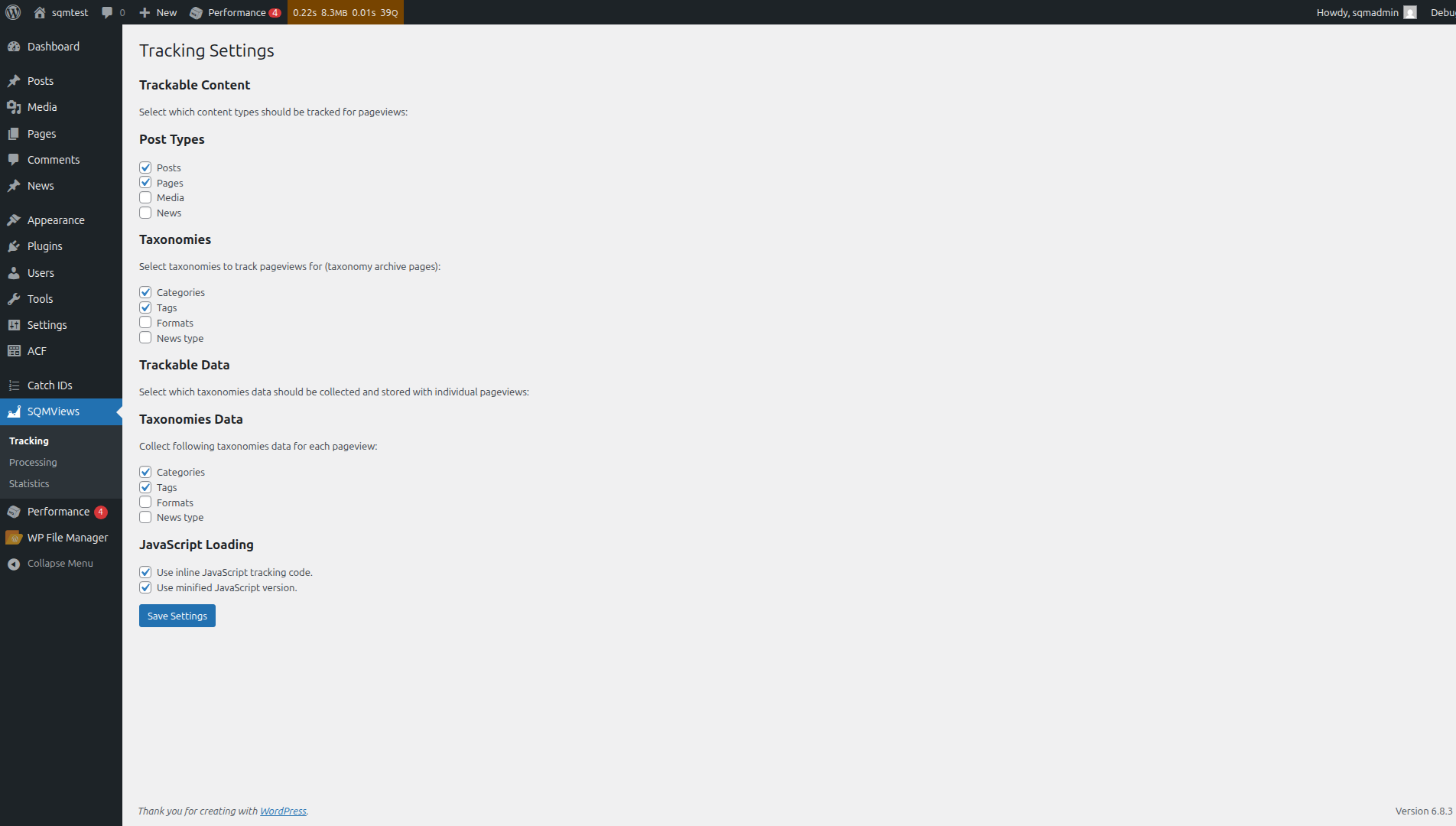
- Configure Tracking - Go to SQMViews → Tracking Settings
- Select which post types to track
- Choose taxonomy archives to monitor
- Select a JavaScript loading method (inline/external)
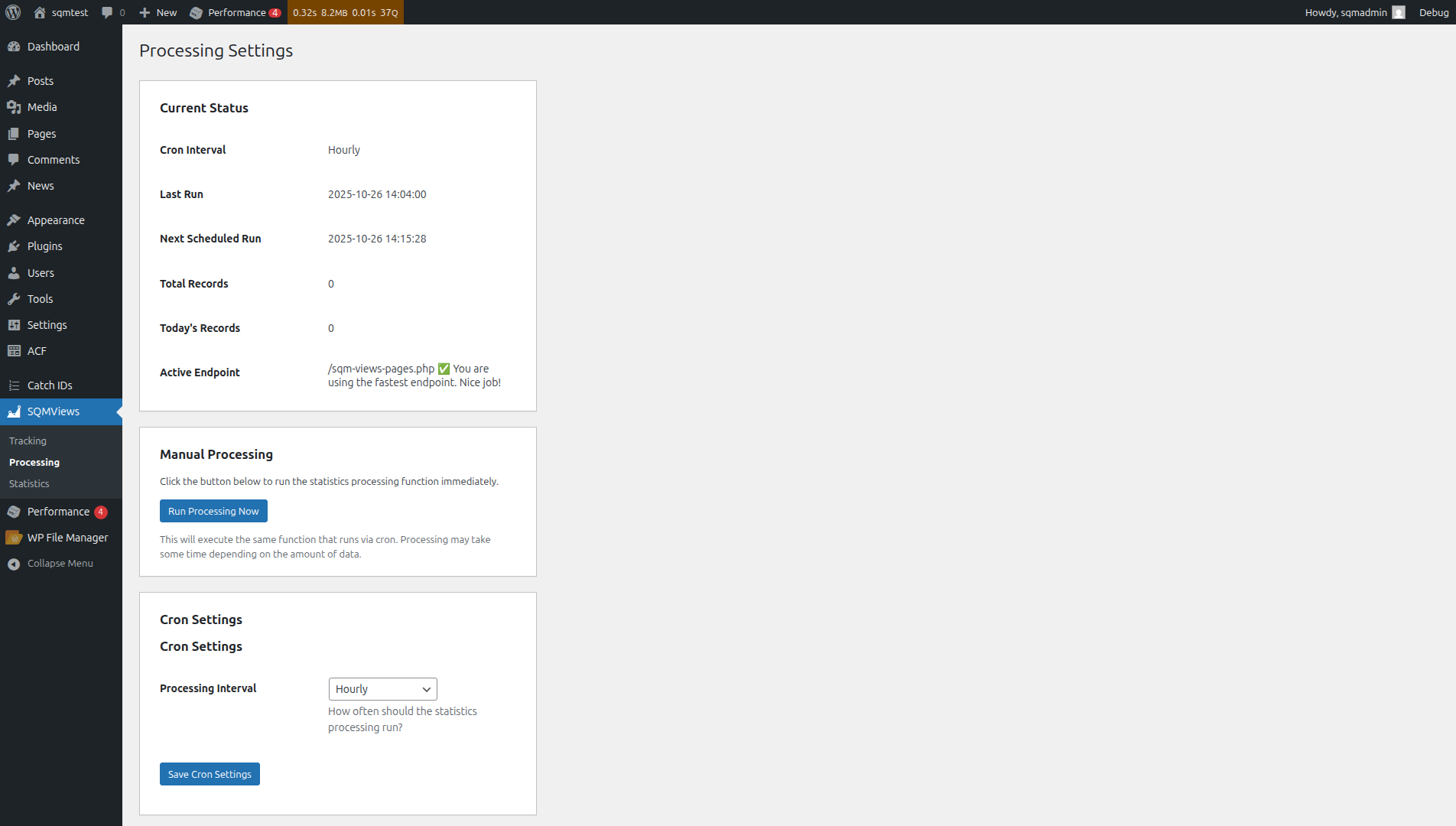
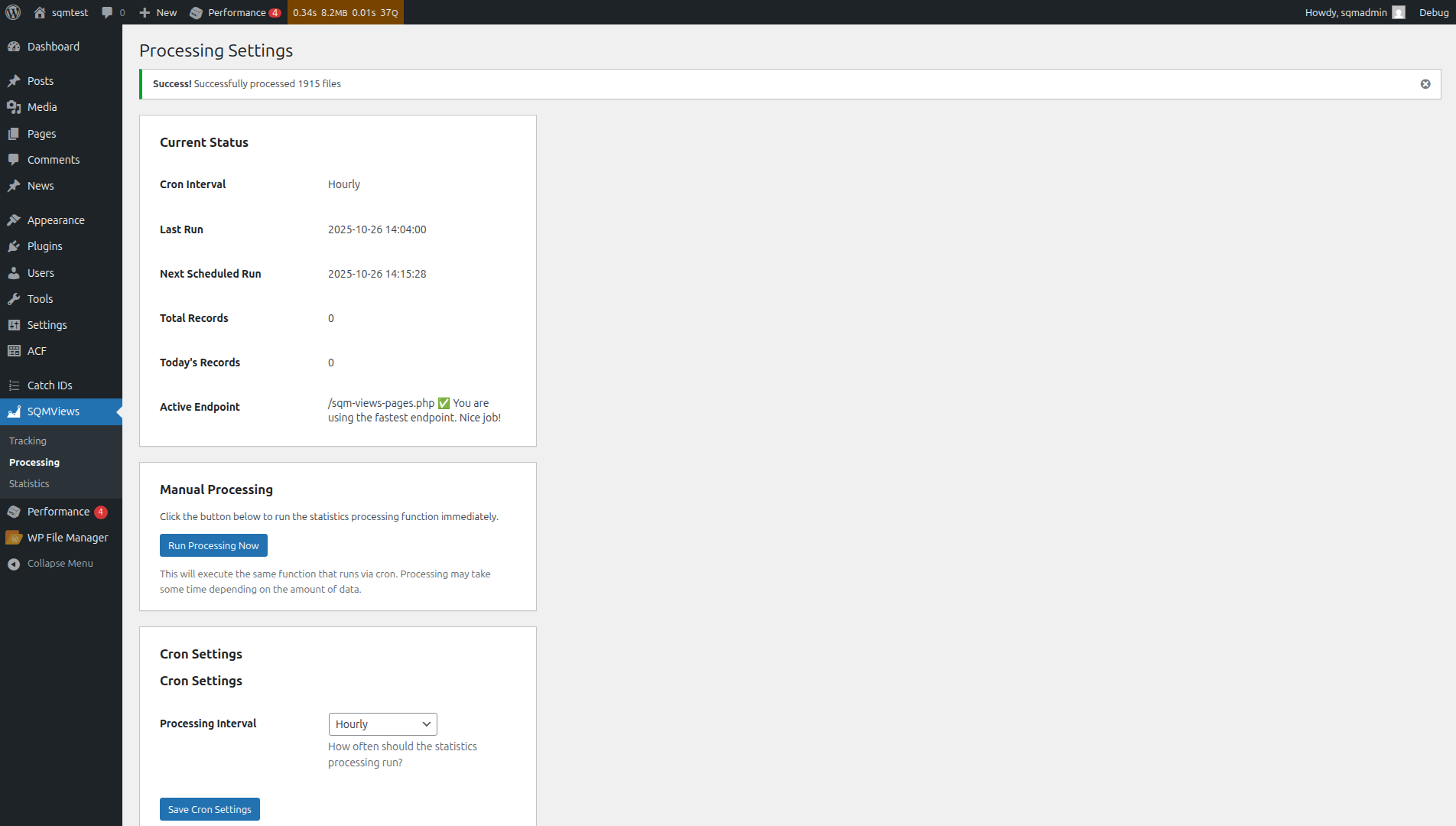
- Set Processing Schedule - Go to SQMViews → Processing
- Choose a cron interval (hourly recommended)
- Verify endpoint status (fast endpoint preferred)
- View Analytics (Once you have enough data) - Go to SQMViews → Statistics
- Explore interactive dashboard
- Filter by date range
- Compare different metrics
- Enable Fast Endpoint (automatic on most hosts)
- Copy sqm-views-pages.php in the WordPress root folder (next to wp-config.php)
- Bypasses WordPress load
- Reduces tracking overhead from ~250ms to ~5ms
- Check status in Processing Settings
- Use External JavaScript (recommended for caching)
- Set in Tracking Settings
- Allows browser caching
- Slightly faster page loads
- Adjust Cron Interval
- Hourly: Good for most sites
- 15 minutes: High-traffic sites needing real-time data
- 6 hours/Daily: Low-traffic sites saving resources
屏幕截图:
常见问题:
Does this plugin send data to external servers?
No! All data stays on your server. No data is sent to any third-party tracking services. You have complete control and ownership of your analytics data.
Will this slow down my website?
No! The plugin is optimized for performance:
- Fast tracking endpoint bypasses WordPress load (~5ms response time).
- Conventional API endpoint uses WordPress REST API (~250ms response time).
- Asynchronous JavaScript doesn't block page rendering.
- File-based storage during tracking (zero database write regarding of your traffic).
- Background processing via WP-Cron through batch writes into a separate table (minimal impact on the database performance and visitors).
Is it GDPR compliant?
The plugin is GDPR-friendly by default:
- No personal data collected (IP present in the raw log files to prevent abuse and removed from aggregated data, no cookies)
- No data sent to external services
- All data stored on your server
- You control data retention policies
- Implementing proper consent mechanisms if required
- Updating your privacy policy
- Handling data subject access requests
Can I track custom post types?
Yes! Go to SQMViews → Tracking Settings and select any registered post types. The plugin automatically detects all public post types on your site, or use hook sqm_views_trackable_post_types
Does it work with caching plugins?
Yes! The JavaScript tracker should work seamlessly with most of the caching plugins and services including:
- WP Super Cache
- W3 Total Cache
- WP Rocket
- LiteSpeed Cache
- Cloudflare
- Cloudfront
Can I exclude certain users from tracking?
Yes! Use the sqm_views_should_track filter hook:
add_filter( 'sqm_views_should_track', function( $should_track, $data ) { // Exclude logged-in administrators if ( current_user_can( 'manage_options' ) ) { return false; } return $should_track; }, 10, 2 );
And adjust your CDN and caching plugins to exclude logged-in users from caching.
How much disk space does it use?
Storage requirements depend on traffic (YMMV):
- Low traffic (1,000 views/day): ~50 MB/month
- Medium traffic (10,000 views/day): ~500 MB/month
- High traffic (100,000 views/day): ~5 GB/month
- TBD based on actual usage
Can I import/export the data?
Planned functionality.
What's the difference between "active time" and "time on page"?
- Time on Page: Total time from page load to exit (includes idle time)
- Active Time: Time when user is actively engaging (scrolling, clicking, typing), checked every 10s.
Can I track non-WordPress pages?
It is possible, see the setup used to track Home page and Search results.
Where is the data stored?
Analytics data is stored in two places:
- Raw files:
wp-content/uploads/sqm-views/raw/*.jsonl(temporary) - Database: Four WordPress database tables (
sqm_views*)
How do I uninstall the plugin?
Deactivation keeps all data intact. Deletion removes all plugin files, database tables, and settings permanently. Make sure to export any data you want to keep before deleting.