
Statable Analytics
| 开发者 | statable |
|---|---|
| 更新时间 | 2026年9月11日 03:01 |
| PHP版本: | 7.4 及以上 |
| WordPress版本: | 7.1 |
| 版权: | GPLv2 or later |
| 版权网址: | 版权信息 |
详情介绍:
- Cookie-free, with no persistent identifier: the visitor hash is keyed with a server-side secret, unique to your website, and changes every day — and neither the IP address nor the user-agent is stored.
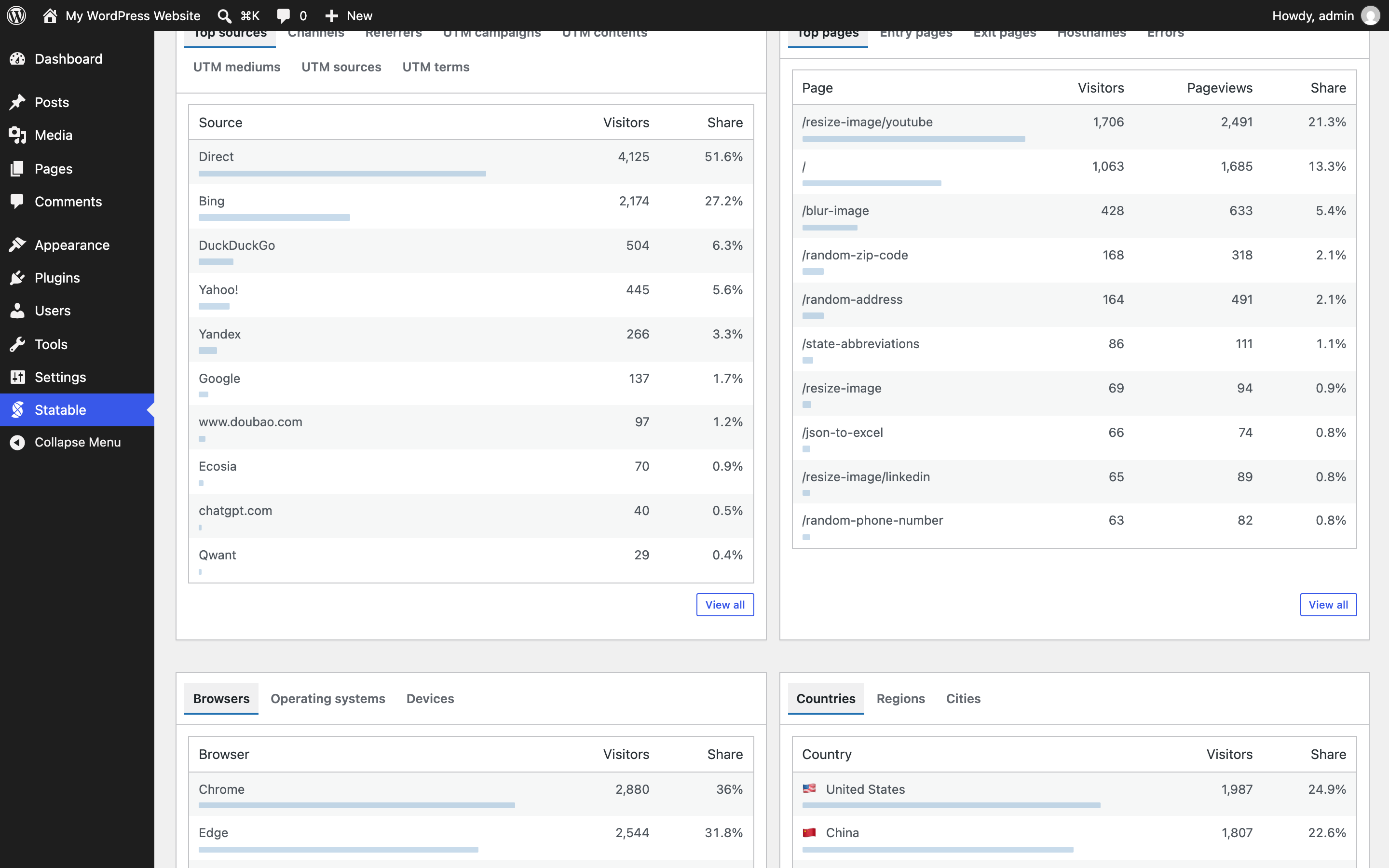
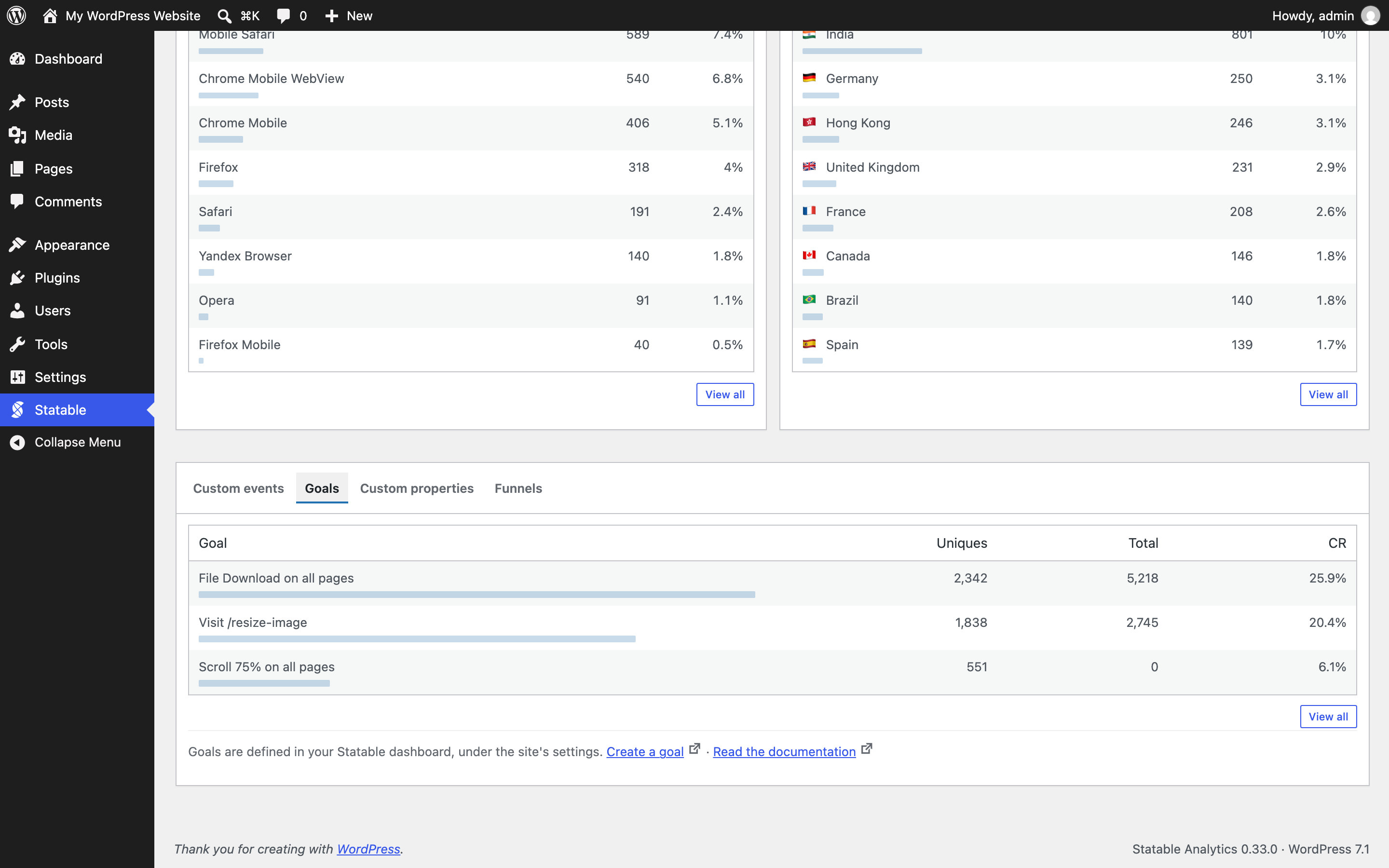
- Your statistics in wp-admin — visitors, pageviews, a daily chart, your top pages, sources, countries and devices, and your own custom events, goals, properties and funnels, drawn natively rather than framed from elsewhere.
- Lightweight (~2 KB compressed), loaded deferred — no impact on page speed.
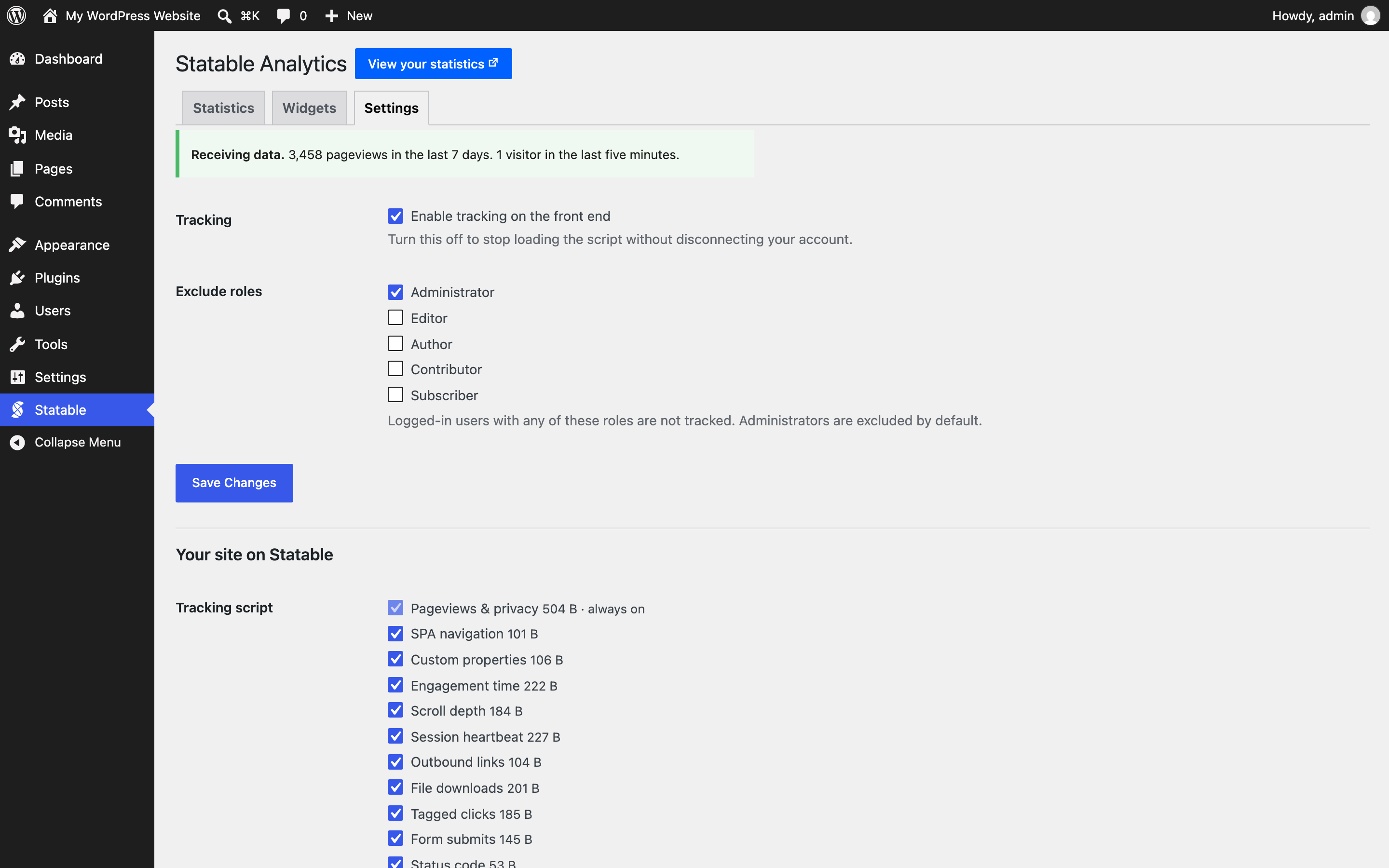
- Excludes administrators from tracking out of the box.
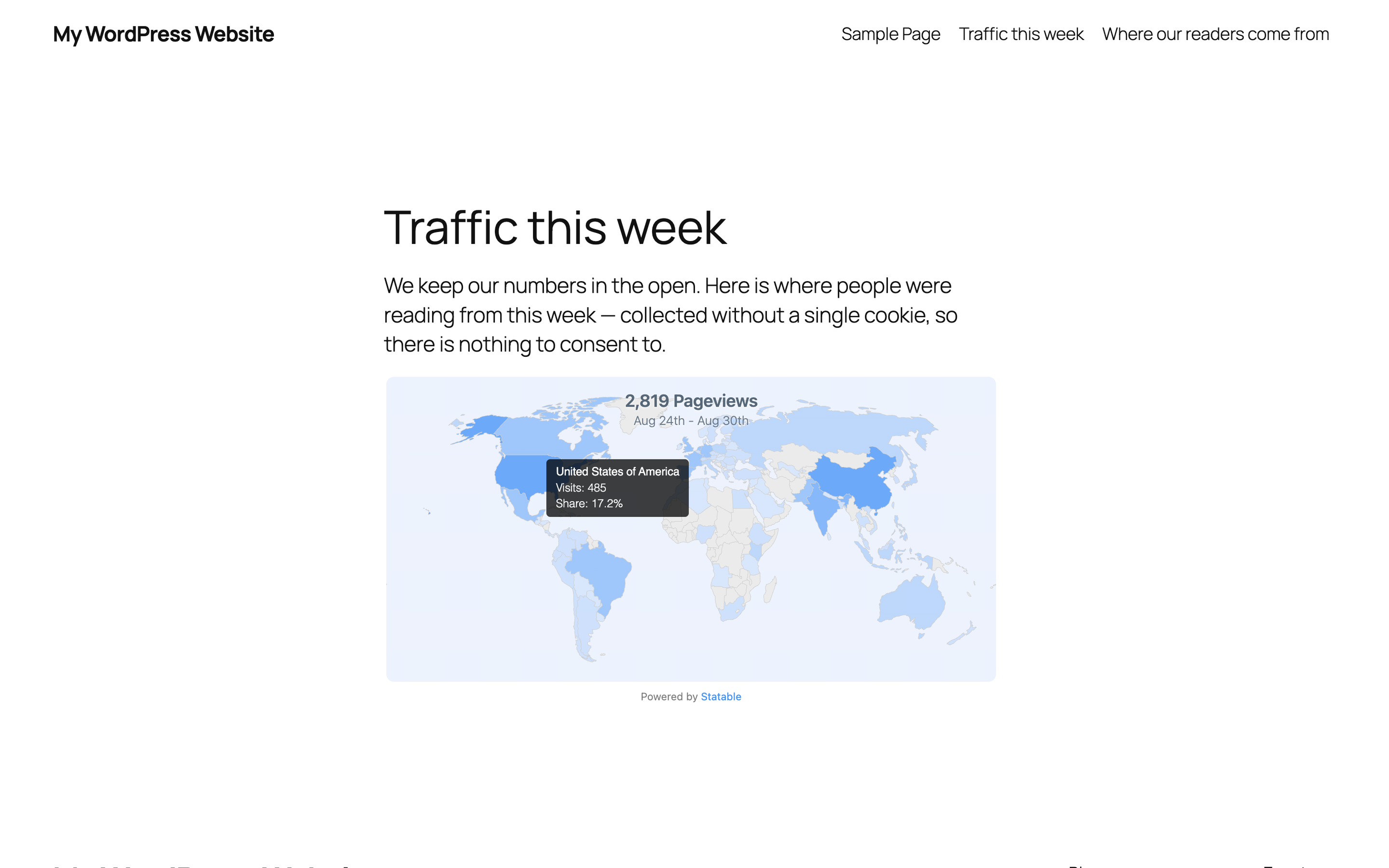
- Optional public widget — a visitor map, a 3D globe, top countries or a live counter — placed with the Statable block or a shortcode.
- Set up in two steps, without leaving your WordPress dashboard.
安装:
- Install and activate the plugin.
- Go to Statable in the admin menu.
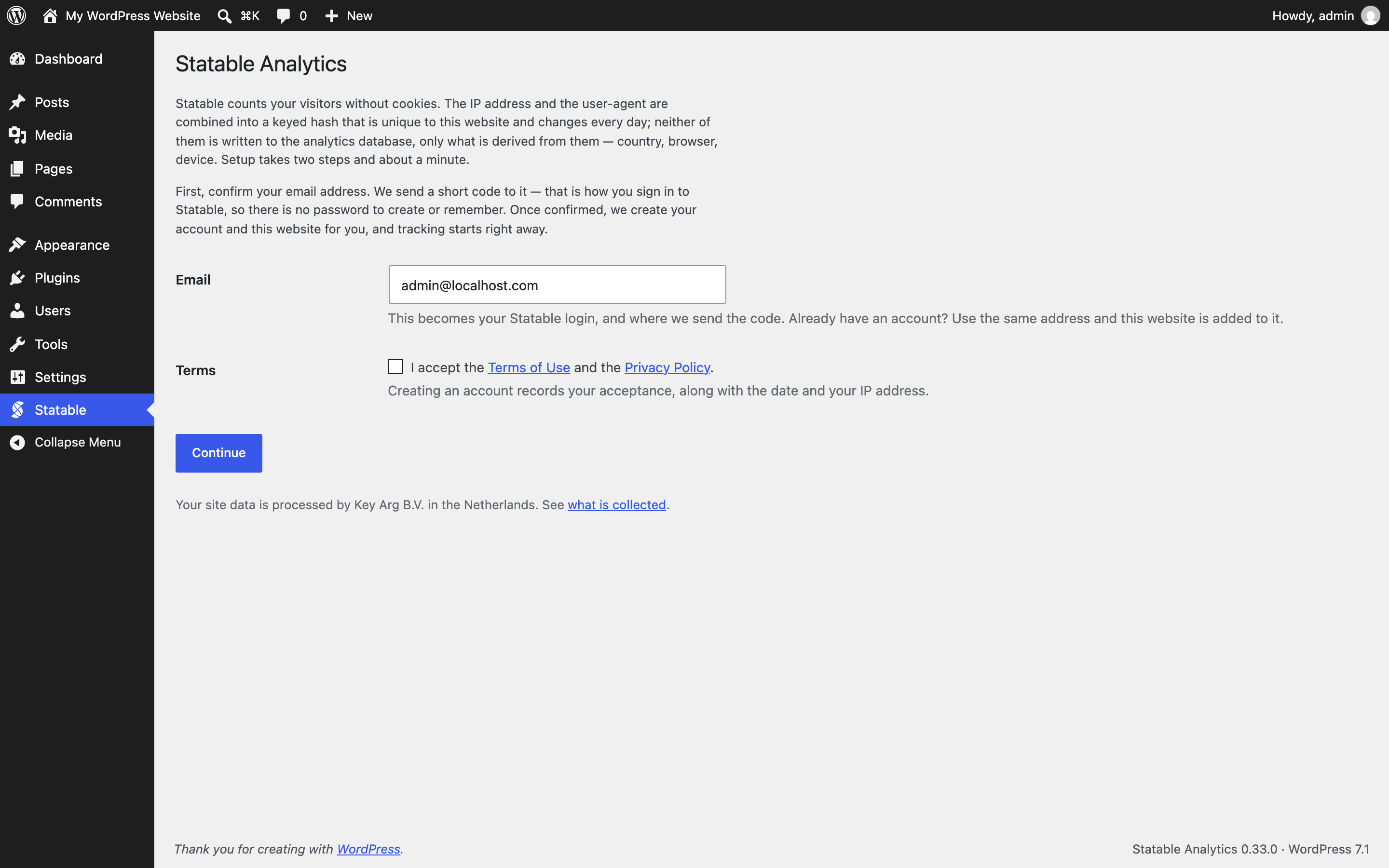
- Enter your email, accept the Terms, and click Email me a code.
- Type the code. Your account and site are created automatically, and tracking starts for non-excluded visitors.
屏幕截图:

常见问题:
Do I need a Statable account?
Yes, and the plugin creates one for you during setup — enter your email and the code we send you.
Where do I see my statistics?
On the Statistics tab of the plugin, in wp-admin: your visitors, pageviews, visits, bounce rate and visit duration against the previous period, a daily chart, your top pages, sources, countries and devices, and — for whatever your site measures on top of that — your custom events, goals, properties and funnels. It is drawn by the plugin from Statable's API, not an embedded dashboard, so an ad blocker cannot blank it. The full dashboard, with everything this screen leaves out, is one click away on statable.com.
Are admins tracked?
No. Administrators are excluded by default; you can exclude additional roles in settings.
Can visitors opt out?
Yes. Place the [statable_opt_out] shortcode anywhere (e.g. your privacy page). It shows a toggle that excludes the visitor on that device. Statable also honors Do Not Track and Global Privacy Control automatically.
Does it work with caching/optimization plugins?
Yes. The tracker tag carries skip-markers for WP Rocket, SiteGround Optimizer, Autoptimize, Cloudflare Rocket Loader and WP Meteor so it isn't combined, minified, or re-deferred into breakage.
更新日志:
- The two scripts the plugin still printed into the page are now enqueued files like everything else it loads. The opt-out toggle's behaviour moved to assets/js/opt-out.js, and a widget renders from an empty placeholder that an enqueued script turns into the bundle's own tag — in the same place, with the same options, so nothing about the page changes. The placeholder carries nothing but an id: the script address and the options reach the page through the enqueued script, never through the post content, so nothing that can be written into a post can name a script to load. Browsers can cache both files, and the plugin prints no script tag of its own anywhere.
- Both files also cope with two things a page can do to them: content rendered after the footer scripts have gone out (a cookie banner carrying the opt-out shortcode, say) still gets its script, and an optimizer that pulls the file into the head no longer runs it before there is a page to look at. They carry the same "leave me alone" markers for caching plugins that the tracker has carried all along.
- A shortcode or block can no longer hand the counter inside a widget bundle a different endpoint or a callback:
tracking-apiandbefore-sendjoin the attributes a widget refuses to pass through. - The External services section of this readme now covers the public widgets — what a page with one loads from Statable and what that request carries — which it had left out. The Widgets tab and the readme now also say precisely what the counter inside a widget bundle does: it sends the request, and Statable records nothing from it.
- The listing now opens with a tour of Statable, the service behind the plugin, said plainly as that — the directory turns a video URL in the readme into a player, and a still screenshot cannot show a globe turning or a map answering a hover.
- Housekeeping for the WordPress.org directory: the readme now says plainly what Statable costs and what the free tier asks in return, before anyone installs rather than after. It also lists the seven screens the directory shows — including both widgets the block can draw — and records that the plugin was tested against WordPress 7.1.
- The plugin no longer calls load_plugin_textdomain(). It ships no translations of its own — the ones it has arrive from translate.wordpress.org, which WordPress has loaded unaided since 4.6 — so the call and the Domain Path header that went with it named a directory that was never there.
- Four places where a posted value is checked further down now say so where the check would be looked for. No behaviour changes: the site id was already cast, the feature list already went through sanitize_key(), and the two JSON payloads were already parsed field by field.
- The site's address on Statable now comes back with the site itself, so the plugin no longer asks for a widget snippet just to read it out of the URL. That detour, its retry timer and the code behind it are gone; installs connected before the change pick the value up on their next look.
- "Tracking is switched off" now admits the exception it had. A widget bundle contains the counter, so a page showing a Statable widget keeps being counted with the switch off — when that is the case, the screen says so instead of promising silence. The Widgets tab says it too, before you add one.
- The privacy wording now says the visitor hash is keyed with a server-side secret, which it is on both ingest nodes. Without that key the hash would be guessable from an IP and a user-agent, so it is the part of the sentence that carries the weight — and it is only claimed now that it has been checked rather than assumed.
- Two sentences that were simply untrue are gone. An expiring key was said to stop tracking: it does not — the tag on your pages carries no key, so visits keep being counted and only the statistics screens here go dark. And disconnecting was said to remove the script on the next page load, which is not true behind a page cache: cached pages keep serving the old markup until the cache is purged, and the screen now says so.
- "You are excluded from tracking" is no longer stated to people who are not. The exclusion is by role and the list is editable, so the screen that explains why no data has arrived now checks first.
- The trial countdown matches statable.com. The plugin rounded up and the dashboard rounds down, so the same trial read 61 days here and 60 there for its whole length.
- What the plugin says about visitor data is exact now: the IP address and the user-agent are combined with your website's id and the current date into a hash, and neither of them is written to the analytics database — only the hash and what was derived from them.
- On the "no pageviews yet" screen, the explanation of the test sits under the buttons it describes rather than beside them.
- The plugin now notices when something else on your site is already counting into Statable. Two trackers on one page is not twice the data: only the first one the browser reaches runs, the other quietly counts nothing, and a site that was tracked by hand before this plugin arrived can split its history in two without a single visible symptom.
- It looks at your home page the way a visitor gets it, so it finds the tag wherever it was put — a theme template, a header-scripts field, a snippet plugin, a template part. A tag inserted by a tag manager is not in the page yet at that point, so a clean result means "nothing found", not "nothing there".
- When the other tracker belongs to a site in your account, the notice names it and offers to count into that one instead — which is the fix when the older tag is the one with the history behind it. Otherwise remove the older tag and keep this one. Widgets are never mistaken for trackers.