
Statixly – Static Site Generator
| 开发者 | speedify |
|---|---|
| 更新时间 | 2026年5月25日 23:53 |
| PHP版本: | 7.4 及以上 |
| WordPress版本: | 7.0 |
| 版权: | GPLv2 or later |
| 版权网址: | 版权信息 |
详情介绍:
Statixly converts your WordPress site into a fully static HTML website — eliminating PHP, databases, and server-side dependencies from your production host. The result: faster load times, a reduced attack surface, and the freedom to deploy on any web server or CDN.
⚡ Benefits: Why Statixly?
- 🚀 Faster page loads: Static websites load 3 to 5 times faster than WordPress sites by serving pre-rendered HTML without PHP execution or database queries.
- 🔒 Reduced attack surface: Static sites have no login page, database connection, or server-side code on your production host. This eliminates primary attack vectors such as SQL injection and brute-force attacks.
- 🌍 Deploy anywhere: Host on Cloudflare Pages, GitHub Pages, AWS S3, or any standard web server. No PHP, MySQL, or WordPress dependency is required in production.
- 💰 Lower hosting costs: Static files can be served from free or low-cost CDN-based hosts instead of a PHP-capable server. Managed WordPress hosting typically costs $25 to $100 or more per month, while static hosting is often free or very affordable on platforms like Cloudflare Pages or Netlify, which offer unmetered bandwidth on their free tiers.
- 🛠️ Zero production maintenance: Your live site is pure HTML. With no WordPress running in production, there are no security patches, plugin updates, or server-side dependencies to manage on your public host.
- 🎛️ Live export control: Start, pause, resume, or abort the export from the admin screen and monitor progress in real time.
- 📦 One-click download: The entire static site is packaged as a ZIP file, ready for extraction and upload.
- 🔄 Auto-resume on interruption: If internet connectivity drops during export, the job resumes automatically once the connection is restored.
- 📊 Better Core Web Vitals scores: Static HTML loads faster, directly improving Time to First Byte (TTFB) and Largest Contentful Paint (LCP), which are metrics Google uses as ranking signals.
- 🤖 Improved crawl efficiency: Search engine bots fetch plain HTML instantly, with no server-side rendering delay. This signals high crawl health and allows engines to index content more effectively.
- ⏱️ Higher uptime reliability: Static files served from a CDN experience near-zero downtime, helping avoid Google ranking penalties for frequently unreachable URLs.
- 🧹 No WordPress footprint in production: Common WordPress paths such as /wp-admin and /wp-login.php are removed from the live site, reducing spam crawling and preserving crawl budget.
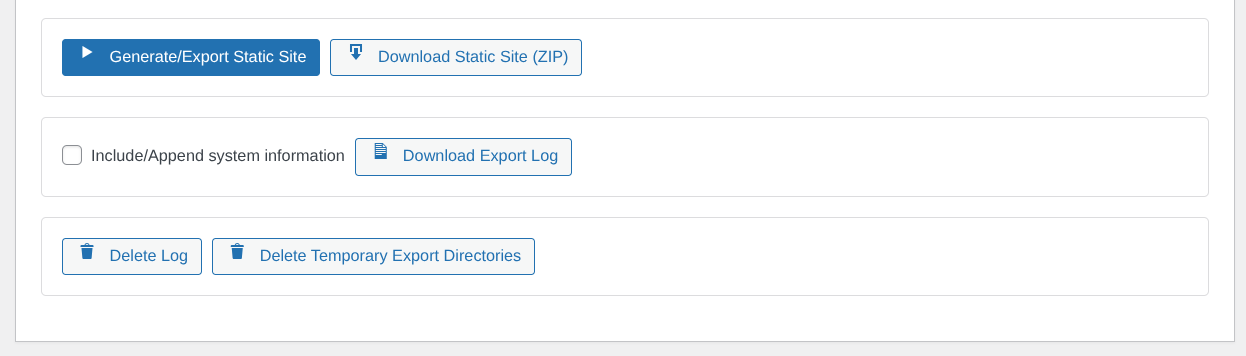
- Start a static export job
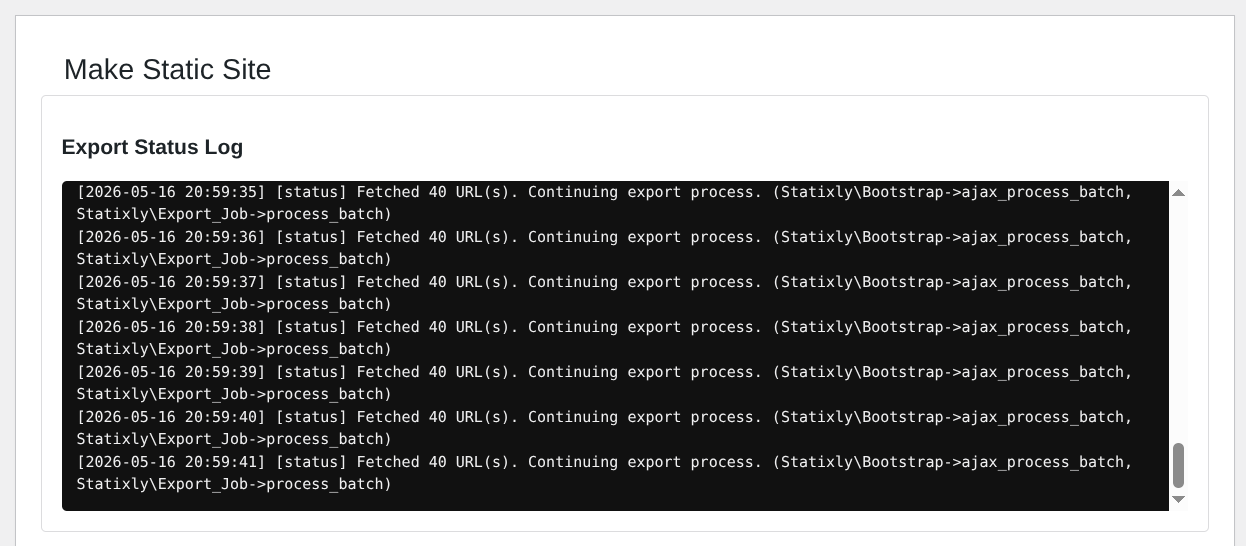
- Monitor live export status in real time
- Pause, resume, or abort the export
- Download the generated static site as a ZIP file
- Download or delete export logs
- Delete temporary export directories
- First, build and set up your site as you normally do in WordPress. Make sure all content and settings are finalized before exporting.
- Next, open the Statixly admin screen and select the Generate/Export Static Site button to start the export process.
- After the export finishes, download the generated ZIP file containing your static website.
- Extract the files from the ZIP archive. Upload the extracted files to your chosen static hosting provider. For example, use your website's document root on a web hosting server, Cloudflare Pages, GitHub Pages, AWS S3, etc.
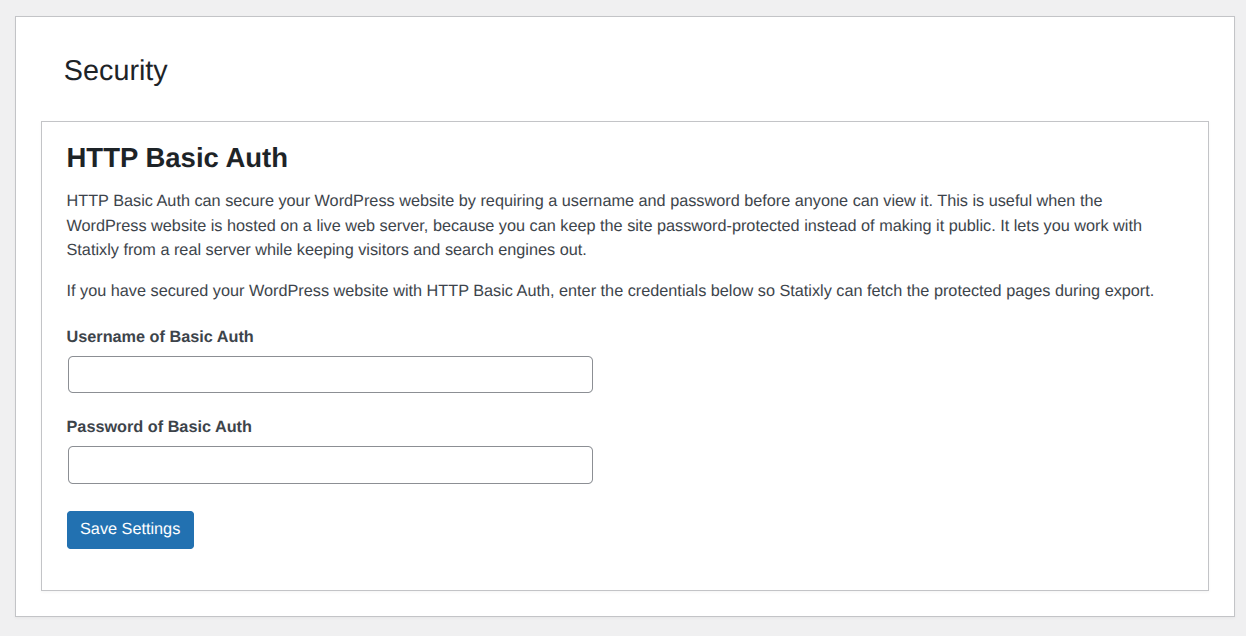
- If the current WordPress website is on example.com and you want to make the static website available on example.com as well, move the WordPress website to a subdomain and protect it with HTTP Basic Auth, or move it to your localhost computer using a backup and migration plugin such as Duplicator.
- Permalink structure must not be set to Plain.
- Keep the Statixly export tab open while export is running.
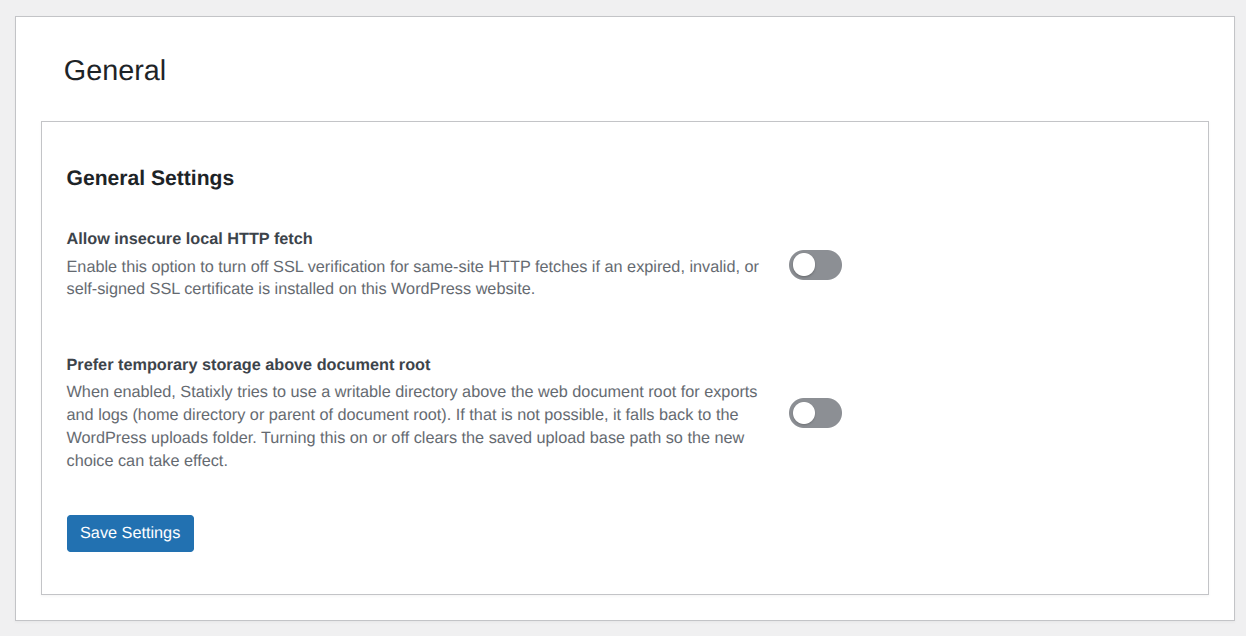
- Allow insecure local HTTP fetch Enable this only for expired, invalid, or self-signed certificate environments where same-site HTTPS fetches fail TLS verification. This turns off SSL verification only for local same-site fetches.
- Prefer temporary storage above document root
Enable this only if you explicitly want Statixly working directories outside
wp_upload_dir(). By default, Statixly uses WordPress uploads paths. Please note that this option works only if the intended directory is readable and writable by the web server user.
安装:
- Download the 'Statixly' plugin zip file by clicking the 'Download' button at the top-right of this page. Upload the plugin to the plugins folder (
wp-content/plugins/). - Or install it via WordPress Admin → Plugins → Add Plugin → In the 'Search Plugins' field search for "Statixly" → Once you find the "Statixly" plugin, click the ‘Install Now’ button.
- Click the 'Activate' button, or activate the plugin from the Installed Plugins screen.
- Open Statixly from the WordPress admin menu.
- Click the Generate/Export Static Site button and wait for completion.
- Download the ZIP and deploy the exported files to your chosen host.
屏幕截图:
常见问题:
Does this plugin replace my live WordPress site automatically?
No. Statixly creates a static export for you to deploy manually.
Why can I not start an export?
Common reasons:
- Your permalink structure is set to Plain.
- File permissions prevent writing inside the uploads/temp directories.
- Another export job is currently active.
Can I pause and continue later?
Yes. Export jobs can be paused and resumed from the export screen.
Can I download export diagnostics/logs?
Yes. Logs can be downloaded using the Download Export Log button, and you can include system information using the 'Include/Append system information' checkbox.
更新日志:
1.1.1
- Fix: Avoided WordPress 6.7+ early translation-loading notices by disabling translation when reading plugin header metadata during bootstrap.
- Enhance active plugin retrieval in Diagnostics class to include plugin header names and versions.
- Updated readme.txt
- Feature: Added HTTP Basic Authentication support — Statixly now forwards Basic Auth headers during export, enabling crawling of password-protected WordPress installs.
- Feature: Introduced a Settings page in the admin interface with General and Security tabs.
- Feature: Advanced opt-in flags (statixly_allow_insecure_local_http_fetch and statixly_prefer_temp_storage_above_document_root) are now configurable directly from the admin Settings page, without requiring manual database edits.
- Security: HTTP Basic Auth credentials are encrypted before storage and decrypted only at runtime.
- Security: HTTP Basic Auth credentials are redacted from diagnostics output and export logs.
- Improvement: Settings query now excludes transient options, improving performance and ensuring cleaner data retrieval.
- Fix: Logger now returns accurate content-length headers and preserves log content correctly in plain text responses.
- Maintenance: Relicensed plugin metadata and license text to GPLv2 or later.
- Fix: Uninstall flow now reliably loads required helper functions before cleanup.
- Improvement: Kept uninstall cleanup logic centralized by reusing existing helper APIs instead of duplicating cleanup behavior.
- Renamed plugin to Statixly.
- Security: Added path traversal detection to reject unsafe URLs during export.
- Security: Blocked export of PHP and other server-side executable files.
- Security: Added symlink escape prevention during log file and directory deletion.
- Security: Refactored SSL verification handling for local HTTP fetches — insecure fetches are now only permitted when statixly_allow_insecure_local_http_fetch is explicitly and correctly set.
- Feature: Export job now enqueues allowed static files from the site document root, excluding PHP files.
- Feature: Implemented auto-resume functionality when connectivity is restored during an export, with configurable retry attempts and delays.
- Feature: Added support for two advanced opt-in flags — statixly_prefer_temp_storage_above_document_root and statixly_allow_insecure_local_http_fetch.
- Improvement: Introduced statixly_get_option_bool helper for consistent boolean option retrieval across the codebase.
- Improvement: Minimum required PHP and WordPress versions are now defined as plugin constants for more maintainable version checks.
- Improvement: Upload directory handling now supports explicit opt-in for above-webroot temporary storage with clearer error logging.
- Improvement: Uninstaller now removes directories based on the configured upload path for thorough cleanup.
- Improvement: Installation timestamp now uses WordPress current_time() for consistency.
- Improvement: Few export log messages in the admin UI are now translatable.
- Fix: Moved admin.css to assets/css/ and updated the enqueue reference accordingly.
- Initial stable release.
- Added admin export interface with live status updates.
- Added start, pause, resume, and abort export controls.
- Added static ZIP download and export log download.
- Added tools to delete logs and temporary export directories.