
Statsdot Analytics
| 开发者 | statsdot |
|---|---|
| 更新时间 | 2026年11月7日 18:47 |
| PHP版本: | 7.4 及以上 |
| WordPress版本: | 7.1 |
| 版权: | GPLv2 or later |
| 版权网址: | 版权信息 |
详情介绍:
- Visitors and pageviews, compared with the previous period, and visitors right now
- Where visitors come from: search engines, social networks, other sites and UTM campaigns
- Top, entry and exit pages
- Countries, devices, browsers and operating systems
- Outbound link clicks and file downloads, counted automatically
- Goals and conversion rates
- With WooCommerce: "Add to cart" and "Purchase" events, ready to use as goals
- Optional AI crawler tracking: which AI crawlers (GPTBot, ClaudeBot, PerplexityBot...) read your pages
- Install and activate this plugin. Activating it loads nothing yet.
- In Settings > Statsdot, click "Connect your Statsdot account" (or "Create a free trial account": 30 days free, no card needed). Statsdot opens in a small window where you log in or sign up and choose the site, or add this one. Connecting turns on tracking.
- Visits show up in your Statsdot dashboard a few seconds later.
安装:
- Install the plugin from Plugins > Add New, or upload the
statsdot-analyticsfolder to/wp-content/plugins/. - Activate it.
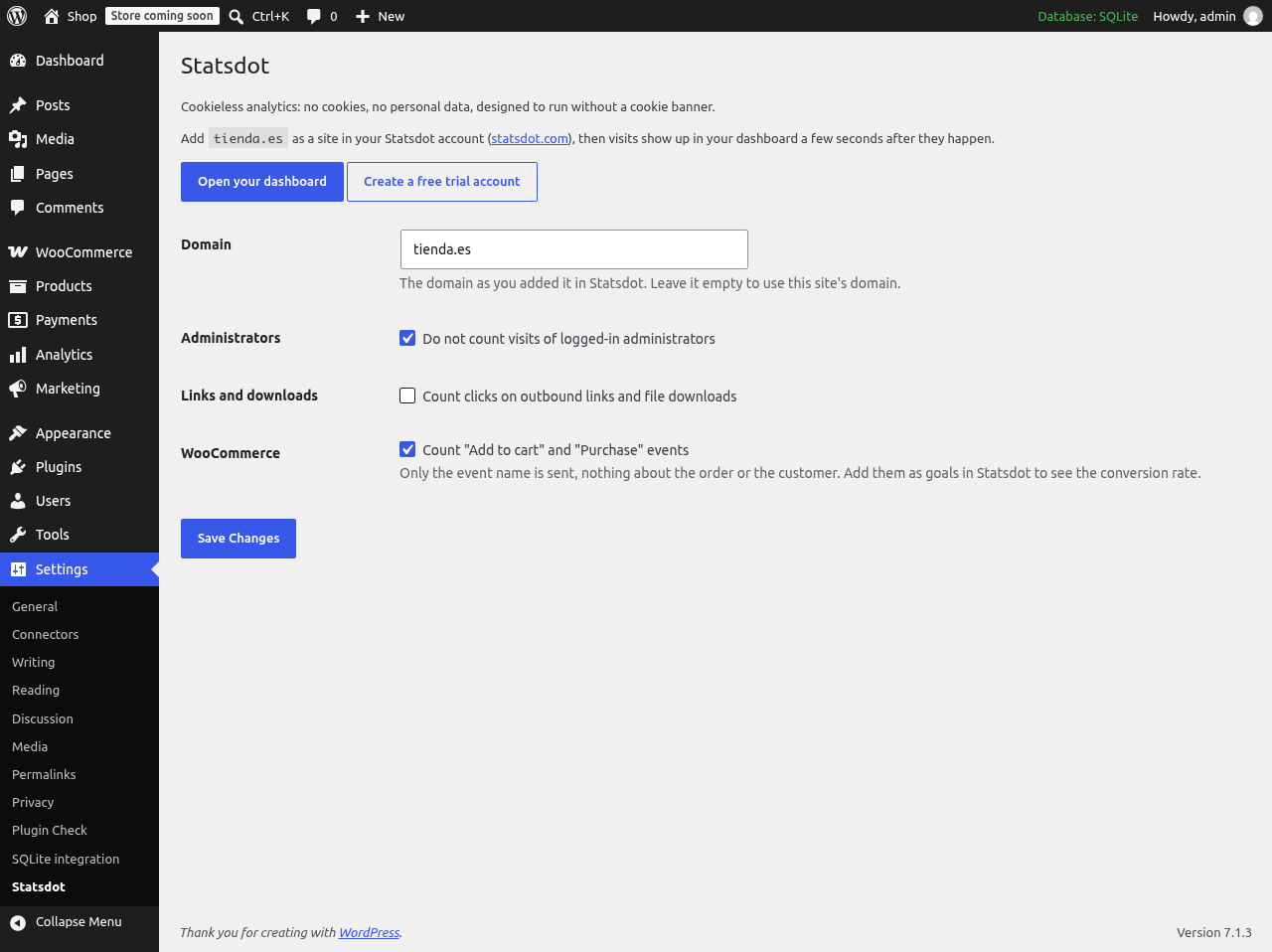
- In Settings > Statsdot, click "Connect your Statsdot account" and choose the site. To set it up by hand instead, turn on "Measure visits with Statsdot" and make sure the domain is the one you added in your Statsdot account.
屏幕截图:
常见问题:
Do I need a Statsdot account?
Yes. The plugin only adds the script; the statistics are in your dashboard at statsdot.com. Every account starts with a 30-day free trial without a card.
Does it work with caching plugins?
Yes. The script is a normal external script, so page caching does not affect it. If a plugin combines or delays JavaScript, exclude statsdot.com/js/script.js from it.
How do I count sign-ups or contact forms?
Add the attribute data-statsdot-event="Signup" to a button, link or form, or call window.statsdot.track('Signup') from your code. Then add the event as a goal in Statsdot. See https://statsdot.com/guides/events-and-goals
What is sent for WooCommerce purchases?
The event "Purchase", once per order, with the order total and currency, so Statsdot can show revenue per source, campaign and page (turn it off in Settings > Statsdot). Optionally, and off by default, the order number: Statsdot keeps a keyed hash of it for 7 days so a test or wrong order can be deleted through its API, then forgets it. No products or customer details are sent, and Statsdot removes the order number from the thank-you page address.
Does it slow my site down?
The script is under 2 KB compressed and loads deferred, after the page.
更新日志:
- "Connect your Statsdot account": log in or sign up in a small window and choose the site, or add this one, without copying anything. Connecting turns on tracking.
- Tracking is off after activation and loads nothing until you turn it on in Settings > Statsdot. If you update from an earlier version, turn it on there.
- Fixed saving the settings and the layout of the "Links and downloads" row.
- Optional scroll depth (adds data-scroll to the script tag).
- "Purchase" carries the order total and currency, so the dashboard shows revenue per source, channel, campaign and page (optional). The order number can be added, off by default, to delete test or wrong orders for 7 days.
- AI crawler tracking: with a bot key, see which AI crawlers read your pages.
- First release: adds the Statsdot script, excludes administrators, optional outbound link and download tracking, WooCommerce "Add to cart" and "Purchase" events.