
SuperAuth Passwordless Sign In & Alert Service
| 开发者 | SuperAuth |
|---|---|
| 更新时间 | 2024年2月1日 08:57 |
| 捐献地址: | 去捐款 |
| PHP版本: | 4.7.0 及以上 |
| WordPress版本: | 6.4.3 |
| 版权: | GPLv2 or later |
| 版权网址: | 版权信息 |
标签
secure
security
login
mobile
web
authentication
ssl
signup
notification
app
android
smartphone
iOS
password
lock
sso
windows
alert
iPhone
iPad
2 step authentication
wp-login
phone
log in
sign in
username
push
passwords
strong
oauth
auth
two factor
2fa
tfa
mfa
multi-factor
encryption
qr
single sign-on
two-factor authentication
computer
no
unlock
fingerprint
2-Factor
two
multifactor
two step
sign out
signon
superauth
harden
下载
详情介绍:
SuperAuth provides the following services.
- Passwordless Sign in: Users can login without username and password.
- Alert Service: Alert the user when anyone signed in using their account, including password sign in.
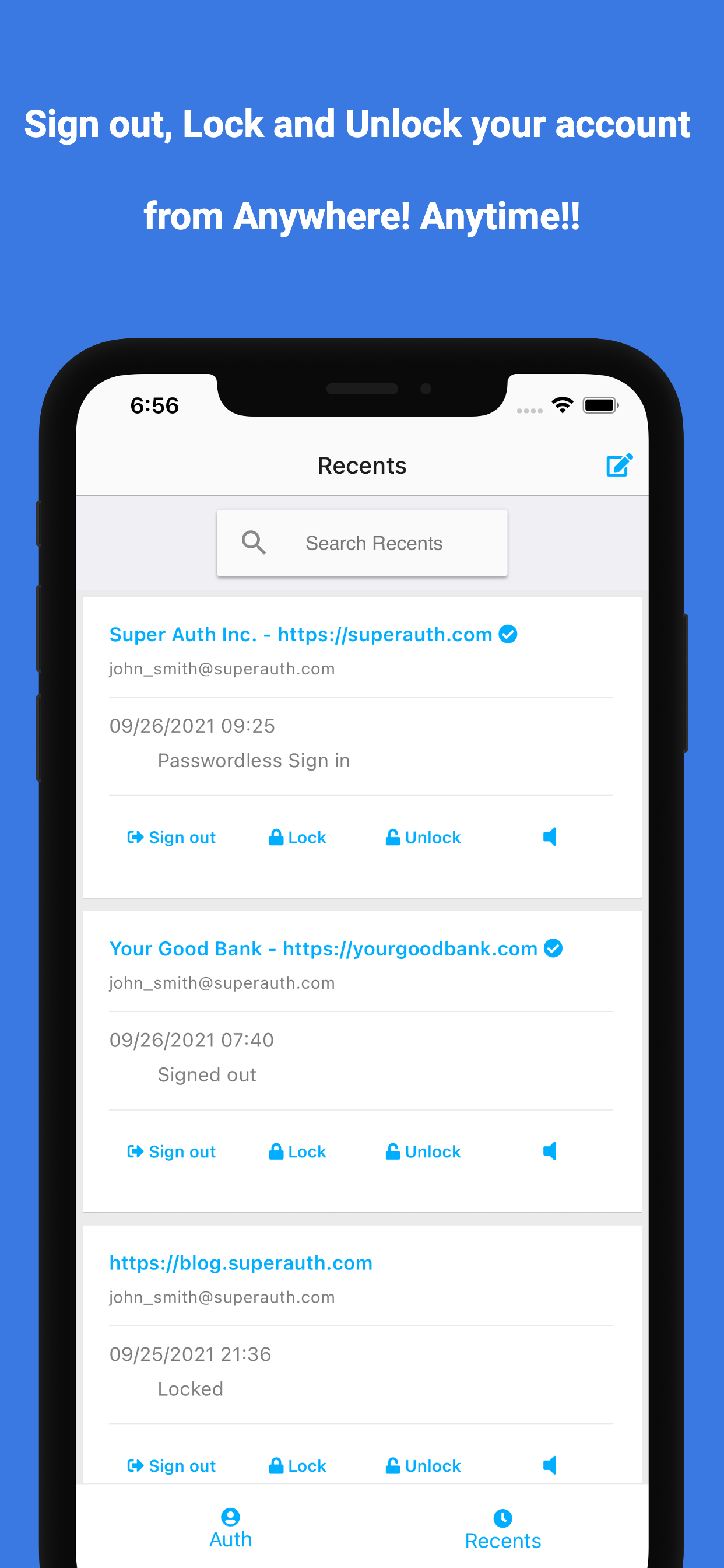
- Sign out from all devices: Users can sign out of your website on all devices using the SuperAuth app.
- Lock / Unlock account: Users can lock or unlock their account from your website using the SuperAuth app.
- No password required: Heck, users never USE a password or username ever again!
- Easy integration: No need to change your database or existing user management systems. SuperAuth users map seamlessly onto your existing users.
- Alert Service: Notify users when anyone signed with their account.
- Sign out: If a user didn't sign in, they can simply sign out of your website on all devices by simply pressing a button from the SuperAuth app.
- Lock / Unlock: Users can lock and unlock their account by simply pressing a button from the SuperAuth app.
安装:
https://www.youtube.com/watch?v=rAeueEqQmwU
From your WordPress dashboard
- Visit 'Plugins > Add New'
- Search for 'SuperAuth'
- Activate SuperAuth from your Plugins page.
- Download SuperAuth.
- Upload the 'SuperAuth' directory to your '/wp-content/plugins/' directory, using your favorite method (ftp, sftp, scp, etc...)
- Activate SuperAuth from your Plugins page.
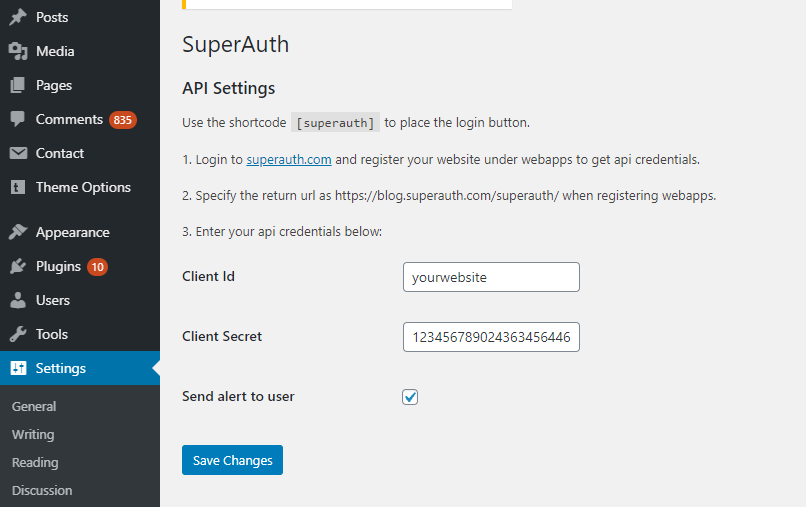
- Login to SuperAuth.com and register your website under webapps to get API credentials.
- During webapp creation, specify the return URL as specified in WordPress SuperAuth plugin setting page.
- Get the client id and secret key. Configure in WordPress SuperAuth plugin setting page.
- To enable alert service, please select the service check box in both webapps configuration (step 1) and Wordpress settings (step 3).
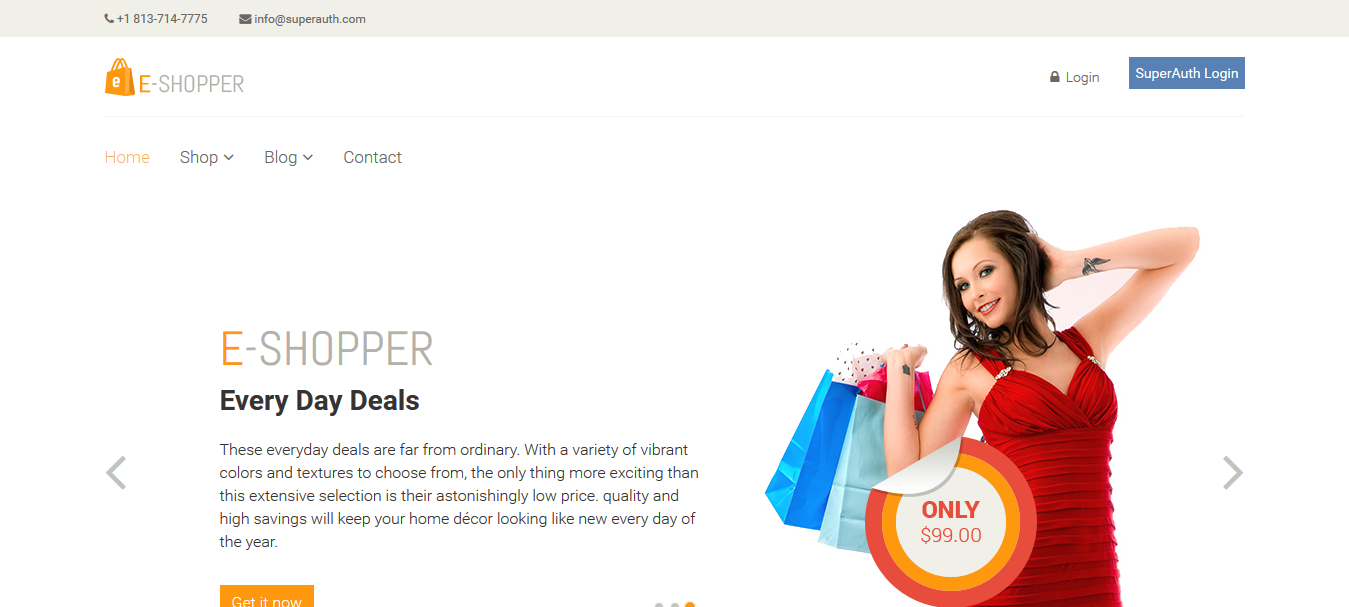
- You will see the SuperAuth login button in the login and register page.
- You can also use [superauth] shortcode to add the login button.
屏幕截图:
常见问题:
Are the SuperAuth app and plugin free?
Yes. SuperAuth mobile app is FREE. Basic free tier allows free authentication in any WordPress site.
How can I enable alert service?
To enable alert service, you need to select the checkbox in two places.
- Sign in to SuperAuth.com and select the alert service in your webapps configuration.
- Login to your Wordpress website, go to settings > SuperAuth and select the alert service.
How can WordPress admin unlock users?
WordPress admin can unlock users, who locked the account using SuperAuth app, from the Users page.
Will this work on WordPress multisite?
Yes! If your WordPress installation has multisite enabled, each site needs to be configured with separate SuperAuth API credentials.
Can I use my existing WordPress theme?
Yes! SuperAuth works with nearly every WordPress theme.
Where can I get support?
Our community provides free support at https://SuperAuth.com.
Where can I report a bug?
Report bugs and suggest ideas at https://superauth.com/contactus.
更新日志:
1.1.4
- Alert, sign out, lock / unlock features added.
- Improved performance.
- Improved performance.
- Add an action after the wp login method.
- Fix to work with other security plugins.
- Initial version.