Supplyist TOC Block
| 开发者 | suppress |
|---|---|
| 更新时间 | 2026年3月10日 14:22 |
| 捐献地址: | 去捐款 |
| PHP版本: | 7.4 及以上 |
| WordPress版本: | 6.9 |
| 版权: | GPLv2 or later |
| 版权网址: | 版权信息 |
详情介绍:
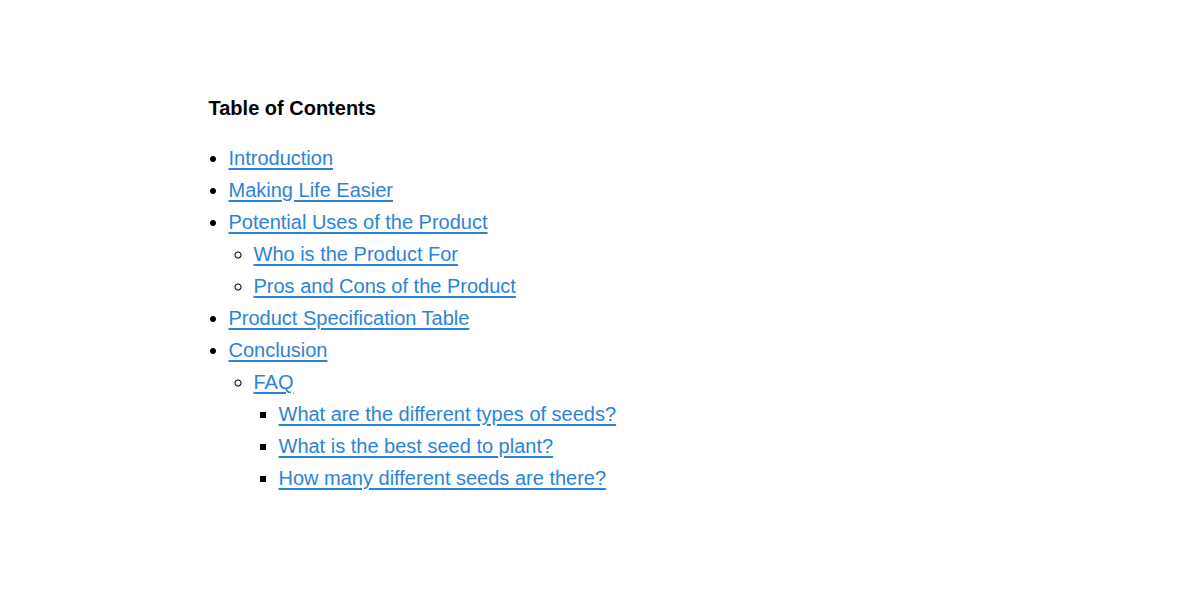
Add the Table of Contents Block anywhere in your Gutenberg editor. It scans H2–H6 headings in the post content and builds a nested, clickable table of contents. Links automatically work by adding IDs to headings.
No configuration needed. Works on single posts and pages (not archives or category listings).
- No theme editing required You can activate the plugin on any site.
- Compatible with Gutenberg / Classic Editor It processes the final rendered HTML.
- SEO-friendly IDs are based on sanitize_title(), the same function WP uses for slugs.
- Works with headings that already have IDs It does not overwrite existing IDs.
- Structure Your Content - Write your post or page using semantic headings (H2, H3, etc.)—just like you normally would.
- Insert the Table of Contents Block - Add the "Table of Contents Block" anywhere in your editor (e.g., right after the introduction).
- Let It Work Automatically - The plugin scans your headings, builds a hierarchical, scroll-linked table of contents in real time, and updates dynamically as you edit.
- Server-side generated Table of Contents
- Automatically detects H2–H6 headings
- Generates nested lists based on heading hierarchy
- Automatically adds IDs to headings when missing
- Lightweight and simple
- Useful for:
- Adding a Table of Contents to a post or page
- Generating heading IDs
- Linking to sections within content
- Smart Parsing: Supports H2 through H6 headings
- Clean Output: Uses standard HTML lists for maximum theme compatibility
- Non-intrusive: Does not modify existing heading IDs
- Lightweight & Fast
安装:
- Upload the plugin files to
/wp-content/plugins/supplyist-toc-block/, or install directly from the WordPress plugin directory. - Activate the plugin through the Plugins menu in WordPress.
- Add the "Custom Table of Contents" block anywhere in your editor.
屏幕截图:
常见问题:
How does "Supplyist TOC Block" generate a Table of Contents?
The plugin scans your headings and builds a hierarchical, scroll-linked table of contents on the front end.
Does this conflict with SEO plugins?
If you already use SEO plugins, those may also output Table of Contents. You should avoid duplication.
How does "heading ID insertion" work?
- Scans the content after it is loaded.
- Detects all H2, H3, H4, H5, and H6 headings.
- Generates a slug (URL-friendly string).
- Inserts it as the heading’s id="" attribute.
更新日志:
1.0.0
- Initial release.