
Threshold: COD Rules for WooCommerce
| 开发者 | star2727 |
|---|---|
| 更新时间 | 2026年11月27日 18:14 |
| PHP版本: | 7.4 及以上 |
| WordPress版本: | 7.2 |
| 版权: | GPLv2 or later |
| 版权网址: | 版权信息 |
详情介绍:
A refused Cash on Delivery order costs you shipping both ways, a locked-up product and a lost sale. Threshold gives you the controls to stop that, and a dashboard that shows how much it saves.
Get a part of the money before you ship
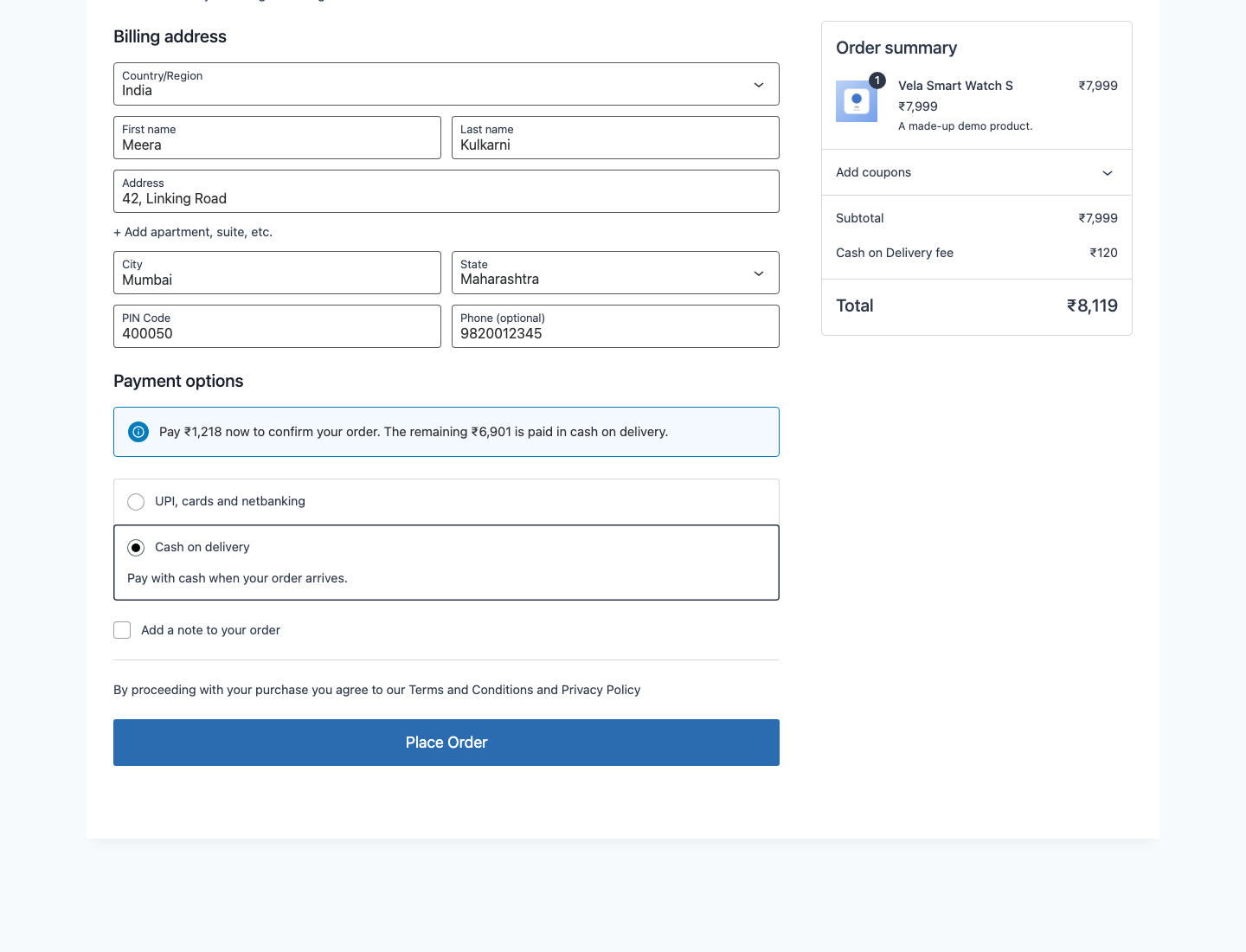
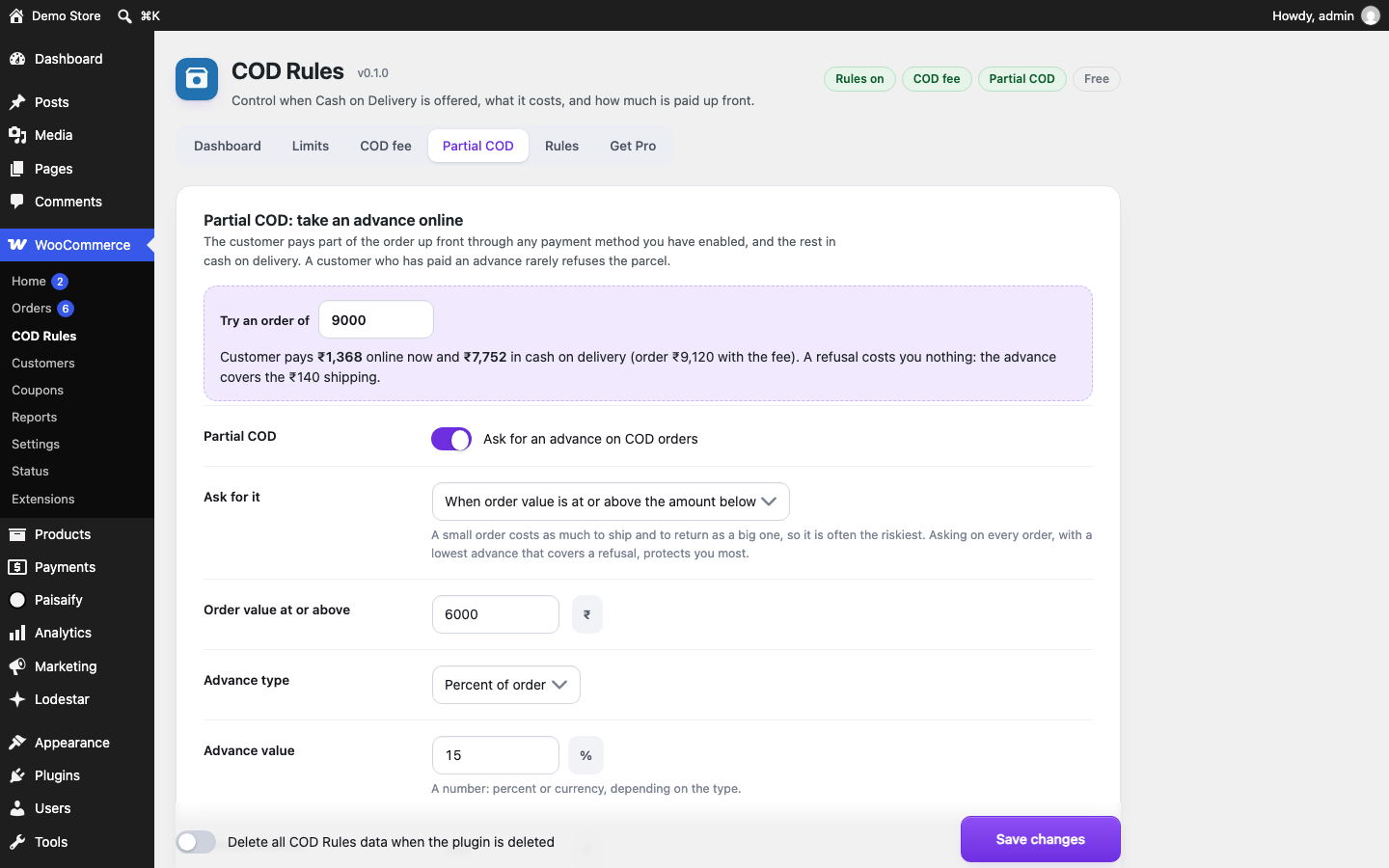
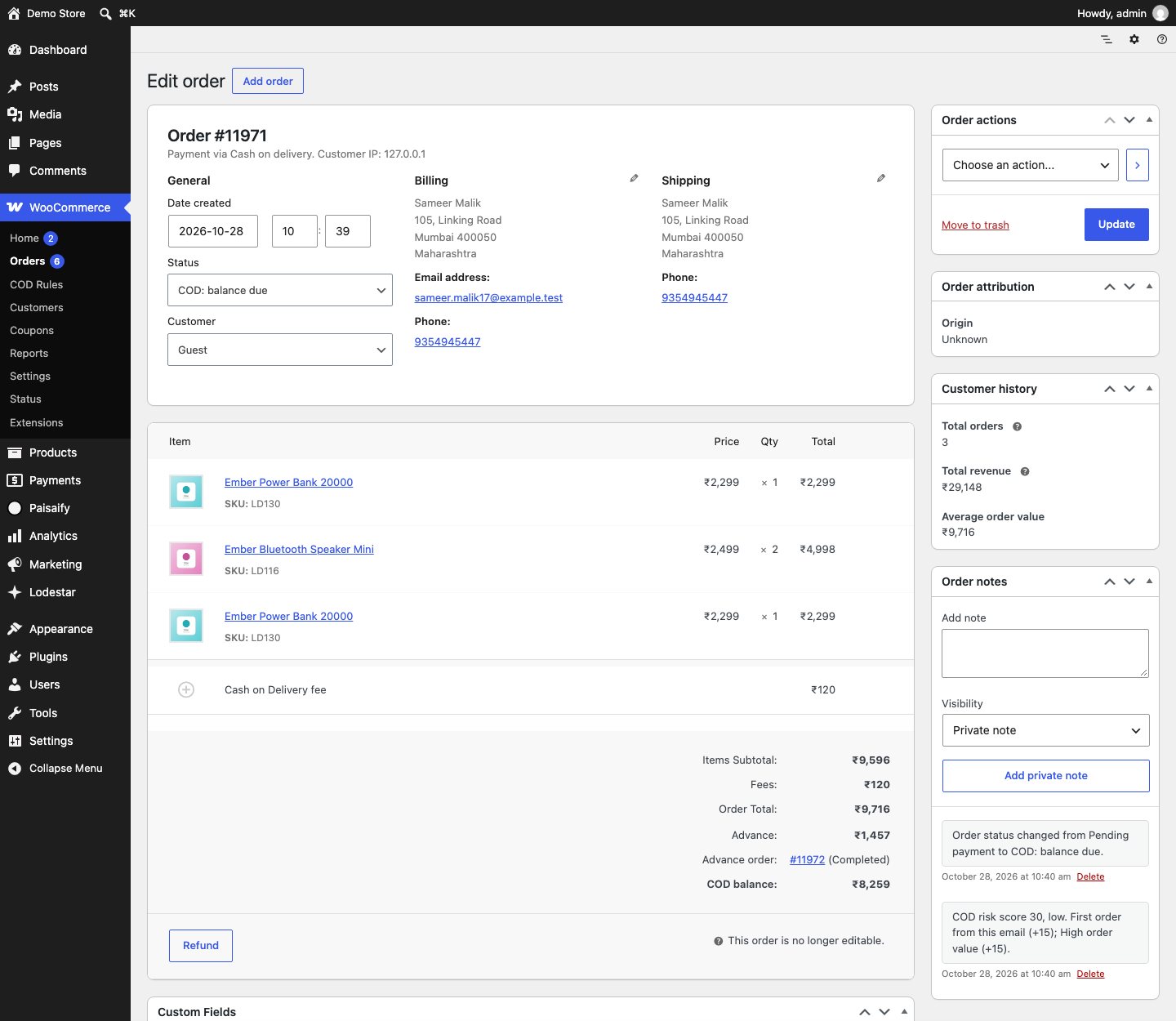
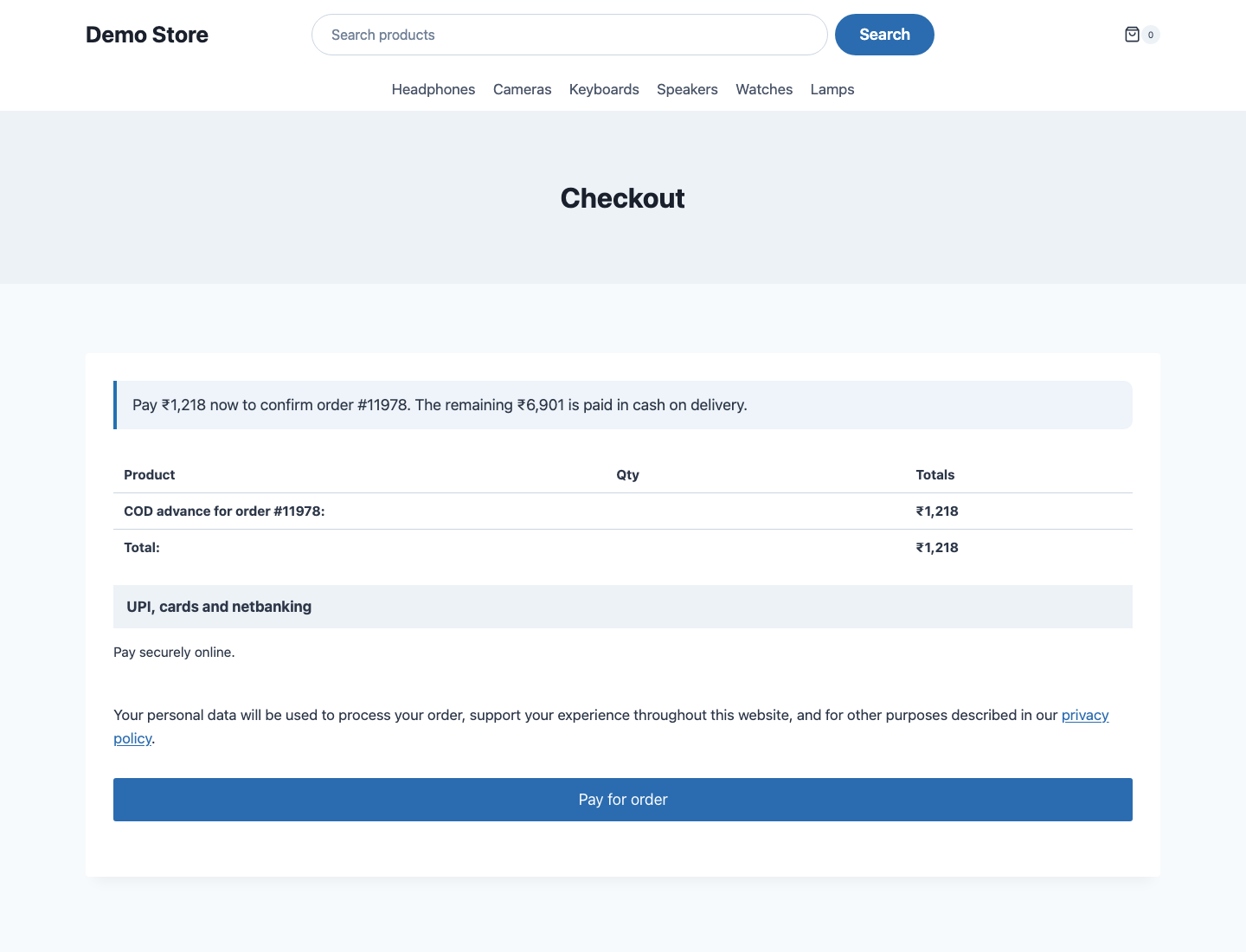
Partial COD asks the customer for a percent or fixed advance. They pay it online with any payment method you already use, and the order then shows only the balance to collect on delivery. A customer who has paid something rarely refuses at the door. You can also set a lowest advance that covers your shipping cost, so a refusal never loses money, whatever the order value.
Decide when COD is offered
- Show COD only inside the order value range you choose.
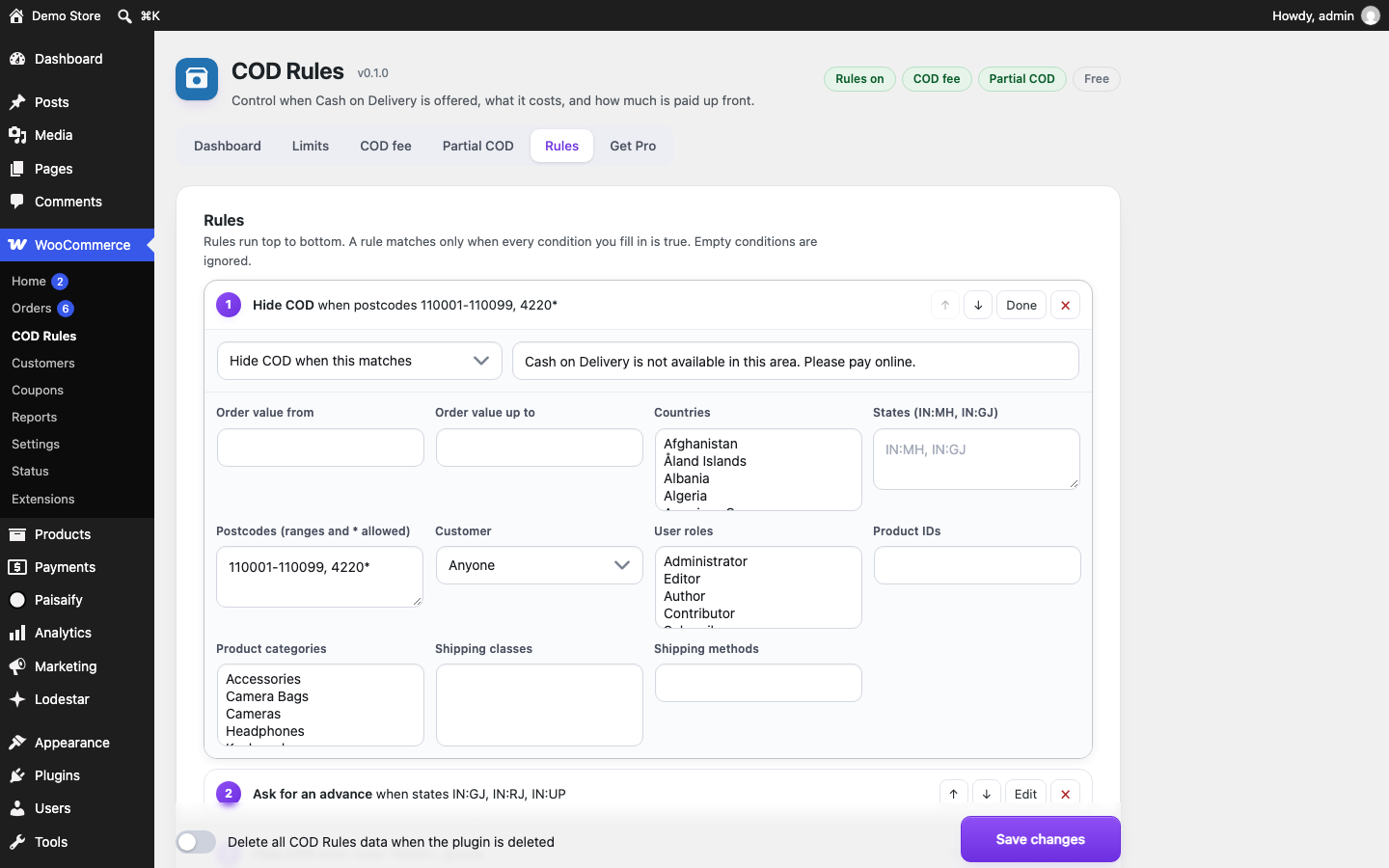
- Hide COD, allow it, or ask for an advance by country, state, postcode (ranges and wildcards), customer type, user role, product, category, shipping class or shipping method.
- Each rule reads as one plain line and has its own message for the customer.
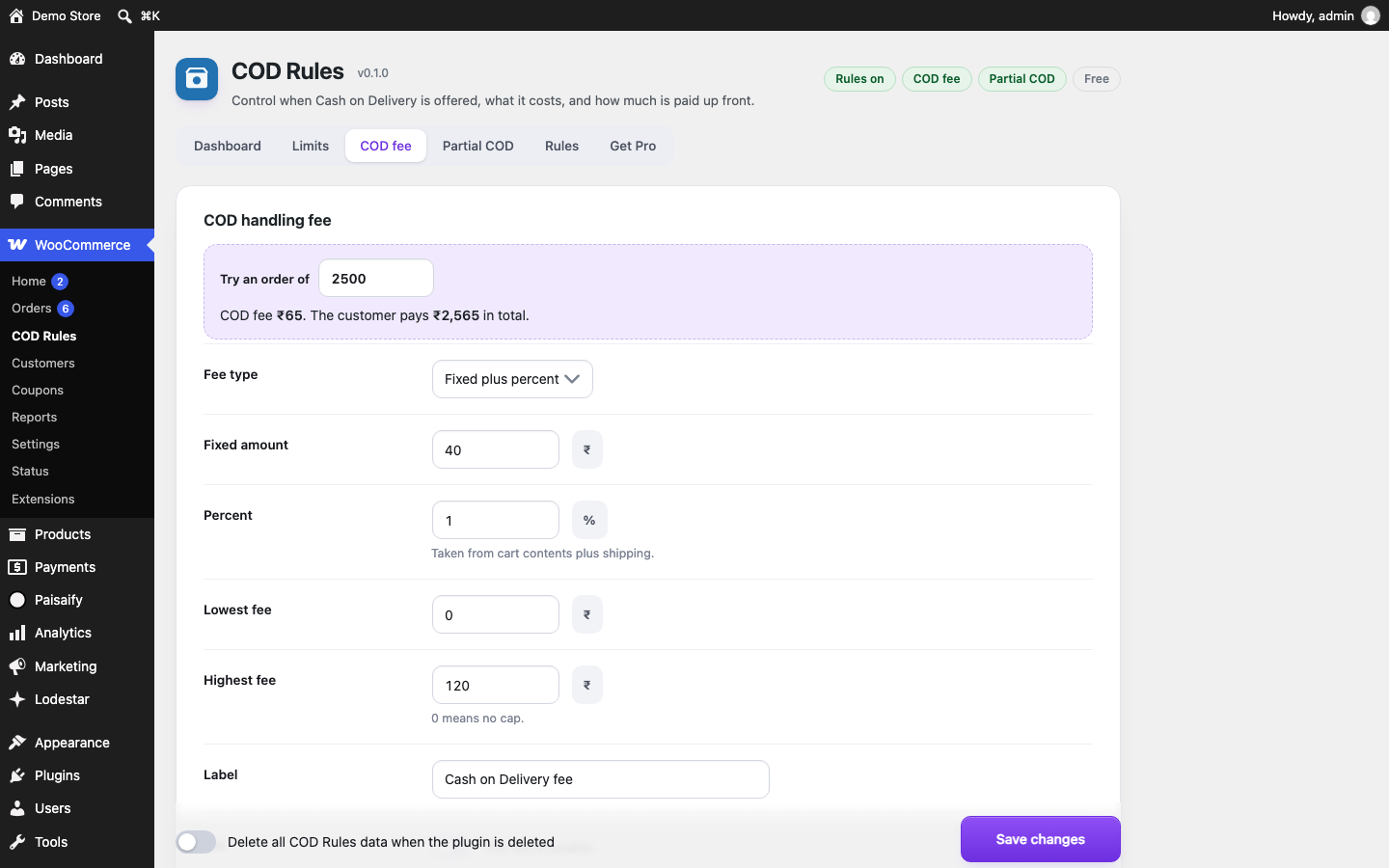
- COD fee: fixed, percent, or both, with a lowest and highest amount, optional tax and your own label.
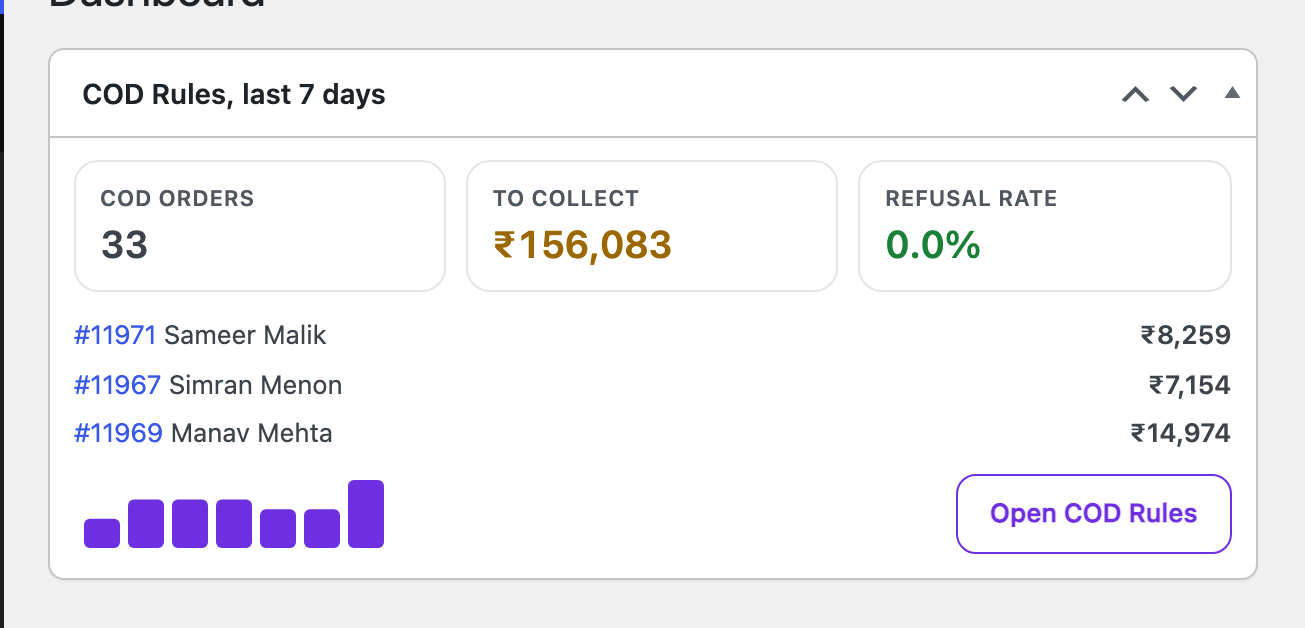
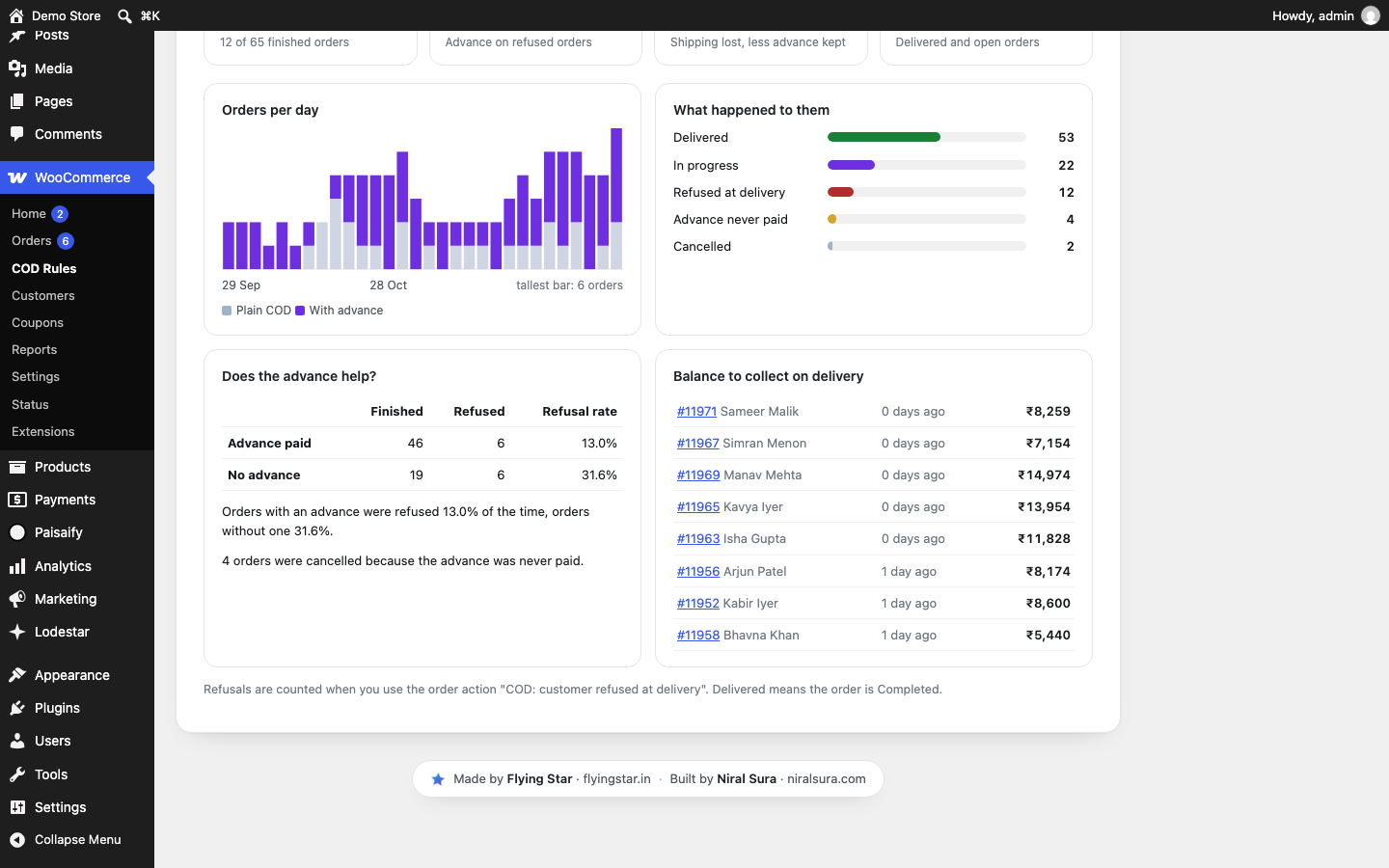
- A dashboard with COD orders, advance collected, balance to collect, refusal rate and the money kept from refusals.
- "Does the advance help?" compares the refusal rate with and without an advance, using your own orders.
- A widget on the WordPress Dashboard for a quick look.
- Works with the classic checkout and the block checkout. Compatible with High-Performance Order Storage.
- Nothing runs on ordinary page views. Classes load only when needed, and the data lives in one small table of its own.
- Customers get an email asking for the advance and another when it is received. Unpaid advances cancel after the hours you set and stock is released.
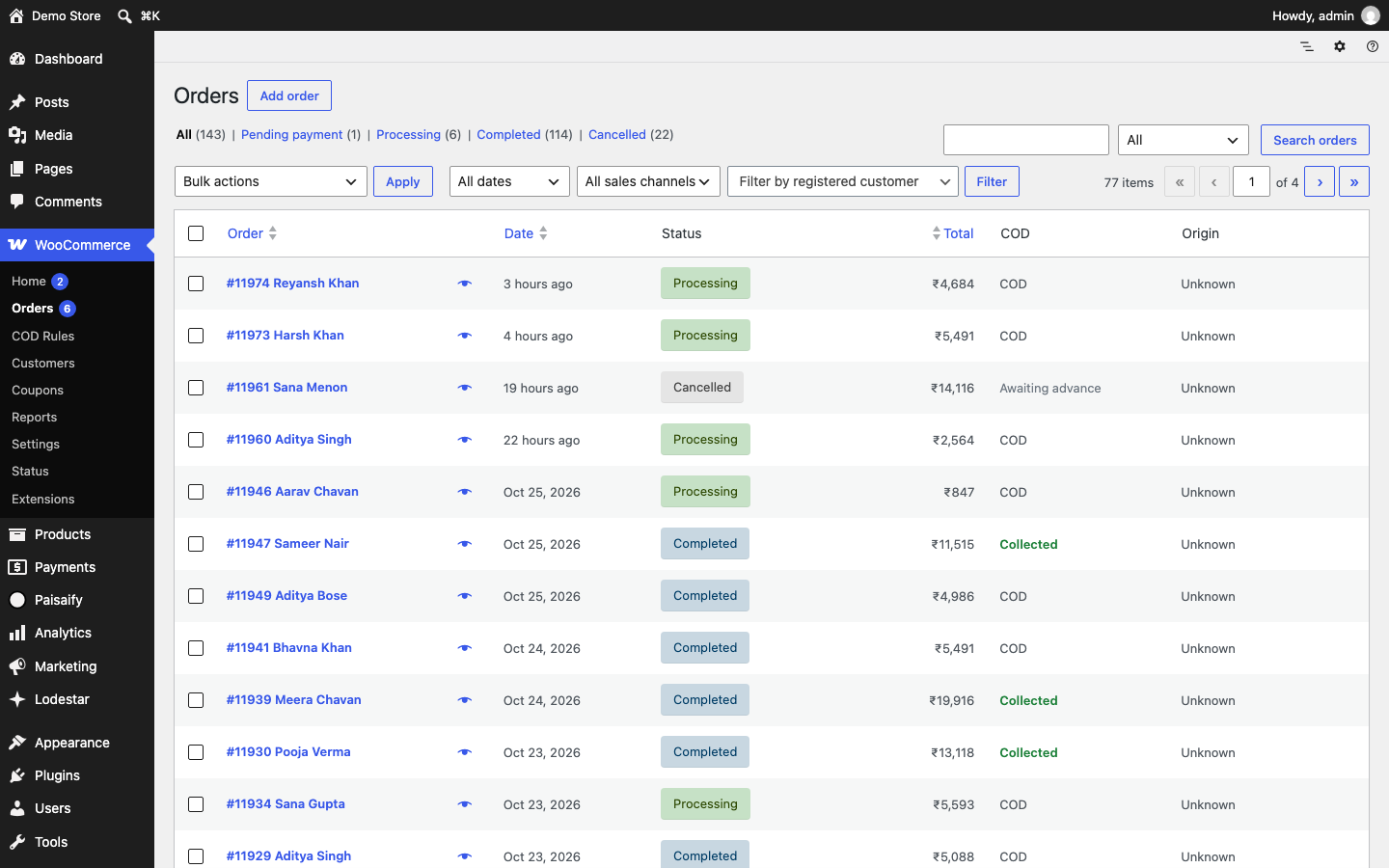
- Order actions: mark the balance collected, or record that the customer refused delivery.
- Offline gateways such as bank transfer confirm the advance only when you mark the advance order as paid.
- The COD fee is calculated from the cart contents plus shipping.
安装:
- Upload the plugin and activate it. WooCommerce must be active.
- Make sure Cash on Delivery is enabled in WooCommerce > Settings > Payments.
- Open WooCommerce > Threshold and set your limits, fee and advance.
屏幕截图:
常见问题:
Does it work with the block checkout?
Yes. The fee, the advance note and the redirect to the advance payment page all work with the block checkout and the classic checkout.
Which payment gateways can take the advance?
Any gateway that works on WooCommerce's pay-for-order page. Cash on Delivery itself is removed from that page.
Is there a Pro version?
Yes. Threshold Pro adds the risk score, email code confirmation, day and time rules, tiers, courier API and CSV export. See https://threshold.flyingstar.in/.
Will it slow my store down?
No. It runs only at checkout and in its own admin screens, keeps its data in one small table, and does any heavy work in the background.
Where do the advance orders appear?
They are hidden from the orders list so they do not look like extra sales, and each one is linked from its main order. WooCommerce Analytics does not count them as revenue.
更新日志:
0.1.0
- First release.