
The Hack Repair Guy's PHP Checker
| 开发者 |
hackrepair
tvcnet |
|---|---|
| 更新时间 | 2026年11月22日 04:57 |
| 捐献地址: | 去捐款 |
| PHP版本: | 7.4 及以上 |
| WordPress版本: | 7.1 |
| 版权: | GPLv2 or later |
| 版权网址: | 版权信息 |
详情介绍:
exec() or shell access needed), automatically filters out runtime version guards and polyfills, and prioritizes potential fatal errors and unknown-impact findings for review.
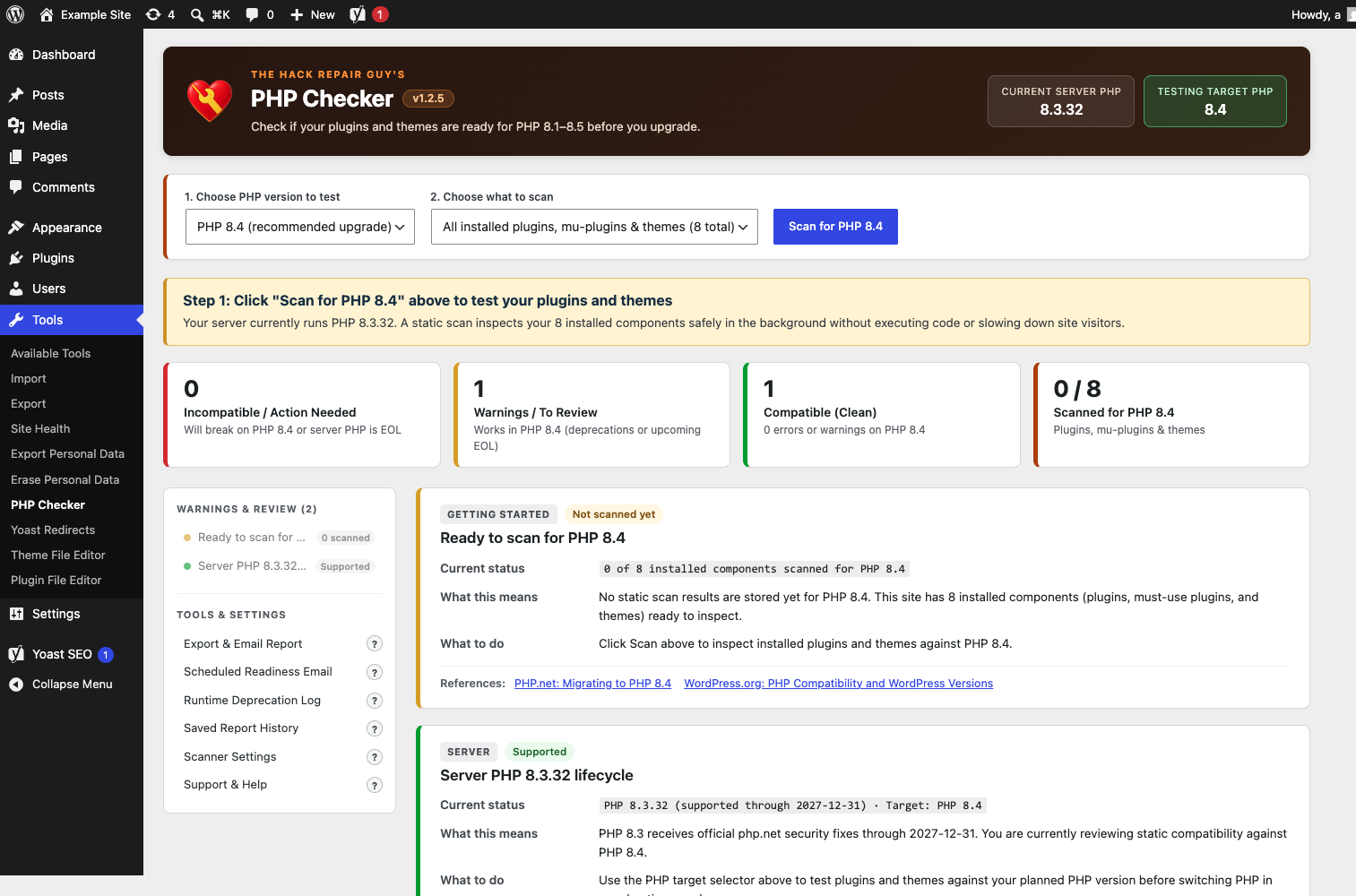
Open Tools > PHP Checker, pick your target PHP version (8.1, 8.2, 8.3, 8.4, or 8.5), and click Scan. It checks:
- Active and inactive plugins, must-use plugins, and themes using an embedded build of PHP_CodeSniffer and PHPCompatibilityWP
- Runtime version guards and polyfills (
version_compare(),PHP_VERSION_ID,function_exists(),class_exists(),defined(),extension_loaded()), automatically downgrading safe backward-compatibility code to informational notes so you only see real issues - PHP 8.2+ dynamic property deprecations with built-in false-positive protection for
#[AllowDynamicProperties](including inheritance),stdClass, magic__set()handlers, constructor-promoted properties, and declared properties - Exact
file:line, target PHP version, rule code, and code origin — clearly distinguishing between the plugin or theme's own code and a bundled third-party library (vendor/,freemius/,action-scheduler/,pear/,phpmailer/, etc.) - Server PHP support lifecycle and security patch status, including end-of-life countdowns and known PHP security advisories (such as PHP2Shell, CVE-2026-109618 and CVE-2026-109619)
- Optional in-memory Pending Update Pre-Scan (off by default) to inspect offered plugin and theme update zip packages against your running PHP version before you install them
file:line error tables open; minor deprecation warnings are grouped below with collapsible technical drawers so you are never overwhelmed by a wall of stack traces.
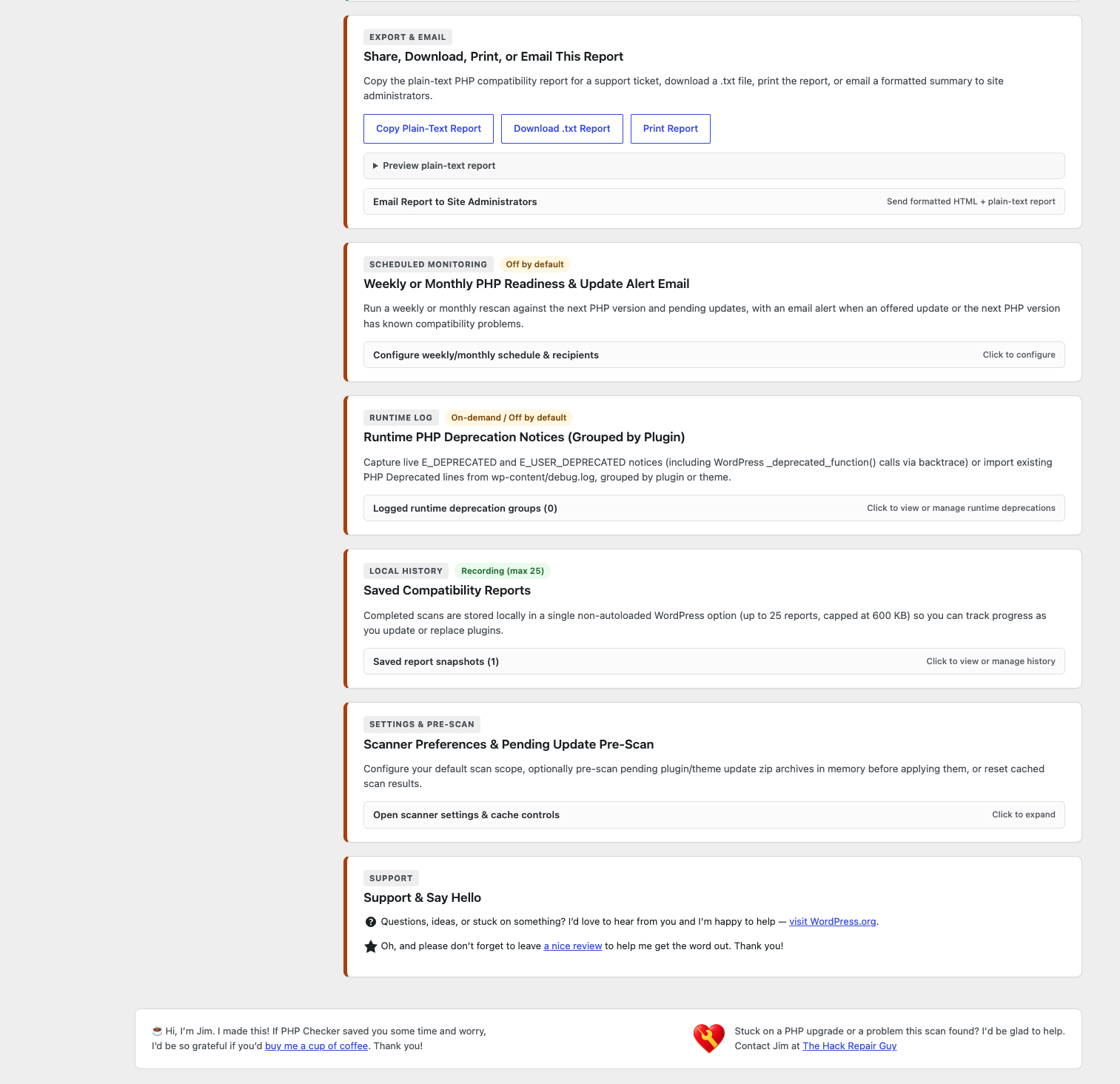
Your scans build a local history. Completed scans are saved on your own site (up to 25 reports within a 600,000-byte limit), showing what is new and what you have fixed since your previous check for that PHP version. Pause, reopen, delete, or clear history anytime.
Share or email a report. Copy the plain-text report for a developer or support ticket, download a .txt file, print a clean summary, or email a formatted HTML and plain-text PHP readiness briefing to site administrators with [domain] [PHP Checker] subject tags.
Optional scheduled PHP readiness email. Off by default. Choose weekly (with a day of the week) or monthly (day 1 to 28) to automatically email site administrators a PHP readiness report, or only when errors or warnings are found.
Privacy
Static scans inspect local PHP source files on your server in 5-second AJAX steps without executing plugin/theme code or sending source code or report contents to any outside service. Optional Update Pre-Scan (off by default) downloads pending update zip packages from their configured update URLs to a temporary file, inspects PHP entries in memory, and deletes the temporary file immediately.
Scan results and report history stay in your site's database and automatically prune uninstalled plugins/themes. Reports leave your site only when an administrator copies, downloads, prints, or emails them, or enables the monthly email.
See External services below for the few requests PHP Checker makes, and when.
What it is not
Static analysis parses PHP source tokens without executing your site's code. While version-guard handling downgrades common backward-compatibility code to notes, static analysis cannot replace testing critical workflows (like WooCommerce checkout or membership forms) on a staging server before switching PHP versions in production. If you want a deeper look or hands-on help with a tricky PHP upgrade, The Hack Repair Guy can help.
Credits
Static analysis uses PHP_CodeSniffer 4.0.4 (BSD-3-Clause), PHPCSUtils 1.2.3 (LGPL-3.0-or-later), PHPCompatibility (development snapshot, commit a0fd248812fd, LGPL-3.0-or-later), PHPCompatibilityWP 3.0.0-alpha2 (LGPL-3.0-or-later) and PHPCompatibilityParagonie 2.0.0-alpha2 (LGPL-3.0-or-later). They are bundled in vendor/thrg-scan-engine/ as runtime code, loaded only when an administrator runs a scan; unused tools and tests are removed and each folder keeps its license.
安装:
- In WordPress, open Plugins > Add New, search for "The Hack Repair Guy's PHP Checker" and choose Install Now. You can also upload the
thrg-php-checkerfolder towp-content/plugins/. - Activate The Hack Repair Guy's PHP Checker.
- Open Tools > PHP Checker, select your target PHP version (PHP 8.3 is selected by default), and click Scan.
- Review the plain-English Readiness Verdict banner at the top and the "Compatibility errors" findings first.
- Optional: open Share, Download, Print, or Email This Report to send a copy to your developer or other administrators, or set up the Scheduled Readiness Email.
屏幕截图:
常见问题:
What is the difference between an Incompatible error and a Deprecation warning?
- Incompatible (Fatal Error — Red): The plugin or theme uses a function, class, or syntax that was removed or fatally changed in the target PHP version (without a runtime version guard). If that code path runs on the target PHP version, PHP will halt the request with a fatal error. Update, replace, or deactivate red items before upgrading PHP.
- Deprecation Warning (Amber): The plugin or theme uses a feature that still works in the target PHP version, but PHP logs an
E_DEPRECATEDnotice to let developers know it will be removed in a future PHP version. Your site can still run on the target PHP version today (keepWP_DEBUG_DISPLAYoff on live production sites and update the plugin as new releases arrive).
How does PHP Checker handle version guards and polyfills?
Many WordPress plugins support both older and newer PHP versions by wrapping legacy calls in version_compare( PHP_VERSION, '8.0', '<' ) or if ( ! function_exists( 'str_contains' ) ) polyfills. Those lines never run on newer PHP versions, so they are not real problems. PHP Checker's token-stream analyzer (THRG_PC_Context) inspects surrounding if/elseif/else conditions and early-return guards, automatically downgrading safe fallbacks to collapsed informational notes.
How does the PHP 8.2+ dynamic property check avoid noisy false alarms?
PHP 8.2 deprecated creating undeclared properties on class instances, with official exceptions documented in the PHP 8.2 Migration Guide. PHP Checker inspects class declarations and inheritance chains in each file and skips classes with #[AllowDynamicProperties] (direct or inherited), stdClass and its subclasses, classes implementing magic __set(), constructor-promoted properties, and declared properties.
What do the "Plugin code" and "Bundled dependency" badges mean?
Every file:line finding shows whether the file lives in the plugin/theme's own code (Plugin code / Theme code) or inside a bundled third-party library (Bundled dependency, such as vendor/, freemius/, action-scheduler/, pear/, or phpmailer/). This helps developers and site owners know immediately whether an issue is in custom code they control or an upstream SDK that will be updated by the vendor.
Does scanning slow down visitors or time out on large plugins?
No. Scanning runs only when an administrator starts it (or turns on the scheduled readiness email) and processes files in 5-second time-boxed AJAX slices. If a single large plugin has thousands of files, PHP Checker saves file-level progress after 5 seconds and resumes on the next slice automatically. Files larger than 2 MB are skipped safely and marked as partial rather than crashing PHP memory.
What happens when I uninstall or delete a plugin that had errors?
PHP Checker automatically prunes uninstalled plugins/themes and outdated component versions whenever results are loaded. Uninstalling PHP Checker itself removes all of its options and scheduled hooks cleanly.
更新日志:
- Separated compatibility impact, execution evidence, code origin, and scan coverage so logging settings, filenames, fallback hints, and bundled origin cannot hide a fatal error.
- Split fatal-mapped errors into two tiers: Likely to fail on load (triggers the red "Hold off" banner) and May fail when used (inside functions, classes, or bundled libraries, shown with a calmer review banner), while keeping unmapped errors prominent for review.
- Added a Copy these findings for your developer button under each component's technical findings and rewrote labels, cards, banners, tiles, emails, and reports in clearer plain language.
- Preserved complete aggregate counts before bounding displayed findings, retained coverage-gap reasons, and automatically queued older cached results for rescanning when new grading evidence is needed.
- Showed
scanned/totalcounts on partial scans, widened the scan scope dropdown, and stopped "active plugins only" scans from reporting unscanned inactive plugins as incomplete. - Marked host-unparseable syntax as incomplete coverage when the server runs at least the target PHP (skipping on older servers), ignored inline PHPCS suppression comments during compatibility scans, and handled empty files cleanly.
- Aligned report downloads, emails, history comparisons, and update checks with the same evidence rules while keeping older history snapshots under their recorded grading rules.
- Refreshed single-component rescans in place on the same page and aligned component summary counts.
- Consolidated packaging to WordPress.org-only distribution with synchronized version metadata and build-time validation.
- (Internal pre-release, rolled into 1.2.8)
- Added scope, fallback-path, and load-on-boot analysis with a graded compatibility scale instead of a flat "Incompatible" label.
- Raised scan memory to the WordPress admin limit and stopped scan steps early near the memory ceiling so large plugins finish reliably under a 128 MB limit.
- Grouped the left sidebar into Likely to Break, Server, and Review sections; stopped counting the server row as a plugin/theme component and stopped counting review-grade components as clean in quick-switch summaries.
- Stopped treating behaviour-change sniffs as fatal errors in tile, banner, and quick-switch counts.
- (Internal pre-release, rolled into 1.2.8)
- Flagged old-style PHP 4 constructors (
function ClassName()) as errors when scanning for PHP 8.0 or higher. - Made PHP 8.3 the default target PHP version across the target picker, scheduled email "Recommended PHP" option, and update pre-scan.
- Printed
<hr class="wp-header-end" />after the PHP Checker header and tucked third-party WordPress/plugin notices behind a collapsible Show bar while keeping PHP Checker's own notices visible. - Closed the guard gap for removed
mcrypt_*,mysql_*, andereg_*symbols insidefunction_exists()andextension_loaded()checks. - Labelled components whose errors exist only inside bundled libraries as Review: bundled library.
- WordPress.org package checks now accept only HTTPS downloads from downloads.wordpress.org.
- Cached WordPress.org lookups are removed when the plugin is deleted.
- The scheduled email intro no longer says "monthly" for weekly emails.
- Reorganized report and evaluation code into smaller classes. Nothing changes in the report you see.
- New store banners.
- Friendlier contact and support wording, a help request linking to HackGuard in place of the upgrade-service line, and the Plugin Detective recommendation removed for now.
- Excluded PHPCS
Internal.*formatting/line-ending sniffs (such asInternal.LineEndings.Mixed) from compatibility scan results. - Expanded
THRG_PC_Contextguard analysis to recognizeif (function_exists(...))when checking core built-in functions guaranteed on the target PHP version (such aserror_clear_laston PHP 7.0+), downgrading their deadelsebranches and variables only assigned inside guarded branches (isset($var)). - Calibrated error severity wording so non-fatal behavioral/INI removal rules (
RemovedIniDirectives,ArgumentFunctionsReportCurrentValue) are distinguished from hard fatal-error rules in card summaries and the Readiness Verdict banner. - Displayed each finding's originating PHP version (e.g.
since PHP 7.0,since PHP 8.2) in finding tables and deprioritizedArgumentFunctionsReportCurrentValue.NeedsInspectionwarnings below actionable findings. - Broadened
THRG_PC_Results::file_origin()bundled dependency detection to includelibraries,library,lib,libs,sdk,sdks,mailer, andimap2directories.
- Lowered non-blocking, compatible, panel, and inactive card opacity to 60% (restoring to 100% on hover/focus) and applied 60% opacity to the left-column Warnings & Review list so active fatal incompatibilities stand in front.
- Added
(?)pop-out tooltips next to each item in the left-column Tools & Settings navigation explaining what each section is for. - Fixed Expand all code tables / Collapse all code tables to toggle and sync all finding card detail drawers (including overflow and guarded-note tables).
- Softened visual weight of non-blocking and inactive items so fatal incompatibilities stand in front.
- Updated footer assistance contact link to point to HackGuard.
- Simplified header subtitle.
- Added limits for update ZIP archive size, entry count, and declared uncompressed bytes.
- Bound scans to an owner and job token; added atomic scan claims and serialized scan steps.
- Improved runtime deprecation path attribution and release ZIP selection.
- Removed tracked email cooldowns during uninstall and reorganized report/controller view files.
- Added Weekly (default, with day-of-week selector) or Monthly (day 1–28) scheduled rescans against the next PHP version and pending updates, sending an email alert when an update or the next PHP version has known compatibility problems.
- Added "Fixed in a newer WordPress.org version" verification (
THRG_PC_Prescan::check_wporg_fix()), checking whether a plugin from WordPress.org that fails a scan has a newer release, stream-scanning the newer package in memory against the target PHP version, and badging the card (Fixed in vX.Y on WordPress.org,Fatal errors fixed in vX.Y, orStill fails in vX.Y) with a one-click Check if fixed on WP.org button. - Added Runtime PHP Deprecation Notices (Grouped by Plugin) (
THRG_PC_Runtime_Log), with an opt-in liveE_DEPRECATED/E_USER_DEPRECATEDcollector (including backtrace attribution for WordPress_deprecated_function()calls) plus an on-demandwp-content/debug.logdeprecation importer. - Added a recommendation in Support & Companion Tools for pairing PHP Checker with our free The Hack Repair Guy's Plugin Detective plugin while testing plugins and PHP upgrades.
- Client-first report hierarchy: incompatible plugins and themes (
breaks) now appear at the very top of Checks & Findings above the fold, followed by deprecation warnings, server lifecycle status, and a collapsible table of compatible components. - Added a plain-English Readiness Verdict banner right below the scan toolbar that immediately tells first-time users whether it is safe to upgrade or which specific plugin blocks the upgrade.
- Removed the redundant scan-coverage meta card once components have been scanned, fixing double-counting in the red Summary Tile, Report History, and Email subject lines.
- Suppressed the Pending Update Compatibility card when Update Pre-Scan is disabled and no update packages have been checked.
- Streamlined plugin and theme cards with header origin badges (
in plugin codevs.in bundled library), a highlighted What to do callout, and sorted tables that placeERRORrows and first-party code at the top. - Added collapsible technical code drawers (collapsed by default to keep cards clean, capped at 8 initial rows when opened with an overflow toggle for large plugins, plus an Expand all code tables toggle).
- Reorganized the left navigation into urgency groups (Action Needed, Warnings & Review, Passed Checks, and Tools & Settings) with compact issue-count badges and auto-expanding section links.
- Expanded bundled dependency detection to recognize
Pear,PHPMailer,TCPDF,Dompdf,mPDF,Strauss,Mozart, andvendor-prefixeddirectories. - Fixed WordPress core
.buttonCSS specificity so theStop Scanbutton stays hidden when no scan is running, and improved long rule-code wrapping inside finding tables.
- Initial release of The Hack Repair Guy's PHP Checker (
Tools > PHP Checker). - In-process PHP 8.1, 8.2, 8.3, 8.4, and 8.5 static compatibility analyzer powered by embedded
PHP_CodeSniffer4.0.4 andPHPCompatibilityWP3.0.0-alpha2 with zeroexec()calls. - Token-stream runtime guard and polyfill analyzer (
THRG_PC_Context) that downgrades version-guarded code to informational notes. - PHP 8.2+ dynamic property deprecation analyzer respecting
#[AllowDynamicProperties]inheritance,stdClass, magic__set(), and constructor property promotion. - Actionable finding metadata with
file:line, target PHP version, triggered rule code, andPlugin codevs.Bundled dependencyorigin classification. - Resumable 5-second AJAX batch scanner with file-level progress, single-component rescanning, and automatic orphan pruning.
- Server PHP lifecycle, EOL countdown, and PHP2Shell (CVE-2026-109618 / CVE-2026-109619) security patch checks.
- Optional in-memory Pending Update Pre-Scan, bounded 25-report local history with target-aware diffs, branded administrator report emails, and opt-in monthly PHP readiness email schedule.