TrackSharp: Server-Side GA4 Tracking + Attribution Audit for WooCommerce
| 开发者 |
kayavanvliet
freemius |
|---|---|
| 更新时间 | 2026年9月28日 23:06 |
| PHP版本: | 7.4 及以上 |
| WordPress版本: | 7.1 |
| 版权: | GPLv2 or later |
| 版权网址: | 版权信息 |
详情介绍:
Improve purchase conversion tracking accuracy for WooCommerce with native server-side tracking.
Browser-based tracking is blocked by modern privacy settings (ITP), ad blockers, and consent choices. This leads to missing purchase conversions in GA4 and incomplete ad reporting.
TrackSharp adds a reliable, first-party server-side tracking layer. It ensures your most important event — Purchase — is recorded in GA4 even when browser tags fail.
No GTM server container. No Google Cloud costs. No complex coding.
“We previously used Google Tag Manager, but browser blocking still caused us to miss up to 40% of our conversions. With TrackSharp, our data is finally 100% accurate without us needing to change a thing.” Jordi — Online Marketer at Hbeds.nlWhat Problem We Solve Most store owners don't know how much data they are losing. Setting up server-side tracking usually requires complex Google Tag Manager (GTM) containers, monthly cloud hosting fees (Stape/Google Cloud), and developer time. TrackSharp removes that complexity and cost. It runs directly on your WordPress server as a native plugin. You can complete the setup in 5 minutes and immediately start auditing your data loss and fixing GA4 tracking. Features & Capabilities 1. Instant Attribution Audit (Free) Unique to TrackSharp: we don't just track, we diagnose. The dashboard uses your real historical order data to highlight risks:
- Google Ads Blind Spots: See how many orders have Google Click IDs (gclid) that browser tracking might have missed.
- Meta Pixel Health: Monitor if your browser Pixel is firing correctly or being blocked. 2. Reliable GA4 Server-Side Tracking Sends purchase events via the Measurement Protocol directly from your server. This bypasses ad blockers and iOS restrictions to close the gap between WooCommerce orders and Analytics reports.
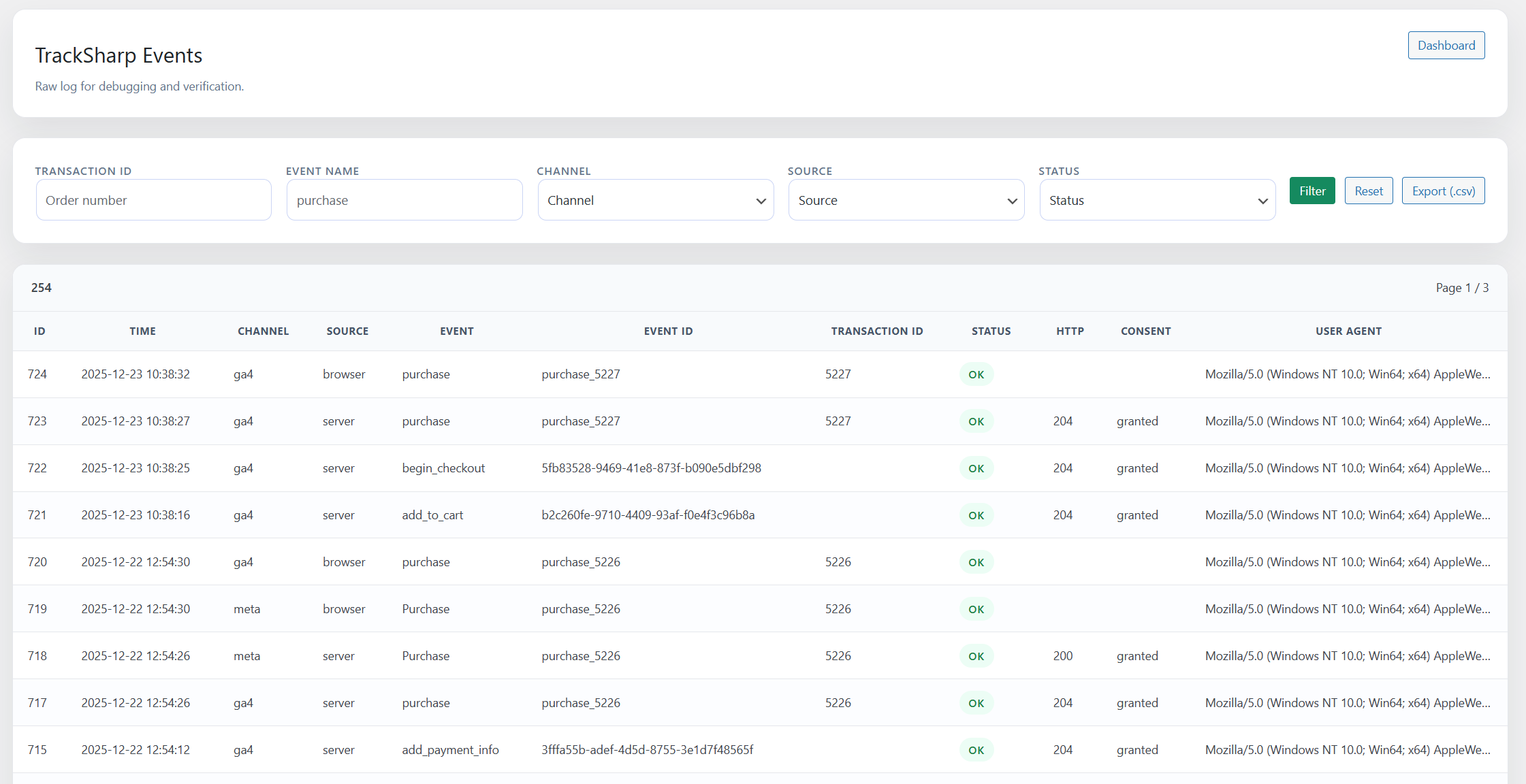
- Shopper Activity:
view_item(product view),add_to_cart,view_cart - Checkout Flow:
begin_checkout,add_payment_info - Conversion:
purchase(Order Completed)
- Stores running Paid Ads: If you spend budget on Google Ads or Meta (Facebook/Instagram) and suspect your ROAS is inaccurate due to tracking loss.
- Cost-Conscious Owners: Stores that want reliable Server-Side tracking without paying €20-€100/month for external hosting (like Stape or Google Cloud).
- Agencies & Freelancers: Professionals looking for a "set-and-forget" solution for clients that doesn't require maintaining complex GTM server containers.
- Non-Technical Founders: Anyone who wants to fix their data accuracy in 5 minutes without writing code or hiring a developer.
- Google Ads Attribution: Captures attribution parameters server-side so conversions are credited to the right campaign.
- Meta Conversions API (CAPI): Full server-side backup for the Facebook Pixel.
- Enhanced Conversions: Sends hashed user data (email/phone) to improve match rates on both platforms.
- Priority Support: Direct access to the developers via email.
安装:
- Install and activate the plugin.
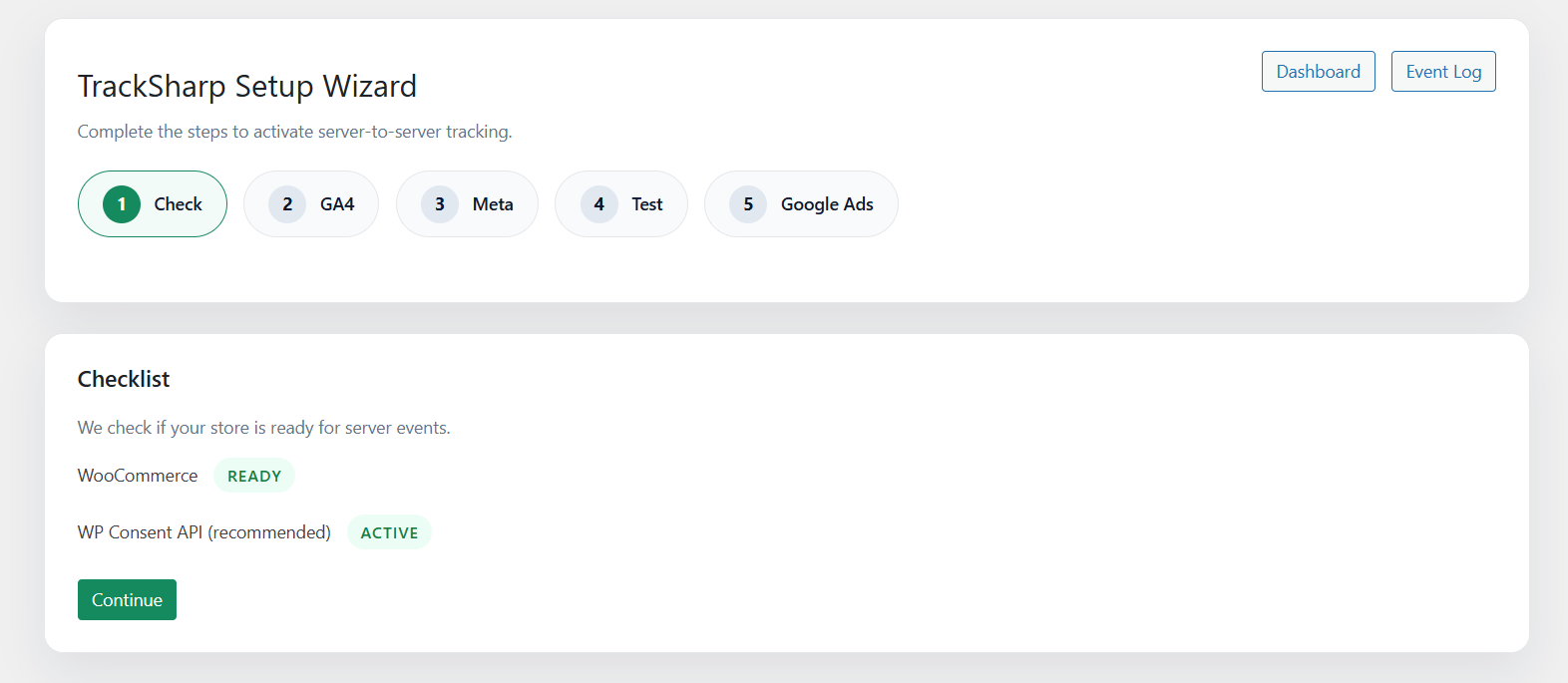
- Go to TrackSharp → Setup Wizard.
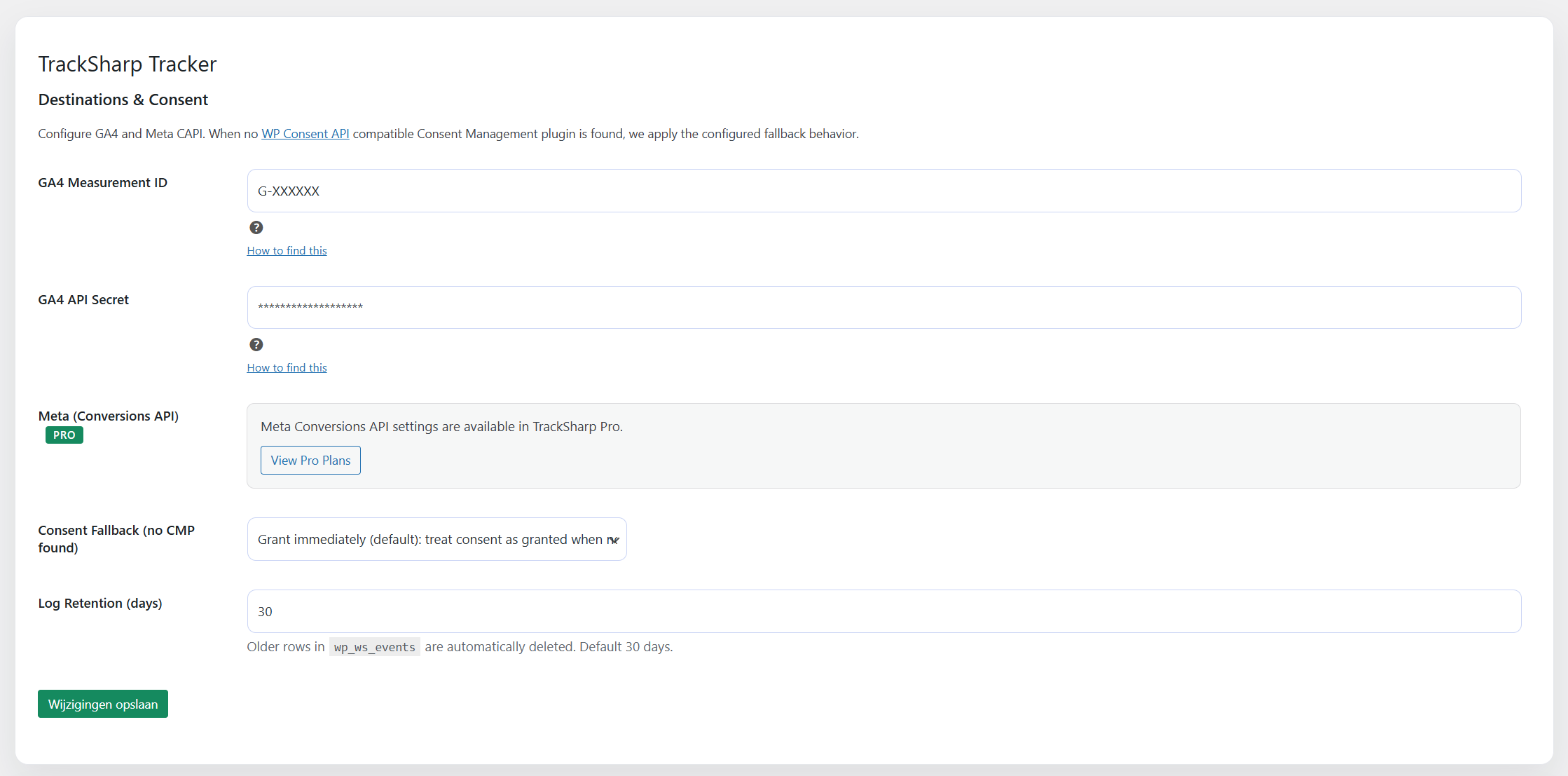
- Enter your GA4 Measurement ID and Measurement Protocol API Secret.
- (Recommended) Use a CMP that integrates with the WP Consent API.
- Place a test order and review TrackSharp → Events.
屏幕截图:
常见问题:
Does this replace my GA4 browser tags?
No. TrackSharp adds server-side tracking as a safety net. If you use GTM for browser tags, TrackSharp handles the deduplication (using event_id) to prevent double counting.
Do I need a GTM server container (Stape / Google Cloud)?
No! That is the main benefit of TrackSharp. It runs directly on your WordPress server. You save €20-€100/month on external server hosting costs compared to container-based solutions like Conversios or Stape.
Is it GDPR compliant?
TrackSharp integrates with the WP Consent API. It only sends data when the appropriate consent (Statistics/Marketing) is granted. If no CMP is found, you can configure the fallback behavior.
更新日志:
1.3.6
- Fix:
view_cart,begin_checkout,add_shipping_infoandadd_payment_infonow send the cart value, item prices and cart currency. WooCommerce Store API amounts are strings in minor units and were previously read as 0.
- Fix: WooCommerce Checkout Blocks on localized checkout pages now send
begin_checkoutafter the page body loads, while classic checkout detection remains unchanged.
- Fix: Server-side-only purchases no longer replay manual campaign details. Browser + server fallbacks also skip replay when a Google click identifier is present, preserving Ads attribution while retaining GA4 campaign replay for non-Ads fallbacks.
- Fix: WooCommerce Checkout Blocks now capture the same Google click IDs, GA session context, request context, and consent snapshot as classic checkout.
- Fix: GA4 session parsing for the current GS2 cookie format (session number read from the correct token; session ID no longer discarded). Restores GA4 session attribution for server-side events on sites with a browser Google tag.
- Fix: the server-side purchase fallback is no longer cancelled unless the browser tag confirmed processing the purchase. Prevents lost conversions when analytics requests are blocked.
- Improvement: purchase fallback runs via WooCommerce Action Scheduler with a 10-minute delay and automatic retry of failed sends.
- New: Browser-first + server fallback is now the recommended GA4 reporting mode.
- New: First-party GA4 attribution context is captured for server fallback events.
- Improved: Server-side GA4 Measurement Protocol events can replay campaign details to reduce "(not set)" attribution.
- Improved: Server fallback purchases now preserve the original browser event timestamp and documented IP/User-Agent context.
- Improved: Events log now shows friendly browser names (e.g. "Chrome 131", "Edge 145") instead of raw User-Agent strings.
- Fixed: Consent-denied purchases are now visible in the events log instead of silently missing.
- Fixed: Trial users can now upgrade to paid from the in-dashboard pricing page.
- Fixed: All upgrade buttons (pricing page, account page, sidebar) link to the correct checkout.
- New: Expired trial notice with upgrade prompt on TrackSharp admin pages.
- New: Purchase link on the license activation screen for blocked users.
- Improved: Currency automatically set based on locale (EUR for Dutch, USD for international).
- Improved: Pricing page now works in-dashboard for all locales.
- New: 14-day free trial for Pro features (no credit card required).
- New: Referral preservation to improve GA4 attribution accuracy.
- New: All e-commerce events now sent via browser when reporting_first mode is enabled.
- Improved: Browser-side event logging for all events.
- Improved: client_id handling across events.
- New: GA4 Purchase Mode setting (server-only vs browser + server backup; Google tag required for best GA4 attribution).
- New: "Attribution Audit" cards on the Dashboard to highlight tracking risks using real site data.
- Added GA4 comparison mode to send server purchases as purchase_sst.
- Increased log retention to 180 days.
- Added setting to measure revenue excluding VAT/tax.
- Dutch sites: Upgrade button opens https://tracksharp.nl
- Initial WordPress.org release.