
Ultimate Push Notifications
| 开发者 |
CodeSolz
m.tuhin |
|---|---|
| 更新时间 | 2026年9月28日 17:33 |
| PHP版本: | 7.4 及以上 |
| WordPress版本: | 7.1 |
| 版权: | GPLv2 or later |
| 版权网址: | 版权信息 |
详情介绍:
Push notifications have 4x higher open rates than email. Keep your customers, community members, and team informed the moment something happens — for free.Why Choose Ultimate Push Notifications? Most push notification services charge a monthly fee per subscriber and keep your subscriber list on their servers. This plugin needs no account with anyone: setup is one button, delivery costs nothing, and every subscription lives in your own database. You own your audience. Real Problems This Plugin Solves For WooCommerce Store Owners: You're losing sales because customers have no idea their order shipped, their payment failed, or their order is ready. And your vendors have no idea someone just bought from them. This plugin fixes all of that — with instant push alerts for every order event. For BuddyPress / Community Sites: Your community members miss friend requests, new messages, group invites, and activity updates because they're not watching their inbox. Push notifications bring them back the moment something happens — without email fatigue. For Site Administrators: You need to know the instant a form is submitted, a new user registers, or an event goes live. Real-time push notifications to your browser mean you're always in the loop, even if your email is buried. For All Sites: Instead of paying for SMS alerts or high-volume email plans, this plugin lets you communicate in real time for free — using the same infrastructure Google uses for Android notifications. Key Features Web Push — Self-Hosted
- One-click setup: generate a key pair and you are done. No Firebase project, no Google account
- Standards-based delivery (RFC 8030 / 8291 / 8292) straight to each browser's push service
- Background queue with automatic retry and per-service backoff — sends never slow down checkout
- Health page checks every link in the chain and says exactly what is wrong when something is
- Service Worker handles background notifications even when the browser is closed
- Rich notifications: show images inside the push popup
- Click-to-navigate: clicking a notification opens the right page automatically
- Auto-cleanup: invalid / expired device tokens are removed automatically — no stale bloat Subscribers — Unlimited, Yours
- Visitors subscribe without an account; members subscribe with theirs. No cap, in any tier, ever
- Soft-ask prompt: your own dismissible bar asks first — after N seconds, page views or scroll depth — and only hands off to the browser's one-shot permission prompt when the visitor clicks Allow
- Floating bell,
[upn_subscribe]shortcode, a Push Subscribe Button block, or any element withdata-upn-subscribe - Subscriber list shows browser, OS, device, locale, time zone, last seen, last delivery and consent — with Logged-in / Visitors / Web Push views
- Privacy tools: subscriptions and preferences are exported and erased with the account (WordPress Privacy → Export / Erase) Compose & Send
- Write a notification, pick an audience — everyone, visitors, members, roles, device type, active in the last N days — see the live recipient count, send it to your own device first, then send
- Merge tags —
{site_name},{post_title},{user_name},{first_name}and more, plus event tags in automations - Rich payload: icon, large image, click URL; click tracking with click-through rate on the Health page Automations
- Push on publish — new posts (or any post type) go to your subscribers automatically, with the featured image
- Event automations — trigger → audience → message. Free runs three at a time:
- WordPress: new user registers, comment posted
- WooCommerce: new order, order status changes (filter by status), payment received, added to cart, low stock, out of stock
- BuddyPress: friend request, friend accepted, private message, member update (to their friends), reply to an update, group update (to the group), member joins a group (to its admins)
- Contact Form 7: form submitted — every field is a merge tag,
{field_your_email}, whatever the form's field names - Each automation chooses who: store staff by role, the product's author (vendor), the customer, the message recipients, the group's members… The person who caused the event is left out unless you say otherwise
- Members turn any automation off for themselves under Set Notifications (and in their BuddyPress profile) Device Management
- Every device is tracked individually; one member can register several
- Test notifications directly from the admin — verify delivery before going live
- Devices a push service reports as gone are removed automatically
- SMS, WhatsApp and Telegram for your customers — they opt in at checkout ("send me updates about this order by SMS") or in their account, and automations and broadcasts reach them there too, always or only when push cannot. STOP always works.
- SMS through your own Android phone with httpSMS — your SIM is the gateway, no per-message SMS provider. WhatsApp through Meta's Cloud API, Telegram through your own bot.
- Carriers for your team — mirror an order alert to email, Slack, Discord, Telegram, SMS or WhatsApp, or send it there only when push has nobody to reach. Send to the right people, at the right time
- Segments — saved filters over subscribers and WooCommerce data (bought a category, spent over an amount, lapsed buyers), with seven built-in cohorts
- Scheduling — once, daily, weekly or monthly, in each subscriber's time zone; and best time — each person at the hour they usually click
- A/B tests — two versions to slices of the audience; the winner goes to everyone else
- Unlimited automations with conditions, and digests ("5 new comments", not five alerts)
- Store automations — abandoned cart and browse reminders, back in stock and price drop alerts, per shopper
- Welcome series — a short sequence for every new subscriber
- Delivery rules — quiet hours and frequency caps; a preference centre where subscribers mute categories or pause instead of unsubscribing Know what it earned
- Revenue attribution — WooCommerce orders credited to the notification that was clicked, net of refunds; Goals for sites that are not stores
- Unlimited history, weekly or monthly reports by email or as a print-ready page, and an opt-out risk estimate before you send
- Health monitor — the health check every day, with alerts and one-click fixes For agencies and teams
- Roles — compose, automations, segments and analytics per role, without making anyone an administrator
- White label, export / import between sites, a multisite screen, a REST API and WP-CLI
- AI assistant with your own key (OpenAI, Anthropic, Gemini, Groq, Mistral, Ollama and more) — copy drafts, plain-language health explanations, segment ideas Every Pro feature is already marked in the free plugin where it would live, with this site's own numbers where the free plugin knows them — so you can see what it would do before you decide.
- Open UPush Notifier → App Config and click Generate key pair. That is the whole setup — no Firebase, no Google account.
- Turn on the Subscribe Prompt, add the bell or the block — or have members open Register My Device — and visitors allow notifications
- Their browser is registered — compose a notification, or let an automation send one
- The VAPID private key never leaves the database and is never sent to the browser
- All user inputs are sanitized through WordPress standards
- AJAX endpoints use nonce verification (SECURE_AUTH_SALT)
- Capability checks enforce admin-only access to sensitive settings
- VAPID key authentication ensures only your server can send notifications
- WordPress 5.0 or higher
- PHP 7.4 or higher
- SSL (HTTPS) required — browsers block push notification registration on non-secure sites
- OpenSSL PHP extension (present on virtually every host)
- Nothing else — no third-party account
- One user can register multiple browsers / devices
- For testing: use different browsers or incognito windows logged in as different users
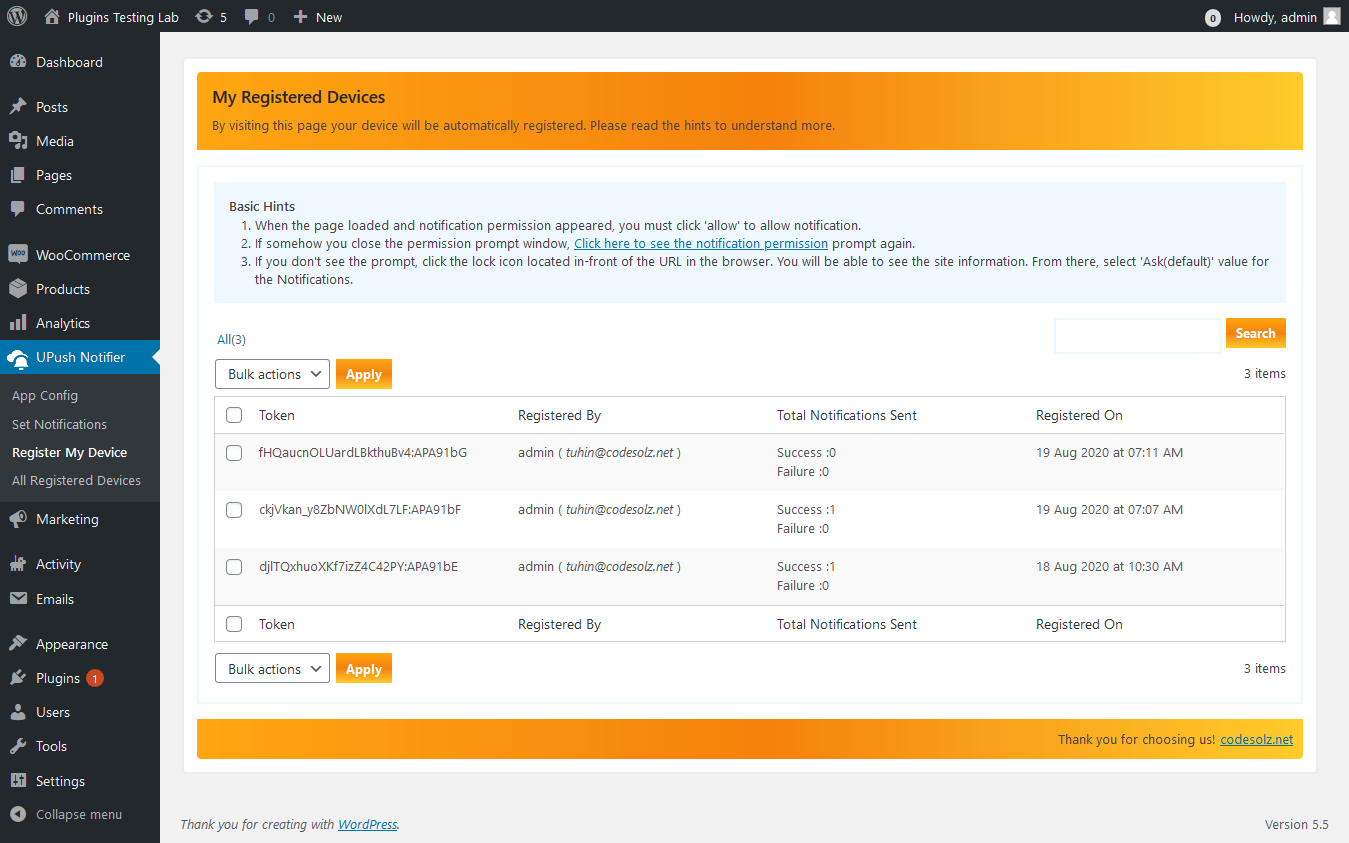
- Use the Register My Device page to register your own device and test with one click
- Install and activate the plugin
- Go to UPush Notifier → App Config and click Generate key pair
- Go to UPush Notifier → Register My Device and click Allow when the browser asks
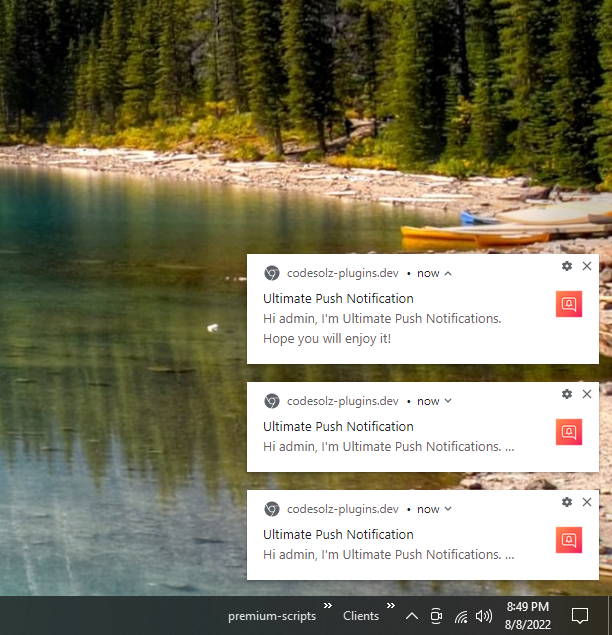
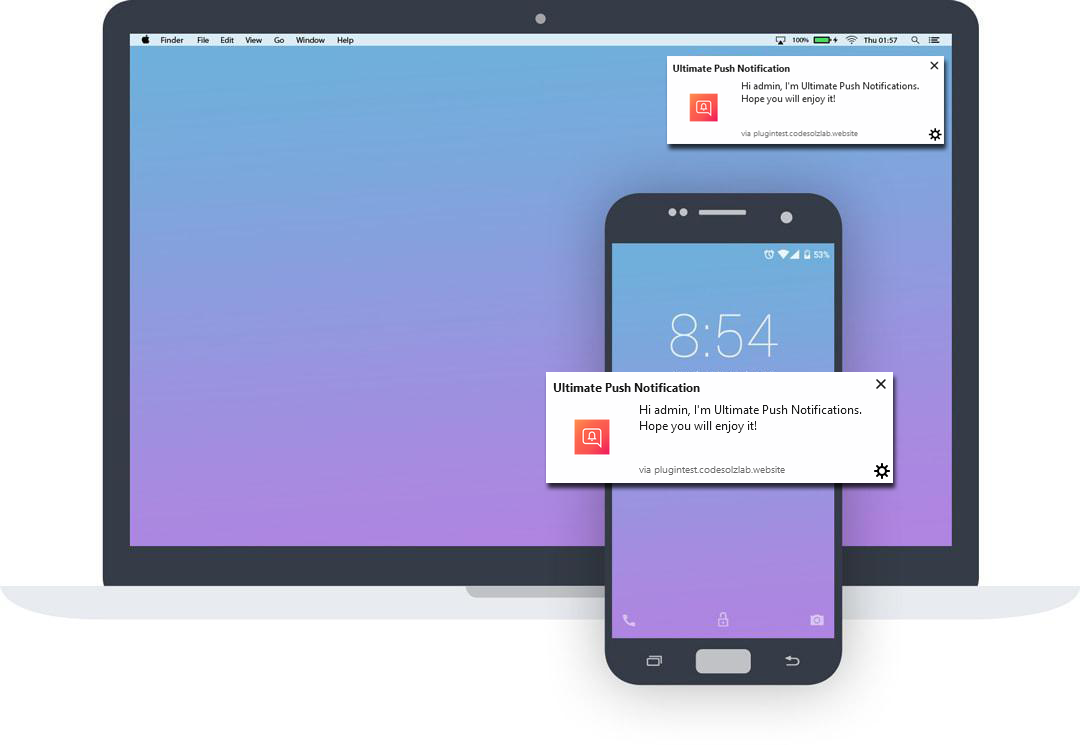
- Send a test notification — you should receive it within a second or two
- Open UPush Notifier → Health to confirm every part of the path is working
{site_name}{site_url}{date}{time}{post_title}{post_url}{post_excerpt}{post_type}{author_name}— when the notification is about a post-
{user_name}{user_login}{user_email}{first_name}— when it is about a user WooCommerce automations -
{order_id}{order_total}{order_status}{status_from}{customer_name}{customer_email}{items_count}{item_names}{payment_method}{order_url}{order_admin_url} -
{product_title}{product_price}{product_url}{quantity}{shopper_name}{stock_quantity}{product_admin_url}BuddyPress automations -
{initiator_name}{friend_name}{sender_name}{message_subject}{message_excerpt}{thread_url}{member_name}{activity_excerpt}{activity_url}{commenter_name}{comment_excerpt}{group_name}{group_url}{requests_url}{profile_url}Contact Form 7 automations -
{form_title}{form_summary}{form_url}and every field as{field_<name>}— e.g.{field_your_email}for a field namedyour-emailThe automation editor lists the tags each trigger provides. Add your own with theupn_merge_tagsfilter.
For support, feature requests, and bug reports: * Visit [codesolz.net](https://codesolz.net/?utm_source=wordpress.org&utm_medium=README&utm_campaign=ultimate-push-notifications) for instant support * Email: [support@codesolz.net](mailto:support@codesolz.net) * GitHub: [github.com/CodeSolz/ultimate-push-notifications](https://github.com/CodeSolz/ultimate-push-notifications) * Forum: [forum.codesolz.net](https://forum.codesolz.net/?utm_source=wordpress.org&utm_medium=README&utm_campaign=ultimate-push-notifications) * Pro: [Ultimate Push Notifications Pro](https://codesolz.net/our-products/wordpress-plugin/ultimate-push-notifications/?utm_source=wordpress.org&utm_medium=readme&utm_campaign=support-section)
安装:
- Upload the ultimate-push-notifications folder to the /wp-content/plugins/ directory
- Activate the plugin through the Plugins menu in WordPress
- Go to UPush Notifier → App Config and click Generate key pair
- Go to UPush Notifier → Register My Device to register your browser
- Send a test notification to confirm everything is working
屏幕截图:
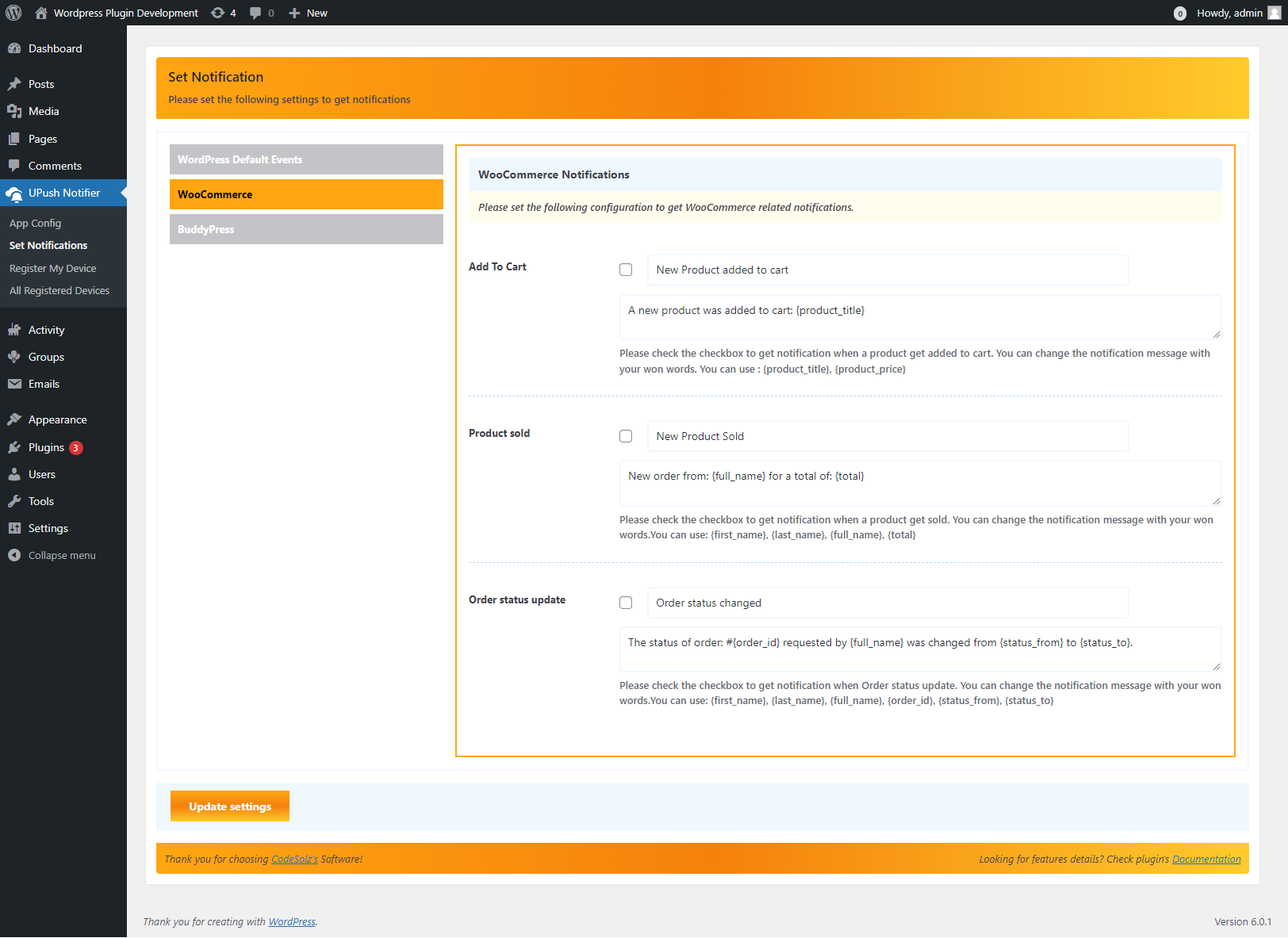
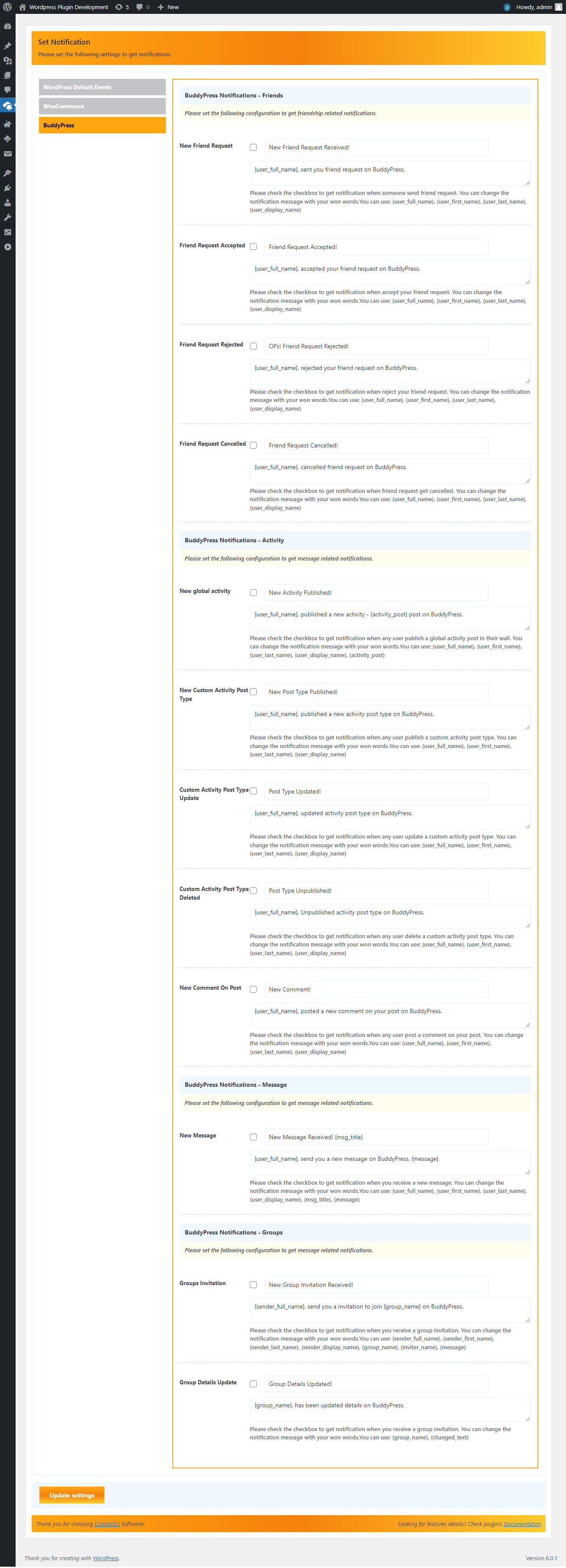
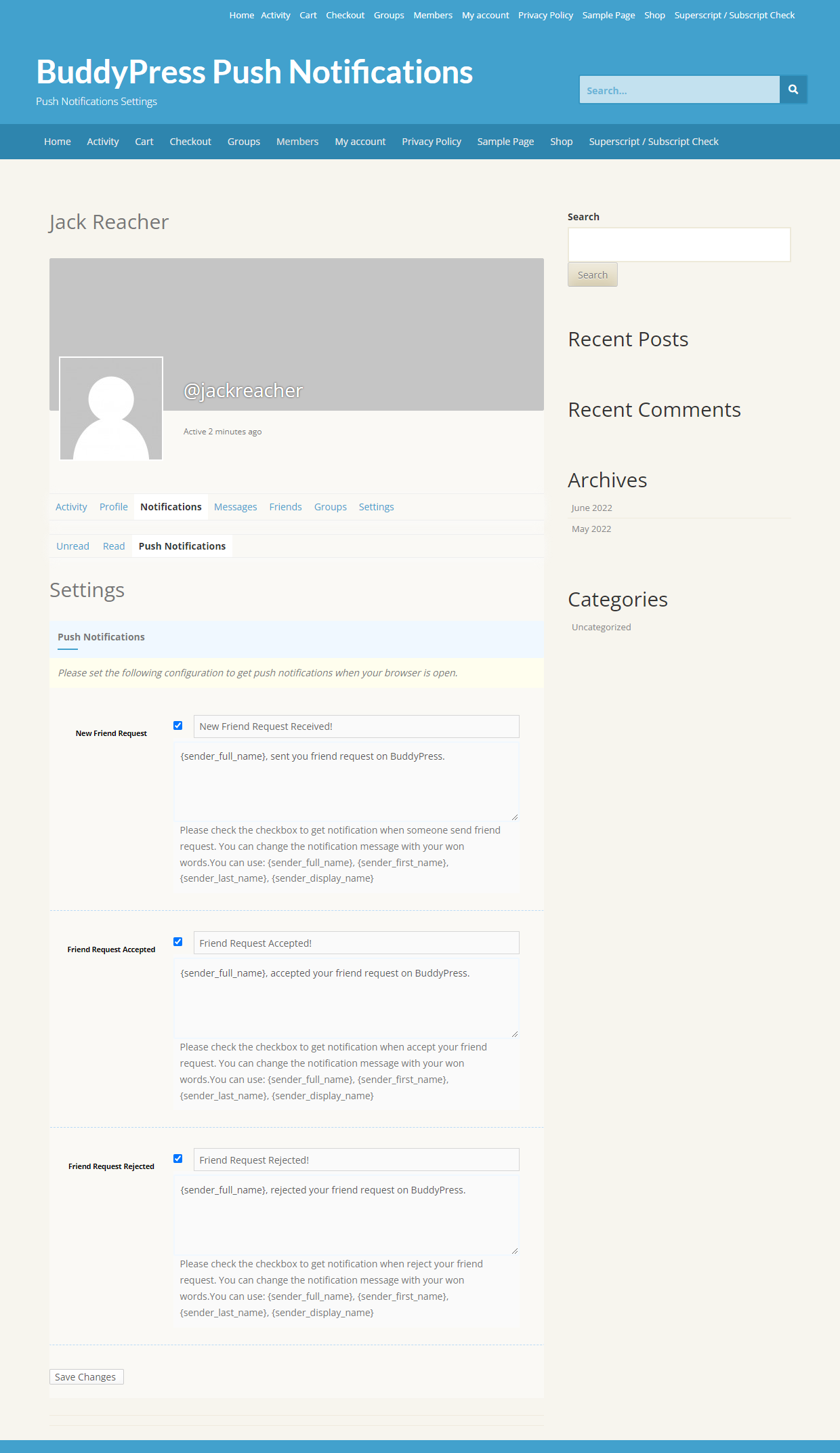
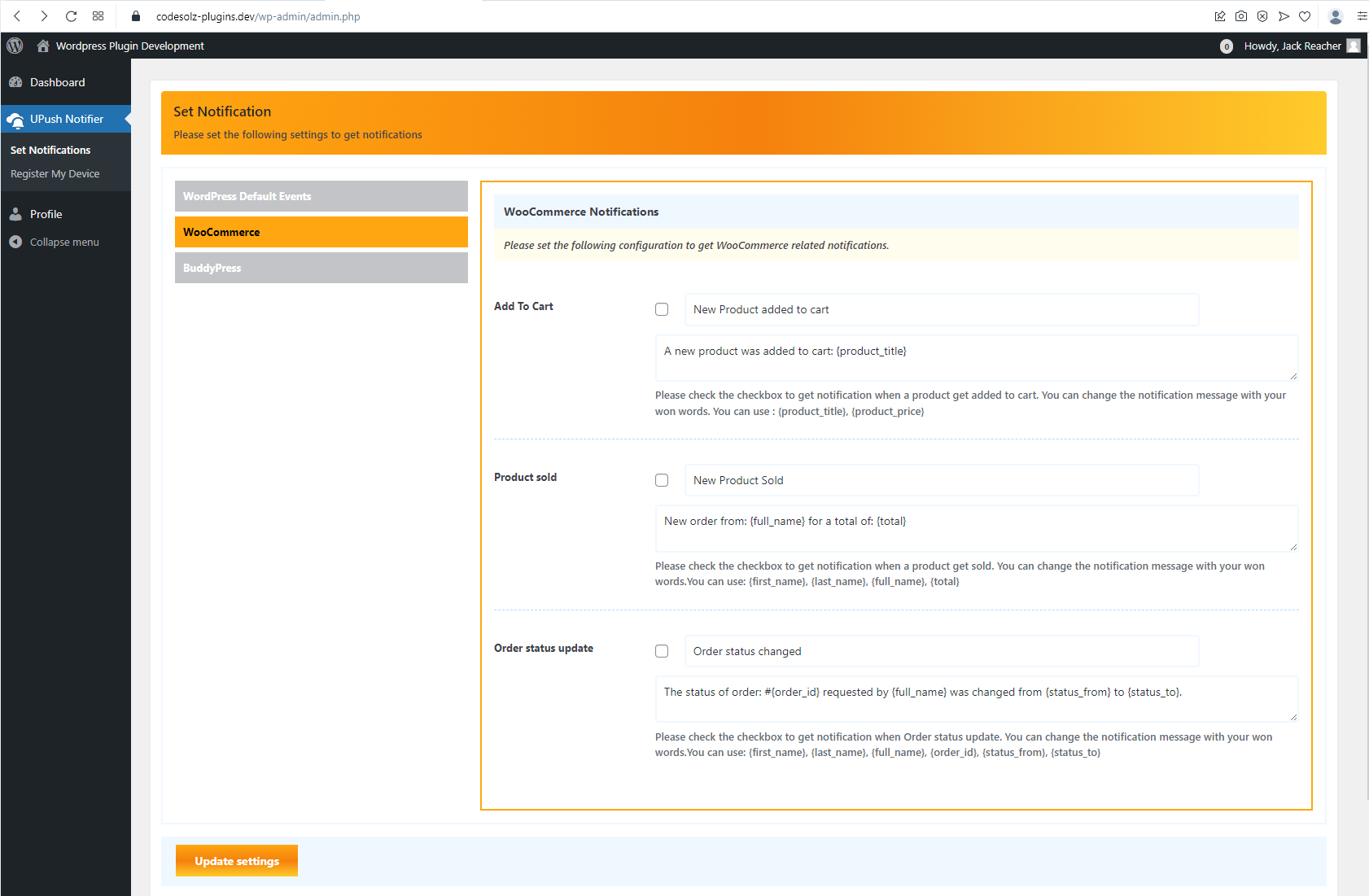
常见问题:
Does this work without SSL?
No. Push notification APIs require HTTPS. Your site must have an active SSL certificate. Most hosting providers offer free SSL via Let's Encrypt.
Is this free?
Yes — the plugin is free and open source, and so is delivery. Web Push sends go from your server straight to the browser vendors' push services, which are free and unmetered. There is no account to create and no per-subscriber fee.
Do I need to install an app?
No. Web push notifications work directly in the browser — Chrome, Firefox, Edge, and modern Safari. No app download required.
What is a VAPID key and do I need it?
VAPID (Voluntary Application Server Identification) is how your server proves to a browser's push service that it is allowed to send to a subscription. The plugin generates the key pair for you with one click on App Config. If your host cannot generate keys, the Health page will tell you, and you can paste a pair generated elsewhere.
My notifications stopped working. Where do I start?
Open UPush Notifier → Health. It checks every link in the chain — HTTPS, keys, the service worker, the queue, recent deliveries — and the first failing row is almost always the cause. It also counts devices still registered through the retired Firebase API; those need to open Register My Device once to re-register over Web Push.
I was using the Firebase version. Do I have to do anything?
Click Generate key pair on App Config. New registrations use Web Push from then on. Existing Firebase-registered devices stop receiving (Google shut the legacy API down on 22 July 2024) until each user opens Register My Device once, which re-registers them automatically.
Can users opt out?
Yes. Members untick any automation under UPush Notifier → Set Notifications (BuddyPress members: profile → Notifications → Push Notifications). Anyone can unsubscribe a device from the bell, a subscribe button, or their browser's site settings.
Do visitors need an account to subscribe?
No. Visitors subscribe anonymously; the plugin stores the push subscription, the browser's locale and time zone, and when and where consent was given — nothing that identifies the person. Members who subscribe while logged in are linked to their account so automations like "tell the customer" can reach them.
Why does the plugin ask with its own bar before the browser asks?
A browser only lets a site ask for notification permission once; a visitor who clicks Block is gone for months, and Chrome quietly suppresses sites that get blocked a lot. The soft-ask bar is dismissible and comes back later; the real prompt only appears when someone has already said yes.
What happens to expired subscriptions?
When a push service answers 404 or 410 the device is removed automatically and the delivery log counts it as pruned. The Health page shows how many were pruned recently.
WooCommerce: who gets order notifications?
Whoever each automation says. "New order" typically goes to administrators and shop managers; "Order status changes" with status completed typically goes to the customer; "Payment received" can go to the products' authors so vendors on a multi-author store hear about their own sales. Every audience is explicit — nothing is hard-wired to the product author any more.
What does Pro add?
Customer notifications by SMS (through your own Android phone with httpSMS), WhatsApp and Telegram; alerts for your team by email, Slack, Discord, Telegram, SMS or WhatsApp; segments, scheduling, A/B tests, unlimited automations with conditions, abandoned-cart and back-in-stock alerts, quiet hours and frequency caps, revenue attribution, unlimited history and reports, a daily health monitor, roles, white label and an AI assistant with your own key — all on the same unlimited-subscriber, flat-fee terms. The free plugin shows where each of these lives; none of it is needed to send. See the full list.
Does Pro need a third-party account?
Not for push — that stays self-hosted. SMS, WhatsApp and Telegram are optional and use your own accounts with those services (an httpSMS account with the app on an Android phone, a WhatsApp Business number on Meta's Cloud API, a Telegram bot); your keys stay on your site, encrypted.
Is subscriber data shared with anyone?
No. All device tokens and user preferences are stored in your WordPress database. Nothing is sent to CodeSolz servers.
更新日志:
- "Improvement:" Improved plugin stability and overall performance
- "Improvement:" Improved compatibility with the latest WordPress and WooCommerce versions
- "Fix:" Fixed minor issues and edge cases affecting plugin functionality
- "Fix:" Fixed compatibility issues with certain WordPress configurations
- "Improvement:" Various code improvements and cleanup
- New: 13 more automation triggers (29 in all): post or product published / updated; WooCommerce price drop and back in stock; BuddyBoss / BuddyPress Follow new follower and "someone you follow published"; and a Membership group for Paid Memberships Pro, MemberPress, Restrict Content Pro, WooCommerce Memberships, Ultimate Member and LearnDash — each shown only while its plugin is active, with the member as the audience and the plan, level or course as merge tags.
- New: Home Screen app. Turn it on under Subscribe Prompt and the plugin serves a web app manifest built from your Site Icon and tags every page for installation, so iPhone and iPad visitors (iOS 16.4+) can add the site and subscribe — and the soft-ask bar shows them how instead of a prompt they cannot act on. Steps aside if another plugin already provides a manifest. A Health check says whether the site is installable.
- New: The menu is six entries with tabs — Compose, Automations, Subscribers, Subscribe Prompt, Health, Settings — instead of one entry per screen. Every old link still works.
- Changed: Every screen now shares the plugin's own look (the App Configuration panel): heading with a subtitle, hints, label / input rows, section titles, submit bar, footer. Screens fill the width and work on a narrow window.
- Pro: Each new trigger names, right in the rule editor, the Pro step that completes it — per-shopper price and stock alerts, conditions, digests, frequency caps, carriers, goals, a welcome series. The free plugin makes the first send; Pro finishes the workflow.
- Fixed: WooCommerce no longer flags the plugin as incompatible with High-Performance Order Storage or block checkout — compatibility is declared; orders were only ever read through WooCommerce's own APIs. The top-level menu entry could fatal if opened directly (its callback was a leftover from another product); it now opens the first screen you may see.
- Developer:
admin\builders\Layout,admin\builders\Screens(upn_admin_groups),Trigger::next(),pwa\Manifest(upn_pwa_manifest,upn_pwa_deferred),UPN_WebPush.needsInstall; entitlement keysnetwork,commerce,pwa.install,ai.segments,risk.
- New: Each delivery can be held for later or left out per subscriber just before it goes out — the seam quiet hours, frequency caps and digests are built on. Held deliveries wait in the queue without counting as a failed attempt; test and preview sends are never held. Recipients held back are shown apart from failures on the Health page.
- Changed: the service worker's click beacon now sends same-origin credentials, so a first-party cookie can be set from it (used by Pro to credit a later WooCommerce order to the notification that was clicked).
- Developer:
upn_delivery_hold,upn_delivery_skip,upn_delivery_skipped,JobOutcome::defer(),upn_automation_dispatch,upn_automation_sanitize_extra,upn_rule_editor_extras,upn_subscription_created,DeliveryLog::add_recipients(),upn_sanitize_fields_extra, theupn:bell-clickevent andUPN_WebPush.post()/.endpoint(),upn_automations_capability. - Major: Anonymous subscribers. Visitors subscribe without an account; there is no subscriber cap in any tier. Each subscription records browser, OS, device, locale, time zone, last seen and when/where consent was given.
- Major: Compose (UPush Notifier → Compose). Write a notification, pick an audience with a live recipient count, send it to your own device first, then send. One request queues one job however large the audience; the fan-out runs in the background.
- Major: Event automations rebuilt as trigger → audience → message rules with merge tags. 16 triggers across WordPress, WooCommerce, BuddyPress and Contact Form 7. Every audience is explicit: roles, specific users, all members, all visitors, everyone, or the people the event is about — the customer, the products' authors, the message recipients, the member's friends, the group's members. The person who caused the event is left out unless the rule says otherwise. Free runs three automations at a time.
- Fixed by the rebuild: WooCommerce alerts went to the product author only, so a multi-author store's owner got nothing; five BuddyPress activity events notified the member who had just performed the action; "new user registered" targeted the new user, who has no device, so it could never fire; Contact Form 7 only read the four default field names. All four are gone with the old engine.
- New: Push on publish — any post type, with the featured image, once per post.
- New: Subscribe Prompt (UPush Notifier → Subscribe Prompt). A dismissible soft-ask bar shown after a delay, page-view count or scroll depth, a floating bell, the
[upn_subscribe]shortcode and a Push Subscribe Button block. The browser's permission prompt is only ever shown after a click. - New: Merge tags, registry-driven (
upn_merge_tags), with per-trigger event tags listed in the automation editor. Contact Form 7 exposes every field as{field_<name>}. - New: Click tracking. The service worker reports clicks; the Health page shows clicks and click-through rate per send, and each subscriber records when they last clicked.
- New: Privacy tools — subscriptions and automation preferences are included in WordPress personal data export and erasure, and removed when an account is deleted.
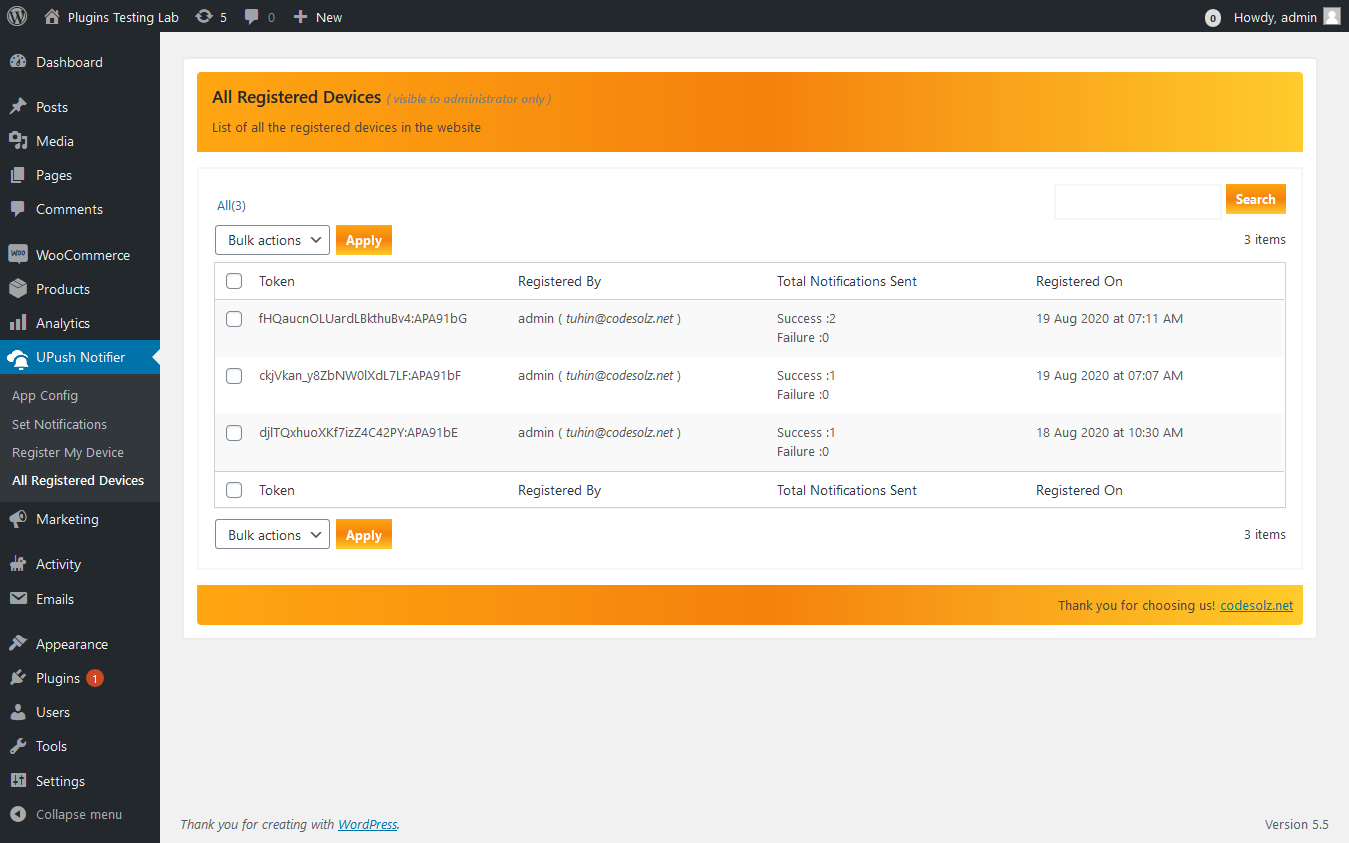
- New: The subscriber list shows browser, OS, device, push service, locale, time zone, last seen, last delivery, last error, delivered counts and consent, with All / Logged-in / Visitors / Web Push / Legacy FCM views, sortable columns and a search across all of it.
- Changed: Set Notifications is now a member's list of automations to receive or not. Notification copy lives on the automation, not per user. The same form appears in a BuddyPress member's profile.
- Changed: The
upn_notificationsper-user table is no longer created or used; existing installs keep it untouched. - Fix: The background queue now books its next tick for the earliest future job, so a long Retry-After backoff or a delayed job no longer waits for someone to open wp-admin; and a tick already booked for later is moved up when work is queued now.
- Developer: The Free/Pro seam —
Entitlements::can()with theupn_canfilter, fail-closed on unknown keys — and the extension pointsupn_automation_triggers,upn_automation_rule_matches,upn_automation_audience,upn_automation_fields,upn_automation_fired,upn_automation_active_limit,upn_autopush_fields,upn_before_broadcast,upn_allow_anonymous_subscriptions,upn_notification_clicked,upn_sanitize_audience,upn_audience_where,upn_ajax_handlers,upn_queue_housekeeping, and thewindow.UPN_Composescript hook. - Major: Native Web Push (VAPID) is now the default transport. Setup is one click — no Firebase project, no Google account, no server key. Sends go from your server directly to each browser's push service using RFC 8030/8291/8292; the encryption is verified against the RFC 8291 published test vector.
- Major: Background delivery queue. Sends no longer run on the triggering request (a customer's checkout, a member's message). Jobs are claimed atomically, retried with exponential backoff, honour a push service's Retry-After, and drain through Action Scheduler when present or WP-Cron otherwise.
- New: Health page (UPush Notifier → Health). Live checks for HTTPS, PHP, cryptography, keys, transport, the service worker, registered devices, legacy devices, the queue and recent deliveries — each with a plain explanation and a fix. Scored from 100 with every deduction shown.
- New: Delivery log. The
upn_notification_logtable (created in 1.3.0, never written) now records every send with per-recipient success, failure, expiry and retry counts and the first error message. - New: Service worker is served from the site root (
/?upn_sw=1), so it can act site-wide. Re-subscribes automatically when a push service rotates a subscription. - New: Subscribe/unsubscribe from any theme via
data-upn-subscribe/data-upn-unsubscribeattributes orwindow.UPN_WebPush.subscribe(). Permission is only requested on a user gesture — never cold on the first page view. - Changed: Devices are addressed by row id and deduplicated on the full endpoint or token. The prefix-LIKE matching that could delete another user's device is gone.
- Changed: Test sends report the real reason on failure, and a device the push service reports as gone is removed from the list.
- Changed: Legacy Firebase sending is retained for existing rows but reports the API shutdown date rather than an unexplained 401. Firebase-registered devices need to open Register My Device once to re-register over Web Push.
- Developer: New extension points —
upn_transports,upn_before_send,upn_after_send,upn_subscription_pruned,upn_delivery_logged,upn_queue_job_handlers,upn_queue_enabled,upn_health_checks, and more. - Requires: PHP 7.4 or newer.
- Security: Device tokens are now bound to the authenticated user server-side. Previously the account was read from the request body, which allowed an unauthenticated visitor to attach their own device to any account — including an administrator — and receive that account's private notifications. All sites should update.
- Security: Fixed the recursive input sanitizer, which discarded its own result and returned array input unsanitized.
- Security: Fixed two SQL injections in the registered-devices list (
sandorderrequest parameters). One was reachable by any subscriber via the Register My Device screen. - Security: The AJAX endpoint no longer invokes arbitrary plugin classes supplied by the request. Handlers are now explicitly allow-listed and each requires a capability.
- Security: The BuddyPress notification-settings form now verifies its nonce. The previous guard (
isset( $_POST )) was always true, so the handler ran and saved on every page view. - Security: Bulk device deletion is now scoped to the current user unless the caller can
manage_options. - Security: Removed a Firebase configuration that had been committed to the repository and shipped in the plugin package. Fresh installs previously ran against it until App Config was saved.
- Fix: The activation routine was registered as a deactivation hook, so it never ran on activation and no schema change could reach an existing site. Tables are now installed and upgraded through
dbDelta()with a real version check. - Fix: Added indexes on
upn_user_devices.user_id,upn_user_devices.tokenandupn_notifications.user_id— all were unindexed despite being the hot lookup path on every send. - Fix: The registered-devices list no longer fatals on a row whose user account has been deleted.
- Removed: The Events Calendar settings tab. It collected preferences that could never trigger a notification — no hooks were ever registered for it. The stored preferences and the
upn_the_events_calendar_fieldsfilter are preserved. - Removed: Dokan / WCFM multi-vendor claims from the plugin description. No such integration existed in the code; WooCommerce seller alerts go to the product author.
- Removed: Dead files shipped in the package — a duplicate
SetNotificationsclass declaration, an unused clone of the BuddyPress notification class, the orphaned Firebase v7 SDK copies, a device-manager class that called a development-only function, and stray readme/idea files. - Housekeeping: Corrected readme claims for BuddyPress activity events and new-user registration that did not match the implementation.
- Housekeeping: The plugin header now declares
Requires PHP: 7.4, matching what readme.txt has stated for some time. WordPress enforces the header, so sites still on PHP 7.0–7.3 will no longer be offered updates — those versions have been unsupported by the PHP project since 2021.
- Major: Firebase SDK updated from v7.15.5 to v11.0.0 compat — fixes compatibility with modern browsers
- Major: Service worker updated to use
onBackgroundMessage()— replaces removedsetBackgroundMessageHandler() - New: VAPID Key (Web Push Certificate) field added to App Config — required for modern browser push registration
- New: Rich notifications — image support added to push notification payload (desktop & mobile)
- New: Notification click-to-navigate — clicking a notification now opens the correct URL (handled in service worker)
- New: Auto-cleanup of invalid device tokens —
NotRegistered/InvalidRegistrationtokens are deleted automatically - New: Notification delivery log database table (
upn_notification_log) for tracking send history - New: WooCommerce buyer (customer) now also receives order status change notifications — not just the seller
- Security: FCM server key is no longer exposed to browser JavaScript via
UPN_Notifierlocalized object - Fix: WooCommerce
build_notific_on_payment_complete()— undefined variable bug fixed (order checked before use) - Fix:
prepare_send_notifications()— missingimagefield added to payload,click_actionfalls back tosite_url() - Fix: Return value consistency — all notification builders now return empty array instead of undefined on no-op
- Improvement: Firebase scripts now load from Google CDN with explicit dependency chain for correct load order
- Improvement:
measurementIdandvapidKeyare treated as optional fields — saving config no longer blocks on them - Compatibility: WordPress 6.8 tested, WooCommerce 10.2 tested CHECK THE FULL CHANGELOG.