Verifycate
| 开发者 | aswinshenoy |
|---|---|
| 更新时间 | 2026年10月29日 04:44 |
| PHP版本: | 7.4 及以上 |
| WordPress版本: | 7.1 |
| 版权: | GPLv2 or later |
| 版权网址: | 版权信息 |
详情介绍:
- LearnDash
- Tutor LMS
- LearnPress
- LifterLMS
- Sensei
- A generic custom hook for course, membership, e-commerce and in-house plugins
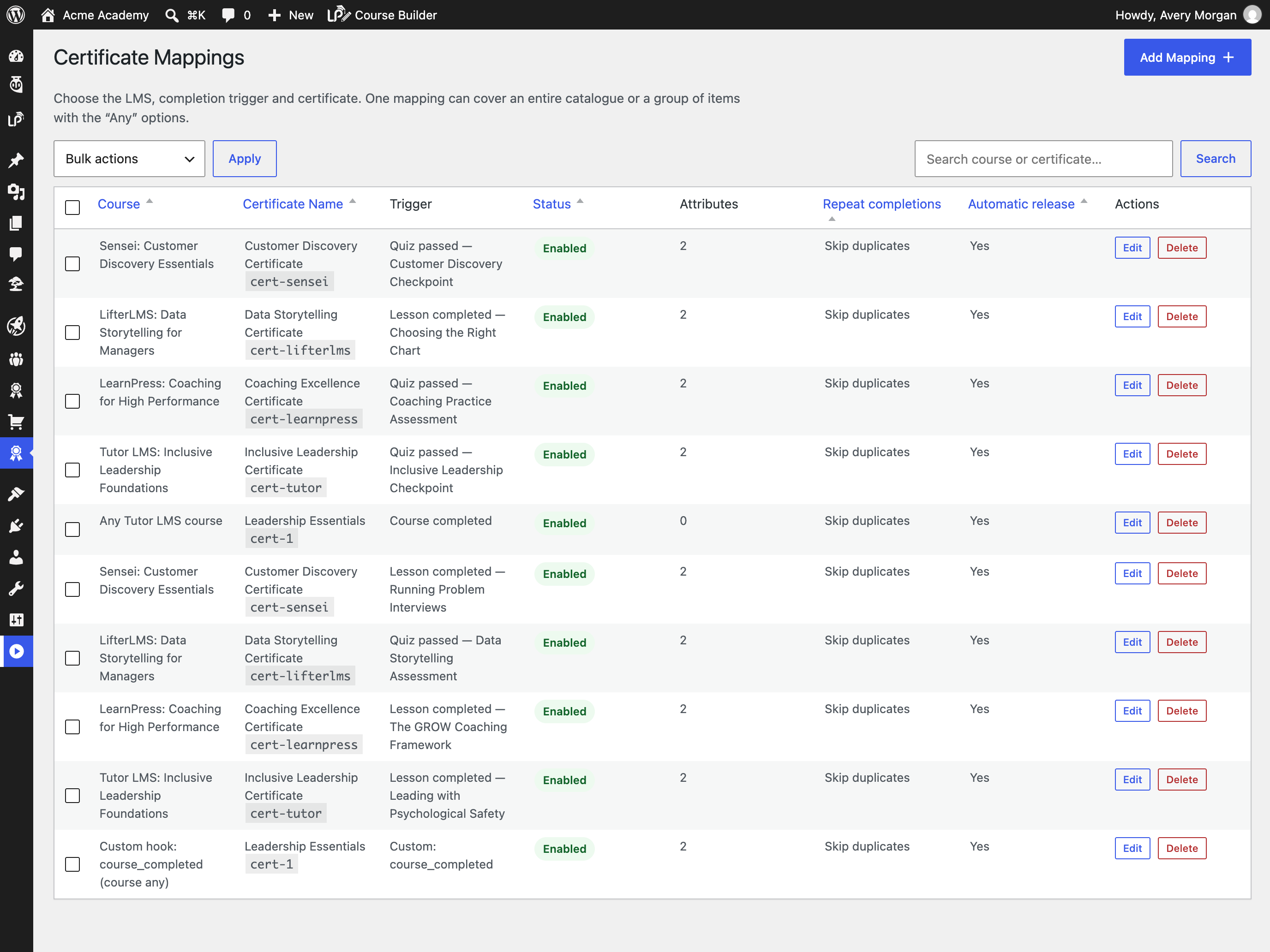
- Automatic issuance on course completion, quiz passing or lesson completion, with “Any” options so one mapping can cover a whole catalogue or a group of items.
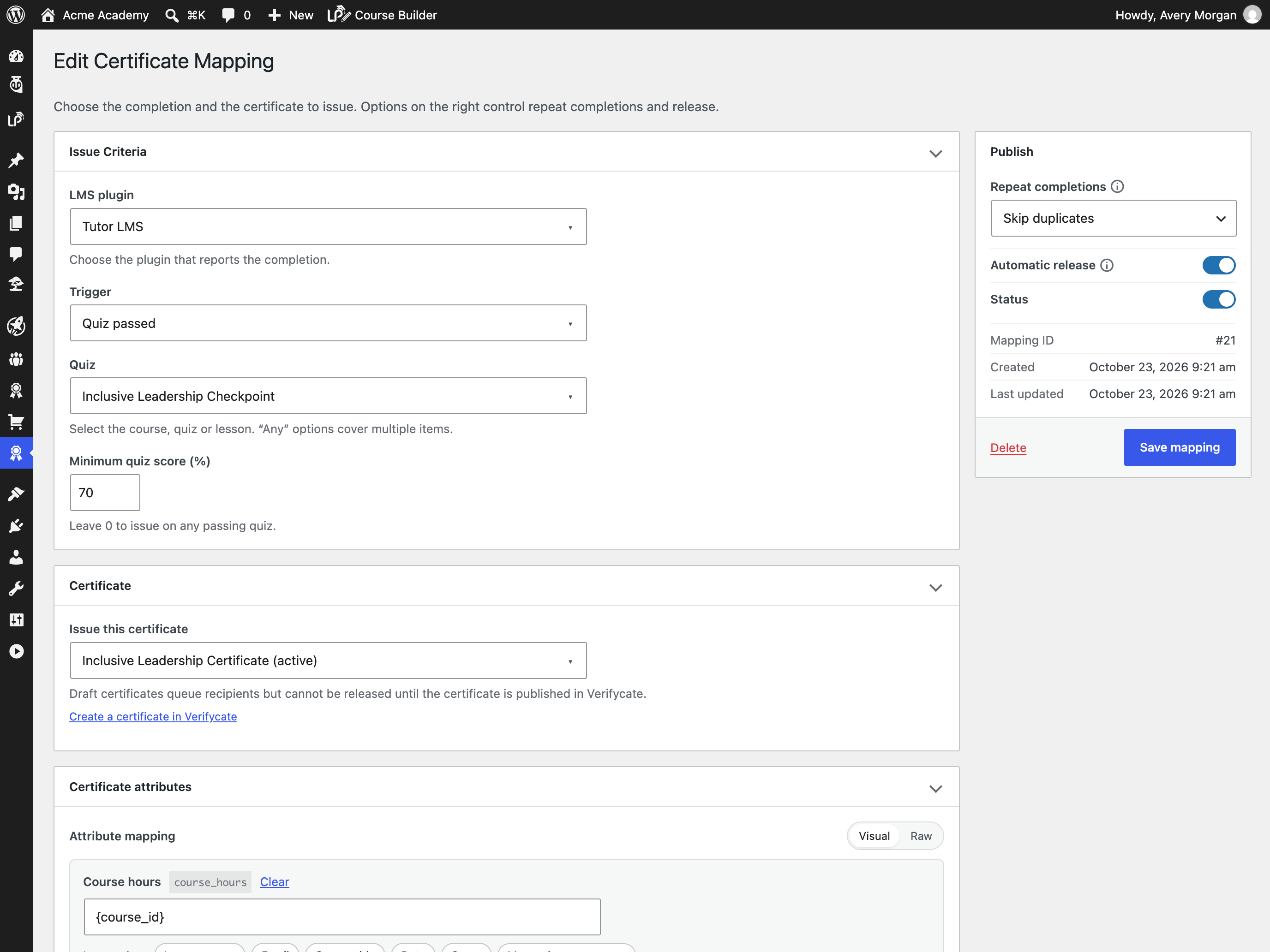
- Optional minimum quiz scores, so a certificate is only issued after the learner reaches the required result.
- Map learner and course data to certificate attributes with tokens such as {user_name}, {course_title}, {completion_date}, {user_meta:key} and {course_meta:key}.
- Control repeat completions: issue once per learner, or reissue onto the latest published design for recertification.
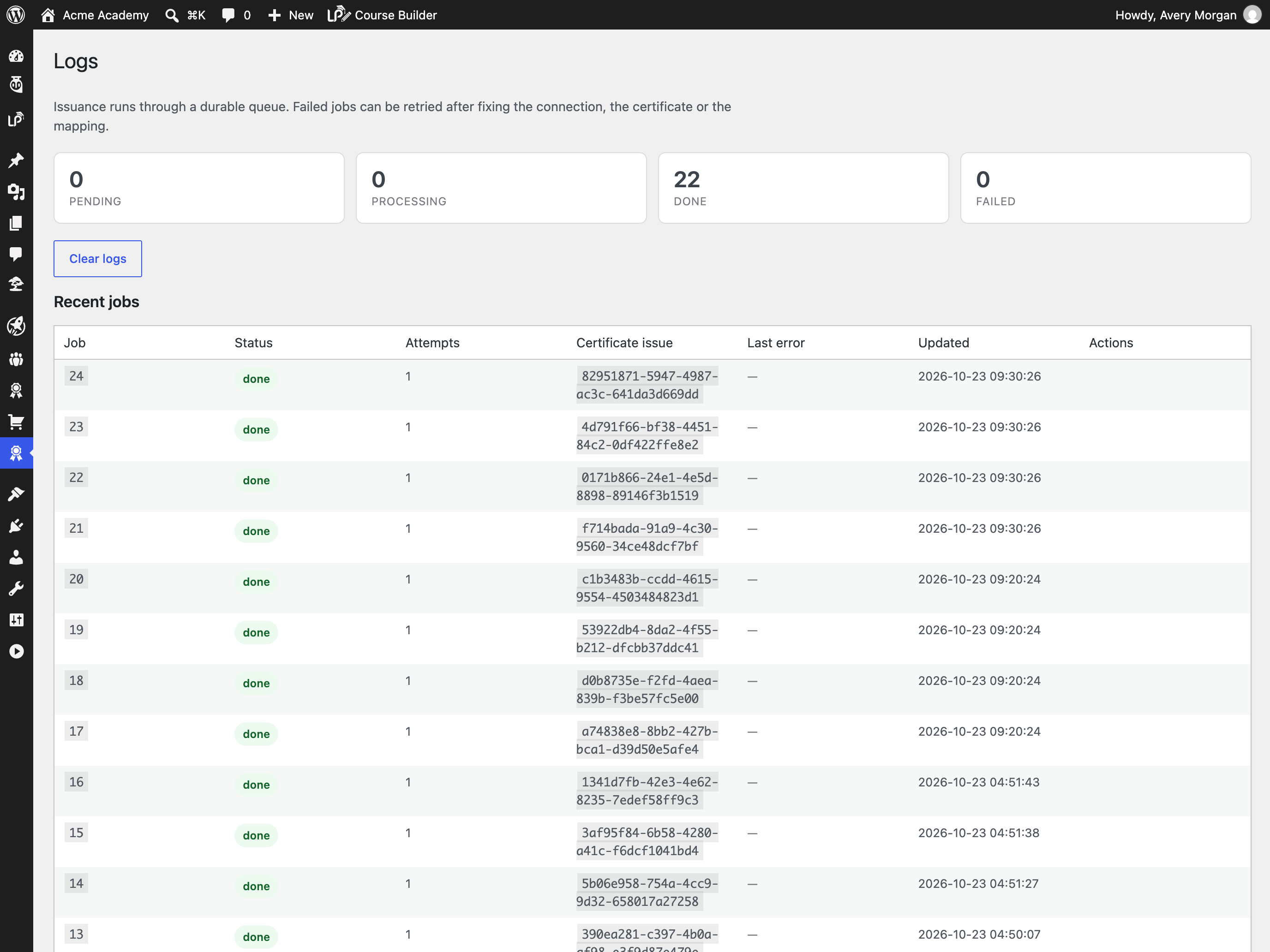
- A durable issuance queue with exponential backoff, visible failures and a retry action, so a temporary API outage does not lose a completion.
- A certificate wallet shortcode and block so learners can open what they have earned, plus single-certificate and public-verification shortcodes.
- Search, sorting, pagination and bulk actions for course mappings.
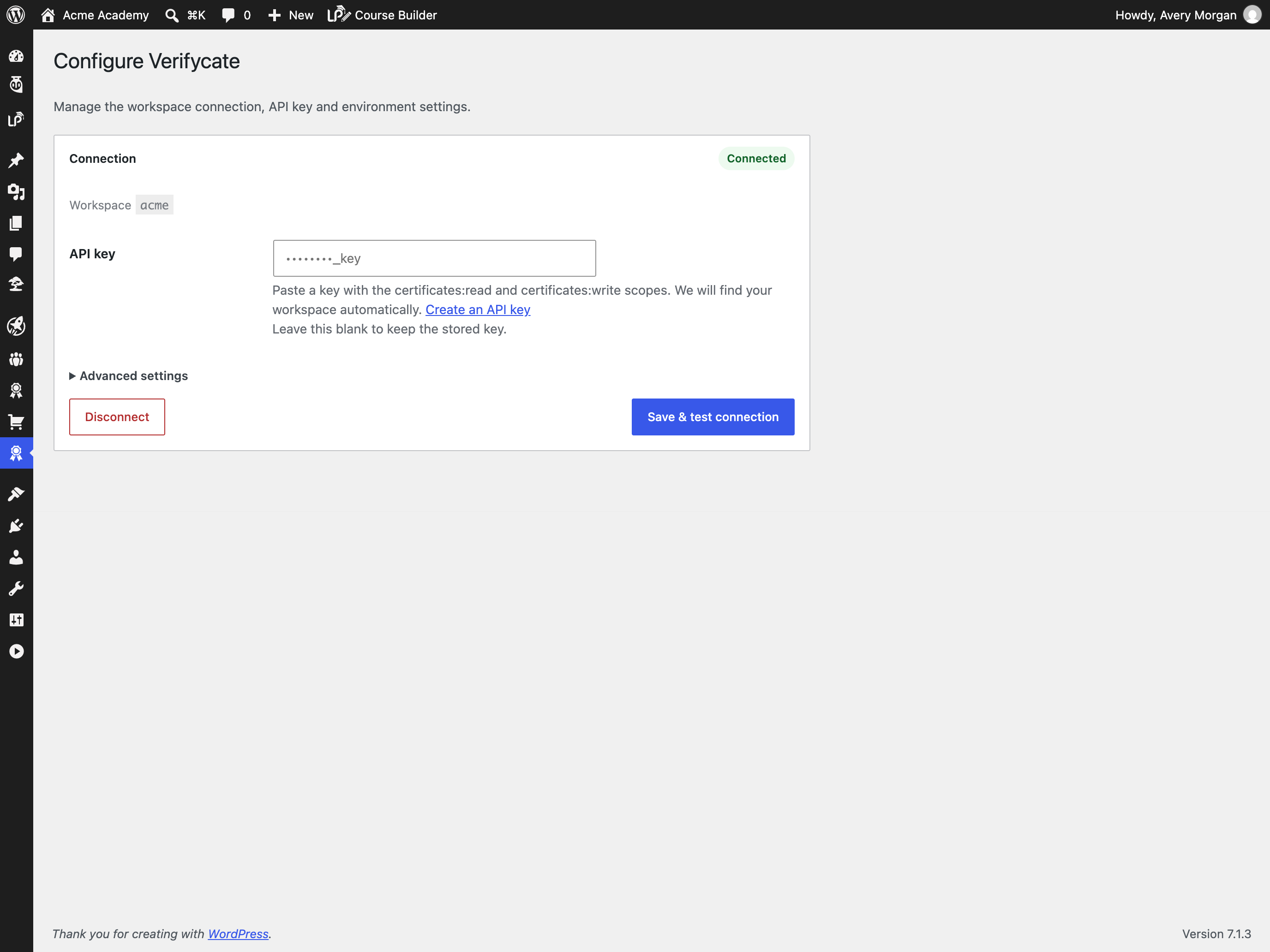
- A dedicated Configure screen for the workspace API key and environment settings.
- Translation-ready, with a bundled
languages/verifycate.pottemplate. - A connection test that explains bad keys, missing plans and permission problems.
- WP-CLI commands for status, mappings, direct issuance, queue processing, retries and logs.
安装:
- Upload the plugin files to
/wp-content/plugins/verifycate/, or install it through the WordPress plugins screen. - Activate the plugin.
- Go to Verifycate > Get started, paste a workspace API key, and click Connect Verifycate. The plugin finds the workspace, checks the key scopes and plan, and tests the connection.
- Create at least one certificate in the Verifycate dashboard, then map a course under Verifycate > Mappings and choose the course, quiz-passed or lesson-completed trigger.
- Optional: add
[verifycate_wallet]to a learner-facing page, or insert the Verifycate Wallet block.
屏幕截图:




常见问题:
Does this plugin require an LMS plugin?
No. The plugin works with LearnDash, Tutor LMS, LearnPress, LifterLMS and Sensei when they are present, and you can also issue certificates through the custom hook. A custom-hook mapping lets you connect other plugins without waiting for a dedicated integration.
Do I need a Verifycate account?
Yes. Certificates are created and hosted by Verifycate. The plugin is the connection between your WordPress site and your Verifycate workspace.
Does the plugin design my certificates?
No. You design certificates in the Verifycate dashboard and map to them here.
Can I issue a certificate for a quiz or a lesson?
Yes. Choose the LMS, then select the course-completed, quiz-passed or
lesson-completed trigger and pick a specific course, quiz or lesson — or use one
of the “Any” options to cover a whole catalogue or a group of items. Quiz
triggers can optionally require a minimum score. For an event your LMS does not
expose, use the custom hook and trigger verifycate_course_completed from your
own code.
Does it work without an API key?
No. Course-completion issuance requires a workspace API key so the plugin can talk to the Verifycate API.
What happens if the Verifycate API is temporarily unavailable?
The completion is written to a database queue. The plugin retries with exponential backoff, up to five attempts, and shows the last error under Verifycate > Logs. Failed jobs can be retried after the connection or mapping is fixed.
Where is data stored?
Settings, encrypted API key, mappings, queue jobs and bounded logs are stored in your WordPress database. Uninstall removes them only when the administrator enabled data removal on the Get started screen.
Can learners see their certificates?
Yes. Add the [verifycate_wallet] shortcode or the Verifycate Wallet block to a
page. Logged-in learners see the certificates issued to their account email.
You can also embed a single certificate with [verifycate_certificate public_id="..."] or add a public verification form with [verifycate_verify].
Can I translate the plugin?
Yes. The plugin is translation-ready and includes a languages/verifycate.pot
template. Use Poedit, Loco Translate, or WP-CLI to create a translation for your
locale, then place the .po and .mo files in wp-content/languages/plugins/
or the plugin's languages/ directory.
更新日志:
- Initial release.
- Connection setup with an API key stored encrypted at rest and a connection test with actionable errors.
- Course mappings for LearnDash, Tutor LMS, LearnPress, LifterLMS, Sensei and a custom hook, including any-course mappings and attribute templates.
- Course-completed, quiz-passed and lesson-completed triggers, with optional minimum quiz scores.
- Durable issuance queue with retries, exponential backoff and a retry action.
- Duplicate suppression and recertification (reissue) policies.
- Certificate wallet shortcode and server-rendered block, plus single-certificate and public-verification shortcodes.
- Search, sorting, pagination and bulk actions for course mappings.
- Dedicated Configure screen for the workspace API key and environment settings.
- Translation-ready with a bundled POT file.
- Admin mappings, queue and activity log screens.
- WP-CLI commands for status, mappings, issuance, queue, retries and logs.