
WCQV – Product Quick View for WooCommerce
| 开发者 | shamimmoeen |
|---|---|
| 更新时间 | 2026年5月18日 01:37 |
| PHP版本: | 7.4 及以上 |
| WordPress版本: | 6.9 |
| 版权: | GPL v2 or later |
| 版权网址: | 版权信息 |
详情介绍:
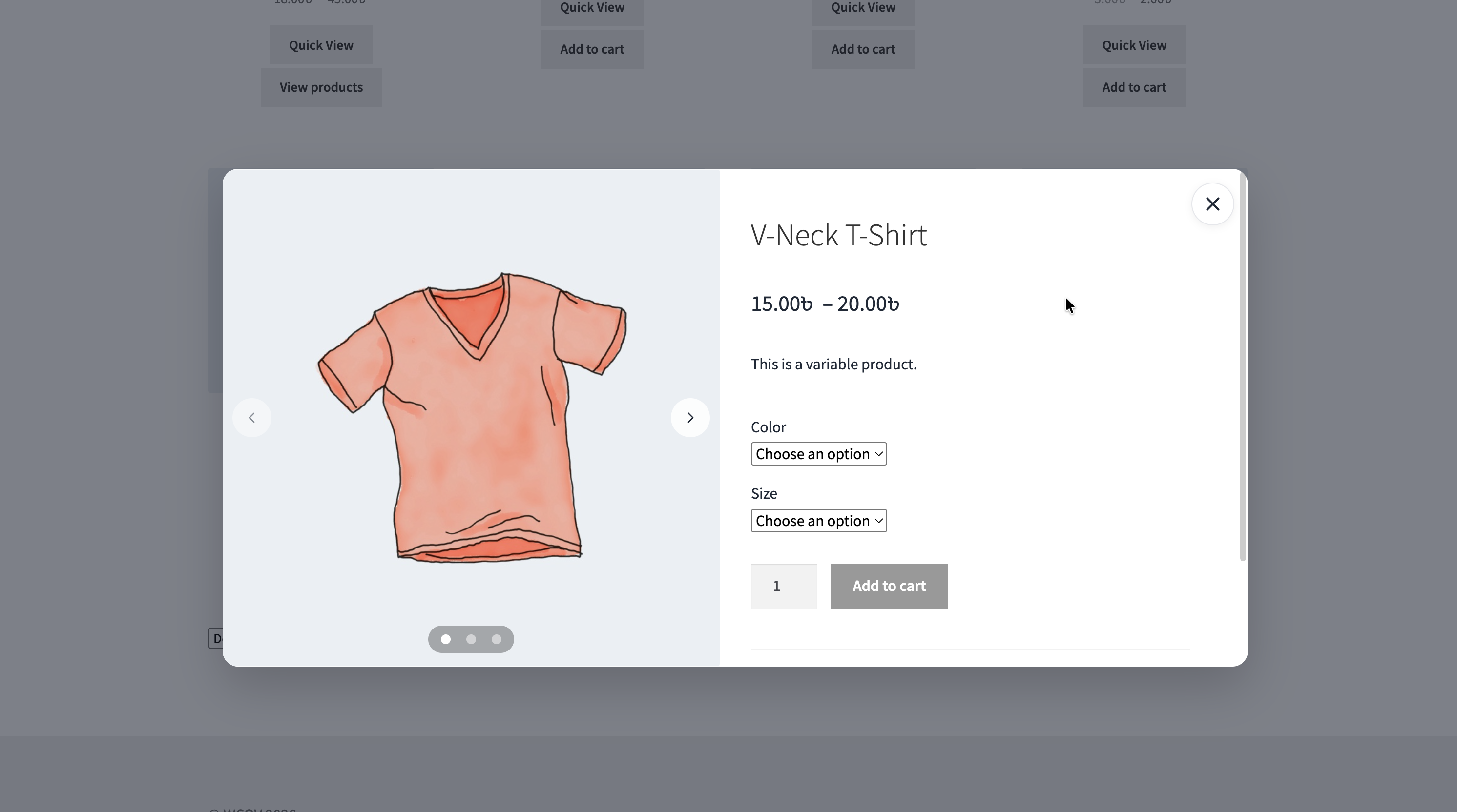
- Quick product preview — open product details in a modal from anywhere the button is displayed
- Product image gallery — browse multiple product images with navigation arrows and dots
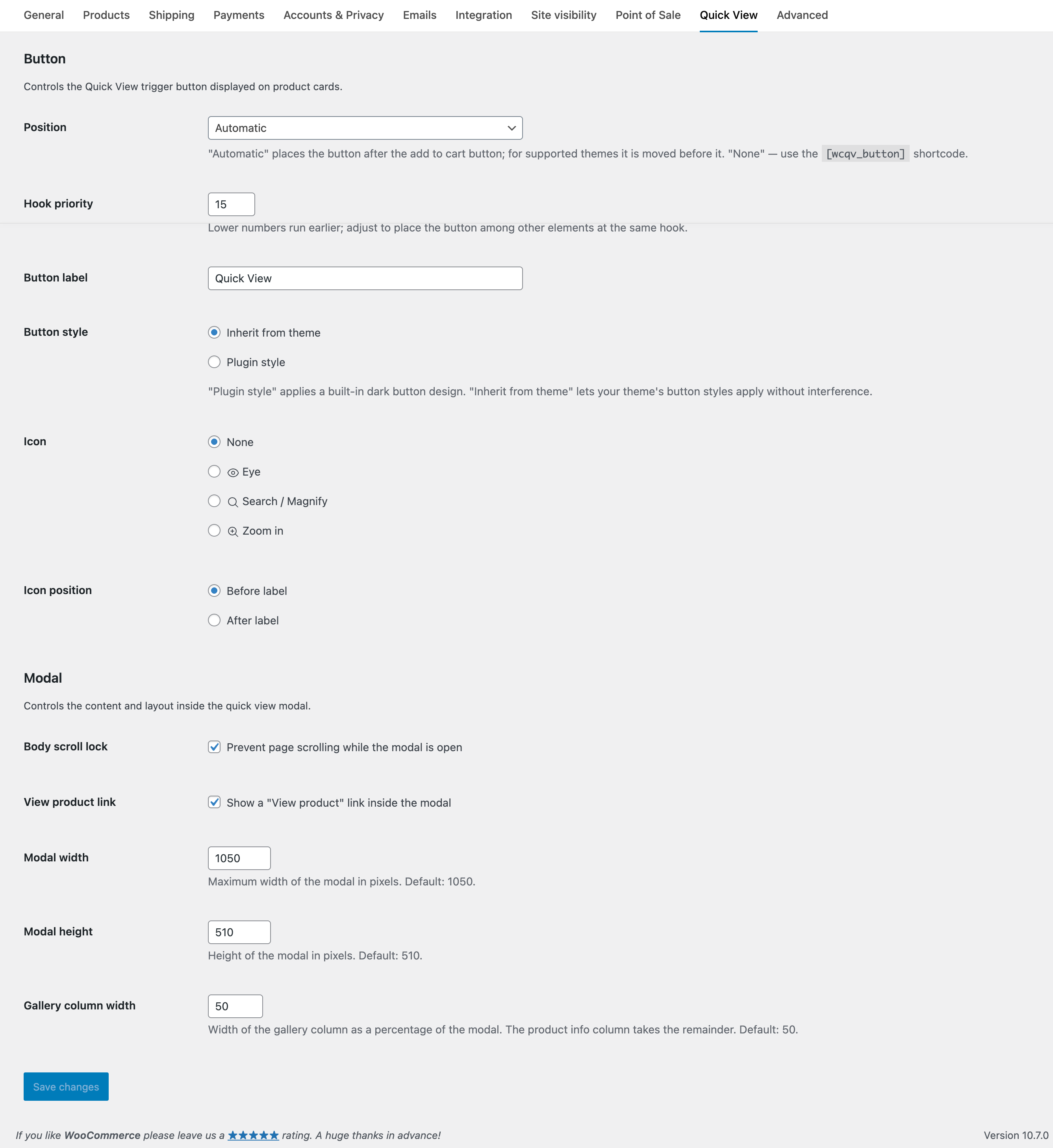
- Customizable button — control the label, icon, and placement
- Shortcode — place the button anywhere with
[wcqv_button] - Action hooks — add, remove, or reorder modal sections via
wcqv_product_galleryandwcqv_product_summary - Accessibility — keyboard navigation, focus management, and screen reader support
- RTL support — works with right-to-left languages
- Multilingual ready — compatible with WPML and Polylang
安装:
- Install the plugin through the WordPress plugin screen, or upload the plugin folder to
/wp-content/plugins/. - Activate the plugin through the Plugins screen.
- The Quick View button appears automatically in supported product listings.
- Optionally adjust settings at WooCommerce > Settings > Quick View.
屏幕截图:
常见问题:
Does it work with variable products?
Yes. The WooCommerce variation form loads inside the modal. Compatibility with swatches depends on your theme or swatch plugin. If you encounter issues, feel free to open a support request so we can continue improving compatibility.
Where does the Quick View button appear?
The button is automatically added to product listings such as shop, category, related, upsell, and other product loops. You can also place it manually using the shortcode or PHP function.
Can I change the button position?
Yes — go to WooCommerce > Settings > Quick View and choose a position from the dropdown. To place the button manually, select None and use the [wcqv_button] shortcode or call wcqv_button() in your theme.
Does it work with my theme?
The plugin inherits styles from your theme for the button and modal content. If the result doesn't fit your design, you can adjust it with CSS or override the templates.
Is it accessible?
Yes. The modal uses the native HTML <dialog> element with keyboard navigation, screen reader announcements, focus management, and reduced motion support.
Does it support RTL languages?
Yes. The layout automatically flips for RTL languages like Arabic and Hebrew.
Can I override the templates?
Yes. Copy button.php or product.php from the plugin's templates/ folder into yourtheme/wc-products-quick-view/ and edit them there.
Can I customize the modal content?
Yes. The modal content is built with action hooks. You can add, remove, or reorder sections. For example, to remove the product rating:
remove_action( 'wcqv_product_summary', 'woocommerce_template_single_rating', 10 );
更新日志:
- New – Product image gallery with navigation arrows and dots
- New – Button settings for icon, icon position, style, and placement
- New – Shortcode
[wcqv_button]for manual button placement - New – Scroll lock setting to prevent background scroll while the modal is open
- New – Action hooks for modal content:
wcqv_product_gallery,wcqv_product_summary - New – JavaScript events:
wcqv:trigger,wcqv:load,wcqv:close - New – Accessibility: keyboard navigation, focus management, screen reader support
- New – RTL language support
- New – WPML and Polylang support for translatable strings
- Changed – Plugin name: "WC Products Quick View" → "WCQV – Product Quick View for WooCommerce"
- Changed – Template system rewritten. Templates moved from
yourtheme/woocommerce/wpqv-*.phptoyourtheme/wc-products-quick-view/*.phpand now render via action hooks. Existing v1 overrides must be rewritten. - Changed – Function renamed:
wpqv_button()→wcqv_button()
- Initial release