
WireCore REST Control
| 开发者 | wirecore |
|---|---|
| 更新时间 | 2026年11月10日 03:40 |
| PHP版本: | 7.4 及以上 |
| WordPress版本: | 7.1 |
| 版权: | GPLv2 or later |
| 版权网址: | 版权信息 |
详情介绍:
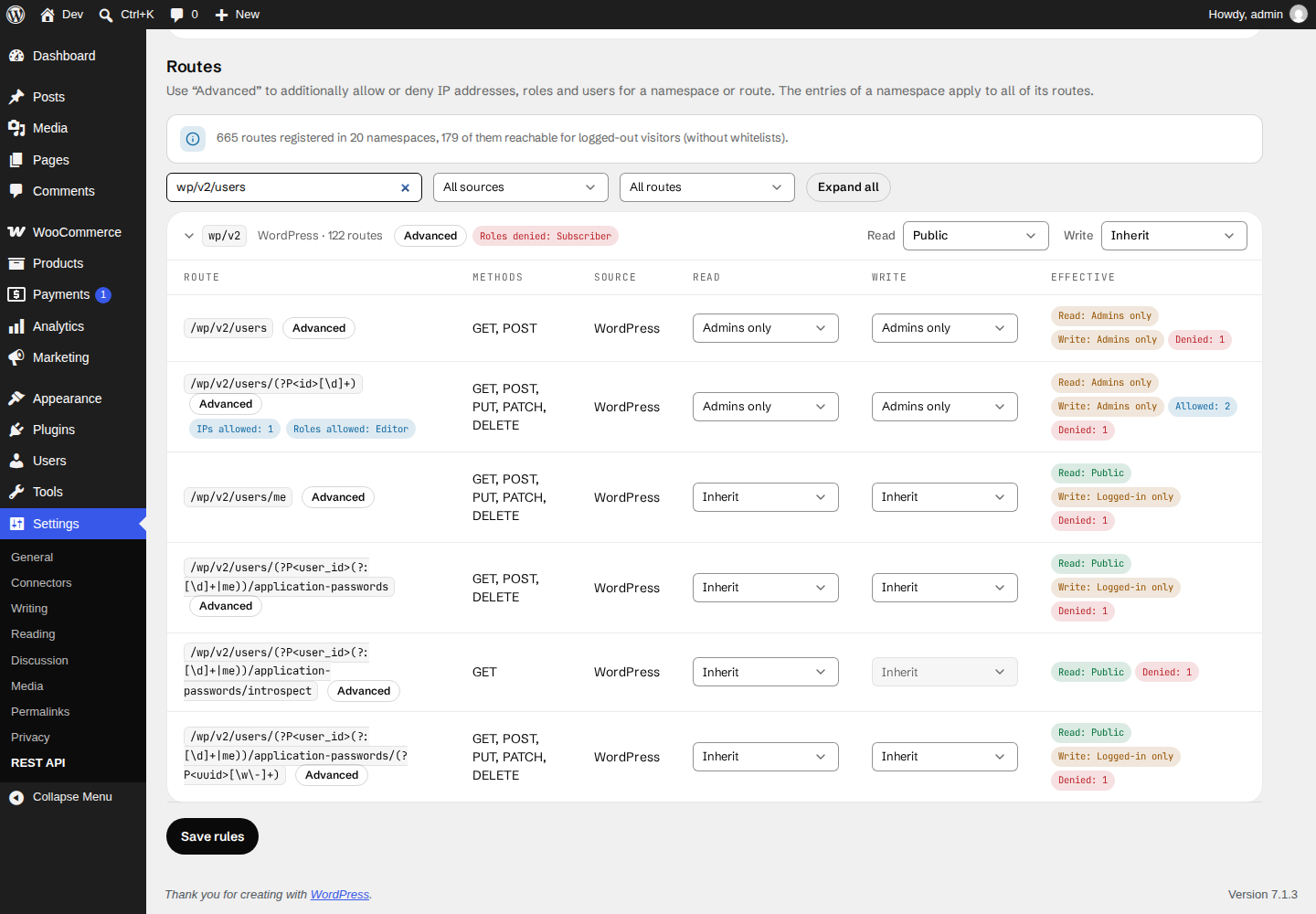
- A default rule plus overrides per namespace and per route. The most specific rule wins: route, then namespace, then automatic allowance, then default.
- Separate rules for reading (GET/HEAD) and writing (POST/PUT/PATCH/DELETE).
- Rule levels: Public, Logged-in only (optionally limited to selected roles), Admins only, Blocked, Inherit.
- Out of the box, logged-out visitors are blocked – except for the namespaces of known front-end plugins (see below).
- Quick actions: block everything for guests, block everything, restrict the user list (
/wp/v2/users) to admins, reset custom rules. - Search and filter the route list by text, source plugin/theme and status.
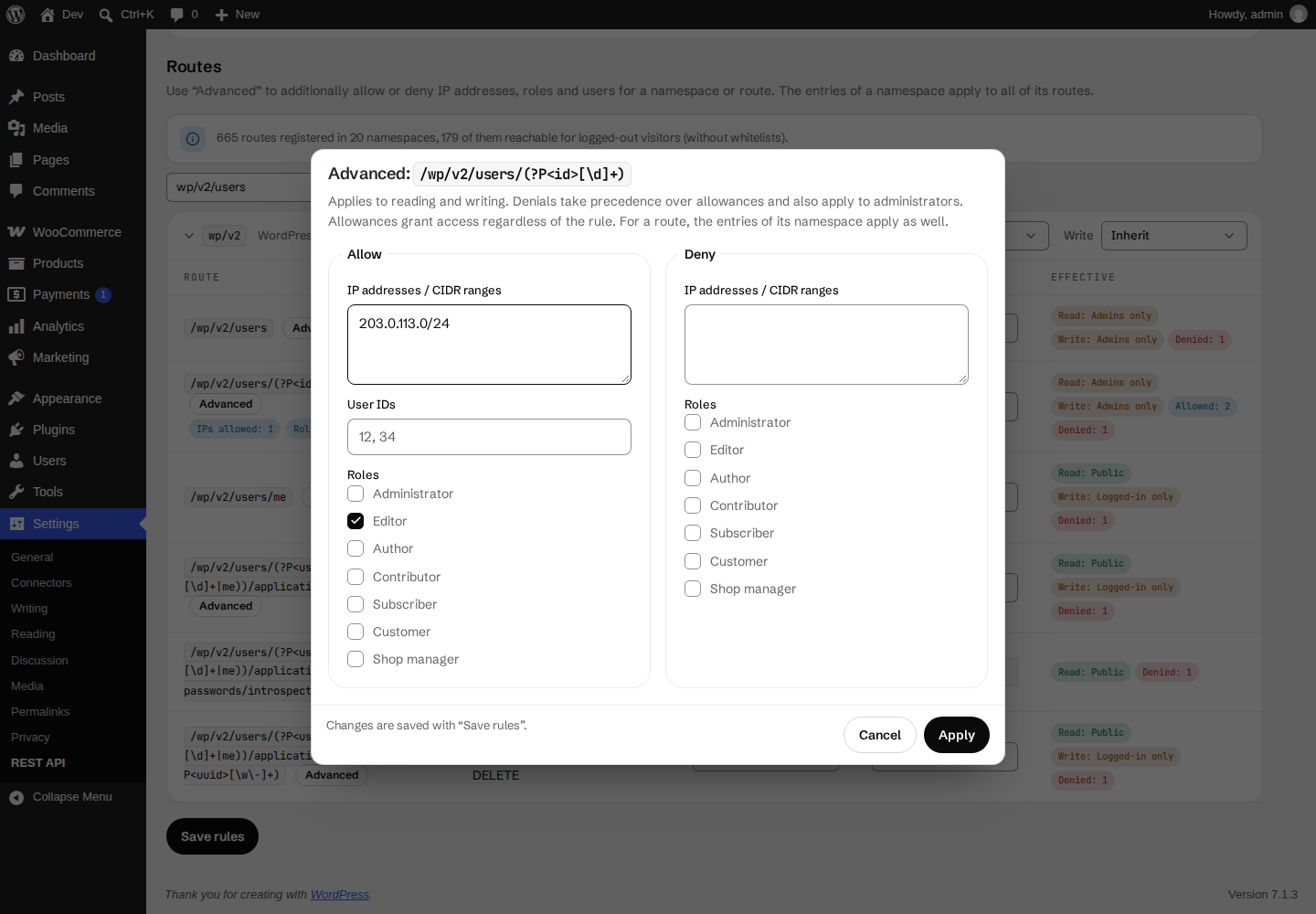
- Allow IP addresses / CIDR ranges (IPv4 and IPv6), roles and user IDs.
- Deny IP addresses / CIDR ranges and roles.
- Denials take precedence over allowances and also apply to administrators.
- All exceptions are visible in the route list at a glance.
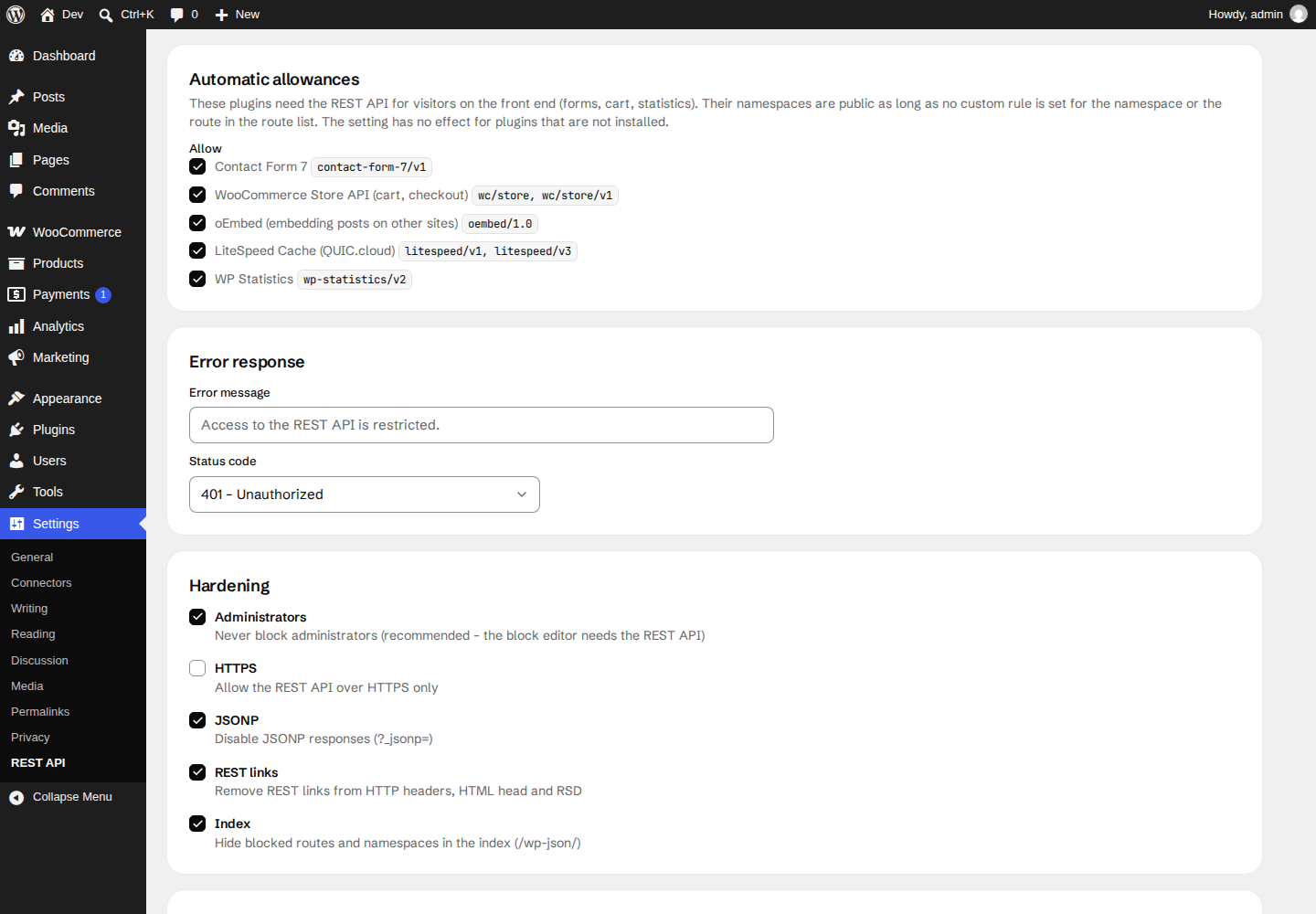
- Contact Form 7
- WooCommerce Store API (cart, checkout)
- oEmbed (embedding posts on other sites)
- LiteSpeed Cache (QUIC.cloud)
- WP Statistics
- Never block administrators (recommended – the block editor needs the REST API).
- Global allow lists for user IDs and IP addresses, global IP deny list.
- Custom error message and status code (401, 403 or 404 – the latter makes blocked routes look non-existent).
- Allow the REST API over HTTPS only.
- Disable JSONP.
- Remove REST links from HTTP headers, the HTML head and RSD.
- Hide blocked routes and namespaces in the REST index (
/wp-json/).
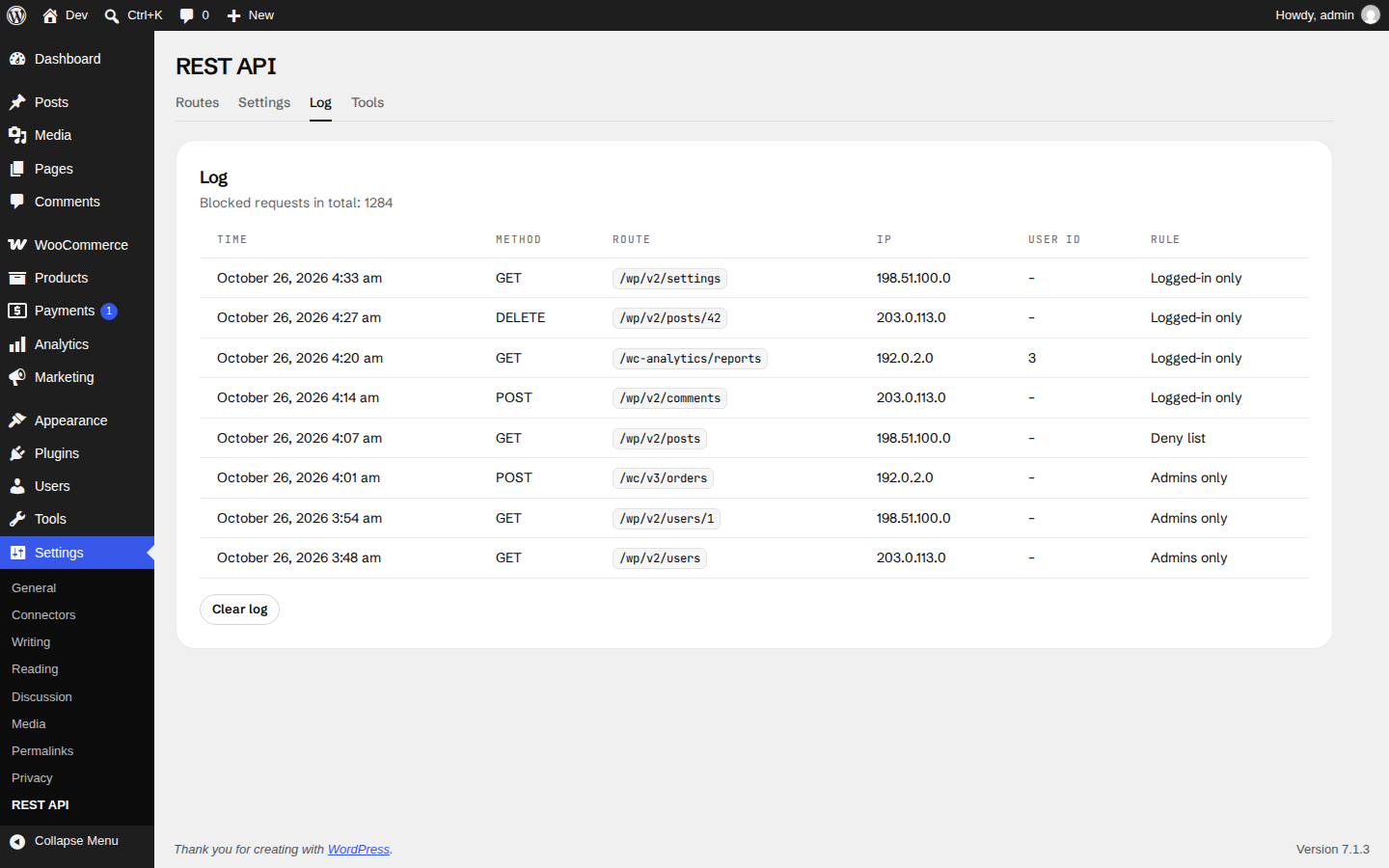
- Optional log of the last 200 blocked requests. The IP address can be stored in full, shortened or not at all.
- Self-test: shows what logged-out visitors get from the REST API.
- Export and import of all settings as JSON.
- WP-CLI:
wp wirecore-rest status|routes|set|default|export|import|log.
_embed) and sub-requests of the batch endpoint (/batch/v1). Internal rest_do_request() calls made by PHP – for example when the block editor preloads data – are not affected.
Multisite
Settings are stored per site, because every site has its own routes and plugins. The plugin can be network-activated; uninstalling removes the settings of all sites.
For developers
wirecore_rc_error– filters theWP_Errorof a blocked request (parameters: error, route pattern, method). Returningtrueallows the request after all.wirecore_rc_client_ip– filters the client IP, e.g. behind a reverse proxy.wirecore_rc_known_namespaces– filters the plugins offered under "Automatic allowances" (arraykey => [namespaces]).
assets/wirelayer/wirelayer.css is generated from the npm package @wirecore/wirelayer-css with npm run build:css; the source code of the plugin, including package.json, is available at github.com/WireCore/WP-Rest-Control. Bundled with it:
- Tailwind CSS (MIT) – preflight and utilities compiled into
wirelayer.css - Schibsted Grotesk and JetBrains Mono fonts (SIL Open Font License 1.1,
assets/wirelayer/fonts/OFL.txt), served from the plugin – no external font service - Lucide icons (ISC)
安装:
- Install the plugin via Plugins → Add New or upload the plugin folder to
/wp-content/plugins/. - Activate the plugin. From now on, logged-out visitors can no longer use the REST API, except for the automatically allowed namespaces.
- Go to Settings → REST API to review the route list and adjust the rules.
composer require wpackagist-plugin/wirecore-rest-control.屏幕截图:
常见问题:
A rule locked me out of the admin area. What can I do?
Add the following line to your wp-config.php. It disables all rules until you remove it again:
define( 'WIRECORE_RC_OFF', true );
Will administrators be blocked?
Not by default: the option "Never block administrators" is enabled after activation, because the block editor needs the REST API. Deny lists (IP addresses, roles) always apply, also to administrators.
My contact form or shop checkout stopped working.
Check Settings → REST API → Settings → Automatic allowances. If the plugin is not listed there, search for its namespace in the route list and set it to "Public".
Does it also restrict routes of other plugins?
Yes. The route list contains every registered route and shows which plugin or theme registered it. Some plugins only register routes during REST requests; the list is therefore loaded through the REST API itself so that these routes are included as well.
How can I check what visitors see?
Use Tools → Self-test on the settings page, or open /wp-json/ in a private browser window.
Is the plugin translated?
The plugin ships with German translations (formal and informal). Further translations are welcome on translate.wordpress.org.
更新日志:
- Initial release.