
WP cdnjs
| 开发者 |
mindshare
geetjacobs patkirts audioscavenger |
|---|---|
| 更新时间 | 2020年3月20日 12:48 |
| 捐献地址: | 去捐款 |
| PHP版本: | 5.1 及以上 |
| WordPress版本: | 5.3 |
| 版权: | GPLv3 or later |
| 版权网址: | 版权信息 |
详情介绍:
Speed up your site by using the powerfull and free CDNjs. This plugin Allows you to search all http://cdnjs.com libraries and include them on your site.
Proudly updated by Audioscavenger.
Requires PHP 5.3 or newer
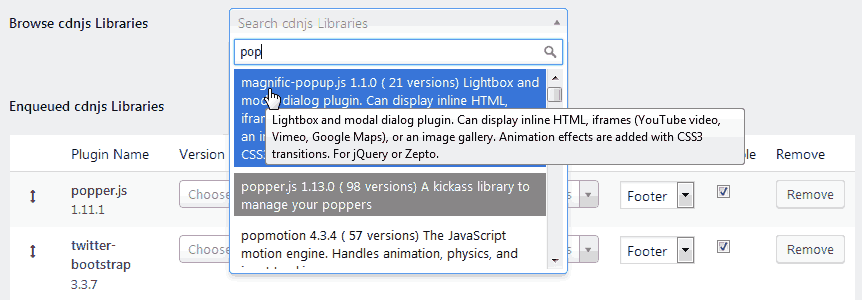
Browse by Name and Description
When browsing, the search key word look in the library names and description.
- Shows library name
- Shows description
- Shows how many versions are available
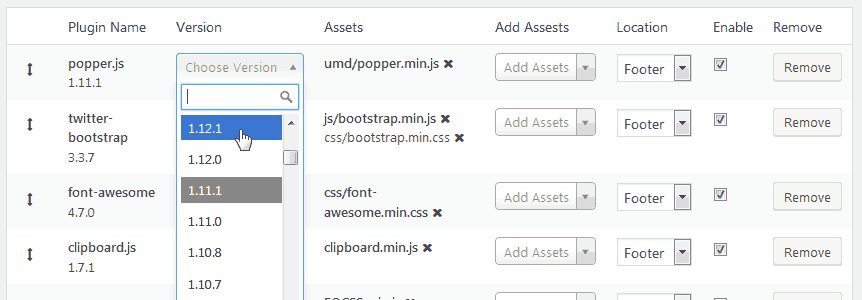
- Latest version selected by default
- Minified version selected by default
- Allows you to include the (non)minified version for debugging purposes
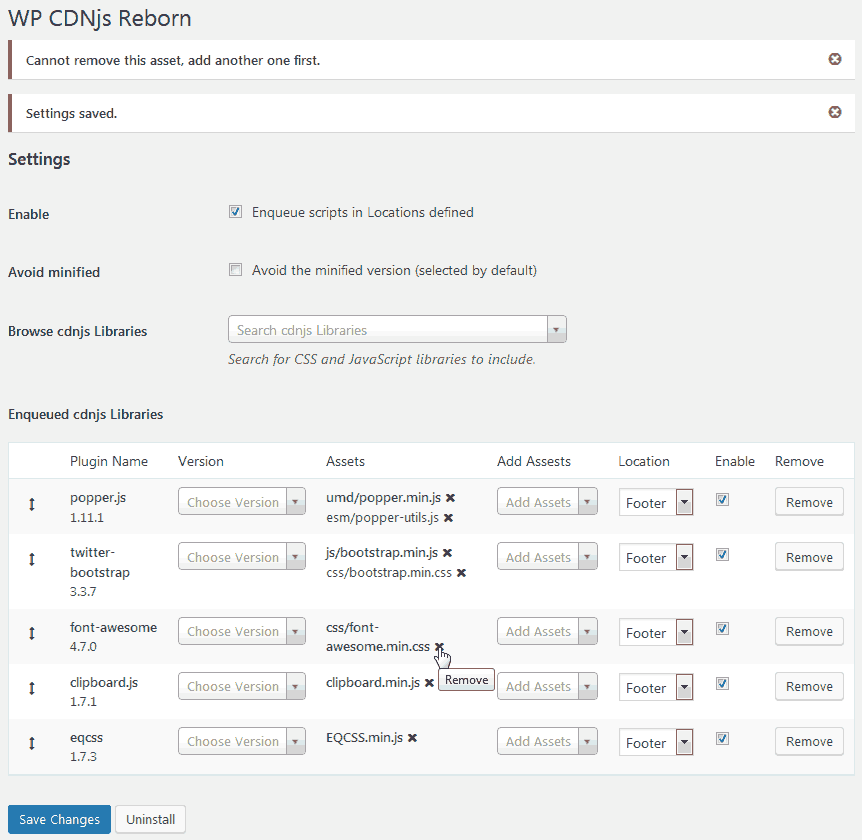
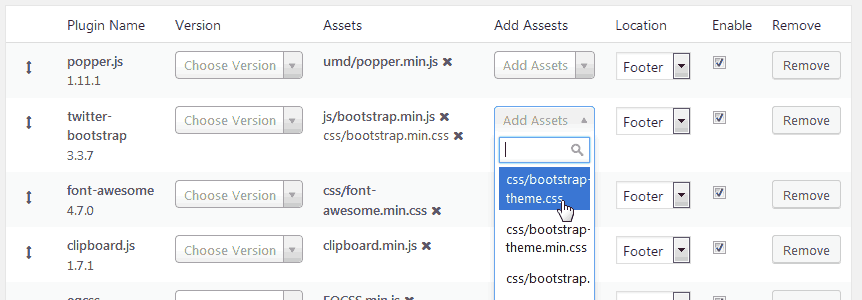
- Shows all the assets associated with a library version
- Allows you to change the main asset used
- Allows you to add and remove assets
- Shows the assets already used in grey to avoid addind duplicates
- Easy drag&drop
- Header/Footer choice
- Enable/Disable option
安装:
Upload the plugin to your blog or install it via the dashboard, activate it, done.
The configuration page is found under Settings->WP cdnjs
This plugin requires PHP and JavaScript.
屏幕截图:
常见问题:
Is WP cdnjs Free?
Yes! Every WP cdnjs's features are and always will be free.
Do I need a WordPress.com account?
Since WP cdnjs do not provided hosted services by WordPress.com, a WordPress.com account is not required.
How do I contribute to WP cdnjs?
There are opportunities for developers at all levels to contribute. You can participate to the development via the developer section with SVN.
How can I change what action is used to enqueue the CDNJS scripts?
You can override the default action ('init') that enqueues the CDNJS script like so:
add_filter('wp_cdnjs_init_action', 'my_cdnjs_init_action'); function my_cdnjs_init_action() { return 'get_sidebar'; // the action tag you wish to use }
Is it possible to have all enabled scripts load in the WordPress Admin area?
Yes. You can use this filter:
add_filter('wp_cdnjs_allow_in_admin', 'my_cdnjs_allow_in_admin'); function my_cdnjs_allow_in_admin() { return TRUE; }
更新日志:
0.4.0
Major Bungfix
- CDNJS does not provide assets list via their API
- tested for WP 5.3 + updated min req version to 5.1
- tested with PHP 7.3
- tested with PHP 7.2
- just tested for 5.2 + updated min req version to 5.1
- tested with both PHP 7.0 and 7.2.18
- just tested for 5.1.1 + updated min req version to 5.0
- tested for 4.9.6 + updated EOL for main script
- Performance increase: Removed the query strings everywhere
- Removed font-awsome and switched to WP dashicons Minor Enhancements
- Minimum version set to 4.9 because we refuse to serve outdated WP versions anymore. Security is everyone's matter, you must therefore use an up-to-date WP.
- Correct path to language files + added en_US.mo
- Ajout de la version Francaise, vieux.
- Release date: January 7, 2018
- Release post: WP cdnjs
- Creation of the readme.txt. This took me like 3 hours so it totally justifies a new release.
- add menu_icon + css assets
- integrate 0.13 functions
- move main functions to lib/functions.php
- add minified js
- table in Settings is now full width
- cleanup php code everywhere
- Initial fork from wp-cdnjs.git to wp-cdnjs-reborn.git
- Fix the secondary assets you want to include
- Add column for choosing the exact version
- Add checkbox for choosing the the non-minified version
- Update for 4.0
- Bugfix for header / footer setting being reversed
- Added .pot file for translation
- Fixed logo and WP version
- Initial release