
WP Smart Content
| 开发者 | vinodsebastian |
|---|---|
| 更新时间 | 2025年12月21日 03:43 |
| PHP版本: | 7.0 及以上 |
| WordPress版本: | 6.9 |
| 版权: | GPLv2 or later |
| 版权网址: | 版权信息 |
详情介绍:
Easily inject HTML, CSS, JS, styles, scripts & tracking code via hooks / shortcodes with safe mode, scheduling, revisioning & geotargeting.
https://www.youtube.com/watch?v=EGcpAotBoZU
https://www.youtube.com/watch?v=JQlmAbAFeyU
⏱ Schedule when you want
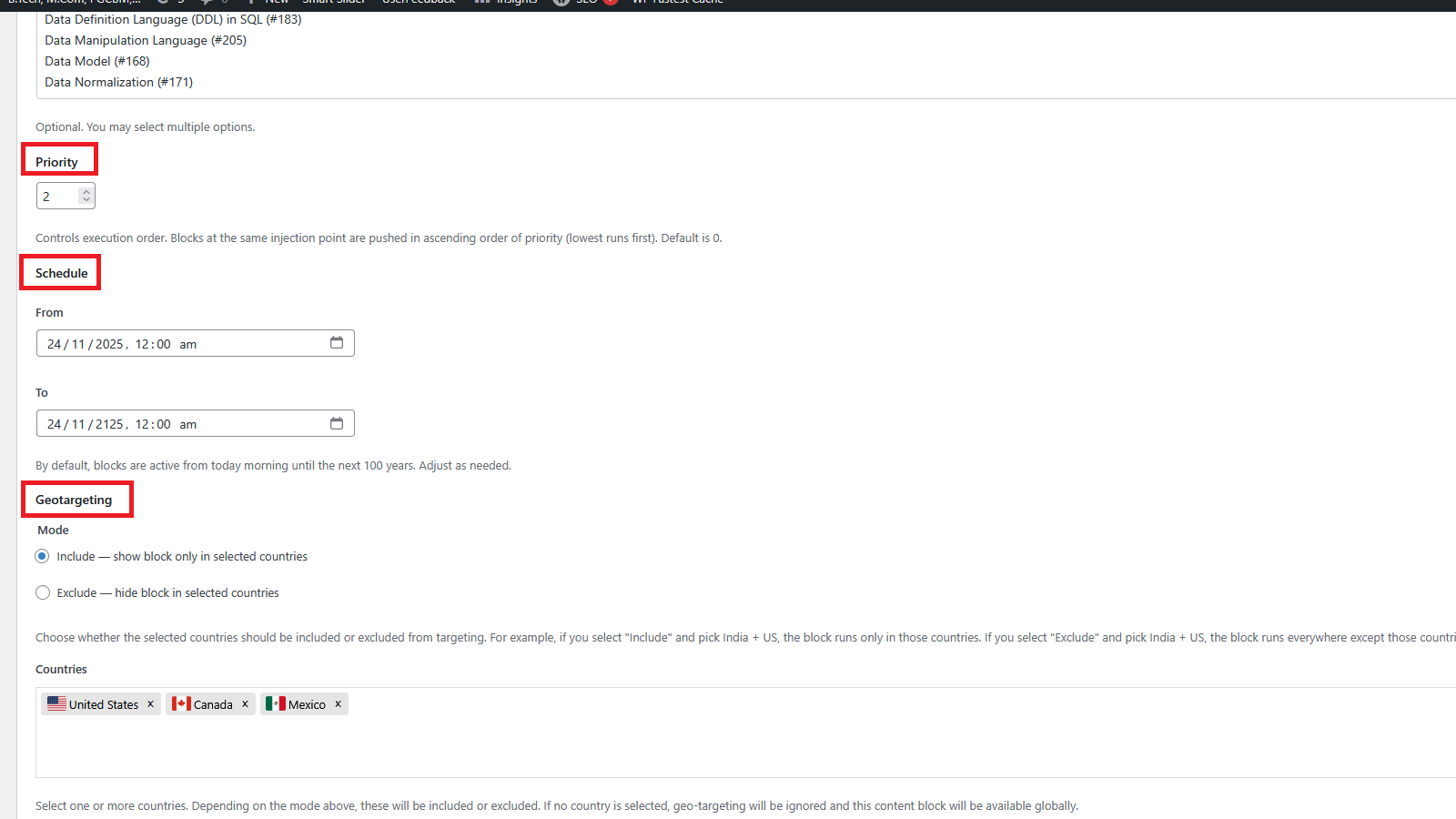
Define start and end dates so snippets appear only when needed — ideal for campaigns, seasonal banners, or compliance notices.
📍 Publish where you want
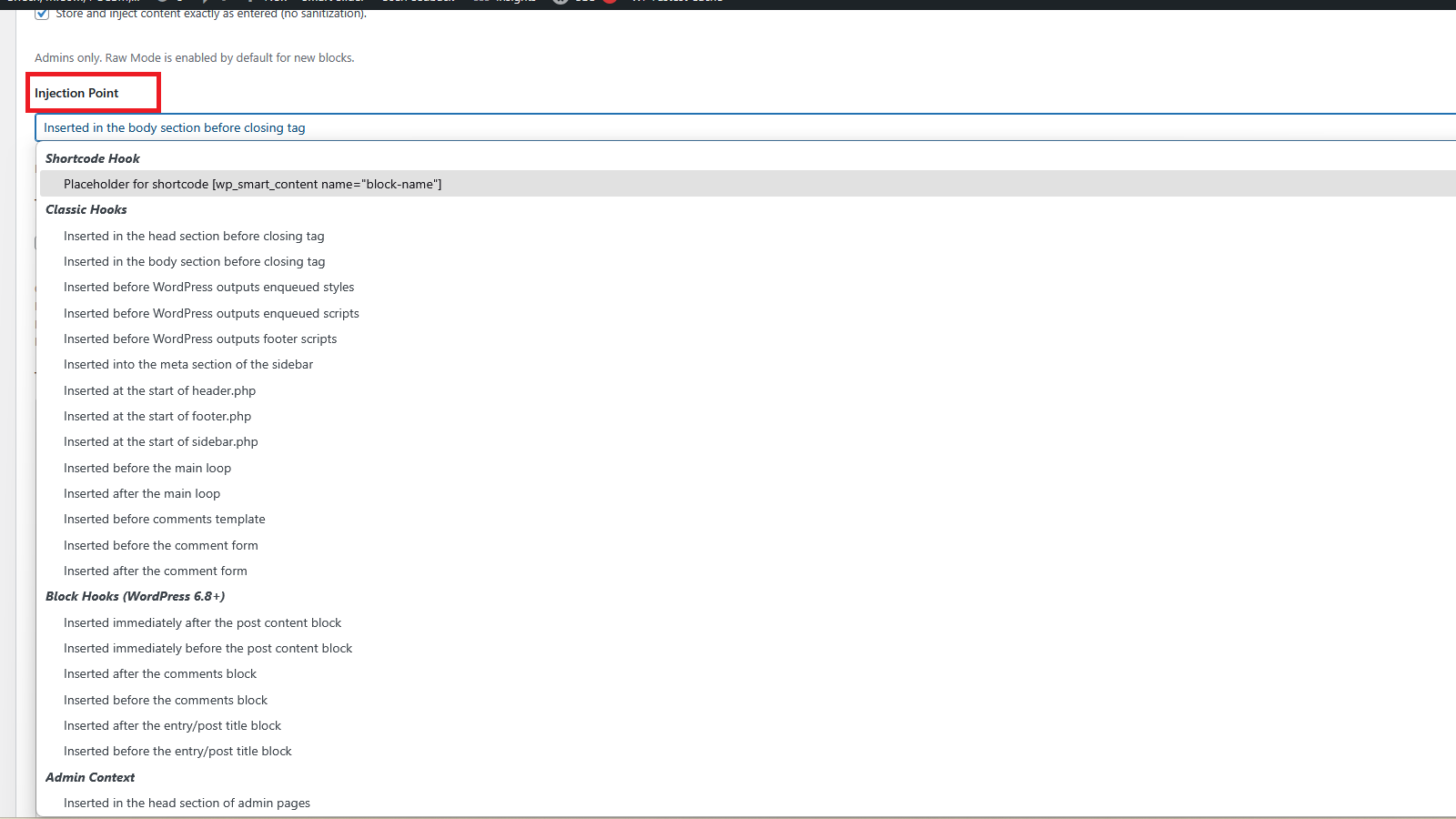
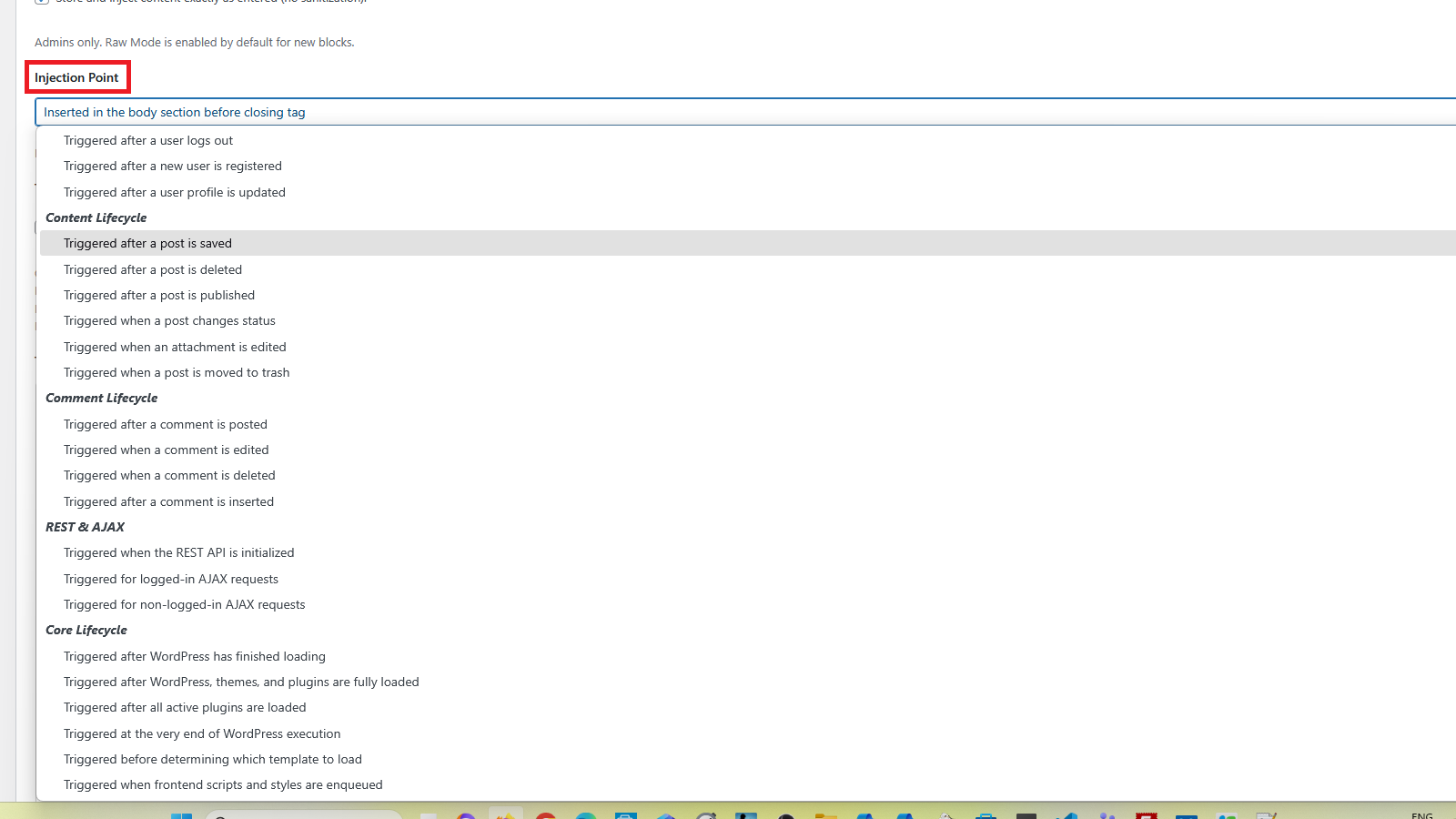
Inject HTML, JavaScript, or CSS styles into any WordPress hook — Classic or Block Hook — without editing templates. Embed blocks directly inside posts, pages, or widgets using shortcodes.
🌍 Filter where you want
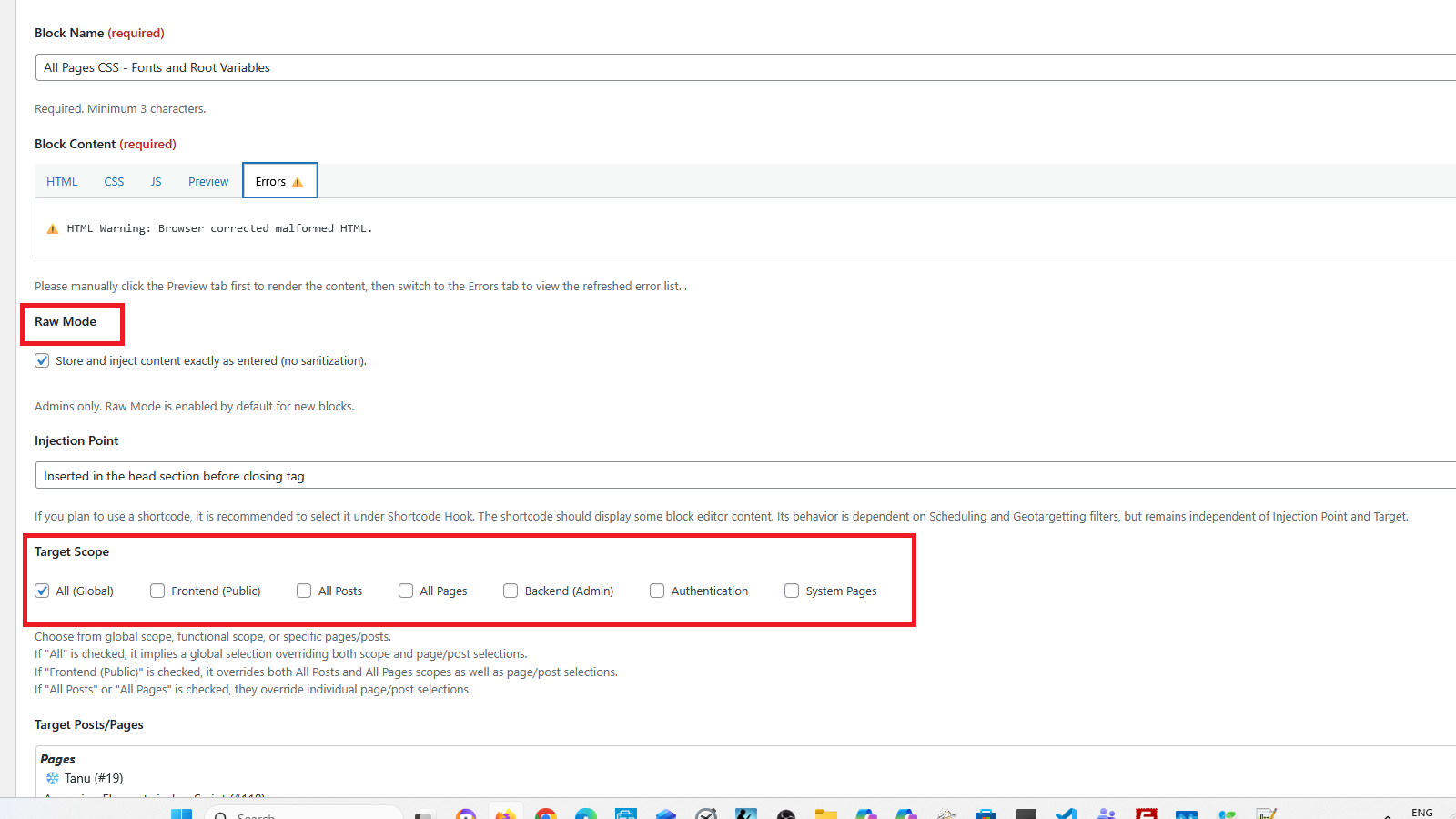
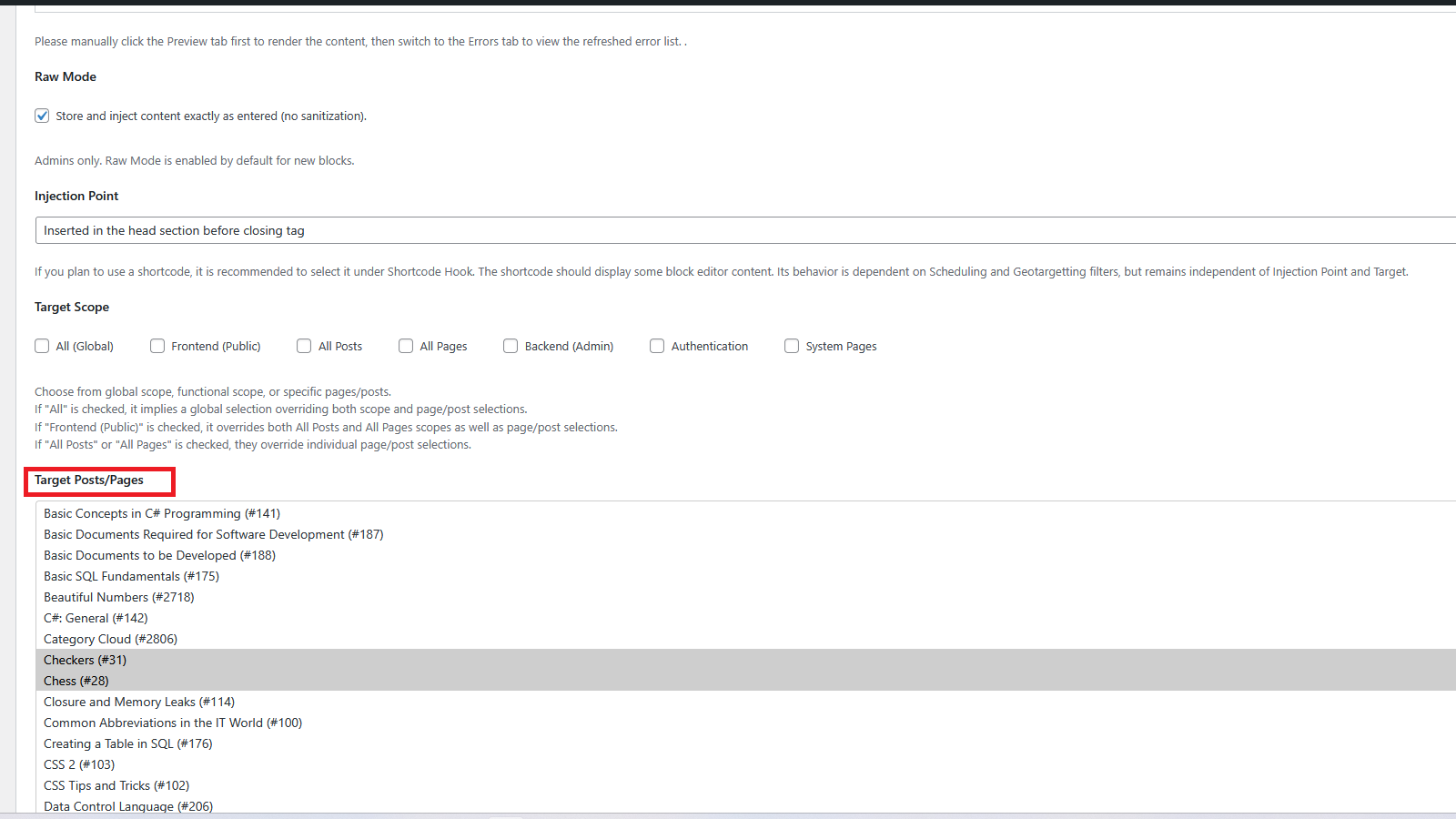
Control visibility across WordPress sections: all, frontend, posts, pages, backend (Admin), authentication, and system pages. Apply filters to selected posts or pages for complete flexibility.
🌐 Target who you want
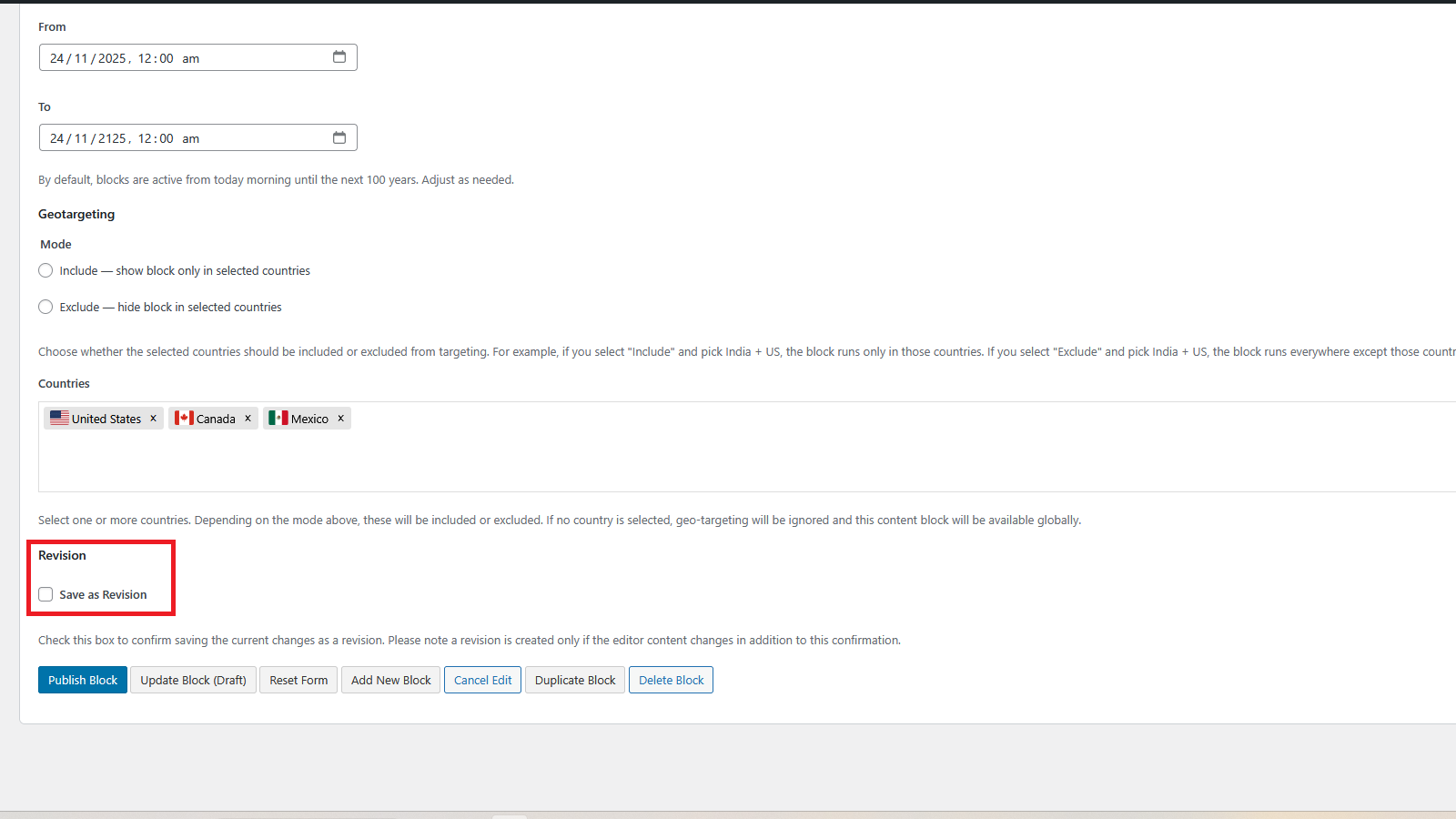
Use geotargeting to display blocks only to visitors from selected countries. Configure rules to include or exclude specific regions.
🔒 Manage safely by whom you want
Administrators can use Raw Mode (unfiltered output) or Safe Mode (sanitized injection). Non-admins can be granted limited Safe Mode access via the
wpsc_admin capability, making delegation secure.
🗂 Revision when you want
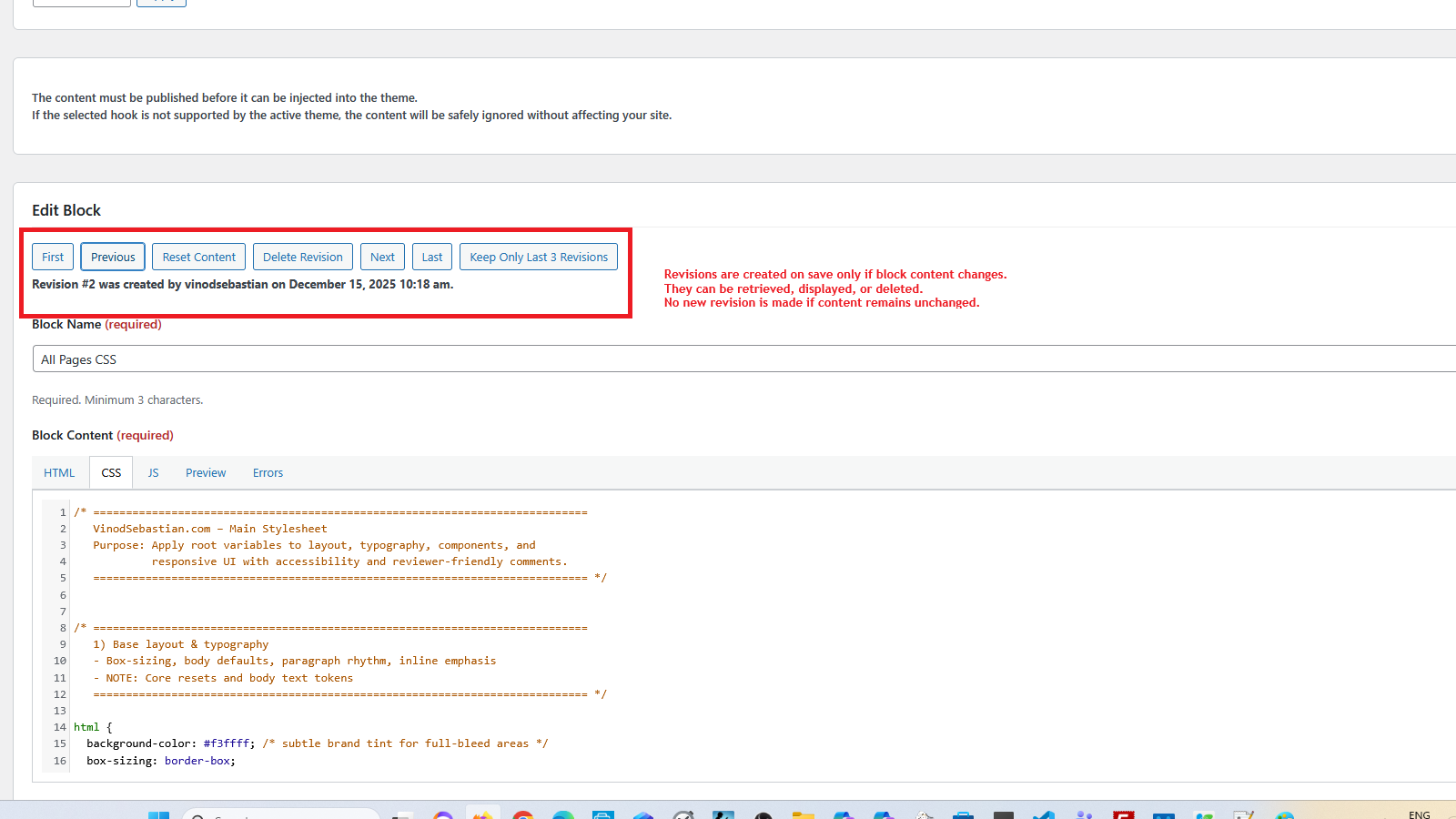
Retrieve, compare, and restore block editor content with full revision management. Delete outdated revisions safely to keep the database clean and audit-friendly.
🖊️ Edit how you want
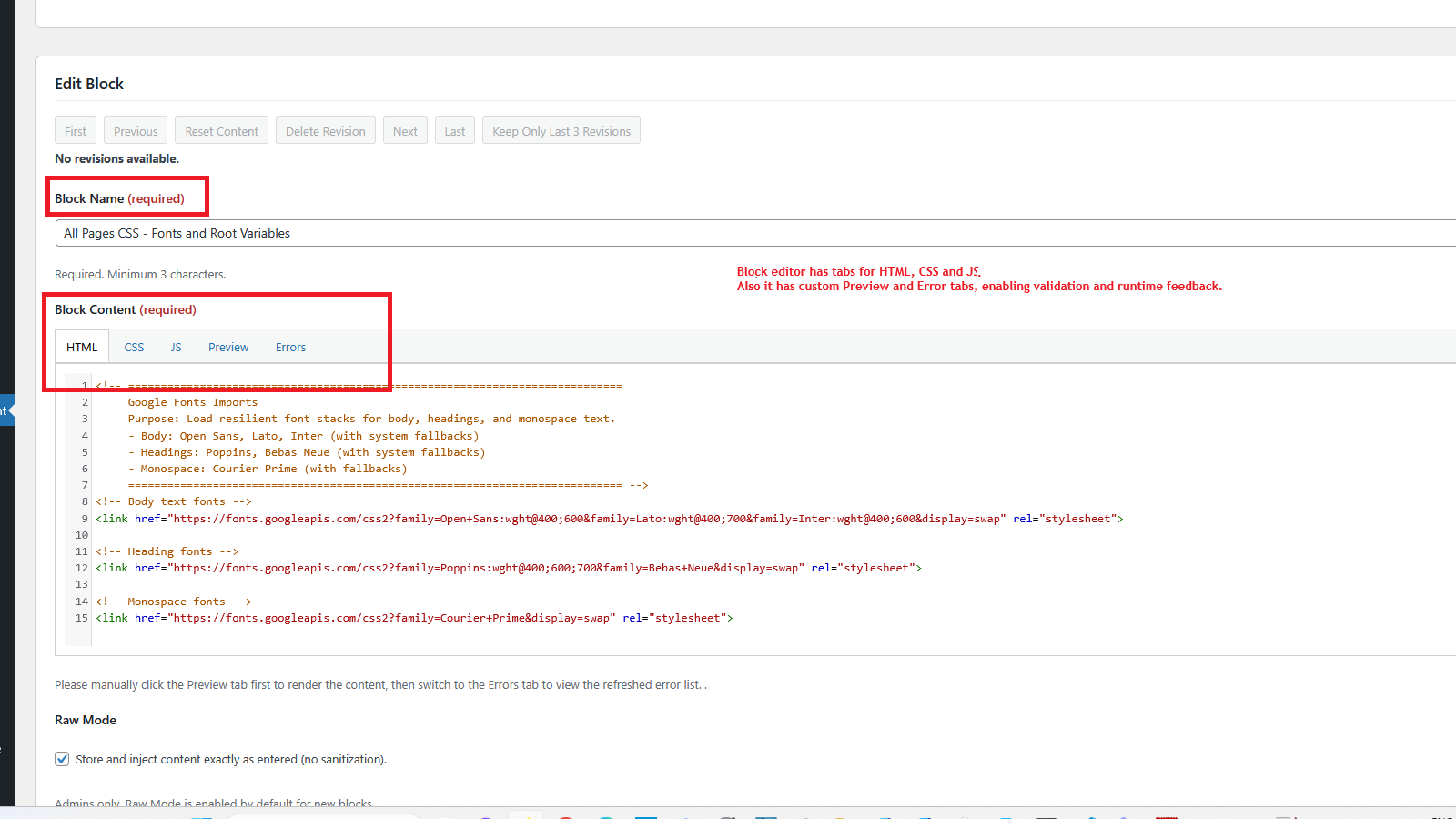
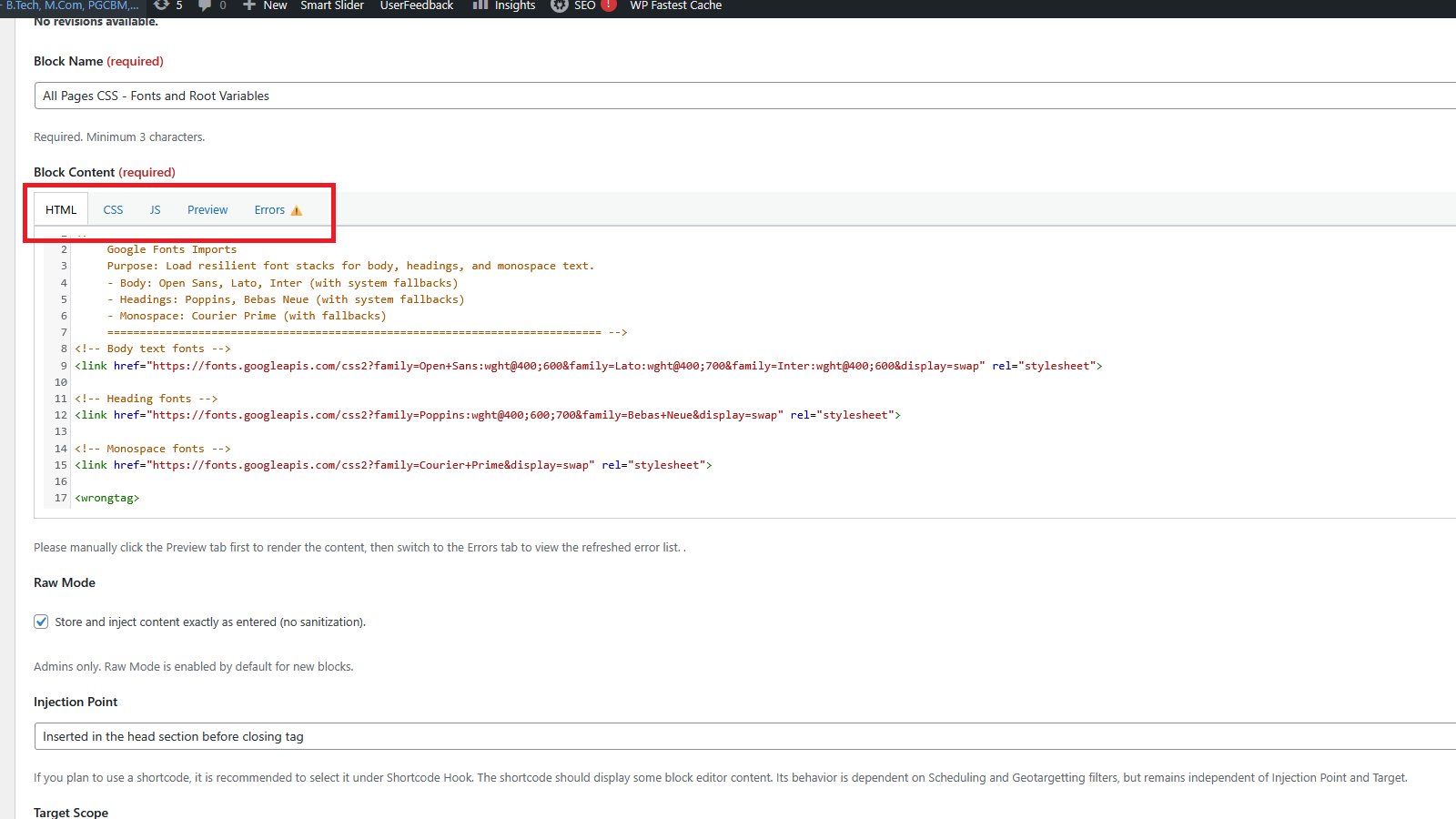
Includes a built-in editor with dedicated sections for HTML, CSS, and JavaScript, plus Preview and Error panels. Syntax highlighting improves readability, while instant error feedback ensures safe workflows.
✅ Why WP Smart Content?
By combining scheduling, hook targeting, filtering, geotargeting, role-based permissions, revisioning, and a syntax-highlighted editor, WP Smart Content ensures snippets are placed exactly where and when you want them — managed safely by the right people. It’s a compliance-ready, SEO-friendly solution that keeps your WordPress site secure, scalable, and easy to maintain. Supports Classic & Block Hooks, grouped dropdowns, translation readiness, and a reviewer-friendly modular codebase with clear documentation.
✨ Key Features
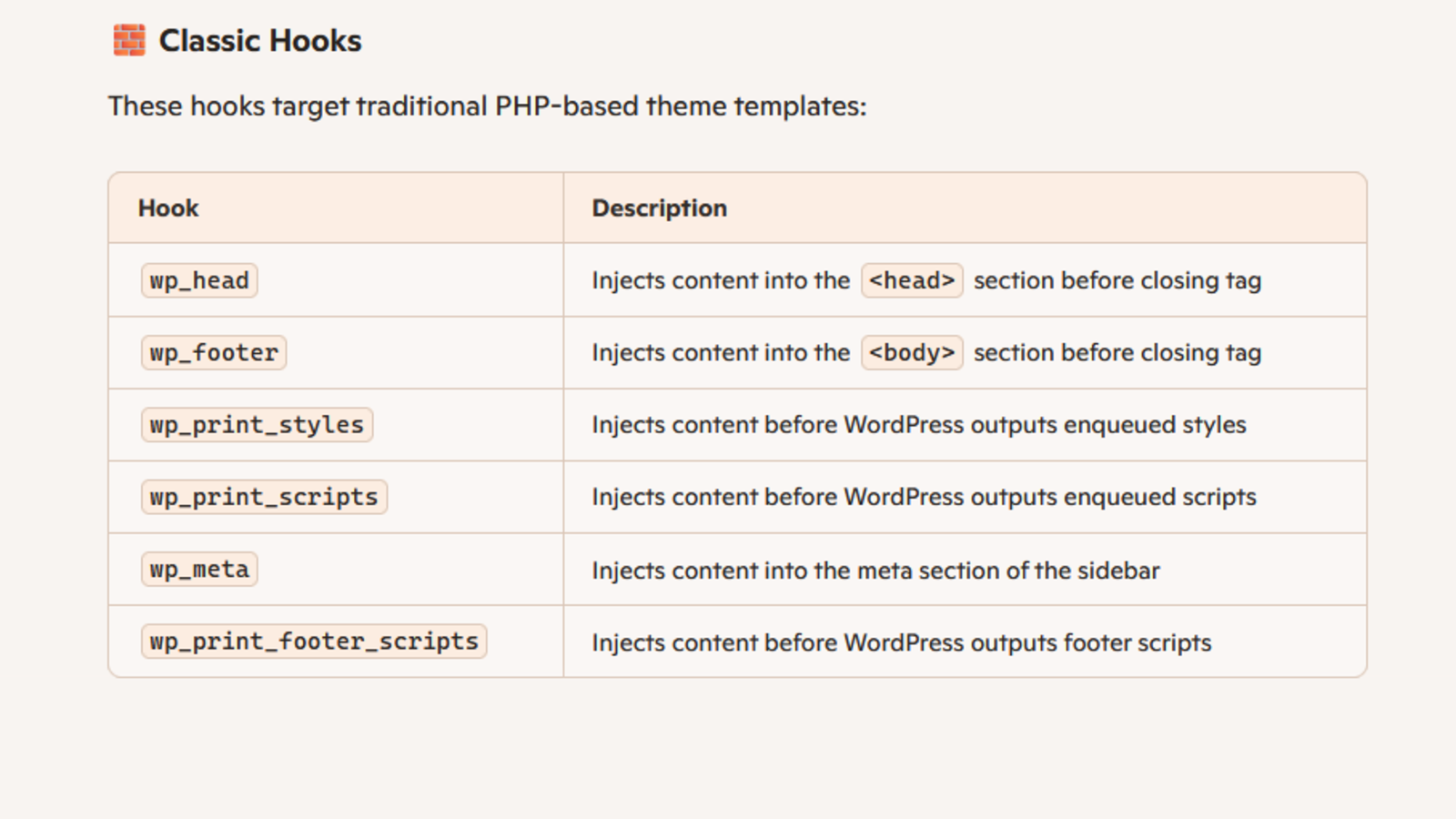
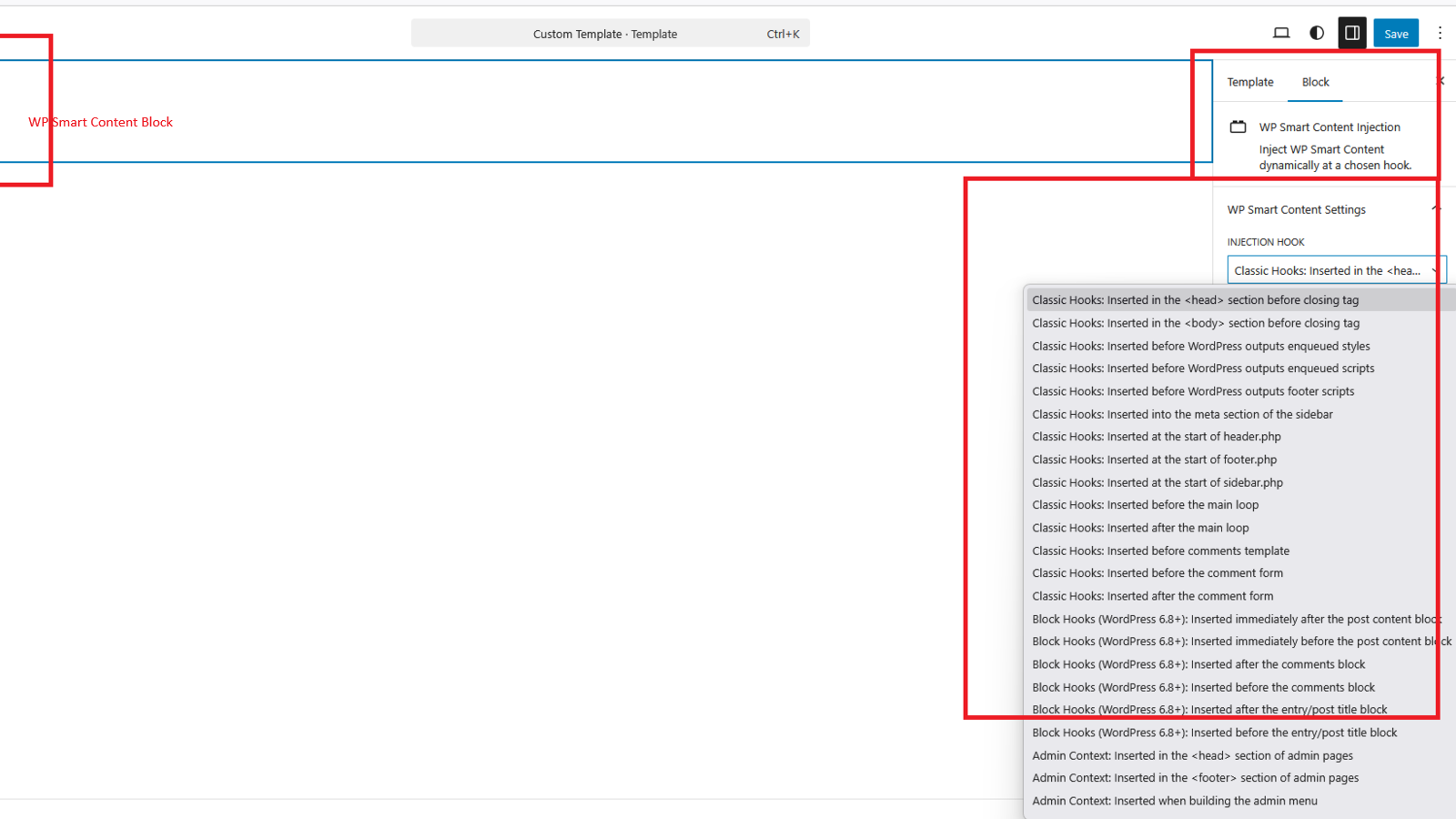
- Classic Hooks: Inject content into wp_head, wp_footer, styles, scripts, meta, and footer scripts.
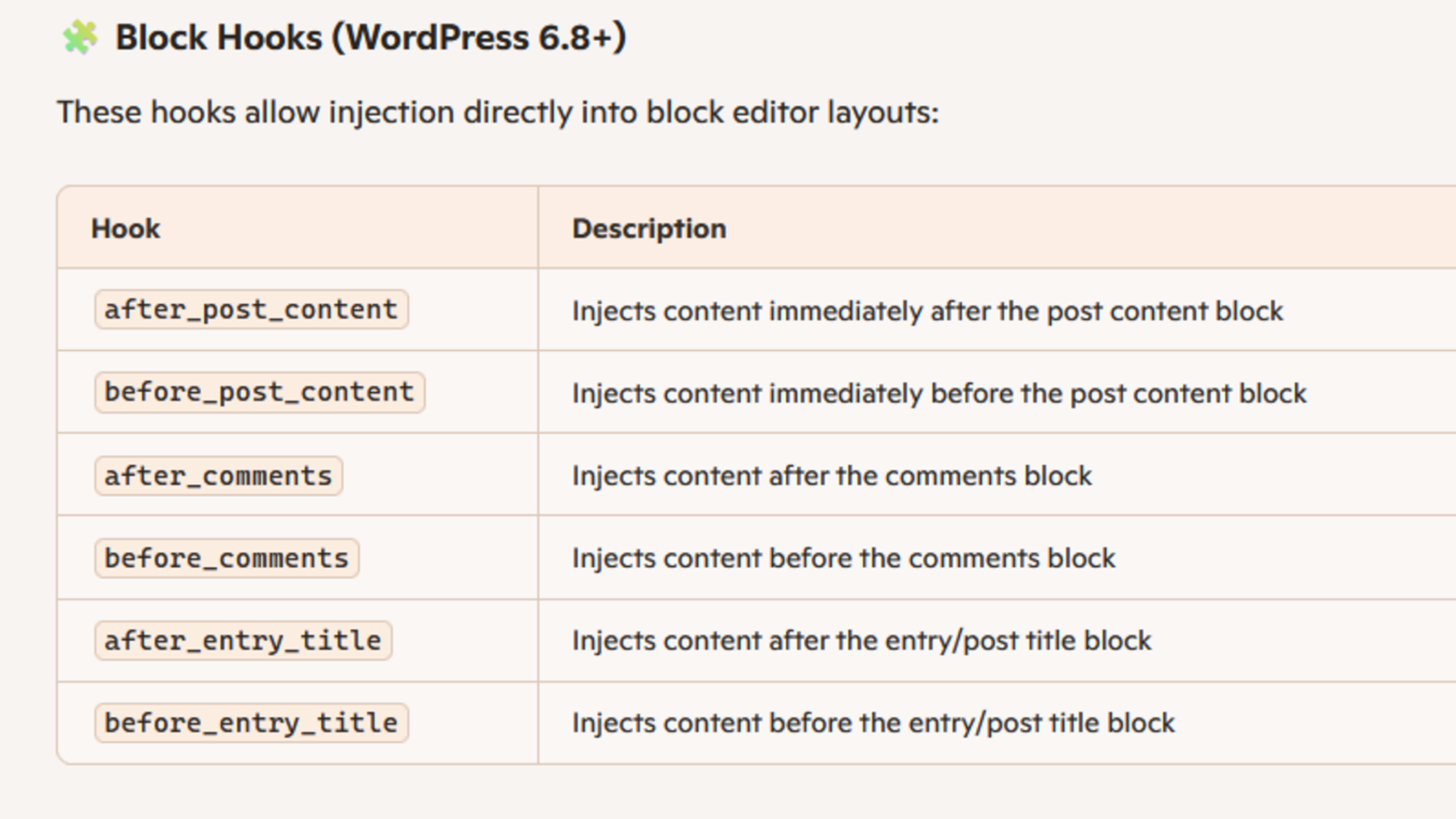
- Block Hooks (WP 6.8+): Add content anywhere via the block editor UI.
- Grouped dropdowns: Organized separation of Classic and Block Hooks in admin.
- Translation ready: Updated .pot file for localization.
- Reviewer-friendly: Modular code, clear docs, and WordPress coding standards compliance.
- Add a script to the <head> section without editing theme files.
- Insert HTML into the <footer> for custom notices or widgets.
- Push CSS before WordPress outputs styles for precise control.
- Inject a notice after post content using Block Hooks.
- Manage analytics or marketing tags centrally, without touching templates.
- Schedule snippets to run only during campaigns or seasonal events.
- Delegate Safe Mode CSS editing to a designer or contributor without exposing Raw Mode or sensitive site access.
- Display region-specific banners or compliance notices using geotargeting (include/exclude selected countries).
- Control visibility across frontend, posts, pages, admin, authentication, or system pages with scope targeting.
- wp_head – Injects content into the '<head>' section before closing tag
- wp_footer – Injects content into the '<body>' section before closing tag
- wp_print_styles – Injects content before WordPress outputs enqueued styles
- wp_print_scripts – Injects content before WordPress outputs enqueued scripts
- wp_meta – Injects content into the meta section of the sidebar
- wp_print_footer_scripts – Injects content before WordPress outputs footer scripts
- after_post_content – Injects content immediately after the post content block
- before_post_content – Injects content immediately before the post content block
- after_comments – Injects content after the comments block
- before_comments – Injects content before the comments block
- after_entry_title – Injects content after the entry/post title block
- before_entry_title – Injects content before the entry/post title block
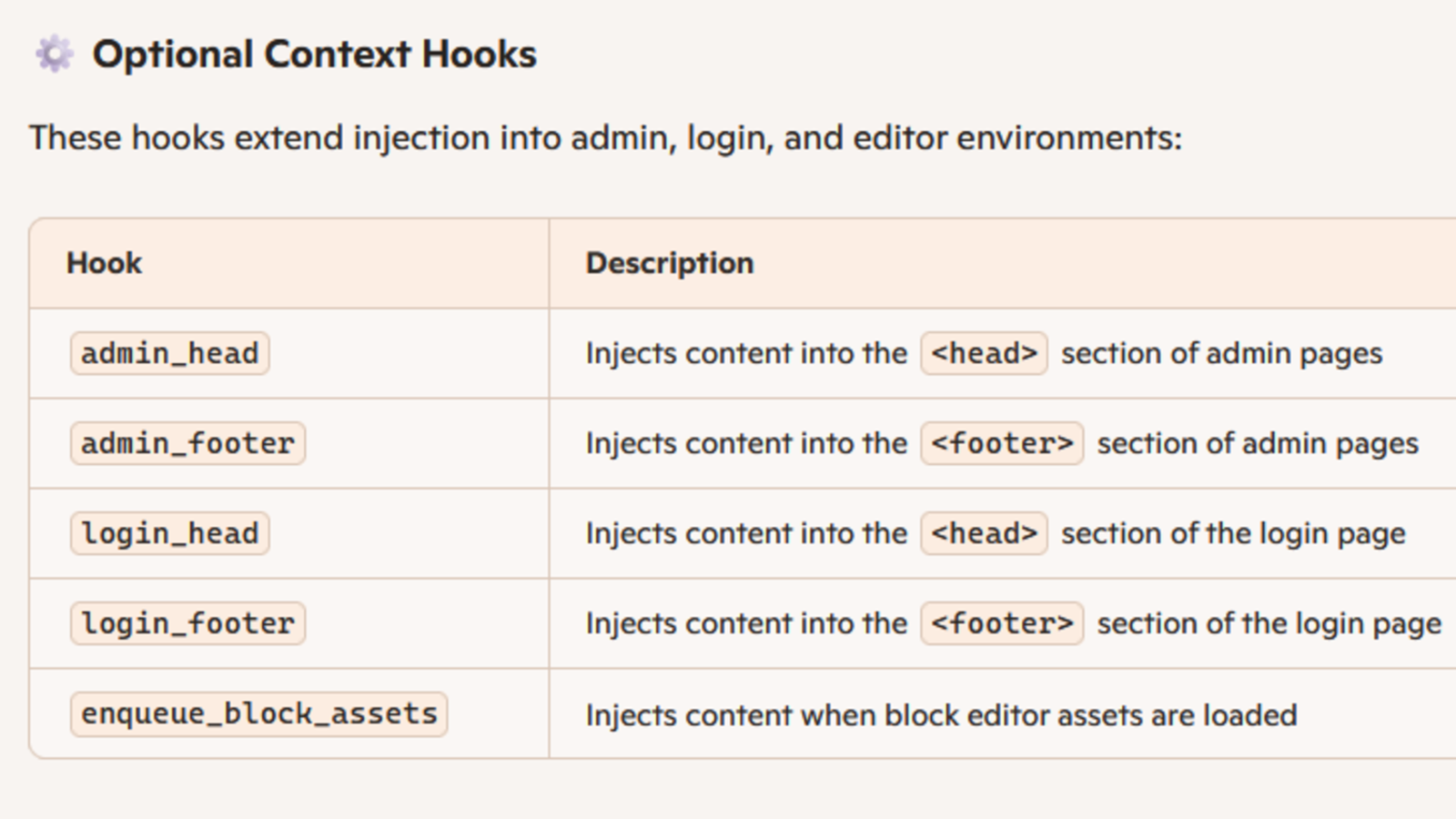
- admin_head – Injects content into the '<head>' section of admin pages
- admin_footer – Injects content into the '<footer>' section of admin pages
- login_head – Injects content into the '<head>' section of the login page
- login_footer – Injects content into the '<footer>' section of the login page
- enqueue_block_assets – Injects content when block editor assets are loaded
安装:
- Upload 'wp-smart-content' to the '/wp-content/plugins/' directory.
- Activate the plugin through the Plugins menu in WordPress.
- A new top-level menu called WP Smart Content appears in the WordPress admin sidebar.
屏幕截图:
更新日志:
1.0.0
- Initial launch.
- Fixed AJAX content deletion bug caused by jQuery.
- Revamped code.
- Improved user experience.
- Added ability to update content.
- Fixed frontend display bug.
- Small enhancements.
- Fixed CSS side effects.
- Fixed minor bugs.
- Fixed major bug.
- Enhancements.
- Major restructuring and modularization of files for cleaner architecture and easier maintenance.
- Updated admin UI to align with WordPress theme.
- Added translation readiness.
- Extended support for WordPress 6.8 Block Hooks API and additional injection points.
- Introduced Raw Mode toggle (admins only) with Safe Mode fallback for non-admins.
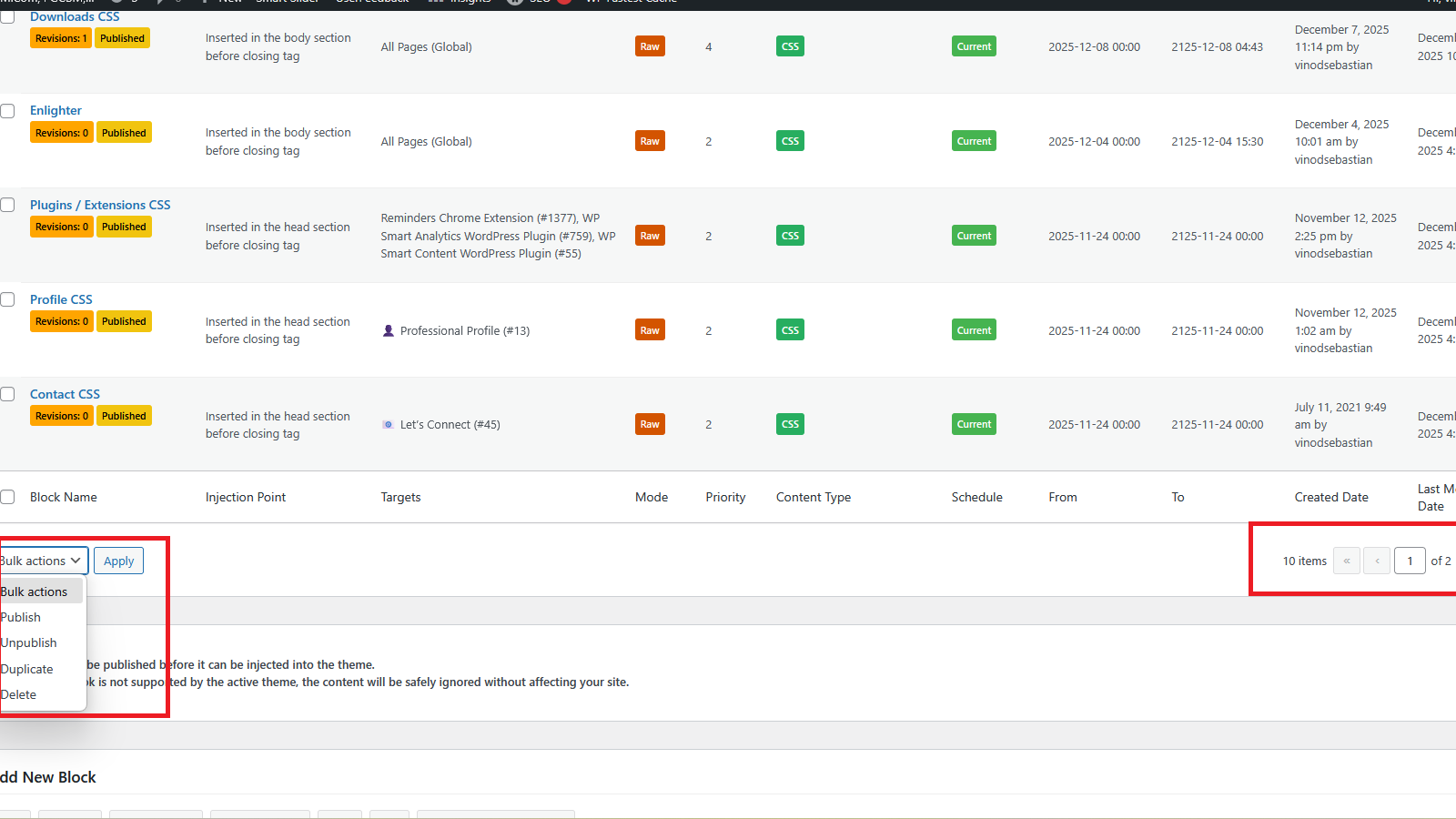
- Improved pagination controls for block lists.
- Fixed major bug with block hooks API display.
- Fixed major bug with block hooks API display.
- Added more Injection points.
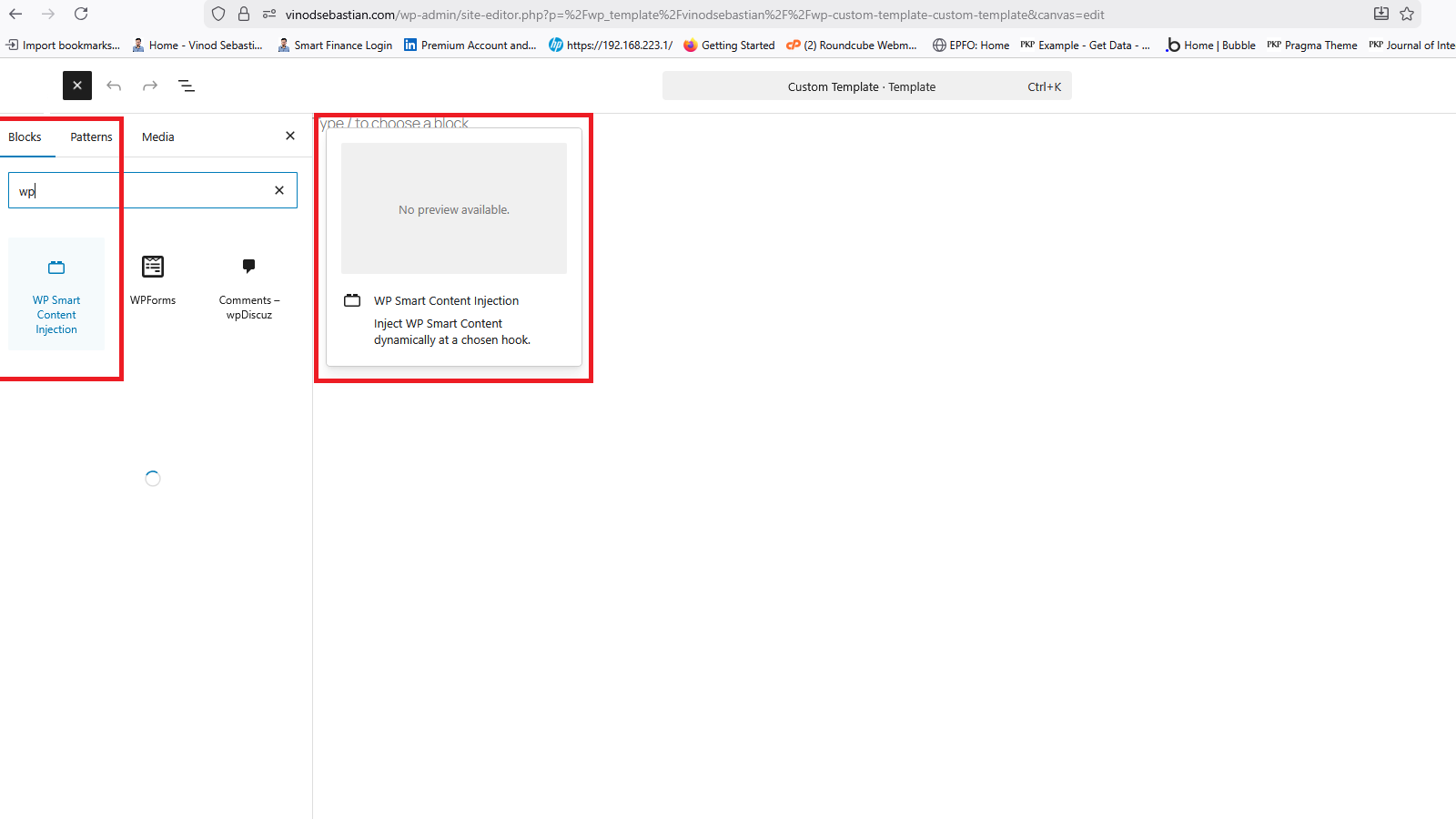
- Added ability to inject content anywhere on the theme from blocks UI.
- Corrected typos and improved readability
- Enhanced user interface for better usability
- Added new capability 'wpsc_admin' for finer access control.
- Minor updates and improvements.
- Improved cleanup on uninstall (removes custom capability from Administrator role).
- Enhanced admin UI with accessibility improvements.
- Strengthened error handling for insert/update actions — admins now see proper notices if saving fails.
- Added Priority support using native 'menu_order' (default 0). Blocks at the same injection point are injected in ascending order of priority.
- Introduced Content Type badges (TEXT, HTML, JS, CSS) in the list table for instant visibility of block composition.
- General security and compliance refinements.
- Added scheduling facility with start/end date controls for blocks.
- Introduced visual badges in the dashboard to indicate block states (active, scheduled, expired).
- Improved upgrade routines to backfill scheduling and priority metadata for existing blocks.
- Minor code cleanup and translation updates.
- Resolved bug in frontend display.
- Minor UI refinements.
- Added shortcode [wp_smart_content name="blockname"] for inline block injection based on schedules.
- Improvements to list view.
- Minor correction to block duplication code.
- Minor UI refinements.
- Minor bug corrections.
- Confirmed compatibility with WordPress 6.9
- Corrected TinyMCE content issues while switching between Visual/Text tabs for consistent behavior using Babel and PostCSS.
- Fixed TinyMCE content issues when switching Visual/Text tabs.
- Removed PostCSS dependency for simpler cleanup.
- Added delete confirmations and clearer save/unpublish messages.
- Improved overall UX consistency.
- Added ability to retrieve old saved revisions of editor content inside a Block.
- Introduced option to delete outdated editor revisions of a block.
- Fixed TinyMCE content issues when switching between Visual and Text tabs.
- Improved overall UX consistency across revision management and editor workflows.
- Added missing files.
- Updated language file.
- Switched editor from TinyMCE to CodeMirror for a modern, developer-friendly snippet editing experience.
- Introduced custom Preview and Error tabs, enabling validation and runtime feedback.
- Improved overall UX with minor refinements and interface adjustments.
- Added geotargeting support to display blocks based on selected countries.
- Enhanced scope targeting to control visibility across frontend, posts, pages, admin, authentication, and system pages.